
Finding a machine that runs heavy creative software without crashing is the single biggest compromise artists on a tight budget face. You need reliable color reproduction, enough RAM to handle layered files, and a responsive processor — all without crossing into premium-priced territory that professional-grade workstations occupy.
I’m Min — the co-founder and writer behind Gadgets Feed. I’ve spent years analyzing spec sheets and user feedback across hundreds of laptops, focusing specifically on how display quality, GPU performance, and thermal design impact creative workflows for digital artists..
This guide breaks down the best options available today, covering everything from standalone drawing tablets to traditional laptops with strong color accuracy, so you can make an informed choice. My goal is to help you discover the right budget laptop for artists that won’t hold back your creative vision.
How To Choose The Best Budget Laptop For Artists
Not all budget laptops are created equal when it comes to creative work. An artist’s needs are distinct from a student’s or a general office user’s — you need a panel that reproduces colors faithfully, a processor that handles multi-layer files, and enough memory to keep several applications running without stutters. Here are the three factors that matter most.
Display Quality: Color Gamut and Resolution
The most important component for any artist is the screen. Look for a panel that covers at least 100% sRGB — this ensures the colors you see on screen match what you export. More demanding workflows, like print design or photo editing, benefit from higher Adobe RGB or DCI-P3 coverage. Resolution also plays a role: a 1920×1080 (Full HD) display is the baseline, but 2.5K or 4K options give you extra canvas real estate for detailed work. Avoid displays with low color gamut (like 45% NTSC) if you plan to do serious digital painting — they will show colors inaccurately and force you to re-edit files later.
Performance: RAM, Processor, and Graphics
For software like Photoshop, Clip Studio Paint, or Krita, the minimum you should aim for is 8GB of RAM, but 16GB is strongly recommended for handling multiple layers and large canvases without lag. The processor needs to be at least a modern AMD Ryzen 5 or Intel Core i5 — these handle brush strokes and filter operations efficiently. Integrated graphics (AMD Radeon 600M series or Intel Iris Xe) are sufficient for 2D illustration and casual photo editing, but if you work with 3D modeling or heavy animation, look for a laptop with a discrete GPU. Avoid older processors or models with eMMC storage — they will choke on creative software.
Form Factor: Traditional Laptop vs. Standalone Drawing Tablet
You have two main paths: a conventional laptop that can run creative software, like the HP 15-inch or Lenovo IdeaPad, or a standalone drawing tablet that runs its own operating system, like the XPPen Magic Drawing Pad. Traditional laptops offer more flexibility — you can install full desktop software, connect to peripherals, and use them for non-creative tasks. Standalone drawing tablets are specialized tools: they come with high-pressure-sensitivity pens and paper-like screens but operate on a mobile OS (usually Android), which limits your software choices. If you already own a capable laptop and just need a drawing surface, a pen display like the Wacom Cintiq 16 is a better investment.
Quick Comparison
On smaller screens, swipe sideways to see the full table.
| Model | Category | Best For | Key Spec | Amazon |
|---|---|---|---|---|
| Wacom Cintiq 16 | Pen Display | Professional digital painting | 2.5K WQXGA / 99% DCI-P3 | Amazon |
| XPPen Artist Ultra 16 4K | Pen Display | High-end photo editing & animation | 4K OLED / 99% Adobe RGB | Amazon |
| XPPen Magic Drawing Pad | Standalone Tablet | On-the-go drawing with Android | 16384 pressure levels / 8000mAh | Amazon |
| Acer Aspire 16 AI | Laptop | AI-assisted creative work | 16″ 120Hz touch / 100% sRGB | Amazon |
| NIMO 15.6″ (Ryzen 7 Pro) | Laptop | Video editing & light rendering | Radeon 680M / 100W USB-C PD | Amazon |
| KAIGERR i5-12600H | Laptop | Multitasking & photo editing | 16GB RAM / 512GB SSD | Amazon |
| Lenovo IdeaPad (i5-13420H) | Laptop | Student & business with design needs | 15.3″ WUXGA / 300 nits | Amazon |
| HP 17.3″ (i5-1334U) | Laptop | Large-screen editing workstations | 17.3″ FHD IPS / 16GB RAM | Amazon |
| HP Flagship 17 (Ryzen 5) | Laptop | Heavy multitasking with large files | 32GB RAM / 1TB SSD | Amazon |
| HP 15.6″ Touch (Ryzen 5) | Laptop | Touch-enabled sketching & note-taking | 1366×768 touchscreen / 10.45hrs | Amazon |
| ASUS Vivobook Go 15.6″ | Laptop | Entry-level digital art student | Ryzen 5 7520U / 8GB RAM | Amazon |
In‑Depth Reviews
1. Wacom Cintiq 16 Drawing Tablet with Screen

The Wacom Cintiq 16 is a professional-grade pen display that delivers a 16-inch IPS panel with a sharp 2560×1600 resolution. Its color performance is outstanding — 99% DCI-P3 and 100% sRGB coverage ensures your digital paintings and photo edits appear exactly as intended, which is critical for artists who output to print or client-facing media.
The included Pro Pen 3 features 8192 levels of pressure sensitivity and 60-degree tilt support, providing natural brush control with minimal activation force. The anti-glare glass reduces reflections, and the built-in fold-out legs keep the screen at a comfortable 20-degree working angle. The USB-C connection with DisplayPort Alt Mode simplifies setup on modern Mac and Windows computers.
What holds it back is the lack of shortcut buttons on the unit itself — you will need a separate shortcut remote or rely on keyboard shortcuts. The Pro Pen 3 in this box feels stripped down compared to the standalone version, and a mini-HDMI cable is not included. It is not a portable device, but for a dedicated studio space, it offers the most accurate drawing experience in this budget range.
Why it’s great
- Crisp 2.5K display with cinema-grade color gamut
- Battery-free pen with responsive 8192 pressure levels
- Zero parallax thanks to laminated anti-glare glass
Good to know
- No shortcut buttons or express keys on the device
- Pro Pen 3 is a simplified version without eraser
- Requires a computer — not a standalone tablet
2. XPPen Artist Ultra 16 4K OLED Touchscreen Drawing Tablet

The XPPen Artist Ultra 16 pushes the visual quality ceiling on a pen display with its 15.6-inch 4K OLED panel. It delivers 3840×2160 UHD resolution, a 100,000:1 contrast ratio, and less than 1 ms response time, making it exceptional for photo retouching, animation, and video editing. The color coverage is Calman-verified at 99% Adobe RGB and 99% sRGB, with Delta E under 1.1 for professional accuracy.
It comes with two styli — the X3 Smart Chip Pro Stylus and the X3 Pro Slim Stylus — both offering 16K ultra-sensitive pressure levels and 60-degree tilt. The multi-touch support lets you zoom, rotate, and pan the canvas with gestures, and you can define a no-touch zone to prevent palm interference. The ACK05 shortcut remote gives you 40 programmable keys for efficient workflow navigation.
Setup is streamlined with dual reversible USB-C connections that support HDMI input, allowing seamless switching between a MacBook, PC, or Android device. The aluminum stand uses adhesive foam that can loosen over time, and the unit is not VESA compatible, limiting mounting options. For artists who demand the best color and contrast at this price level, the Artist Ultra 16 is unmatched.
Why it’s great
- 4K OLED with true black levels and wide color gamut
- Two premium 16K-pressure styli included
- Intuitive multi-touch canvas control
Good to know
- Aluminum stand attachment can be unreliable
- Not VESA compatible for monitor arms
- Requires a computer to function
3. XPPen Magic Drawing Pad 12.2″ Standalone

The XPPen Magic Drawing Pad is a standalone drawing tablet that operates on Android 14, eliminating the need for a computer. Its 12.2-inch display has a 2160×1440 resolution with a 3:2 aspect ratio and a wide color gamut of 115% sRGB. The AG-etched glass provides a paper-like texture that reduces glare and feels natural under the stylus. It is TÜV Rheinland certified for eye comfort during long sessions.
The X3 Pro Slim stylus offers 16K pressure levels and 60-degree tilt support with no need for charging or pairing. The tablet packs 8GB of RAM and 256GB of internal storage, expandable up to 1TB via microSD. The 8000mAh battery delivers up to 13 hours of continuous drawing, making it a fully mobile solution for artists who work outside the studio. It comes with a 3-month membership for Clip Studio Paint and ibis Paint X.
Running on Android means you are limited to mobile apps — there is no ProCreate equivalent, and Krita’s UI is not optimized for tablet screens. The keyboard and trackpad accessory are mediocre, and the Android version is not upgradeable. For artists comfortable with apps like Concepts, Sketchbook, or Infinite Painter, this is a powerful portable drawing tool.
Why it’s great
- Fully standalone — no computer needed
- Excellent 13-hour battery life for all-day use
- Paper-like matte screen with high color gamut
Good to know
- Limited to Android creative apps
- Keyboard accessory is mediocre in quality
- Android 14 is not upgradeable
4. Acer Aspire 16 AI Copilot+ PC

The Acer Aspire 16 AI brings a Snapdragon X processor with a 45 TOPS NPU to the budget segment, enabling on-device AI features like Windows Studio Effects and intelligent search. Its 16-inch WUXGA multi-touch display runs at 120Hz and covers 100% sRGB, providing smooth scrolling and accurate color for digital painting and photo editing. The fanless efficiency of the Snapdragon X allows up to 18 hours of battery life.
With 16GB of LPDDR5X RAM and a 512GB PCIe Gen 4 SSD, this laptop handles Photoshop and browser multitasking without slowdown. The touchscreen supports pinch-to-zoom and canvas rotation, which is useful for sketching. Wi-Fi 7 and Bluetooth 5.3 ensure fast file transfers and peripheral connectivity. The backlit keyboard and large touchpad add to the comfort.
Users have noted intermittent screen flicker when expanding images, and the AI software bundled by Microsoft can feel like bloatware. The Snapdragon processor has excellent efficiency but may not match the raw CPU performance of x86 chips for heavy rendering tasks. For artists who value long battery life and a smooth touchscreen, this is a forward-looking option.
Why it’s great
- 18-hour battery life for all-day creative work
- 120Hz touch display with full sRGB coverage
- On-device AI acceleration for audio and search
Good to know
- Snapdragon X less powerful than x86 for rendering
- Intermittent screen flicker reported by some users
- Pre-installed AI apps may feel like bloatware
5. NIMO 15.6″ Light-Gaming Laptop (Ryzen 7 Pro 6850U)

The NIMO 15.6-inch laptop packs an AMD Ryzen 7 Pro 6850U processor with the Radeon 680M integrated GPU, which rivals entry-level discrete graphics. This makes it capable of handling video rendering, light 3D modeling, and simulation tasks that would choke other integrated GPUs. It comes with 16GB of RAM and a 512GB SSD, with a 100W USB-C fast charger that refuels quickly between sessions.
The 15.6-inch Full HD display delivers sharp text and accurate colors, suitable for content creation. The backlit keyboard and 180-degree hinge add practicality, and the port selection includes dual USB-C with DisplayPort, HDMI, and USB-A ports, eliminating dongle dependency. The metal body keeps weight under 2.1 kg for portability.
The fan can become loud during extended gaming or rendering sessions, and battery life under load drops to around 3-4 hours. The screen is not a high-gamut panel, so color-critical work will benefit from an external monitor. For artists who need GPU acceleration for simulation or video work, the Radeon 680M in this laptop punches above its weight.
Why it’s great
- Radeon 680M graphics outperform typical integrated GPUs
- 16GB RAM and fast 100W USB-C charging
- Sleek metal body with full port selection
Good to know
- Fan noise noticeable under heavy load
- Battery life drops to 3-4 hours during intensive tasks
- Display color gamut not adequate for print work
6. KAIGERR Laptop (Intel i5-12600H)
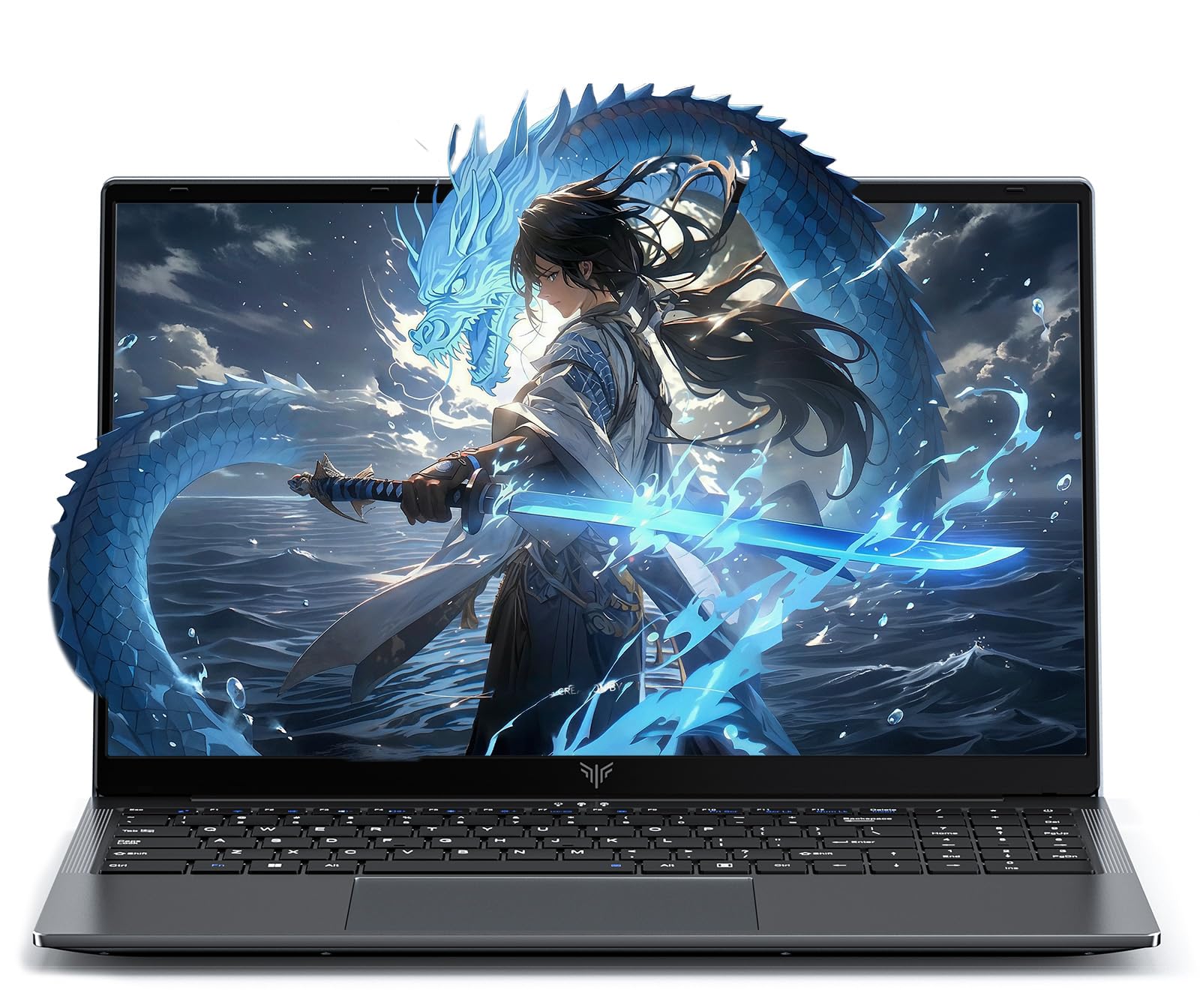
The KAIGERR laptop features a 12th Gen Intel Core i5-12600H with 12 cores (4 Performance + 8 Efficient) and Intel Iris Xe graphics. It ships with 16GB of DDR4 RAM across two slots, expandable up to 64GB at 3200MHz, and a 512GB NVMe SSD with a second M.2 slot for up to 4TB total storage. This upgradeability makes it future-proof for heavier creative workloads.
The 15.6-inch Full HD IPS display provides sharp visuals and decent color for photo editing and design work. The 180-degree hinge allows easy sharing of your screen during feedback sessions. With Wi-Fi 6 and Bluetooth 5.2, wireless connectivity is fast and stable. The 1MP webcam includes a physical privacy switch for security.
The touchpad can be imprecise for some users, and the Intel Iris Xe graphics will not handle demanding 3D rendering or video editing at high resolutions. Some users reported initial charging issues that were resolved with a compatible power cord. For artists who plan to upgrade RAM and storage over time, this laptop offers a strong foundation.
Why it’s great
- Fully upgradeable RAM and dual SSD slots
- 12-core i5 processor handles multitasking smoothly
- Lightweight at 1.65 kg with slim profile
Good to know
- Integrated graphics not for heavy 3D work
- Occasional charging port issues reported
- Touchpad accuracy could be better
7. Lenovo IdeaPad (13th Gen Intel Core i5-13420H)

The Lenovo IdeaPad packs a 13th Gen Intel Core i5-13420H processor with 8 cores and 8GB of DDR5 RAM, delivering solid performance for running design software, programming IDEs, and handling multiple browser tabs. Its 15.3-inch WUXGA (1920×1200) IPS display offers 300 nits brightness and an anti-glare coating, plus 11% more vertical screen space compared to standard Full HD, which reduces scrolling in long documents or timelines.
The full keyboard with a numeric keypad makes data entry efficient, and the 720p webcam includes a privacy shutter. Connectivity covers Wi-Fi 6, Bluetooth 5.2, USB-C with Power Delivery and DisplayPort, HDMI, and an SD card reader. The chassis is MIL-STD-810H certified for durability, and the battery lasts through a full day of classes or work sessions.
Some units have been reported to arrive with a non-US charger or keyboard layout, and the brightness may need to be set high for comfortable use in well-lit rooms. The 8GB RAM is sufficient for intermediate creative work but may limit heavy layer counts in Photoshop. For students and freelance artists who need a durable, well-connected laptop, this is a reliable pick.
Why it’s great
- WUXGA display offers extra vertical workspace
- MIL-STD-810H durability for daily carry
- Wi-Fi 6 and full port selection for connectivity
Good to know
- 8GB RAM may limit heavy creative projects
- Some units have non-US power adapters
- Brightness could be higher for sunny environments
8. HP 17.3″ Laptop (Intel Core i5-1334U)

The HP 17.3-inch laptop provides a large Full HD IPS display with 178-degree viewing angles, giving artists a spacious canvas for photo editing, video timelines, and digital painting. Powered by the 13th Gen Intel Core i5-1334U and 16GB of DDR4 RAM, it runs creative software without major slowdowns. The 512GB PCIe NVMe SSD ensures fast file access and quick boots.
The Intel Iris Xe graphics handle 2D illustration and casual photo editing adequately. The physical webcam shutter provides privacy, and the 17.3-inch form factor offers a comfortable screen real estate for color grading and layout work. The battery life is rated at 8 hours, though real-world usage with creative apps will be shorter.
The laptop lacks a backlit keyboard, which can be a nuisance in dim lighting. The power button is placed awkwardly among other keys, leading to accidental presses. It is not designed for frequent travel due to its larger size and weight. For artists who work primarily from a desk and want a large screen without paying premium prices, this is a strong option.
Why it’s great
- 17.3-inch FHD IPS display for spacious editing
- 16GB RAM suits multi-layer creative work
- Physical webcam shutter for privacy
Good to know
- No backlit keyboard for low-light use
- Power button placement can cause accidental shutdowns
- Bulkier chassis not ideal for daily commuting
9. HP Flagship 17 Business Laptop (Ryzen 5 7430U)
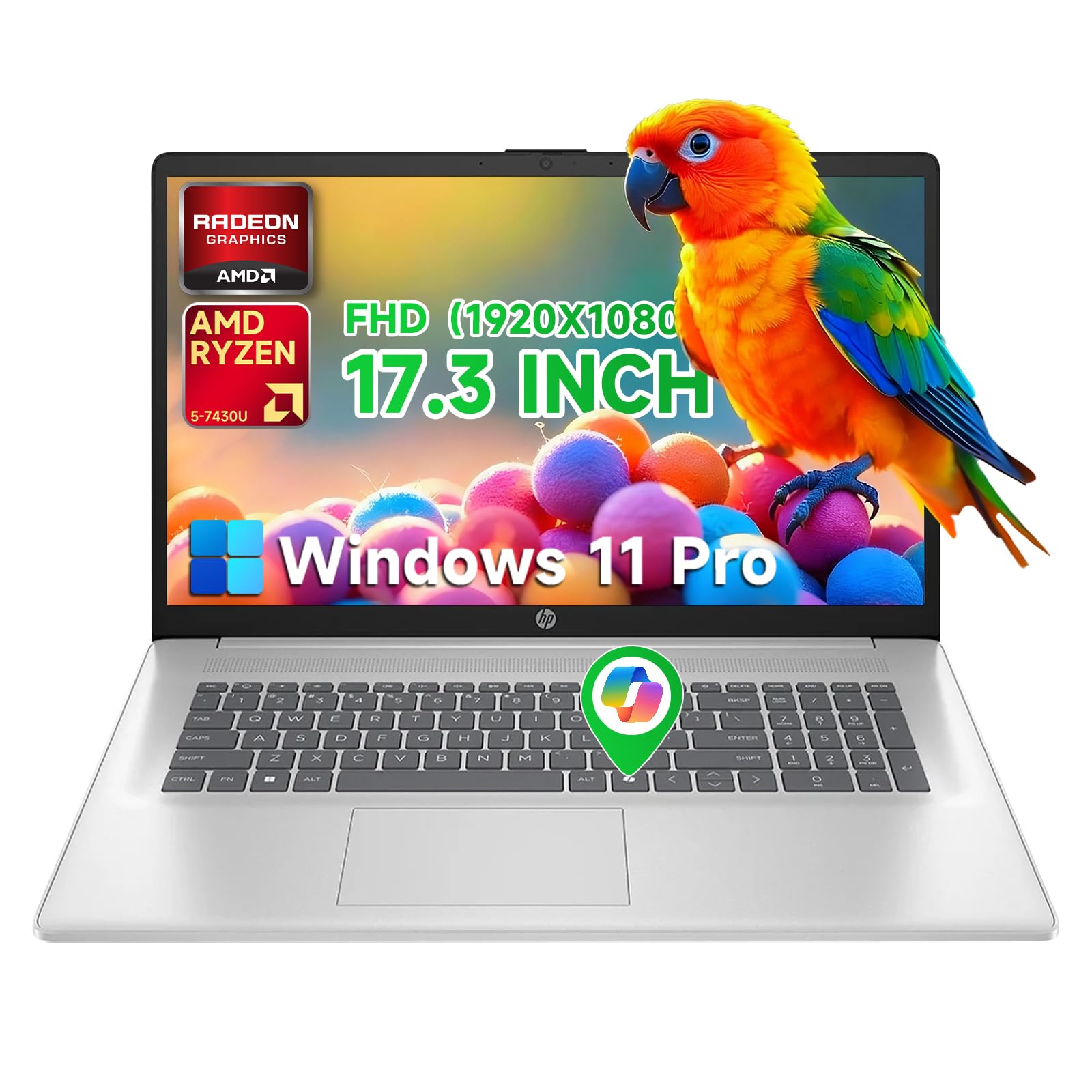
The HP Flagship 17 is built for heavy multitasking with 32GB of DDR4 RAM and a 1TB PCIe SSD — enough memory to run Photoshop, Illustrator, and a browser with dozens of tabs simultaneously. The AMD Ryzen 5 7430U processor with 6 cores boostable to 4.3 GHz provides reliable performance for rendering and layer-heavy work. The 17.3-inch Full HD anti-glare display reduces reflections during long studio sessions.
This laptop runs Windows 11 Pro out of the box and includes a free Office 365 subscription for the web. HP Fast Charge technology refuels the battery to 50% in 30 minutes, minimizing downtime. Connectivity covers Wi-Fi 6, USB-C, HDMI, and USB-A ports for external displays and peripherals. The anti-glare IPS panel ensures consistent color viewing from wide angles.
The 1366×768 display resolution is a letdown for a 17-inch chassis — it lacks the pixel density for sharp text and fine detail editing. Some listings have been reported to incorrectly advertise the screen size or touch capability. The plastic build does not feel as premium as the price suggests. For artists who prioritize RAM and storage for large project files, this machine delivers on capacity.
Why it’s great
- 32GB RAM handles heavy creative multitasking
- 1TB SSD provides ample storage for projects
- Windows 11 Pro with HP Fast Charge support
Good to know
- Low 1366×768 resolution for a 17-inch screen
- Build quality is more plastic than premium
- Advertised specs can be inconsistent
10. HP 15.6″ Laptop HD Touchscreen (Ryzen 5 7520U)

The HP 15.6-inch touchscreen laptop brings pinch-to-zoom and swipe navigation to your creative workflow, which can be helpful for quickly adjusting brush sizes or zooming into details. It is powered by the AMD Ryzen 5 7520U with Radeon graphics, 8GB of LPDDR5 RAM, and a 512GB PCIe NVMe SSD. The battery life is rated at 10.45 hours, offering respectable endurance for a day of sketching on the go.
The 1366×768 HD display is adequate for basic illustration and note-taking but lacks the color accuracy and pixel density needed for professional color work. The touchscreen adds an interactive layer for Windows 11 gestures, and the laptop is lightweight and easy to carry. It includes dual speakers and a webcam for video calls.
The resolution is a significant drawback for artists — text appears less sharp, and fine detail in designs will not render cleanly. The 8GB RAM is soldered and not upgradeable, which limits future expansion. For entry-level artists or students who primarily sketch for practice and need a touchable screen, this laptop offers a functional starting point.
Why it’s great
- Touchscreen enables intuitive zoom and pan
- Lightweight design with over 10 hours of battery
- Fast SSD and Ryzen 5 for responsive performance
Good to know
- 1366×768 resolution lacks sharpness for detail work
- 8GB RAM is soldered and non-upgradeable
- Limited color gamut for color-accurate editing
11. ASUS Vivobook Go 15.6″ Slim Laptop (Ryzen 5 7520U)

The ASUS Vivobook Go 15.6 is an entry-level laptop with a slim bezel NanoEdge display, AMD Ryzen 5 7520U processor, and 8GB of RAM. It is built to MIL-STD-810G military-grade standards for durability, making it a solid choice for students who need a reliable machine for digital art classes. The 512GB SSD offers generous storage for projects and files.
The display runs at 60Hz with a 45% NTSC color gamut and 250 nits brightness — fine for basic sketching and web-based design tools but not suitable for color-critical work. SonicMaster speakers provide decent audio for video feedback. The webcam shield adds a layer of privacy, and fast charging refuels the battery quickly.
The 8GB RAM is soldered to the motherboard with no upgrade slots, so future multitasking may become limited as creative software demands grow. Some units have arrived with driver issues that prevented internet connectivity out of the box. For beginners exploring digital art for the first time who need an affordable, durable laptop, this is a safe entry point.
Why it’s great
- Military-grade durability for everyday carry
- Fast charging support with good battery life
- Large 512GB storage for project files
Good to know
- 8GB RAM is soldered and not upgradeable
- 45% NTSC color gamut is poor for color work
- Potential driver issues on first boot
FAQ
What is the minimum RAM I need for digital art on a budget laptop?
Is a touchscreen or a dedicated drawing tablet better for digital artists?
Final Thoughts: The Verdict
For most users, the budget laptop for artists winner is the Wacom Cintiq 16 because it offers professional-grade color accuracy and pressure sensitivity in a dedicated pen display that still fits under tighter spending limits. If you want a standalone device that works without a computer, grab the XPPen Magic Drawing Pad. And for maximum portability with AI-assisted features and a high-refresh touchscreen, nothing beats the Acer Aspire 16 AI Copilot+ PC.