
Our readers keep the lights on and my morning glass full of iced black tea. As an Amazon Associate, I earn from qualifying purchases.
Specs are compiled from manufacturer listings and verified buyer reviews and can change over time — please confirm the key details on the product page before buying.
Choosing a 32-inch 4K monitor feels like a tug-of-war between a crisp, rich screen and the fear of buying something too slow for gaming or too washed-out for photo work. Modern 4K panels have narrowed the gaps, but panel type, refresh rate, and connectivity still force key trade-offs. This guide explains how those specs affect daily use, from gaming to photo editing.
I’m Min — the founder and writer behind Gadgets Feed. This guide is built by comparing the manufacturers’ published specifications and the patterns across verified customer reviews, so you get each pick’s real strengths and trade-offs instead of marketing spin.
We’ve matched every product to its exact specs and owner feedback, so you can trust that the 32 inch 4k monitor you choose is the right fit for your desk, your console, and your wallet.
Our Picks at a Glance

How To Choose The Best 32 Inch 4K Monitor
Start with the panel type, not the brand. The panel determines viewing angles, black levels, and price. Match the panel to your main tasks: coding, gaming, movies, or color-critical work.
Panel Type: IPS vs VA vs OLED
IPS panels are the workhorses of the monitor world, offering great color accuracy and wide 178-degree viewing angles, so the picture stays consistent when you lean to the side. VA panels deliver much deeper blacks and higher contrast ratios—often 3000:1—which makes them excellent for movies and dark-room gaming, but they suffer from color shift when viewed off-angle. OLED panels deliver perfect blacks and stunning HDR with per-pixel lighting, but cost more and need burn-in management.
Quick Comparison
| Model | Best For | Panel Type | Refresh Rate | Contrast Ratio | Amazon |
|---|---|---|---|---|---|
| KTC H32P22P★ Best Overall | High-refresh gaming | Fast IPS | 165Hz | 3000:1 | Amazon |
| LG 32UR500K-BBest Value 4K | Value-driven 4K media | VA | 60Hz | 1000:1 | Amazon |
| Samsung ViewFinity S7Deep Contrast Pick | Deep-contrast productivity | VA | 60Hz | 3000:1 | Amazon |
| Dell S3225QS | All-round desk use | VA | 120Hz | 1500:1 | Amazon |
| Samsung M7 (M70F) | All-in-one smart streaming | LED | 60Hz | 3000:1 | Amazon |
| LG 32UN650-W | Accurate color work | IPS | 60Hz | 1000:1 | Amazon |
| Samsung M8 (M80F) | Bright smart hub monitor | LED | 60Hz | 3000:1 | Amazon |
| Samsung ViewFinity S8 | Ergonomic creative work | LED | 60Hz | 3000:1 | Amazon |
| MSI MAG 321CUP QD-OLED | Elite HDR gaming | QD-OLED | 165Hz | 1500000:1 | Amazon |
| ASUS ROG XG32UCWG | Dual-mode competitive gaming | WOLED | 165Hz | 1500000:1 | Amazon |
| BenQ PD3225U | Mac creative pros | IPS Black | 60Hz | 2000:1 | Amazon |
In-Depth Reviews
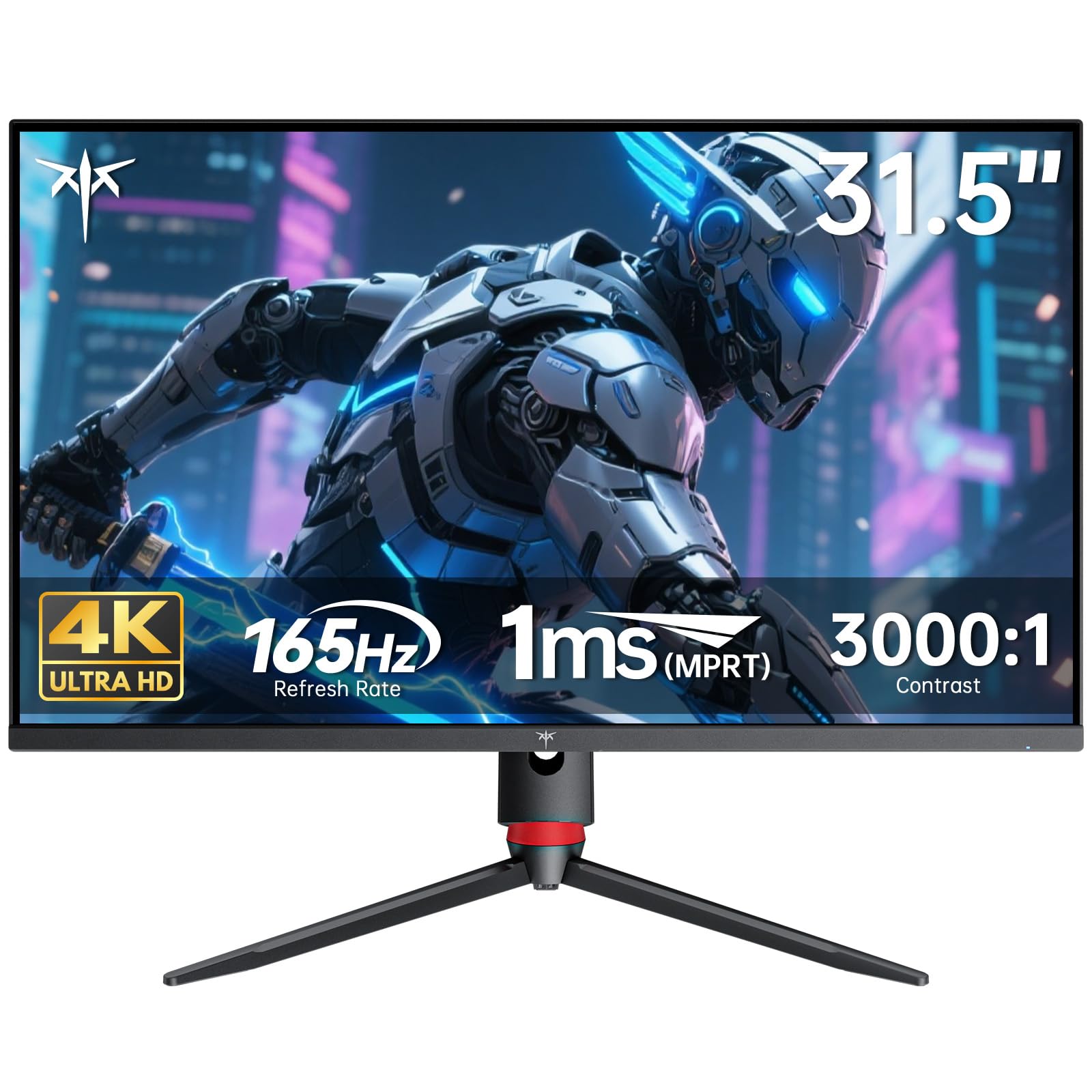
1. KTC H32P22P 32 Inch 4K Gaming Monitor
Our pick — 4.5★ from 2,500+ verified ratings; the strongest balance of quality and price.
The fast-IPS speedster that keeps esports motion crisp without forcing you into the OLED price club.
The defining spec here is the 165Hz refresh rate on a fast IPS panel at 3840×2160 resolution, which means you get buttery-smooth competitive gaming and sharp desktop text from the same screen. The 1ms (MPRT) response time outpaces the standard 4ms on the Dell below, giving you an edge in fast-paced FPS and racing games where ghosting shows up most. It also pairs with both FreeSync and G-Sync adaptive sync (tech that stops screen tearing by syncing the monitor’s refresh to your graphics card’s output), so it plays nice with AMD and NVIDIA setups alike.
Color work is more than covered for a gaming-first panel, with a 121% sRGB color gamut and 1.07 billion colors that make games and movies look vivid and rich. The press and buyers report a fair bit of praise for its 3000:1 contrast ratio, which is a stark 3.0x gap over the LG 32UR500K’s 1000:1 — those deeper blacks make a real difference in dark dungeon crawls. The HDMI 2.1 port is the key one here, as it lets you run full 4K at high refresh rates on next-gen consoles, not just PCs.
The one thing buyers consistently flag is that the extreme refresh rates aren’t all flawless — there are reports of artifacts at 160Hz and flicker at 144Hz during gaming, while it runs flawless at 120Hz. That makes it a fantastic choice at 120Hz, which is still well above the 60Hz standard for most 4K monitors. It includes a three-year warranty and responsive support that is designed to reply within 12 hours, adding confidence to the strong feature set.
The High-Speed Wins
- 165Hz refresh rate and 1ms response time make motion look fluid and sharp.
- 3000:1 contrast ratio delivers noticeably deeper blacks than typical IPS screens.
- HDMI 2.1 supports full 4K high-refresh on consoles and modern GPUs.
The Speed Caveats
- Flicker and artifacts appear at 144-160Hz, so stick to the flawless 120Hz setting.
- Gaming-focused marketing undersells its strong productivity sharpness.
The gamer’s pick: This is the monitor for PC and console gamers who want high-refresh 4K without the OLED premium, and it doubles as a sharp coding display.
Think twice if: You need rock-solid stability at 160Hz+ specifically, as the KTC performs best at 120Hz.
2. LG 32UR500K-B Ultrafine 32-inch 4K UHD Monitor
A budget-friendly 4K workhorse with surprisingly clean sound and reliable, flicker-free performance.
This LG focuses on the essentials of a 3840×2160 display, leaning on its 90% DCI-P3 color gamut to reproduce vibrant colors in movies and games. It’s a VA panel with a 1000:1 contrast ratio, which is respectable for the price point, though the KTC above triples that depth at 3000:1. What sets this monitor apart at this price is that owners mention it delivers a stunning picture that’s accurate and responsive with no flicker across three different PCs and docks, a rare stability standard.
The built-in stereo speakers with Waves MaxxAudio are a genuine bonus, with owners noting clean sound that’s perfectly fine for podcasts and YouTube without needing external speakers. The ergonomic stand lets you flexibly adjust the tilt, and it’s VESA mountable, which buyers confirm works perfectly for wall or arm setups. With both HDMI and DisplayPort inputs plus a headphone jack, it’s a versatile hub for a MacBook or a PS5 Pro setup, where the display remains crisp.
The main trade-off is that standard dynamic range (SDR) content can look washed out compared to HDR material, so you’ll want to tune the settings or stick to HDR media to get the vibrant picture owners praise. Some owners mention needing a settings tweak to get the best out of movies, but the value proposition is so strong that it’s frequently called an unbeatable deal. It’s a smart entry-level choice for anyone moving to 4K for the first time.
Owners’ top praise: The overall monitor quality and picture quality are the most-discussed positives, with buyers particularly happy with the HDR performance on compatible content.
Reach for this if: You want a reliable, feature-complete 4K screen for under the mid-range price point, with decent sound built in.
Look elsewhere if: Deep contrast for dark-room movie watching is your priority, since the 1000:1 ratio is modest.
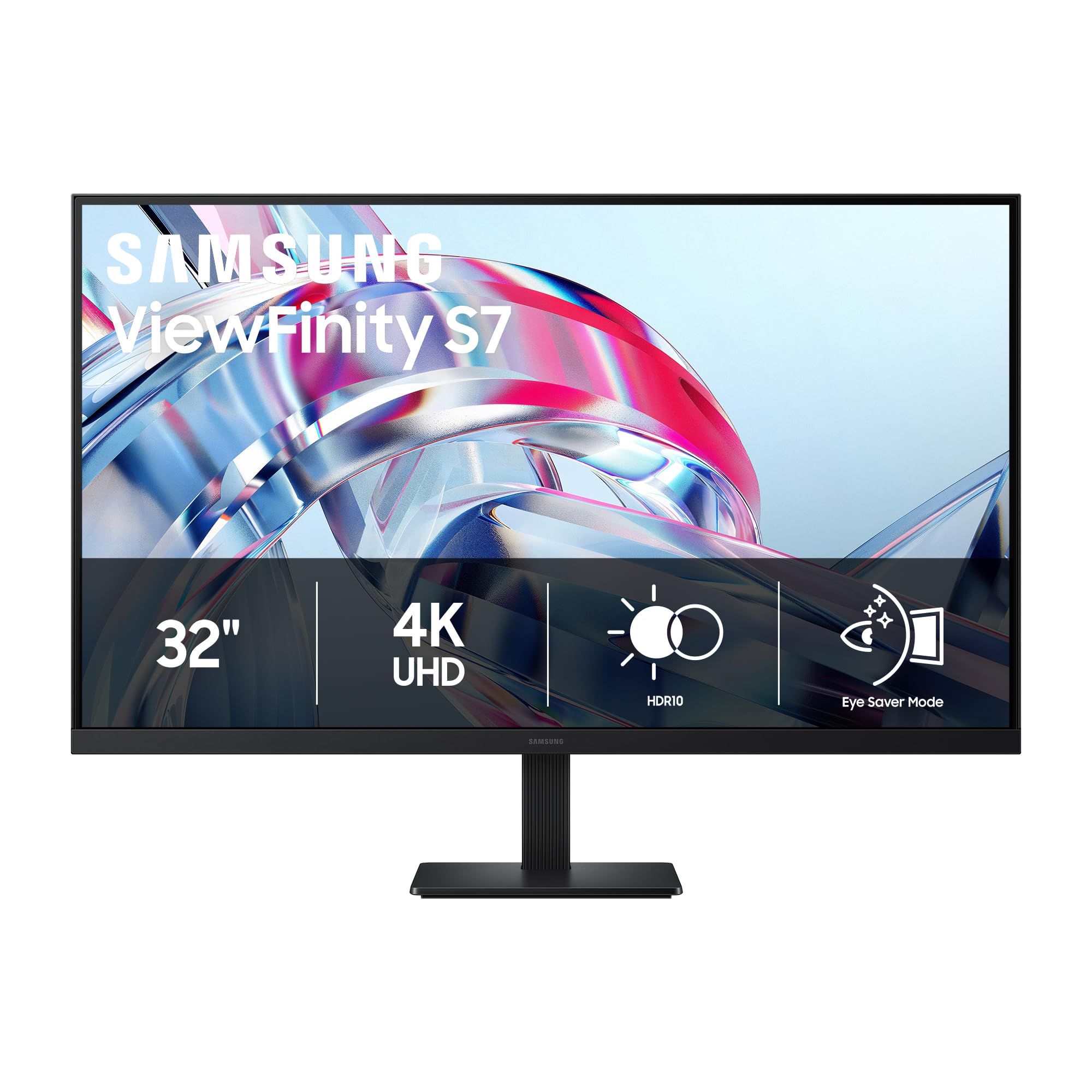
3. Samsung 32″ ViewFinity S7 (S70H) Monitor
A bright 4K VA panel that turns deep blacks and vivid HDR10 into a productivity powerhouse.
The standout here is the 3000:1 contrast ratio paired with 300 cd/m² brightness, which buyers describe as bright, vivid, with deep blacks and strong HDR10 — delivering a contrast edge that’s a 3.0x gap over the LG 32UR500K’s 1000:1. This makes it exceptional for media consumption and any work where dark-mode interfaces benefit from rich, inky backgrounds. The 178° wide viewing angle keeps the brightness consistent across the screen, even if VA panels generally shift color when viewed from far off-axis.
For productivity, the Samsung Display Manager software is a genuine highlight, enabling easy split-screen setups, brightness adjustment, and KVM (which lets you control two computers with one keyboard and mouse), plus PIP/PBP (picture-in-picture / picture-by-picture) for multitasking. The Eye Saver Mode, certified by TÜV, reduces blue light and prevents screen flickering, which is a boon for long office hours. Buyers specifically note the minimal ghosting and that the PIP/PBP features are surprisingly fun and useful, making it more than just a static work panel.
The catch is ergonomics: the stand lacks height adjustment, so you may need a monitor arm (it is VESA mountable) to get the perfect viewing angle. It’s a 60Hz panel, which is fine for casual gaming and standard desktop use, though not for competitive esports. The HDMI and DP ports cover the basics, and it comes with the cables you need in the box, keeping setup simple.
Expert take: The combination of 3000:1 contrast and 300 cd/m² brightness makes this the best-value media-and-work hybrid in the mid-range tier.
Start here if: You watch a lot of HDR movies or work in dark mode and want deep blacks without paying OLED prices.
Pass on it if: You need height adjustment from the stock stand or plan on competitive 120Hz+ gaming.
4. Dell 32 S3225QS 4K UHD VA Monitor

The 120Hz VA all-rounder that upgrades your refresh rate without leaving the mid-range price band.
The headline feature here is the 120Hz refresh rate on a 31.5-inch 4K VA panel, a meaningful step up from the 60Hz standard that most productivity monitors use, giving smoother scrolling and less screen tearing in games without the 165Hz price premium. Buyers call it a big, good-looking monitor whose high refresh visibly reduces tearing in games, and the 1500:1 contrast ratio delivers deep blacks at 35% brightness. It’s listed with a 3000:1 contrast in the title, but the spec sheet confirms 1500:1 and 300 cd/m² brightness, which still provides solid depth for a VA panel.
The improved ComfortView Plus is a standout for all-day work, reducing harmful blue light emissions to 35% or less while maintaining color accuracy, a feature that buyers find easy on the eyes. It covers 99% sRGB and 95% DCI-P3, so colors are true-to-life from the start, and the integrated speakers are re-engineered for more output power and deeper frequency response than the previous generation. The ultra-thin bezel and ash white finish give it a sleek, minimalist look that buyers appreciate.
The honest trade-off is the VA panel’s off-axis washout, where colors shift when you move far to the side—the classic trade-off for getting roughly 50% better contrast than an IPS panel. Some customers note color quality can look washed out in certain settings, though many others call the colors spectacular, so it’s worth a quick calibration. The ergonomic stand offers height and tilt adjustment, and it’s VESA mountable for a clean arm setup.
Most-praised feature: Monitor quality and picture quality dominate the positive feedback, with buyers noting it beats their old TVs and is easy to set up.
Ideal for: Desk workers who want a smoother refresh rate for daily scrolling plus deep VA contrast for evening movies.
Not ideal for: Photographers who need consistent color from every angle, as the VA panel shifts off-axis.
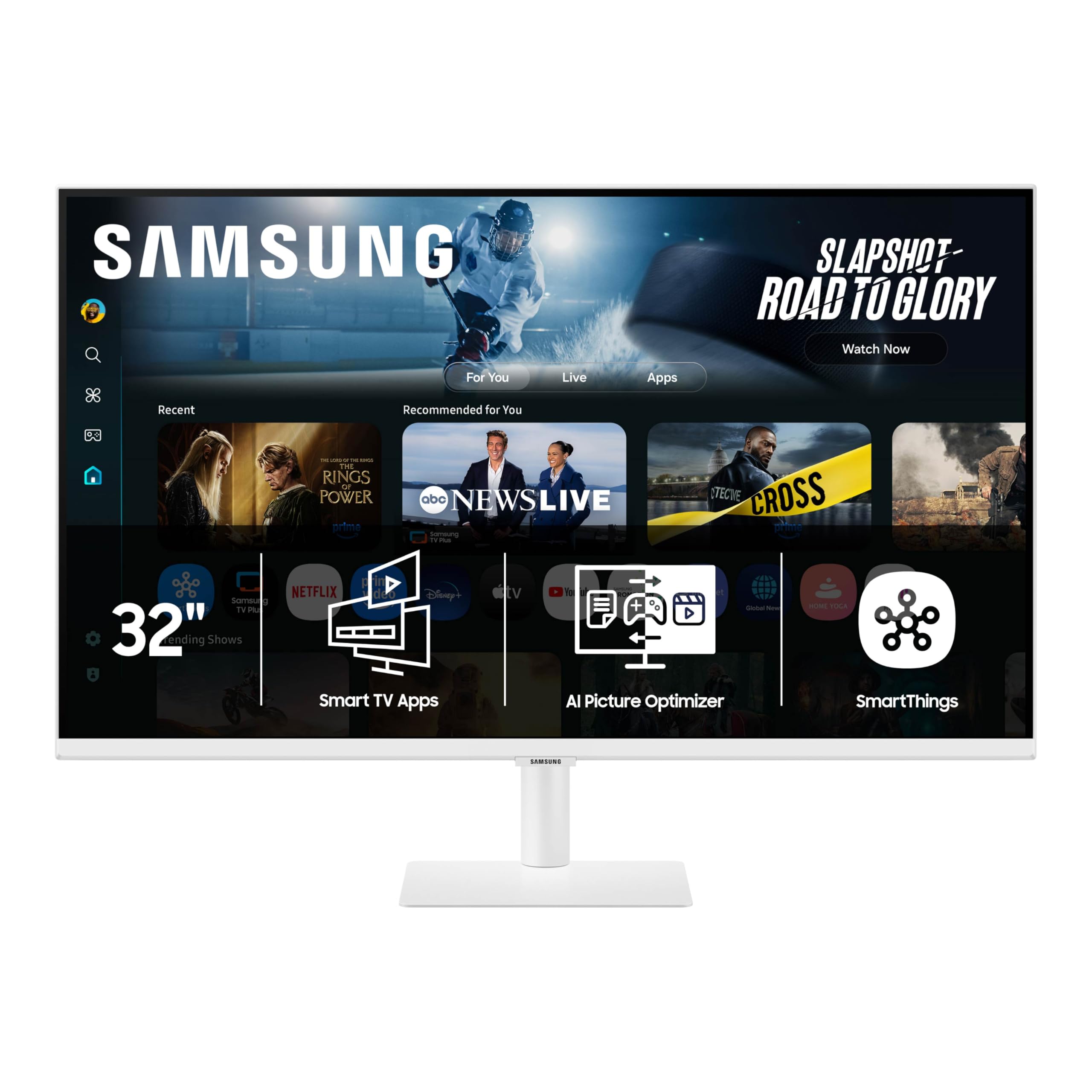
5. Samsung 32″ Smart Monitor M7 (M70F)
A 4K display that doubles as a smart TV, streaming your favorite apps with no PC or console required.
The M7’s a neat extra is that it’s a full smart TV built into a 3840×2160 monitor, with instant access to your favorite streaming content and Samsung TV Plus giving you live channels and on-demand shows directly. It runs Samsung Vision AI, which uses AI Picture Optimizer to adapt visuals—deepening blacks for games and clearing up text for documents—so the display adjusts to what you’re doing. With a 3000:1 contrast ratio and 300 cd brightness, the panel itself is solid for a smart display, and buyers confirm it works very well with a MacBook Air for both streaming and work.
The connectivity is a major plus: USB-C, HDMI, and USB-A ports let you charge your device, transmit data, and hook up peripherals all at once, without adapters. The Active Voice Amplifier analyzes background noise and automatically adjusts the volume so dialogue stays clear even in loud environments, and Samsung Knox secures your monitor data. Owners appreciate the many ports and the included remote control, which makes navigating the smart interface much easier than using rear buttons.
The recurring complaint is the included HDMI cable—reviewers point out that at 4K resolution the picture looks washed out and blurry until you replace it with a better quality cable, so budget for that upgrade. Setup can also be annoying because it boots to smart TV defaults rather than a simple monitor mode, and some owners note the 4K resolution can appear washed out on certain content. If you want a monitor that’s also a living-room streaming device, this is a strong pick, but it’s not the purest 4K display for color-critical work.
Smart buyer note: The display quality gets the most discussion, with praise for resolution and color balanced against reports of washed-out 4K on default settings.
Choose this if: You want an all-in-one desk and entertainment hub that streams apps natively and charges your laptop over USB-C.
skip it if: You need a plug-and-play monitor with perfect out-of-box color, since the smart-TV setup and stock cable need work.
6. LG 32UN650-W 32″ UHD IPS Monitor

The color-accurate IPS workhorse that photo editors and casual gamers both swear by.
This LG’s 32-inch IPS panel with 95% DCI-P3 color gamut is its defining strength, delivering excellent color accuracy and consistent off-angle viewing that makes it a favorite for photo and video editing. Buyers specifically note that games look amazing at 4K resolution on this display, with the IPS panel providing superior color depth and pop compared to VA alternatives. The 178-degree viewing angles mean colors stay true whether you’re sitting centered or leaning to the side, a decisive advantage over VA panels.
The 350 nits of brightness is notably higher than the 250-300 nits found on many budget 4K panels, giving it stronger highlight detail in bright rooms, and it’s HDR10 compatible for richer contrast on compatible content. It works well with the PS4 and other consoles, and the height-adjustable stand plus 3-side virtually borderless design make it a clean, practical desk addition. Shoppers say easy calibration with a Spyder tool and find it ideal for programming and office work, where the crisp 4K text and IPS consistency shine.
The limitations are clear: it’s a 60Hz panel with no USB ports and weak built-in speakers, so it’s not a gaming or media powerhouse. Several owners note the basic stand and short cables, though the solid metal base is a plus, and it’s VESA mountable for those who want an arm. For color-faithful work without the OLED price tag, this is one of the best-value IPS options around.
What wins people over: Picture quality is the top praised aspect, with owners highlighting the excellent IPS display, color accuracy, and strong 4K gaming performance.
Best for: Photographers, video editors, and office users who need accurate, consistent color from an IPS panel at a sensible price.
Not for: High-refresh gaming or anyone relying on built-in speakers, as it’s a 60Hz panel with modest audio.
7. Samsung 32″ M8 (M80F) Smart Monitor

The brightest smart monitor here, with a 400 cd panel that powers a full streaming and work hub.
The M8 raises the smart-monitor stakes with a 400 cd/m² brightness, the brightest panel in this guide, paired with a 3000:1 contrast ratio for punchy, vivid visuals in well-lit rooms. It shares the same smart TV DNA as the M7, streaming apps natively and offering Samsung TV Plus, but buyers report it looks crisp without needing much setup. The included remote control and height-adjustable stand make it feel more like a premium TV than a standard monitor.
The build quality earns consistent praise, with owners saying the plastic body feels premium and the slim design looks slick, while the speakers sound loud for such a slim frame. The USB-C, HDMI, and USB-A ports let you charge your device and connect multiple peripherals without adapters, and the Samsung Knox security keeps your data safe. It’s a solid all-in-one for a bedroom or studio where you want one screen for both work and entertainment.
The fair warning is the camera performance—the webcam fails via the designed rear USB port in all modes for some owners and only works via a direct USB-C connection, which is a notable inconvenience. Connectivity and setup are also mixed experiences, and one long-term owner reports a USB-C failure after five months. For the price, it’s a lifestyle monitor that shines as a bright media hub, but it’s not the most reliable for pure productivity.
Owners’ top positive: Build quality is the most-praised aspect, with picture quality close behind, balancing the mixed camera and connectivity feedback.
Reach for this if: You want the brightest smart display for a bright room, with premium build and a full streaming hub built in.
Look elsewhere if: You rely on the built-in webcam for calls, as its performance through the rear USB port is unreliable.
8. Samsung 32″ ViewFinity S8 (S80D) Monitor

The ergonomic 4K creator that pivots to vertical and adjusts height without needing a screwdriver.
This ViewFinity S8 focuses on creature-comfort for creative professionals, with a 3840×2160 resolution and 3000:1 contrast ratio delivering crisp text and deep blacks that owners mention work beautifully for Photoshop and Lightroom. The defining feature is the ergonomic stand, which adjusts height, swivels, tilts, and pivots 90 degrees into portrait mode—letting you view long documents with less scrolling. Setup is easy and instant, requiring no tools or screws, thanks to the Easy Setup Stand.
Connectivity is generous for a productivity monitor, with HDMI, DisplayPort, and USB-A and USB-B ports that simplify connecting your peripherals, and it works well with a Mac Mini M4. The Eye Saver Mode, certified by TÜV, automatically tune brightness and color temperature while reducing screen flickering, which eases eye strain during long editing sessions. Customers note the matte screen keeps text sharp and glare-free, and the HDR10 support enhances contrast and color when viewing compatible content.
The catch is the single-button on-screen controls, which buyers find frustrating and counterintuitive, and some note the height adjustment doesn’t always work as expected in mixed feedback. It has no built-in speakers, so you’ll need external audio, and it’s a 60Hz panel—fine for work but not for high-refresh gaming. For a creator-focused 4K display with excellent ergonomics and solid color, it’s a reliable choice that owners say is great value.
Top-praised strengths: Overall quality and picture quality lead the positive feedback, with owners highlighting its suitability for Photoshop and Lightroom work.
Best suited to: Designers and creators who want a pivot-to-portrait, height-adjustable 4K screen with strong contrast for photo work.
Think twice if: You want easy menu navigation or built-in speakers, as the single-button controls frustrate and audio is absent.
9. MSI MAG 321CUP QD-OLED Monitor

A quantum-dot OLED that delivers perfect blacks and a 0.03ms response time for truly elite gaming.
The MSI’s Quantum Dot OLED panel with a native 1500000:1 contrast ratio is the headline, delivering per-pixel lighting that produces perfect, inky blacks and a 1000 nits peak brightness for stunning HDR impact. The 165Hz refresh rate and 0.03ms response time are among the fastest in this guide, earning a VESA ClearMR 9000 motion clarity rating, which means fast action stays crisp with zero ghosting. Buyers call it the best monitor they’ve ever used, with phenomenal colors and next-level brightness that make both 4K videos and 120fps gameplay look stunning.
The 10-bit color depth covers 1.07 billion colors with 99% DCI-P3 and extreme Delta E ≤2 accuracy, making it viable for color-critical work even though it’s marketed for gaming. The subtle 1700R curvature is ideal for wide-format images, and the MSI Gaming Intelligence software includes OLED Care 2.0 to help prevent burn-in, along with AI-supported Smart Crosshair and console modes. It comes with HDMI 2.1, DisplayPort 1.4a, and USB Type-C with 15W Power Delivery for versatile connectivity.
The trade-offs are the usual OLED concerns: the software and firmware are described as poor, requiring a real driver from MSI and a GPU for updates, and the OSD is joystick-only. Owners note the setup is tedious, but the ultimate display quality is worth it for those who value image perfection over simplicity. The 3-way adjustable stand includes height and tilt, and it’s VESA 100mm mountable for a premium arm setup.
Owners’ verdict: Display quality is the most-praised aspect, with buyers calling it the best OLED they’ve ever seen, balanced against mixed feedback on performance and response.
Invest here if: You’re a serious gamer or cinephile who demands perfect blacks and ultra-fast response times and can handle a bit of software fiddling.
Steer clear if: You want a simple plug-and-play monitor, as the OLED care scheduling and driver updates are a chore.
10. ASUS ROG XG32UCWG 32 Inch OLED Monitor

A glossy WOLED speed demon that flips between 4K at 165Hz and FHD at 330Hz for any game type.
The ASUS ROG’s defining spec is its Dual Mode display technology, letting you switch between sharp 4K (3840×2160) at 165Hz for rich games and FHD at 330Hz for hyper-competitive esports where maximum frame rates win. The exclusive TrueBlack Glossy panel uses a zero-haze surface for exceptionally sharp imagery, and reviewers point out the glossy coating delivers class-leading depth of blacks and vivid, mirror-like colors. It’s a WOLED panel with a 1500000:1 contrast ratio and VESA DisplayHDR 400 True Black compliance for stunning HDR.
Color work is covered too, with 99% DCI-P3 gamut, true 10-bit color, and Delta E < 2 accuracy, making it a viable hybrid for photo and video editing alongside gaming. The ASUS OLED Care Pro with a Neo Proximity Sensor detects when you step away and switches to a black screen to reduce burn-in risk, backed by a 3-year warranty with ARR and burn-in coverage. It connects via USB-C with 15W Power Delivery, HDMI 2.1, and DisplayPort 1.4, and buyers confirm smooth switching with the PS5 Pro.
The honest downsides are brightness and reliability: shoppers say the full-window brightness sits around 250 nits, which some find not good enough for very bright rooms, and there’s a mixed reliability record with one owner experiencing screen retention. The stand has limited adjustment, and the glossy panel is delicate, requiring careful handling. For a dual-mode OLED that adapts to any game, it’s a top-tier choice, but it demands premium care.
Most-discussed positive: Appearance and picture quality lead the praise, with the true black glossy coating earning special mention for its depth of blacks.
Pick this for: Competitive gamers who want the flexibility of a 330Hz esports mode and a 165Hz 4K cinematic mode in one premium panel.
Avoid if: You need a bright panel for a sunlit room or want maximum reliability confidence, given the mixed brightness reviews.
11. BenQ PD3225U 32 Inch 4K IPS Monitor

The Mac designer’s dream with Thunderbolt 3 daisy-chaining and factory-calibrated color you can trust.
The BenQ PD3225U is built for creative professionals, starting with its Deep Black IPS panel that delivers a 2000:1 contrast ratio—far superior to the standard 1000:1 IPS and giving it unrivaled depth for an IPS screen. It’s Pantone Validated and Calman verified, with 98% P3 and 100% sRGB and Rec.709 coverage and Delta E ≤2 accuracy, making it a reliable tool for video editing and color correction. Buyers working in DaVinci Resolve call the color accuracy excellent and trust the display implicitly for their work.
The defining connectivity feature is the 40Gb/s Thunderbolt 3 port, which synchronizes images, videos, data, and charges your Mac through a single all-in-one cable, with daisy-chain capability for a clean multi-monitor setup. The M-Book mode provides Mac-compatible color matching so your monitor displays colors exactly as your MacBook intends. The Display Pilot 2 and Hotkey Puck give you sleek display management and easy brightness control right from your Mac, with easy input switching and simple desktop partitioning.
The ergonomic anodized metal stand offers tilt, swivel, pivot, and height adjustment, and the packaging is praised as incredibly protective. The main caveats are the brightness—one long-term owner found it insufficient in bright studio light—and the modest 250 nits backlight, plus weak built-in speakers. For Mac-based designers, photographers, and video editors, the color fidelity and connectivity make it a worthy premium investment.
Creative pro verdict: Display quality and color quality dominate the positive feedback, with buyers highlighting superior acuity and detail for Mac users.
Worth it for: Mac designers and colorists who need factory-calibrated accuracy, Thunderbolt 3 convenience, and daisy-chaining for a clean studio setup.
Not for: Bright studios or anyone needing high refresh rates, as the 250 nits brightness and 60Hz panel limit those use cases.
Understanding the Specs
Panel Types Explained
IPS panels are the safest all-rounder, offering wide viewing angles and accurate color, making them ideal for photo editing and office work. VA panels boost the contrast ratio—often to 3000:1—giving deeper blacks for movies and dark-mode interfaces, but they shift color when viewed from the side. OLED panels deliver perfect blacks and superb HDR with per-pixel lighting, but cost more and need burn-in management.
Refresh Rate & Response Time
Refresh rate, measured in Hz, tells you how many times the screen updates per second—a 60Hz display is fine for productivity and casual gaming, while 120Hz and 165Hz make motion look noticeably smoother in fast games. Response time, measured in milliseconds (ms), is how fast a pixel changes color to avoid ghosting; 1ms to 4ms is standard for gaming, while OLED panels reach an ultra-fast 0.03ms. For most users, a 120Hz refresh rate is the balance between smoothness and cost.
Contrast Ratio & Brightness
Contrast ratio describes the difference between the darkest black and brightest white a screen can produce—a 3000:1 VA panel delivers far deeper blacks than a 1000:1 IPS. Brightness, measured in nits (cd/m²), is how much light the panel emits; 250-300 nits is standard for office use, while 350-400 nits gives stronger highlight detail in bright rooms. For HDR content, both a high contrast ratio and good peak brightness are essential for the “pop” effect.
Color Gamut & Accuracy
Color gamut is the range of colors a monitor can display, expressed as a percentage of standards like sRGB or DCI-P3—99% sRGB is the baseline for accurate web and photo work, while 95% DCI-P3 is a bonus for video and HDR. Delta E (written as ΔE) measures color accuracy, with values under 2 considered excellent for professional work. If you edit photos or videos, look for monitors with higher P3 coverage and factory calibration, like the BenQ PD3225U.
Ports for Your Devices
HDMI 2.1 supports full 4K at high refresh rates (120Hz+) on next-gen consoles and modern GPUs, while DisplayPort 1.4 is the standard choice for PC gamers. USB-C with Power Delivery is a standout for laptop users, letting you charge your MacBook and transmit video through a single cable, and Thunderbolt 3 takes that further with daisy-chaining. Check your laptop or console’s outputs before buying, so you know if you need an adapter.
Adaptive Sync Technology
Adaptive sync (FreeSync for AMD GPUs, G-Sync for NVIDIA) stops screen tearing and stuttering by syncing the monitor’s refresh rate with your graphics card’s output. It’s most valuable for gaming, especially at lower frame rates where tearing is most visible, and most modern monitors support both standards. If you game on a console or PC, look for a monitor that supports the sync tech your system uses, and you’ll enjoy a smoother experience without a massive price premium.
FAQ
Is a 32 inch 4K monitor worth it over a 27 inch model?
What refresh rate do I need for a 32 inch 4K monitor?
What is the difference between IPS, VA, and OLED panels for 4K monitors?
Do I need an HDMI 2.1 port for a PS5 or Xbox Series X?
How important is the contrast ratio for a 4K monitor?
Is a 32 inch 4K monitor good for MacBook users?
Do 32 inch 4K monitors have built-in speakers?
What is the difference between a 4K monitor and a smart 4K monitor?
Can I use a 32 inch 4K monitor for photo editing?
Is a curved 32 inch 4K monitor better than a flat one?
Final Thoughts: The Verdict
For most people, the 32 inch 4k monitor winner is the KTC H32P22P because it delivers a rare combination of 165Hz high-refresh gaming, HDMI 2.1 console support, and a 3000:1 contrast ratio—all at a price that undercuts the competition. If you want the deepest contrast for movies and a productivity-friendly interface, grab the Samsung ViewFinity S7. And for the ultimate visual experience in gaming, the MSI MAG 321CUP QD-OLED is the one to reach for, delivering perfect blacks and elite response times that make every other screen feel compromised.
How We Picked
We do not accept paid placement. Every pick is matched to a real buyer and a real use-case; we do not hands-on test units.
Sources & Methodology
Specifications: manufacturer listings and product documentation. Review insights: verified customer reviews, as of August 2026. Pricing: not shown on this page (it changes often); check the current price via the retailer link.
As an Amazon Associate, Gadgets Feed earns from qualifying purchases. This does not affect which products we feature.