
Our readers keep the lights on and my morning glass full of iced black tea. As an Amazon Associate, I earn from qualifying purchases.
Specs are compiled from manufacturer listings and verified buyer reviews and can change over time — please confirm the key details on the product page before buying.
A bad webcam makes you look grainy, dark, or blurry on every video call, undermining your professionalism. You’ve checked your microphone and lighting, but your built-in laptop camera still washes you out or turns you into a pixelated ghost. A true 4K webcam delivers crisp, natural video that keeps you looking sharp and professional on screen.
I’m Min — the founder and writer behind Gadgets Feed. This guide is built by comparing the manufacturers’ published specifications and the patterns across verified customer reviews, so you get each pick’s real strengths and trade-offs instead of marketing spin.
We have compared every standout model on the market to find a 4k webcam that delivers sharp, professional-looking video for meetings, streaming, and content creation without draining your budget.
Our Picks at a Glance


How To Choose The Best 4K Webcam
Choosing a 4K webcam involves more than just pixel count. Sensor size, lens quality, and AI tracking often impact your on-screen look more than resolution alone.
Sensor Size and Low-Light Performance
The sensor is the part of the camera that captures light, and a larger sensor (like 1/1.3″) captures more light, which means less grain and better color in dim rooms. A larger sensor captures more light, producing clearer, more natural video in your home office.
Autofocus and Tracking
Autofocus keeps you sharp when you lean in or move around, and faster systems like PDAF (Phase Detection Autofocus) can lock onto your face almost instantly. For presenters who move, a webcam with AI tracking that pans and tilts keeps you centered in frame.
Field of View (FOV)
Field of view (FOV) controls how much of your room appears in the frame. A wider FOV (like 90 or 100 degrees) is great for showing off a whiteboard or including multiple people, but it also makes you smaller in the frame. A narrower FOV (around 65-80 degrees) is usually better for solo calls where you want to be the focus.
Quick Comparison
| Model | Best For | Sensor & Resolution | Zoom Capability | Field of View | Amazon |
|---|---|---|---|---|---|
| Logitech Brio (Black)★ Best Overall | Overall reliability & pro calls | 8 MP / 4096 pixels | 5x Digital | 65/78/90 degrees | Amazon |
| NexiGo N680E ProGreat Value with Ring Light | Value with Ring Light | Sony 1/2.5″ / 3840 pixels | — | 80 degrees | Amazon |
| Angetube 913AI KingBest AI Tracking | AI tracking & remote control | 1/2.8″ / 8 MP | 10x Digital | 75/85/100 degrees | Amazon |
| NexiGo N950P | Zoomable remote control | Sony Starvis / 8.5 MP | 5x Digital | — | Amazon |
| Jabra PanaCast 20 | Travel & premium portability | 13 MP / 64 MP still | 4x Digital | — | Amazon |
| YOLOLIV YoloCam S3 | DSLR-like control & cinematic look | 1/1.3″ / 3840 pixels | 4x Digital | 82 degrees | Amazon |
| Elgato Facecam 4K | Streamers & lens filter support | Sony STARVIS 2 / UHD | — | — | Amazon |
| Insta360 Link 2 Pro | PTZ AI tracking & low light | 1/1.3″ / 3840 pixels | 4x Digital | — | Amazon |
| Logitech Brio (Graphite) | Windows Hello & premium build | 13 MP / 3840 pixels | 5x Digital | — | Amazon |
In‑Depth Reviews
1. Logitech Brio Video Conferencing Webcam (Black)
Our pick — over 4.5★ from 550+ verified ratings; the strongest balance of quality and price.
The steady veteran that makes you look sharp without demanding perfect lighting.
You get noticeably sharper video here because the 4K UHD sensor (a high-resolution image chip) delivers 4096 pixels across, which is roughly 7% more detail than the 3840 pixels on many rivals — so fine textures like hair and fabric look crisper. Owners consistently praise its image quality, the single most-discussed strength, and it holds up in dim rooms thanks to solid color balance and HDR lighting correction (a feature that evens out harsh shadows and bright windows).
It offers three field-of-view options (65, 78, or 90 degrees) so you can frame just yourself or pull back to include a whiteboard or colleagues. A 5x digital zoom lets you get closer without moving the camera, and the noise-canceling mics keep your voice clear while muting keyboard clatter. It’s a plug-and-play device that works the moment you connect it, which owners describe as easy — one noted “good color balance and clarity in less than optimal lighting.”
The trade-off is that the vertical adjustment on the monitor mount is limited, so you may need to place a book under it to get the perfect angle. It’s also a premium pick, so it sits at a higher price point than most — but for professional use where reliability matters, it’s the crowd favorite, holding a 4.7-star rating across over 590 ratings.
What Owners Love
- Outstanding image quality with natural color balance, even in dim rooms
- Reliable plug-and-play setup with stable drivers
- Versatile 65/78/90-degree field-of-view options
Minor Frustrations
- Limited vertical tilt on the included monitor mount
- Premium pricing; some owners feel it’s worth it, others don’t
- Delivers its best results with decent lighting
Ideal For: Professionals who want a dependable, high-quality image for client calls and interviews without fiddling with settings.
Think Twice If: You want the absolute highest zoom power, since the 5x digital zoom is modest compared to the 10x on the Angetube pick.
2. NexiGo N680E Pro 4K Webcam with Ring Light
The budget-friendly webcam that packs its own softbox-style lighting right into the lens ring.
This webcam is built around a Sony 1/2.5″ 4K sensor, and it captures video at 3840 pixels in 4K or smooth 1080p at 60fps for fluid motion. What makes it stand out is the tri-tone ring light with stepless brightness control, which solves the #1 webcam problem — bad lighting — before you even open your video app.
The autofocus here uses PDAF (Phase Detection Autofocus), a faster and more precise system than the traditional contrast-based autofocus found on older webcams, so you stay sharp when you lean forward or shift in your chair. Buyers report “very clear picture and the microphone works great,” and the dual noise-reducing mics do a solid job of filtering background hum during meetings. A built-in privacy shutter slides over the lens when you’re done, and the 80° field of view plus a standard 1/4″ tripod mount make it versatile for everything from Zoom calls to Twitch streams.
The catch is the built-in speaker is weak, so you’ll want an independent headset for two-way audio. It’s the most-mentioned value for money in this lineup — a mid-range price that undercuts the premium brands while still delivering genuine 4K quality.
Why It’s a Standout
- Integrated tri-tone ring light with stepless dimming for flattering video
- Fast PDAF autofocus keeps you crisp during movement
- Privacy shutter and flexible clip for easy mounting
Watch Out For
- Weak built-in speaker — plan to use a headset
- Documentation is a bit unclear for first-time setup
Reach For This If: You want an easy way to look well-lit in a dark home office without buying separate lighting gear.
Look Elsewhere If: You need a strong built-in speaker for speakerphone-style calls.
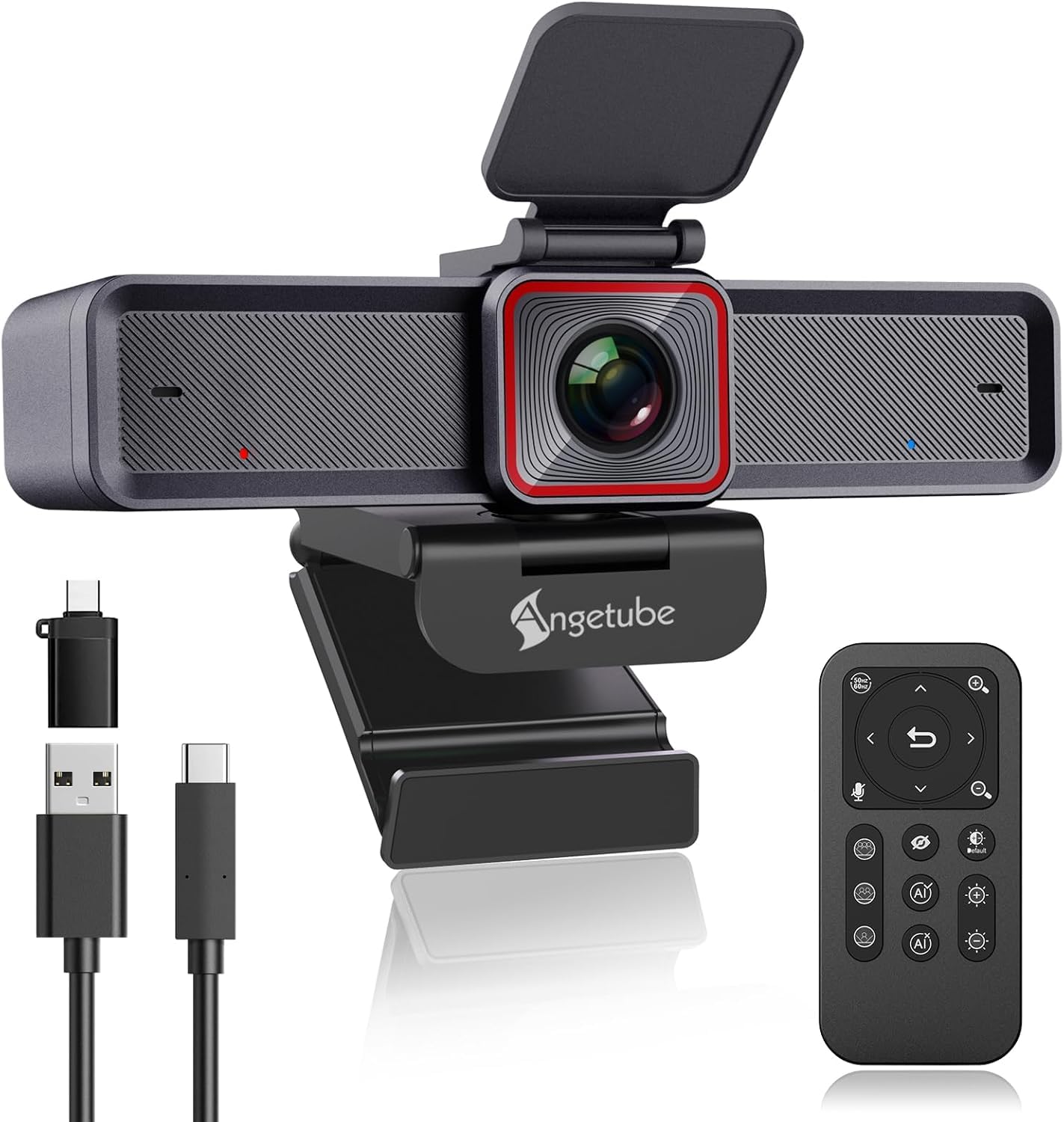
3. Angetube 913AI King 4K Webcam with Remote
A feature-packed camera that tracks you around the room and zooms with a remote control.
This is the one to grab if you move during presentations, because the AI tracking automatically detects and follows you, and it can also frame the whole group when multiple people are in view. The intelligent framing adjusts based on the number of attendees, which is a clever trick that makes you look like you have a dedicated camera operator.
Under the hood, a 1/2.8-inch sensor produces true 4K at 30fps or 1080p at 60fps, and it uses USB 3.0 for fast data transfer. The 10x digital zoom is the most powerful in this lineup — it’s double the 5x zoom on the Logitech Brio — which makes this the clear winner for close-up detail at a distance. An included 18-key RF wireless remote lets you control zoom, pan, brightness, and even block the lens from across the room, which owners love for locked-down work PCs where software isn’t allowed.
The camera quality is the most-praised aspect here, with owners highlighting crisp 4K and flattering skin tones even in poor lighting. However, reliability is the mixed bag: some owners mention the camera freezing intermittently, and the AI tracking can lag slightly behind fast-moving subjects like small children. Still, the brand’s customer support gets high marks for sending free replacement cables without hassle.
What Wins People Over
- AI tracking and auto-framing for dynamic presentations
- 10x digital zoom — twice the reach of the Logitech Brio
- 18-key wireless remote for full control without software
The Honest Trade-Off
- Intermittent freezing reported by some owners
- AI tracking can lag behind very fast movement
Best Fit: Presenters and teachers who move around and want remote control over a powerful zoom.
Be Aware: The reliability is mixed, so this is best for users comfortable with occasional hiccups.
4. NexiGo N950P 4K Zoomable Webcam with Remote

A Zoom-certified camera that puts a full control room in your hand with a dedicated remote.
You can walk around a room while presenting because the included remote control lets you turn the camera off, adjust volume, mirror your image, and zoom in and out — all without touching your computer. Zoom’s official certification (meaning it’s tested to work smoothly with that app) is the first sign this webcam takes meetings seriously, and the Sony Starvis sensor (a low-light image chip) inside captures sharp 4K video with automatic low-light correction.
You can zoom in up to 5x digitally at 1080p (full HD) without losing sharpness, and the dual omnidirectional mics (which pick up sound from all directions) with noise cancellation capture clear audio from every angle. The adjustable clip and threaded base let you secure it to a monitor, laptop, tripod, or flat surface, and it works with Android 4.0 or higher and Linux 2.6.24 — making it among the most compatibility-friendly options here.
The camera quality is the most-praised feature, but the image quality is the most-discussed concern — owners are split, with some praising the crisp view and others reporting blurry images. The reliability is similarly mixed, with some units stopping working, and a few owners note the monitor clip hinge is loose enough to cause the camera to droop. Treat the clip gently and it’s a solid mid-range choice for those who love remote control.
Highlights
- Zoom-certified for guaranteed compatibility with the platform
- Remote control for zoom, volume, and image mirroring
- Works across Windows, Mac, Android, Linux, and Chrome OS
Consider These
- Mixed reliability reports — some units stop working
- Loose monitor clip hinge can cause drooping
- Blurry images reported by some owners
Reach For It: If you want a remote control to manage zoom and camera settings without touching your keyboard.
Weigh The Risk: If you need flawless reliability, the Logitech Brio is the safer bet.
5. Jabra PanaCast 20 Conferencing Camera

A featherlight 100-gram powerhouse that delivers studio-quality video from a travel case.
If you work from different locations, this 100-gram webcam is made for you — it comes with a protective carry case and clips right onto any monitor. It uses an outstanding 13-megapixel camera and built-in AI to deliver crisp 4K Ultra-HD video in real-time without latency, and the intelligent zoom automatically follows your movements so you stay perfectly framed even as you shift around.
You look great even in poorly lit hotel rooms or coffee shops because the intelligent lighting optimization analyzes your environment and adjusts the image in real-time. It’s certified for both Microsoft Teams and Zoom, and it can track the speaker by zooming in on whoever is talking — a feature owners rave about for daily Teams calls, saying the picture is fantastic and they get comments on how clear they look. The metal construction feels sturdy and premium.
Two trade-offs to know: the camera gets very hot during use, which some owners find concerning, and the auto-zoom framing can crop your head too small and include desk clutter, with no manual adjustment option. It’s also a premium-priced device, so it suits those who prioritize portability and build quality above all — but if you need manual framing control, you might want to look elsewhere.
Portability Perfected: At just 100 grams with a travel case, this is the easiest way to get 4K quality on the road — the build quality is the most-praised feature, described by owners as stellar and heavy-duty.
The Catch: It runs very hot during extended use, and the auto-zoom doesn’t offer manual framing adjustments.
Go For It If: You split time between home, office, and travel and want one premium camera that travels well.
skip it if: You need manual control over the auto-zoom framing.
6. YOLOLIV YoloCam S3 4K Streaming Webcam

A webcam with a sensor so large it delivers DSLR-style depth-of-field blur right from the start.
You get a natural cinematic background blur that makes you look like you’re filming with a much pricier mirrorless camera, thanks to the 1/1.3″ sensor (a large image chip) — among the largest ever put in a webcam — which also boosts low-light performance. It delivers uncompressed 4K at 30fps (frames per second) or 1080p at 60fps, and the fast PDAF autofocus (phase-detection autofocus, which locks on quickly) snaps onto your face with zero lag.
For creators who want control, the YoloLiv software offers DSLR-like manual settings for contrast, sharpness, saturation, exposure, white balance, and color grading. AI-enhanced imaging claims 2.5x clearer faces in low light., and the 82° field of view keeps you framed without losing quality. The foldable magnetic mount lets you attach it to any metal surface, and the integrated 1/4″-20 interface works with most tripods.
Owners are impressed with the quality and value, calling it the best webcam they’ve bought and praising the fast autofocus and premium results at a reasonable price. The recurring frustration is connectivity — some users report connection issues — and there’s no SD card recording, so you’ll need the external YoloCam Live Box if you want to record without a computer. The all-aluminum body doubles as a heat sink to prevent overheating during long streams.
Creator Highlights
- Large 1/1.3″ sensor for cinematic depth-of-field blur
- Full manual controls for contrast, saturation, and color grading
- Magnetic foldable mount for flexible placement
Before You Buy
- Connectivity issues reported by some owners
- No SD card recording without the separate Live Box
- Pro color grading engine currently only available on Windows
The Verdict: If you want a webcam that looks like a cinema camera for streaming, this is the one to reach for.
Think Twice: If you need standalone recording — you’ll need extra hardware for that.
7. Elgato Facecam 4K Studio Webcam

A streamer’s studio tool that gives you DSLR-like looks and even supports real camera lens filters.
This webcam captures video in stunning 4K at 60 FPS (frames per second), which is the smoothest, most detailed motion you’ll find in this lineup — ideal for streaming where fluid motion matters. It’s powered by a premium Sony STARVIS 2 CMOS sensor and Elgato Prime Lens technology, delivering sharp detail and vibrant color that owners describe as giving DSLR clarity.
You can screw on any standard 49mm lens filter — like a diffusion or haze filter — just as you would on a real camera lens, which is a huge draw for streamers and video pros who want to style their shot. The free Camera Hub software gives you powerful effects and settings, and internal flash memory saves your preferences so they persist even when unplugged.
The one catch that jumps out from the reviews: it’s a camera without built-in audio — the specs don’t list a microphone, and owners note that if it has audio, they aren’t aware of it. You’ll need a separate mic, which is standard for serious streamers anyway. It also has a picky relationship with USB cables and hubs, so connect it directly to your PC. The image quality is the most-praised aspect, but the overall quality rating is mixed, so be prepared for either a flawless unit or one with reliability quirks.
Streamer Standards
- Smooth 4K at 60 FPS for fluid motion
- Standard 49mm lens filter support for creative looks
- Internal flash memory saves your settings
Honest Caveats
- No built-in microphone — plan for a separate mic
- Picky about USB cables and hubs — connect directly
- Mixed reliability reports after a few months
Pick This If: You’re a streamer who wants lens filters, 60fps smoothness, and deep software control.
Look Elsewhere: If you want a single device with good built-in audio.
8. Insta360 Link 2 Pro 4K PTZ Webcam

A motorized camera that physically pans and tilts to chase you around the room like a pro camera operator.
This is the most intelligent camera of the bunch — it’s a PTZ (Pan-Tilt-Zoom) webcam that physically moves its motorized head to keep you centered in frame, which is light-years beyond the digital tracking used by other webcams. The AI tracking is praised for following movement smoothly during meetings, and it even auto-tucks away at the end of a call for privacy.
The large 1/1.3″ sensor delivers sharp, detailed 4K with excellent low-light performance, and it produces a natural bokeh effect (that creamy blurred background) straight from the software. The dual-mic system uses beamforming directional pickup — meaning it focuses on your voice and filters out background noise from other directions. It’s fully compatible with major platforms like Zoom, Microsoft Teams, and Twitch, and it even integrates with the Elgato Stream Deck for switching modes with a button press.
Gesture control is a fun bonus: you can start tracking or zoom by waving your hand, and there are specialized modes for DeskView, Whiteboard, and 4K Portrait. The camera quality and AI tracking are the most-praised features, and owners love the crisp resolution and natural colors even in home office lighting. The trade-offs are the learning curve for the AI settings, and the audio quality gets mixed feedback — it’s decent but not class-leading.
What Impresses
- Physical PTZ tracking that keeps you perfectly framed
- Large 1/1.3″ sensor with excellent low-light performance
- Gesture control and specialized DeskView/Whiteboard modes
Things To Know
- Audio quality is decent but not top-tier
- AI settings come with a learning curve
- Not compatible with ARM-based Windows systems
The Smart Choice: If you move around while presenting and want a camera that follows you like a live operator.
Consider This: If you need perfect audio, pair it with a dedicated microphone.
9. Logitech Brio 4K Webcam (Graphite)
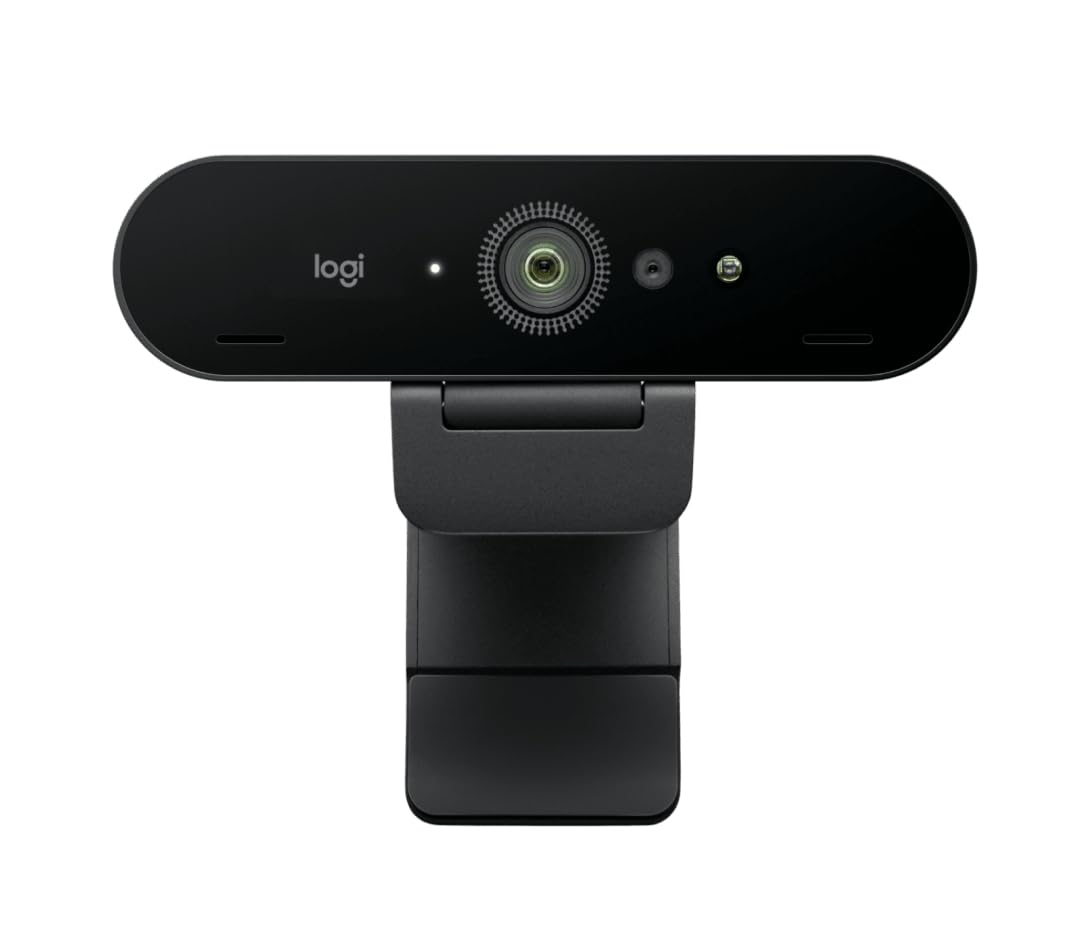
The premium Brio refresh that open up Windows Hello face login and razor-sharp 13 MP video.
You can log into Windows with just your face, thanks to Windows Hello compatibility — a feature owners describe as working “extremely well” and being “extremely reliable.” This is the higher-spec version of the Brio, and for professionals who value security and convenience, this alone justifies the jump over other webcams. It captures video at 3840 pixels with a 13 MP effective still resolution (meaning still photos have 13 megapixels of detail), delivering very sharp images with great colors and good low-light performance.
It comes with a removable clamp for mounting and a USB-A to USB-C cable, and it works across PC and Mac. The build quality feels solid, and it works well for both video calls and streaming. One owner noted that full 4K requires a dedicated USB-C port — plugging into a monitor hub can limit you to 1080p, which is still great but defeats the 4K purpose.
The 5x digital zoom matches the standard Brio, but the real star here is the combination of image quality and Windows Hello integration. The main downside is the Logitech software, which owners describe as clunky and inconsistent at times. It’s also the most premium-priced option in this list, so it’s for professionals who want the best integration and don’t mind the cost.
Windows Hello Hero: If you want face-login convenience, this is the only webcam in this lineup that handles it reliably — owners say it works “extremely well.”
The Software Snag: The Logitech software is the weak link — clunky and inconsistent — even though the hardware is excellent.
The Luxury Option: Best for Windows users who want face-recognition login and premium build quality.
Cost Consideration: It’s the priciest pick here, so weigh whether Windows Hello is worth the premium.
Understanding the Specs
Sensor Size
A larger sensor, like a 1/1.3″ or 1/2.5″, physically captures more light than a smaller one. This directly improves your image in dim rooms — less grain, better color, and more natural skin tones. When comparing webcams, the sensor size is often a better predictor of low-light quality than the megapixel count.
Digital Zoom vs. Field of View
Webcams use digital zoom, which crops into the image and can soften detail when you zoom far in. A 5x zoom is plenty for most desk setups, while a 10x zoom gives you more reach for showing close-up details. Field of view (FOV) is the opposite — a wider FOV (like 100°) shows more of your room, while a narrower FOV (like 65°) keeps you larger in the frame.
FAQ
Do 4K webcams work with Zoom and Microsoft Teams?
Will a 4K webcam work with my Mac or PC?
What’s the difference between digital zoom and optical zoom on a webcam?
How important is the field of view (FOV) for video calls?
Do I need a separate microphone if I buy a 4K webcam?
What is AI tracking and do I need it?
Why does my new 4K webcam look blurry in low light?
What does 4K@30fps versus 1080p@60fps mean for streaming?
How long do 4K webcams typically last?
Final Thoughts: The Verdict
For most buyers, the best 4k webcam overall is the Logitech Brio because it delivers reliable, professional-grade image quality with a trusted brand and the highest owner satisfaction. If you want a feature-packed camera with AI tracking and a remote, the Angetube 913AI King is fantastic value. And for streamers who prioritize smooth motion and creative control, the Elgato Facecam 4K is the one to reach for.
How We Picked
We do not accept paid placement. Every pick is matched to a real buyer and a real use-case; we do not hands-on test units.
Sources & Methodology
Specifications: manufacturer listings and product documentation. Review insights: verified customer reviews, as of August 2026. Pricing: not shown on this page (it changes often); check the current price via the retailer link.
As an Amazon Associate, Gadgets Feed earns from qualifying purchases. This does not affect which products we feature.