
Our readers keep the lights on and my morning glass full of iced black tea. As an Amazon Associate, I earn from qualifying purchases.
Specs are compiled from manufacturer listings and verified buyer reviews and can change over time — please confirm the key details on the product page before buying.
A high-refresh-rate monitor is the most effective upgrade for a gaming PC, with 140 Hz and above delivering noticeably smoother motion. Upgrading from a 60 Hz display to a 140 Hz+ panel eliminates the slideshow effect, making fast-paced games feel fluid and responsive.
I’m Min — the founder and writer behind Gadgets Feed. This guide is built by comparing the manufacturers’ published specifications and the patterns across verified customer reviews, so you get each pick’s real strengths and trade-offs instead of marketing spin.
Every monitor in this roundup hits 140 Hz or faster, ensuring smooth, tear-free gameplay without stutter. This roundup of the 140 hz monitor field breaks down which panel fits your budget, resolution, and desk setup best.
Our Picks at a Glance
How To Choose The Best 140 Hz Monitor
Before you click buy, you need to match the monitor’s speed and resolution to what your graphics card can actually push. A high refresh rate only helps if your PC can produce the frames to feed it, so balance the panel’s speed against your GPU’s power.
Refresh Rate vs. Resolution
Refresh rate, measured in hertz (Hz), is how many times the screen updates each second. A 144 Hz monitor shows 144 frames per second, which makes fast motion look far smoother than a standard 60 Hz screen. Higher resolutions like 2560 x 1440 (QHD) require more GPU power to hit high frame rates, so a mid-range GPU may perform better at 1920 x 1080 (FHD) to maintain speed.
Panel Type: IPS vs. VA vs. OLED
IPS panels give you the best color accuracy and wide viewing angles, which is why they dominate office and gaming monitors. OLED panels go further with perfect blacks and insane contrast, but they cost much more. Curved VA panels, meanwhile, offer high contrast and immersion but can have slightly slower response times than the best IPS screens.
Adaptive Sync: FreeSync and G-Sync
Screen tearing occurs when the monitor’s refresh rate and the GPU’s frame output are out of sync. Adaptive sync technologies eliminate tearing by locking the screen’s refresh rate to the GPU’s frame output. AMD FreeSync covers most gaming GPUs, while G-Sync is NVIDIA’s answer, though many modern monitors support both standards so you are covered either way.
Quick Comparison
| Model | Best For | Refresh Rate | Resolution | Panel Type | Amazon |
|---|---|---|---|---|---|
| KTC H27T27S★ Best Overall | Budget QHD gaming & work | 144 Hz | 2560 x 1440 | HVA | Amazon |
| Acer Nitro KG271Best Value | Budget FHD dual-monitor setups | 144 Hz | 1920 x 1080 | IPS | Amazon |
| KTC H27S5CCurved Immersion Pick | rich curved QHD value | 144 Hz | 2560 x 1440 | HVA (1500R) | Amazon |
| Dell S2725HSM | Office work with built-in speakers | 144 Hz | 1920 x 1080 | IPS | Amazon |
| LG 27GS50F-B | Entry-level competitive gaming | 180 Hz | 1920 x 1080 | IPS | Amazon |
| AOC Q27G41ZE | High-speed QHD esports play | 240 Hz (260 Hz OC) | 2560 x 1440 | IPS | Amazon |
| Dell S2725DSM | Crisp QHD office & multitasking | 144 Hz | 2560 x 1440 | IPS | Amazon |
| LG 27GS75Q-B | Fully adjustable QHD gaming | 180 Hz (200 Hz OC) | 2560 x 1440 | IPS | Amazon |
| Alienware AW2725DM | Premium QHD gaming with G-Sync | 180 Hz | 2560 x 1440 | Fast IPS | Amazon |
| ASUS ROG XG27AQDMG | Stunning OLED colors & deep blacks | 240 Hz | 2560 x 1440 | WOLED | Amazon |
| MSI MPG 271QRX | Pro-level esports with QD-OLED | 360 Hz | 2560 x 1440 | QD-OLED | Amazon |
In‑Depth Reviews
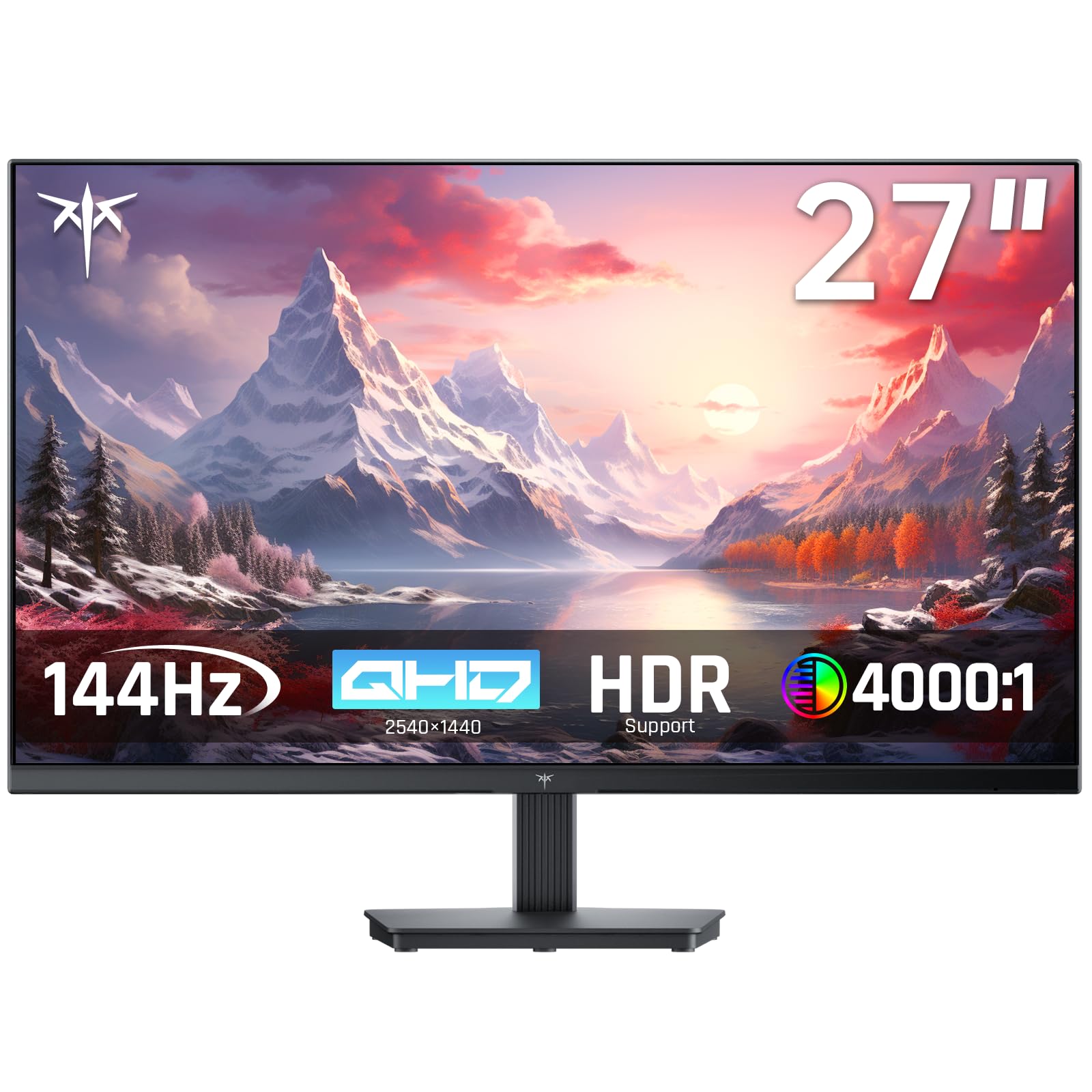
1. KTC 27 Inch QHD 144Hz Gaming Monitor H27T27S
Our pick — over 4.5★ from 1,500+ verified ratings; the strongest balance of quality and price.
The sharp QHD panel that makes 144 Hz gaming affordable for nearly everyone
This is the crowd favorite for good reason: you get a 27-inch HVA panel (a type of VA screen with high contrast) at QHD (2560×1440) resolution and a 144Hz refresh rate, so fast action stays sharp and colors pop. The 129% sRGB color gamut (a measure of color range) and 4000:1 contrast ratio mean dark scenes in games actually look deep and detailed instead of washed out, and the 300 nits brightness keeps the image vivid in a lit room.
It supports both G-SYNC and FreeSync, so it plays nicely with NVIDIA and AMD graphics cards alike. The frameless design and tilt adjustment from -5° to 15° make it simple to set up on a desk, and the VESA mount lets you attach it to an arm or wall. You get HDMI and DisplayPort connections plus a headphone jack, so switching between a console and a PC is straightforward.
Build quality is a touch basic, which is the trade-off at this price, and you will need to supply your own VESA screws. Some buyers report hitting 75Hz if the included adapter limits the signal, so check your cable setup to open up the full 144Hz. The biggest praises go to its value, its color accuracy, and its gaming performance — as owners mention: “Runs QHD 75Hz (adapter-limited)” — so the speed is there if your connection supports it.
Why It Wins People Over
- QHD resolution provides a big clarity jump over 1080p for both work and play
- High contrast ratio keeps dark game scenes detailed, not murky
- Works with both G-Sync and FreeSync GPUs without tearing
Where It Gets Basic
- Stand feels cheaper and tilt adjustment is limited
- No built-in speakers and no power switch
- Joystick controls take some getting used to
The pick for: anyone who wants a sharp QHD display for mixed gaming and office work without spending big.
Keep in mind: the basic stand means you may want a monitor arm or a VESA mount for proper ergonomics.
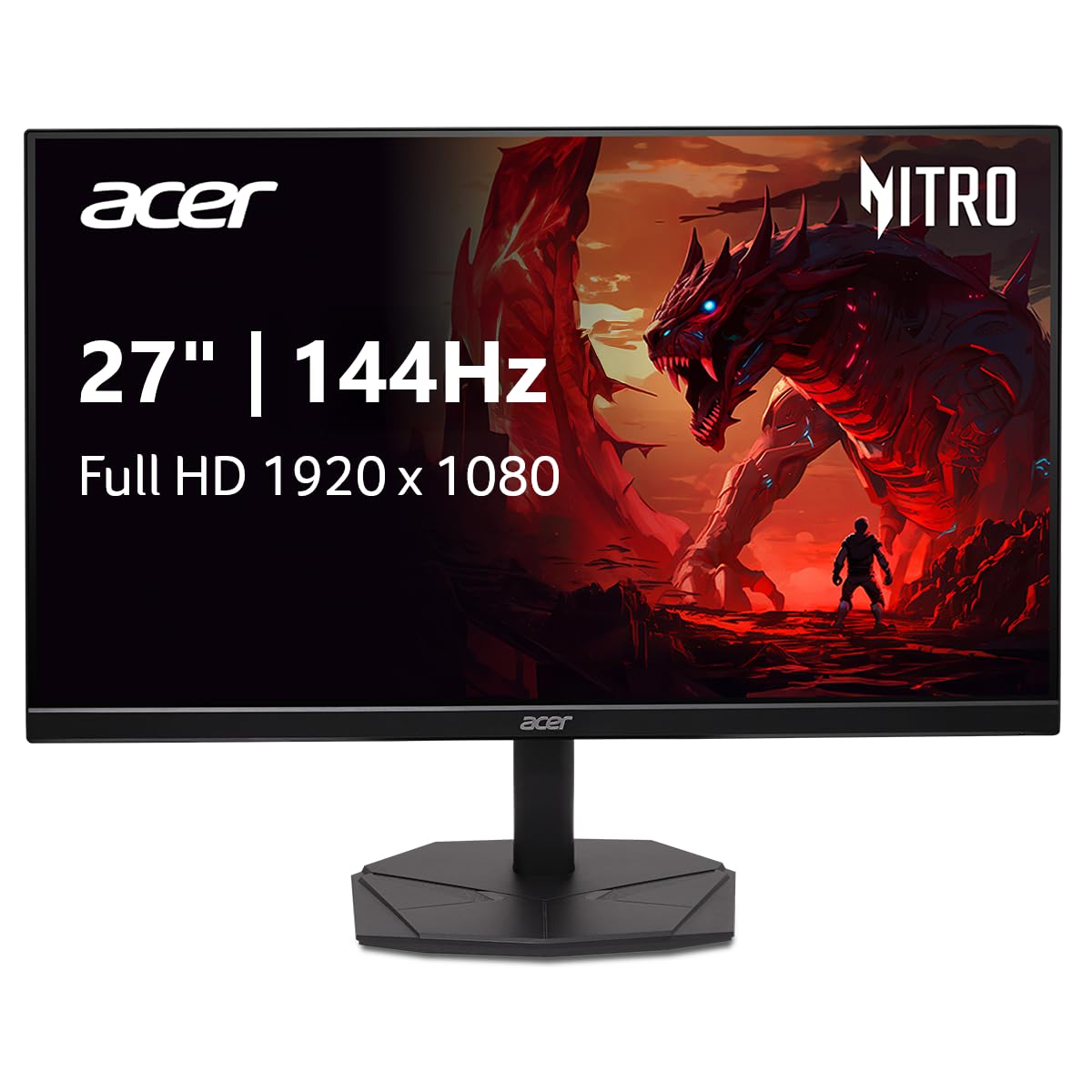
2. Acer Nitro KG271 P6bip 27-inch IPS Monitor
A featherweight full-HD monitor that keeps its footprint small on crowded desks
If your graphics card is built for 1080p, the Acer Nitro is a match made for it. The 1920 x 1080 Full HD resolution with a 144Hz refresh rate delivers smooth gaming without demanding a powerhouse GPU, and the 1ms response time keeps fast action clear of ghosting. Its zero-frame design means the screen edges are tiny, so you get more usable display area in a compact body.
The monitor covers 99% sRGB for solid color accuracy, which makes it a good fit for graphic design and photo work on a budget. AMD FreeSync eliminates screen tearing by syncing the monitor’s frame rate with the GPU, and the 1000:1 contrast ratio holds up well for everyday content. The included stand takes up minimal room, which matters when you are running two monitors side by side.
The trade-off against the KTC H27S5C above is resolution: at 1080p the pixels are bigger, and the 1000:1 contrast ratio versus the KTC’s 4000:1, so blacks are less deep. Customers note it is perfect for a budget 1080p build and a common repeat purchase — as one upgrade story goes: “I’ve had 2 24″ monitors for a number of years and felt like it was time for an upscale.” It is a reliable, no-frills panel for gamers and office users who value simplicity.
Solid and simple: this is a dependable 1080p workhorse that excels at dual-monitor setups and esports gaming where frame rate matters more than pixel density.
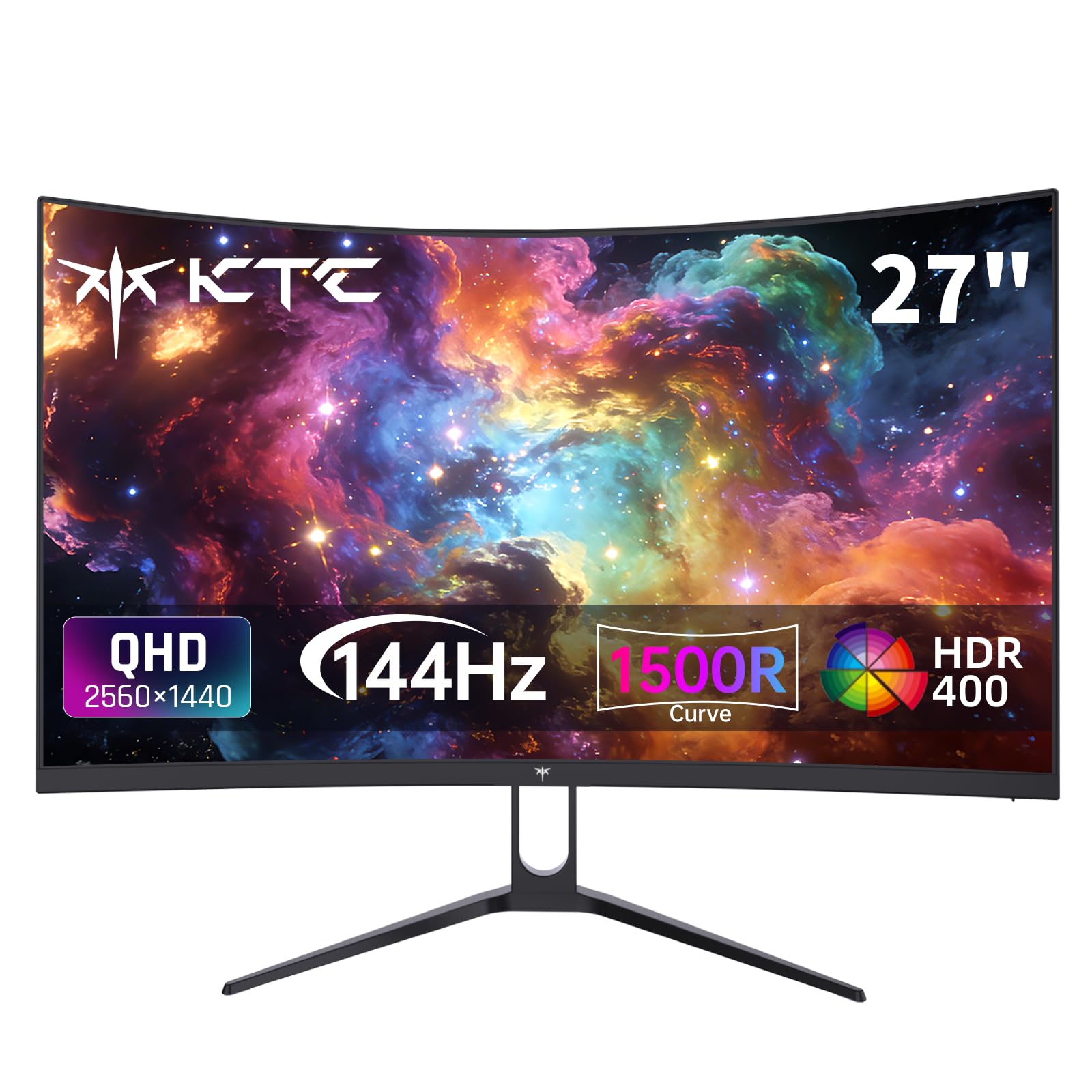
3. KTC H27S5C 27-inch Curved QHD Monitor
The 1500R curve wraps around your vision for a more enveloping game world
The KTC H27S5C brings the immersion factor that flat panels simply cannot. Its 1500R curvature wraps the 27-inch screen around your field of view, which reduces the eye strain of scanning a wide display and pulls you deeper into games. Inside is the same strong HVA panel tech as the top pick, with QHD (2560 x 1440) resolution and a 144Hz refresh rate for crisp, fluid motion.
Color work is a highlight here, with support for 16.7 million colors, 129% sRGB, and 110% DCI-P3 coverage, so photo editing and movie watching look vibrant. The 400 nits brightness is the brightest of the budget KTCs, and HDR400 compliance boosts contrast for deeper blacks and brighter highlights. Two HDMI 2.0 ports and one DisplayPort 1.4 give you plenty of ways to connect consoles and PCs.
The 4000:1 contrast ratio here crushes the Acer Nitro’s 1000:1, making dark scenes significantly deeper, and the wider color gamut of 129% sRGB tops the Acer’s 99% — a 30% advantage that shows in richer reds and greens. The weakest point is the stand, which does not adjust for height and has a low profile that can sit behind a laptop. Reviewers point out the out-of-box colors look washed out until you tweak the settings, so plan a few minutes of calibration.
Immersion first: choose this if you want the curved, wrap-around feel with strong contrast, and you are willing to adjust colors and add your own stand for the best experience.
4. Dell 27 Plus S2725HSM FHD Monitor

The accountant-approved screen that treats your eyes kindly all day long
The Dell S2725HSM flips the script: it is a 144Hz monitor aimed squarely at productivity, and it nails that job beautifully. The 1920 x 1080 FHD resolution with a 1500:1 contrast ratio delivers crisp, clear text for documents and spreadsheets, while the 144Hz refresh rate and 1ms response time keep scrolling smooth. It is a rare high-refresh panel with genuinely useful adjustability — height, tilt, pivot, and swivel — so you can dial in the exact angle that keeps your neck happy.
Built-in dual 3W speakers mean you can ditch desktop speakers for video calls and casual listening. The display is 4-star TÜV-certified for reduced blue light emissions, which is why office users report no eye strain even after long sessions. Dell’s Display and Peripheral Manager software also lets you tune your workflow across the whole setup.
Owners find it performs well for business settings, with the large screen making split-screen work a breeze, and they frequently mention the superb value for money. The 1080p resolution means less sharpness than a QHD panel, and a few people note a mild orange tint that needs calibration from the start. If your priority is comfort and productivity with smooth scrolling, this Dell is a genuinely smart choice.
The Office All-Rounder
- Full height, pivot, and swivel stand for perfect ergonomics
- Dual 3W speakers remove the need for externals
- Blue-light reduction keeps long workdays comfortable
The Trade-Off
- FHD resolution is less sharp than QHD alternatives
- May need calibration to remove an orange color tint
Reach for this if: you sit at a desk for hours and want a smooth, adjustable, easy-on-the-eyes screen for documents and calls.
Look elsewhere if: you want maximum sharpness for detailed creative work, where a QHD panel serves better.
5. LG 27GS50F-B UltraGear 27-inch Gaming Monitor

A beginner’s gateway to fast, smooth gaming without a steep price tag
The LG UltraGear is the monitor to get if you are stepping up from a 60Hz screen and want a noticeable smoothness boost without overpaying. It bumps the refresh rate to 180Hz at 1920 x 1080, with a 1ms MBR (a motion-blur reduction mode) that keeps fast action looking clean. The 1080p resolution means even a mid-range PC can feed it enough frames to feel genuinely quick.
AMD FreeSync delivers a virtually tear-free experience by syncing the screen to your GPU’s output. The Gamer-centric design uses a three-side virtually borderless, ultra-thin bezel that keeps your desk setup looking clean, and you get two HDMI ports plus DisplayPort for flexible connections. A suite of gaming tools — Dynamic Action Sync, Black Stabilizer, an FPS counter, and a crosshair overlay — gives you an edge in shooters without needing extra software.
Buyers consistently call the image quality crisp and clear, noting the blacks look black rather than gray. The catch is physical adjustability: the stand only tilts, with no height adjustment, and some shoppers say the colors lean too dark until tweaked. For a first gaming monitor or a budget dual-screen setup, this LG is tough to top on pure speed per dollar.
Fast and friendly: the 180Hz panel is a genuine step up from standard screens, and the game-enhancing tools make it a smart first buy for new competitive players.
6. AOC Q27G41ZE 27-inch QHD Gaming Monitor

A 240Hz QHD IPS panel that makes competitive shooters feel almost pre-cognitive
If you play fast-paced shooters, the AOC Q27G41ZE is a serious upgrade. It runs at 240Hz natively over DisplayPort, with an overclock option to 260Hz, and the 0.3ms MPRT response time keeps on-screen motion razor sharp. All that speed happens on a 27-inch IPS panel at QHD (2560 x 1440), so you get crisp details with wide viewing angles and precise image quality.
Adaptive-Sync support covers both AMD and NVIDIA GPUs, killing screen tearing and input lag. The 300-nit brightness and 1000:1 contrast ratio deliver vibrant visuals, while a 1x DisplayPort 1.4 and 2x HDMI 2.0 give flexible connectivity plus audio out for speakers or headsets. The three-sided frameless design with black and red accents looks the part of a serious gaming rig.
The 2560×1440 resolution makes a real difference over 1080p, as owners note the finer detail is a meaningful step up. The chief criticism is the stand, which does not adjust in height — a common fix is a VESA monitor arm, and the tilt range of -3° to +21° helps. With a 3-year zero-bright-dot warranty, this AOC protects your investment if a stuck pixel ever appears.
Built for Fast Play
- 240Hz refresh with 0.3ms MPRT is outstanding for esports
- QHD IPS keeps image quality sharp and colors accurate
- Works with both NVIDIA and AMD adaptive sync
Setup Notes
- Stand is not height-adjustable, so plan for a monitor arm
- Maximum speed requires a DisplayPort cable
Who it beats: any 144Hz panel in fast-twitch games, where the extra 100 frames per second of smoothness matters most.
Who it does not: desk purists who refuse to add a monitor arm, since the stand is basic.
7. Dell 27 Plus S2725DSM QHD Monitor

The upgrade from the FHD Dell that adds crisp QHD sharpness for text-heavy work
This is the higher-resolution sibling of the S2725HSM, and it exists for people who find 1080p a little soft. The 27-inch QHD (2560 x 1440) display with a 1500:1 contrast ratio makes text look noticeably sharper and gives you more on-screen workspace for multitasking. It keeps the same 144Hz refresh rate and 1ms response time, so it stays smooth for occasional gaming.
Like its FHD sibling, it packs dual 3W speakers, height/tilt/pivot/swivel adjustability, and a 4-star TÜV-certified low-blue-light display. Connectivity steps up to both HDMI and DisplayPort 1.4, and the included cable kit covers most setups. The 350 nits brightness is a touch higher than the 300-nit FHD version, which helps in brighter rooms.
Owners praise its crisp resolution and reliable office performance, with one noting the large screen has been helpful for visual problems due to the sharp clarity. The stand is described as top quality, easy to move, and simple to assemble. There is no built-in webcam, so video calls still need your laptop’s camera, but for a productivity-first panel at 144Hz, this Dell is a standout.
Sharper workday: the QHD resolution plus full ergonomic stand make this a premium-feeling office monitor that handles casual gaming on the side.
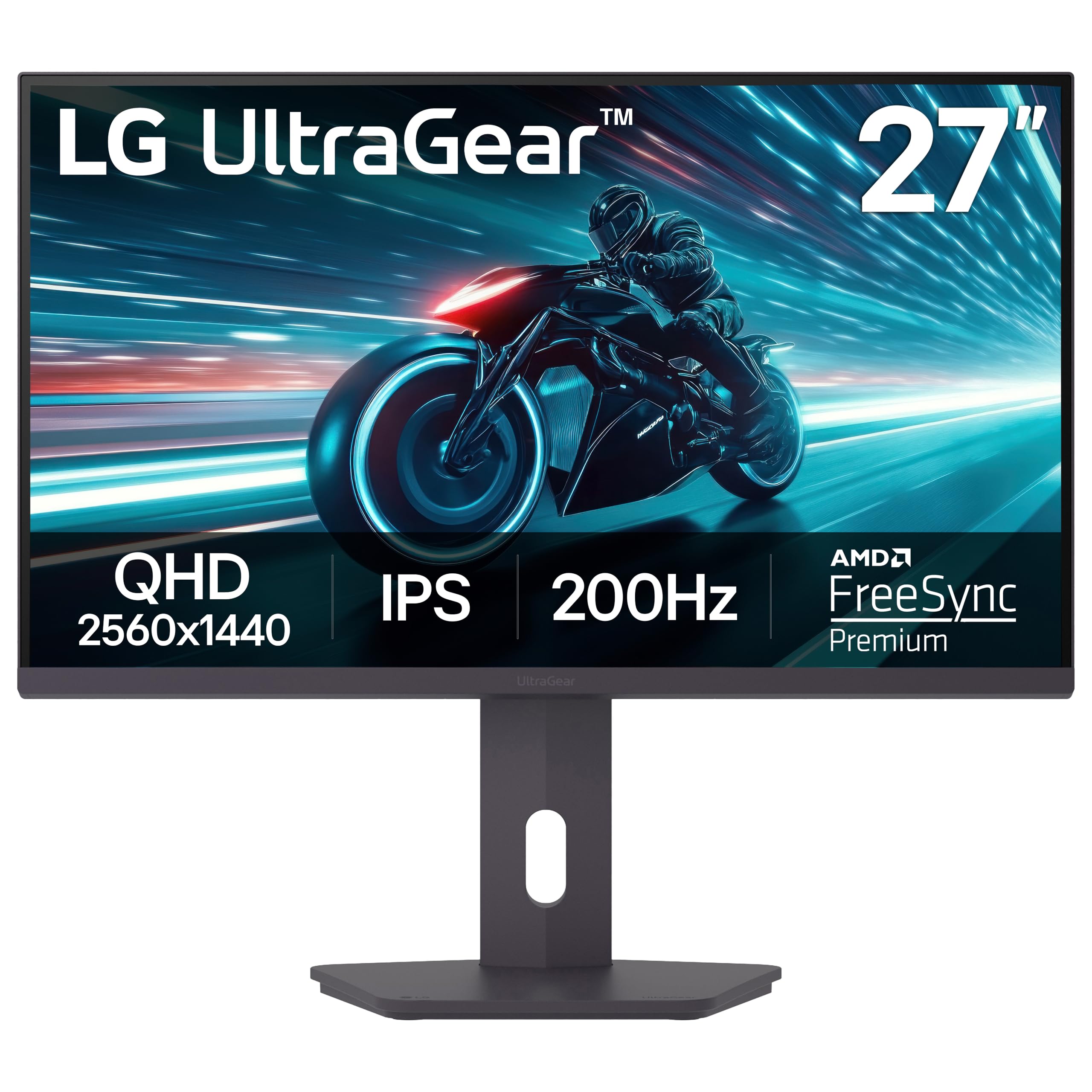
8. LG 27GS75Q-B UltraGear QHD Gaming Monitor
A QHD speedster that nails the ergonomics with a full height-adjustable stand
The LG 27GS75Q-B is the fully equipped version of the budget LG, trading the basic stand for a proper adjustable one. It runs at 180Hz natively with an overclock to 200Hz on a 27-inch QHD (2560 x 1440) IPS panel, giving you sharp details and very smooth motion. The 1ms GtG response time and 99% sRGB coverage keep colors vivid and motion clean.
It is certified by NVIDIA as G-SYNC Compatible and also supports AMD FreeSync, so no matter your GPU brand, you get tear-free play. The height, tilt, and pivot stand is a genuine comfort upgrade, and the 360-degree rotation lets you swing the screen into portrait mode for documents or code. Two HDMI ports and DisplayPort cover consoles and PCs, though you will need external speakers since there is no built-in sound.
Buyers describe it as a great all-around display with a beautiful vivid screen and easy setup for Xbox, praising the durable base. The overclock to 200Hz is a nice bonus over standard displays, and owners generally find it good value. The main gripe is the bottom-mounted controls, which are hard to see, and a few note a yellow tint that is fixable in settings. For a flexible QHD gaming panel, this LG balances speed, sharpness, and comfort well.
The versatile pick: a fast QHD screen with a genuinely useful stand, ideal for gamers who also work at their desk and want to switch orientations.
9. Alienware AW2725DM 27-inch QHD Gaming Monitor

Alienware polish meets genuine speed, with colors that make games pop
The Alienware AW2725DM brings a premium feel to the 27-inch QHD category. Its Fast IPS panel runs at 180Hz with a 1ms gray-to-gray response time, and it carries VESA DisplayHDR 400 certification for noticeably better highlights. The DCI-P3 95% color coverage and 1.07 billion color support make game worlds look rich and vibrant, not flat.
This panel is G-SYNC compatible and supports FreeSync, and it ships in the box with DisplayPort 1.4 and HDMI 2.1 cables so you are ready to go immediately. A hardware-based low blue light solution reduces eye strain during long sessions while preserving color accuracy. The stand adjusts in height, tilt, pivot, and swivel, and the included USB hub gives you extra ports for peripherals.
Owners call it the best monitor for the price, praising the vibrant colors, clear picture, and lack of smearing in motion. The 400 cd/m2 brightness also helps counteract glare in bright rooms, though some note IPS glow in dark scenes. One important detail: you need DisplayPort to get the full 180Hz, since HDMI tops out at 144Hz. This is a solid premium pick that mixes Alienware build quality with strong performance.
Premium Perks
- 95% DCI-P3 color with 1.07 billion colors looks stunning
- 180Hz Fast IPS with DisplayHDR 400 certification
- Full ergonomic stand plus built-in USB hub
To Know Before Buying
- No USB-C port for modern laptops
- Full 180Hz needs a DisplayPort connection, not HDMI
Grab it if: you want a polished, colorful QHD gaming screen with strong adaptive sync support and a quality stand.
Pass if: you need USB-C connectivity for a laptop, which this panel does not offer.
10. ASUS ROG XG27AQDMG 27-inch OLED Gaming Monitor

The first step into OLED gaming, where blacks go truly black and motion is flawless
Once you see an OLED gaming panel, going back to IPS is hard. The ASUS ROG XG27AQDMG uses a third-generation WOLED panel (a type of OLED that uses white subpixels) at QHD (2560 x 1440) with a 240Hz refresh rate and an astonishing 0.03ms response time — that is the fastest response on this list, meaning essentially zero motion blur. The 99% DCI-P3 color space (a wide color standard) delivers vibrant colors, and the glossy finish makes them look even richer.
Because OLED pixels turn off completely, you get perfect blacks and infinite contrast, which the specs reflect with a “High” contrast ratio. The custom heatsink and advanced airflow design help manage heat, and ASUS OLED Care functions reduce the risk of burn-in, a real concern with OLED panels. ROG’s exclusive anti-flicker technology smooths out refresh-rate fluctuations, and G-SYNC Compatible support keeps gameplay tear-free. The purchase includes a 3-year warranty with burn-in coverage plus 3 months of Adobe Creative Cloud access.
Owners say the color and contrast are a massive upgrade from traditional panels, and the 240Hz speed is noticeable in competitive titles. The trade-offs are real: there are no built-in speakers, and the panel needs occasional pixel cleaning to protect against burn-in. A few buyers report flicker that traces back to a faulty included cable — swapping it fixes the issue. Text is also slightly less sharp than on some IPS panels, so this OLED is best for a gaming-focused setup.
For visual purists: the perfect blacks and instant response make this the best-looking gaming screen here, if you can accept OLED’s care requirements.
11. MSI MPG 271QRX QD-OLED Gaming Monitor

The fastest panel on this list, at 360Hz, for players who chase every possible frame
This is the screen for esports enthusiasts who demand the absolute maximum smoothness. The MSI MPG 271QRX runs at a blazing 360Hz refresh rate on a 27-inch QHD (2560 x 1440) QD-OLED panel, with a 0.03ms GtG response time that makes input feel instantaneous. Quantum-dot OLED technology delivers vibrant, accurate color with a Delta E ≤ 2 rating, which means the colors are highly precise straight from the factory.
The panel carries VESA DisplayHDR True Black 400 certification, and the 1,000,000:1 contrast ratio delivers true blacks that make dark scenes glow with detail. MSI OLED Care 2.0 reduces the risk of burn-in, while the Gaming Intelligence app lets you fine-tune settings for each title. A built-in KVM lets you control multiple devices with one keyboard, mouse, and monitor, and the HDMI 2.1 port provides the full 48 Gbps bandwidth needed for modern consoles.
Buyers rank it as a top-tier QD-OLED display (a type of OLED with quantum dots for richer color) with excellent color quality, sharp visuals, and a smooth 360Hz refresh, calling it an ideal “forever monitor.” The usual OLED caveats apply: a plastic stand where some would prefer metal, and occasional sleep-wake quirks that a full power cycle fixes. If you play competitive shooters and want the ultimate in smoothness with gorgeous colors, this MSI is the flagship answer.
Max Speed, Max Color
- 360Hz refresh is the smoothest panel available on this list
- QD-OLED provides vivid color and perfect blacks
- KVM support controls multiple devices with one setup
OLED Reality Check
- Plastic stand feels less premium than the panel deserves
- Sleep-wake issues occasionally need a full power cycle
The pick for: competitive players who want the fastest, most responsive display available and appreciate QD-OLED’s color depth.
Think twice if: you are on a standard budget, since OLED panels demand a premium price for their speed and color.
Understanding the Specs
Refresh Rate (Hz)
This is the number of times your screen redraws the image every second. A 144Hz monitor shows up to 144 frames per second, making motion look fluid and reducing the blur you see on slower screens. The jump from 60Hz to 144Hz is the most noticeable gaming upgrade, dramatically improving on-screen motion smoothness.
Response Time (ms)
Response time measures how quickly a pixel changes color, expressed in milliseconds (ms). Faster response times, like 1ms or even 0.03ms, mean less ghosting and smearing during fast action. For competitive games, a quick response time is just as important as a high refresh rate.
Resolution: FHD vs QHD
Resolution determines how sharp the image looks. FHD (1920 x 1080) is the baseline and easiest for your graphics card to drive at high speeds. QHD (2560 x 1440) offers noticeably sharper detail and more screen space, but demands more GPU power to reach high frame rates in games.
Adaptive Sync (FreeSync & G-Sync)
Adaptive sync stops screen tearing — that ugly split line that appears when the monitor and GPU fall out of step. FreeSync works with AMD graphics cards, while G-Sync is NVIDIA’s standard. Many modern monitors support both, so they pair painlessly with whatever GPU you own.
FAQ
Is a 144Hz monitor worth it over a 60Hz monitor?
Do I need a powerful graphics card for a 144Hz monitor?
What is the difference between FreeSync and G-Sync?
Should I choose 1080p or 1440p for my monitor?
Can my game console run at 144Hz?
What panel type should I choose, IPS or OLED?
Why does my monitor only show 60Hz even though it is a 144Hz model?
Is screen tearing a big problem on high-ref?
What does the response time spec actually mean for gaming?
Can I mount a 144Hz monitor on a wall or arm?
Final Thoughts: The Verdict
For the majority of shoppers, the 140 hz monitor winner is the KTC H27T27S because it delivers sharp QHD resolution, smooth 144Hz motion, and a high 4000:1 contrast ratio at a price that undercuts most rivals. If you want a curved, more rich panel with even brighter 400-nit output, grab the KTC H27S5C. And for pure competitive speed, the AOC Q27G41ZE with its 240Hz refresh rate is the one to reach for. The strongest validation of the budget KTC comes from the sheer volume of satisfied owners — a 4.6-star crowd favorite that outshines most pricier options on this list.
How We Picked
We do not accept paid placement. Every pick is matched to a real buyer and a real use-case; we do not hands-on test units.
Sources & Methodology
Specifications: manufacturer listings and product documentation. Review insights: verified customer reviews, as of August 2026. Pricing: not shown on this page (it changes often); check the current price via the retailer link.
As an Amazon Associate, Gadgets Feed earns from qualifying purchases. This does not affect which products we feature.