
Carrying a full media library, game library, or work project archive in your pocket used to mean sacrificing speed for capacity. That trade-off vanishes with a 256 GB external SSD, which packs NAND flash and a dedicated controller into a thumb-drive silhouette that reads and writes files several times faster than a typical USB stick — often surpassing 500 MB/s and, in some cases, cresting 1000 MB/s. The real challenge isn’t finding storage this size; it’s picking the dual-interface design, controller quality, and enclosure material that survive daily pocket abuse without throttling or dropping connections.
I’m Min — the co-founder and writer behind Gadgets Feed. I spend my weeks studying controller chipsets, NAND types, and thermal behavior across hundreds of portable SSD listings so you don’t have to parse spec sheets at 2 a.m..
Whether you are offloading 4K ProRes footage from an iPhone 16 Pro, expanding the game library on a Steam Deck, or running a bootable OS from a keychain drive, the best 256 gb external ssd balances raw throughput, dual-port convenience, and chassis durability without breaking your budget.
How To Choose The Best 256 GB External SSD
A 256 GB external SSD lives in the sweet spot between a standard USB flash drive and a full 2.5-inch portable SSD. The small form factor demands careful attention to the interface standard, NAND flash type, and enclosure material — three factors that determine whether your drive feels snappy or sluggish after a few months of daily use.
Interface Generation: USB 3.2 Gen 2 vs. Gen 1
The physical connector shape (USB-C, USB-A, or both) tells only half the story. The underlying generation dictates real-world throughput. USB 3.2 Gen 2 tops out at 10 Gbps (roughly 1000 MB/s), while Gen 1 halves that ceiling to 5 Gbps (~500 MB/s). If you move large video files or game installs regularly, a Gen 2 drive halves wait times. For document backups and photo libraries, a solid Gen 1 drive at 400–500 MB/s still feels several times quicker than a typical USB 3.0 flash drive.
NAND Type: TLC vs. QLC Endurance
Thumb-sized SSDs often use either TLC (Triple-Level Cell) or QLC (Quad-Level Cell) NAND. TLC writes slower than QLC on paper, but it offers roughly five times the program/erase cycles, making it the safer choice for a drive you will rewrite frequently — weekly backups, game updates, or video editing scratch work. QLC can work fine for archival usage, but its sustained write speed tends to drop sharply once the pseudo-SLC cache fills up.
Enclosure: Metal vs. Plastic Heat Dissipation
A compact SSD has almost no internal airflow; heat buildup causes the controller to throttle speeds. Zinc alloy or aluminum enclosures conduct heat away from the NAND and controller far more effectively than ABS plastic. If you plan to transfer 20+ GB files in a single session, a metal-body drive will maintain peak transfer rates longer than a plastic-shelled drive of the same rated speed.
Quick Comparison
On smaller screens, swipe sideways to see the full table.
| Model | Category | Best For | Key Spec | Amazon |
|---|---|---|---|---|
| MOVE SPEED WD10 | Premium Dual Port | 4K ProRes direct recording | 1000 MB/s read, 3-stage push-pull | Amazon |
| ORICO K5PLUS | Magnetic SSD | MagSafe iPhone video capture | 460 MB/s, MagSafe ring included | Amazon |
| GiGimundo | Blazing Fast | PS5 gameplay capture | 1073 MB/s read, TLC + aluminum | Amazon |
| Orlian 256G | Value Dual Port | Steam game library storage | 1000 MB/s read, zinc alloy shell | Amazon |
| SSK 256GB | Lightweight | Everyday phone backup | 550 MB/s read, 27 g weight | Amazon |
| fanxiang 256GB | Durable Swivel | Rugged pocket carry | 560 MB/s read, zinc alloy swivel | Amazon |
| Lexar D50E | Established Brand | Bootable OS drive | 400 MB/s read, metal swivel | Amazon |
In‑Depth Reviews
1. MOVE SPEED WD10 256GB

The MOVE SPEED WD10 is the rare thumb-sized SSD that delivers on its 1000 MB/s rated read speed without relying on a brief SLC cache window — the SSD-grade controller and TLC NAND sustain fast writes long enough to move a 30 GB game folder in about 30 seconds. The 3-stage push-pull mechanism feels tactile and secure; it exposes the USB-C or USB-A port with a firm click, and there is no separate cap to lose. Owners of iPhone 15 or 16 Pro models can record 4K ProRes HDR video directly to the drive, which eliminates the step of transferring footage later.
The zinc alloy body keeps peak temperatures around 122°F even during sustained writes, so the controller does not throttle midway through a large backup. At just 1.76 ounces, the WD10 disappears into a coin pocket, and the braided lanyard makes it easy to keep on a keychain or camera cage. The dual-port design covers every modern device — from a USB-C iPad Pro to an older USB-A laptop — without needing an adapter.
A small number of users reported the drive becoming unrecognizable after light use over several months, which suggests occasional controller-level instability. The vast majority, however, praise the build quality and consistent speed after a year of heavy file shuffling. If you want the fastest sustained throughput in a 256 GB thumb drive footprint, the MOVE SPEED WD10 is the drive to beat.
Why it’s great
- Sustained 1000 MB/s reads — no early cache drop-off
- 3-stage push-pull protects both connectors without a cap
- Zinc alloy body dissipates heat effectively
- Supports direct 4K ProRes HDR recording from iPhone 15/16 Pro
Good to know
- Rare reports of drive becoming unrecognizable after extended use
- Thick phone cases may block the USB-C connection
2. ORICO K5PLUS 256GB

The ORICO K5PLUS takes a different approach: instead of chasing the highest sequential speed, it focuses on magnetic convenience for iPhone videographers. The drive ships with a magnetic attraction ring that snaps onto any MagSafe-compatible case or bare iPhone 16 Pro Max, letting you record 4K 120 fps ProRes HDR video directly to the SSD without a cable dangling between devices. The rated 460 MB/s read speed is modest compared to Gen 2 rivals, but it is more than enough for real-time ProRes capture at those bitrates.
The aluminum alloy body measures just 2.36 by 3.15 by 0.47 inches — bigger than a thumb drive but still pocketable. A 2-in-1 USB-C to USB-A cable comes in the box, so you can plug into a laptop or desktop without hunting for an adapter. The drive runs warm during extended transfers, which is expected given the metal enclosure’s role in passive heat dissipation; the heat does not seem to cause throttling within typical clip lengths.
One quirk: the strong MagSafe magnet can interfere with the iPhone’s Wi-Fi antenna on some units, causing the phone to drop to LTE until the drive is removed. That issue appears to be case-dependent, and ORICO includes a magnetic ring for non-MagSafe phones as a workaround. For anyone who needs an on-camera SSD that stays attached without a cable harness, the K5PLUS is a unique fit.
Why it’s great
- MagSafe attachment enables cable-free iPhone ProRes recording
- Aluminum shell dissipates heat well during long captures
- Includes a magnetic ring for non-MagSafe phones
Good to know
- Strong magnet can interfere with Wi-Fi on some iPhones
- Included cable is short for laptop use
3. GiGimundo 256GB
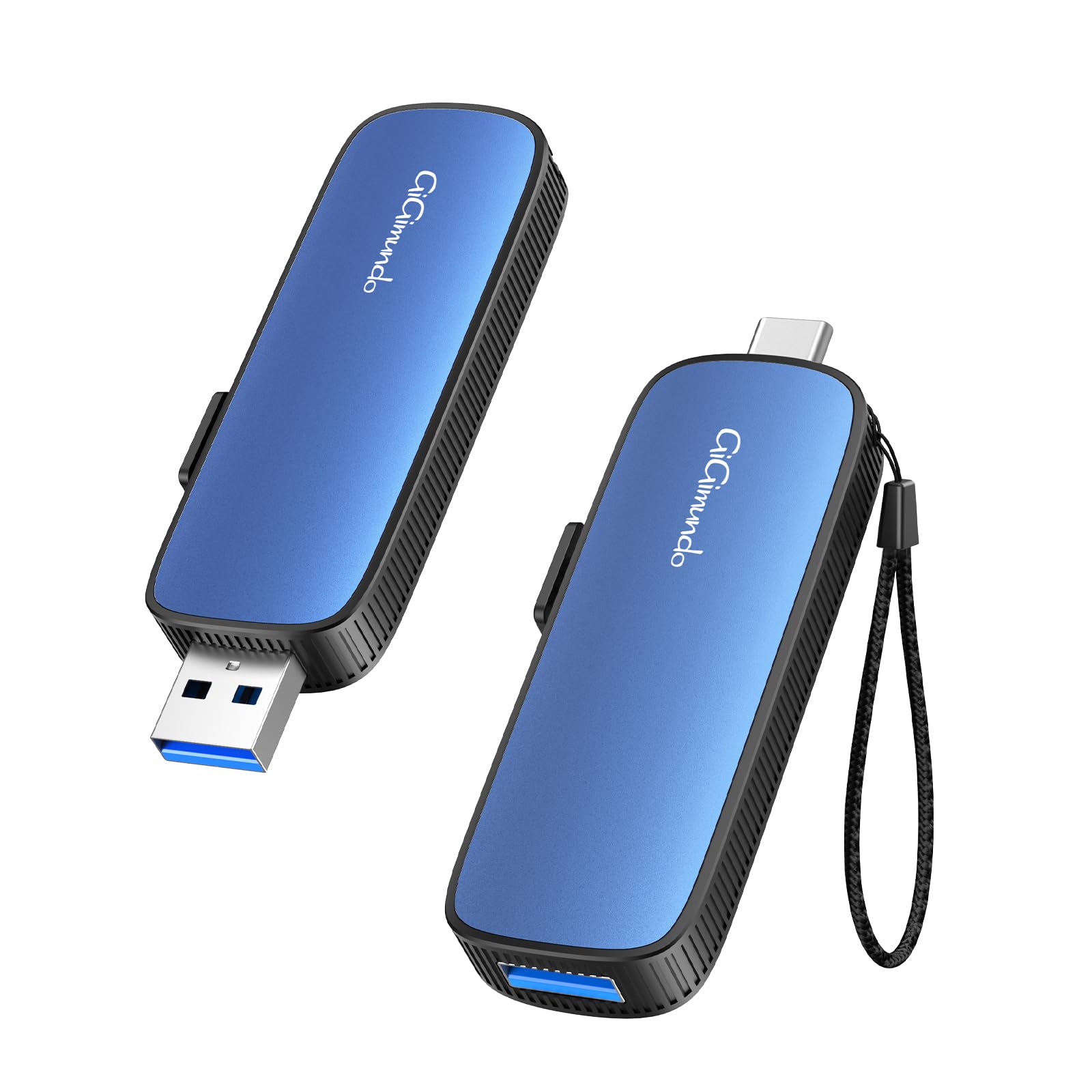
GiGimundo pushes the USB 3.2 Gen 2 interface to its theoretical ceiling with a claimed 1073 MB/s read and 953 MB/s write speed — figures that put it in the same league as larger NVMe-based enclosures. The push-pull dual-port design lets you toggle between USB-C and USB-A without an adapter, and the aluminum body combined with TLC particles ensures sustained write performance does not crater after the initial burst. Transferring a 20 GB game or a 4K video project takes roughly 20 seconds at these rates.
The drive is physically small enough to fit in a camera cage or a watch pocket, yet the metal casing provides enough thermal mass to keep the controller below throttling thresholds during multiple large-file moves. Users have tested it with Rivian dashcam recording, PS5 gameplay capture, and Steam game libraries — all without the drive overheating or disconnecting. Backward compatibility with USB 3.1, 3.0, and 2.0 means it still works on older machines, though at reduced speeds.
Worth noting: the USB-C connector on this model uses a stiff push-pull mechanism — it clicks into place securely, but some users found it slightly harder to engage than a standard sliding port. The drive runs warm to the touch during sustained writes, which is normal for this performance level. If raw throughput is your priority and you work with large files daily, the GiGimundo delivers the fastest real-world speeds in this roundup.
Why it’s great
- Nearly 1000 MB/s sustained writes with TLC NAND
- Aluminum body handles thermal load well
- Compatible with PS5, Rivian, and iPhone 16 Pro
Good to know
- Push-pull mechanism is stiffer than some competitors
- Gets warm to the touch during large transfers
4. Orlian 256G
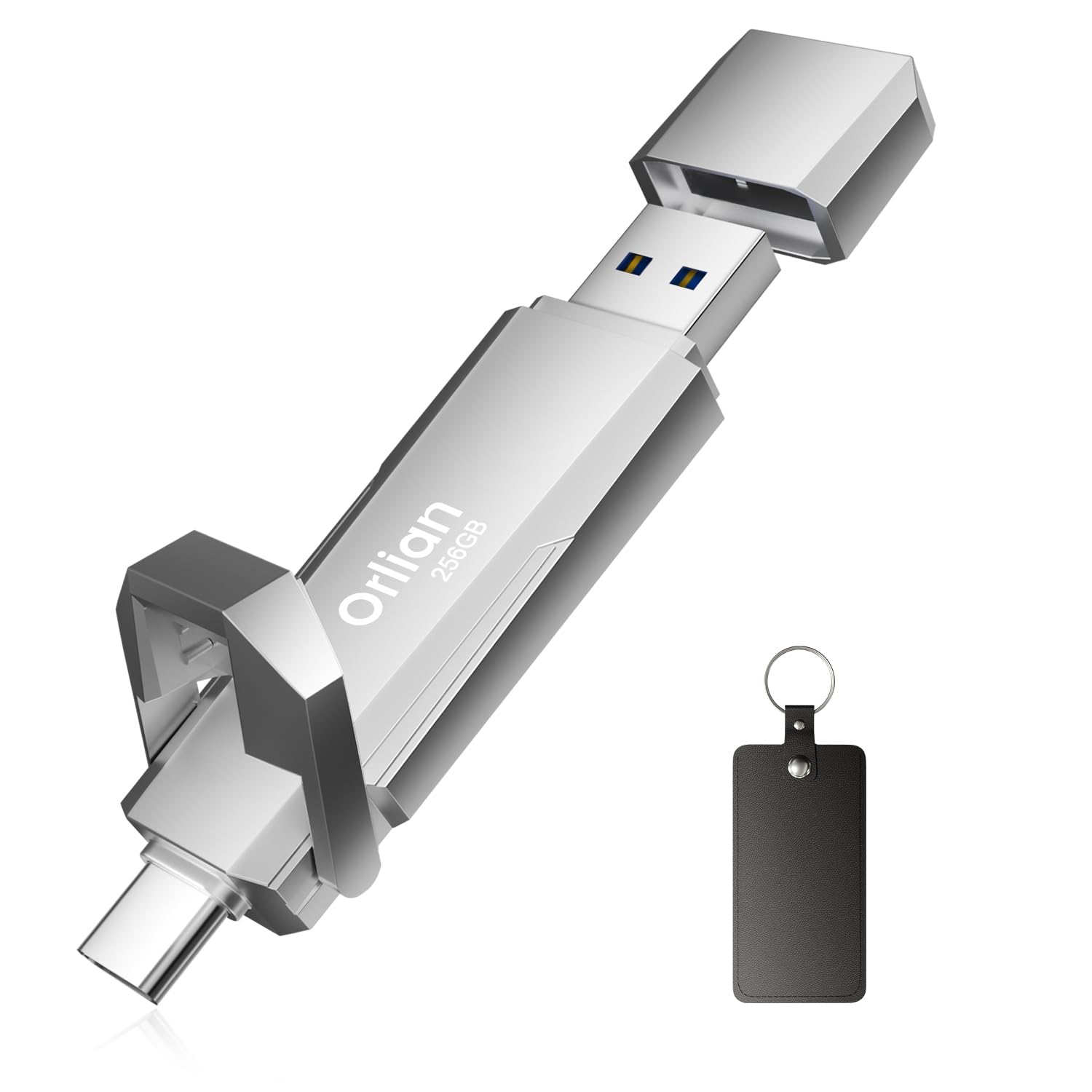
The Orlian 256G delivers USB 3.2 Gen 2 speeds — up to 1000 MB/s reads and 800 MB/s writes — in a zinc alloy body that feels significantly more premium than the price suggests. The dual USB-C and USB-A ports eliminate the need for a dongle when switching between a modern Android phone and a legacy laptop, and the drive is small enough to slip onto a keychain or into a camera bag’s side pocket without adding bulk.
Real-world performance matches the rated speeds for sequential transfers, making it a solid pick for moving large game installations or editing video from a phone. Users have loaded it with Steam games (10 to 20 titles depending on size) and reported consistent read speeds during gameplay. The zinc alloy casing doubles as a heatsink, keeping the drive cool enough to avoid throttling during extended write sessions — a common problem with cheaper plastic-shelled SSDs.
The main trade-off is the lack of an included carrying case or lanyard, and the silver finish may show scuffs faster than a darker anodized coating. Some users noted that the drive’s USB-A connector fits tightly into older ports, which is generally a durability plus rather than a flaw. For buyers who want Gen 2 performance and a metal build without spending near the top of the budget range, the Orlian 256G is the strongest value proposition here.
Why it’s great
- Gen 2 speeds (1000 MB/s) at a mid-range price
- Zinc alloy shell aids cooling and feels durable
- Dual USB-C/A ports cover all modern devices
Good to know
- No lanyard or case included
- Silver finish may show scuffs over time
5. SSK 256GB

Weighing just 27 grams and measuring 2.66 by 2.65 by 0.39 inches, the SSK 256GB is the lightest drive in this lineup — essentially the weight of four quarters. The compact plastic enclosure keeps the cost down, and the USB 3.2 Gen 1 interface delivers a reliable 550 MB/s read and 500 MB/s write speed, which is roughly ten times faster than a typical USB 2.0 flash drive. The included 2-in-1 USB-C to USB-A cable handles connections to phones, tablets, Xbox Series S/X, and laptops.
For everyday phone backup and document transfers, the SSK is more than fast enough — moving a 1 GB video takes about two seconds, and the plug-and-play operation requires no software on Android, Windows, or macOS. Users particularly liked it for offloading photos from a Samsung Galaxy S23 Ultra and for storing design files on the go. The drive runs cool and quiet, and the LED indicator blinks during transfers, so you know when it is safe to unplug.
The plastic body is less rugged than metal alternatives, so it is best kept in a padded pocket rather than tossed loose into a bag with keys and coins. Also, the actual formatted capacity is slightly lower than the advertised 256 GB, which is standard for any storage device but worth noting. If weight and portability are your top concerns, and you mainly transfer files rather than edit from the drive, the SSK is an excellent lightweight companion.
Why it’s great
- Ultralight 27 g design — barely noticeable in a pocket
- Fast enough (550 MB/s) for phone backup and file transfers
- LED indicator prevents premature unplugging
Good to know
- Plastic enclosure less durable than metal rivals
- Formatted capacity slightly below 256 GB
6. fanxiang 256GB

The fanxiang 256GB uses a 360-degree swivel metal cover that protects both the USB-C and USB-A connectors when not in use — a physical design advantage over drives that leave one port exposed. The zinc alloy body is rated for drop resistance and doubles as a heatsink, while the internal TLC NAND and SSD controller deliver up to 560 MB/s reads and 490 MB/s writes, making it significantly faster than any standard USB 3.0 flash drive. A 1 GB video transfers in about two seconds.
The dual-port configuration covers iPhone 15/16/17, Android OTG phones, tablets, MacBooks, and Windows PCs without an adapter. The free Fanxiang Disk app offers automated photo, video, and contact backups from iOS and Android, which simplifies daily offloading for non-technical users. The drive also carries an IP rating against water and dust, plus impact resistance — handy for photographers or field workers who need storage that survives rough handling.
The swivel mechanism is smooth but some users expressed concern about dirt getting into the exposed port that remains when the cover rotates to the other side. It is not a sealed design like a fully enclosed cap, so gritty environments could cause issues over time. For most desk, bag, and pocket use, the fanxiang provides a tough, well-priced entry into SSD-level speeds with the added security of connector protection.
Why it’s great
- 360° swivel cover protects both connectors in transit
- TLC NAND offers better endurance than QLC alternatives
- Fanxiang Disk app automates phone backups
- Water, dust, and impact resistant
Good to know
- Swivel leaves one port briefly exposed in use
- No lanyard or carrying case included
7. Lexar D50E 256GB
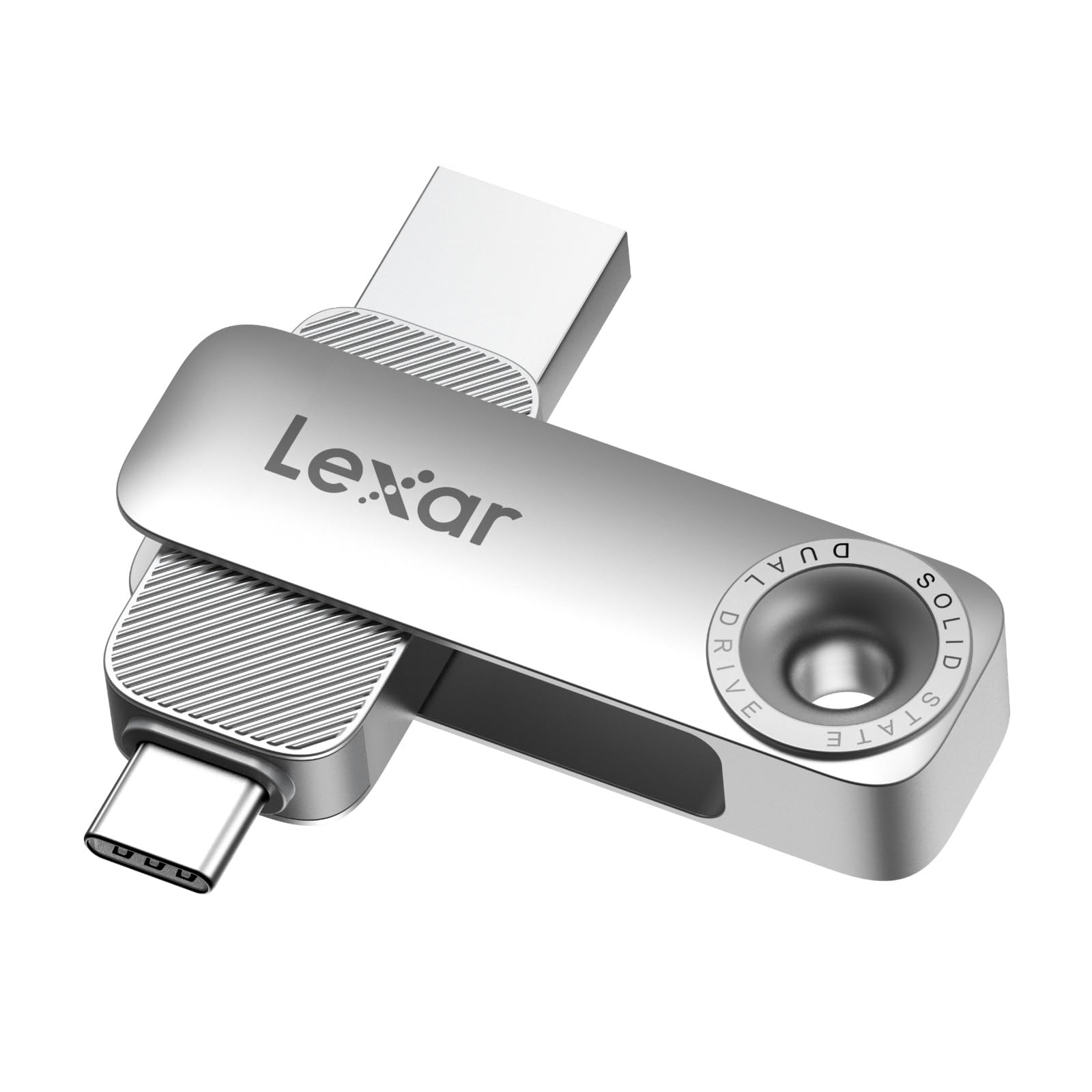
Lexar’s D50E sticks to USB 3.2 Gen 1 speeds (400 MB/s read, 360 MB/s write), but compensates with a fully metal housing and a rotating swivel that shields the active connector while exposing the other. The design is cable-free — everything you need is integrated into the 28.4-gram body — and the drive is compatible with iPhone 17, Android devices, and any PC with USB-A or USB-C ports. The Lexar App (iOS and Android) adds one-touch photo backup functionality, which is convenient for quickly clearing camera rolls.
The build quality is a standout: the diecast metal body feels exceptionally solid in the hand, and the swivel mechanism is tighter than the fanxiang’s, which reduces wobble when the connector is engaged. Users reported using it to transfer photos from an iPad Pro to a Windows laptop and to create bootable USB installers for operating systems — both tasks that benefit from the drive’s reliability and consistent read speeds rather than bleeding-edge throughput.
At 400 MB/s, the D50E is the slowest drive in this list by sequential speed, which means moving a 20 GB game will take roughly 50 seconds instead of 20. The metal body also lacks a cover for the exposed connector when the swivel is rotated, leaving one port open to pocket lint. For users who prioritize brand trust, all-metal durability, and a reliable backup app over peak transfer rates, the Lexar D50E is a safe, well-finished choice.
Why it’s great
- Diecast metal body feels very robust
- Tight swivel mechanism with no wobble
- Lexar App for one-touch phone backups
Good to know
- 400 MB/s is the slowest sequential speed here
- Exposed connector when swivel is rotated
FAQ
Can a 256 GB external SSD replace a standard USB flash drive for daily carry?
Will a 1000 MB/s external SSD run at full speed when connected to a USB-C phone?
Final Thoughts: The Verdict
For most users, the best 256 gb external ssd winner is the MOVE SPEED WD10 because it combines true 1000 MB/s sustained throughput, a rugged push-pull dual-port design, and the ability to record 4K ProRes directly from an iPhone, all in a zinc alloy body that handles heat without throttling. If you want MagSafe convenience for on-the-go video capture, grab the ORICO K5PLUS. And for pure transfer speed at the best price-to-performance ratio, nothing beats the GiGimundo 256GB and its near-1000 MB/s write speeds.