
Our readers keep the lights on and my morning glass full of iced black tea. As an Amazon Associate, I earn from qualifying purchases.
Specs are compiled from manufacturer listings and verified buyer reviews and can change over time — please confirm the key details on the product page before buying.
If your desk is drowning in receipts, contracts, and that one important document you keep losing, an automatic document feeder (ADF — a tray that pulls in each page by itself) is the answer: it chews through a whole stack, scanning both sides in one pass so you don’t have to flip anything. The pick worth your money is the one owners call “almost fun” to use, easy to set up, and reliable enough to digitize a thousand photos in an afternoon. You want a machine that turns a mountain of paper into tidy PDFs with minimal button-pressing, and this guide covers the range from compact personal helpers to office workhorses.
I’m Min — the founder and writer behind Gadgets Feed. This guide is built by comparing the manufacturers’ published specifications and the patterns across verified customer reviews, so you get each pick’s real strengths and trade-offs instead of marketing spin.
We break down the best automatic document scanner options for every desk size, budget, and paper-load, so you can finally clear that pile for good.
Our Picks at a Glance


How To Choose The Best Automatic Document Scanner
Every scanner here handles a stack of paper for you, but they part ways on how fast they run, how much they hold, and how they get the files to your computer or the cloud. Matching those three things to your typical pile is the whole game.
Duplex vs. simplex: the double-sided shortcut
A “duplex” machine scans both sides of a sheet in one pass, so you never flip paper by hand. If you scan contracts, invoices, or any double-sided paperwork, this is the single most time-saving feature on the list.
Feeder capacity and speed: matching the machine to your pile
Feeder capacity is how many sheets you can load at once before refilling — 20 pages suits a home desk, while 60 pages suits a busy office. Speed is usually quoted in pages per minute (ppm); a 35 ppm machine clears a 35-page report in about a minute, so higher numbers matter most for bulk projects.
Connectivity: USB, Wi-Fi, and the desk-space trade-off
Wired USB models are the most reliable and usually the most compact, but they must sit near your computer. Wireless models scan straight to phones and cloud drives from anywhere in the room, though some buyers report finicky setup — check whether the Wi-Fi is worth the extra steps for your setup.
Quick Comparison
| Model | Best For | Duplex Speed | Feeder Capacity | Weight | Amazon |
|---|---|---|---|---|---|
| Doxie Pro★ Best Overall | Light home-office digitizing | Fast at 300 dpi | 20 pages | 3 lbs | Amazon |
| Epson ES-C320WWireless Pick | Wireless compact scanning | Up to 30 ppm | 20 pages | 3.9 lbs | Amazon |
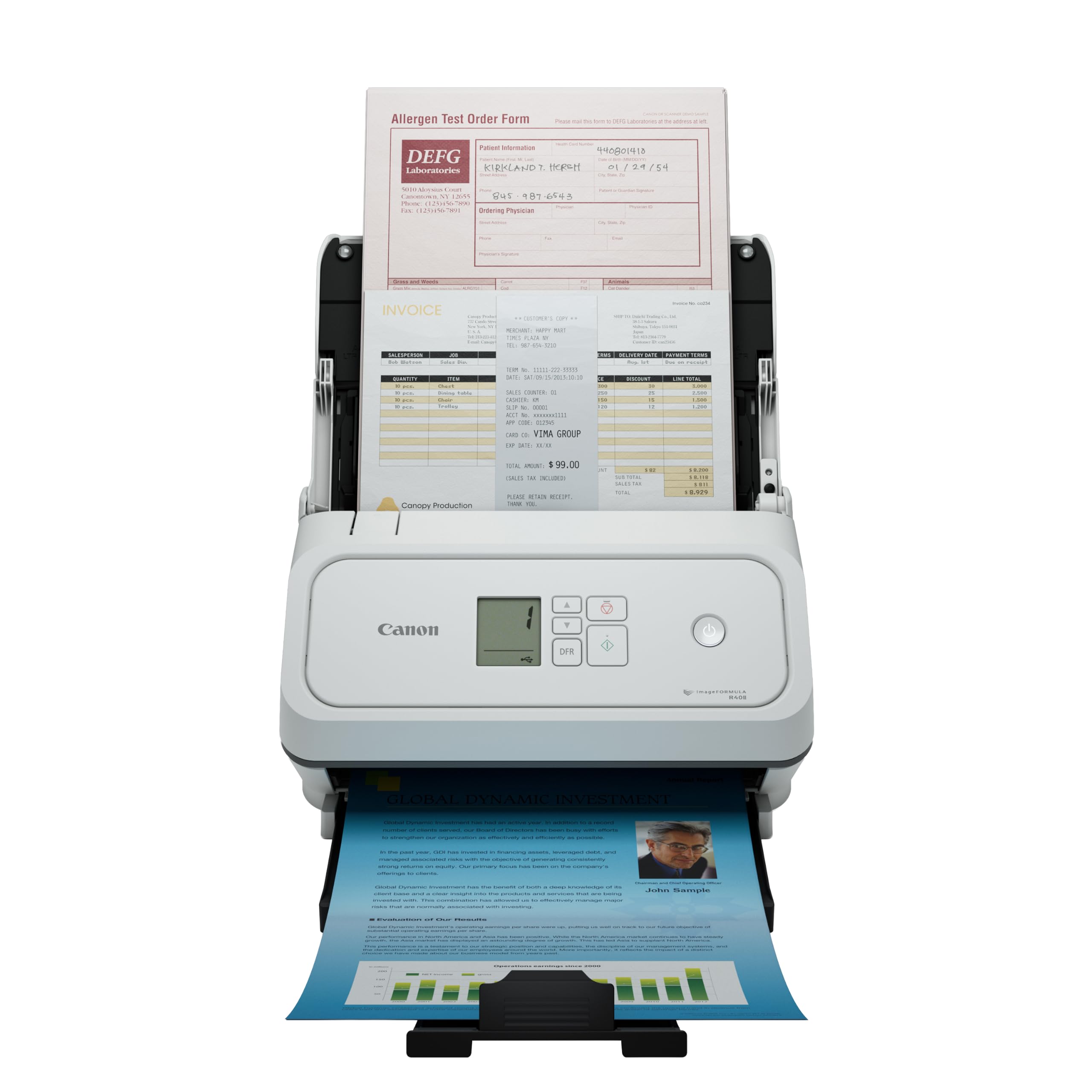
| Canon R40IISpeed Pick | High-speed small offices | Up to 45 ppm | 60 sheets | 10 lbs | Amazon |
| Fujitsu iX500 | High-res, notary volumes | High-speed duplex | 50 sheets | 8.2 lbs | Amazon |
| Brother ADS-3100 | Ultra-long receipts & docs | Up to 40 ppm | 60 pages | 6.1 lbs | Amazon |
| Epson DS-530 II | Daily heavy office use | Up to 35 ppm / 70 ipm | 50 pages | 8.1 lbs | Amazon |
| ScanSnap iX2500 | Bulk photo digitizing | Up to 100 photos/min | 100 docs / 36 photos | 7.7 lbs | Amazon |
| Brother ADS-2200 | Multiple scan destinations | Up to 35 ppm | 50 sheets | 5.5 lbs | Amazon |
| ScanSnap iX1600 | QuickBooks invoice workflow | Fast duplex | 50 pages | 7.5 lbs | Amazon |
| Fujitsu iX1500 | Multi-user shared scanning | Fast 40-sheet scans | 50 sheets | 7.5 lbs | Amazon |
| Canon R40 | Receipt-to-QuickBooks data | Up to 40 ppm | Large stacks | 6.2 lbs | Amazon |
In‑Depth Reviews
1. Doxie Pro Duplex Scanner
Our pick — over 4.5★ from 650+ verified ratings; the strongest balance of quality and price.
The featherweight scanner owners say makes digitizing piles feel close to fun
Sitting at just over 3 pounds with a footprint smaller than a cereal box, the Doxie Pro fits on the tidiest home-office desk and still manages crisp duplex (two-sided) scans. Owners rave about the setup — a simple 3-minute affair on modern Macs — and the intuitive software handles text recognition, auto-cropping, rotation, and contrast boost so your scans look clean without fiddling. The 20-page auto feeder handles a reasonable stack, and the direct feed slot lets you carefully pass through thick or delicate paper like photos without jamming.
What keeps this at the top isn’t just the hardware — it’s the whole package. The bundled software sends scans straight to Dropbox, Evernote, OneNote, and iCloud with no complicated drivers to install. Owners mention it saves hours on multi-page documents, and one long-time owner with a decade of Doxie experience noted jam fixes are rare and easy. A 1-year warranty and responsive U.S.-based support back it up.
There are a couple of honest limits: there’s no SD card slot, no battery, and no Chromebook app, so it relies on being plugged into your computer. The 20-page feeder is smaller than office-grade machines, and some say the full price feels steep, though it shines as a value find when discounted. Compared to the bulkier Canon R40II at 10 pounds, this one trades raw speed for a footprint you’ll barely notice.
What wins people over
- Ultra-compact and light enough to unplug and tuck away
- Duplex scanning with auto-crop and straighten built in
- Software that exports to Dropbox, Evernote, OneNote, iCloud
- Direct feed slot handles photos and delicate paper safely
The trade-offs to know
- No battery, SD card, or Chromebook support
- 20-page feeder is light for bulk office work
- Full price feels high; value improves when discounted
Reach for it if: you want a set-and-forget desktop helper that clears the daily mail and bills without eating your desk.
Look elsewhere if: you regularly scan stacks over 20 pages and don’t want to reload mid-project.
2. Epson WorkForce ES-C320W
A desk-space-saver that scans to your phone or cloud without a cable in sight
This compact scanner, at 3.9 pounds with a 4.1″D x 11.7″W x 4.9″H footprint, genuinely disappears into a corner. The headline feature is wireless scanning — send files to smartphones, tablets, computers, and cloud storage from the desktop or the Epson Smart Panel app. It zips through both sides of a sheet at up to 30 pages per minute with Single-Step Technology, and the 20-page auto feeder handles mixed paper sizes, cards, and even passports via the flexible scan path.
Real-world performance is the selling point here. Customers note it scans 20 mixed single and double-sided pages into one PDF in under a minute, producing clear, legible output that auto-skips blank backs with no manual combining needed. Owners describe it as reliable, easy, and compact with a quality build — some even say it outperforms larger, pricier office scanners. The 48 bpp (bits per pixel) color depth and 600 dpi resolution keep text and graphics sharp.
The catch is wireless reliability. Connections get mixed feedback, with a few owners reporting the scanner loses touch with the network if the router isn’t in the same room — one frustrated buyer said it failed beyond 15 feet. The software and driver download also drew complaints for being slow and awkward. This fits best if your Wi-Fi router sits close to your desk; if not, the wired simplicity of the Doxie Pro above is the safer bet.
Why it stands out
- Wireless scan to phones, tablets, and cloud via Smart Panel app
- Compact design saves significant desk space
- Fast 30 ppm one-pass duplex scanning
- Flexible scan path accepts cards and passports
What to watch
- Wireless reliability drops if router is far away
- Software and driver installation can be slow
- 20-page feeder limits bulk projects
Confident verdict: the go-to for a phone-first or cloud-first home office where the router is nearby.
Single caveat: think twice if your workspace sits far from your Wi-Fi router.
3. Canon imageFORMULA R40II
The speed demon that chews a dozen sheets in a few seconds flat
Canon’s R40II is built for throughput: it scans both sides of a document simultaneously in color at up to 45 pages per minute, and the 60-sheet auto feeder means you can load a hefty stack and walk away. Owners consistently call it fast — one reviewer noted doing a dozen sheets in a few seconds with one-touch operation, and another noted the simultaneous duplex scanning is genuinely quick. The innovative feeding system handles receipts, business cards, reports, contracts, and long or thick documents without complaint.
Setup is refreshingly simple: connect via the supplied USB-C cable and use the bundled Canon CaptureOnTouch software, which owners say they love for its ease of use. A monochrome LCD display puts scan controls at your fingertips, and it runs on a modest 15.6 watts. The 600 dpi resolution delivers excellent quality for text and graphics, and it’s backed by a 1-year warranty with U.S.-based technical support.
There are real caveats. The setup process drew complaints about product registration being a headache, and it’s designed exclusively for Canon’s software — TWAIN and ISIS drivers aren’t supported, which limits third-party integration. At 10 pounds, it’s also noticeably heavier than the 3-pound Doxie Pro above. One owner received a unit that appeared pre-used, which is note at checkout, but the scanning performance itself earns strong praise.
Straight shooter: if raw speed and a big feeder matter more than portability, the R40II delivers — just be ready for a clunkier registration process.
Who it’s not for: anyone needing TWAIN or ISIS driver support for existing software workflows.
4. Fujitsu ScanSnap iX500

A heavy-duty workhorse that swallowed a 52-page document on the first try
The Fujitsu iX500 earns its keep in high-volume settings, and it’s the pick many notaries and small business owners reach for. One buyer — a notary — plugged it in and ran a 52-page document immediately, excited to scan far more for a busy practice. It pairs high-speed duplex (two-sided) scanning with a 50-sheet auto feeder, and the 1200 dpi resolution with CCD (charge-coupled device) sensor technology delivers sharp, detailed results that go beyond what budget CIS (contact image sensor) scanners produce. The user-friendly interface keeps operation straightforward.
Quality is the consistent theme across owner feedback, and the wireless connectivity lets you scan without staying tethered to a laptop. The 8.2-pound build feels substantial and stable on a desk, while the USB connection works across both Mac and PC (one Mac owner noted needing a USB adapter). For a home office or notary’s desk that processes thick documents daily, this is a dependable tool.
The honest caveat: reliability is a mixed bag for a minority. A few reviewers point out early failures, and one buyer’s unit quit after a couple of months — a reminder that any electronics can have a lemon. Owners on the whole are highly satisfied, but the slightly higher mass makes it less portable than the 3-pound Doxie Pro. This is the right pick when scan volume and image clarity outweigh desk-space savings..
Workhorse verdict: built for notaries, accountants, and busy desks that process thick stacks daily.
Fair warning: its 8.2-pound frame isn’t something you’ll move between rooms often.
5. Brother ADS-3100

The 60-page stack feeder that also munches receipts, cards, and ultra-long documents
Brother’s ADS-3100 suits small offices, home offices, and work-from-home setups that juggle varied paper. It scans single and double-sided pages at up to 40 ppm (pages per minute), holds up to 60 pages in the auto feeder, and — unusually — supports media up to 8.5″ x 197″, so it handles long receipts and forms that would stump most scanners. The 6.1-pound body keeps it desk-friendly, and Hi-Speed USB 3.0 (a fast connection standard) moves files to your computer or a USB drive quickly.
Business owners have found it genuinely useful: one practice hooked it up to every computer and their EMR system (electronic medical records), another praised it as “fantastic” for duplex scanning, cards, and whatever gets thrown at it — smart enough to skip blank pages automatically. The 48-bit color depth and 600 x 600 resolution (dots per inch) deliver clean results, and the bundled software adds 7 applications to tune and customize workflows. For a mid-range price, it offers a lot of flexibility.
Setup drew a few grumbles about confusing driver selection, and the support line got dinged for being unhelpful. One owner reported feeding issues with multiple pages at once, though this appears to be an outlier among otherwise positive feedback. It’s note the ADS-3100 is lighter than the 10-pound Canon R40II and more capable with long documents, but if your volumes are truly massive, the Epson DS-530 II below is built for heavier daily cycles.
Flexibility win: the best all-rounder here for offices that scan receipts, cards, and long forms in one session.
Setup snag: the driver download process is the one friction point owners mention.
6. Epson DS-530 II

The daily-duty machine rated for a 4,000-sheet workload with next-day replacement backup
The Epson DS-530 II is the closest thing here to a dedicated office appliance. It scans at up to 35 ppm / 70 ipm (images per minute) in one pass on both sides, holds 50 pages in the auto document feeder, and is rated for a peak daily duty cycle of up to 4,000 sheets — meaning it’s built for all-day scanning, not occasional use. The 3-year limited warranty includes Advance Exchange with free Next-Business-Day replacement, so a failure doesn’t stall your office. The CCD sensor (a light-sensitive chip that captures detail) and 600 dpi resolution keep quality high.
Real-world feedback matches the specs. One owner noted it “scans a lot at a time” and makes documents into readable PDFs; another business bought five of them, one per staff member, and they scan all day long. The Document Capture Pro software gets positive marks, and a Slow Speed Mode helps with delicate paper. For Windows and Mac desktops, it plays nicely with most document management systems thanks to TWAIN and ISIS drivers.
The main objection isn’t performance — it’s price. Several owners call it expensive for a single-function device, and one buyer mentioned they could buy a full computer for the same cost. Ease of use gets mixed feedback, with some finding it complicated. The 8.1-pound body is heavier than the 6.1-pound Brother ADS-3100, so it’s a fixture, not a traveler. If your volumes justify the cost, the reliability and support are class-leading in this class..
Built for the long haul
- Rated for up to 4,000 sheets per day
- 3-year warranty with next-business-day replacement
- Fast 35 ppm / 70 ipm one-pass duplex
- TWAIN and ISIS drivers for software integration
Costs to weigh
- Premium price for a single-function device
- Mixed feedback on ease of use
- Heavier build; not meant to move around
Reach for it if: you run a busy office that scans thousands of sheets weekly and needs a warranty that actually covers you.
Think twice if: scanning is a once-a-week chore — the price outweighs the payoff.
7. ScanSnap iX2500 Photo Edition
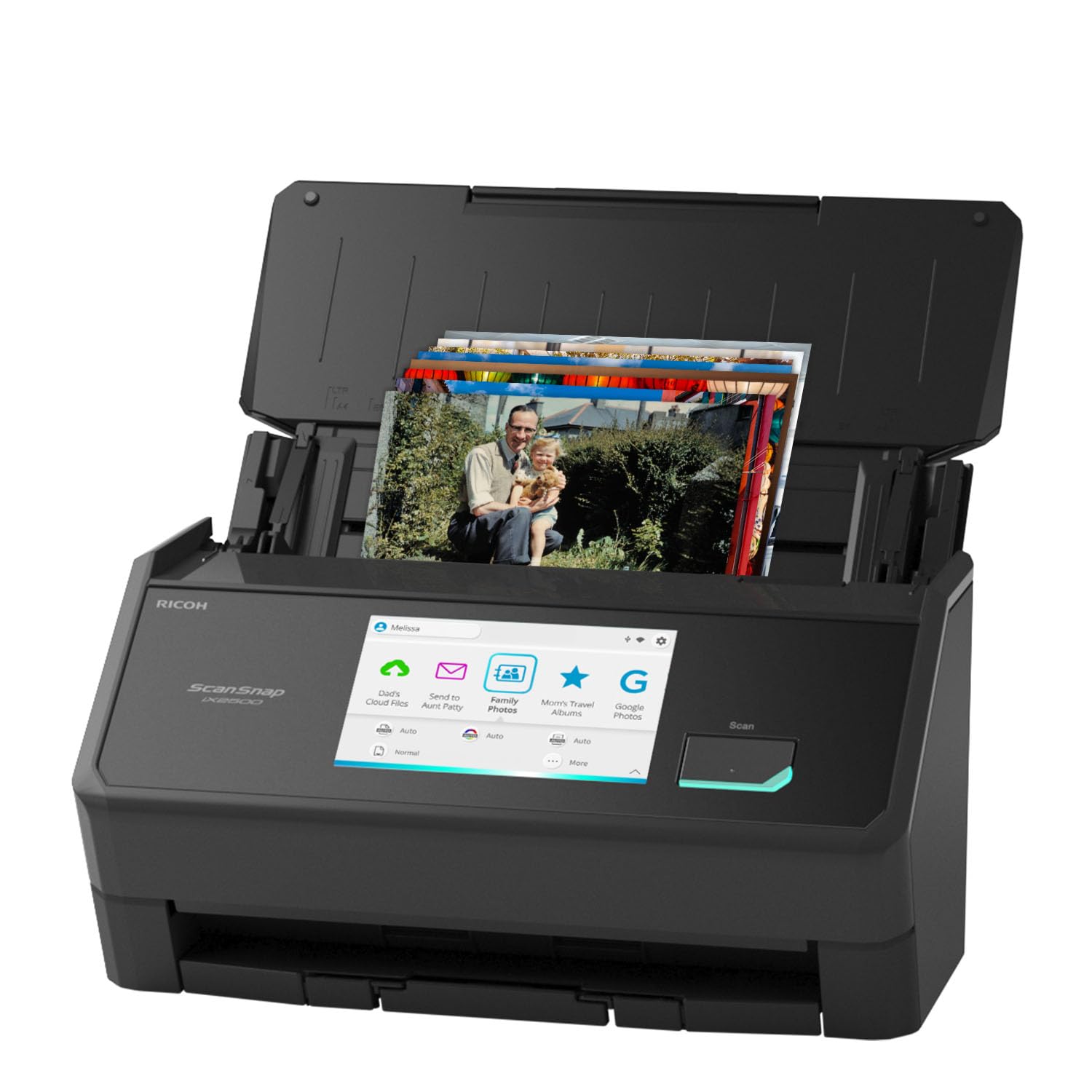
The 100-photos-per-minute bridge that turns shoeboxes of memories into searchable files
The ScanSnap iX2500 Photo Edition is the specialist of this list — it’s purpose-built to digitize photos, documents, and receipts. It scans up to 100 photos per minute, and the automatic document feeder holds up to 100 documents or 36 photos. A large 5″ touchscreen puts controls and profiles right at your fingertips, and the included 3 photo carrier sheets protect delicate prints during scanning. Built-in Wi-Fi 6 delivers fast, secure wireless scanning, with USB-C as a wired fallback.
Owners have used it to digitize 30 years of family photos and 1,000+ prints without scratches or misalignment, handling batches of 50 at a time in mixed sizes and orientations. It automatically tune, names, and sorts files, and it supports cloud services and mobile devices without needing a computer. For anyone with a pile of old albums gathering dust, this is arguably the single most satisfying purchase on the list.
The software is the weak point. Owners call the ScanSnap Home interface clunky, with 4-5 menu layers for basic naming and folder tasks, and the auto-rotation feature fails on obvious images. The 7.7-pound body is hefty, and the price reflects the photo focus. If you mostly scan plain documents, the cheaper Doxie Pro handles that fine — but for photos, the iX2500’s speed and care are class-leading.
Why it shines
- Scans up to 100 photos per minute
- Large 5″ touchscreen for quick profile selection
- Includes 3 photo carrier sheets for delicate prints
- Wi-Fi 6 and USB-C connectivity
What holds it back
- Clunky ScanSnap Home software with extra menu layers
- Auto-rotation and OCR are unreliable
- Premium price for a photo-focused workflow
Standout pick for: families finally digitizing decades of printed memories without fear of scratches.
The single catch: you’ll spend time learning its software before it feels natural.
8. Brother ADS-2200

The scan-anywhere machine that sends files to email, OCR, and USB sticks in one go
Brother’s ADS-2200 stands out for how many places it can send your scans. Beyond saving to your computer, it pushes files to email, OCR (optical character recognition — turning images into editable text), and even a USB flash memory drive directly, which is rare and handy for quick handoffs. It scans single or double-sided documents in a single pass at up to 35 ppm, and the 50-sheet auto feeder with page-continuous scanning tackles large jobs without stopping. The 48-bit color depth and 1200 resolution keep output crisp.
Owners consistently praise the scan quality and reliability. One buyer called it the best sheet-fed scanner used since 1990, scanning a legal page in about five seconds with a compact folding output tray. A notary processing 300+ page loan documents reported it reads everything fast and reliably. The multi-feed detection, background removal, and blank-page removal features keep large batches clean, and driver support spans Windows, Mac, and Linux.
The big gotcha: it doesn’t ship with a USB cable — a recurring complaint in the reviews, so budget for one at checkout. Setup gets mixed marks, with some owners needing an extra driver and Remote Setup configuration, and the advertised 1200 resolution actually maxes out at 600×600 according to one buyer. At 5.5 pounds, it’s lighter than the 8.1-pound Epson DS-530 II, making it a strong mid-weight office pick if you can handle the cable situation.
The strongest features
- Scan directly to email, OCR, file, or USB flash drive
- Fast 35 ppm one-pass duplex scanning
- Multi-feed and blank-page detection built in
- Windows, Mac, and Linux driver support
What to plan for
- No USB cable included in the box
- Setup sometimes needs extra driver configuration
- Effective max resolution is 600×600 in practice
Best for: offices that want flexible scan-to destinations beyond just a computer folder.
Heads-up: have a USB cable ready, and give yourself time for the initial driver setup.
9. ScanSnap iX1600 Receipt Edition

The accountant’s best friend that feeds invoices straight into QuickBooks Online
If your paperwork is mostly invoices and receipts, the ScanSnap iX1600 Receipt Edition is tailored for you. It scans directly into QuickBooks Online from the preconfigured touch panel, and intelligent processing automatically extracts data like invoice numbers and amounts into reviewable, editable fields. The 4.3-inch touch screen keeps everything intuitive, and up to 30 customizable profiles let you set up one-touch scans for different clients or folders. Wi-Fi compatibility means it works without a PC, sending files straight to smart devices or cloud services.
Owners are effusive. One small business reported cutting filing time after adopting it — scan documents into designated folders instead of manual filing. Another scanned hundreds of bills in batches of 50 (duplex) in under five minutes and praised its speed, quiet operation, and reliability. It replaced a problematic Neat Desk scanner, with owners calling the speed and quality “far superior.” The dust cover and small footprint keep it tidy on a busy desk.
The catch is mostly the price and setup investment. You’ll need to configure your folders or QuickBooks integration upfront before the time savings kick in, and the 7.5-pound frame is a fixed desk fixture. The bundled software is ScanSnap’s — which owners of the iX2500 found clunky — though for the QuickBooks workflow specifically, the QuickBooks integration is the main draw.. If you don’t use QuickBooks, the standard iX1600 or the cheaper Brother ADS-2200 might serve you better.
Accounting verdict: the fastest route from paper invoice to QuickBooks Online entry, full stop.
Who should skip: anyone not using QuickBooks — you’d pay for an integration you won’t use.
10. Fujitsu ScanSnap iX1500

The shared desk scanner that keeps each user’s files in their own private folder
The Fujitsu iX1500 earns its place in shared spaces — offices, classrooms, and family desks — because it supports multiple user profiles, each saving scans to user-specific folders. The large 4.3-inch touch screen makes one-touch scanning genuinely easy, and it scans without a PC, sending files to Google Drive, Dropbox, desktop folders, or mobile devices over Wi-Fi. The 50-sheet feeder and fast duplex scanning handle big jobs, and the bundled ScanSnap Home software organizes everything afterward.
Owners are impressed by the speed and reliability. One digitized five file cabinets of records, praising how the receipt scan saves vendor and date automatically. Another scanned a month of charts in 10 days, highlighting the error detection and page reorientation. It replaced an older S510 and won praise for being faster, quieter, and more capable — “the best purchase for my office in years,” as one owner put it. Setup is manageable, though a few found it tricky enough to want a tech-savvy helper nearby.
There are drawbacks. Reliability gets mixed feedback — some shoppers say issues over time — and the wireless connectivity is occasionally finicky. The 7.5-pound body and premium price put it firmly in workhorse territory. It’s also a 2018 release, so newer models like the iX2500 offer fresher hardware. For a multi-user office that values shared-but-private scanning, the iX1500 remains a strong, proven choice.
Shared-space win: the best pick here for a team that wants individual folders without individual scanners.
Reality check: as an older model, expect to troubleshoot the wireless connection occasionally.
11. Canon imageFORMULA R40 Receipt Edition

The batch-data extractor that turns receipt piles into QuickBooks fields automatically
The Canon R40 Receipt Edition takes invoice and receipt management a step beyond scanning: its bundled software extracts data like payee, amount, and date, then uploads it directly to Intuit QuickBooks Online or another cloud service. It scans at up to 40 pages per minute with duplex (two-sided) capability, and the auto document feeder processes large stacks quickly with single-button operation. The 600 dpi resolution and CIS sensor create keyword-searchable, editable files, and it runs on both Windows and macOS (version 11 and 12).
Performance earns strong praise. One owner scanned 800 pages of medical records, calling the scanner fast, easy to set up, and excellent on image quality with a flawless feeder and intuitive software. Another loves it for receipts and documents of any size, saying once installed, you’ll never go back to another scanner. It handles photos well too — no resizing needed — and the compact 6.2-pound design fits a home-office desk without dominating it.
The major red flag is Mac compatibility. An IT professional gave a scathing review, calling it a high-priced paperweight for Mac users due to outdated USB 2.0 (an older connection standard), corrupt CaptureOnTouch software, and no macOS 15 or Linux support — drivers are stale and installation took over an hour. This is a Windows-first device, and if you’re on a modern Mac, look at the ScanSnap iX1600 instead. The value-for-money rating is also mixed, reflecting the premium price.
The big wins
- Auto-extracts payee, amount, date into QuickBooks Online
- Fast 40 ppm duplex scanning
- Intuitive single-button operation
- Handles photos without resizing
Serious limits
- Poor Mac support — avoid if you’re on macOS 15 or later
- Outdated USB 2.0 connection
- Premium price for a single-purpose workflow
Reach for it if: you’re a Windows-based business drowning in receipts that need to reach QuickBooks automatically.
Look elsewhere if: you use a Mac — the ScanSnap iX1600 Receipt Edition is the safer pick.
Understanding the Specs
Duplex Scanning (ppm & ipm)
A duplex scanner reads both sides of a sheet in one pass. Speed is quoted in pages per minute (ppm) for one side, or images per minute (ipm) when both sides count — so “35 ppm / 70 ipm” means both sides of 35 pages in one minute. Higher numbers clear your pile faster, which matters most for bulk jobs.
ADF Capacity & CIS vs CCD Sensors
The auto document feeder (ADF) holds a stack so it feeds itself — 20 pages suits light home use, 50-60 suits an office. The sensor matters for quality: CIS (contact image sensor) keeps scanners thin and light, while CCD (charge-coupled device) captures deeper detail and better depth of field, useful for photos and thick documents.
FAQ
What does duplex mean on a document scanner?
How many pages per minute do I actually need?
Will a sheet-fed scanner damage my photos?
Is wireless scanning worth it over USB?
Can these scanners work with a Mac?
What is OCR and do I need it?
How long does an automatic document scanner last?
Can I scan receipts and business cards with these scanners?
What is the difference between a document scanner and a multifunction printer?
Do I need to buy software separately?
Final Thoughts: The Verdict
For most people, the automatic document scanner winner is the Doxie Pro because it pairs a 3-pound footprint with easy duplex scanning and software that just works — the crowd favorite, rated 4.6 stars by 600+ owners.. If you want cable-free scanning from your phone or cloud, grab the Epson ES-C320W. And for a busy office processing thousands of sheets, the Epson DS-530 II is the workhorse to reach for.
How We Picked
We do not accept paid placement. Every pick is matched to a real buyer and a real use-case; we do not hands-on test units.
Sources & Methodology
Specifications: manufacturer listings and product documentation. Review insights: verified customer reviews, as of August 2026. Pricing: not shown on this page (it changes often); check the current price via the retailer link.
As an Amazon Associate, Gadgets Feed earns from qualifying purchases. This does not affect which products we feature.