
Our readers keep the lights on and my morning glass full of iced black tea. As an Amazon Associate, I earn from qualifying purchases.
Specs are compiled from manufacturer listings and verified buyer reviews and can change over time — please confirm the key details on the product page before buying.
Choosing a 65-inch touch screen isn’t picking a TV — it’s picking the centerpiece of your classroom, boardroom, or lobby. These are interactive whiteboards first and displays second, and the difference between a good one and a frustrating one shows up the first time ten fingers hit the glass. This guide cuts through the spec-sheet noise to help you find the model that genuinely fits how you work, teach, and present, with every pick anchored to real customer experience. A quick note: this list uses flexible matching for screen size, so a few picks are the nearest same-type size that serves the same purpose.
I’m Min — the founder and writer behind Gadgets Feed. This guide is built by comparing the manufacturers’ published specifications and the patterns across verified customer reviews, so you get each pick’s real strengths and trade-offs instead of marketing spin.
Whether you’re equipping a classroom, a meeting room, or a storefront, the right interactive display transforms how people connect — here’s how to find the best 65 inch touch screen tv for your space and your budget.
Our Picks at a Glance

How To Choose The Best 65 Inch Touch Screen TV
Before you compare specs, figure out the job this screen will do. A classroom board that gets written on all day needs different priorities than a lobby kiosk built to run ads on loop, and picking the right category first makes every other decision easier.
Interactive Whiteboard vs. Digital Signage Kiosk
An interactive whiteboard is a wall-mounted screen built for active writing, annotation, and collaboration — it runs Android, supports stylus input, and usually pairs with a camera and mics for video calls. A digital signage kiosk is a floor-standing unit designed to display advertisements, wayfinding, or menus, with touch as a bonus feature for guest interaction. If you need to brainstorm and teach, choose a board; if you need to broadcast and inform, choose a kiosk.
The Software and App Ecosystem
The operating system determines what you can actually install and run. Android 13 or 14 is the modern baseline, and Google EDLA certification means you get full access to the Google Play Store, Google Workspace, and automatic security updates. Without that certification, you may be limited to a restricted app store, which can block the exact educational or productivity tools you depend on.
Touch Precision and Response
Touch responsiveness is what separates a joy from a frustration. Look for 20-point multi-touch support, which lets multiple students or colleagues write at the same time. Response time around 6ms and precision of ±1mm mean your pen strokes land exactly where you aim, without lag or drift — essential for handwriting recognition and clean annotation.
Quick Comparison
| Model | Best For | Touch Points | Camera | Contrast Ratio | Amazon |
|---|---|---|---|---|---|
| COOLHOOD 65″ Smart Board★ Best Overall | Best Overall — All-Around Performance | 20-Point | No | 2000:1 | Amazon |
| Shiarffe X5 Smart BoardGoogle Certified | Google EDLA + Built-in 48MP Camera | 20-Point | 48MP | 1200:1 | Amazon |
| Plus 65″ Smart Board (BIG VUE)Top Performer | High Touch-Point Count | 60-Point | 48MP | 1200:1 | Amazon |
| YCKJNB 65″ Smart Board | Built-in 13MP Camera + 8 Mics | 20-Point | 13MP | 3000:1 | Amazon |
| JASZDOT 65” Smart Board | Video Conferencing Hub | 20-Point | No | — | Amazon |
| JAV 65″ Smart Board Pro | Google EDLA + 100W Soundbar | 20-Point | 48MP | — | Amazon |
| KEINONE 65” Smart Board | Premium Build Quality | 20-Point | No | 3000:1 | Amazon |
| YCKJNB Floor Standing Kiosk | Freestanding Lobby Signage | — | No | 1000:1 | Amazon |
| JASZDOT 65” Signage Kiosk | Freestanding 600-nit Brightness | — | No | 3000:1 | Amazon |
| QIXZOCV MWE Kiosk | Freestanding Advertising with Wheels | — | No | 1200:1 | Amazon |
| Samsung Flip 2 WM65R | Brand Familiarity — Digital Flipchart | 4-Point | No | — | Amazon |
In‑Depth Reviews
1. COOLHOOD 65″ Smart Board
Our pick — 4.5★ from 750+ verified ratings; the strongest balance of quality and price.
A board built to survive busy rooms, with the sharpest contrast in this lineup.
For a working office or classroom, this board delivers the sharpest visuals in this list — buyers report its 2000:1 contrast ratio (the difference between the brightest white and darkest black) makes text and diagrams pop, a real 67% step up from the 1200:1 on the Shiarffe X5 below. Under the hood, an octa-core processor (4 A73 + 4 A53) with 128GB of storage keeps complex apps and everyday multitasking smooth on its Android 13 system.
Daily use is where this board shines. It supports 20-point multi-touch (so 20 fingers or pens can work at once) with a 6ms response time and ±1mm precision, meaning your pen strokes land exactly where you aim with no lag. It pairs with Zoom, Google Meet, Microsoft Teams, and Webex from the start, and offers wireless screen sharing across Mac, Windows, iOS, and Android — though it has no built-in camera, so you will need an external webcam for video calls.
Owners consistently point to the display quality as the standout feature, with the crowd favorite being its vivid, clear picture. The durability story is unusual and convincing: owners mention one unit “Survived accidental water submersion (Thu-Mon), dried, worked perfectly,” which says a lot about the build. The most-discussed trade-off is reliability, which earns mixed feedback — the recurring gripe is the occasional security lockout that locks you out of settings; treat the software gently and it should serve you well.
What Wins People Over
- Deep 2000:1 contrast for crisp, readable content
- 20-point touch with 6ms response feels instant
- Wireless sharing works across Mac, Windows, iOS, and Android
- Wall mount included; stand ships separately
What to Watch
- No built-in camera for video conferencing
- Reliability gets mixed feedback, with occasional lockouts
- Picture quality may need manual calibration from the start
Reach for this if: you want the strongest all-around interactive board for a classroom or meeting room, with top-tier contrast and multi-device wireless sharing.
Think twice if: your team depends on built-in video conferencing — you’ll need to add an external camera to this setup.
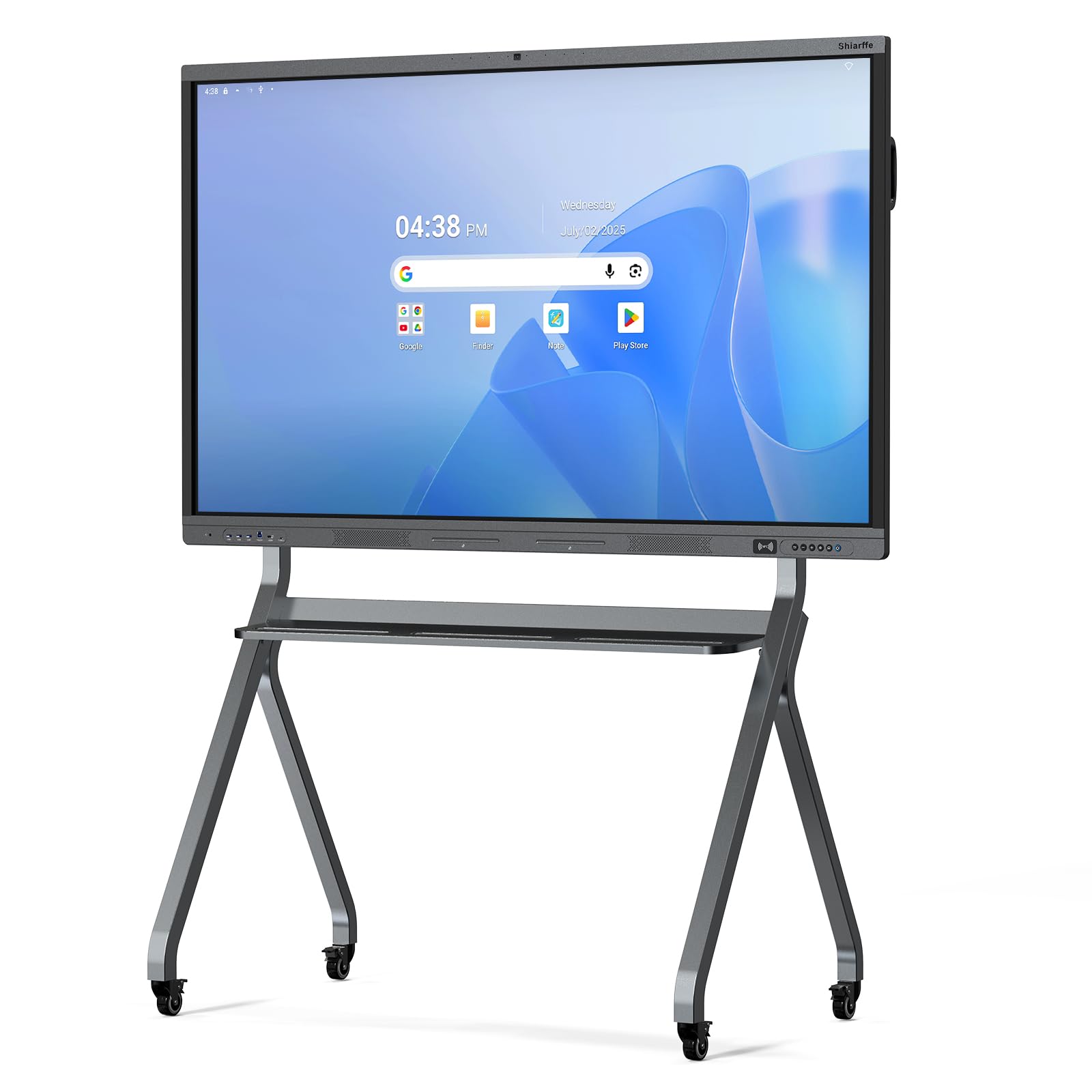
2. Shiarffe X5 Smart Board 65 Inch
The classroom specialist with full Google Play access and a 48MP camera built in.
This board is engineered specifically for daily K-12 use, and the Google EDLA certification is the headline feature — it means full access to Google Classroom, the Play Store, and Google Workspace with zero software subscriptions. It also carries a 48MP camera, eight-array mics, and a speaker, so hybrid lessons work without bolting on extra hardware.
The writing experience is designed to feel like pen on paper, with a 20-point multi-touch anti-glare IPS screen and an aluminum alloy frame. Manual brightness adjustment keeps it readable in different lighting, a real advantage if your room has big windows. Customers note setup is genuinely easy — as one owner put it, “Took about 20 minutes to set up out the box,” and the wife is already playing Monopoly Go on it. The overall owner consensus is that it “Feels like a total upgrade.”
Connectivity is comprehensive: HDMI, USB 3.0, USB Type-C, VGA, 3.5mm audio, plus Bluetooth 5.0 and Wi-Fi 6 for wireless mirroring. Split-screen and multi-zone whiteboard modes support group work well. The trade-off vs. the COOLHOOD above is the contrast ratio — 1200:1 here vs. 2000:1 there — so deep blacks and high-contrast images won’t be quite as dramatic, but for educational content the difference rarely matters.
Built for schools: the Google EDLA certification with no subscription fees makes this the budget-friendly choice for districts.
The honest trade-off: contrast sits at 1200:1, so it is noticeably less punchy than the COOLHOOD’s 2000:1 panel.
3. Plus 65″ Smart Board (BIG VUE)
A giant leap in touch capacity at 60 points, powered by Android 14.
This board answers the question “how many people can write at once?” with a category-leading 60 touch points — far beyond the 20-point standard on most rivals here, meaning a whole class can interact simultaneously without ghost touches. The native 4K display (3840 x 2160) supports 10.7 billion colors and a wide 178-degree viewing angle, so content stays clear even from the side of the room.
It runs Android 14.0 on an A16 CPU with 8GB RAM and 128GB storage, and includes an OPS slot (a slot for adding a separate computer or more memory later). A built-in AI-Assistant pairs with a 48MP camera and microphone for interactive lessons and presentations. Buyers praise the build quality and the touch sensitivity of the pen, noting there is “no lag while writing on the TV,” and the full accessory kit — power cord, remote, USB-C cable, HDMI cable, and 2 stylus pens — means it works straight from the start.
The three-year onsite warranty with installation services across India is a standout commitment, with installer contact within 1-2 days after delivery. At 40 kg, this is a heavy board best mounted permanently rather than moved around. Contrast sits at 1200:1, the same as the Shiarffe, so it trails the COOLHOOD’s 2000:1 for pure visual depth.
Where it leads: the 60-point touch capacity (allowing 60 fingers or pens at once) is class-leading in this list, ideal for full-classroom simultaneous interaction.
Who it suits: schools and businesses that want Android 14, a built-in 48MP camera, and strong warranty support from the start.
4. YCKJNB 65″ Smart Board
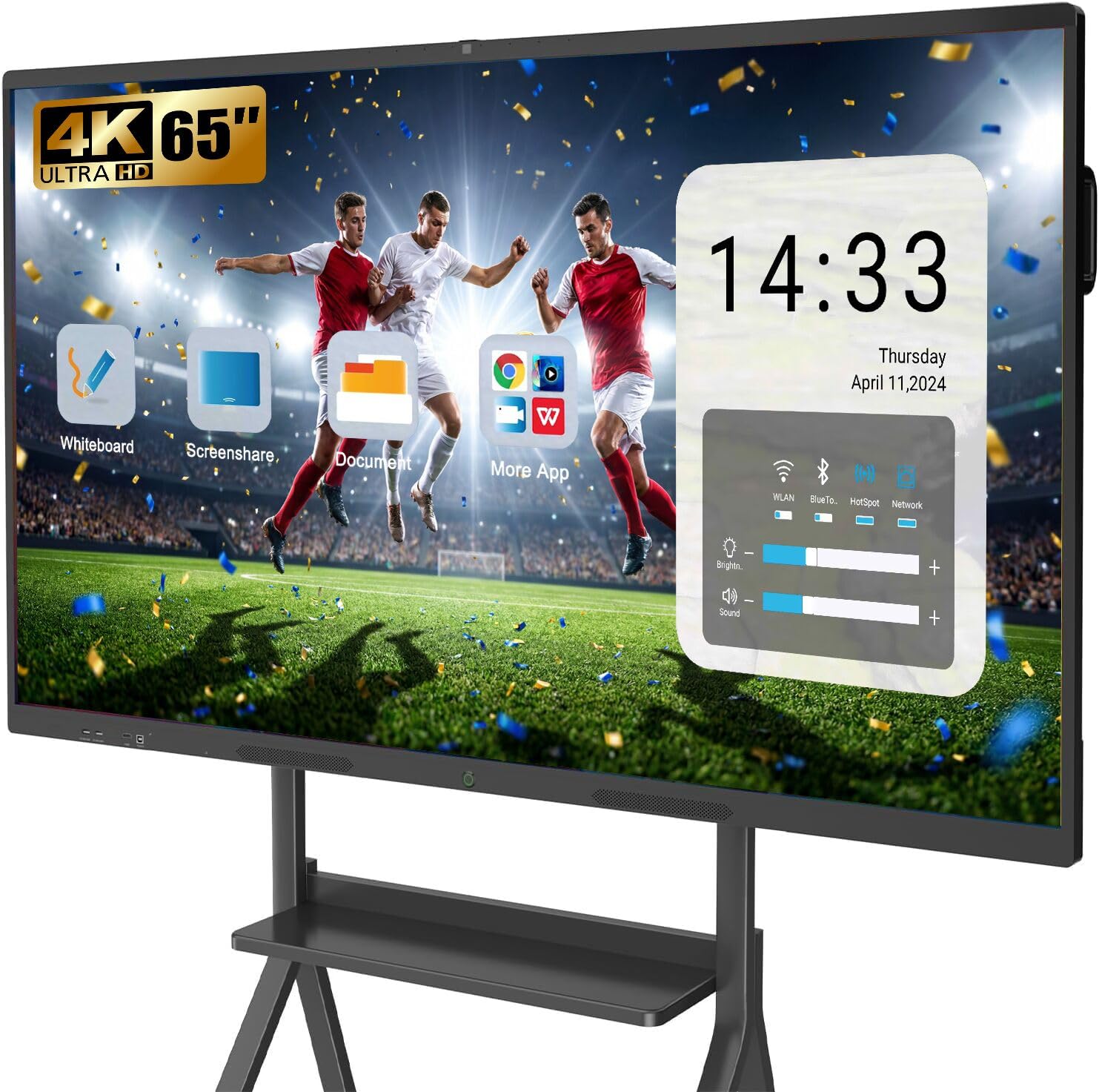
The video-conferencing value king, packing a camera and 8 mics at a smart price.
This board bundles a 13MP camera, 8 array microphones, and 2x 20W speakers into a 65-inch package designed for video conferences, classrooms, and home learning. The built-in conferencing kit means you don’t need to supply a webcam or external mic — it’s ready for hybrid meetings the moment it’s mounted.
The 4K UHD touch screen features stable infrared 20-point multi-touch, delivering sensitive, precise response for notes and annotations. The open app ecosystem lets you download whatever software fits your workflow, and up to 4 users can wirelessly project simultaneously, with reverse touch control available. Its 3000:1 contrast ratio ties the KEINONE for the deepest blacks in this lineup, giving rich, vivid content.
Reviewers point out easy install and operation, no lag when writing, and a camera that “takes very good pictures” — one agency is “excited to use it” after being pleasantly surprised. The included wall brackets mean no extra hardware needed for mounting, and the 24-hour after-sales service is a nice safety net. For the money, you get a lot of conferencing hardware built in.
What Earns Its Keep
- Built-in 13MP camera and 8 mics for instant video calls
- Deep 3000:1 contrast for rich visuals
- Up to 4 users can share screens wirelessly at once
- Wall brackets included in the box
Worth Knowing
- Only 1 stylus included, so order spares for group work
- Model uses Android 13, not the newer Android 14
Grab this for: teams and classrooms that conference regularly and want the camera, mics, and speakers already built in.
Pick something else if: you need the latest Android 14 OS and want multiple styluses included from day one.
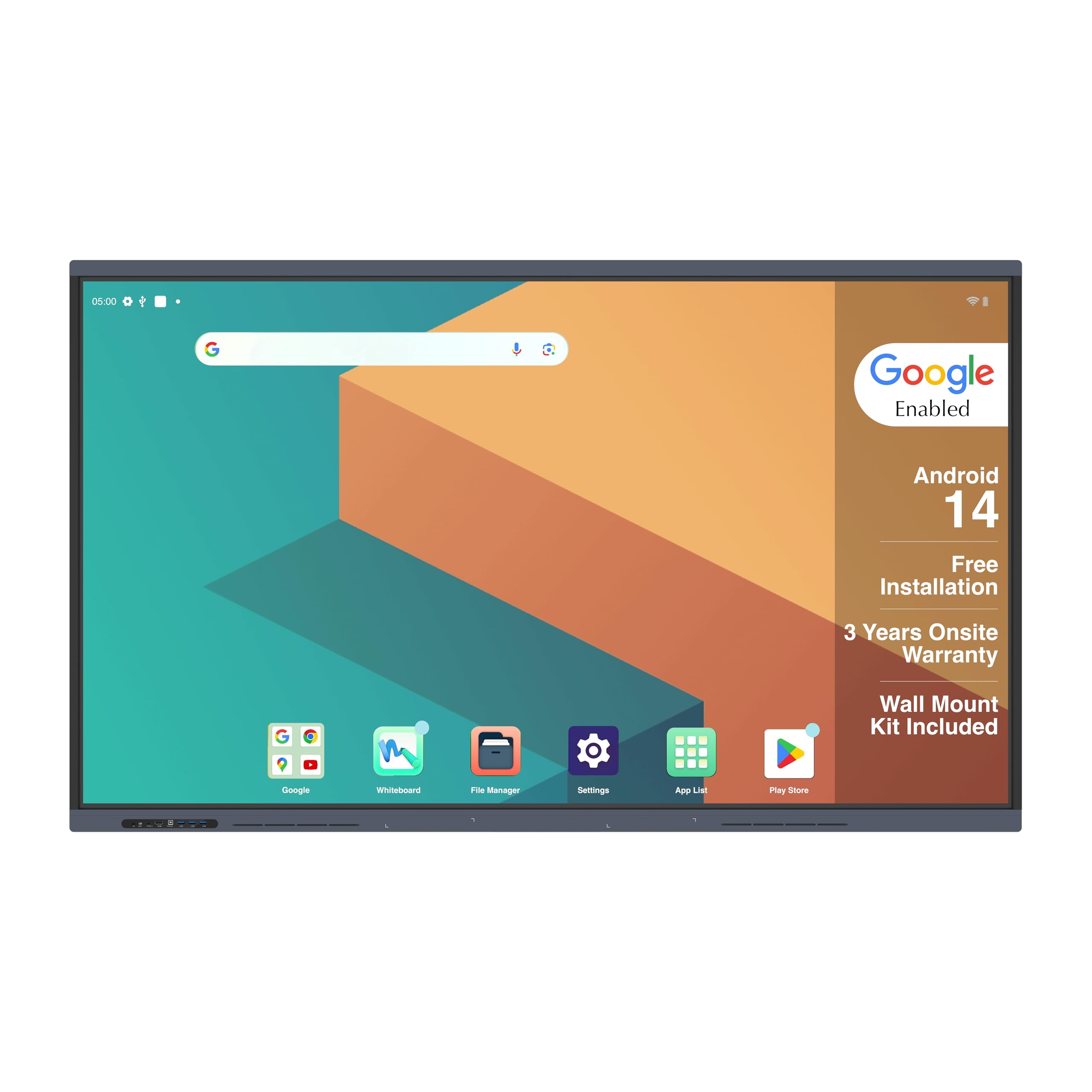
5. JASZDOT 65” Smart Board
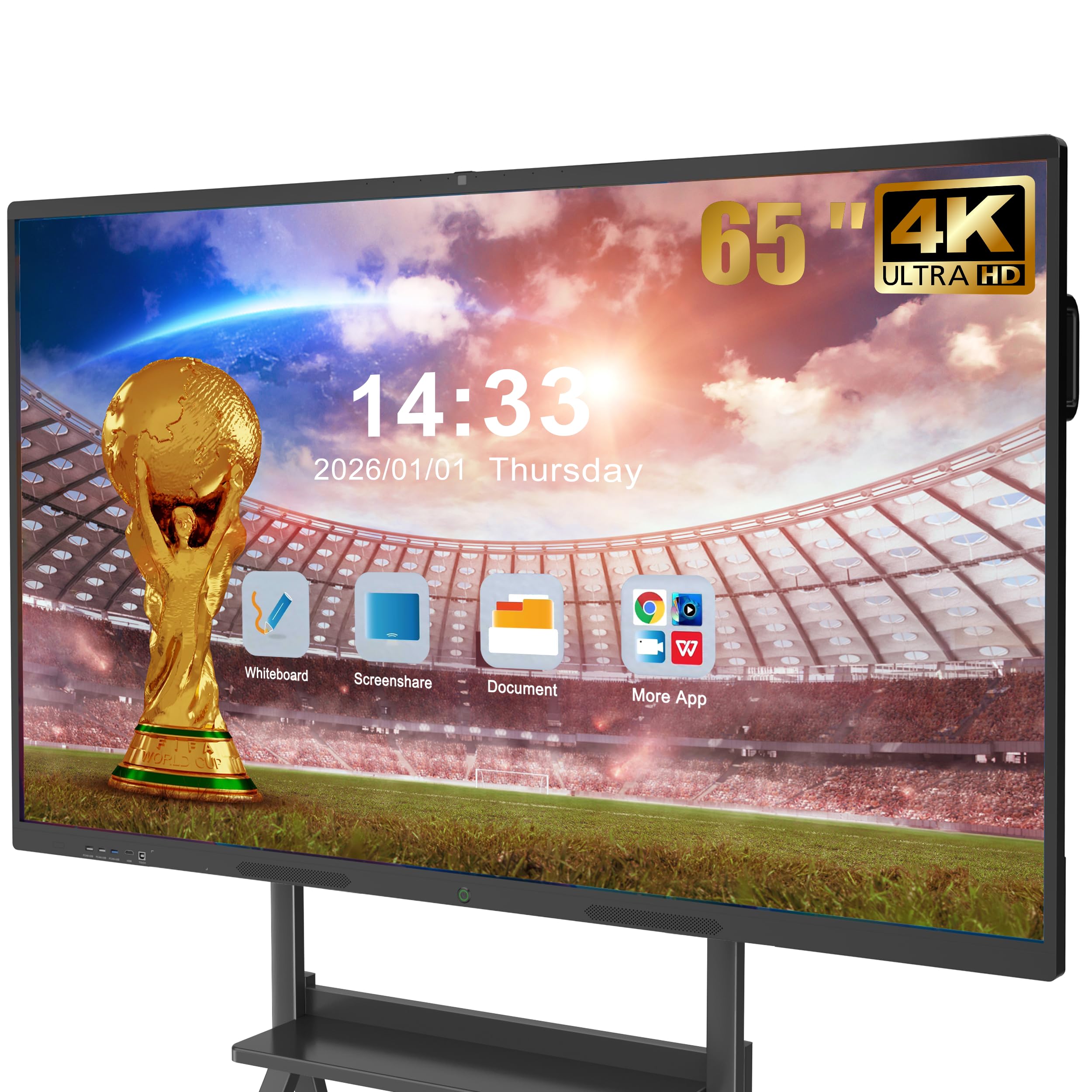
A rotating, front-connecting hub that makes the whiteboard a true collaboration hub.
This board stands out by making connections genuinely easy — two USB ports, one HDMI, and one TOUCH input sit right on the front panel, so you can plug in a laptop or USB drive without reaching behind the unit. It runs Android 14 with 8GB RAM and 128GB storage, delivering a smooth, responsive experience across classes and meetings.
The display offers over 400 nits of brightness, making it bright and crisp even in well-lit rooms, with flicker-free eye-care tech to reduce strain during long sessions. The 20-point infrared touch system delivers ±1mm precision and a fast 6ms response time, plus smart handwriting recognition, one-touch color switching, and instant cloud saving. Owners love it for classroom use — the screen is “crisp and clear,” the interface is intuitive, and kids navigate it easily via Google Play.
Rear and bottom ports are extensive: TOUCH, USB*2, TF card slot, HDMI, RS232, headphone jack, LAN IN/OUT, VGA, MIC IN, AV IN/OUT, COAXIAL, and DisplayPort. The packing list is generous, including a touch pen, wall mount, remote, screwdriver, screws, AC power cord, a screen casting box, and a user manual. The main caveat is its ABS frame, which feels less premium than the aluminum alloy rivals.
Why It Stands Out
- Front-facing USB, HDMI, and TOUCH ports for quick plug-ins
- Over 400 nits brightness stays readable in bright rooms
- Broad port selection includes DisplayPort and VGA
- Bundled screen casting box for wireless mirroring
Keep in Mind
- ABS frame is lighter-duty than aluminum alloy rivals
- No built-in camera for video conferencing
Ideal if: your room needs frequent device swapping and you want front-facing ports that make plugging in a 15-second job.
Skip it for: hybrid classrooms that rely on a built-in camera — you would need to add an external webcam.
6. JAV 65″ Smart Board Pro
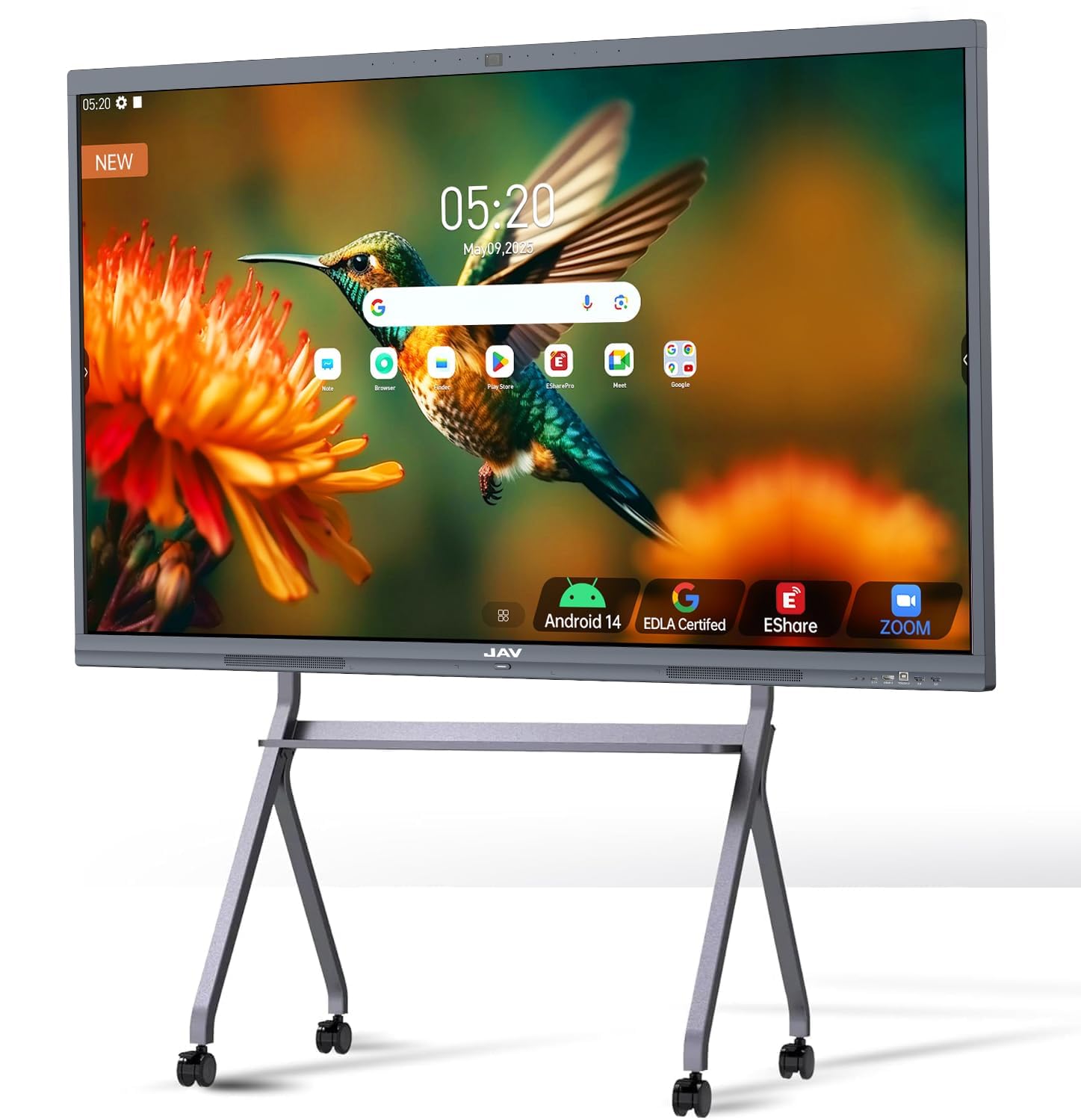
The meeting-room powerhouse pairing Google EDLA access with a 100W soundbar.
This board is Google EDLA-certified, open up the full Google Play Store, Google Workspace, and Education Suite with regular OTA updates. That certification means you can download and run the same apps you use on your phone or laptop — a genuine advantage for schools and offices that live inside Google’s ecosystem. It runs Android 14 with 8GB RAM and 128GB storage.
Audio is a major differentiator — an integrated 100W soundbar delivers room-filling sound that most rivals can’t match, so videos and video calls stay clear without external speakers. For conferencing, it has eight array microphones with a 180-degree pickup range, intelligent noise reduction, echo cancellation, and speaker tracking. Shoppers say “sharp 4K, responsive touch,” and the versatile features have transformed remote training sessions at companies that bought it.
The touch supports 20 points, letting two users write simultaneously, with palm erase and multi-finger image zoom. It includes built-in smart voting, screenshot, and timer tools for interactive teaching. However, this premium package has the most mixed reliability feedback in the lineup — a few buyers report Wi-Fi connectivity failures, so ensure you have a solid network setup. Also, it weighs enough that two people are needed for installation.
The standout: a 100W soundbar plus Google EDLA certification makes this the best-equipped board for meetings and media-heavy lessons.
The honest caveat: Wi-Fi reliability draws mixed feedback, so a wired Ethernet connection is the safer bet here.
7. KEINONE 65” Smart Board
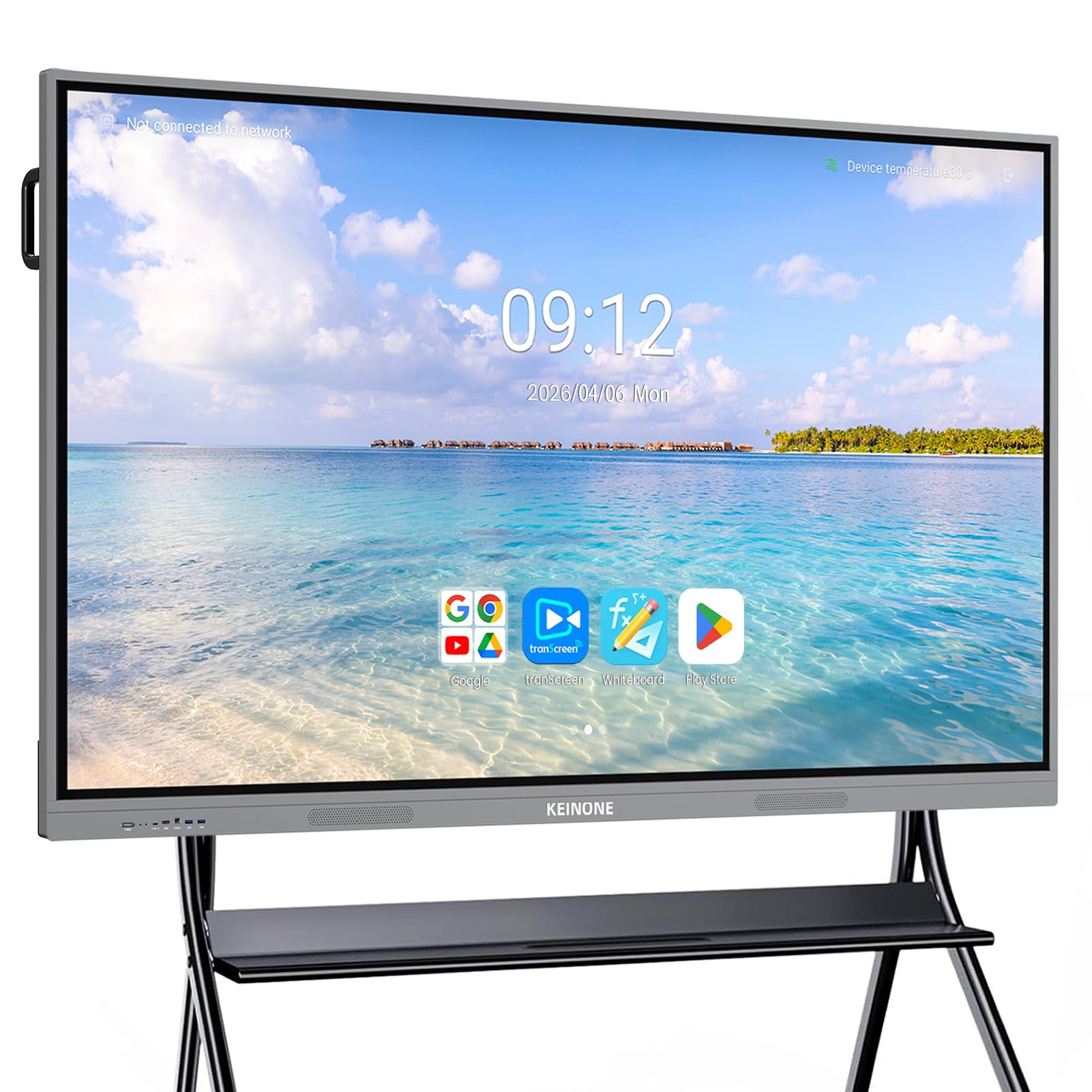
A 90-pound premium panel for teams that want rock-solid build quality.
This is a heavyweight in build terms — 90 pounds of aluminum-backed solidity — and buyers consistently call it “solid made” with an “excellent build.” It’s Google EDLA-certified (a Google certification that gives full Play Store access), and runs Android 14.0 on a Cortex-A55 octa-core CPU with 8GB RAM and 128GB SSD, enough power to switch between demanding apps without stuttering.
The 4K UHD touchscreen supports 20-point touch with 6ms latency and delivers a crisp, vivid picture backed by a 3000:1 contrast ratio — tied with the YCKJNB for the deepest blacks in this roundup. Built-in high-quality speakers complement the visuals, and the screen supports AirPlay, Wi-Fi, Type-C, and HDMI for smooth multi-person sharing. Owner feedback highlights sharp displays readable from a distance, making it great for larger meeting rooms.
But it’s heavy — a two-person lift at minimum — so arrange installation help. The included stylus feels cheap, and the whiteboard app is a bit unpolished compared to rivals, though these are minor knocks against a board that owners rate highly overall. It ships with a power cable, HDMI cable, and wall mount bracket.
Why Choose It
- Crowd favorite for build quality — owners call it solid
- 3000:1 contrast for deep, rich blacks
- Google EDLA certified with octa-core performance
- Sharp display readable from across a room
Know Before Buying
- Weighs 90 pounds — plan for a two-person install
- Included stylus is inexpensive; consider a better one
- Whiteboard app lacks some polish vs. rivals
Choose this for: stable, permanent wall mounts where build longevity matters more than portability.
Pass if: you need something you can move between rooms — this board stays put.
8. YCKJNB 65 Inch Floor Standing Kiosk

A freestanding lobby display that turns advertising into an interactive experience.
This is the first of the floor-standing kiosks in the lineup, built to run ads, announcements, and wayfinding in high-traffic public spaces. The 4K IPS display offers a 178-degree ultra-wide viewing angle, so content stays clear and vibrant whether the viewer is directly in front or off to the side — even in a busy lobby. It’s the people-magnet in stores, hospitals, airports, and restaurants.
The touchscreen earns the strongest praise here — buyers single out its responsiveness as the standout feature, noting a crisp display with “no lag.” The Android OS keeps things simple: plug in a USB drive and it plays, or connect via Wi-Fi or Ethernet for remote content updates. It supports split-screen playback, so you can run a video in one zone and a scrolling text announcement alongside it. There’s even free logo customization — you send the file and it gets printed on the front panel.
One owner has run this for three years and would buy more, calling the build “excellent quality” with a full glass face. The internal power receptacle lets you hide a media player inside the cabinet, keeping the setup clean. The 3-year after-sales warranty adds confidence. The trade-off is a modest 1000:1 contrast ratio — fine for signage, but not as rich as the wall-mounted boards above.
People-magnet: the responsive touchscreen and split-screen playback make it a versatile centerpiece for lobbies and stores.
Set expectations: at 1000:1, the contrast is the lowest in this lineup — suitable for signage, not cinematic viewing.
9. JASZDOT 65” 4K Signage Kiosk

A kiosk with 600 nits of brightness, built to fight glare in bright public spaces.
This floor-standing kiosk is designed for high-traffic environments like malls, airports, and retail stores, and its defining spec is brightness — 600 nits (a measure of screen brightness), a full step above the 450-nit wall boards in this list, making content readable even in sunlit lobbies. The 178-degree viewing angle on the 4K UHD IPS panel keeps images sharp from every direction, a critical feature when people approach from the side.
The touchscreen functionality lets customers interact with offers, product catalogs, and wayfinding, turning passive advertising into an engaging experience. Owners mention the touch is “sensitive, smooth, and quick,” with crisp text readable at a distance, and it runs food videos all day reliably in one restaurant. The Android OS makes updates simple via USB, HDMI, or 5G Wi-Fi, and the split-screen function can run video and text simultaneously.
At 3000:1 contrast ratio, this kiosk also delivers deeper blacks than the other floor-standing models. The freestanding frame is durable and features a lockable wheel for easy repositioning. Marvel Technology backs it with a 3-year warranty and lifetime technical support — one owner expanded from 2 to 7 units, and an occasional damaged unit was replaced free. The downside? The bright glossy screen can show fingerprints, so plan for regular wiping in heavy-use areas.
Built for bright spaces: 600 nits of brightness keeps ads legible even near large windows or in brightly lit atriums.
One thing to manage: the glossy panel shows fingerprints in high-traffic spots — keep a cloth handy.
10. QIXZOCV MWE 65 Inch Kiosk
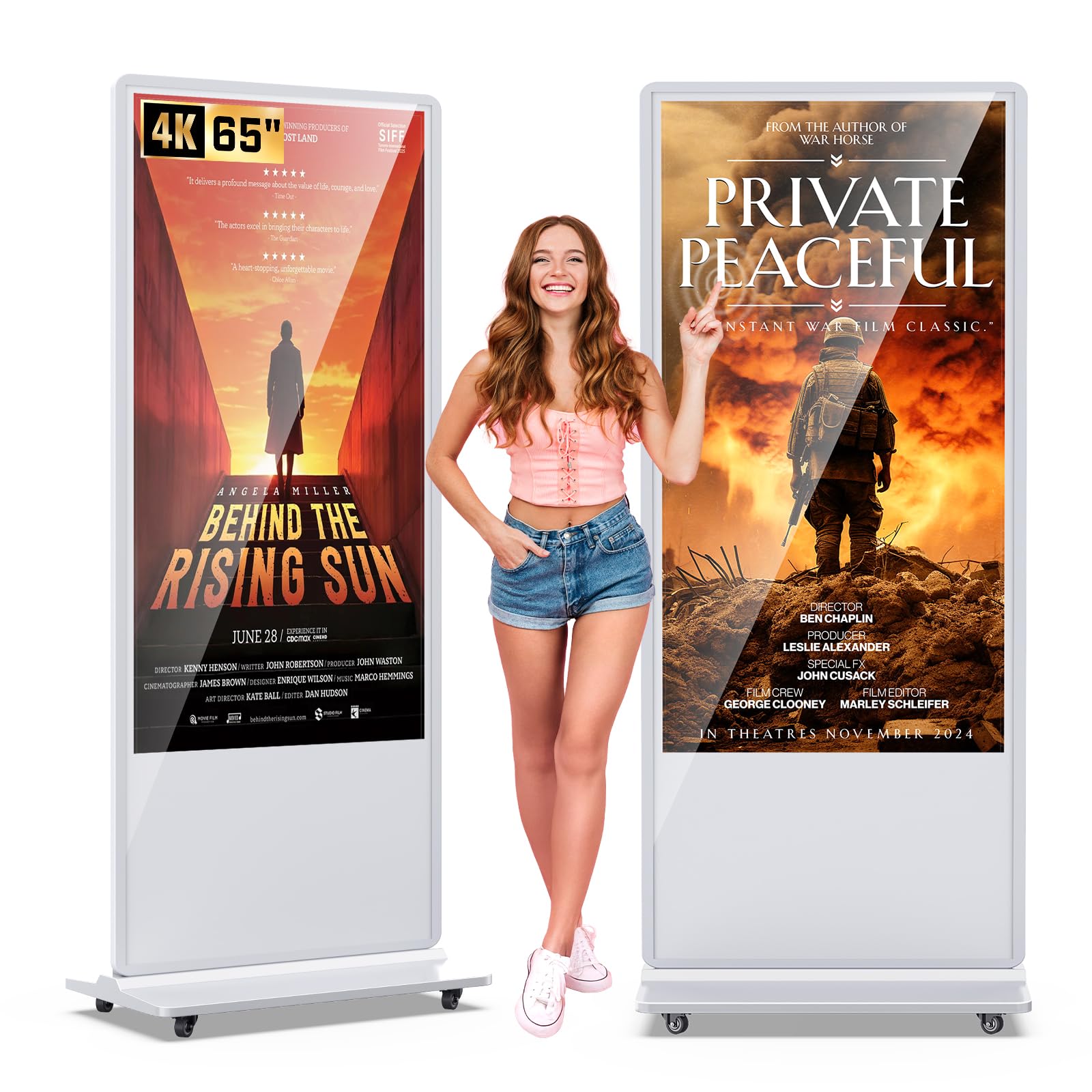
A sleek kiosk on wheels that moves from lobby to event floor in minutes.
This kiosk is built for businesses that need to move their display — the slim design on wheels means you can roll it from the front lobby to a trade show booth without a crew. The 4K touchscreen, with a 1200:1 contrast ratio, is vibrant and sharp, with owners saying it “looks more expensive than its price point” and that the touch response is smooth without lag, even running continuously 24×7.
The Android OS is user-friendly, supporting plug-and-play USB, automatic playback, remote control, and timing on/off. It supports a split-screen function that lets you customize the size, position, and orientation of each content zone — ideal for running video, images, and text side by side. The stable open-cell technology keeps power consumption low and heat generation down, extending screen life.
It ships with complete accessories, installation tools, and a free USB flash disk, and Marvel Technology includes a 3-year warranty plus lifetime CMS system (a content management system for updating displays remotely) and custom logo sticker options on request. Owners running arcade displays say it boosts traffic versus static ads, and the wedding venue using it for event displays calls it “fantastic.” The main consideration is weight — at 78.93 kg, the base is solid but you’ll want a second person to lift it onto the wheels during setup.
What Makes It Useful
- Wheeled base means true portability between locations
- Customizable split-screen content zones
- 3-year warranty plus lifetime CMS system offer
- Runs reliably 24×7, per owner reports
Before You Commit
- At 78.93 kg, two people are needed for initial setup
- Use the provided free USB disk for content; Wi-Fi is fine but wired is steadier
Perfect for: retail, restaurants, and events that want to relocate their interactive signage frequently.
Someone else instead: if your display will live in a permanent spot — the wall-mounted boards give better contrast per dollar.
11. Samsung Flip 2 WM65R

The familiar Samsung name, reimagined as a digital flipchart for business.
This is Samsung’s take on the interactive display — a 65-inch digital flipchart running 4K UHD resolution with a built-in speaker, designed for drawing, writing, and brainstorming in business settings.
Content sharing is easy through NFC, screen mirroring, or HDMI, and it can act as a third monitor for presentations. It runs Microsoft Whiteboard for remote collaboration and supports network storage, making it a strong fit for IT, education, and media environments. The anti-glare coating helps visibility, and it’s wall-mountable if you buy the right bracket. Owners in IT and education call it “the best digital whiteboard for that price,” praising the responsive touch and magnetic stylus storage on the frame.
The honest trade-offs: it lacks Bluetooth, has no app store (no YouTube or Spotify), and the speakers are weak — so it’s not a home entertainment device. It is also heavy and not portable, best mounted permanently in an office. Support durability is a concern, with one owner reporting a 4-week failure and a slow replacement process. This is the pick if you want the brand trust and solid whiteboard basics, not the app ecosystem.
Why Buy Samsung
- Trusted brand with a familiar, smooth passive pen
- 4-person multi-touch for small team sessions
- Magnetic stylus storage on the frame
- NFC, screen mirroring, and HDMI sharing
What’s Missing
- No app store — no YouTube or Spotify
- No Bluetooth and weak built-in speakers
- Heavy, not portable; best for permanent mounting
Ideal for: offices that want a dependable digital flipchart from a household name, for drawing and annotating meetings.
Not for you if: you need an app ecosystem, strong audio, or a built-in camera — this is purely a whiteboard tool.
Understanding the Specs
Touch Points & Response Time
Touch points tell you how many fingers or pens the screen can track at once. A 20-point board lets a small group write together, while a 60-point board works for a whole class. Response time — usually around 6ms — is how fast the screen reacts to your touch; lower is snappier.
Contrast Ratio
Contrast ratio measures the difference between the darkest black and brightest white a screen can show. A 2000:1 or 3000:1 ratio gives deeper blacks and richer images, while 1000:1 is more typical for basic signage. Higher contrast makes text and presentations look noticeably sharper.
FAQ
Is a 65 inch touch screen TV the same as an interactive whiteboard?
Do I need a Google EDLA certified board?
How many people can write on the screen at the same time?
Do these boards include a camera for video calls?
Can I mount these on a wall, or do they need a stand?
What connectivity options should I check for?
How heavy are these 65 inch boards for installation?
Yes, if you choose the floor-standing kiosk models, which are built for looping ads and split-screen content.
Yes, if you choose the floor-standing kiosk models, which are built for looping ads and split-screen content.
What operating system do these boards run?
Is a 55 inch board a better fit than a 65 inch?
Final Thoughts: The Verdict
For most people, the 65 inch touch screen tv winner is the COOLHOOD 65″ Smart Board because it pairs the best contrast ratio with a smooth 20-point touch experience at a solid mid-range price — the crowd favorite for good reason. If you want full Google Play access and a built-in 48MP camera for hybrid classrooms, grab the Shiarffe X5. And for high-traffic lobbies or retail spaces, the JASZDOT 65” Signage Kiosk with 600 nits of brightness is the one to reach for.
How We Picked
We do not accept paid placement. Every pick is matched to a real buyer and a real use-case; we do not hands-on test units.
Sources & Methodology
Specifications: manufacturer listings and product documentation. Review insights: verified customer reviews, as of August 2026. Pricing: not shown on this page (it changes often); check the current price via the retailer link.
As an Amazon Associate, Gadgets Feed earns from qualifying purchases. This does not affect which products we feature.