
Our readers keep the lights on and my morning glass full of iced black tea. As an Amazon Associate, I earn from qualifying purchases.
Specs are compiled from manufacturer listings and verified buyer reviews and can change over time — please confirm the key details on the product page before buying.
Terminating each Ethernet cable into a punch-down block is the most tedious part of building a network rack. A 24-port patch panel is the tidy central hub that keeps all those runs organized, and the real decision depends on if you want the classic punch-down style or a modern tool-free pass-through. This guide breaks down the best 24-port models by their defining strengths, so you can pick the one that matches how you actually like to wire things.
I’m Min — the founder and writer behind Gadgets Feed. This guide is built by comparing the manufacturers’ published specifications and the patterns across verified customer reviews, so you get each pick’s real strengths and trade-offs instead of marketing spin.
A 24-port patch panel centralizes cable runs and cuts termination time, whether you’re outfitting a home lab or an office rack.
Our Picks at a Glance


How To Choose The Best 24 Port Patch Panel
Before you buy, the single most important question is if you want to terminate bare wires or plug in pre-made cables. This choice determines your tool requirements and installation time.
Punch-Down vs. Pass-Through
A classic punch-down panel requires you to press individual wires into terminal blocks using a specialized tool. It’s permanent and secure, ideal for solid-core cable runs. A pass-through panel uses RJ45 couplers on both sides, so you just plug in cables with pre-crimped ends, saving time and requiring no tools.
Frequency and Speed Ratings
The frequency rating (measured in MHz) indicates the panel’s capability to handle high-speed data. A 250 MHz panel is standard for Gigabit networks, while a 500 MHz rating supports 10G applications. Matching the panel’s rating to your cable and switch ensures you don’t create a performance bottleneck.
Quick Comparison
| Model | Best For | Termination Style | Frequency | Rack Size | Amazon |
|---|---|---|---|---|---|
| TRENDnet TC-P24C6★ Best Overall | Reliable punch-down classic | Punch-Down | 250 MHz | 1U | Amazon |
| iwillink 24 PortFastest Pass-Through | Fast, high-speed pass-through | Feed-Through | 500 MHz | 1U | Amazon |
| Lysymixs Feed ThroughTime-Saver Pick | No-tool speed and flexibility | Feed-Through | Cat6 | 1U | Amazon |
| Sokqovt Coupler Panel | Modular apartment-friendly setup | Feed-Through | 10G | 1U | Amazon |
| Jadaol 24 Port | Simple setup with a spare | Feed-Through | 10Gbps | 1U | Amazon |
| Rapink White Panel | Clean look and quick install | Feed-Through | 10G | 1U | Amazon |
| Monoprice 568A/B | Budget-friendly punch-down | Punch-Down | Cat6 | 1U | Amazon |
| Tripp Lite N052-024 | Versatile wall-mount projects | Punch-Down | 100 MHz | 1U | Amazon |
| TRENDnet TC-P24C6AS | Shielded top-tier performance | Punch-Down | 10G | 1U | Amazon |
In‑Depth Reviews
1. TRENDnet 24-Port Cat6 Unshielded Patch Panel (TC-P24C6)
Our pick — over 4.5★ from 550+ verified ratings; the strongest balance of quality and price.
The set-and-forget punch-down veteran that still tops the class for dependability.
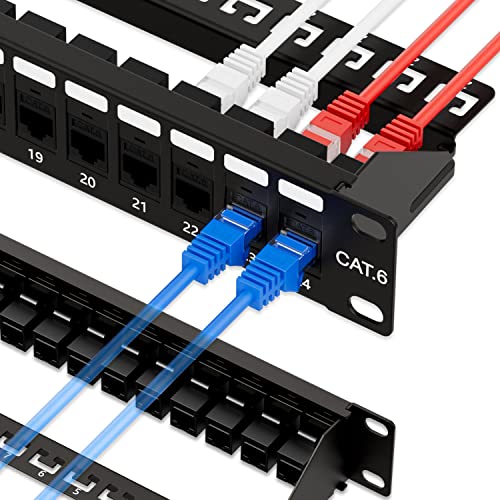
This is the panel you buy when you want a wired network that just works for a decade. Its 250 MHz rating supports Gigabit networks, and the 110D IDC blocks accept standard 110 or Krone punch tools.
Buyers report flawless first-attempt terminations across all 24 ports. The build quality earns the most praise — people call it solid and top-notch, with one buyer noting they’ve had “No problems with it in over 10 years time now,” which is about the strongest endorsement a piece of networking gear can get.
It fits a standard 19-inch rack, with one happy customer mounting it in a 15U rack and filling 18 of the 24 ports without a single issue. It’s NDAA compliant and covered by a 3-year TRENDnet warranty, suitable for U.S. and Canadian government-adjacent projects.
Why owners stick with it
- Rugged, reliable build that survives years of use
- Tight punch-down posts keep cables from backing out
- Clear labeling for Ethernet types on each port
Who should think twice
- Requires a punch-down tool and bare-wire termination
- 250 MHz cap means it’s not built for 10G networks
The call: A proven performer that favors owners who want a permanent, professional-grade punch-down install over a quick plug-and-play setup.
The trade-off: You’ll spend more time on the initial cable termination than you would with a feed-through model.
2. iwillink Patch Panel 24 Port Cat6 UTP 19-Inch
A 500 MHz feed-through that hits 10G speeds without a single punch-down.
This panel doubles the frequency ceiling of the TRENDnet above — 500 MHz versus 250 MHz — which is exactly the headroom you need for 10G Ethernet, though the maker notes the cable length is limited to 35m-55m for those speeds. You simply plug a terminated cable into the RJ45 coupler on either side, and the gold-plated keystone contacts keep the connection corrosion-free.
The beauty here is the modular keystone design. Each coupler is removable, so if a single port ever fails you replace just that one keystone instead of the whole panel. Owners also love that they can swap in different couplers later — fiber adaptors, coax, even HDMI — giving the panel a real upgrade path as your network evolves.
A buyer using it for a camera setup explained the appeal: they didn’t want all the wires coming straight out of the wall, so this panel let them unhook cables whenever needed and gave the install a much cleaner finish. The detachable cold-rolled steel back bar keeps heavier cable runs supported and stable.
The 10G edge: At 500 MHz this is one of the fastest pass-through options here, ready for high-throughput home labs and small offices.
Know the catch: A few owners found the cable locking mechanism doesn’t always secure plugs tightly, so zip-ties are a smart safety net.
Choose it if: You want tool-free installation with genuine 10G capability and the flexibility to swap keystones as your setup changes.
Skip it for: Installations where cables will be constantly unplugged and re-plugged, given the mixed feedback on the locking clips.
3. Lysymixs 24 Port RJ45 Patch Panel Cat6 Feed Through
For anyone who dreads the punch-down tool, this coupler panel makes wiring a breeze.
If the idea of pressing 48 individual wires into terminal blocks makes you groan, this panel is the answer. With female RJ45 ports on both sides, you crimp an end onto the cable and simply plug it in — no 110 punch-down termination required. It’s the same plug-and-play philosophy as the iwillink above, but with an emphasis on the time savings that come with it.
Buyers who struggle with punch-downs keep coming back to this one. The honest consensus is that it saves hours of work and lets you move a cable to another port or test it directly through the coupler with zero fuss. The panel’s gold-plated inline keystone jacks support 10 Gigabit speed transmission and meet or exceed Cat6 specifications.
Each keystone is removable, so a dead port is a five-minute fix rather than a whole-panel replacement. The detachable cable management bar keeps the back of the rack tidy, and the 1U design mounts cleanly in a standard 19-inch network cabinet.
The verdict: A straightforward, high-value feed-through panel that removes the steepest learning curve in home networking.
Reach for this if: You already have crimped Ethernet cables and want to avoid punch-downs entirely.
Look elsewhere if: You’re running bare solid-core cable through the walls that needs a permanent termination point.
4. Sokqovt Patch Panel 24 Port Cat6 with Coupler Keystone

A sturdy 1.5 mm steel panel built for renters who rewire with every move.
This one speaks directly to apartment dwellers and homelab owners who’ve avoided patch panels because they felt too permanent. Every keystone just clips in and out, so you can plug and move ports around as your cabling diagram changes. One owner living through multiple apartment moves called it “pretty awesome” for exactly that reason.
The no-punch-down design is a genuine timesaver in tight spaces — you just connect RJ45-terminated cables on both sides of the coupler. The maker also argues this style is less prone to failure than a traditional punched-down Cat6 panel, since there’s less room for termination error. It supports up to 10G transmission speed and fits neatly into a standard rack.
Its 1.5 mm steel construction with no sharp edges feels substantial, and the removable back bar plus included cable ties take stress off the couplers. Owners mention flawless performance even after a month of continuous use, with all ports testing cleanly against Cat6 standards.
Best trait: The mix of a rugged steel frame with fully swappable keystones, which is rare at this level of flexibility.
Who it fits: Anyone who expects to move, expand, or re-patch their network repeatedly without re-terminating cables.
The only pause: If you need the absolute lowest profile, the sturdy steel frame adds a bit more bulk than slimmer panels.
5. Jadaol 24 Port Patch Panel with Keystone Couplers
A UL-listed feed-through that ships with a spare coupler for instant port swaps.
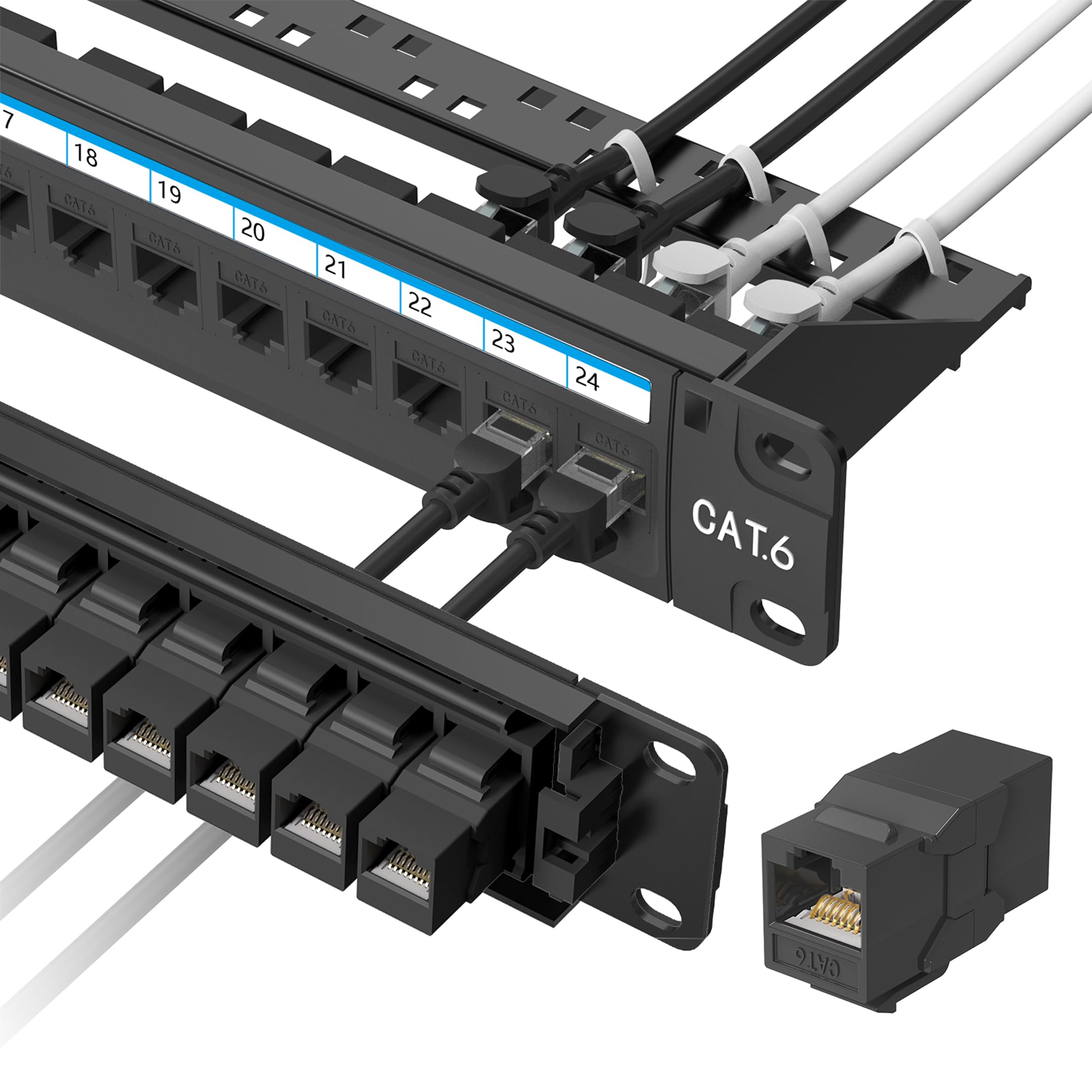
This panel stands out before you even open the box: it comes preloaded with 24 keystone couplers plus one spare module, so a failed port means a 30-second swap instead of downtime. It uses a cold-rolled steel frame with an ABS panel and polycarbonate RJ45 couplers, and it’s UL listed — a certification several budget competitors don’t carry.
Owners repeatedly highlight the quality of the components, with one noting the keystone inserts are metal and that they loved finding the spare included. The plug-and-play pass-through design needs no crimping, no punch-down, and no wiring errors. It supports up to 10Gbps with Cat6 cables.
Fitting the standard 19-inch rack is a non-issue, and the included rear cable management bar keeps routing clean. The 16-ounce weight and 1-year warranty round out a solid, no-drama package for home networks, offices, and server racks.
Smart detail: The spare coupler and metal inserts show attention to longevity that most panels at this level skip.
Best for: Buyers who want a dependable, tool-free panel with a built-in safety net for port failures.
Note: A few owners wished the back side had port numbering, so label your own runs if you need rear identification.
6. Rapink Patch Panel 24 Port Cat6 White Inline Keystone
The white-faced panel that turned one messy rack into a showpiece in minutes.
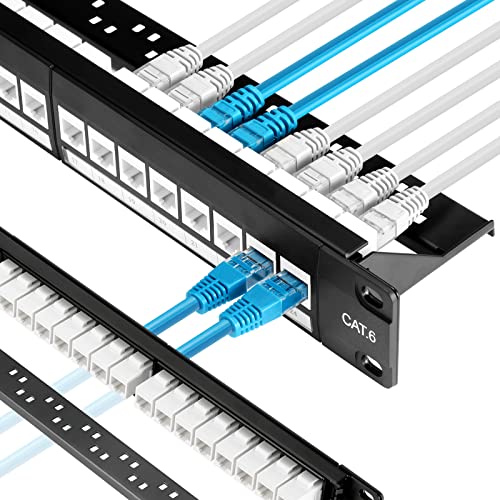
Not every rack needs to be black. This white Cat6 panel makes a visual statement while delivering the same tool-free convenience as its darker peers. The maker claims a 70% faster install, with the full 24 ports wired in about 10 minutes.
Owners describe it as the fix for a “very messy network rack,” praising how durable it feels and how snugly each keystone sits. The all-8P8C gold-plated pins support up to 10G speed Ethernet, and the inline keystone design means no punch-down tools are involved at all.
The detachable thick steel back bar works with the included zip ties to reduce cable deformation and keep connections stable, which the maker credits with preventing keystone loosening and network failures. It also works with Cat5e and Cat5 cabling, so it’s a fine upgrade path from older wiring.
What stands out: The white finish is a refresh from the sea of black panels, and the fit in a standard rack is spot-on.
The one gripe: A few owners found the support rail makes releasing the connector clip slightly awkward — workable, but worth knowing.
Pick this when: You want a fast, tool-free install with a cleaner, brighter look in a visible rack or closet.
Pass if: You prefer a traditional black panel to match the rest of your networking gear.
7. Monoprice Patch Panel (568A/B Compatible)
The metal punch-down panel that proves budget pricing doesn’t mean flimsy plastic.
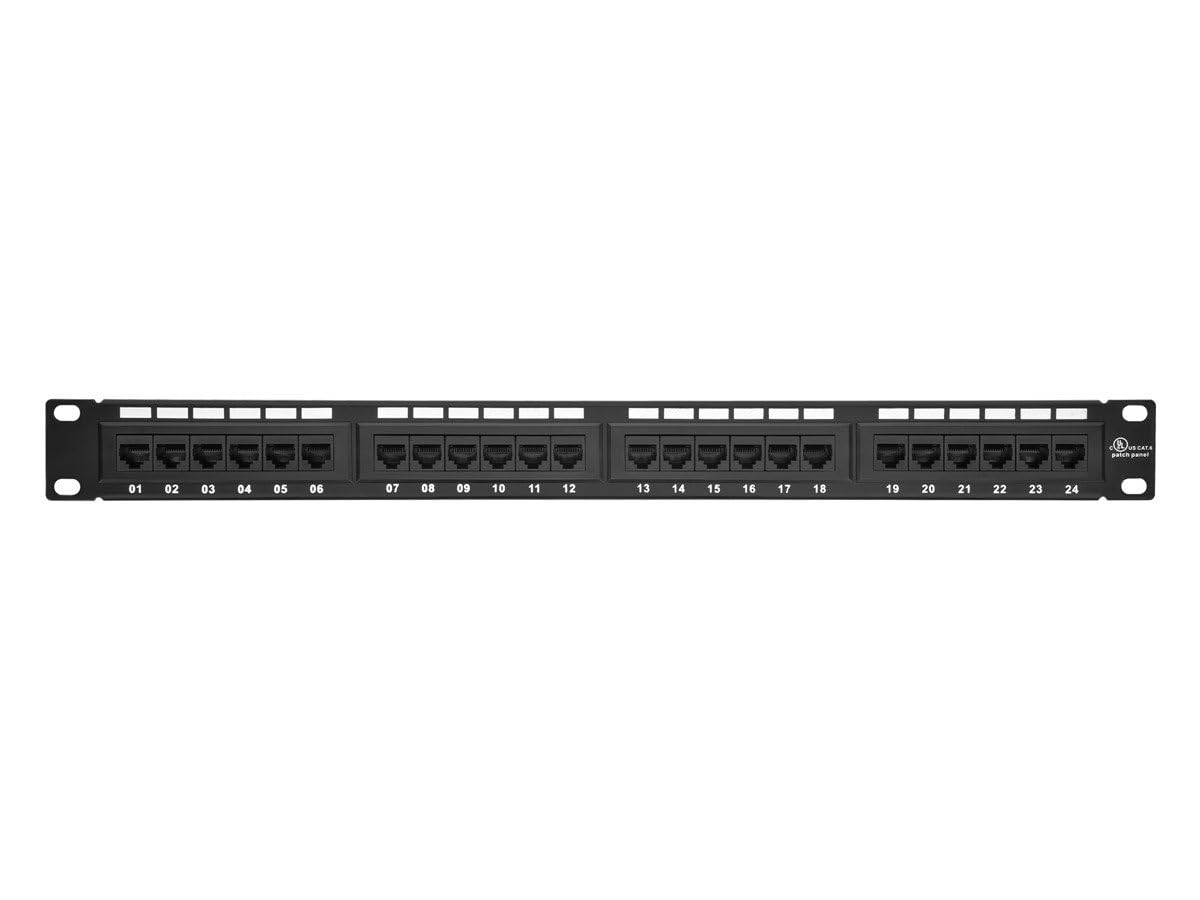
This is the counter to any fear that an affordable panel will feel cheap. It’s built from black painted steel — one buyer admitted they expected plastic and were surprised to find real metal that’s very sturdy. It’s a traditional punch-down panel compatible with 22-24 AWG solid network cables, terminated with a standard 110-type tool, and it’s UL listed.
Customers note speeds through the panel match a direct cable connection. The color-coded wiring diagram on the back makes the 568A/B termination straightforward, and the numbered ports with white blanks keep labeling easy.
There’s generous working space behind each port, which owners appreciate when punching down Cat6 cable. One practical tip from the reviews: punch in all your cables before mounting anything deeper like a switch directly above or below, since you’ll want clear access to the rear.
The takeaway: A no-frills, dependable punch-down panel that delivers exactly what the price promises and nothing it doesn’t.
You’ll love it if: You want a solid, metal, UL-listed punch-down panel without paying for brand markup.
Consider the alternative: Budget-conscious buyers who hate punch-downs should look at the feed-through options above instead.
8. Tripp Lite 24-Port Cat5e Punchdown Patch Panel (N052-024)
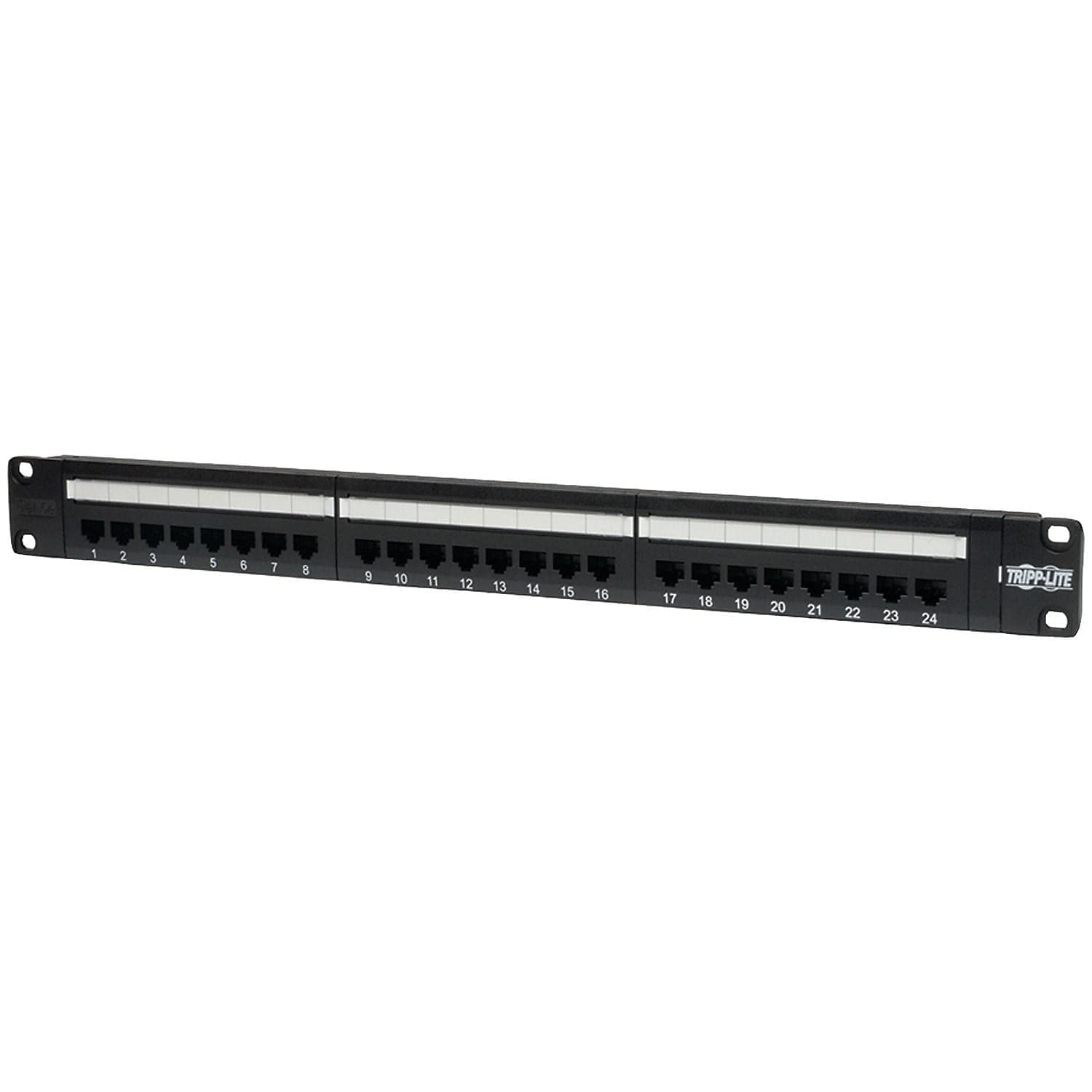
A compact Cat5e panel that flips around for painless punching in tight spots.
This panel’s a neat extra is its flip design. It includes a wall-mount bracket system where the panel snaps in and flips over, so you can punch down every port from a comfortable angle instead of leaning into a rack. That’s a genuine ergonomic win for small projects where a full rack isn’t practical.
Spec-wise it’s a Cat5e panel with a 100 MHz rating and 110-type IDC terminations, which is perfectly matched to Gigabit networks. It’s UL, TAA, and RoHS certified, and comes with a lifetime warranty — a strong promise for a networking staple.
Reviewers have even tested it with Cat6 500 MHz cabling and found it passed Cat6 speed tests, which speaks to its headroom beyond the Cat5e label. It’s frequently used to convert existing Cat5e phone wiring into a working network. The clear 568A/B markings and metal faceplate make it approachable even for novices.
Standout feature: The wall-mount, flip-for-punching design is unique here and a lifesaver in confined spaces.
Grab it for: Small offices, wall-mounted wiring projects, or anywhere there’s no room for a full rack.
Worth knowing: A budget build means some plastic parts, and a couple of owners noted the included labels feel flimsy.
9. TRENDnet 24-Port Cat6A Shielded Patch Panel (TC-P24C6AS)
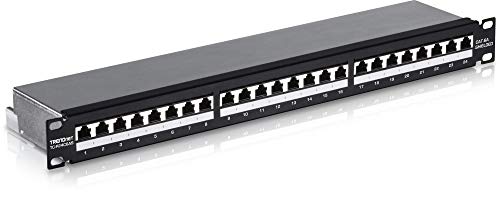
The heavy-duty metal panel engineered to kill interference for 10G copper runs.
When electromagnetic interference is your enemy, this shielded panel is the answer. Its 24 RJ-45 ports feature 50 micron gold-plated 8P/8C contacts, and the shielded design is specifically made to eliminate EMI and crosstalk — critical for peak performance and data integrity in electrically noisy environments or long runs to outbuildings.
It’s a punch-down panel using 110 IDC terminal blocks, and it’s color-coded for both T568A and T568B wiring schemes, so you can follow whichever standard your network uses. It handles Cat5e, Cat6, and Cat6A cabling, and is 10G-ready for copper switches. The heavy-duty metal housing is wall-mountable as well as rack-ready.
Owners running multiple PoE devices to an external building praise how sturdy the enclosure is at keeping dust and cables protected, with well-labeled punch-downs. It’s NDAA compliant and backed by a 3-year manufacturer warranty. The certifications stack up with CE, FCC, and UL.
The premium edge: Between the shielding, the 50-micron gold contacts, and the 10G rating, this is the most future-proof punch-down panel here.
Choose it for: Serious installations with shielded cabling, PoE devices, or environments where signal integrity is essential.
Keep in mind: It lacks integrated drawer slides, so you’ll want a shelf or table nearby for the punch-down work.
Understanding the Specs
Frequency Rating
The MHz number tells you the maximum signal frequency the panel is certified to handle without degrading. A 250 MHz panel comfortably covers Gigabit Ethernet, while a 500 MHz panel offers the headroom for 10G applications. Match this to your cable and switch so none of them bottleneck your actual speed.
Termination Style
Punch-down panels require a specialized tool to press bare wires into insulation-displacement connectors, creating a permanent, secure link. Feed-through panels use RJ45 couplers on both sides, accepting pre-crimped cables for instant, tool-free connections. Your choice dictates the tools you need and how easily you can re-arrange ports later.
FAQ
What is the difference between a punch-down and a feed-through patch panel?
Will a Cat6 patch panel work with my older Cat5e cables?
Do I need a tool to install a feed-through patch panel?
Does a 500 MHz patch panel give me faster internet?
Can I mount a 24-port patch panel on a wall?
What tools do I need for a punch-down patch panel?
How long does a patch panel last?
Is a shielded patch panel worth the extra cost?
Final Thoughts: The Verdict
For the majority of shoppers, the 24 port patch panel winner is the TRENDnet TC-P24C6 because it pairs a rugged, proven punch-down design with a decade-plus of owner confidence. If you want a tool-free, 10G-ready setup with modular keystones, grab the iwillink 24 Port. And for shielded, interference-free performance on demanding copper runs, the TRENDnet TC-P24C6AS is the one to reach for.
How We Picked
We do not accept paid placement. Every pick is matched to a real buyer and a real use-case; we do not hands-on test units.
Sources & Methodology
Specifications: manufacturer listings and product documentation. Review insights: verified customer reviews, as of August 2026. Pricing: not shown on this page (it changes often); check the current price via the retailer link.
As an Amazon Associate, Gadgets Feed earns from qualifying purchases. This does not affect which products we feature.