
Our readers keep the lights on and my morning glass full of iced black tea. As an Amazon Associate, I earn from qualifying purchases.
Specs are compiled from manufacturer listings and verified buyer reviews and can change over time — please confirm the key details on the product page before buying.
You want a 27-inch monitor that delivers true 4K sharpness without ruining your white desk setup. At this size, 4K resolution (3840 x 2160 pixels) makes text and images look their crispest. We compared nine white-framed models, from budget picks to premium smart displays, so you can find one that fits both your eyes and your aesthetic.
I’m Min — the founder and writer behind Gadgets Feed. This guide is built by comparing the manufacturers’ published specifications and the patterns across verified customer reviews, so you get each pick’s real strengths and trade-offs instead of marketing spin.
Whether you are editing photos, gaming, or just want a beautiful screen for your home office, the right 27 white 4k monitor balances color accuracy, connectivity, and ergonomic comfort for your daily routine.
Our Picks at a Glance



How To Choose The Best 27 White 4K Monitor
Match the panel, ports, and refresh rate to your primary tasks—creative work, office use, or gaming—to avoid buyer’s remorse.
Match the Panel to Your Work
Most 4K monitors in this roundup use IPS (In-Plane Switching) technology, which keeps colors accurate and viewing angles wide. If you edit photos or videos, look for high color gamut coverage like 95% DCI-P3 or 99% sRGB — these numbers tell you how many colors the screen can actually show. For office work, any IPS panel will deliver clear, readable text.
Check Your Cables and Ports
One USB-C cable can carry video, data, and power to your laptop at the same time, keeping your desk tidy. Some monitors deliver up to 90W of power through that single cable, which is enough to charge most laptops. If you use an older computer, make sure the monitor has enough HDMI or DisplayPort inputs for your needs.
Refresh Rate and Gaming
Standard monitors refresh 60 times per second (60Hz), which is fine for work and movies. Gamers will want a higher number like 120Hz or 160Hz for smoother motion. Some displays even offer “dual mode” — switching between 4K at a high refresh rate for visuals and Full HD at an even higher rate for competitive play.
Quick Comparison
| Model | Best For | Panel & Brightness | Color Gamut | Refresh Rate | Amazon |
|---|---|---|---|---|---|
| LG 27UP850K-W★ Best Overall | USB-C laptop setups | IPS, 400 cd | 95% DCI-P3 | 60Hz | Amazon |
| LG 27US500-WBudget Champion | Budget 4K clarity | IPS, 300 cd/m² | 90% DCI-P3 | 60Hz | Amazon |
| Dell S2725QSTop Performer | Smooth productivity | LED, 350 cd/m² | 99% sRGB | 120Hz | Amazon |
| CRUA Dual Mode | High-refresh gaming | IPS, 300 cd | 120% sRGB | 160Hz / 320Hz | Amazon |
| Dell S2725QC | Single-cable Mac setups | LED, 350 cd | 99% sRGB | 120Hz | Amazon |
| Pixio PX27U Wave | Competitive gaming | Fast IPS, 400 cd | 121.76% sRGB | 160Hz | Amazon |
| Gawfolk 27-inch | Creative color work | IPS, 400 cd | 100% DCI-P3 | 60Hz | Amazon |
| LG 27U730SA-W | All-in-one smart display | IPS, 350 cd | — | 60Hz | Amazon |
| KTC M27U6 | HDR movie watching | Mini-LED, 1000 cd | 148% sRGB | 72Hz / 144Hz | Amazon |
In‑Depth Reviews
1. LG 27UP850K-W Ultrafine 4K Monitor
Our pick — 4.5★ from 350+ verified ratings; the strongest balance of quality and price.
The one-cable wonder that charges your laptop while it displays your work.
This LG is the pick for anyone who wants a clutter-free desk with a MacBook or Windows laptop. The USB-C port delivers up to 90W of power alongside video and data, so a single cable both charges your machine and drives the screen. Pair that with a 27-inch IPS display that covers 95% of the DCI-P3 color space (the wide color standard used in film and photo editing), and you have a screen that looks accurate right from the start.
The 4K IPS panel delivers razor-sharp text and vivid colors, a combination buyers consistently praise. Buyers report it is “really clear picture and easy to put together,” and the included cables mean no extra shopping trip. The stand adjusts for height, tilt, and pivot, so you can rotate it vertical for code or documents. It is a 60Hz panel, so hardcore gamers will want something faster, but for creative work and daily use it is an excellent middle ground. The built-in stereo speakers with Waves MaxxAudio are a bonus, though some owners find the sound quality only mixed.
Compared to the Dell S2725QS below, the LG holds a larger color gamut at 95% DCI-P3 versus 99% sRGB, making it the stronger choice for color-critical creative tasks. Its 1200:1 contrast ratio also edges out the 1000:1 of the budget LG 27US500-W, giving deeper blacks in darker scenes. The trade-off is the refresh rate — 60Hz here versus 120Hz on the Dell — so if smooth scrolling matters more than color work, the Dell might tempt you.
The Daily Driver
- 90W USB-C power delivery for single-cable laptops
- Ergonomic stand with height, tilt, and pivot
- Vivid 95% DCI-P3 color for creative work
The Limits
- 60Hz refresh caps gaming potential
- Built-in speakers are decent, not great
Best for: Creative professionals and laptop users who want a sharp, colorful screen and a tidy one-cable setup.
Think twice if: You play fast-paced games and want a refresh rate above 60Hz.
2. LG 27US500-W Ultrafine Monitor
The sharp, value-priced 4K panel that makes tiny fonts finally readable.
If the biggest thing standing between you and 4K is the budget, this LG gets you there with a crisp IPS panel and HDR10 support. With a 1000:1 contrast ratio and 90% DCI-P3 color, the image quality punches well above its price tier. The borderless design looks sleek on a desk, and the 27-inch screen delivers the resolution that Linux users especially appreciate — owners mention that 10-point font at 200% scale is “perfectly clear and good size.”
Owners highlight the solid build and vivid colors, making it a reliable pick for office work and everyday browsing. The ergonomic stand adjusts tilt only, and some find it a bit wobbly — if you want height or pivot adjustment, you will need a VESA mount (the standard 100x100mm hole pattern) or a monitor arm. The smart “Onscreen Control” software lets you split the display into zones with a few mouse clicks, which is a handy productivity boost.
The catch is the stand. While the screen itself earns praise for sharpness and value, the included stand gets the most critical feedback, described as unstable. It also lacks USB-C, so you will need an HDMI or DisplayPort cable — and MacBook Air owners note an HDMI-to-USB-C cable is not included. The large power adapter can also block neighboring outlets, a minor annoyance worth knowing before you plug it in.
The value king: 4K sharpness and accurate colors at a price that leaves room in your budget for a better stand or a monitor arm.
The trade-off: The wobbly stand and lack of USB-C mean you may spend extra on accessories to get the setup you want.
Reach for this if: You want the cheapest reliable path to sharp, readable 4K text and have your own stand or arm.
Look elsewhere if: You need a stable, height-adjustable stand right from the start.
3. Dell 27 Monitor S2725QS
The silky-smooth productivity screen that makes scrolling feel like a treat.
This Dell delivers the best of both worlds: 4K sharpness and a 120Hz refresh rate that makes cursor movement and scrolling feel noticeably smoother than a standard 60Hz monitor. On a 27-inch screen, the 1500:1 contrast ratio produces deep blacks and good depth, while 99% sRGB coverage keeps colors accurate for everyday work. The “ash white” finish and ultra-thin bezels give it a clean, modern look that fits right into a bright workspace.
Owners consistently call the 4K picture sharp and bright, with surprisingly loud speakers for a monitor. The stand is a highlight too: height, swivel, and pivot adjustments let you find a comfortable viewing angle, and the eye-care ComfortView Plus reduces blue light emissions to 35% or less without washing out colors. FreeSync Premium (a technology that syncs the screen’s refresh rate with your graphics card) keeps motion tear-free whether you are gaming or just dragging windows around.
When placed next to the LG 27UP850K-W, the Dell’s contrast ratio of 1500:1 versus LG’s 1200:1 gives it richer blacks, and the 120Hz refresh beats LG’s 60Hz for smoothness. However, the Dell’s 99% sRGB coverage trails the LG’s 95% DCI-P3 for wide-gamut creative work. For mixed use — office, browsing, light gaming — the Dell is the more versatile screen, though the matte coating can add a slight grain and competitive gamers may notice some ghosting in fast scenes.
Why It Shines
- 120Hz refresh for smoother everyday motion
- 1500:1 contrast for deep, rich blacks
- Fully ergonomic stand with height, swivel, pivot
Keep In Mind
- 99% sRGB, not wide DCI-P3 gamut for pro color
- Casual gamers may notice ghosting
Grab it for: A smooth, all-around 4K experience that makes office work feel premium and handles casual gaming.
Pass on it if: Your work demands a wider DCI-P3 color gamut for professional photo or video grading.
4. CRUA 27 Inch Dual Mode Gaming Monitor
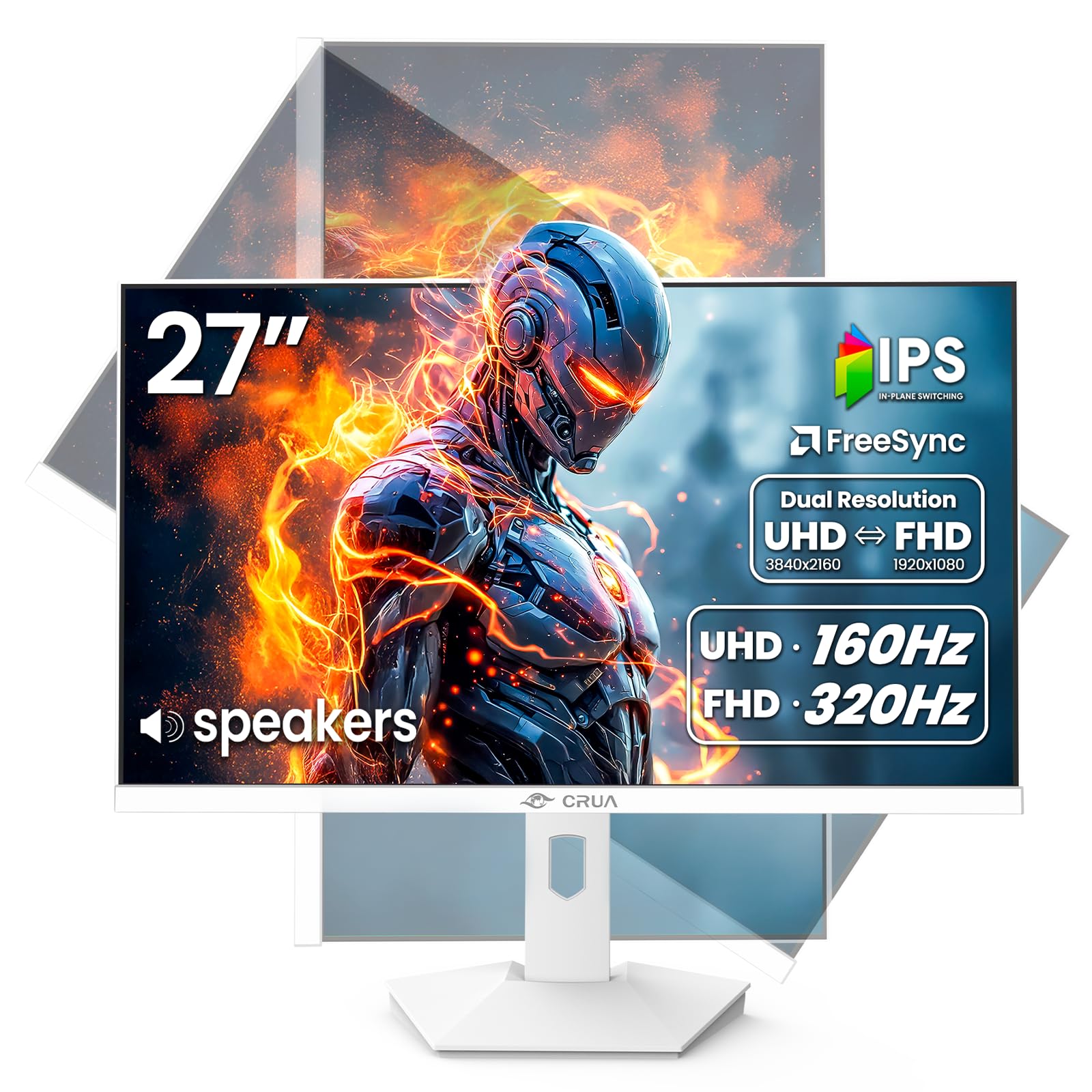
The shape-shifter that gives you 4K detail or blistering speed on demand.
Gamers who refuse to choose between pretty and fast will like the CRUA. It runs 4K at 160Hz for rich single-player worlds, then flips to Full HD 1080p at 320Hz for competitive shooters where every millisecond counts. That dual-mode flexibility makes it among the most versatile white gaming monitors around, backed by a 120% sRGB gamut and 1500:1 contrast ratio that keep colors punchy in both modes.
Streamers can watch chat while gaming, or multitaskers can run a console and a PC side by side, thanks to the PBP/PIP feature (Picture-by-Picture and Picture-in-Picture) that shows two sources at once. Connectivity is future-proof with two HDMI 2.1 ports and a DisplayPort 1.4, and the stand offers tilt, swivel, height up to 110mm, and a 90-degree pivot for portrait mode. There is even a rear breathing light for extra gamer flair.
Owners praise the value and screen quality, with several noting zero dead pixels and easy setup. However, reviews are mixed on long-term reliability, with some reporting issues after months of use. The 300 cd/m² brightness is lower than some premium rivals, so very bright rooms may wash it out slightly. It is a lot of performance for the money, but you are trading a bit of polish and consistency for that price.
The dual-mode magic: A 4K screen that transforms into a lightning-fast 1080p esports display, all in one white chassis.
The honest caveat: Mixed reliability reports mean this is better for hands-on gamers than those who want zero troubleshooting.
Built for: Gamers and streamers who want both high-resolution visuals and competitive-speed refresh rates in one monitor.
Not for: Buyers who prioritize long-term reliability over raw specs and value.
5. Dell 27 Monitor S2725QC

The clutter-free companion that pairs perfectly with a MacBook Pro.
This Dell is the sibling of the S2725QS with one key upgrade for laptop users: USB-C connectivity with up to 65W of power delivery. A single cable connects your laptop, charges it, and transmits data, eliminating the need for a separate power adapter on your desk. The 27-inch 4K panel packs 163 pixels per inch (PPI), which is why text looks so crisp that buyers describe it as near-OLED sharpness with deep blacks from the 1500:1 contrast ratio.
MacBook owners specifically love the smooth setup — customers note “the setup was smooth with one usb for power, display, and data” and the refresh rate matches the MacBook Pro for smooth scrolling. The 99% sRGB color gamut handles photo work well, and the built-in speakers are good enough that some owners replaced their external soundbar entirely. The stand offers full ergonomic adjustments including height, swivel, and pivot, plus the same eye-comfort blue light reduction as its sibling.
There is a caveat worth noting: a small number of reviewers point out the USB-C connection can fail after months of use, which would force you to fall back on HDMI. The stand also lacks tilt adjustment on some units, a minor but real ergonomic gap. Compared to the LG 27UP850K-W, this Dell delivers a higher 120Hz refresh rate and sharper 163 PPI density, but the LG offers a wider DCI-P3 gamut for color-critical work.
What Wins
- 65W USB-C power for a true one-cable laptop setup
- Sharp 163 PPI density for crisp text
- Smooth 120Hz refresh rate
Watch Out
- Occasional USB-C reliability complaints
- No tilt adjustment on some units
Choose it for: MacBook Pro users who want a sharp, fast 4K screen with a tidy single-cable connection.
skip it if: You rely heavily on USB-C docking and want zero risk of connection issues.
6. Pixio PX27U Wave White
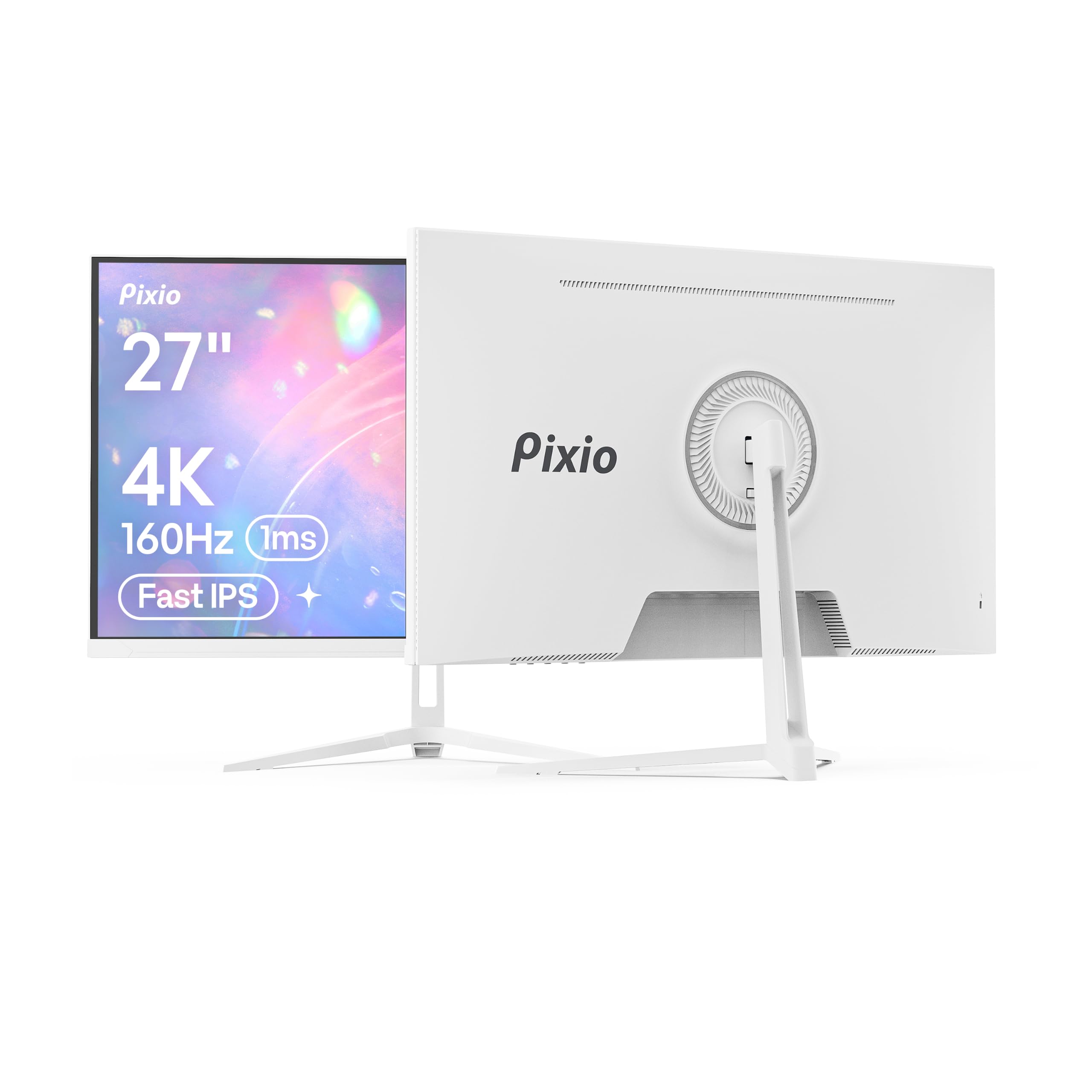
The 4K speed demon with a 1ms response to keep ghosts away.
This Pixio is for gamers who want 4K detail without the motion blur. The Fast IPS panel delivers a 1ms GTG (grey-to-grey) response time, which minimizes ghosting in fast-moving scenes, while the 160Hz refresh rate keeps gameplay fluid. With a wide 121.76% sRGB color gamut and 400 cd/m² brightness, the picture stays vivid and bright even in well-lit rooms.
Whether you are on a PC or a modern console, the dual DisplayPort 1.4 and HDMI 2.1 ports each support the full 4K at 160Hz, giving you flexibility. The white “wave” design separates it on a desk, and Adaptive Sync (compatible with G-Sync) keeps the image tear-free. Owners describe the monitor as feeling high-quality for the price, with good colors and a sleek appearance that fits white PC builds.
The weakest link is the stand — owners note it is terrible, with no tilt adjustment, so you will likely want a monitor arm or VESA mount. The included power adapter also has a short 1-meter cable, and the DP cable in the box is 1.2 spec even though the monitor supports 1.4, so you may want to swap cables for full bandwidth. Long-term reliability gets mixed feedback, with some screens failing after a year, so this is a strong performer with a couple of compromises.
The speed pick: 4K at 160Hz with a 1ms response that competitive gamers will appreciate.
The reality check: Expect to budget for a monitor arm, since the stock stand is the biggest complaint.
Get it for: Gamers who want 4K sharpness and high refresh without the premium price tag.
Pass if: You want a fully adjustable stand from the start or absolute long-term reliability.
7. Gawfolk 27-inch IPS 4K UHD Monitor
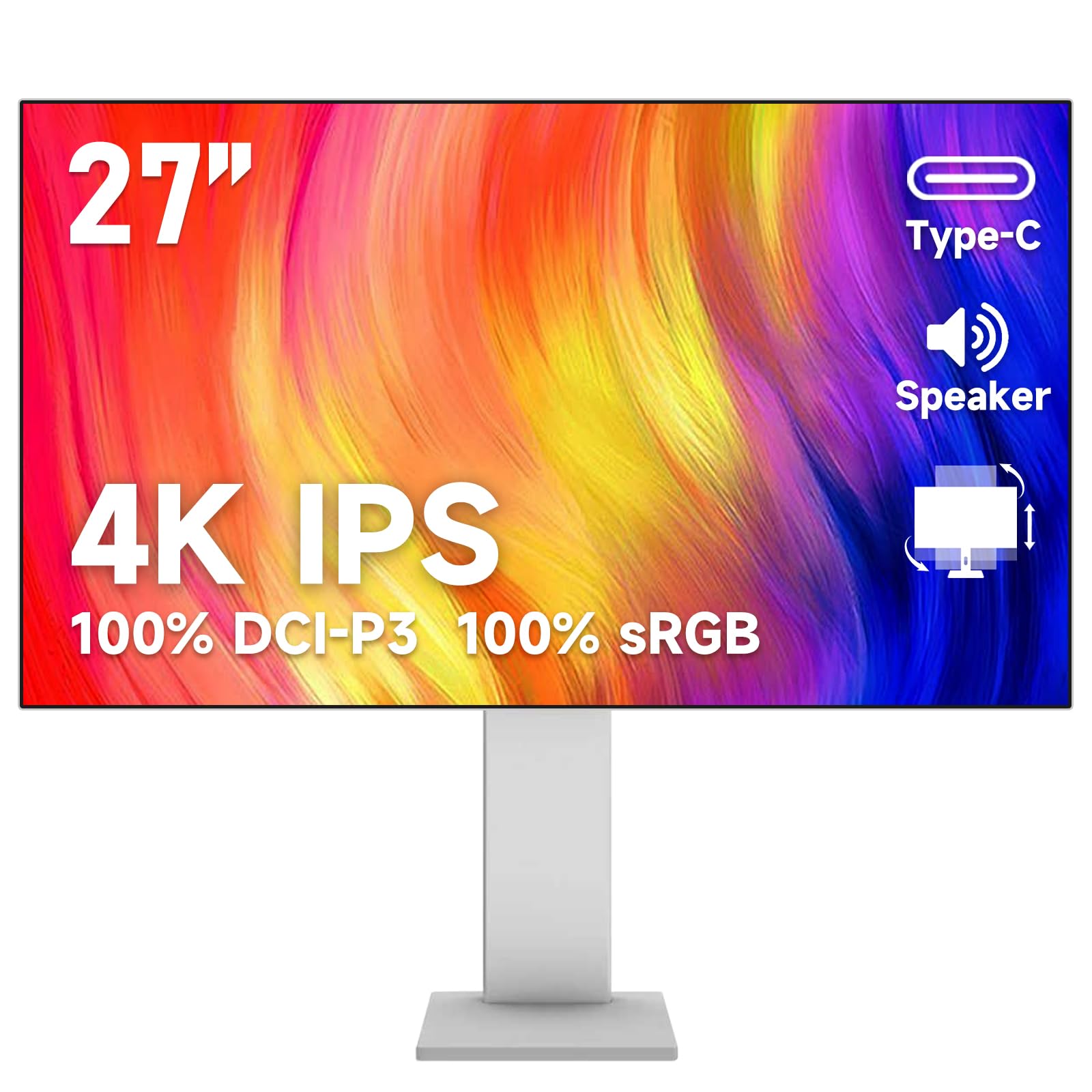
The color-accurate canvas that matches professional DCI-P3 coverage.
This Gawfolk is aimed squarely at photo editors, video producers, and graphic designers who need accurate colors. It covers 100% of the DCI-P3 gamut — the same wide color standard used in cinema — along with 89% Adobe RGB and 100% sRGB, so the 10.7 billion colors it displays are rich and true to life. The 27-inch IPS panel keeps those colors consistent across 178-degree viewing angles, which is essential when you are collaborating over a screen.
Connectivity is a standout feature: alongside HDMI and DisplayPort, it offers Type-C, USB-B, and two USB-A ports, so you can hook up a laptop, desktop, game console, and phone simultaneously without swapping cables. The stand supports height adjustment and rotation, making it easy to switch to portrait mode for documents or coding. Built-in speakers round out the package, though they serve for video calls more than music listening.
Owners generally find it a great budget performer for gaming and graphics, with crisp colors and no dead pixels. A few note it can run warm during prolonged use, and one mentions a sticker glue residue visible on dark colors. The refresh rate is 60Hz, so it is not built for competitive gaming — this is a workhorse for creators first, gamers second.
The creator’s pick: 100% DCI-P3 coverage and a full suite of ports make this a versatile tool for color-accurate work.
The catch: 60Hz refresh and occasional QC quirks mean gamers and perfectionists may want to look elsewhere.
Best suited for: Creatives who need wide color gamut and flexible multi-device connectivity without spending premium dollars.
Not ideal for: Competitive gamers who need refresh rates above 60Hz.
8. LG 27U730SA-W Smart Monitor
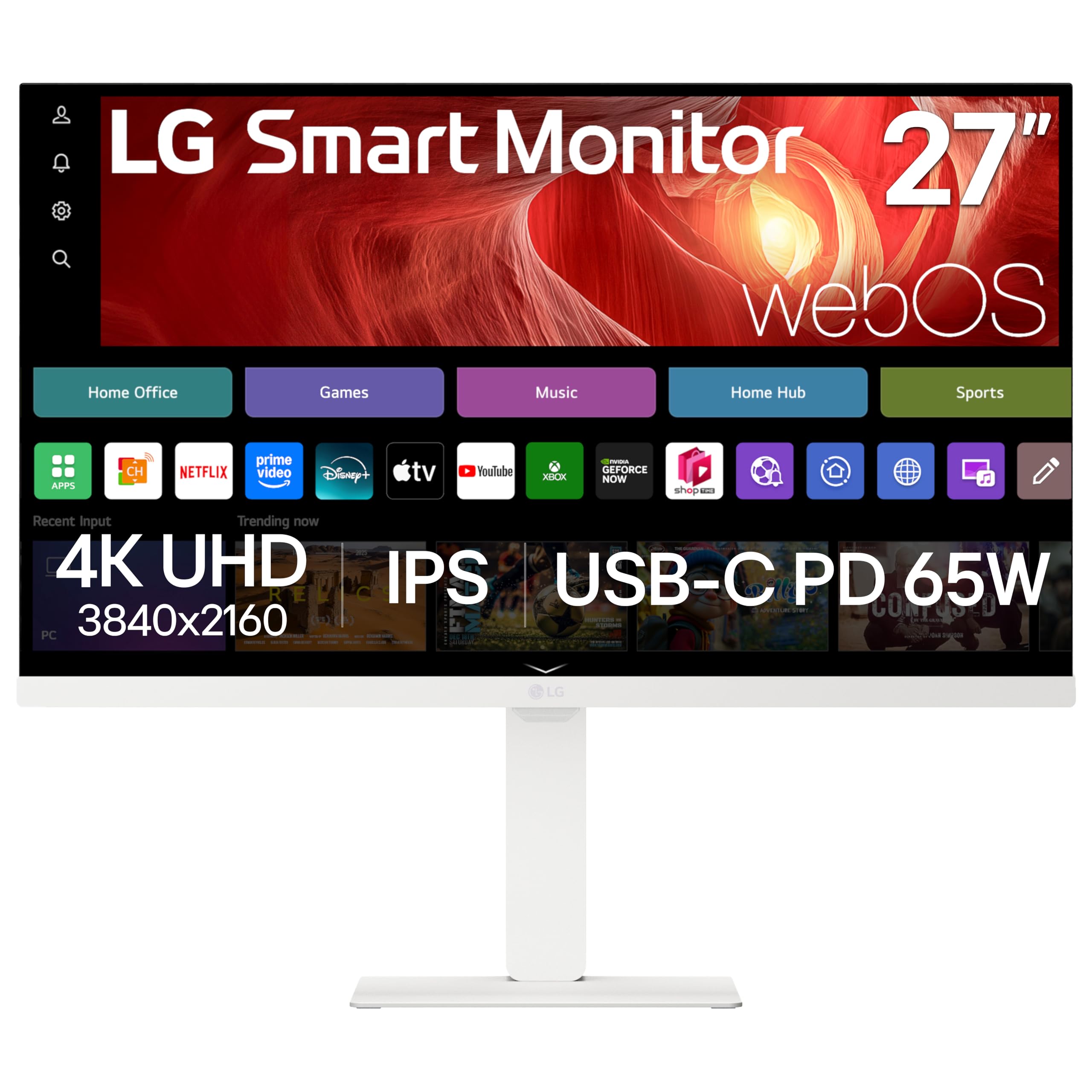
The all-in-one screen that becomes a smart TV when your workday ends.
This LG is different from every other monitor here because it does not need a computer to be useful. Running LG’s webOS, it has built-in access to Netflix, Prime Video, Disney+, YouTube, and 300+ free LG Channels, plus a remote control so you can use it as a smart TV in a bedroom or small apartment. The 27-inch 4K IPS panel delivers vibrant color and wide viewing angles, making it a true multitasker for work and entertainment.
For productivity, the USB-C port provides up to 65W of power delivery for your laptop, while two HDMI and two USB ports handle additional devices. The “Switch” app lets you split the screen into up to six sections, run video calls, and toggle between your PC and streaming apps. The 3-side virtually frameless design with a sleek flat stand is a gorgeous centerpiece, and the screen adjusts for tilt, height, swivel, and pivot.
Buyers love the build quality and white aesthetic. However, this is a niche pick: the smart features can feel complicated to set up, and some shoppers say the USB-C connection does not work reliably as an extended monitor with MacBooks (HDMI works fine). If you just want a simple monitor for your laptop, the extra smart functionality becomes a headache. It is best for someone who wants a combined monitor and TV in one clean white package.
The dual-purpose pick: A 4K work screen that transforms into a streaming hub with a remote, saving you from buying a separate TV.
The friction: Setup is more involved than a basic monitor, and USB-C with MacBooks can be finicky.
Perfect for: Small spaces where you want one white device to handle both computer work and evening streaming.
Think twice if: You want a simple plug-and-play monitor without smart features getting in the way.
9. KTC 27 Inch 4K QD-Mini LED Monitor
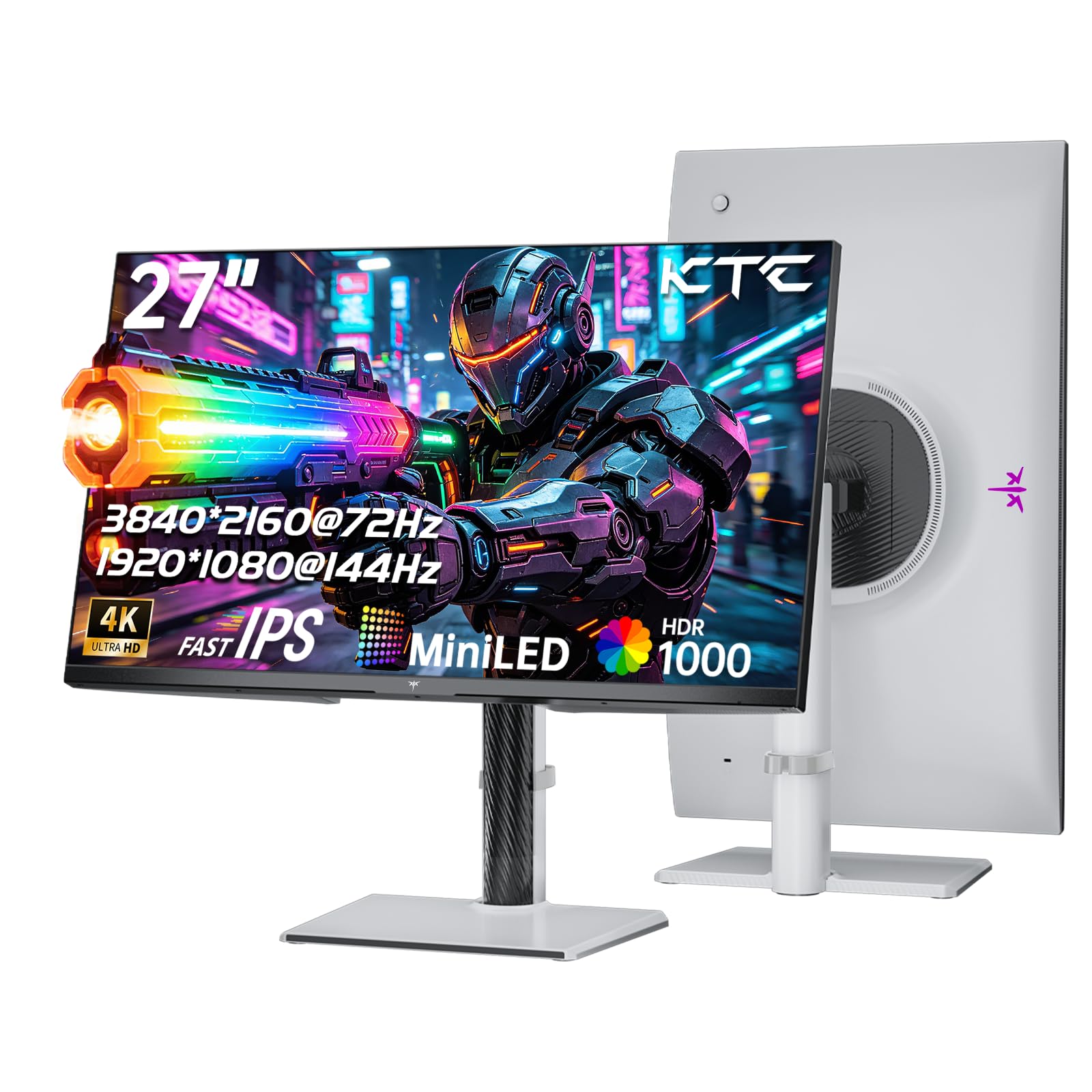
The Mini-LED marvel that brings HDR movies to life with 1152 zones of control.
This KTC is the brightest and most technically advanced screen on this list. Using Mini-LED backlighting with 1152 local dimming zones, it controls brightness and contrast precisely across the screen, reaching a stunning 1000 nits peak brightness. That translates to HDR1000 performance — deep blacks and blazing highlights that make movies and games look dramatically more lifelike than a standard IPS panel. The 148% sRGB color gamut and 1.07 billion colors deliver vivid, true-to-life imagery.
The QD-Mini LED panel pairs with dual mode operation, switching between 4K UHD at 72Hz for cinematic content and 1080p at 144Hz for smoother gaming. The Fast IPS panel keeps motion clear, and the stand offers the full range of height, pivot, swivel, and tilt adjustments to find your perfect viewing angle. It comes with two HDMI 2.0 ports and one DisplayPort 1.4, and is compatible with a 100x100mm VESA mount.
This is the most popular pick on the list with the highest review count, and owners describe it as a “great budget gaming monitor with sharp picture and smooth performance.” However, it demands some tweaking — the default colors come oversaturated, so you will want to switch to DCI-P3 or sRGB mode and calibrate brightness. Monitor arm users should note the screws may not sit perfectly, making the mount feel slightly flimsy. This is a screen for enthusiasts willing to dial in settings to get the best picture.
The Showstopper
- HDR1000 with 1152 dimming zones for stunning contrast
- Wide 148% sRGB color gamut
- Full ergonomic stand adjustments
Before You Buy
- Colors need calibration from the start
- VESA mount screws can feel flimsy
Reach for it if: You want the best HDR movie-watching experience in a 27-inch white monitor and enjoy tweaking settings.
pass on it if: You want a plug-and-play screen that looks perfect without calibration.
Understanding the Specs
Color Gamut: sRGB vs DCI-P3
Color gamut tells you how many colors a monitor can display. sRGB is the standard for everyday content and web work, while DCI-P3 is a wider standard used in film and professional photo editing. A monitor covering 99% sRGB is great for general use; one hitting 95% DCI-P3 can show more vibrant, true-to-life colors for creative work. Higher numbers here mean richer, more accurate color.
Refresh Rate and Response Time
Refresh rate, measured in Hz, is how many times the screen updates per second. A 60Hz monitor is standard for office work; 120Hz or higher feels noticeably smoother when scrolling and gaming. Response time, measured in milliseconds (ms), is how fast a pixel changes color — a lower number like 1ms reduces blur in fast-moving scenes. Gamers want both a high refresh rate and a low response time.
USB-C Power Delivery (PD)
USB-C PD lets a single cable carry video, data, and electric power to your laptop. Wattage (W) tells you how much power it delivers — 65W charges most ultrabooks, while 90W can handle more demanding laptops. This is the feature that keeps your desk clutter-free by removing the need for a separate laptop charger.
HDR and Contrast Ratio
High Dynamic Range (HDR) expands the range between the darkest and brightest parts of an image. Contrast ratio (like 1000:1 or 1500:1) measures the difference between pure black and pure white; a higher ratio means deeper blacks and more detail in dark scenes. For serious HDR, look for higher peak brightness (measured in nits or cd/m²) and local dimming zones.
FAQ
Is 27 inches the best size for a 4K monitor?
Will a 27-inch 4K monitor work with my MacBook?
What is the difference between 60Hz and 120Hz on a 4K monitor?
Can I use a white 4K monitor for professional photo editing?
How much desk space does a 27-inch monitor need?
Do I need HDMI 2.1 for a 4K 160Hz monitor?
What does dual-mode mean on a gaming monitor?
Can I mount these monitors on an arm?
Are the built-in speakers good enough to skip a soundbar?
How do I reduce eye strain when using a 4K monitor all day?
Final Thoughts: The Verdict
For most buyers, the 27 white 4k monitor winner is the LG 27UP850K-W because it pairs 95% DCI-P3 color with 90W USB-C power delivery and a fully ergonomic stand — a complete package for creative work and laptop setups. If you want silky-smooth scrolling and a sharper text experience, the Dell S2725QS with its 120Hz refresh and 1500:1 contrast is a superb alternative. And for gamers who play both cinematic and competitive titles, the CRUA dual-mode is the one to reach for.
How We Picked
We do not accept paid placement. Every pick is matched to a real buyer and a real use-case; we do not hands-on test units.
Sources & Methodology
Specifications: manufacturer listings and product documentation. Review insights: verified customer reviews, as of August 2026. Pricing: not shown on this page (it changes often); check the current price via the retailer link.
As an Amazon Associate, Gadgets Feed earns from qualifying purchases. This does not affect which products we feature.