
Our readers keep the lights on and my morning glass full of iced black tea. As an Amazon Associate, I earn from qualifying purchases.
Specs are compiled from manufacturer listings and verified buyer reviews and can change over time — please confirm the key details on the product page before buying.
Choosing a bendable computer screen means picking a curved monitor, and the first question is always the same: how much curve do you actually need? The answer depends on whether you are a gamer chasing immersion, a trader stacking charts, or an editor living in a timeline. This guide breaks down the best curved ultrawide monitors by what they do best in real life, so you can match the screen to your workspace instead of the other way around.
I’m Min — the founder and writer behind Gadgets Feed. This guide is built by comparing the manufacturers’ published specifications and the patterns across verified customer reviews, so you get each pick’s real strengths and trade-offs instead of marketing spin.
Here are the curved ultrawide monitors that earned a spot on this list, chosen for how well they handle daily work, gaming, and everything in between. Your ideal bendable computer screen is a balance of resolution, refresh rate, and curve depth that fits your desk and your eyes.
Our Picks at a Glance
How To Choose The Best Bendable Computer Screen
A curved monitor is a big purchase, so it pays to know what actually drives the experience before you commit. The three numbers that matter most are the curve radius, the resolution, and the refresh rate. Nail those three and the rest is mostly convenience features.
Curve Radius: How Deep Should the Bend Be?
The “R” number tells you how tightly the screen wraps around you — a lower number means a deeper curve. A 1000R curve wraps aggressively, pulling the edges toward your face for maximum immersion, while a 1800R curve is gentler and suits mixed use between work and play. If you sit close for productivity, a deeper curve helps your eyes reach the edges more easily.
Resolution and Aspect Ratio: Real Estate for Your Apps
Aspect ratio dictates how many windows you can line up. A 21:9 screen comfortably fits two documents side by side, while a 32:9 ultrawide effectively replaces two monitors, letting you run a spreadsheet, a browser, and a chat app all at once without a bezel splitting them. Higher resolution like 5120×1440 keeps text crisp, so you are not squinting at tiny details across such a wide span.
Refresh Rate: Smoothness for Games
Refresh rate is how many times per second the image redraws, measured in hertz (Hz). A 60Hz or 100Hz panel is fine for office work and video, but competitive gamers want at least 165Hz or 200Hz for fluid motion. Keep in mind that pushing high frames across a massive ultrawide demands a fairly powerful graphics card.
Quick Comparison
| Model | Best For | Resolution | Refresh Rate | Aspect Ratio | Amazon |
|---|---|---|---|---|---|
| CRUA 49″ DQHD★ Best Overall | Gaming & Multitasking | 5120×1440 | 165Hz | 32:9 | Amazon |
| LG 34″ UltraWide SmartSmart Pick | Productivity & Streaming | 3440×1440 | 100Hz | 21:9 | Amazon |
| Kado 2-Pack 30″Multi-Screen Value | Multi-Screen Setups | 2560×1080 | 200Hz | 21:9 | Amazon |
| Deco Gear 49″ | Replacing Dual Monitors | 3840×1080 | 144Hz | 32:9 | Amazon |
| INNOCN 45C1R | USB-C Laptop Setups | 5120×1440 | 120Hz | 32:9 | Amazon |
| INNOCN 49C1R | Large-Screen Work | 5120×1440 | 120Hz | 32:9 | Amazon |
| Samsung 49″ Business | Office Hub & Docking | 5120×1440 | 120Hz | 32:9 | Amazon |
| Dell UltraSharp U4924DW | Professional Precision | 5120×1440 | 60Hz | 32:9 | Amazon |
| Dell UltraSharp U4919DW | Enterprise Reliability | 5120×1440 | 60Hz | 32:9 | Amazon |
| LG 40WP95C-W | Mac & Video Editing | 5120×2160 | 72Hz | 21:9 | Amazon |
| Samsung 55″ Odyssey Ark | Ultimate Immersion | 3840×2160 | 165Hz | 16:9 | Amazon |
In‑Depth Reviews
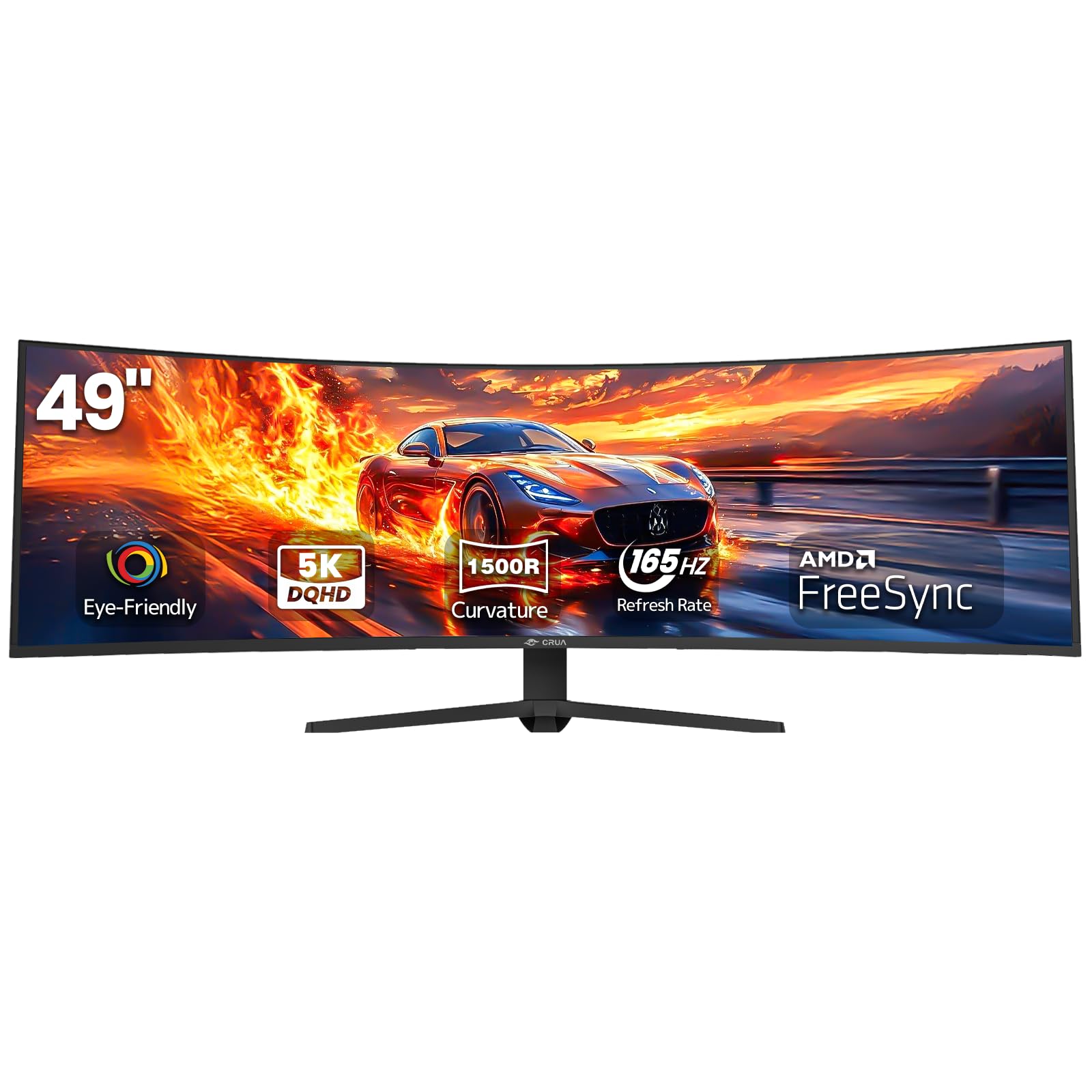
1. CRUA 49″ DQHD Ultrawide Curved Gaming Monitor
Our pick — over 4★ from 3,500+ verified ratings; the strongest balance of quality and price.
The 49-inch ultrawide that gives you console-level immersion without the console-level price tag.
The single number that defines this screen is its 5120×1440 DQHD resolution stretched across a 32:9 aspect ratio — that is effectively two 1440p monitors fused into one unbroken pane, so your editing timeline or racing cockpit stretches edge to edge with no bezel in the middle. The 1500R curvature is deep enough to pull the side edges toward you, which is what makes a 49-inch screen feel wraparound instead of just wide.
Gamers get a 165Hz refresh rate with AMD FreeSync that keeps fast motion tear-free, and the 120% sRGB color coverage with 3000:1 contrast ratio makes games and movies look punchy. At 330cd/m², the panel stays visible even in bright, sunlit offices., and low blue light plus flicker-free tech help when you are in for a long session. Set up is straightforward with HDMI 2.1 and DisplayPort 1.4, and a height-adjustable stand lets you dial in the perfect viewing angle.
Quality is the thing owners praise most here — it is the most-mentioned aspect of this monitor by a wide margin, and it shows in how it holds up for both gaming and daily use. The height-adjustable stand allows tilt and lift adjustments to get the ergonomics right. It has no built-in speakers, so you will want to plug into the 3.5mm audio jack or your own setup.
Why it wins the desk
- True dual-1440p resolution in one smooth 49″ panel
- 165Hz refresh with FreeSync for smooth gaming
- 120% sRGB color for vibrant, accurate visuals
What to know
- No built-in speakers — plan for audio
- Some owners note a 5-second blackout when switching between fullscreen apps, though it auto-fixes
- Out-of-box picture may need brightness and contrast tweaks
Grab it if: you want a dual-monitor replacement that doubles as a gaming showpiece, with the sharpest resolution and a fast refresh rate in one clean panel.
Keep in mind: the stock stand is height-adjustable but the image may need some settings time to look its best.
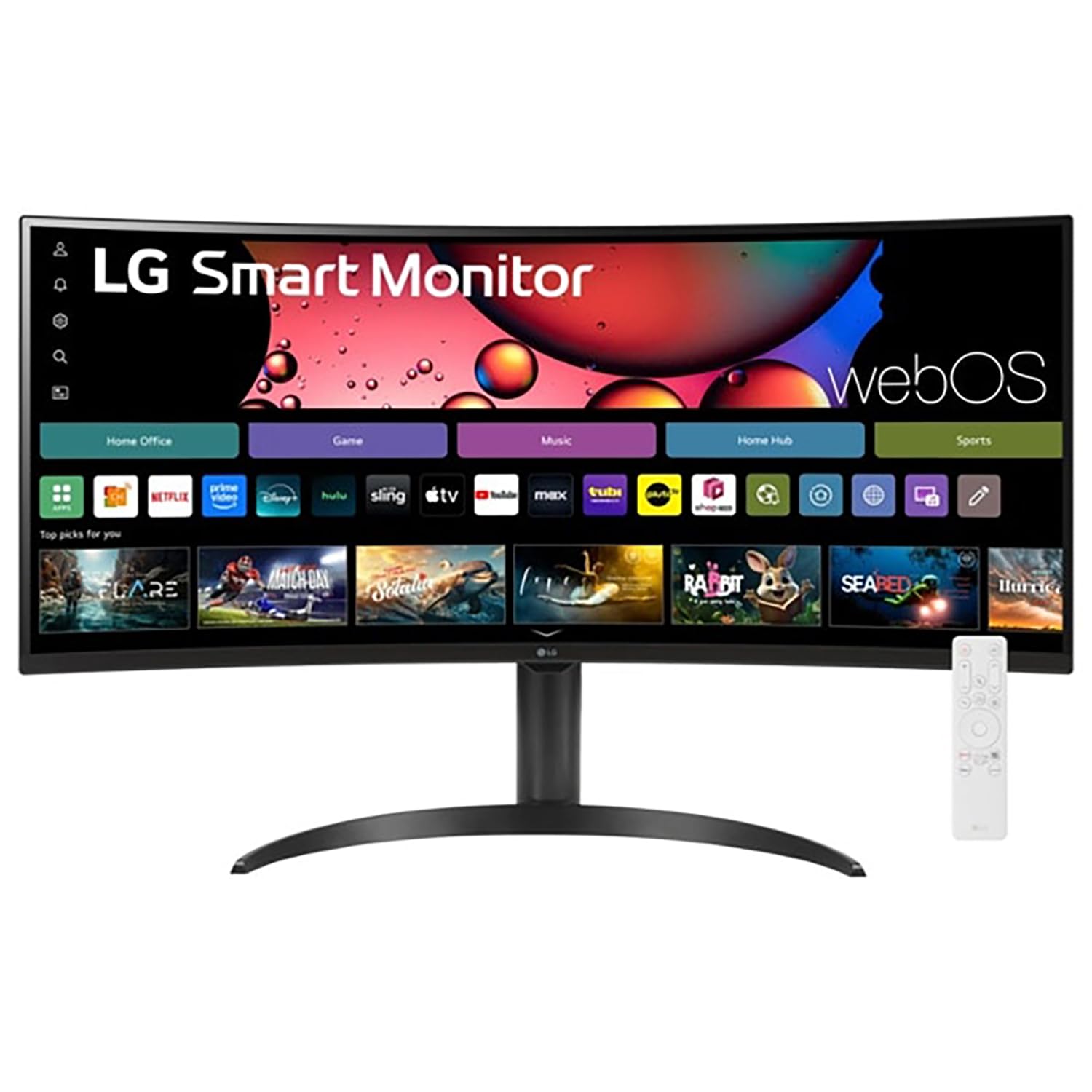
2. LG 34″ Curved UltraWide WQHD Smart Monitor
A 21:9 curved screen that works as a monitor and a smart TV in one.
The 3440×1440 WQHD resolution on this 34-inch panel offers 34% more width than a standard 16:9 display, and that extra space is exactly what accounting and finance pros rave about — it expands a single spreadsheet across one large, unbroken area and splits cleanly for email on one side and work on the other. The 1800R curve wraps gently around you, like sitting close to a cinema screen rather than having your head pulled in.
What makes this one stand apart from other curved monitors is the built-in webOS smart platform. You get Netflix, Prime Video, the Apple TV app, Disney+, and instant access to over 300+ free LG Channels without a PC, plus the included Magic Remote lets you navigate by voice command and acts like a pointer for your content. Apple AirPlay 2 and HomeKit compatibility let you cast wirelessly from iOS or MacOS devices with no extra hardware.
Owners consistently call it a great productivity tool that also doubles as a TV, and the 100Hz refresh with FreeSync keeps scrolling and casual gaming smooth. It supports two computers simultaneously on a split screen, and the 99% sRGB coverage with HDR10 makes colors pop for both work and movies. With two HDMI ports and three USB ports, you have flexibility for connecting laptops, desktops, and consoles.
Editor’s read: This is the rare curved monitor that genuinely replaces a second screen in your living room or office, not just a display. The 3440×1440 resolution beats the Kado 2-Pack’s 2560×1080 with 34% more pixels, which you will notice in crisp text.
One honest caveat: it is a single 21:9 screen, so if you want the massive 32:9 dual-monitor feel, look at the larger picks above.
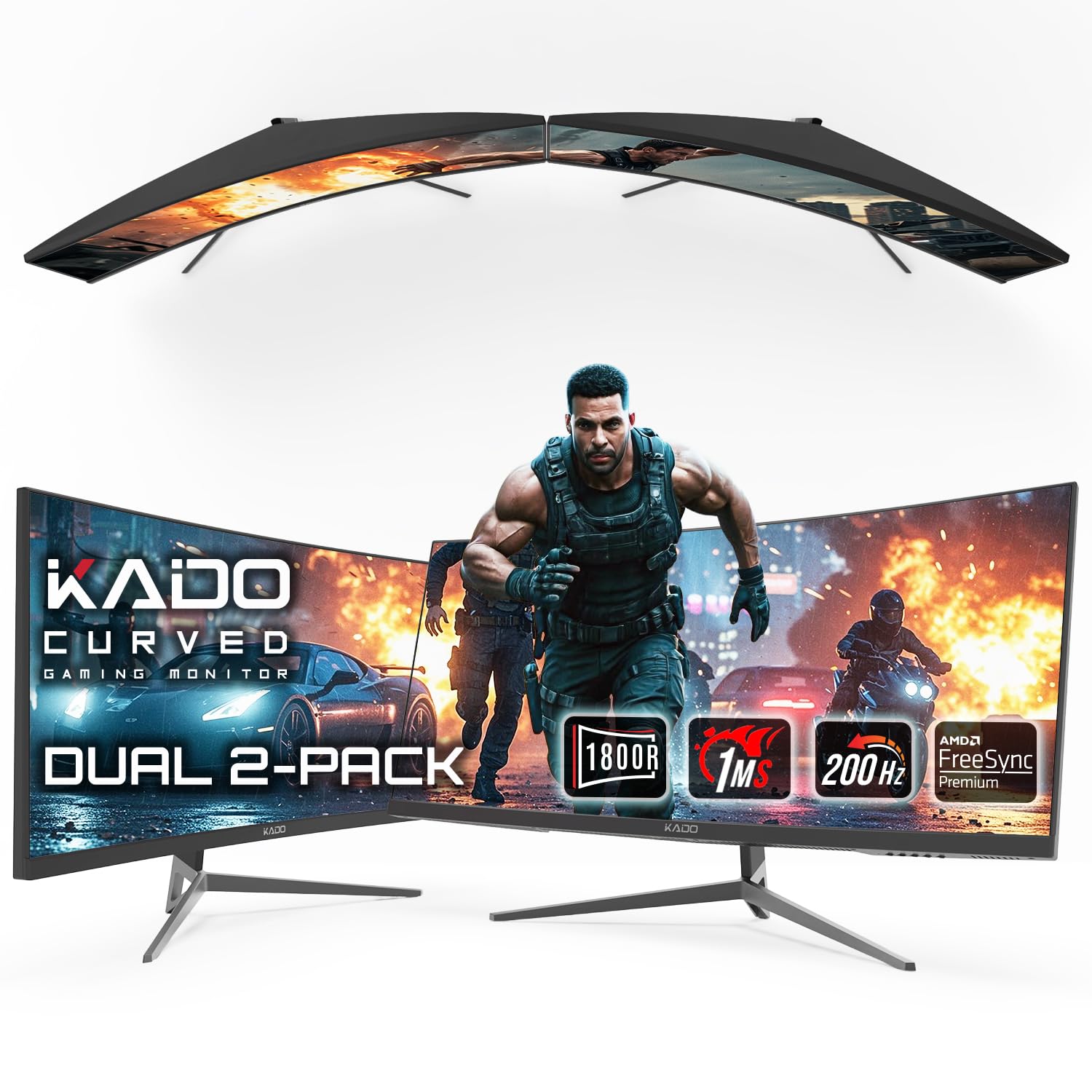
3. Kado 2-Pack 30″ Ultrawide Curved Gaming Monitor
Two curved 30-inch screens in one box for a panoramic setup that gamers and day traders both love.
This is a 2-pack, so you get two 30-inch 21:9 curved monitors with an 1800R curvature each, letting you build a stacked or side-by-side arrangement that rivals a single massive ultrawide. The defining spec here is the 200Hz refresh rate — double the 100Hz you get on the LG 34″ above — which makes it a serious pick for competitive gaming where every frame counts, paired with a 1ms response time to cut motion blur.
The 2560×1080 resolution on each panel keeps things sharp and vibrant, and AMD FreeSync Premium eliminates screen tearing for fluid performance. Owners in the trading world specifically flag this as ideal for day trading, with a clear display that stays comfortable over long sessions and a sleek design that looks good on an office desk. Built-in speakers mean you do not need to add audio hardware just to get sound.
What wins people over is the sheer value of getting two curved monitors for less than you would drop on one premium ultrawide. The 1000:1 contrast ratio is typical for this class, so blacks look gray in dark scenes., and VESA mount compatibility gives you flexible mounting options to dial in your setup.
Why it stands out: Nobody else in this list gives you two curved 200Hz panels in one purchase, which is a massive value play for a dual-screen productivity or gaming rig.
Worth noting: the 2560×1080 resolution is lower than the 3440×1440 of the LG 34″, so text is slightly less razor-sharp — a fair trade for the smooth 200Hz motion.
4. Deco Gear 49″ Curved Ultrawide Gaming Monitor
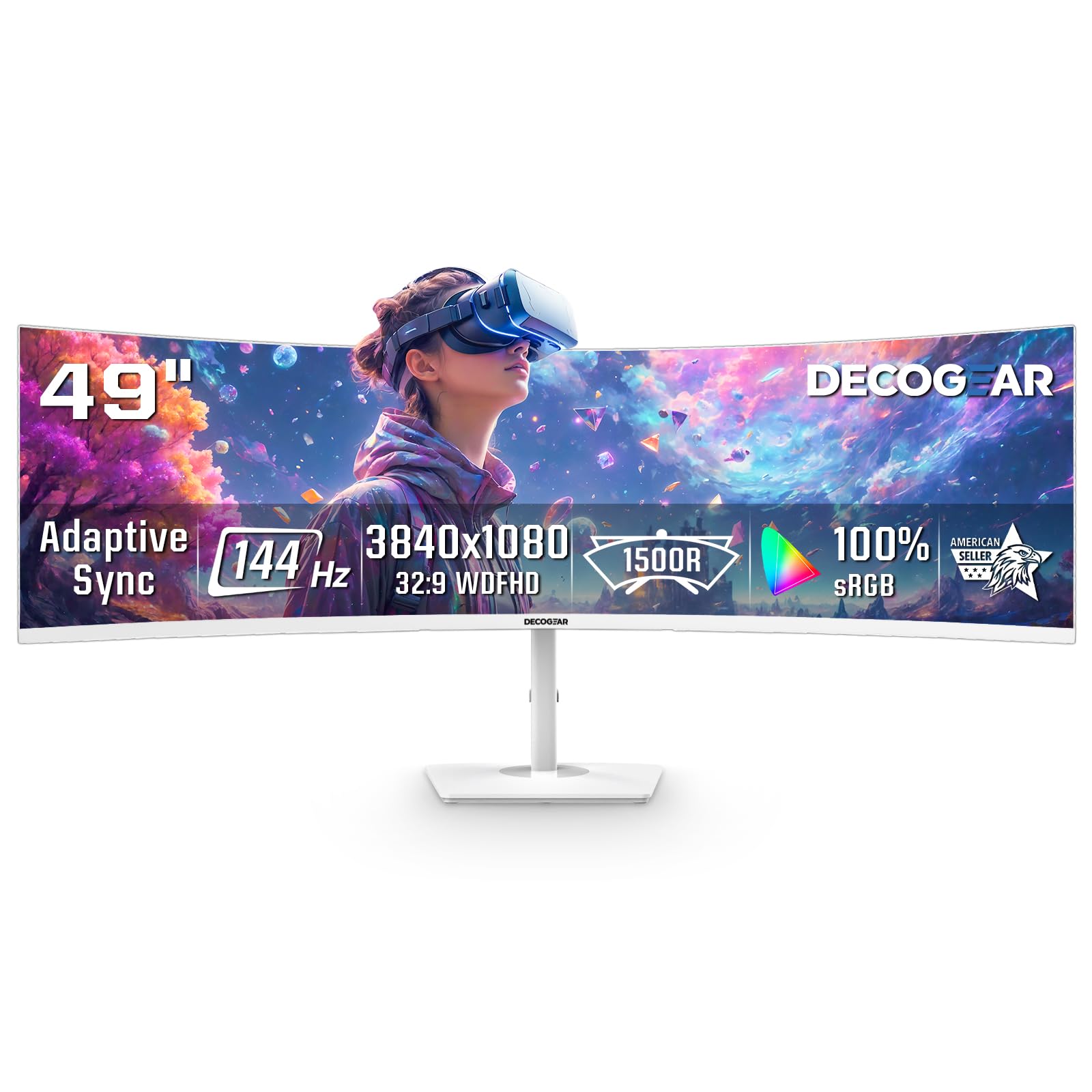
The rare 49-inch curved monitor that looks as good off as it does on, in a clean white shell.
The 32:9 super-ultrawide format on this 49-inch screen replaces a dual-monitor setup with one clean, uninterrupted view, and the exclusive white finish makes it a genuine centerpiece for bright gaming rooms and modern office desks. The 3840×1080 resolution keeps text, game maps, and spreadsheets easy to read while being less demanding on your GPU than higher-resolution ultrawides, which helps mid-range PC builds hold stronger frame rates.
Gamers get a fast 144Hz refresh rate with a 1ms response time and Adaptive Sync, which together reduce stutter and tearing during racing, FPS, and sports titles. The 1800R curve on the 49-inch VA panel wraps naturally around your field of view, improving focus for sim racing cockpits and multi-window workflows, with a 3000:1 contrast ratio delivering richer blacks.
Picture quality is the thing owners praise most — it is easy on the eyes for long coding sessions and the resolution and colors come out sharp. The PIP/PBP modes let you view two inputs on one screen, so you can run a work laptop beside a gaming PC or monitor a console while chatting. It connects through 2 HDMI and 2 DisplayPort inputs, though it has no audio output port, so plan for PC or external sound.
What delights
- Clean white design that stands out from every black monitor
- PIP/PBP multitasking from two inputs on one screen
- 3000:1 contrast ratio for rich, deep blacks
The fine print
- 3840×1080 is less sharp than 5120×1440 panels for dense text
- No audio output port built in
- Owners find the on-screen menu control knob unintuitive
Pick this if: you want a wide 32:9 workspace with a distinctive look and PIP/PBP for running two devices at once.
Think twice if: you need maximum text sharpness for 8+ hours of document work — the 3840×1080 panel favors gaming speed over pixel density.
5. INNOCN 45C1R 45″ 5K2K Ultrawide Curved Monitor

A 45-inch 5K2K panel that powers and connects your whole laptop setup through one USB-C cable.
The defining feature here is the USB-C connection with 90W power delivery — plug in a single cable and your laptop charges while the 45-inch panel displays your work, which is a genuinely clean way to run a desk. The 5120×1440 resolution at a 32:9 aspect ratio brings a wider view than an ordinary 16:9 monitor, and the 1500R curvature is designed to reduce eye fatigue by letting you view content at a glance.
For creators, the 99% sRGB color gamut with HDR400 and a 3000:1 contrast ratio delivers accurate color for design and video work, and it runs at up to 120Hz over DisplayPort for smooth motion when you switch to gaming. It is packed with ports — 2 HDMI 2.1, DisplayPort 1.4, USB-C, 2 USB-A, USB-B, RJ45, and a 3.5mm jack — so it handles laptops, Macs, phones, tablets, and consoles like Switch, PS5, and Xbox.
Build quality is what owners praise most here, noting it feels sturdier than running two separate monitors, and the tilt/swivel/height adjustments let you find the right viewing position. The built-in speakers are handy, and the USB-C convenience is a standout for anyone with a modern laptop. The PIP/PBP split-screen tech lets you show two input sources at once.
The bottom line: This is the best pick if you live on a laptop and want one cable to deliver power, video, and data to a massive curved canvas. Owners highlight it as excellent for CAD, 3D printing, gaming, and general web work.
Fair warning: the menu system takes some learning, and a few owners found the stand adjustments bulky — a VESA mount may suit some desks better.
6. INNOCN 49C1R 49″ Curved Ultrawide Monitor

A 49-inch dual-QHD workspace that replaces two 32-inch monitors with a single smooth panel.
This 49-inch panel delivers double 5120×1440 resolution up to 120Hz over DisplayPort 1.4, giving you the pixel density of about 109 PPI for crisp text and detailed visuals across the full 32:9 width. The 1800R curvature results in less eye fatigue, as the screen lets content be viewed at a glance, and its super-ultrawide format boost your real estate for smooth multitasking on one computer screen.
Owners consistently describe it as an amazing upgrade for both work and personal computing, with quality being the most-praised aspect of this monitor. It works well via USB-C or DisplayPort with easy input switching, and it is great for managing multi-window layouts during a workday. The color quality is strong with 99% sRGB coverage, a 3000:1 contrast ratio, and HDR400 support for vibrant visuals.
The port selection is generous — 2 HDMI, DisplayPort 1.4, USB-C with 65W power delivery, 2 USB-A, USB-B, RJ45, and a 3.5mm jack — so it connects to laptops, Macs, phones, tablets, and consoles alike. The tilt/swivel/height adjustable stand helps you find a comfortable viewing angle, and built-in speakers keep the desk tidy.
What you gain
- Sharp 109 PPI across a huge 49″ canvas for crisp work
- 120Hz refresh for smooth scrolling and gaming
- Full USB-C connectivity with 65W laptop charging
What’s modest
- Built-in speakers are on the weak side
- HDR is better in SDR mode according to owners
- No remote control included
Choose it for: a high-resolution 49-inch workhorse that replaces two monitors with sharp, easy-to-read text and flexible connectivity.
Skip if: you want serious HDR or room-filling sound — this one shines brightest in standard dynamic range with separate audio.
7. Samsung 49″ Business Curved Ultrawide Monitor

The 1000R curve wraps so tightly it matches your field of view — a business monitor that doubles as a docking station.
The deepest curve in this productivity lineup is 1000R, which wraps the 49-inch screen around your field of view with a 32:9 aspect ratio, making it feel like the screen is surrounding you rather than sitting in front of you. The Dual QHD resolution of 5120×1440 keeps everything sharp, and owners working in Excel swear by it — one calls it a must-have for spreadsheets with up to 30 columns, which highlights how much horizontal space this panel offers.
What makes it a true hub is the connectivity: DisplayPort, 2 HDMI inputs, USB, and USB Type-C with 90W charging let you keep your desk less cluttered by using the monitor as your central connection point across devices. The 120Hz refresh rate keeps scrolling smooth and gameplay more rich, while VESA DisplayHDR 400 delivers a high dynamic range of luminous blacks and whites for video and design work. Built-in speakers free up desk space by minimizing extra connections.
Monitor quality is what owners praise most, with strong performance noted for tiling three windows at once. Eye Care auto-adjusts brightness to ambient light, easing eye strain during marathon work sessions., and the height-adjustable stand is strong and easy to assemble. The 3000:1 contrast ratio delivers deep blacks that make text and images pop.
Why it earns its spot: That 1000R curve is the most rich you will find on a 49-inch business panel, and the 90W USB-C makes it a genuine one-cable docking solution. It is a favorite for heavy multitaskers and spreadsheet warriors.
Know before you buy: owners note the on-screen menu controls are small and hidden, and there is no auto-power-on via HDMI signal.
8. Dell UltraSharp U4924DW 49″ Curved Monitor
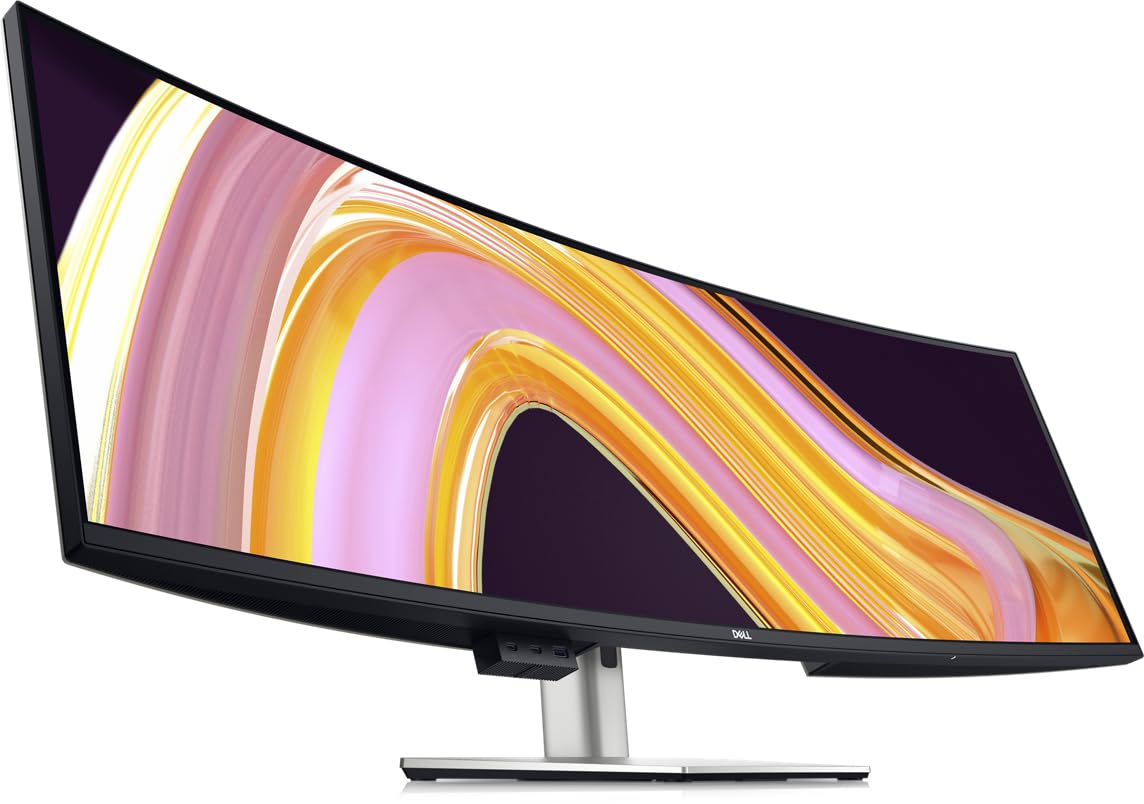
Dell’s UltraSharp 49 is built for professionals who need a massive, reliable workspace with a USB-C hub.
The 5120×1440 Dual Quad HD resolution on this 49-inch panel delivers a spectacular, sharp display, and the 32:9 aspect ratio replaces a multi-monitor setup with one continuous surface. Owners call it a standout for productivity, describing the massive DQHD screen as outstanding in sharpness with vibrant colors and an rich curve. It is frequently praised as ideal for blueprint work, where full-size viewing reduces eyestrain.
This is a monitor that thinks like a workstation. The USB Type-C connection allows powerful and efficient transfer of data, effectively functioning as a hub for your peripherals alongside DisplayPort, HDMI, Ethernet, and USB options. The 5ms GTG response time makes it excellent for action films, sports, and gaming, while the 350-nit brightness gives a clear, consistent picture even in bright rooms. A 2000:1 contrast ratio adds depth to dark scenes.
Display quality is the most-praised aspect of this monitor, and it earns its premium rep with a 100% color gamut and a virtually smooth design. The height, swivel, and tilt adjustments let you find a comfortable position, and VESA mount compatibility means you can wall-mount it if you prefer. It is also built with eco-friendly considerations and full Mac compatibility.
Pro-grade strengths
- 100% color gamut with a 2000:1 contrast ratio
- Full USB-C hub with Ethernet and multiple data ports
- 5ms response time smooths gaming and video
Pro-grade quirks
- Some owners find the curve too subtle, causing glare from windows
- KVM switch takes about 5 seconds to swap inputs
- Heavier than typical monitors, needing a sturdy desk
Trust it for: professional work where color accuracy, connectivity, and reliability matter more than gaming speed.
Pass if: you want a deep curve — this panel’s gentler bend reads more like a wide flat screen to some owners.
9. Dell UltraSharp 49 Curved USB-C Monitor U4919DW

The Dell UltraSharp 49 for professionals who value a rock-solid, sharp display they can depend on.
This 49-inch curved monitor from Dell’s UltraSharp line focuses on what professionals need most: a dependable, sharp canvas for heavy multitasking. The 5120×1440 resolution gives you dual Quad HD clarity, and at 350 cd/m² brightness the picture stays clear and consistent. Owners highlight it as a great screen for productivity, especially for coders who constantly work with 4+ windows open simultaneously.
Build quality is a consistent theme, with buyers describing a solid, sharp resolution that works from the start and delivers crisp, responsive visuals. The 1000:1 contrast ratio is typical for this class, so blacks look gray in dark scenes., but the panel’s overall clarity and lack of blemishes impress most users. USB connectivity keeps things simple for hooking up a laptop or desktop, and The 1800R curve keeps your gaze centered, minimizing eye travel across the 49-inch width.
This monitor arrives with extremely careful packaging, with one owner noting it ships on a pallet to protect the large panel in transit. It is a favorite among professionals who need to keep multiple windows open without juggling separate displays, whether that is coding, financial analysis, or design review. The FreeSync support also keeps motion smooth if you occasionally game on it.
The takeaway: Buyers report this monitor delivers a beautiful screen with easy setup and high productivity value. It is less about flashy gaming specs and more about being a dependable professional tool.
A fair caveat: some third-party listings for this model have shipping hiccups, so buy from a reliable source — the screen itself earns consistent praise.
10. LG 40WP95C-W 40″ 5K2K Nano IPS Curved Monitor

A 40-inch 5K2K Nano IPS panel built for Mac professionals who demand razor-sharp text and Thunderbolt speed.
This monitor delivers a stunning 5120×2160 WUHD resolution in a 21:9 ultrawide format, and the pixel density makes text look almost print-quality — owners describe it as crisp and easy to read, ideal for video editing, special effects, and CAD work where you need everything on screen at once. The DCI-P3 98% color gamut with HDR10 gives you broad, accurate color for creative work, and the Nano IPS panel keeps viewing angles wide and colors consistent.
The standout convenience is Thunderbolt 4 connectivity with 96W power delivery, which owners note works flawlessly with Mac mini M2 Pro and M4 machines, delivering crisp 5120×2160 text and huge productivity real estate for spreadsheets through a single cable. It is frequently called the only Mac-compatible 40-inch ultrawide, with a 3-side virtually borderless design and tilt, height, and swivel adjustments on a sturdy stand. Built-in speakers with rich bass add to the package.
Picture quality is the thing owners praise most, with sharp resolution and easy-to-read text topping the list. The matte finish helps control light bleed, and color accuracy is strong for design work. Owners in creative fields describe it as ideal for CAD and PCB design with no issues after two years of use.
What stands out
- Razor-sharp 5120×2160 text for long reading sessions
- Thunderbolt 4 with 96W charging for a one-cable Mac setup
- DCI-P3 98% color coverage for creative accuracy
What to weigh
- Owners mention some units with flickering or image burn-in after extended use
- Heavy build at around 25 lbs needs a sturdy stand or arm
- 72Hz max refresh is modest for competitive gaming
Reach for it if: you are a Mac-based creative professional who wants 5K sharpness, Thunderbolt simplicity, and wide color in a single curved panel.
Look elsewhere if: you need high refresh for gaming or want maximum durability assurance — some customers note burn-in issues after long-term use.
11. Samsung 55″ Odyssey Ark 2nd Gen 4K Curved Gaming Monitor

A 55-inch 4K colossus with a 1000R curve that rotates into Cockpit Mode for pure gaming theater.
This is the biggest and boldest screen on the list — a 55-inch 4K UHD panel with an extreme 1000R curvature that wraps around your field of vision, and owners describe the picture as just stunningly beautiful, calling it the ultimate gaming TV. The 165Hz refresh rate with a 1ms response time eliminates lag and ghosting for ultra-smooth competitive play, while the Quantum Mini-LED backlight and a 1,000,000:1 contrast ratio deliver deep blacks and vivid highlights through HDR 10+.
What sets the Ark apart is its 4-Input Multi View, letting you connect and see up to 4 different inputs at once, including a DisplayPort, so you can play console and PC games simultaneously on one screen. The screen rotates into Cockpit Mode with height, tilt, and pivot functionality for an optimal viewing environment, and the 60W 2.2.2-channel Sound Dome speakers with Dolby Atmos create a 3D soundscape without needing a soundbar. The Neural Quantum Processor Ultra uses 20 multi-layer neural networks to upscale and enhance every image.
Monitor quality is the most positively-discussed aspect, and owners praise the bright, vivid colors and smooth refresh rates, especially when paired with a high-end graphics card. The huge vertical space from the 55-inch 16:9 panel makes it an excellent choice for programming, and the stable stand keeps the massive screen secure. It connects via HDMI, DisplayPort, Bluetooth, and Wi-Fi for flexible setup.
What blows you away
- rich 1000R curve on a massive 55″ 4K canvas
- 4-Input Multi View for simultaneous console and PC gaming
- 60W Sound Dome speakers with Dolby Atmos built in
What gives pause
- Extremely heavy — owners say you need help moving or mounting it
- Some units have One Connect Box reliability issues
- Fiddly settings and menu navigation, per owner feedback
Buy it for: the ultimate rich gaming experience where screen size, sound, and curvature all work together to pull you in.
Weigh carefully: the weight and quality-control variance mean you should buy with a solid return policy and have help on hand for setup.
Understanding the Specs
Curvature (R-value)
The curvature of a monitor is measured in “R” units — 1000R, 1500R, 1800R. A lower number means a deeper, more aggressive curve. Think of it as how tightly the screen wraps around you. A 1000R curve creates a strong wraparound effect great for immersion, while 1800R is a subtler bend that works well for a mix of productivity and entertainment, keeping the screen feeling natural in an office setting.
Refresh Rate (Hz)
Refresh rate tells you how many times the screen redraws the image every second, measured in Hertz. A 60Hz panel refreshes 60 times per second — fine for office work and movies. Higher rates like 120Hz, 144Hz, 165Hz, or 200Hz make motion appear much smoother, which is essential for fast-paced gaming. The trade-off is that a higher refresh rate across an ultrawide screen demands more graphics card power.
FAQ
What does the R in a curved monitor spec mean?
Will a curved ultrawide monitor work with my Mac?
Is a 32:9 ultrawide really the same as two monitors?
What refresh rate do I need for gaming on a curved monitormonitor?
How much desk space does a 49-inch curved monitor need?
Can I use a curved monitor for programming and design work?
What is the difference between a 21:9 and a 32:9 curved monitor?
Do curved monitors have built-in speakers?
What power delivery should I look for in a USB-C monitor?
Is a deeper curve always better for a curved monitor?
Final Thoughts: The Verdict
For most buyers, the bendable computer screen winner is the CRUA 49″ DQHD because it delivers true dual-1440p sharpness, a 165Hz refresh rate, and a deep 1500R curve at a price that undercuts premium rivals. If you want a smart TV built into your monitor with rock-solid productivity chops, grab the LG 34″ UltraWide Smart Monitor. And for the ultimate rich gaming theater, the Samsung 55″ Odyssey Ark is the one to reach for.
How We Picked
We do not accept paid placement. Every pick is matched to a real buyer and a real use-case; we do not hands-on test units.
Sources & Methodology
Specifications: manufacturer listings and product documentation. Review insights: verified customer reviews, as of August 2026. Pricing: not shown on this page (it changes often); check the current price via the retailer link.
As an Amazon Associate, Gadgets Feed earns from qualifying purchases. This does not affect which products we feature.