
The jump from a built-in laptop camera to a dedicated streaming webcam is the single most visible upgrade you can make for your audience. But when the budget is tight, the market floods with grainy sensors, choppy frame rates, and mics that sound like you’re broadcasting from a tin can. Finding a webcam that delivers smooth 1080p at 60 frames per second without wrecking your wallet requires knowing exactly which specs separate a usable stream from an unwatchable one.
I’m Min — the co-founder and writer behind Gadgets Feed. I’ve spent years dissecting product data sheets and analyzing technical specifications for webcams, microphones, and streaming peripherals to help buyers avoid the spec-sheet traps that turn a good deal into a bad purchase. (And Homer 🐱 sat in on every zoom call quality check, unimpressed by the low-res video).
Whether you are live on Twitch, hosting a podcast, or recording YouTube tutorials, the camera you choose determines whether viewers stay or click away. This guide covers the top performers in the budget webcam for streaming category, focusing on real-world frame rates, low-light handling, and autofocus reliability.
How To Choose The Best Budget Webcam For Streaming
Not all webcams with “HD” on the box are built for live streaming. The difference between a webcam that works for Zoom calls and one that works for Twitch comes down to frame rate, sensor quality, and autofocus speed. Here is what to prioritize when shopping on a budget.
Frame Rate: 60fps is the Streaming Standard
A webcam that tops out at 30fps will look stuttery the moment you move your hands or lean in. For live streaming, 1080p at 60fps is the baseline for smooth motion that keeps the broadcast feeling live and responsive. Many budget webcams advertise 4K but drop to 30fps — that higher resolution is wasted when the motion clarity suffers. Prioritize 60fps support at 1080p over a higher resolution at 30fps.
Autofocus: PDAF vs. Fixed Focus
Fixed-focus webcams are cheap but force you to stay within a narrow depth-of-field to stay sharp. Move closer to show a prop or lean back, and the image goes soft. Phase Detection Autofocus (PDAF) locks onto your face and tracks movement without the “hunting” blur that slow contrast-based autofocus produces. For streaming, PDAF is a must if you gesture, lean, or hold items up to the camera.
Microphone Quality and Noise Rejection
Streaming audio matters as much as video. A webcam with dual omnidirectional mics or noise-canceling tech will reject keyboard clatter and room echo far better than a single mono mic. If your streaming space has AC hum, a PC fan, or background chatter, look for webcams that explicitly state noise-reduction for the built-in microphone array.
Quick Comparison
On smaller screens, swipe sideways to see the full table.
| Model | Category | Best For | Key Spec | Amazon |
|---|---|---|---|---|
| UGREEN 4K Webcam | Mid-Range | All-purpose streaming and calls | PDAF autofocus, 4K@30fps / 1080p@60fps | Amazon |
| EMEET C960 4K | Mid-Range | Business meetings and teaching | True 4K CMOS, PDAF, dual omnidirectional mics | Amazon |
| AOC AC410 4K | Mid-Range | Smooth 60fps streaming quality | IMX363 sensor, PDAF, 1080p@60fps | Amazon |
| NexiGo N60 Pro 4K | Premium | Detailed framing with digital zoom | Sony sensor, 4X digital zoom, noise-canceling mics | Amazon |
| OBSBOT Tiny SE | Premium | AI tracking and high-fps streaming | 1080p@100fps, AI tracking, gesture control | Amazon |
| Logitech StreamCam | Mid-Range | Vertical streaming and content creation | 1080p@60fps, USB-C, auto-framing | Amazon |
In‑Depth Reviews
1. UGREEN 4K Webcam for PC

The UGREEN 4K webcam punches well above its price tier with an 8MP CMOS sensor that delivers 4K at 30fps and drops to a fluid 1080p at 60fps when you need motion clarity. The Phase Detection Autofocus locks onto faces within 0.33 to 16.4 feet, eliminating that annoying focus hunting that ruins a live stream’s momentum. Auto exposure tech adjusts color temperature on the fly, which means you stay visible even when your room lighting shifts mid-broadcast.
Dual built-in microphones capture audio clearly up to 16 feet, so you are not tethered to the desk. The package includes a USB-A to USB-C adapter, making it compatible with modern laptops and older PCs right out of the box. The sliding privacy cover is a nice touch for peace of mind between streams, and the monitor clip is stable enough to stay put when you gesture.
Low-light performance shows some noise in dim conditions, but it remains usable — better than most webcams at this tier. Reviewers consistently praise the natural color reproduction and the simple plug-and-play setup that works with OBS, Zoom, Teams, and Twitch without driver hassle.
Why it’s great
- Smooth 1080p at 60fps for fluid streaming motion
- PDAF autofocus tracks faces without hunting
- USB-A to C adapter included for broad compatibility
Good to know
- 4K mode limited to 30fps
- Some low-light grain visible in darker rooms
2. AOC AC410 4K Webcam
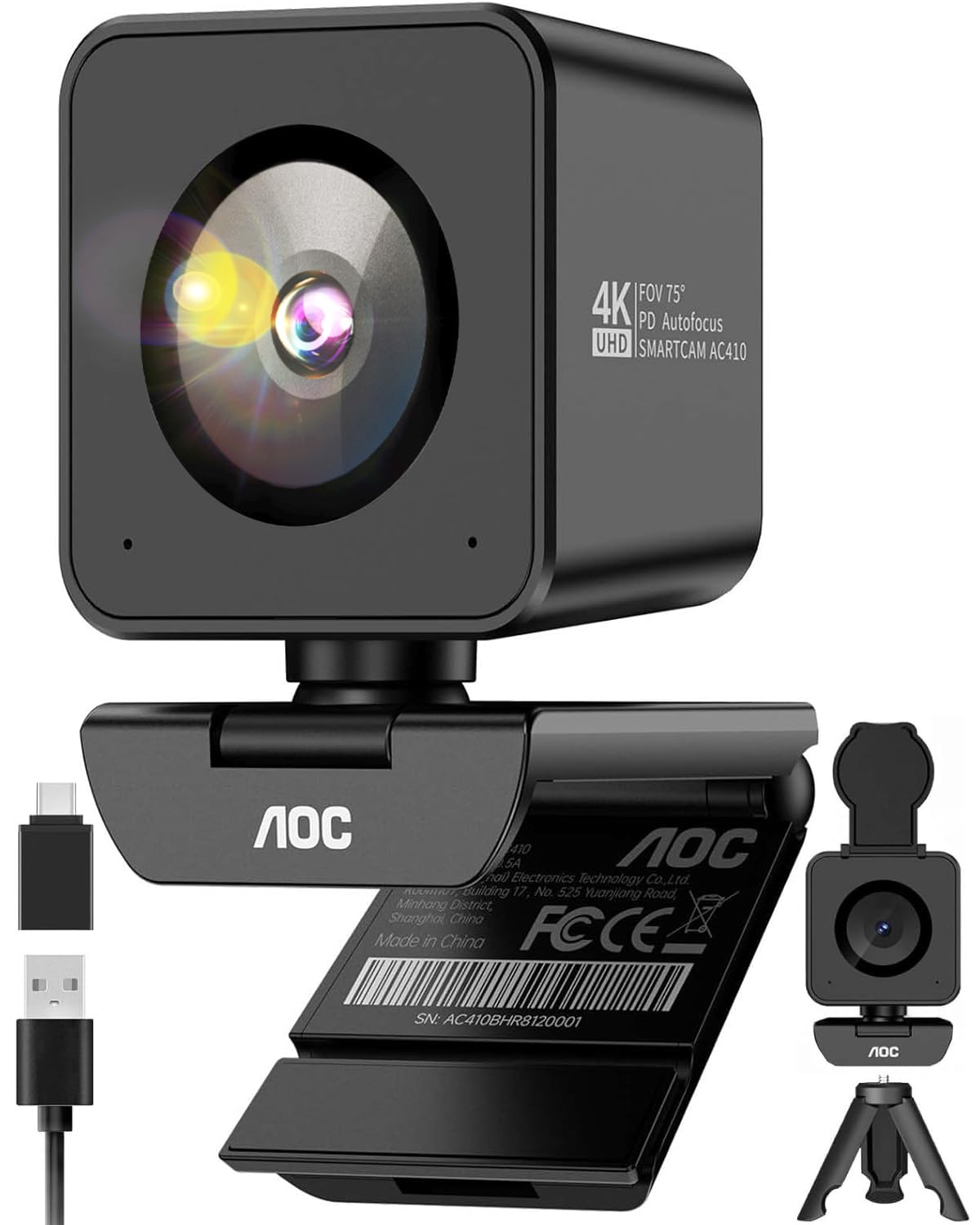
AOC packs a flagship-grade IMX363 sensor into its AC410 webcam, a component more commonly found in high-end smartphones that delivers noticeably better dynamic range and low-light sensitivity. At 1080p and 60fps, the motion clarity is buttery smooth — ideal for streaming where you move around, gesture, or hold objects up to the lens. The 75-degree field of view is the sweet spot for framing a single person without capturing too much background.
PDAF autofocus locks on in roughly 0.05 seconds, as verified by users who show documents and products on camera. The built-in noise-canceling microphone handles AC hum and PC fan noise well enough that viewers won’t complain about background rumble. A mini tripod and USB-C adapter are included, giving you flexible placement options out of the box.
Some users note that the blocky cube shape can unbalance on very thin laptop bezels, but the included tripod solves that. Image quality at 4K is crisp, but the real value is the 60fps 1080p mode — that is where the IMX363 sensor truly shines for streaming motion.
Why it’s great
- Flagship IMX363 sensor for excellent low-light quality
- Instant 0.05s PDAF autofocus
- Includes mini tripod and USB-C adapter
Good to know
- Bulky shape may wobble on thin laptop lids
- 4K mode is capped at 30fps
3. EMEET C960 4K Webcam

The EMEET C960 uses a genuine 4K CMOS sensor without the upscaling tricks some budget webcams pull. This means you get native 4K detail for recorded content and the option to switch to 1080p through OBS or PotPlayer for smoother streaming. The PDAF autofocus keeps you sharp during lectures or presentations, and the auto light correction works in both over-exposed and dim settings.
Dual omnidirectional microphones pick up clear audio for conference calls, though streamers looking for broadcast-quality sound will still want an external mic. The 73-degree field of view is slightly tighter than some competitors, which helps keep the focus on you rather than a messy background. The privacy cover and flexible monitor mount add to the out-of-box convenience.
A few reviewers note that the auto-brightness can struggle with rapid ambient light changes, and the privacy cover is a separate adhesive piece rather than a built-in sliding shutter. For the price, the image sharpness and focus reliability make this a strong contender for anyone who splits time between streaming and professional video calls.
Why it’s great
- Native 4K sensor with no fake upscaling
- PDAF autofocus prevents blur interruptions
- Auto light correction handles mixed lighting
Good to know
- Auto brightness can lag during sudden light shifts
- Privacy cover is adhesive, not integrated
4. NexiGo N60 Pro 4K Webcam
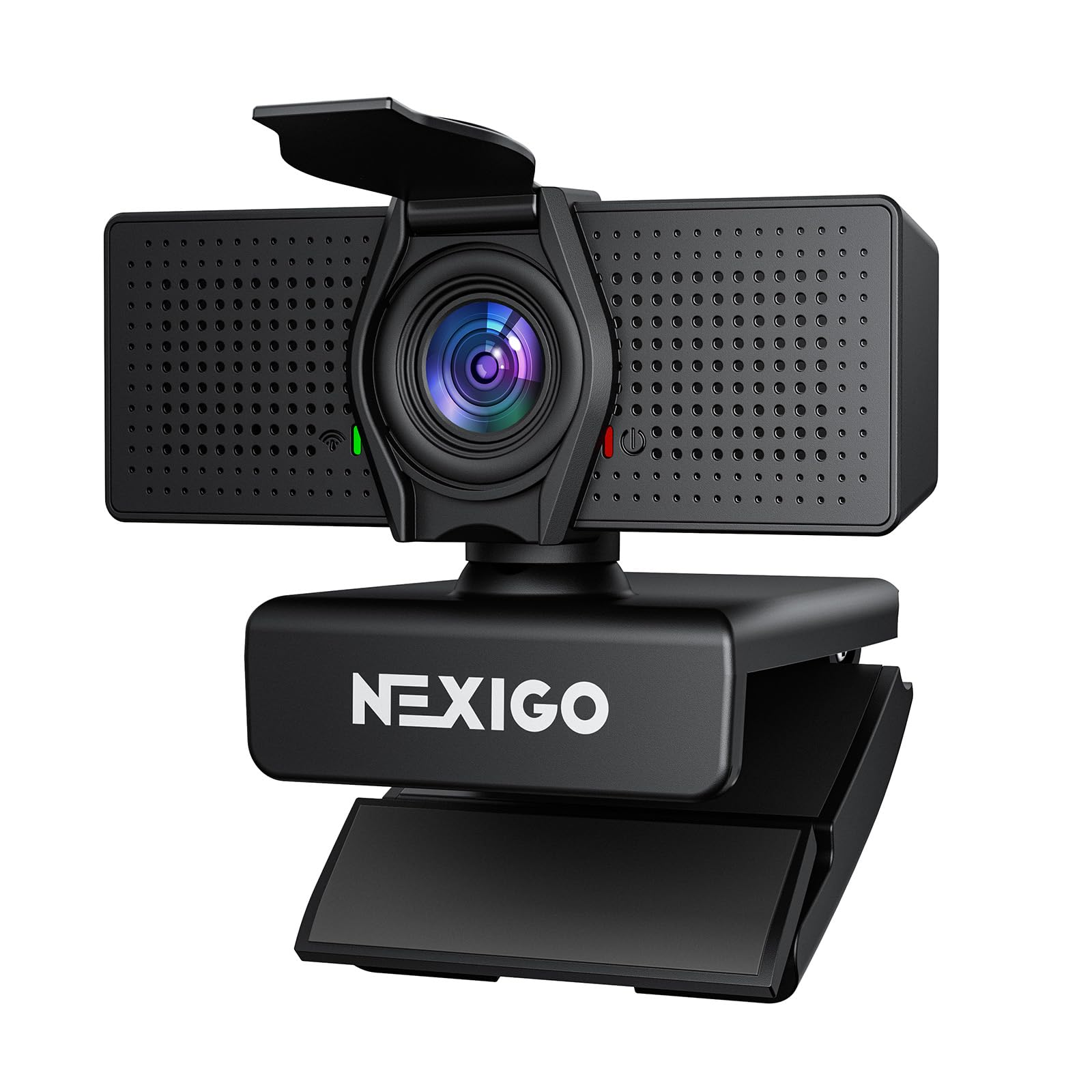
The NexiGo N60 Pro brings a Sony sensor to the budget conversation, delivering true 4K video with a distortion-free 80-degree field of view that keeps your proportions natural — no fisheye warping around the edges. The 3DNR noise reduction technology cleans up grain in dimmer environments, making this a solid choice for streamers who don’t have perfect studio lighting.
The 4X digital zoom is controlled through NexiGo’s software, giving you the ability to punch in on details without losing composition. Dual noise-canceling microphones capture clear audio within 10 feet, and the universal joint provides 360-degree horizontal rotation for flexible placement. The built-in privacy cover is a sliding design that stays put better than adhesive flaps.
Some users report that the 1080p mode can look slightly grainy compared to dedicated 1080p sensors, and the wide field of view cannot be narrowed effectively via software zoom without quality loss. For streamers who want a sharp, distortion-free image at 4K and a responsive autofocus system, the N60 Pro delivers strong performance for the money.
Why it’s great
- Sony sensor delivers clean 4K video
- 3DNR reduces noise in low light
- Sliding privacy cover is more durable than adhesive flaps
Good to know
- 1080p mode can appear grainy compared to native 1080p sensors
- Wide FOV cannot be narrowed without quality loss
5. OBSBOT Tiny SE

The OBSBOT Tiny SE redefines what a budget streaming webcam can do by packing a PTZ gimbal and AI tracking into a compact body. It streams at an unprecedented 1080p at 100fps or 720p at 150fps, making it the smoothest option on this list for fast-moving streamers who pace around their setup. The 1/2.8-inch stacked CMOS sensor with Dual Native ISO and Staggered HDR delivers excellent low-light performance that outclasses most fixed-lens webcams.
AI features go beyond basic face tracking — you can set zone tracking, body-part tracking for hands or upper body, and multiple preset positions with independent parameters for each camera angle. Gesture control lets you lock tracking or zoom with a hand signal, which is genuinely useful for solo streamers who cannot touch their mouse mid-broadcast. The gimbal is whisper-quiet and responsive.
Setup is plug-and-play with USB-C, and the OBSBOT software integrates with Stream Deck, OSC, and API for advanced workflows. The only downsides are the price premium over standard webcams and a rare bug where the gimbal faces down after waking from sleep, requiring a quick restart. For streamers who move, the Tiny SE is transformative.
Why it’s great
- 1080p at 100fps for ultra-smooth streaming
- AI tracking and gesture control keep you framed
- Exceptional low-light performance with HDR
Good to know
- Premium price compared to standard webcams
- Occasional gimbal reset needed after sleep mode
6. Logitech StreamCam

The Logitech StreamCam has been a staple for content creators since its release, and its renewed version brings the same 1080p at 60fps performance at a more accessible price point. The USB-C connection provides the bandwidth needed for stable HD video, and the auto-framing feature keeps you centered in the shot as you move left or right — useful for solo streamers who talk with their hands.
One standout feature is the ability to rotate the camera 90 degrees for vertical shooting, making it an excellent pick for TikTok, Instagram, and YouTube Shorts streamers who want a single-camera setup for both horizontal and vertical content. The Logitech Capture software unlocks manual exposure control, brightness, and contrast adjustments, giving you fine control over the final image.
This is a renewed unit, so cosmetic wear is possible, and the included monitor clip lacks a tripod mount thread. The image quality holds up well in good lighting, though low-light performance is average compared to newer sensors. For streamers who need a reliable 60fps webcam with vertical recording and proven software support, the StreamCam remains a solid investment.
Why it’s great
- Vertical rotation for TikTok and Shorts content
- Reliable 1080p at 60fps motion clarity
- Logitech Capture software with manual controls
Good to know
- Renewed unit may show cosmetic wear
- Average low-light performance compared to newer sensors
FAQ
Can I use a 4K webcam for 1080p streaming?
What makes a webcam good for low light streaming?
Do I need an external microphone for streaming with these webcams?
Final Thoughts: The Verdict
For most users, the budget webcam for streaming winner is the UGREEN 4K Webcam because it offers the best balance of 1080p 60fps fluidity, reliable PDAF autofocus, and broad compatibility at a price that leaves room in your budget for better lighting or a microphone. If you want the smoothest motion clarity with a flagship-grade sensor, grab the AOC AC410. And for streamers who move around their setup and need AI tracking, nothing beats the OBSBOT Tiny SE.