
Our readers keep the lights on and my morning glass full of iced black tea. As an Amazon Associate, I earn from qualifying purchases.
Specs are compiled from manufacturer listings and verified buyer reviews and can change over time — please confirm the key details on the product page before buying.
Building or upgrading a PC feels great until a part doesn’t fit or fails to power your system. The real challenge is spending your budget where it counts, not on the flashiest box. This guide compares the published specs and customer review patterns of the parts below, so you can pair a processor, power supply, case, storage, and motherboard that actually work together.
I’m Min — the founder and writer behind Gadgets Feed. This guide is built by comparing the manufacturers’ published specifications and the patterns across verified customer reviews, so you get each pick’s real strengths and trade-offs instead of marketing spin.
You will see how a 6-core processor handles gaming, why a 6000 MB/s drive changes your daily routine, and which mid-tower fits a 420mm graphics card — this is your practical route through the best pc parts worth buying right now.
Our Picks at a Glance
How To Choose The Right PC Parts
You can avoid most build headaches by checking three parts first: the processor, the power supply, and the case. They decide compatibility, clearance, and how much room you leave for future upgrades.
Start with the Platform, Not the Flash
Your motherboard’s socket—the physical slot the CPU plugs into—decides which chips you can install. An AMD AM5 board like the GIGABYTE B850 supports Ryzen 9000, 8000, and 7000 series chips, while DDR5 memory slots mean faster RAM. Choose your platform first, then the processor, so you never end up with a chip that physically won’t fit.
Match the Power Supply to the Whole System
A power supply runs best with headroom. An 850W unit with 80 Plus Gold efficiency handles a modern GPU and CPU, but a 1000W model gives you room to upgrade later without swapping cables. Look for ATX 3.1 support if you plan to run the newest graphics cards with 12+4 pin connectors.
Quick Comparison
| Model | Best For | Storage Capacity | Form Factor | Key Spec | Amazon |
|---|---|---|---|---|---|
| Seagate BarraCuda 8TB★ Best Overall | Massive media libraries | 8 TB | 3.5-inch | 5400RPM, 256MB cache | Amazon |
| FOIFKIN F1 CaseBest Value | Budget RGB builds | 1x HDD, 3x SSD | ATX Mid-Tower | 6x 120mm ARGB fans | Amazon |
| Lian Li V100 CasePremium Pick | High-end GPU clearance | 4 internal bays | ATX Mid-Tower | Supports GPUs up to 420mm | Amazon |
| Thermaltake Toughpower GT 850W | Modern GPU power | — | ATX | Native 450W PCIe 5.1 | Amazon |
| AMD Ryzen 5 5500 | Budget 1080p gaming | — | Socket AM4 | 6 cores, 12 threads, 4.2 GHz | Amazon |
| ASUS TUF Gaming 1000W | High-end stability | — | ATX | 80+ Gold, 10-year warranty | Amazon |
| Kingston NV3 1TB SSD | OS and game loading | 1 TB | M.2 2280 | 6000 MB/s read | Amazon |
| GIGABYTE B850 AORUS Elite | AM5 DDR5 builds | — | ATX | 14+2+2 power phase | Amazon |
| ASUS ROG Strix X870-A | AI-ready high-end rigs | — | ATX | 16+2+2 power stages, 90A | Amazon |
In‑Depth Reviews
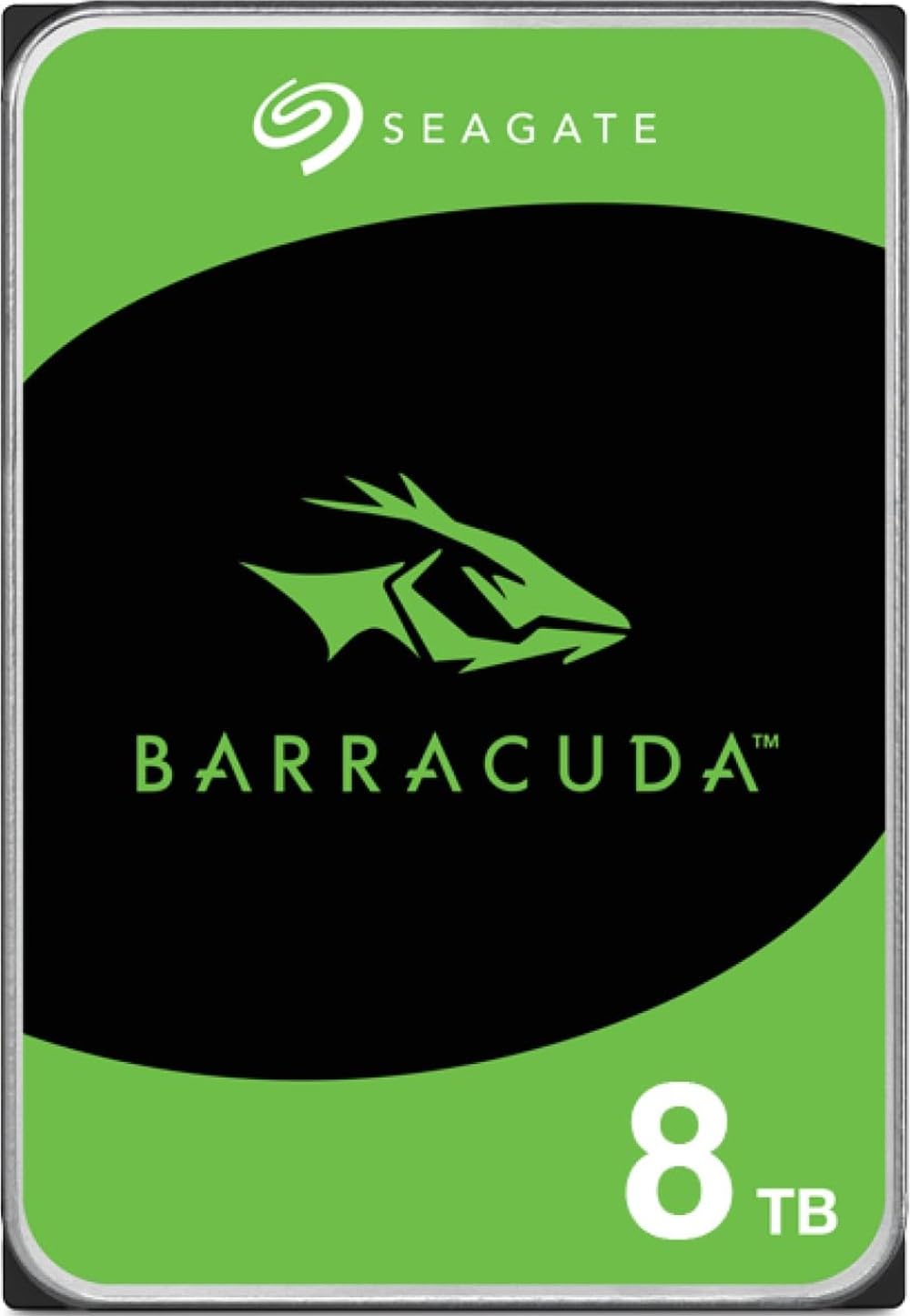
1. Seagate 8TB BarraCuda Internal Hard Drive
Our pick — over 4.5★ from 104,500+ verified ratings; the strongest balance of quality and price.
The storage backbone for game libraries and media hoarders who refuse to delete anything.
This is the drive you add when your SSD is full and your steam library keeps growing. The 8TB capacity is the headline, but the 256MB cache—a small buffer that speeds up repeated reads—and a sustained transfer rate of 190MB/s keep things moving faster than you’d expect from a mechanical drive. It’s a 3.5-inch SATA drive, so it slots into any desktop case with a spare bay.
The crowd favorite here is massive—this drive has earned a 4.7-star rating from tens of thousands of owners, and the overwhelming consensus is that it delivers exactly what it promises. The thing everyone raves about is performance, with value for money running a close second. That said, the 5400RPM speed means it’s built for mass storage, not for running your operating system or demanding games; the review pages sum it up: “Good for mass storage, not speed.”
Unlike the SSD picks in this list, this is a bulk-storage play. If you want near-instant boot times, you pair this with a smaller NVMe drive. Buyers report it runs quietly during everyday use, though it is audible during heavy access, and reliability is solid—some report years of service without an issue.
massive storage value: The most-reviewed component in this guide, and for good reason—it solves the universal problem of running out of space.
bulk storage: you need terabytes of backup space, media storage, or a game library drive on a budget.
SSD speed: you expect SSD-level speed for booting Windows or loading game levels.
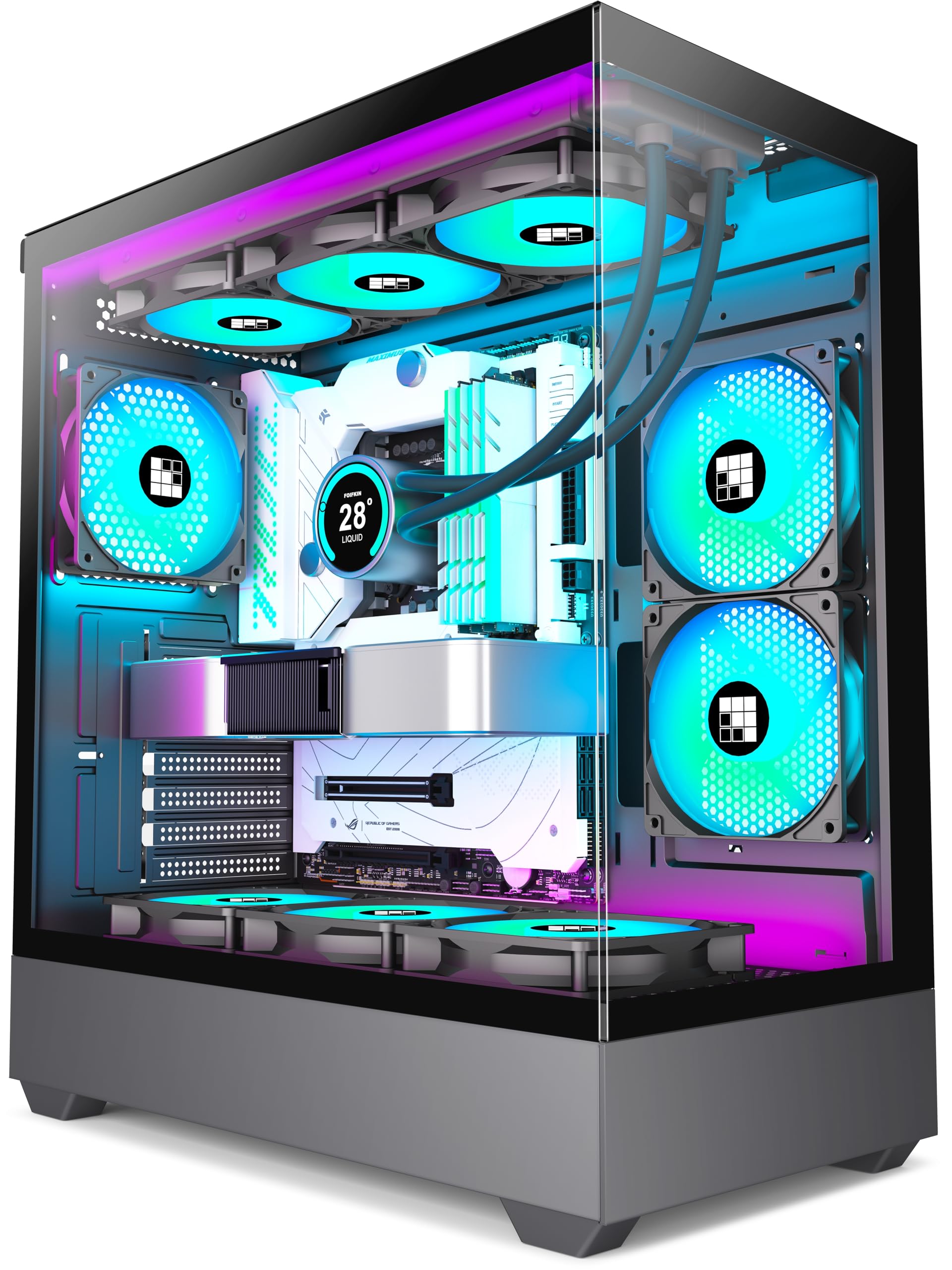
2. FOIFKIN F1 PC Case
Six pre-installed fans and a glass showroom for a first-time builder’s dream.
The value story here is almost unfair to the competition. You get a dual-chamber ATX mid-tower with six 120mm ARGB PWM fans already installed—five reverse and one forward—so your airflow is sorted the moment you open the box. The tempered glass panels show off your hardware, and the front I/O includes a Type-C 3.0 port alongside USB 3.0 and two USB 2.0 ports.
Builders praise the case quality more than anything else, with appearance and value for money following close behind. It fits GPUs up to 400mm (15.75 inches) and PSUs up to 200mm (7.87 inches), plus one HDD and three SSDs. One owner’s take sums up the sentiment: “Great deal on a good 6 fan case 2 thumbs up.”
There’s a small catch for older motherboards—some owners needed a 12V-to-5V ARGB converter to get the LED lighting working, and a few noted the LED switch buttons can be finicky. The case itself is lightweight yet solid, with a tool-less design that makes it ideal for a first-time builder.
cheap build: anyone who wants a complete, good-looking case with cooling already handled.
premium airflow: you have a legacy motherboard without ARGB headers and don’t want to buy an adapter.
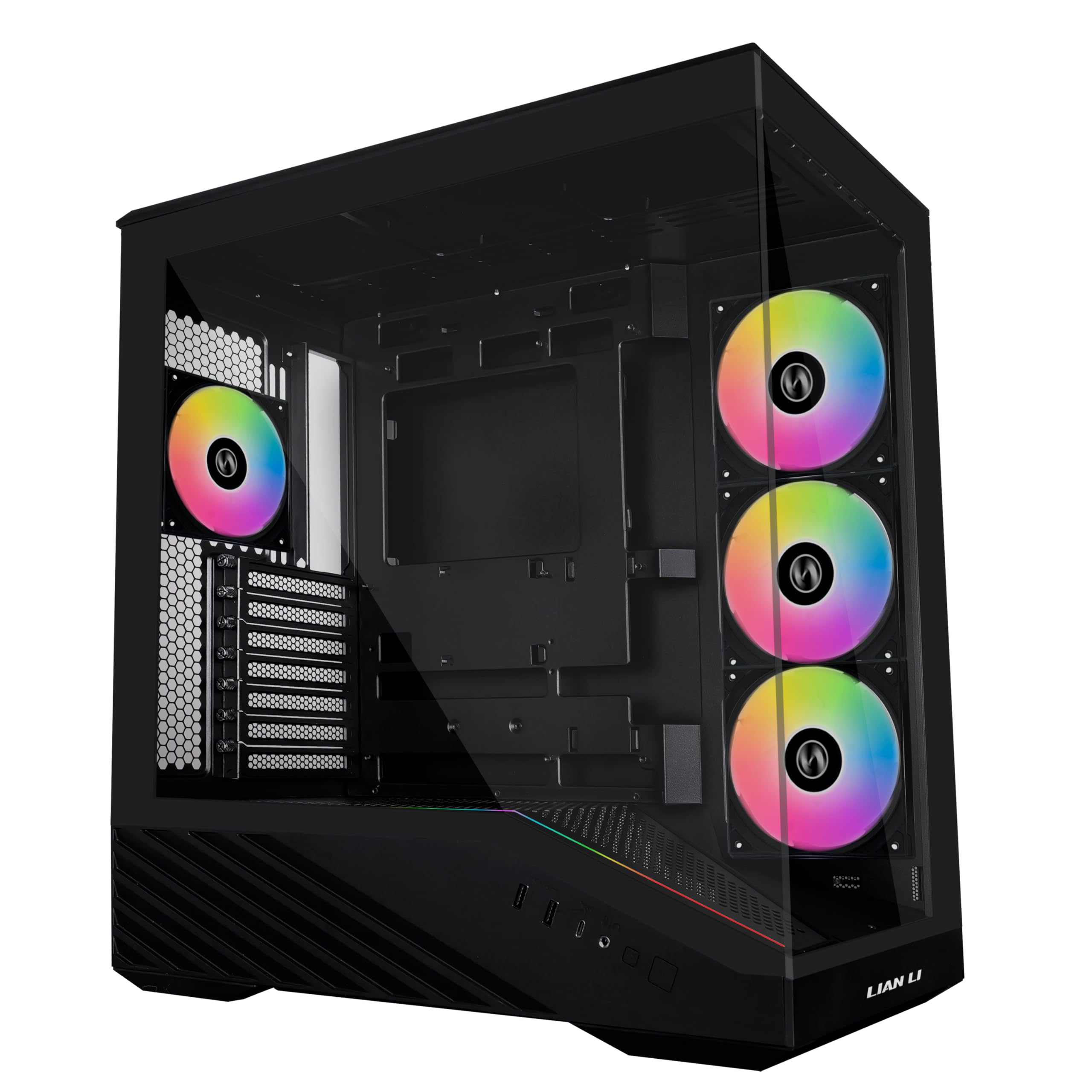
3. Lian Li V100 ATX Mid-Tower PC Case
A roomy showpiece with a display platform for your GPU or your favorite figurine.
Lian Li is a name builders trust, and this case justifies the reputation with a 4.8-star crowd score. It ships with four pre-installed 120mm ARGB PWM fans spinning at 1800 RPM with a noise level between 26.5 and 30.8 dBA (decibels, roughly like a quiet library), plus a 26-LED ARGB strip that syncs with your motherboard software. Owner after owner calls the build experience “extremely easy,” which is the highest compliment a case can earn.
It also fits CPU coolers up to 178mm and a top radiator up to 360mm, with internal bays for four drives. The tempered glass and stainless steel build feels sturdy, and the tool-less side panels make swapping parts a breeze.
The honest trade-off: its open, airflow-focused design means poor sound isolation, so you’ll hear your components more than in a closed case. Intake fan wires routed inside the body need a quick reroute to the back for a perfectly clean look, but that’s a five-minute fix, not a dealbreaker.
luxury chassis: a spacious, gorgeous build with enormous GPU support and quiet pre-installed fans.
budget builds: silence is your absolute priority—the open mesh design lets sound out.
4. Thermaltake Toughpower GT 850W Power Supply

Native PCIe 5.1 power that feeds the newest GPUs without adapter clutter.
Modern graphics cards have changed power requirements, and this unit is built for exactly that shift. It’s ATX 3.1 compliant—the latest standard for handling sudden GPU power spikes—with a native 450W PCIe 5.1 connector (the 12V-2×6, 12+4 pin style), so a high-end Nvidia GPU gets clean, direct power. The 80 Plus Gold rating means up to 90% efficiency, which cuts heat and energy waste.
Builders consistently call out power quality as the standout feature, with a 4.5-star rating across a few hundred owners. The Smart Zero Fan mode keeps the single fan silent during low loads, and the fully modular, flat black cables make cable management genuinely easy. It’s a 5-year warranty unit, and it runs quiet enough that owners mention no coil whine even under heavy 4K loads.
The one warning from the community is to use only the included cables—aftermarket or older Thermaltake cables have different wiring and can cause problems. There’s also a note that the 850W option delivers six SATA power connections, which is plenty for most builds.
basic PSU: you’re upgrading to a current-gen GPU and want a clean, modular 850W solution.
high-end GPU: always use the bundled cables, never old ones from a previous PSU.
5. AMD Ryzen 5 5500 Desktop Processor

A six-core gaming engine that delivers triple-digit frame rates on a budget.
For a 1080p gaming build while staying affordable, this is the CPU to beat. It packs six cores and twelve processing threads—think of them as separate workers inside the chip—with a 4.2 GHz max boost and 19MB of cache, all on the mature Socket AM4 platform. The bundled Wraith Stealth cooler means you don’t need to buy a separate one, and customers note consistent temps under 70°C during gaming sessions.
AMD claims it can push 100-plus FPS in popular games, and owners confirm it—one reports Fortnite running at 150-200 FPS stable with Discord and a screen share open in the background. The performance praise leads the reviews, with value for money a strong second. It’s open up for overclocking but handles stock speeds easily, and it’s a simple drop-in install for any AM4 board.
The trade-off is that it’s a DDR4 platform, so you’re on the older memory standard. It also requires a discrete graphics card—there’s no integrated GPU here. If you’re building fresh on a tight budget, this is the smart starting point.
budget gaming CPU: The best entry point for a budget gaming rig, proven by thousands of happy owners.
value cores: you want 1080p gaming performance and a CPU that won’t bottleneck a mid-range GPU.
IGPU needs: you need built-in graphics or want to move to the newer DDR5 platform.
6. ASUS TUF Gaming 1000W Power Supply

Military-grade internals with a 10-year warranty for a build you won’t touch for years.
This is the power supply for people who want to buy once and forget it. The 1000W capacity gives you huge headroom for future GPU upgrades, and the 10-year warranty tells you ASUS expects it to last. It’s ATX 3.1 compatible with a bundled 16-pin PCIe cable that can deliver up to 600W to PCIe Gen 5.0 graphics cards.
The components are the story here—capacitors and chokes pass demanding tests for military-grade certification, dual ball fan bearings last up to twice as long as sleeve bearings, and a protective PCB coating guards against moisture and dust. Owners running Ryzen 7 9800X3D and RTX 5070 Ti builds report flawless, quiet, stable power with no coil whine.
It’s heavier and pricier than the 850W Thermaltake, but you’re paying for the extra wattage, the durability engineering, and the confidence. The 5.5-pound package and 21 connectors mean it’s a premium feel throughout. One fair note from a refurb buyer: refurbished units only carry a 90-day warranty, so buy new to get the full 10 years.
future proofing: high-end builds where stability and future upgrade room matter more than the price tag.
850W enough: your system draws far less power and you want to save the difference.
7. Kingston NV3 1TB NVMe SSD
Near-instant boots and game loads at speeds that make mechanical drives feel ancient.
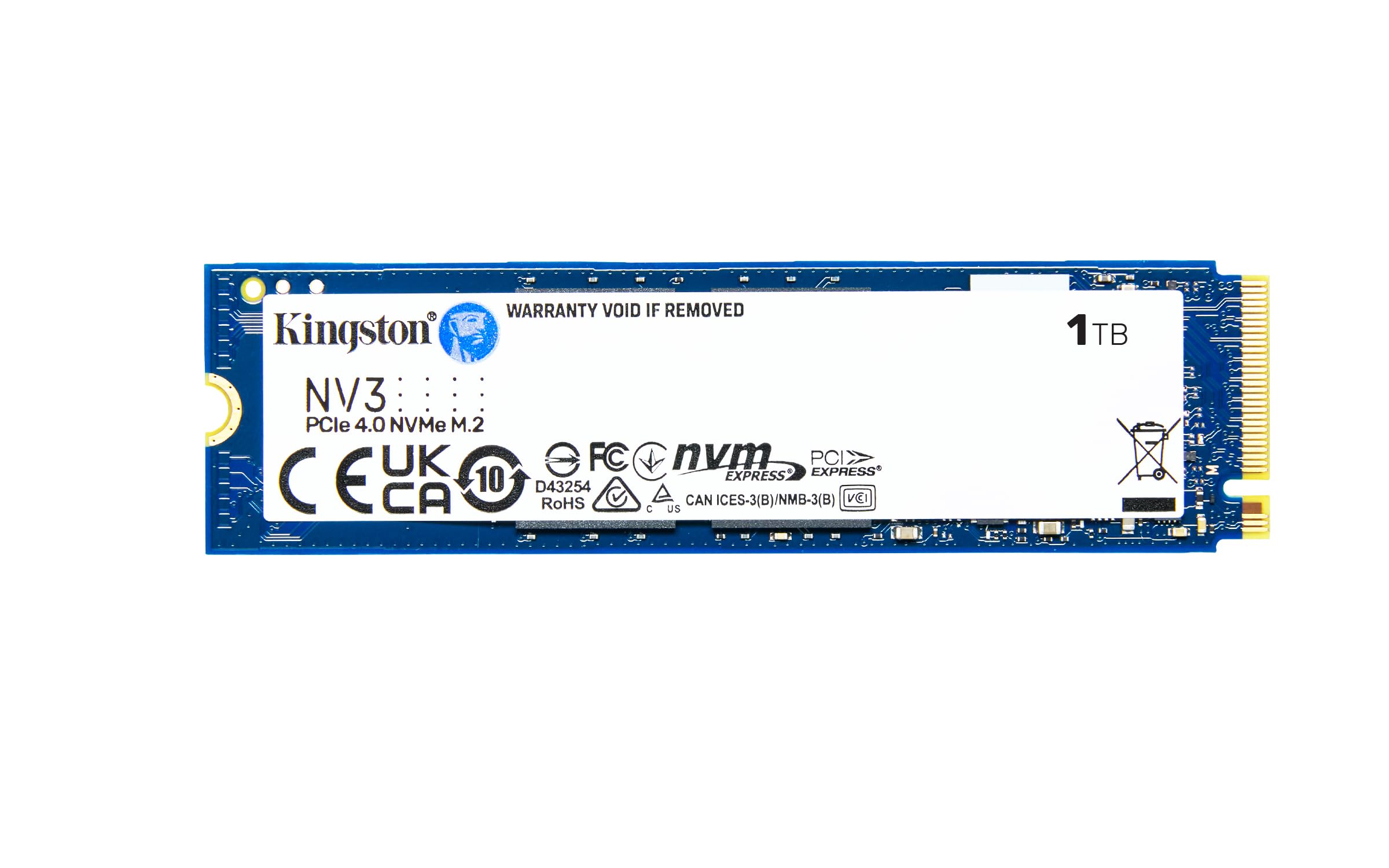
If there’s one upgrade that transforms how a PC feels, it’s an NVMe SSD—a type of solid-state drive that plugs straight into your motherboard instead of using a SATA cable—and this Kingston is a crowd favorite with a 4.7-star rating. It delivers up to 6000 MB/s read and 4000 MB/s write speeds over PCIe 4.0 Gen 4×4, which means your operating system boots in seconds and games load before you finish reaching for the mouse. The M.2 2280 form factor slips into any modern motherboard or laptop slot.
Owners consistently lead with performance and speed, calling it “fast as advertised” and noting zero gaming stutter. It includes Acronis cloning software for easy migration from an old drive, runs cool under load, and comes with a 5-year limited warranty. It’s backward compatible too, so even an older PCIe 3.0 slot will work, just at lower speeds.
The 1TB capacity is the balance for an OS drive plus a handful of big games. If you need more room, the data shows this family scales up, but 1TB hits the value peak for most builders.
fast NVMe speeds: The single best speed-per-dollar upgrade you can make to any PC.
OS drive: a new build or a dramatic speed boost to an older system without changing anything else.
big storage: you’ll want a second, larger drive or HDD for mass storage, like the Seagate above.
8. GIGABYTE B850 AORUS Elite WiFi7 Motherboard

A future-ready AM5 board that wires up Ryzen 9000 chips with clean power and fast WiFi 7.
This is the mid-range board that does almost everything right. It’s built on the AMD B850 chipset for Socket AM5, supporting Ryzen 9000, 8000, and 7000 series processors with a 14+2+2 power phase design for stable delivery. You get four DDR5 DIMM slots and three M.2 slots, with VRM and M.2 thermal guards to keep things cool under load.
Connectivity is where this board shines—WiFi 7, 2.5GbE LAN, USB-C, and PCIe 5.0 for the fastest graphics cards. Owners call out performance and ease of use as the top positives, praising the clear BIOS for overclocking and fan control. One reviewer runs VR games wirelessly with no latency, which speaks to the WiFi 7 stability. The 5-year warranty adds confidence.
It supports up to 256GB of RAM, giving you enormous headroom. A few owners note the Aorus Control Center software improved over earlier versions, and driver/BIOS updates via the GIGABYTE site are straightforward. For a first-time AM5 builder, this is the board that makes the process painless.
mid-range AM5: a balanced AM5 build with modern WiFi 7, three M.2 slots, and clean power delivery.
top-tier lanes: you need four M.2 slots, USB4, or more aggressive AI overclocking features.
9. ASUS ROG Strix X870-A Gaming WiFi Motherboard

A white ROG showpiece built for AI-ready PCs and serious overclocking experiments.
This is the flagship board in this guide, and it earns the top spot in the premium tier. It uses the AMD X870 chipset on Socket AM5 with a 16+2+2 power solution rated for 90A per stage—serious juice for multi-core Ryzen 9000 chips. ASUS loads it with exclusive tech like AI Overclocking, AI Cooling II, and Dynamic OC Switcher to simplify tuning and squeeze out performance.
Owners rave about the beautiful white design and rock-solid stability. It ships with WiFi 7, USB4 ports, four M.2 slots with heatsinks, and a Q-Release Slim mechanism that makes GPU removal a one-touch job. One owner running a Ryzen 9 9800X3D reports flawless performance with the 16+2+2 power stages running cool and four M.2 drives with no thermal throttling. The BIOS is user-friendly, and the UEFI makes overclocking and DDR5 AEMP easy.
The honest caveats: filling the M.2 x4 slot can disable the bottom PCIe slot, and owners note sharp PCB edges—handle it carefully. Also, Windows 10 doesn’t fully support WiFi 7, so you’ll want Windows 11 to use the full wireless speed. This is a lot of board, but for a high-end build, it’s the one enthusiasts reach for.
premium X870 features
- Bulletproof 16+2+2 power stages for the heaviest Ryzen chips
- USB4 and WiFi 7 for future-proof connectivity
- Four M.2 slots with heatsinks, zero throttling
price premium
- Filling the M.2 x4 slot disables the bottom PCIe slot
- Sharp board edges can cut—handle with care
- WiFi 7 needs Windows 11 for full support
enthusiast board: a high-end, AI-ready gaming rig where you want the best power delivery and connectivity.
B850 value: you don’t need four M.2 slots or USB4 and want to save the difference.
Understanding the Specs
CPU Cores and Boost Clock
A core is a processing unit inside the chip—more cores let it handle more tasks at once. The boost clock (like 4.2 GHz on the Ryzen 5 5500) is the maximum speed a single core can reach under load. For gaming, six cores with twelve threads is the balance; for heavy video editing, you’d want more. A 6-core, 12-thread CPU delivers 100-plus FPS in popular titles when paired with a discrete GPU.
Power Supply Wattage and Efficiency
Wattage (W) tells you how much power the unit can deliver—850W handles a modern gaming rig, while 1000W gives headroom for future GPU upgrades. The 80 Plus Gold rating means up to 90% efficiency, so less power is wasted as heat. ATX 3.1 support matters if your graphics card uses the new 12+4 pin connector, and a modular design lets you attach only the cables you need, which helps airflow inside the case.
FAQ
Will the AMD Ryzen 5 5500 work with a B550 motherboard?
How many watts of power supply do I need for a gaming PC?
What is the difference between an NVMe SSD and a traditional hard drive?
Does the GIGABYTE B850 AORUS support DDR4 or DDR5 memory?
Will a 420mm graphics card fit in the Lian Li V100 case?
What does ATX 3.1 compatibility mean for a power supply?
Which motherboard is better for an AMD Ryzen 9 9800X3D: the B850 or X870?
Can I install the Kingston NV3 SSD in an older computer?
Final Thoughts: The Verdict
For the majority of shoppers, the pc parts winner is the Seagate 8TB BarraCuda because massive storage at a 4.7-star crowd score solves the problem every builder eventually hits—running out of room. If you want speed for your operating system and games, grab the Kingston NV3 1TB SSD. And for a complete gaming foundation, the AMD Ryzen 5 5500 is the one to reach for to start a budget build that won’t bottleneck.
How We Picked
We do not accept paid placement. Every pick is matched to a real buyer and a real use-case; we do not hands-on test units.
Sources & Methodology
Specifications: manufacturer listings and product documentation. Review insights: verified customer reviews, as of August 2026. Pricing: not shown on this page (it changes often); check the current price via the retailer link.
As an Amazon Associate, Gadgets Feed earns from qualifying purchases. This does not affect which products we feature.