
Our readers keep the lights on and my morning glass full of iced black tea. As an Amazon Associate, I earn from qualifying purchases.
Specs are compiled from manufacturer listings and verified buyer reviews and can change over time — please confirm the key details on the product page before buying.
If you are shopping for a 32 Inch 120Hz TV, you are likely moving past the basic 60Hz screens that feel laggy in fast games and choppy during action scenes. The jump to 120Hz (meaning the screen refreshes its image 120 times every second) makes motion look noticeably smoother and more fluid. This guide focuses on the monitors that deliver this speed at the 32-inch size, whether you are pairing it with a PC, a PS5, an Xbox, or a Mac.
I’m Min — the founder and writer behind Gadgets Feed. This guide is built by comparing the manufacturers’ published specifications and the patterns across verified customer reviews, so you get each pick’s real strengths and trade-offs instead of marketing spin.
We have ranked the top displays that combine size and speed for work and play, and the clear winner for most buyers is the 32 inch 120hz tv that balances sharp QHD resolution, a bright IPS panel, and the crowd’s seal of approval.
Our Picks at a Glance

How To Choose The Best 32 Inch 120Hz TV
Buying a 32-inch monitor with a 120Hz refresh rate means balancing sharpness, speed, and panel type. Here is what actually moves the needle for most buyers.
Refresh Rate: The Speed of the Action
The refresh rate, measured in hertz (Hz), tells you how many times the screen redraws the image each second. A 120Hz display shows double the frames of a standard 60Hz panel, which makes fast-moving objects look clearer and reduces the blur you see when panning in games. Some monitors go even higher — 180Hz or 240Hz — which is great for competitive PC gaming, but 120Hz is the balance for consoles like the PS5.
Panel Type: IPS vs VA
The panel type determines how the screen handles colors and contrast. IPS (In-Plane Switching) panels are known for accurate colors and wide viewing angles, making them great for office work and creative tasks. VA (Vertical Alignment) panels usually offer deeper blacks and higher contrast, which is better for dark, moody games and movies, but they can suffer from slight blur in fast scenes. Your choice here depends on whether you value color accuracy or deep contrast more.
Resolution: 1080p vs 1440p vs 4K
Resolution is how many pixels are on the screen. At 32 inches, Full HD (1920×1080) can look a bit soft for desktop work, while QHD (2560×1440) offers a sharp, balanced image that is easier for your graphics card to drive at high speeds. 4K (3840×2160) is the sharpest option, but it demands a powerful GPU to hit 120 frames per second, so weigh your computer’s capability before opting for it.
Quick Comparison
| Model | Best For | Resolution | Refresh Rate | Panel Type | Amazon |
|---|---|---|---|---|---|
| KTC H32T13★ Best Overall | Best Overall Value | 2560 x 1440 | 120Hz | IPS | Amazon |
| AOC CQ32G4VECurved Gamer | Curved Gaming Immersion | 2560 x 1440 | 180Hz | VA | Amazon |
| SANSUI Curved 240HzBudget Speedster | Extreme Speed on a Budget | 1920 x 1080 | 240Hz | LED | Amazon |
| KTC H32D6 | White Aesthetic + Office | 2560 x 1440 | 120Hz (OC) | IPS | Amazon |
| LG 32G600A-B | Deep Curve Comfort | 2560 x 1440 | 180Hz | VA | Amazon |
| Gawfolk 4K Curved | Affordable 4K 120Hz | 3840 x 2160 | 120Hz | VA | Amazon |
| ZZA 4K Curved | High-End 4K Specs | 3840 x 2160 | 160Hz | VA | Amazon |
| Samsung Odyssey G5 | Trusted Brand Sharpness | 2560 x 1440 | 180Hz | IPS | Amazon |
| Dell S3225QS | 4K Work & Play | 3840 x 2160 | 120Hz | VA | Amazon |
In‑Depth Reviews
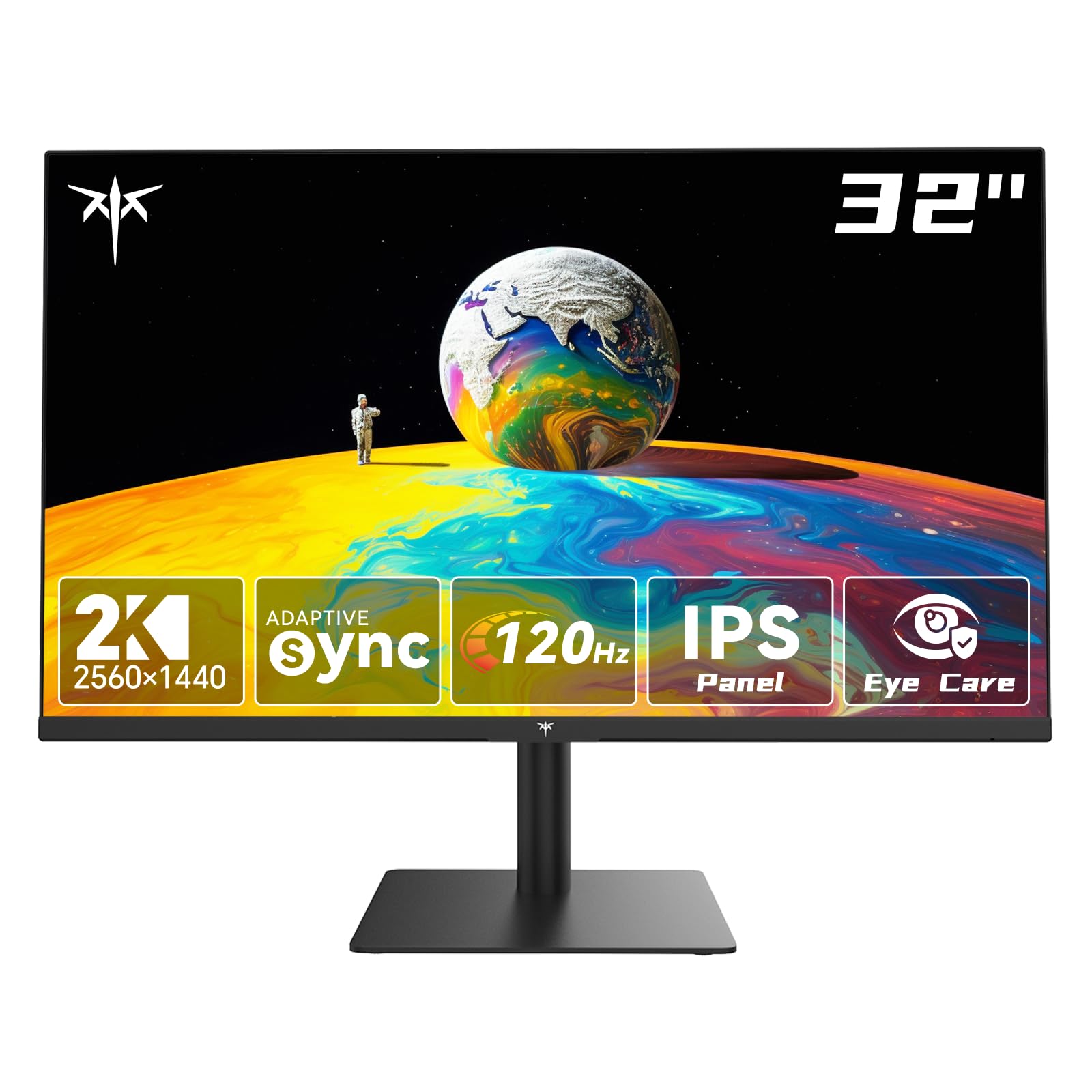
1. KTC 32 Inch 2K Monitor (H32T13)
Our pick — over 4.5★ from 1,500+ verified ratings; the strongest balance of quality and price.
The sharp 1440p IPS panel that delivers smooth motion while staying affordable.
For most buyers, the standout feature here is the combination of a 2560 x 1440 resolution and a native 120Hz refresh rate on a 32-inch IPS screen. That pairing means you get crisp text for work and fluid motion for games, all without needing a top-tier graphics card to run it. The 350 cd/m² brightness keeps the image lively even in a bright room.
The screen is also built for long sessions. Flicker-free technology and a low blue light mode help reduce eye fatigue, which is why people set this up for full work shifts and come away without strained eyes. With two HDMI 2.0 ports and one DisplayPort 1.4, you can connect a laptop, a PC, and a console at the same time, and the frameless design makes it easy to line up two of them side by side. Buyers report it is “genuinely excellent at a bargain price,” and one owner runs eight of them for work and gaming without noticing lag or color mismatch. The contrast ratio here sits at 1000:1, which is typical for IPS, so blacks are decent but not as deep as a VA panel.
Owners mention the stand feels a bit “cheaper end” but is durable and requires no tools to assemble. The main trade-off to know about is longevity — a few units have failed suddenly after a few years of heavy use, so it is a value pick rather than a decades-long investment. The crowd favorite status is clear: it holds a 4.6-star score across more than 1,900 ratings, making it the most-reviewed pick in this list.
budget 2K: Reach for this if you want one monitor that does sharp office work and smooth 120Hz gaming without compromise.
gaming purist: You need the deepest possible blacks for dark-room movie nights — a VA panel serves that better than this IPS screen.
2. AOC 32 Inch Curved Gaming Monitor (CQ32G4VE)
A 1500R curved VA screen with a blistering 180Hz refresh rate for total immersion.
If you want a screen that wraps around your field of view, this AOC model curves at 1500R (meaning the radius of the curve is 1500mm), pulling the edges of the display toward you for a more rich feel. It runs at 180Hz — a full 60Hz faster than the baseline 120Hz — and pairs that with a 0.5ms response time (MPRT) to keep fast action sharp and ghost-free. The QHD resolution (2560×1440) is the same as the top pick, but you get it on a VA panel here, which pushes the contrast to 80,000,000:1 (SmartContrast) for deeper blacks.
This is a strong choice for console players too. AOC specifically designs these monitors to open up up to 120Hz frame rates on consoles with ultra-low latency, and owners confirm it handles both PC and PS5 duty well — one buyer runs 1440p and 4K on a PS5 with this screen. The color coverage exceeds 120% of the sRGB space, and the 180Hz refresh rate outpaces the 120Hz on the KTC H32T13 for competitive shooters. Another owner noted this is their fourth AOC 32-inch monitor and reports zero dead pixels and no edge glare, a common issue on cheaper curved panels.
There is no denying the value here, but the HDR implementation is a weak point that owners frequently flag, and the stock stand is widely described as subpar — plan to use the included VESA mount or a monitor arm. The 3-year zero-bright-dot warranty and 1-year accidental damage coverage take some sting out of that. This is a screen for gamers who prioritize speed and immersion over HDR performance.
curved value: Competitive play and cinematic single-player titles where the curve and 180Hz speed give you a real edge.
fast esports: You watch a lot of HDR content — the HDR here is broken in practice, so look to a Samsung or Dell for that.
3. SANSUI 32 Inch Curved 240Hz Gaming Monitor
The budget king that pushes 240Hz of buttery motion on a 1080p curve.
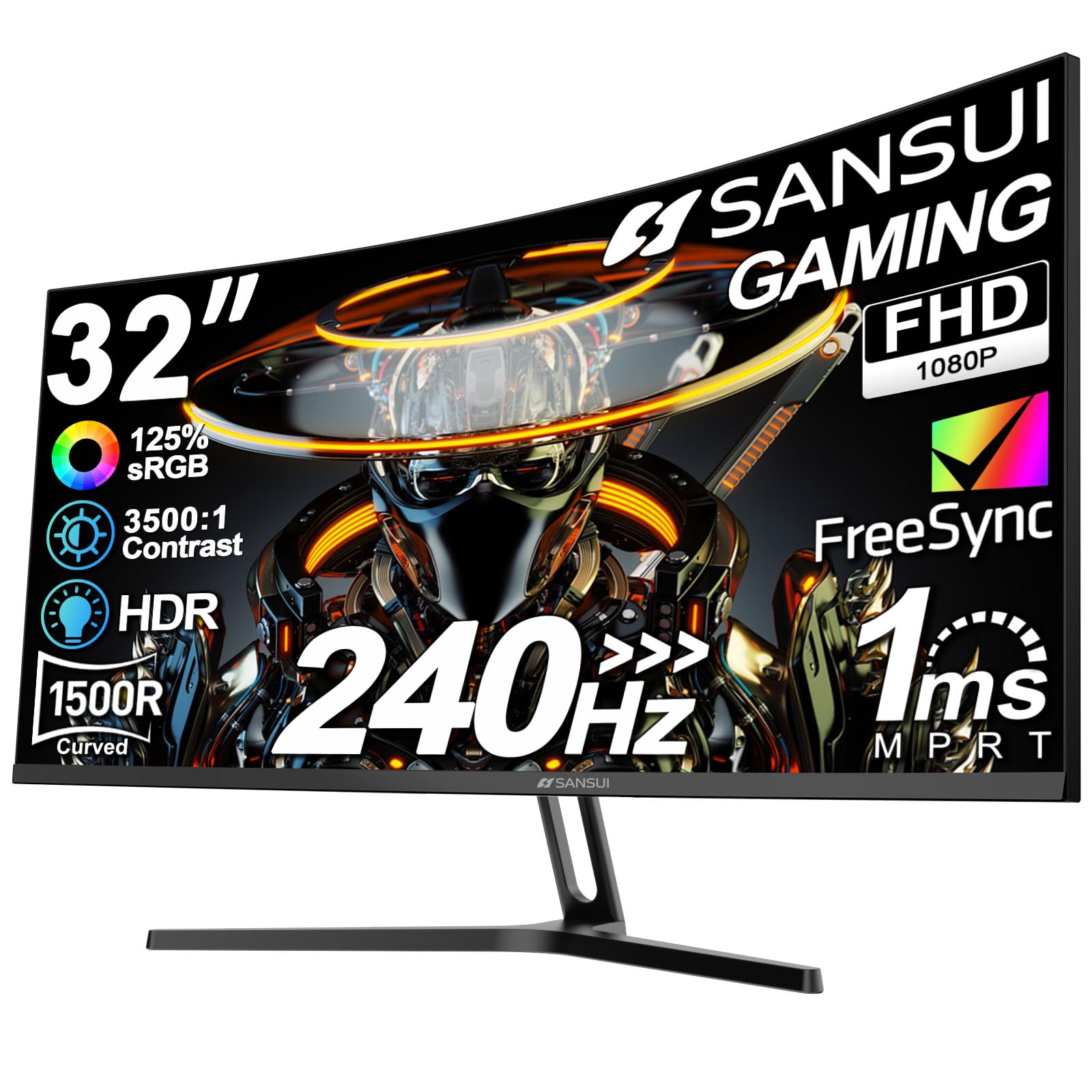
This is the monitor to grab if raw speed is your priority and your budget is tight. It runs a 240Hz refresh rate — double the 120Hz baseline — on a Full HD 1920×1080 panel, which makes it exceptionally easy for a mid-range graphics card to push frame rates high enough to use that speed. The 1500R curvature and 1ms MPRT response time keep gameplay smooth and focused, and the metal stand feels more premium than the price suggests.
Customers note it is an “excellent choice for the money” with a very clear picture at 240Hz, and the build quality is praised: over 500 owners single out the overall quality as the standout feature. The value proposition is strong too, with close to 400 buyers specifically noting it as good value. You get HDMI and DP 1.4 inputs (both running up to 240Hz), and a DP cable is included in the box, so you will not need to buy one separately.
The big trade-off is the panel type. It uses a Full HD, 1920×1080 resolution, which looks softer for desktop work compared to the 1440p KTC H32T13, and the 3500:1 contrast ratio — while 3.5x deeper than the KTC’s 1000:1 — cannot fix the lower pixel density. Durability is the recurring concern in the reviews, with several units arriving damaged or failing quickly, so treat it gently. One reviewer even noted it is a “fantastic at this price” replacement for two older 24-inch ASUS monitors.
competitive play: You are an esports player on a budget who wants the highest refresh rate possible and does not mind 1080p sharpness.
color work: You do a lot of photo editing or text work — the 1440p KTC is a sharper daily driver.
4. KTC 32 Inch 2K White Monitor (H32D6)

A clean white IPS panel with vibrant colors and a hidden 120Hz mode.
This KTC is the same width and resolution as the top pick — 32 inches and 2560×1440 — but wrapped in a crisp white shell that stands out on a minimalist desk. The IPS panel delivers 350 cd/m² brightness and covers 109% of the sRGB gamut, and with a ΔE<2 color accuracy rating, it holds its own for creative work like photo editing. Buyers specifically praise it for RAW file edits and graphic design because the colors stay consistent.
There’s a quirk you need to know about: the screen runs at 100Hz from the start, and you have to dig into the settings and enable the “Over Clock” function to open up the full 120Hz. Owners confirm this is required to hit the advertised speed, but once enabled, the motion is smooth and supports 12-bit color with HDR. The Adaptive-Sync (G-Sync Compatible / FreeSync) helps eliminate tearing once you’re in the 120Hz mode. The tilt range is a bit wider here at -5° to 20°, and it supports a 100mm x 100mm VESA mount.
For FPS players, the size is a plus — one owner notes it is ideal for FPS gaming because a larger screen was causing neck pain. However, the stand lacks height adjustment (a common complaint), and the viewing angles are narrow even for a single user, so colors shift if you’re not sitting directly in front. It is best for budget buyers, secondary displays, or Windows PC setups.
desk aesthetics: You want an IPS panel that handles color-accurate work and don’t mind a white finish.
feature hunter: You need a height-adjustable stand or a panel with wide viewing angles for a shared desk.
5. LG 32G600A-B UltraGear Curved Monitor

The tightest 1000R curve on the list pulls you into every frame.
LG’s UltraGear line is built for gamers, and this 32-inch model leans into immersion with a 1000R curvature — a tighter, more aggressive curve than the 1500R on the AOC or SANSUI. That deeper wrap expands your peripheral vision and makes the screen feel bigger than it is. It runs at 180Hz with a 1ms (GtG) response time and AMD FreeSync to keep action buttery and tear-free.
Beyond speed, it’s loaded with gamer-friendly features. Black Stabilizer brightens dark scenes so you can spot enemies hiding in shadows, Dynamic Action Sync minimizes input lag for faster reactions, and a built-in Crosshair overlay helps with aim in FPS titles. The QHD 2560×1440 resolution is easy on your GPU — one owner notes their RTX 4060 can push above 60 fps easily — and the 3000:1 contrast ratio on the VA panel delivers the deep blacks the KTC IPS can’t match. Owners praise the display quality and picture quality, and many were surprised how well a single curved screen replaced a dual-monitor office setup, with height, tilt, and swivel adjustments making it comfortable for standing desks.
The curve is not for everyone. The image is crisp for gaming and streaming, but color accuracy gets mixed feedback, and one owner found the monitor’s audio prompts (it beeps when you plug in a source or turn it off) a bit unusual. It also runs at 300 cd/m² brightness, slightly dimmer than the KTC’s 350 cd/m², so it’s not the best for very bright rooms. The included DisplayPort cable works well, but some owners needed to buy an HDMI cable for docking stations.
reliable pick: You want the most rich curved experience with gamer extras like crosshair overlays and black stabilizer.
budget shopper: You do color-critical photo work — the IPS panels here are more accurate than this VA screen.
6. Gawfolk 4K Curved Monitor (32 Inch)
True 4K resolution at a 120Hz refresh rate without the premium price.
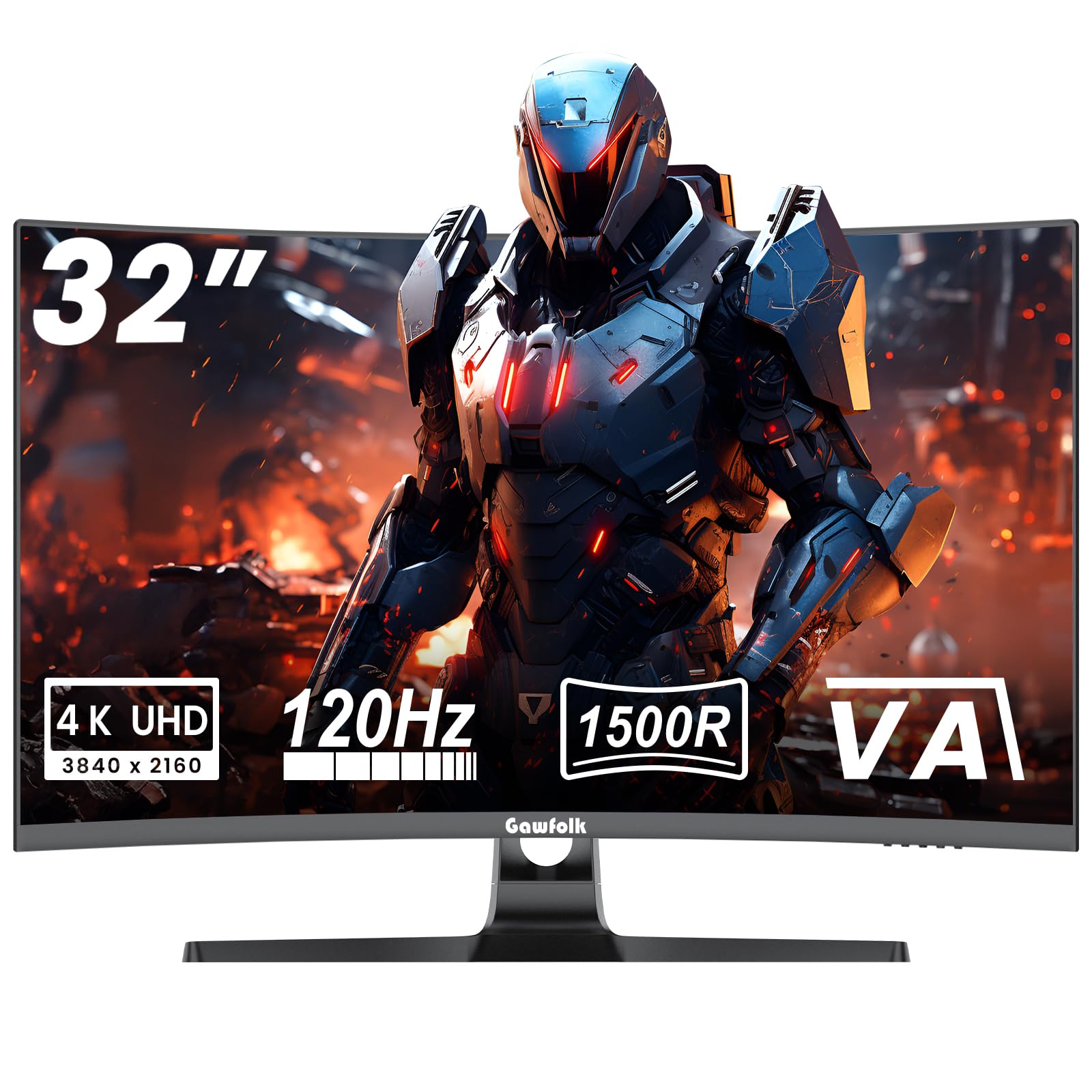
If you want the sharpest images possible, this Gawfolk delivers native 4K (3840×2160) at a full 120Hz refresh rate — a combination usually reserved for much pricier displays. The 1500R curved VA panel gives it a 3000:1 static contrast ratio, which is excellent for dark scenes in movies and games, and the 1ms response time keeps fast action clear. It covers 85% of the NTSC 1931 color gamut, a wide standard that ensures rich, saturated colors.
It supports both G-Sync and FreeSync adaptive sync, so it plays nice with both NVIDIA and AMD graphics cards by matching the screen’s refresh to your GPU’s frame output. The VESA 100x100mm mounting holes mean you can swap the stock stand for a monitor arm or wall mount. Buyers often note it’s “perfect for home office use” and great for gaming, with the 4K clarity being a major upgrade for productivity and media consumption. The panel is factory-calibrated to 6500K default color temperature, which helps keep whites looking natural.
The honest caveat is reliability. While quality and value are praised — nearly 80 owners highlight the build — picture quality gets mixed feedback, with some users reporting blurry visuals, and there are scattered reports of units stopping working. Durability is a real concern, so consider a warranty or extended protection. For a 4K 120Hz curved panel at this price, it’s a solid bet if you’re willing to accept that risk.
movie watching: Home theater and media lovers who want 4K sharpness and 120Hz smoothness on a budget.
productivity: Those who need guaranteed long-term reliability — an occasional unit fails, so treat it as a calculated risk.
7. ZZA 32 Curved Gaming Monitor (4K 160Hz)
A 4K powerhouse with a 160Hz refresh rate for the sharpest, smoothest play.
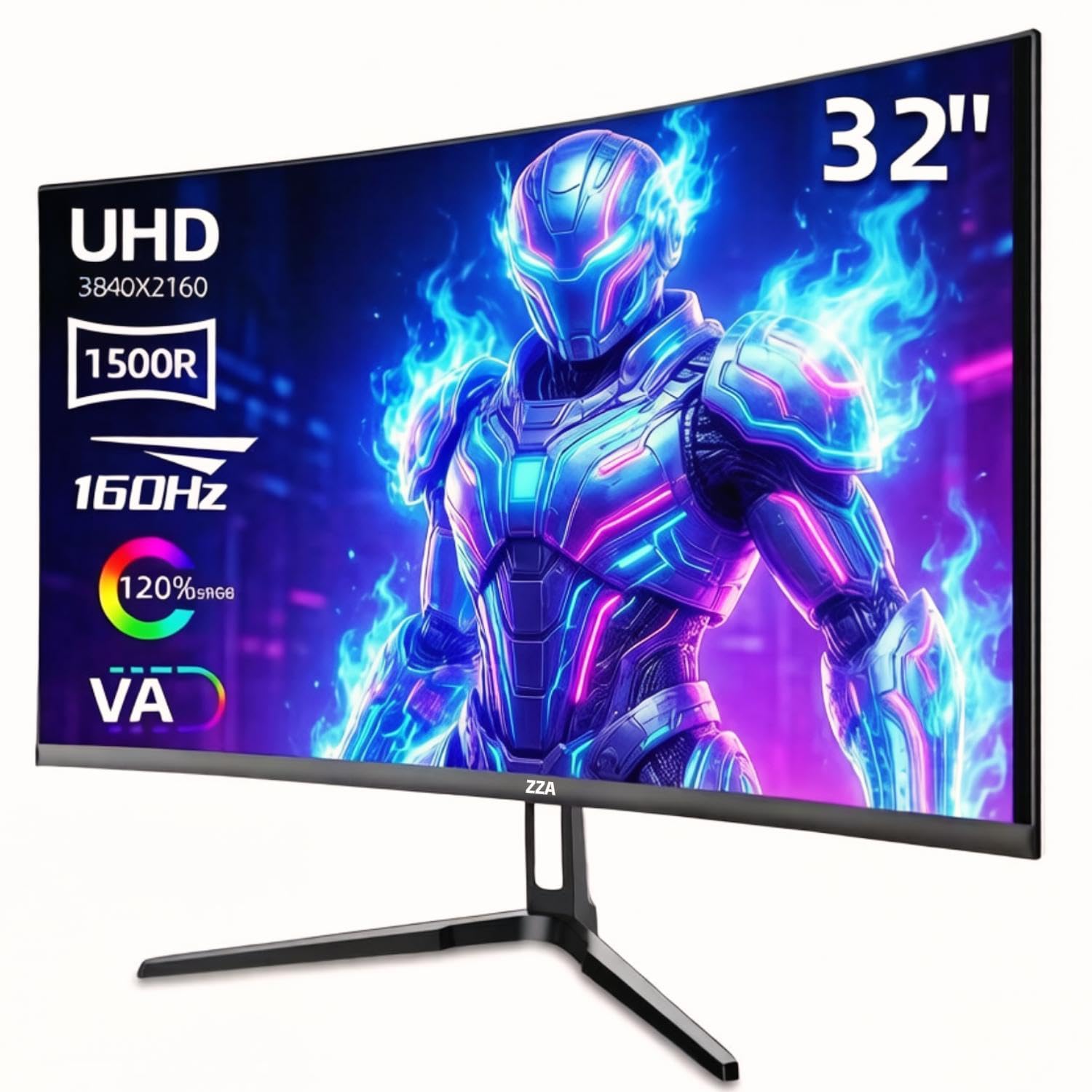
This ZZA pushes past the 120Hz baseline all the way to 160Hz while keeping a native 4K UHD (3840×2160) resolution on a 1500R curved VA panel. That means you get desktop-level sharpness and esports-level motion, and with HDMI 2.1 and DisplayPort 1.4 inputs, it’s ready for next-gen consoles and modern GPUs. The 120% sRGB color gamut and 330 cd/m² brightness make it a strong option for color-critical photo editing and content creation, and buyers praise it for “vivid depth and color” along with a solid build quality.
The 3000:1 contrast ratio delivers the deep blacks this panel type is known for, and AMD FreeSync Premium reduces screen tearing for smoother gameplay. Reviewers point out it plays well with laptops and works great on PS5 — one buyer runs Cyberpunk at 4K/120Hz without issues and calls it a “top pick” for budget curved 4K. The curve is rich, though a few note it feels shallower than a Dell of the same size.
The biggest concern is video quality consistency. While some praise it as stunning, others report blurry or grainy images in certain content, especially on PS5 video playback, and one owner could not exceed 60Hz despite the HDMI 2.1 port. The stand also lacks height adjustment, which is a downside for ergonomic setups. If you’re a PC gamer wanting high refresh 4K, this is a strong option; if you’re a console player, do your research on compatibility first.
4K gaming: You are a PC gamer or content creator who wants 4K sharpness and a 160Hz refresh rate for the smoothest workflow.
warranty seeker: You are on console — some owners hit video quality and refresh rate issues, so check your specific setup.
8. Samsung Odyssey G5 (G50F) QHD Monitor

Samsung’s flat IPS panel combines a 180Hz refresh rate with legendary brand reliability.
If you want the confidence of a major brand without sacrificing speed, this Samsung Odyssey G5 is a flat, 32-inch IPS monitor running at QHD (2560×1440) with a 180Hz refresh rate and a 1ms (GtG) response time. It’s G-Sync compatible and supports AMD FreeSync, so it works smoothly with both NVIDIA and AMD graphics cards. The 178° viewing angle is a key advantage of the IPS panel — colors stay accurate even when you’re viewing from the side, which is great for shared desks.
The monitor is packed with practical features. HDR10 support adds depth to highlights and shadows, Black Equalizer improves visibility in dark scenes, and Virtual Aim Point helps in FPS shooters. The ergonomic stand is a real highlight — it adjusts height, pivots, tilts, and swivels, which is rare at this price point, and Auto Source Switch+ instantly detects which device is active so you don’t have to fiddle with menus. One owner upgraded from a 1080p monitor and called the clarity and refresh rate “awesome,” while another applauded its long-term reliability after six months of daily use, noting deep blacks and vivid colors with no ghosting.
The main complaints are about connectivity and controls. It has limited inputs — just one HDMI and one DisplayPort — which is fine for a single PC but tight for multi-device setups. The rear joystick is awkward to reach, and the virtual crosshair cannot be toggled quickly in the heat of a game. At a higher price than the KTC H32T13, you are paying for the brand name and the adjustable stand, but the 180Hz refresh rate is a full 60Hz faster than the baseline.
Samsung fans: You value brand reliability, a fully adjustable stand, and a fast IPS panel that’s sharp from any angle.
value hunter: You need multiple inputs for several devices — this monitor is limited to one HDMI and one DisplayPort.
9. Dell 32 Monitor S3225QS (4K 120Hz)

The 4K workspace champion that doubles as a 120Hz entertainment screen.
Dell’s S3225QS is the monitor to get when your desk does double duty as a work-from-home station and a gaming setup. It runs a native 4K UHD (3840×2160) VA panel at a full 120Hz refresh rate, with a 1500:1 contrast ratio and 300 cd/m² brightness. The 99% sRGB and 95% DCI-P3 color coverage means colors are accurate enough for creative work, and the ultra-thin bezel in an ash white finish keeps it looking modern on any desk.
Where this monitor really shines is eye comfort and audio. The ComfortView Plus feature reduces harmful blue light emissions to ≤35% without washing out colors, so you can sit through long work sessions without eye strain. It also has built-in speakers that owners describe as “excellent” and “very loud, near TV quality” — a rare win since most monitor speakers are an afterthought. The 120Hz refresh rate with AMD FreeSync Premium (and an ultra-low 0.03ms response time) keeps games smooth, and the VA panel delivers deep blacks that make MMOs and movies look great. One owner called the 32-inch size “ideal at 2ft” for rich gaming.
The honest caveats: the built-in speakers can randomly become the default audio output on your PC, which gets annoying, and there’s a slight color shift when you move your head up or away from the screen — typical of VA panels. The HDMI cable in the box is only 1.8m (about 6 feet), so you may need a longer one for tower setups. It’s the priciest pick here, but you’re getting true 4K, 120Hz, and integrated audio in one clean package.
office use: You want a single premium monitor that handles 4K work, 120Hz gaming, and delivers TV-quality sound without speakers.
gamer: Your desk is in a very bright room and you need maximum brightness — the 300 cd/m² is good but not the brightest here.
Understanding the Specs
Refresh Rate and Response Time
Refresh rate (Hz) is how many times the screen redraws the image per second. A 120Hz monitor shows double the frames of a 60Hz one, making fast motion look smoother and reducing blur. Response time (measured in ms) is how quickly a pixel changes color — a lower number (like 1ms) means less ghosting in fast scenes. For gaming, look for 120Hz or higher with a response time of 5ms or less.
Adaptive Sync (G-Sync and FreeSync)
Adaptive sync technology matches your monitor’s refresh rate to your graphics card’s frame output, eliminating screen tearing (when the image splits horizontally) and stuttering. G-Sync works with NVIDIA cards, while FreeSync works with AMD cards. Some monitors support both. If you play games, this feature is essential for smooth visuals.
FAQ
Is a 120Hz monitor worth it for a PS5 or Xbox?
What is the difference between a 60Hz and a 120Hz refresh rate?
Will a 120Hz monitor work for office work and productivity?
Is IPS or VA panel better for gaming?
Can a 120Hz monitor run games at 120 frames per second?
What is the difference between 1440p and 4K resolution?
Do I need HDMI 2.1 for 120Hz gaming at 4K?
Is a curved monitor better than a flat monitor?
Final Thoughts: The Verdict
For most people, the best 32 inch 120hz tv is the KTC H32T13 because it nails the essentials — sharp 1440p resolution, smooth 120Hz refresh, and a bright IPS panel — at a price that undercuts the competition while holding the highest satisfaction score in this lineup. If you want a more rich curved screen with a faster 180Hz refresh, grab the AOC CQ32G4VE. And for those who need 4K sharpness for work and play, the Dell S3225QS is the premium pick that also brings TV-quality speakers to the table.
How We Picked
We do not accept paid placement. Every pick is matched to a real buyer and a real use-case; we do not hands-on test units.
Sources & Methodology
Specifications: manufacturer listings and product documentation. Review insights: verified customer reviews, as of August 2026. Pricing: not shown on this page (it changes often); check the current price via the retailer link.
As an Amazon Associate, Gadgets Feed earns from qualifying purchases. This does not affect which products we feature.