
Our readers keep the lights on and my morning glass full of iced black tea. As an Amazon Associate, I earn from qualifying purchases.
Specs are compiled from manufacturer listings and verified buyer reviews and can change over time — please confirm the key details on the product page before buying.
If your laptop slows to a crawl every time you open a dozen browser tabs, a 32GB kit is the single most effective cure. This guide simplifies the specs to help you choose the right 32GB laptop RAM, from budget DDR4 kits to premium DDR5 upgrades.
I’m Min — the founder and writer behind Gadgets Feed. This guide is built by comparing the manufacturers’ published specifications and the patterns across verified customer reviews, so you get each pick’s real strengths and trade-offs instead of marketing spin.
The right upgrade depends on your laptop’s generation, so we’ve broken down the best 32gb laptop ram options by speed, latency, and compatibility to match your system and your budget.
Our Picks at a Glance


How To Choose The Best 32GB Laptop RAM
Before you click buy, you need to know which memory generation your laptop accepts. Installing the wrong type is the most common mistake, and it can waste your time and money.
DDR4 vs DDR5: The Generation Gap
Your laptop’s motherboard is built for one specific type of memory. DDR4 uses a 260-pin connector, while the newer DDR5 uses a 262-pin connector, meaning they are physically incompatible. If you have a recent 13th Gen Intel or AMD Ryzen 6000 laptop, you likely need DDR5; otherwise, DDR4 is the safe bet.
Single Stick vs. Dual Kit
A 32GB kit usually comes as either one 32GB module or two 16GB modules. Two sticks enable dual-channel mode, which lets your laptop read and write data on two paths at once, offering a noticeable speed boost over a single stick. If your laptop has two slots, a 2x16GB kit is generally the better performance choice.
Speed and Latency: The Real-World Numbers
Memory speed, measured in MHz (megahertz), tells you how fast data moves. Latency, shown as a CL number, tells you how many clock cycles it takes to access data. Lower latency is faster, so a CL20 module is quick than a CL22 one at the same speed. For daily use, going from 2666MHz to 3200MHz is a bigger win than chasing the lowest CL number.
Quick Comparison
| Model | Best For | Capacity | Speed | Latency | Amazon |
|---|---|---|---|---|---|
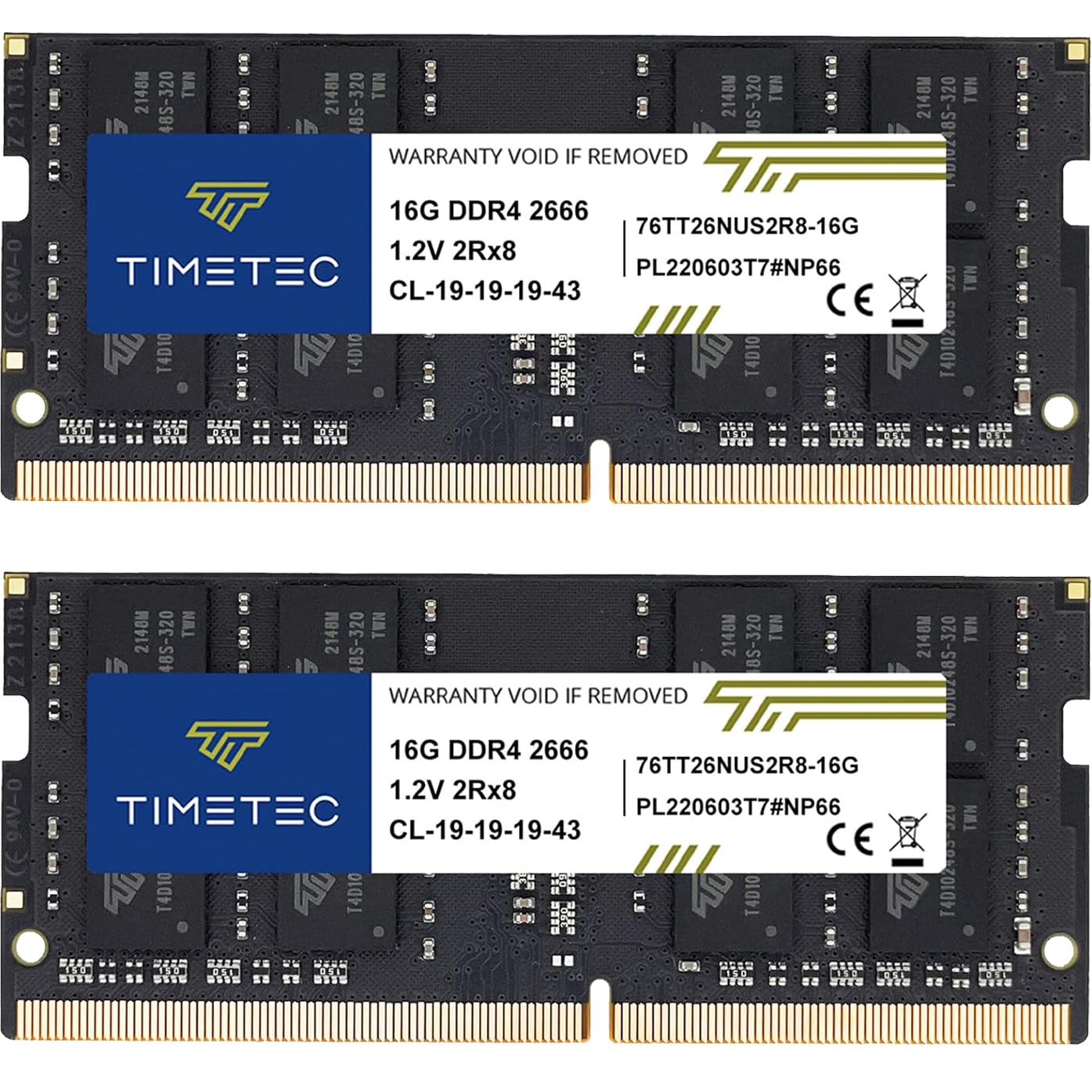
| Timetec 32GB Kit★ Best Overall | Best Overall Value | 2x16GB | 2666 MHz | CL19 | Amazon |
| PNY XLR8 32GB KitTop Performer | Overclocking | 2x16GB | 3200 MHz | CL20 | Amazon |
| G.SKILL Ripjaws SingleCompact Pick | Single-Stick Upgrade | 1x32GB | 3200 MT/s | CL22 | Amazon |
| G.SKILL Ripjaws Kit | Reliable Dual-Channel | 2x16GB | 3200 MT/s | CL22 | Amazon |
| Crucial 32GB Single | Brand Trust | 1x32GB | 2666 MHz | CL19 | Amazon |
| GIGASTONE 32GB Kit | Budget Flexibility | 2x16GB | 3200 MHz | CL22 | Amazon |
| Samsung 32GB Kit | OEM Quality | 2x16GB | 3200 MHz | CL22 | Amazon |
| Kingston FURY Impact | Plug n Play | 1x32GB | 3200 MT/s | CL20 | Amazon |
| Crucial DDR5 32GB | Future-Proofing | 1x32GB | 5600 MHz | CL46 | Amazon |
In‑Depth Reviews
1. Timetec 32GB Kit (2x16GB) DDR4 2666MHz
Our pick — over 4.5★ from 750+ verified ratings; the strongest balance of quality and price.
The crowd favorite that delivers dependable dual-channel speed while staying affordable.
This Timetec kit gives you two 16GB modules running at 2666MHz, which open up dual-channel mode for a real performance lift in everyday multitasking. The CL19 latency (the delay before data is accessed) is notably tight for this speed class, so apps and browser tabs feel snappier right after the swap.
What wins people over is the sheer reliability; buyers report it working flawlessly across Alienware laptops, Mac Minis, and Dell Latitudes, often recognizing the full 32GB instantly with zero compatibility headaches. For students and remote workers, the jump from 8GB or 16GB to this kit eliminates the stutter when juggling documents, video calls, and spreadsheets at once.
It runs cool and stable even in a gaming HP OMEN, and the value proposition is so strong that long-term owners have stacked it across four laptops and three mini PCs without a single failure in years. The only minor note is that the PCB color (green or black) and rank can vary by production batch, but that never affects performance.
Why It Wins
- Proven compatibility across major laptop brands
- Tight CL19 latency for smoother daily use
- Backed by a limited lifetime warranty
Things to Know
- Runs at 2666MHz, not the faster 3200MHz
- PCB color varies by batch, which some may notice
The wise upgrade: If you want 32GB of RAM without overspending, this kit delivers proven stability at a budget-friendly price, so your laptop handles heavy multitasking without crashing.
skip it if: You need the absolute fastest 3200MHz speed for competitive gaming, where a higher-frequency kit is worth the premium.
2. PNY XLR8 32GB (2x16GB) 3200MHz CL20
A gamer’s boost that runs at 3200MHz with a faster CL20 latency for sharper response.
This PNY kit is built for laptop gamers, running at 3200MHz with a CL20 latency, compared with the G.SKILL Ripjaws kit’s CL22. That means quicker response times in fast-paced titles, and it’s backwards compatible with lower frequencies if your system doesn’t support the full speed.
The XMP 2.0 support delivers easy overclocking once activated, letting you open up that top speed without tweaking anything manually. Owners mention it being recognized immediately by their laptops, with one noting a ~20% performance boost when switching from single to dual-channel mode, making it a massive step up from a stock 8GB configuration.
It’s a common pick for Acer Nitro 5 owners who want to eliminate stutters. The heat spreaders sit on the same side for both modules, which is a minor layout quirk, but it doesn’t stop the kit from delivering the promised performance in daily gaming and multitasking.
Gaming verdict: If you want the dual-channel speed and overclocking headroom for less than premium-brand prices, this is your kit.
The trade-off: You need a system with XMP support to hit the full 3200MHz, otherwise it falls back to slower speeds.
3. G.SKILL Ripjaws 32GB (1x32GB) 3200MT/s CL22
The single-stick specialist for laptops with one free slot and a need for speed.
This G.SKILL module packs the entire 32GB into a single stick rated for 3200MT/s, which is a smart move if your laptop has just one empty slot. Owners have paired it with an existing 8GB stick to hit 40GB total, making it a cheaper path to big memory than replacing everything with a full kit.
It ships with a JEDEC default profile, meaning it boots at a safe, standard speed without any BIOS tweaking; just plug it in and go. The compatibility shines in LG Gram laptops and tiny desktop PCs, where it provides a solid performance boost in CAD rendering and 3D design workloads that previously choked on limited memory.
Its CL22 latency (the delay in clock cycles before data is delivered) is slightly higher than the PNY’s CL20, so it responds a touch slower in raw speed. But the single-module design makes installation easier for certain laptops. Just don’t mix kits—G.SKILL warns that combining class-leading modules can cause stability issues, so buy one matched set.
The flexible path: Ideal for adding 32GB alongside an existing stick without wasting your current RAM.
Who it’s not for: Gamers wanting the absolute lowest latency; a dual-channel kit will serve you better.
4. G.SKILL Ripjaws 32GB (2x16GB) 3200MT/s CL22

The dual-channel workhorse that owners trust for flawless stability in demanding laptops.
This G.SKILL kit delivers 32GB across two 16GB modules at 3200MT/s, and it’s the reliability pick for good reason. Customers note it working flawlessly in ASUS A15, Razer Blade Advanced, and HP Victus laptops, with one noting it ran Starfield at ultra settings after the upgrade.
The CL22 latency is standard for this speed, but the real benefit is the easy plug-and-play swap—your BIOS confirms the correct speed instantly, and you’ll notice faster boot times and smoother performance when juggling dozens of browser tabs and heavy apps. The build quality is top-tier, making it ideal for development laptops and mini PCs like the Beelink GR7.
There’s a rare oddity where one specific MSI model refused to boot with the pair, but the same kit worked perfectly in another MSI Katana, highlighting that compatibility can vary by motherboard. For the vast majority of systems, this kit is a reliable, high-quality upgrade that just works.
Dependable power: A well-built kit that open up dual-channel speed for gaming, rendering, and heavy multitasking.
The rare edge case: An occasional motherboard-specific incompatibility exists, so check your model if you own an MSI Sword.
5. Crucial 32GB Single DDR4 2666MT/s CL19

Micron’s engineering pedigree makes this single 32GB stick a safe, quality-first upgrade.
This Crucial module brings 32GB in a single 2666MHz stick, backed by Micron’s decades of memory engineering back this module’s reliability. and rigorous component-level testing. It’s the pick for buyers who prioritize brand trust and want a guaranteed fit, with Crucial’s System Scanner tool offering compatibility assurance before you buy.
Owners have slotted it into a 2019 Razer Blade 15 Advanced and ASUS ROG laptops, often pairing it with existing memory to reach 40GB or even 64GB total. The install is genuinely tool-free for most; the laptop finds it immediately on power-on, and the CL19 latency keeps things responsive for daily multitasking.
It’s slightly pricier than a 2x16GB kit, but that premium buys you the convenience of not removing your existing stick. The customer service reputation is stellar, with one owner noting a replacement was shipped promptly even when the issue turned out to be user error, not a memory fault.
The safe bet: A high-quality single module from a trusted brand, perfect for adding capacity without waste.
Consider the cost: You’ll pay a little more per gigabyte than a dual-kit, and you miss out on dual-channel speed gains.
6. GIGASTONE 32GB Kit (2x16GB) DDR4 3200MHz

A fast 3200MHz dual kit that delivers premium speed at a budget-friendly price point.
This GIGASTONE kit offers two 16GB modules at 3200MHz, giving you dual-channel performance and a noticeable power boost for gaming and heavy workloads. It’s compatible with a wide range of laptops, notebooks, and all-in-one computers, making it a versatile drop-in upgrade for most systems.
Buyers praise the installation speed—one completed the installation in under 10 minutes—and reliability is the most-mentioned positive. It’s a smart pick for budget-conscious buyers upgrading an older HP or Dell instead of buying a new machine; as one reviewer puts it: “Save some money you don’t need a new ox just upgrade the ram.”
The CL22 latency is standard, so it won’t edge out a CL20 kit in raw response, but at this price, the value is hard to argue with. Just remember it’s non-ECC, meaning it can’t correct data errors like server-grade memory, which is fine for consumer laptops but a point to note for purists.
The value play: Get 3200MHz dual-channel speed without the premium-brand markup.
Keep in mind: Non-ECC memory is standard for laptops, so don’t expect server-grade error correction here.
7. Samsung 32GB (2x16GB) DDR4 3200MHz
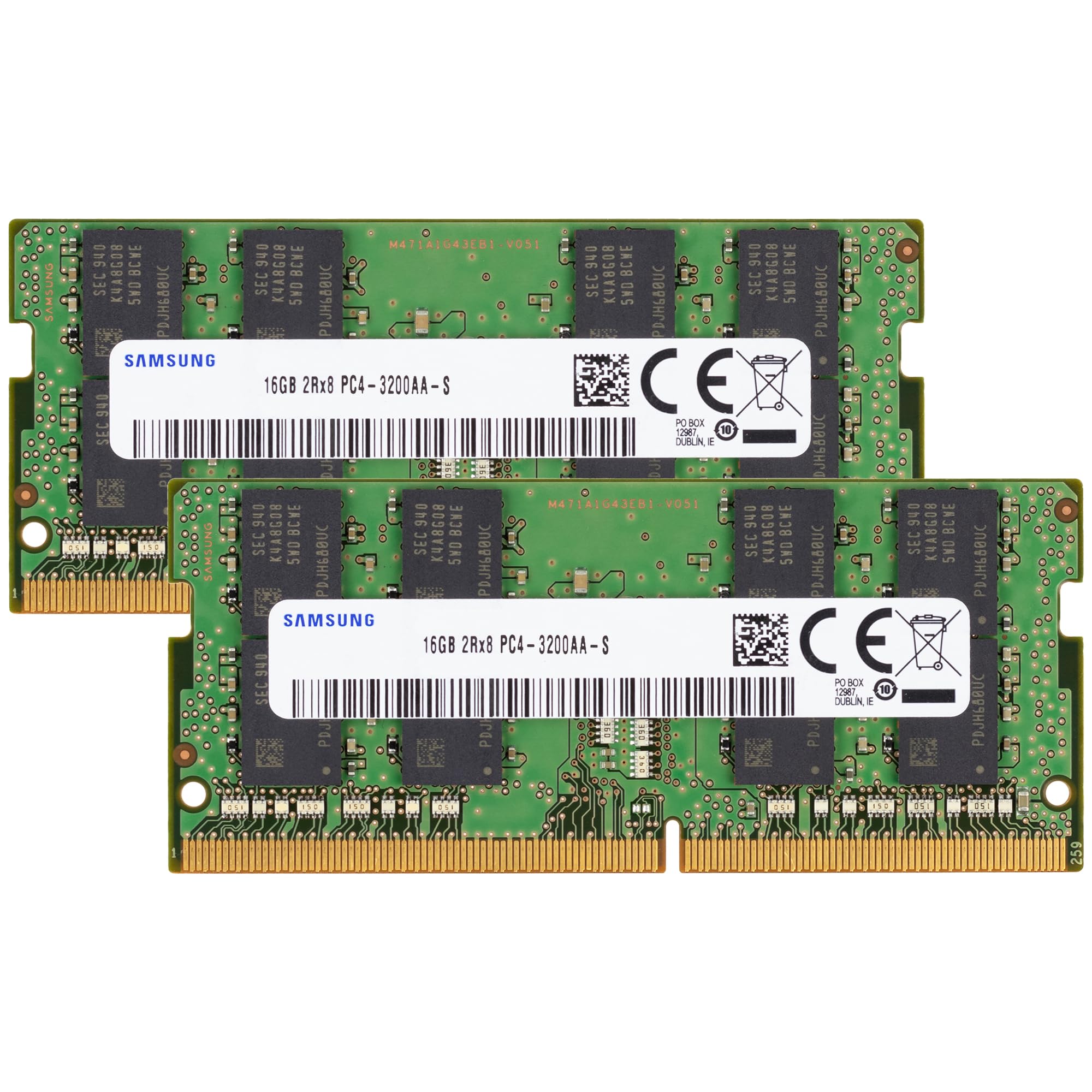
Genuine Samsung OEM silicon with dual-rank density for maximum memory efficiency.
This Samsung kit brings 32GB across two 16GB modules at 3200MHz, using a 2Rx8 dual-rank configuration that can offer better performance than single-rank sticks in some systems. It’s the exact quality you’d find inside brand-new laptops, making it a favorite for matching existing OEM memory.
Owners have successfully upgraded HP all-in-one desktops and Dell G15 5511 laptops, with heavy multitaskers reporting their machines “no longer choking” during Zoom calls with many windows open. The install is straightforward, often guided by a quick YouTube tutorial, and the price beats what Dell charges for the same upgrade directly.
The JEDEC standard 1.2V operation keeps power draw low and heat manageable. As a genuine Samsung part, you’re getting the same reliability that OEMs trust, and the seller’s prompt customer service has earned praise for handling specific post-purchase requests quickly.
Factory quality: A dependable, dual-rank kit that mirrors the performance of RAM pre-installed in premium laptops.
Note: As a newer listing, this kit has fewer owner reports so far, but the Samsung name carries real weight.
8. Kingston FURY Impact 32GB 3200MT/s CL20

Kingston’s FURY line brings a fast CL20 3200MT/s stick with automatic overclocking built in.
This Kingston FURY Impact module delivers 32GB at 3200MT/s with a tight CL20 latency, and its Plug n Play feature automatically overclocks to the highest published frequency without any BIOS work. It’s ready for both Intel XMP profiles and AMD Ryzen systems, making it a versatile single-stick upgrade.
Owners have matched it with existing modules in HP Probooks and ASUS ROG Strix laptops, reaching 40GB total for demanding multitasking and gaming. Long-term users report two years of stable operation with no crashes or errors, cementing its reputation for stability.
The low 1.2V power draw keeps your system running efficiently without excess heat. Compatibility is generally excellent, though a few specific Dell XPS models have shown mixed results, so it’s worth a quick check on your exact laptop model if you’re outside the mainstream brands like ASUS and HP.
The auto-boost: Plug it in and get fast 3200MT/s speeds without learning how to overclock manually.
Check first: It’s a solid match for ASUS and HP laptops, but verify support on niche Dell models.
9. Crucial 32GB DDR5 5600MHz
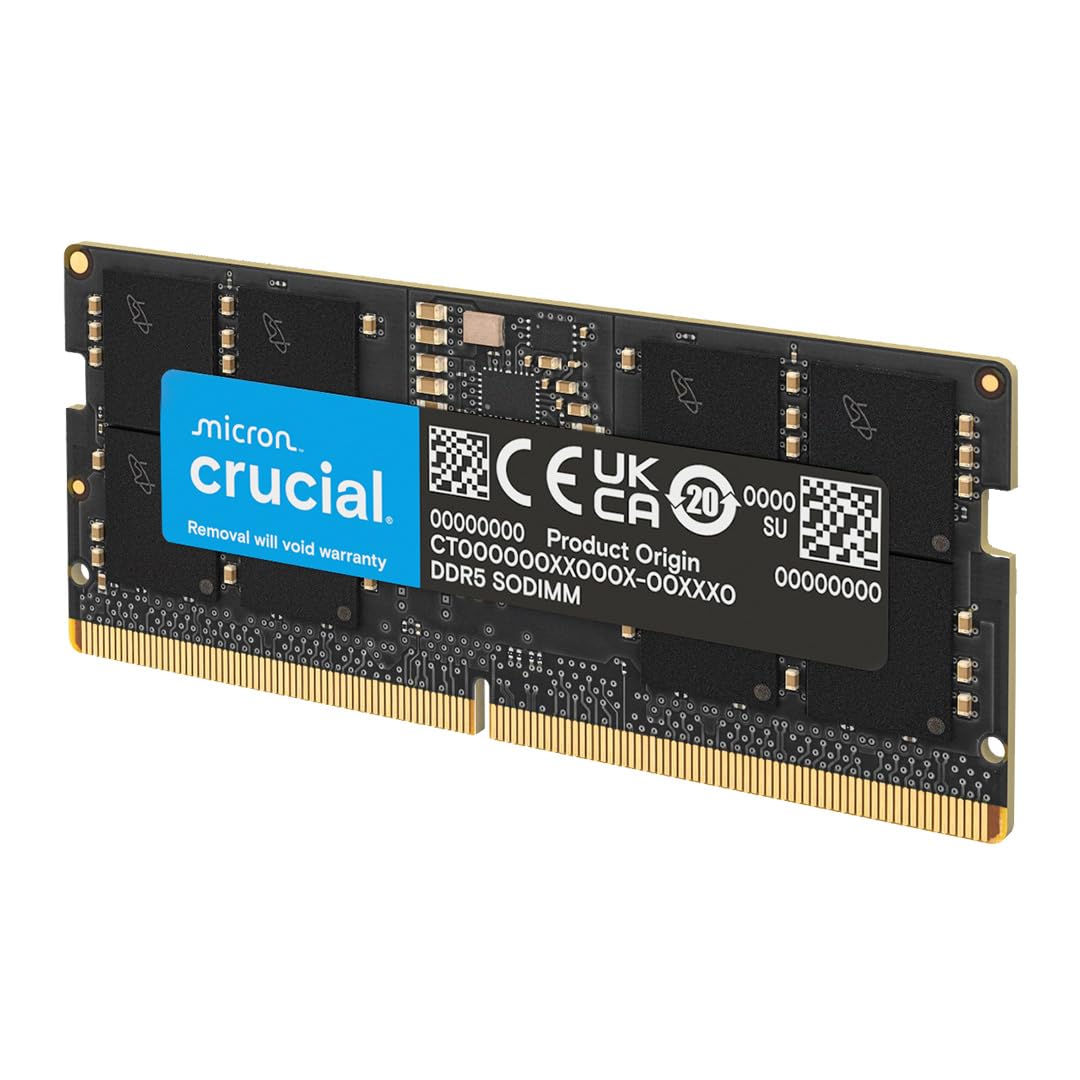
The next-gen DDR5 upgrade for modern laptops craving higher bandwidth and headroom.
This Crucial module is the DDR5 future, operating at 5600MHz with the ability to downclock to 5200MHz or 4800MHz to match your system’s support. It’s designed for 13th Gen Intel Core and AMD Ryzen 6000 laptops, making it the right choice if you’re building or upgrading a recent machine.
The higher frequency translates to faster data transfer for heavy workloads and gaming, where every millisecond counts. Owners have installed it in Dell Precision laptops and even UGREEN NAS units, confirming it runs at the full 5600MHz speed with rock-solid stability over months of use.
It uses a 262-pin connector, so it won’t fit older DDR4 laptops; you must have a DDR5-capable system. The 1.1V voltage is lower than DDR4, contributing to better power efficiency, and Micron’s long-standing memory expertise ensures dependable performance., making this a premium pick for future-proofing your laptop’s performance.
The future-ready choice: If your laptop uses DDR5, this is the fastest, most reliable way to reach 32GB.
The catch: DDR5 is physically incompatible with DDR4 slots, so verify your system’s generation before buying.
Understanding the Specs
Speed (MHz)
This number, like 2666MHz or 3200MHz, tells you how fast the memory can transfer data. Higher numbers mean faster performance, so a 3200MHz kit is quicker than a 2666MHz one. Your laptop’s motherboard determines the maximum speed it can run, so check your system’s specs before buying a high-speed kit.
CAS Latency (CL)
This measures the delay in clock cycles before the RAM can deliver data. A lower CL number, like CL19 or CL20, is faster and more responsive than a higher CL22. When comparing two kits at the same speed, the one with the lower CL will feel snappier in everyday tasks.
FAQ
Is 32GB of RAM overkill for a laptop?
What is the difference between a 2x16GB kit and a 1x32GB stick?
Will DDR4 RAM fit in a DDR5 laptop?
How do I know if my laptop supports 3200MHz RAM?
Can I mix a 32GB stick with my existing 8GB stick?
What does CAS latency CL19 or CL22 mean for performance?
Is it hard to install laptop RAM?
What is the difference between ECC and Non-ECC RAM?
Will upgrading to 32GB RAM speed up my gaming laptop?
Final Thoughts: The Verdict
For most buyers, the 32gb laptop ram winner is the Timetec 32GB Kit because it delivers proven reliability, tight CL19 latency, and a budget-friendly price that outperforms its cost. If you want the fastest 3200MHz speed for gaming, grab the PNY XLR8 Kit. And for a single-stick upgrade path, the G.SKILL Ripjaws 1x32GB is the one to reach for.
How We Picked
We do not accept paid placement. Every pick is matched to a real buyer and a real use-case; we do not hands-on test units.
Sources & Methodology
Specifications: manufacturer listings and product documentation. Review insights: verified customer reviews, as of August 2026. Pricing: not shown on this page (it changes often); check the current price via the retailer link.
As an Amazon Associate, Gadgets Feed earns from qualifying purchases. This does not affect which products we feature.