
Our readers keep the lights on and my morning glass full of iced black tea. As an Amazon Associate, I earn from qualifying purchases.
Specs are compiled from manufacturer listings and verified buyer reviews and can change over time — please confirm the key details on the product page before buying.
A 144Hz 4K gaming monitor eliminates the trade-off between sharp 4K detail and smooth high-refresh motion. At 4K, you get four times the pixels of 1080p, and at 144Hz or higher, the panel refreshes fast enough to keep fast-paced action clear. Here are the best 144Hz 4K monitors that deliver both.
I’m Min — the founder and writer behind Gadgets Feed. This guide is built by comparing the manufacturers’ published specifications and the patterns across verified customer reviews, so you get each pick’s real strengths and trade-offs instead of marketing spin.
We’ve compared OLED, IPS, and VA panels to find the best 144Hz 4K options. Here is the honest breakdown of the best 144hz 4k gaming monitor options on the market today.
Our Picks at a Glance


How To Choose The Best 144Hz 4K Gaming Monitor
A 4K 144Hz monitor is a long-term investment, so understanding the specs is key. Resolution and refresh rate are just the starting point. Panel technology and features like adaptive sync matter most for your gaming style.
Panel Technology: The Foundation of Image Quality
Panel type determines color accuracy, contrast, and viewing angles. Fast IPS panels offer great color and wide viewing angles, making them a safe all-rounder. VA panels typically deliver higher contrast ratios, which means deeper blacks, but can suffer from slight smearing in dark scenes. OLED and QD-OLED panels are the premium choice, offering perfect blacks, incredible contrast, and near-instant response times, though they come at a premium price.
Response Time and Adaptive Sync: For Smooth, Tear-Free Action
Response time, in milliseconds, measures how fast a pixel changes color. A lower response time means less ghosting and blur, which is critical in fast-paced shooters. You’ll often see figures like 1ms (GtG) for IPS and 0.03ms for OLED panels. Pairing this with adaptive sync technology — like AMD FreeSync Premium or NVIDIA G-Sync — synchronizes the monitor’s refresh rate with your graphics card to eliminate screen tearing and stuttering during gameplay.
Quick Comparison
| Model | Best For | Panel Type | Refresh Rate | Response Time | Amazon |
|---|---|---|---|---|---|
| ASUS ROG PG32UCDM★ Best Overall | Overall Performance | QD-OLED | 240Hz | 0.03ms | Amazon |
| LG 27G810A-BDual-Mode Pick | Dual-Purpose Play | IPS | 180Hz (4K) / 360Hz (FHD) | 1ms (GtG) | Amazon |
| Samsung Odyssey G7 (G70D)Smart Choice | Smart Features | IPS | 144Hz | 1ms (GtG) | Amazon |
| KTC H32P22P | Value and Size | Fast IPS | 165Hz | 1ms (MPRT) | Amazon |
| Samsung Odyssey G7 (G75F) | rich Curve | VA | 165Hz | 1ms (GtG) | Amazon |
| LG 37G800A-B | Large-Screen Value | VA | 165Hz | 1ms (GtG) | Amazon |
| Acer Predator X32 X | Curved OLED Gaming | QD-OLED | 240Hz | 0.03ms | Amazon |
| LG 32GX850A-B | Glossy OLED Brightness | OLED | 165Hz (4K) / 330Hz (FHD) | 0.03ms | Amazon |
| MSI MPG 321URXW | White Design, Top Performance | QD-OLED | 240Hz | 0.03ms | Amazon |
| MSI MPG 322URX | Latest Connectivity | QD-OLED | 240Hz | 0.03ms | Amazon |
| ASUS ROG PG27UCDM | Sharp 27-Inch Clarity | QD-OLED | 240Hz | 0.03ms | Amazon |
In‑Depth Reviews
1. ASUS ROG PG32UCDM
Our pick — over 4.5★ from 550+ verified ratings; the strongest balance of quality and price.
The entire 4K gaming experience, perfected with top-tier speed and jaw-dropping color.
If you’re chasing the absolute best 4K gaming experience without compromise, this is it. The ASUS ROG PG32UCDM pairs a 32-inch 4K QD-OLED panel with a blistering 240Hz refresh rate and a 0.03ms response time — a combination that leaves even the fastest IPS panels far behind, and it’s a massive leap in speed over the 144Hz standard. It’s not just fast; the picture quality is exceptional, with a 1,500,000:1 contrast ratio delivering perfect blacks and vibrant colors that make games look stunning.
The monitor is built for serious gaming sessions and confidence. It uses an advanced heat management system with a custom heatsink and graphene film to actively reduce the risk of burn-in, a common concern with OLED. You also get a 3-year warranty that includes burn-in coverage, so you can play with confidence. For connectivity, it offers a 90W USB-C port that can charge your laptop and transfer data with a single cable, plus G-Sync Compatible support for smooth, tear-free gaming.
Reviewers consistently praise this as a top-tier gaming display. As buyers report: “4K 240Hz QD-OLED; top speed for 4K.” The thing everyone raves about is the build quality, with picture quality a close second. It’s a premium investment, but for gamers who want the pinnacle of performance and image quality, this monitor is class-leading. Its peak brightness is 2.5 times that of the LG 27G810A-B, making HDR content truly pop.
Why It’s the Top Pick
- Incredible QD-OLED picture quality with true blacks
- Class-leading 240Hz refresh rate and 0.03ms response time
- sturdy burn-in protection and 3-year warranty
- Versatile 90W USB-C connectivity for single-cable setup
Things to Consider
- Premium price tag reflects its top-tier status
- Large 600W power brick is bulky
- Documentation could be better
Ideal For: The enthusiast who demands the best 4K gaming monitor available, prioritizing performance and image quality above all else.
Consider If: You have a powerful PC to drive 240Hz at 4K and a budget that accommodates a premium flagship.
2. LG 27G810A-B
A clever dual-mode design that gives you the best of both 4K clarity and esports speed.
This LG UltraGear monitor solves a dilemma many gamers face: do you want stunning 4K detail or the highest possible frame rates for competitive play? With its Dual Mode feature, you get both. You can enjoy story-driven single-player games in full 4K UHD at up to 180Hz, then press a hotkey to switch to Full HD at a lighting-fast 360Hz for multiplayer shooters where every millisecond counts. It’s a versatile tool that feels like two monitors in one.
The 27-inch IPS panel delivers vibrant colors with 95% DCI-P3 coverage and is VESA DisplayHDR 400 certified. This means you get deep blacks and bright highlights for a more rich picture. It also supports both NVIDIA G-Sync and AMD FreeSync Premium, ensuring smooth, tear-free gameplay whether you have an NVIDIA or AMD graphics card. The stand is fully adjustable with height, tilt, swivel, and pivot, so you can find the perfect viewing angle for long sessions.
For a monitor packed with such high-end specs, it offers an incredible value proposition. As owners mention: “insanely cheap for its specs I would say.” Owners love the flexibility of the dual-mode, using it for both rich 4K gaming and competitive 1080p play. The crisp 4K is “eye-friendly” for work, and the high refresh rate in FHD mode is lauded for fast-paced games. It’s a brilliant all-rounder for gamers who want top-tier performance without a top-tier price.
The Flexibility Wins
- Dual Mode: 4K 180Hz or FHD 360Hz via hotkey
- Features both G-Sync and FreeSync Premium
- Fully adjustable stand with pivot
- Outstanding price-to-performance ratio
The Trade-Offs
- 27-inch size may be smaller than some prefer
- IPS contrast ratio (1000:1) can’t match OLED
Perfect For: Gamers who split time between cinematic AAA titles and competitive FPS games, wanting one monitor for both.
Look Elsewhere If: You insist on the absolute best contrast and black levels found only on OLED panels.
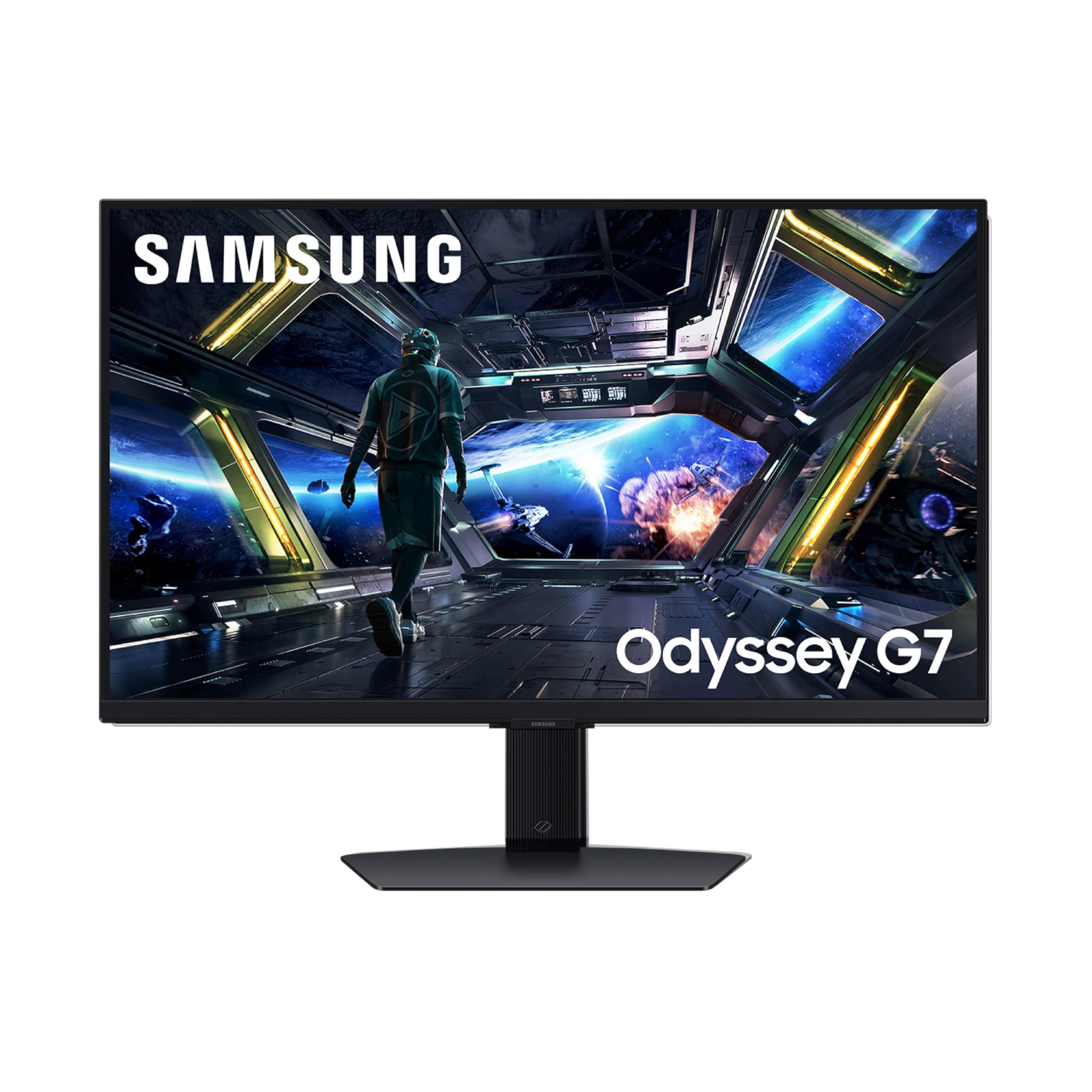
3. Samsung Odyssey G7 (G70D)
A 4K 144Hz gaming screen that doubles as a smart TV for streaming and cloud gaming.
This Samsung Odyssey G7 goes beyond being just a PC monitor. Its built-in Gaming Hub gives you instant access to top streaming services and cloud gaming platforms without needing a PC or console — just turn it on and play. This makes it an incredibly versatile display for a bedroom or living space where you want both a gaming monitor and a smart TV in one.
For gaming, it delivers solid 4K UHD clarity with a fast 144Hz refresh rate and a 1ms response time, ensuring smooth, responsive gameplay. The Fast IPS panel offers wide 178-degree viewing angles, so colors stay consistent even when you’re not sitting directly in front of it. It also supports both G-Sync and FreeSync Premium for a tear-free experience. The NQM AI Processor even upscales lower resolution content to near-4K quality, so older games and streaming videos look sharper than they would on a standard 1440p monitor.
Owners find it to be a high-quality, sturdy screen that’s “immensely responsive” and easy to set up, with one noting it connects to consoles and computers easily every time. The picture quality receives high marks, especially for console gaming. It’s a little lighter and easier to move than some rivals. The consensus is it’s a great gaming screen, though as with any monitor, experiences can vary on arrival.
Standout Feature: The integrated smart TV functionality separates it from typical gaming monitors, adding streaming and cloud gaming without a PC.
The Core Spec: A 4K UHD resolution on a Fast IPS panel with a 144Hz refresh rate and 1ms response time for reliable, everyday high-refresh gaming.
4. KTC H32P22P

Massive 32-inch 4K screen with a smooth 165Hz refresh rate at a budget-friendly price.
The KTC H32P22P is the pick for gamers who want a big, sharp display without spending a fortune. It offers a large 32-inch 4K UHD screen with a fast 165Hz refresh rate and a 1ms response time, putting it ahead of the base 144Hz standard for smoother motion. The Fast IPS panel ensures vibrant, accurate colors with a 121% sRGB gamut and an impressive 3000:1 contrast ratio, which is higher than typical IPS panels.
Connectivity is well-covered with HDMI 2.1 and DisplayPort 1.4, making it ready for both next-gen consoles and PCs. The stand offers tilt and height adjustment for ergonomic comfort. As a bonus, it comes with a three-year warranty and responsive customer support, which adds significant confidence for a budget-tier monitor. The ability to clear a 4K desktop with this much screen real estate at this price is its main selling point.
Owners frequently call it an incredible value, with one user trading up from a “flagship MSI monitor” and finding this one better. They praise its sturdiness, vibrant colors, and lack of ghosting. While it’s aimed at gamers, it’s also highly praised for productivity and coding, with many buying two for a dual-monitor setup. If you’re looking to boost screen size and resolution per dollar, this is a compelling choice.
High-Value Pick: Delivers a 32-inch 4K 165Hz experience that rivals more expensive brands for a fraction of the cost.
When to Skip: If you’re a competitive purist who needs the absolute fastest panel technology like OLED, you may want to look at higher tiers.
5. Samsung Odyssey G7 (G75F)

A massive 37-inch 1000R curved display that pulls you into the game.
If you want to feel inside your games, the Samsung Odyssey G7 (G75F) is built for total immersion. Its huge 37-inch screen features a sharp 1000R curvature that wraps around your field of vision, creating a cinematic experience. The VA panel delivers a high 3000:1 contrast ratio for deep blacks and bright whites, and it’s VESA DisplayHDR 600 certified, enhancing the clarity and depth of HDR content.
The gaming performance is strong, with a 165Hz refresh rate and a 1ms response time for smooth, responsive gameplay. It supports AMD FreeSync Premium Pro, which provides tear-free, low-latency gaming. Owners describe it as a “monster” that’s “super smooth” and “very bright,” with deep, amazing colors. For console gaming, particularly with a PS5, it’s highly regarded, with one owner calling it a massive upgrade and “absolutely gorgeous.”
The main caveat to be aware of is the aggressive curve. While it’s fantastic for gaming and media, some users have noted it “distorts text and windows for work.” It’s necessary to understand the panel’s 3000:1 contrast ratio is a key advantage over the standard 1000:1 found on many IPS displays. This is a specialist tool for gamers who prioritize immersion
Immersion King: The 37-inch 1000R curve and 3000:1 contrast ratio create an class-leading sense of depth and engagement in games.
For Gamers Mainly: The strong curve can distort text, making it a less ideal choice for heavy productivity or photo editing work.
6. LG 37G800A-B

A 37-inch curved ultrawide experience that brings serious specs for a mid-range price.
This LG UltraGear is designed to deliver a premium large-screen experience without the OLED price tag. At 37 inches with a 4K UHD resolution and a 165Hz refresh rate, it offers a huge canvas for gaming and productivity. The 1ms response time keeps motion crisp, and the VA panel provides an excellent 4000:1 contrast ratio and VESA DisplayHDR 600 certification for a more effective HDR picture.
It’s a feature-packed monitor with a comprehensive set of gaming aids, including Dynamic Action Sync to reduce input lag and Black Stabilizer to brighten dark scenes. For connectivity, it’s well-equipped with USB Type-C (65W PD), dual HDMI 2.1, and DisplayPort 1.4, making it a great hub for modern consoles and laptops. The stand offers a wide range of adjustments for height, tilt, and swivel.
Owners appreciate its overall value, with one calling it “super excellent” and great for gaming, noting the refresh rate is comfortable on the eyes. It’s a strong upgrade from a 32-inch, and its subtle curve and bright, rich picture are praised. While some find it large and heavy, it’s a general-purpose monitor that excels in both play and work. The display quality and image quality are the most talked-about positives. If you value a big, bright screen with a high contrast ratio, it’s a solid pick.
Why It Wins: Combines a rare 37-inch size with a fluid 165Hz refresh and excellent 4000:1 VA contrast at a value-oriented price point.
Notable Note: A few users have had mixed experiences with the USB-C ports, so check your specific needs before relying on them for power delivery.
7. Acer Predator X32 X

A 31.5-inch curved QD-OLED that brings cinematic immersion to high-speed 4K gaming.
The Acer Predator X32 X offers a unique proposition: the perfect black levels of an OLED panel combined with a curved, wrap-around design. Its 31.5-inch screen features a 1700R curvature and a 4K UHD quantum dot OLED display with true 10-bit color. This combination delivers stunning contrast and cinematic color that makes games look incredibly lifelike and rich.
Performance is a core strength, with a 240Hz refresh rate and an incredibly fast 0.03ms response time for fluid, ghost-free action. The VESA DisplayHDR True Black 400 certification ensures deep blacks and vibrant highlights, while the DCI-P3 99% color gamut covers a wide spectrum of colors. It’s a versatile display for gaming, offering AMD FreeSync Premium and G-Sync compatibility to keep visuals smooth.
Reviewers are blown away by the picture quality, saying the “true blacks make images look unreal” in games like Elden Ring and Cyberpunk. The setup is quick and easy, and the monitor runs cool even at high brightness. While the on-screen prompts for image retention can be “annoying” to some, the “clarity and Brightness are phenomenal.” This is a top-tier choice for gamers who want both a curved screen and the best possible contrast.
The OLED Advantage
- Curved 1700R QD-OLED panel for true blacks and immersion
- Blistering 240Hz refresh rate with 0.03ms response
- Excellent DCI-P3 99% color coverage
- Runs cool and offers a 3-year warranty
Minor Hiccups
- Periodic image retention prompts require interaction
- No built-in speakers
Reach For This If: You want the rich feel of a curved screen with the perfect contrast of OLED and the speed for competitive play.
Consider the Cost: Like all OLEDs, it’s a premium investment, and the minor management prompts are a small trade-off for that image quality.
8. LG 32GX850A-B

A glossy OLED with a dual-mode trick that makes colors pop and motion silky smooth.
The LG 32GX850A-B takes the company’s excellent OLED tech and adds a glossy finish, which enhances perceived contrast and makes colors look more vibrant and lifelike. It also features a dual-mode function, letting you choose between 4K UHD at up to 165Hz for rich gaming or Full HD at up to 330Hz for competitive esports titles. The 0.03ms response time is practically instantaneous, eliminating ghosting and motion blur.
This monitor is certified with VESA DisplayHDR True Black 400 and has a stunning 1.5M:1 contrast ratio, delivering perfect blacks and impeccable detail in dark scenes. It’s also UL-certified for Anti-Glare, Flicker-Free, and Low Blue Light, which helps reduce eye strain during long sessions. The stand is highly adjustable, offering height, tilt, swivel, and pivot for ultimate ergonomic comfort.
Owners who’ve upgraded from IPS panels describe it as a “crazy difference,” praising the “perfect blacks” and “natural colors.” It’s considered a great value for a WOLED panel, with a clean design and minimal bezel. While the glossy screen can reflect light, customers note it’s “unnoticeable during normal use” and the vibrant colors are well worth it. The dual-mode flexibility is a major plus for players who enjoy both AAA titles and fast-paced shooters.
What Makes It Shine
- Glossy OLED with perfect blacks and vibrant colors
- Dual Mode: 4K 165Hz or FHD 330Hz
- Triple UL-certified for eye comfort
- Fully adjustable stand with pivot
Glare Considerations
- Glossy finish can reflect light in bright rooms
- Some mention a premium price for the OLED panel
Best For: Gamers who want a flagship OLED experience but also value the flexibility of a dual-mode refresh rate for different game genres.
skip it if: Your gaming setup is in a brightly lit room with direct light sources that will reflect on the glossy screen.
9. MSI MPG 321URXW

A stunning white QD-OLED monitor that delivers elite speed and color for a peak gaming setup.
The MSI MPG 321URXW is a top-tier QD-OLED monitor designed for gamers who want a clean aesthetic and blistering performance. Its 31.5-inch panel features an enhanced sub-pixel arrangement for improved text sharpness, a common weakness in older OLEDs. It produces 1.07 billion colors (10-bit) with extreme Delta E ≤2 color accuracy, covering 99% of DCI-P3 for professional-grade color fidelity.
Performance is a highlight, featuring a 240Hz refresh rate paired with a 0.03ms response time for class-leading motion clarity. The VESA DisplayHDR True Black 400 certification and 1,500,000:1 contrast ratio deliver perfect blacks and stunning HDR visuals. It includes MSI GI software with OLED Care 2.0 to help prevent burn-in and features a KVM switch for controlling multiple devices with one set of peripherals. It also has a USB Type-C port with 90W Power Delivery for charging laptops.
The thing everyone raves about is the picture quality; owners describe it as “incredible” and a “massive upgrade” from older panels. The build quality is also a standout, with the monitor feeling solid and well-constructed. Buyers use it for both gaming and content creation due to its accurate colors. While one unit was reported dead on arrival, the overwhelming consensus is that it’s a fantastic, premium QD-OLED with great value. Its 99% DCI-P3 gamut places it among the best for color work.
Display Champion: 99% DCI-P3 coverage, Delta E ≤2 accuracy, and a 240Hz refresh rate make it a dream for both gaming and creative work.
Premium Investmen: As with all high-end OLEDs, the price reflects the technology, and it requires a powerful GPU to fully utilize its speed at 4K.
10. MSI MPG 322URX

Future-proof your setup with the latest 3rd Gen QD-OLED panel and blazing DisplayPort 2.1a.
The MSI MPG 322URX is built for the future of PC gaming. It’s one of the first monitors to feature DisplayPort 2.1a (UHBR20), which offers up to 80Gbps of bandwidth. This allows for native, lossless 4K at 240Hz, ensuring your graphics card’s output is transmitted with perfect fidelity. Its 3rd Gen QD-OLED panel delivers stunning image quality with an incredibly fast 0.03ms response time.
This monitor is all about performance. The 240Hz refresh rate makes motion incredibly fluid, and the QD Premium Color ensures the colors meet the market standard with Delta E≤2 accuracy. It’s also VESA DisplayHDR True Black 400 certified for impressive HDR performance with inky blacks. The design is sleek and slim, making it an attractive addition to any desk setup. It includes built-in speakers and is VESA mountable for flexible placement.
Owners praise its “crisp 3840 x 2160 resolution” and “HDR scenes that look amazing,” with “inky blacks and brilliant highlights.” The display port 2.1 features and 240Hz refresh rate are standout points. The “slim profile looks fantastic on the desk.” It is a high-end, premium monitor that is well worth the money for enthusiasts, although it is considered expensive by some. Its DP 2.1a connection is a major advantage over the DisplayPort 1.4a found on competitors, making it incredibly future-proof.
Future-Ready: The DisplayPort 2.1a with 80Gbps bandwidth is class-leading, enabling lossless 4K 240Hz for years to come.
Enthusiast Tier: The price and the demanding 4K 240Hz requirement mean it’s a significant investment best paired with a top-end graphics card.
11. ASUS ROG PG27UCDM

Latest 4th-gen QD-OLED technology packs a sharp 27-inch 4K punch with intelligent burn-in protection.
For gamers who prefer a more compact 27-inch screen for esports-style viewing distances, the ASUS ROG PG27UCDM is the definitive choice. It utilizes the latest 4th-gen QD-OLED technology, which the maker claims delivers sharper imagery and crisp text, along with a longer lifespan than previous generations. It maintains the full 4K resolution with a blazing 240Hz refresh rate and 0.03ms response time.
It features a slew of new technologies for confidence. The ASUS OLED Care Pro includes a Neo Proximity Sensor that detects when you step away and switches to a black screen to reduce the risk of burn-in. It also has OLED Anti-Flicker 2.0 technology, which includes a luminance compensation algorithm that reduces flicker by 20% compared to previous panels, ensuring comfortable viewing. Connectivity is comprehensive with DisplayPort 2.1a, USB-C with 90W power delivery, HDMI 2.1, and even a tripod socket for streamers.
Owners call it a “flagship” monitor with excellent motion clarity and sharp, inky blacks. It’s praised for being “hyper-sharp” with vivid colors, and the smart features like the proximity sensor and KVM switch work flawlessly in practice. The most common note is that it requires a powerful GPU — the RTX 3080 Ti can struggle, and it pairs best with top-tier cards like the RTX 5090. It’s a brilliant, future-proof 27-inch for high-end desktop gamers.
The Smart Upgrades
- 4th-gen QD-OLED with sharper text and longer lifespan
- Neo Proximity Sensor for automatic burn-in protection
- DisplayPort 2.1a for full 80Gbps bandwidth
- crisp 27-inch form factor with high pixel density
To Keep in Mind
- Demands a very powerful GPU to run at 4K 240Hz
- Premium price is an investment in top-tier tech
The Verdict: The smartest and most advanced 27-inch 4K OLED monitor of the group, ideal for streamers and high-end PC builders wanting the latest tech.
Check Your Rig: If your graphics card isn’t high-end, you won’t be able to take full advantage of the 240Hz refresh rate, making it a purchase for the future.
Understanding the Specs
HDR Performance
High Dynamic Range (HDR) makes bright areas brighter and dark areas darker, revealing more detail in both. The certification matters: VESA DisplayHDR 400 is an entry point, while DisplayHDR 600 offers better peak brightness. For OLED screens, VESA DisplayHDR True Black 400 is the key badge, indicating the panel can produce impressively deep and accurate blacks that LCDs cannot match.
Panel Response Time
Often listed as GtG (grey-to-grey) or MPRT, this is how quickly a pixel transitions. This spec determines motion clarity — a lower ms number means less ghosting behind fast-moving objects. The difference between 1ms (common for IPS) and 0.03ms (found on OLEDs) is noticeable in fast-paced games, where the latter is practically instant. For most players, 1ms is already sharp, but the faster the response, the more fluid the image will appear.
FAQ
Is 144Hz to 240Hz a big difference for gaming?
Do I need an HDMI 2.1 cable for 4K 144Hz?
What is the ideal screen size for a 4K 144Hz monitor?
Is OLED worth the extra money for a gaming monitor?
What is the difference between VESA DisplayHDR 400 and DisplayHDR 600?
Can a PS5 or Xbox Series X run 4K 144Hz gaming monitors?
What does a 1ms response time mean in practice?
Should I worry about OLED burn-in?
What is the difference between a curved and flat gaming monitor?
Is it better to have a higher refresh rate or a higher resolution?
Final Thoughts: The Verdict
For most people, the 144hz 4k gaming monitor that wins out is the ASUS ROG PG32UCDM because it combines the pinnacle of OLED image quality with the highest refresh rates and top-tier smart features, making it a future-proof investment for anyone with a powerful rig. If you want the ultimate flexibility between esports speed and 4K fidelity at a fantastic value, grab the LG 27G810A-B with its crowd-pleasing dual-mode design. And for those who prioritize a huge, rich screen with a strong contrast ratio, the Samsung Odyssey G7 (G75F) is the one to reach for. Each monitor in this guide excels in a specific area, so your perfect choice depends on what you value most in your gaming experience.
How We Picked
We do not accept paid placement. Every pick is matched to a real buyer and a real use-case; we do not hands-on test units.
Sources & Methodology
Specifications: manufacturer listings and product documentation. Review insights: verified customer reviews, as of August 2026. Pricing: not shown on this page (it changes often); check the current price via the retailer link.
As an Amazon Associate, Gadgets Feed earns from qualifying purchases. This does not affect which products we feature.