
Our readers keep the lights on and my morning glass full of iced black tea. As an Amazon Associate, I earn from qualifying purchases.
Specs are compiled from manufacturer listings and verified buyer reviews and can change over time — please confirm the key details on the product page before buying.
Buying a 27-inch monitor with speakers is the smart way to clear desk clutter — one cable for video, one for power, and no separate speaker box taking up space. The catch is that built-in audio quality varies wildly, so picking the right one matters more than you might think.
I’m Min — the founder and writer behind Gadgets Feed. This guide is built by comparing the manufacturers’ published specifications and the patterns across verified customer reviews, so you get each pick’s real strengths and trade-offs instead of marketing spin.
Weighing refresh rates, panel tech, and speaker output across the top models helps you find the right fit. 27 inch monitor with speakers picks balance crisp visuals and useful audio for work and play.
Our Picks at a Glance


How To Choose The Best 27 Inch Monitor With Speakers
You want a 27-inch screen with speakers built in, but the right one depends on what you do daily. Some models here prioritize fast refresh rates for gaming, others focus on color accuracy for creative work, and a few aim for the best office balance. Your routine should dictate which spec matters most.
Refresh Rate: The Smoothness Factor
Refresh rate, measured in hertz (Hz), tells you how many times per second the screen redraws the image. A 60Hz panel is fine for email and spreadsheets, but a 120Hz or 144Hz screen makes cursor movement, scrolling, and games feel noticeably more fluid — the difference is obvious within minutes of use.
Panel Type: IPS vs. LED
IPS (In-Plane Switching) panels are the gold standard for color and viewing angles, keeping images accurate even when you view from the side. LED (Light-Emitting Diode) is the backlight technology behind most modern displays, so you will see many IPS panels labeled as LED screens — check the display technology field to confirm what you are getting.
Built-in Speakers: The Real Deal
Built-in speakers in monitors range from basic alert devices to genuinely usable desktop audio. Pay attention to wattage — a 2W speaker is fine for system sounds, while dual 3W drivers handle video calls and casual music far better. If audio quality is your priority, look for models where buyers consistently praise the sound.
Quick Comparison
| Model | Best For | Resolution | Refresh Rate | Contrast Ratio | Amazon |
|---|---|---|---|---|---|
| ViewSonic VA2756A-MHD★ Best Overall | Everyday Value | 1920 x 1080 | 120Hz | 1500:1 | Amazon |
| Sceptre E275W-FW100TBest Value | Gaming on a Budget | 1920 x 1080 | 100Hz | 2000:1 | Amazon |
| ViewSonic VX2776-SMHDTop Performer | Color Accuracy | 1920 x 1080 | 100Hz | 1000:1 | Amazon |
| ASUS VA27DQ | Multi-display Setups | 1920 x 1080 | 75Hz | 100,000,000:1 | Amazon |
| Amazon Basics 27 | Office Productivity | 1920 x 1080 | 100Hz | 1500:1 | Amazon |
| Dell S2725DSM | Sharp QHD Work | 2560 x 1440 | 144Hz | 1500:1 | Amazon |
| Philips 27E1N1800A | 4K Detail | 3840 x 2160 | 60Hz | — | Amazon |
| Dell S2725QS | 4K with Loud Sound | 3840 x 2160 | 120Hz | 1500:1 | Amazon |
| Dell S2725DC | USB-C Power Delivery | 2560 x 1440 | 144Hz | 1500:1 | Amazon |
| Dell S2725QC | 4K with USB-C | 3840 x 2160 | 120Hz | 1500:1 | Amazon |
| INNOCN GA27T1M | High-End Gaming | 2560 x 1440 | 320Hz | 1000:1 | Amazon |
In‑Depth Reviews
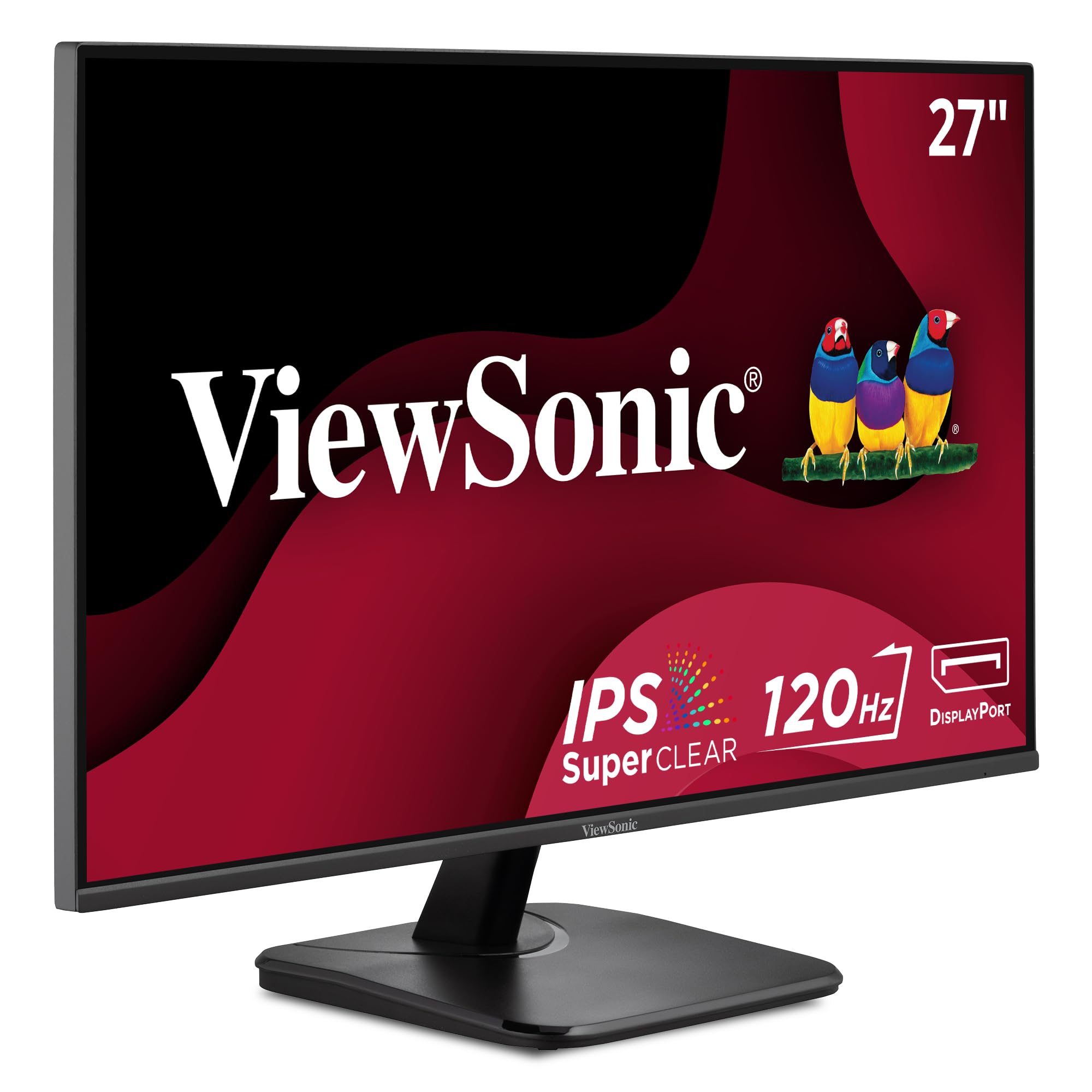
1. ViewSonic VA2756A-MHD
Our pick — over 4.5★ from 400+ verified ratings; the strongest balance of quality and price.
The all-rounder that silky-smooth motion and sharp text without the premium price tag
This is the desk hero for anyone who wants one monitor that handles spreadsheets and casual gaming equally well. The 120Hz refresh rate makes scrolling and window dragging feel dramatically smoother than a standard 60Hz panel. That 120Hz speed outpaces the Sceptre E275W-FW100T’s 100Hz, keeping motion fluid when switching between apps.
The display quality is the thing everyone raves about here, with owners consistently praising the sharp Full HD picture and brilliant colors from the SuperClear IPS technology. Colors stay accurate and consistently bright even when you view from an angle, which matters if you share your screen during meetings. It is also gentle on your eyes over long sessions — Flicker-Free technology and a Blue Light Filter work together to reduce fatigue.
Connectivity is flexible with HDMI, DisplayPort, and VGA inputs, so you can hook up a laptop, desktop, or Mac without hunting for adapters. Viewing presets for Game, Movie, Web, Text, and Mono let you switch modes based on what you are doing. Buyers report the built-in speakers are the recurring weak point — sound through them gets mixed reactions, so plan for separate audio if you are picky.
Why Owners Stick With It
- Long-term reliability — “After 6 months, they are still working great.”
- Sharp, bright IPS display with accurate colors
- 120Hz refresh for smooth everyday motion
Where It Falls Short
- Built-in speakers get mixed feedback
- Basic stand with limited adjustment
- VGA input feels dated for new setups
Reach for this if: you want the best balance of smooth 120Hz motion, sharp IPS color, and flexible inputs for a home office that also does light gaming.
Look elsewhere if: built-in speaker quality is your make-or-break feature — this panel excels on image, not audio.
2. Sceptre E275W-FW100T
The budget buy that pairs deep blacks with a fast 1ms response for rich gaming
Gamers on a tight budget will feel right at home with this Sceptre, which packs a 100Hz refresh rate (how many times the screen updates per second) and a 1ms Blur Reduction response time to keep fast action crisp. The 2000:1 contrast ratio is a standout at this level — it delivers twice the contrast depth of the ViewSonic VX2776-SMHD’s 1000:1, so dark game scenes and night-time levels show meaningful shadow detail instead of a flat gray wash.
The monitor quality is what wins people over, and owners find the full HD picture great for everything from day trading to surveillance feeds. The 100% sRGB color gamut (a measure of how accurately the screen reproduces the standard color space) keeps hues looking natural right from the start. The nearly bezel-free design also makes it a strong pick for dual-monitor setups where you want an unobstructed view across both screens.
Built-in speakers deliver rich, smooth audio while keeping your desk clutter-free, and the Blue-Light Shift technology reduces eye strain during long sessions. Owners mention the monitor works great — one noted “The second came really fast, box looked in better shape than the previous one and it works great” — though a single unit arriving in poor shape is a rare occasional gripe. FreeSync support (a technology that syncs the monitor’s refresh rate with your graphics card) helps prevent screen tearing when you are pushing frames.
Who It Beats: the Sceptre undercuts pricier gaming panels on price while matching their core speed — and its 2000:1 contrast beats the higher-priced ViewSonic VX2776-SMHD’s 1000:1 for depth.
Who It Does Not: competitive esports players chasing the highest frame rates will still want more than 100Hz.
Grab it for: budget gaming or multi-screen work where deep contrast and a fast 1ms response matter more than raw refresh numbers.
Pass if: you demand a taller refresh ceiling — the 100Hz cap will limit ultra-competitive play.
3. ViewSonic VX2776-SMHD
The color specialist whose 102% gamut makes photos and video look vividly alive
Photo editors and video watchers will appreciate what this ViewSonic does with color. Its 102% color gamut delivers richer reds, greens, and everything between, outpacing the VA2756A-MHD’s narrower color range. Owners consistently praise the picture quality — 75 of them single it out as the top reason they bought it.
The 100Hz refresh rate keeps motion smooth, and FreeSync eliminates screen tearing during gameplay. It is a lightweight, thin monitor that tilts easily, making it simple to position for the best viewing angle. Flicker-Free technology and a Blue Light Filter help reduce eye fatigue during long photo-editing marathons.
Versatile connectivity covers HDMI, DisplayPort, and VGA, and there are presets for Game, Movie, Web, Text, and Mono so you can tune the look to your task. The honest trade-off comes from the stand — owners describe it as unstable and wobbly, with one noting “The stand is not that great and takes a little work before fitting it in, thus the 4 stars.” A few also report a yellow tint in some units, though most owners love the colors.
What Wins People Over
- Superb color accuracy with a 102% gamut
- Lightweight, thin design that is easy to move
- Tear-free gaming thanks to FreeSync
The Honest Caveats
- Stand is unstable and wobbly — plan for a replacement
- Occasional yellow tint reported on some units
- Too short for some setups, needing a riser
Choose this for: color-critical work and viewing where the 102% gamut and FreeSync smoothness justify the extra care with the stand.
Think twice if: you cannot mount it on an arm — the wobbly stock stand is the main complaint among owners.
4. ASUS VA27DQ

The multi-screen workhorse with a frameless design that lines up cleanly next to a twin
Anyone building a dual-monitor command center should look at this ASUS, which uses a frameless design to keep the bezels nearly invisible when two panels sit side by side. Its 178° wide viewing angle IPS panel (meaning colors stay accurate when viewed from almost any position) makes it easy to glance between screens without color shifting. Quality and picture quality are what owners praise most, finding excellent contrast and amazing clarity in everyday use.
The 75Hz refresh rate with Adaptive-Sync/FreeSync keeps video playback crisp and free of tearing. It is also kind to your eyes, carrying TÜV Rheinland-certified Flicker-free and Low Blue Light technologies (independent certifications that the screen reduces flicker and harmful blue light). Browsing, schoolwork, and YouTube all feel comfortable here, and it works with both NVIDIA GeForce and AMD Radeon graphics cards.
Extensive connectivity includes HDMI, DisplayPort, and VGA, plus 2W x 2 stereo speakers that owners find clear, though a bit mono and lifeless — fine for video calls, not for music. There is also a complimentary 1-month Adobe Creative Cloud access included, handy if you edit photos. Reliability is mostly solid, though a few customers note a screen flickering immediately on arrival, so check your unit early in the return window.
Solid for: the budget-conscious multi-display builder who values certified eye comfort and a clean frameless look over raw gaming speed.
Limited for: gamers — at 75Hz, it is not built for competitive play, and the speakers are strictly functional.
Best suited to: productivity users running dual screens who want certified low-blue-light comfort for all-day work.
Not for: anyone expecting rich audio — treat the 2W speakers as a convenience, not a sound system.
5. Amazon Basics 27 Inch Monitor

The practical office pick that doubles as a USB hub to declutter your desk
Office workers who are tired of reaching behind their PC to plug in a keyboard or mouse will appreciate this Amazon Basics monitor’s a neat extra: four built-in USB ports let you connect peripherals straight into the screen. It is an LCD (Liquid Crystal Display) panel with a 1500:1 contrast ratio and a max 100Hz refresh rate, delivering crisp 1080P picture quality for daily tasks. Quality is the thing owners praise most, calling it a solid, budget-friendly option with great picture and clear resolution.
Setup is genuinely plug-and-play — it works from the start, and the built-in speakers deliver clean, clear audio for video calls and system sounds. Owners note the matte screen reduces glare and is easy on the eyes, making it ideal for all-day computer use. VESA compatibility (the standard mounting pattern) means you can attach it to an arm or wall mount if you want to reclaim desk space.
One important setup note: remember to remove the protective film with the date code from the panel surface before use — it protects against shipping scratches. The recurring gripe is that the power adapter is not included, so check the box before you start. Owners also mention the tilt is fixed (forward/backward only with no height adjustment), so position it carefully or plan for a mount. The USB ports need a USB-B to A cable, which is sold separately.
What Makes It a Desk Favorite
- Four USB ports for easy peripheral connection
- Matte screen reduces glare for all-day comfort
- Genuinely plug-and-play setup
What to Watch For
- Power adapter is not included in the box
- No height adjustment — tilt only
- USB hub needs a separate USB-B to A cable
Pick this up if: you want a dependable office monitor that cleans up your desk with a built-in USB hub — as long as you budget for the power adapter.
skip it if: you need height adjustment — this one only tilts, so ergonomic setups need a VESA arm.
6. Dell S2725DSM

The QHD upgrade that jumps to 144Hz and brings genuinely good speakers along
If you are moving up from a 1080p screen, this Dell delivers the sharpness jump you have been waiting for. Its QHD (Quad High Definition, 2560×1440) resolution packs noticeably more detail per inch than Full HD, making text look crisper and images more vibrant. A 144Hz refresh rate and 1ms MPRT keep motion smooth and tear-free for both work and gaming.
What sets this apart from cheaper picks is the audio — integrated dual 3W speakers deliver a wider range of frequencies than most built-in speakers, and buyers consistently rate the sound quality as good. The display quality is the top praise point, with owners calling it crisp and reliable for office needs. The 4-star TÜV-certified display reduces harmful blue light emissions while maintaining image quality, so long workdays are easier on your eyes.
The stand is a genuine highlight, offering height, tilt, pivot, and swivel adjustment — so you can position the screen exactly how you need it. It is an IPS panel with a 1500:1 contrast ratio, giving consistent colors and deep blacks. Owners note it works perfectly as a second monitor for a laptop via HDMI, and the sleek ash white design looks premium on any desk. The only real concession is the lack of a built-in camera, so video calls still need your laptop’s webcam.
The Step Up: this takes the QHD resolution and 144Hz smoothness of the S2725DC and pairs them with the same dual 3W speakers — but without the USB-C power delivery, so it costs less.
The Trade-off: you lose the single-cable USB-C convenience and gain a more wallet-friendly price for the same core display quality.
Reach for this if: you want the sharpness of QHD plus genuinely useful dual 3W speakers and a fully adjustable stand for a premium work setup.
Look elsewhere if: you need one-cable USB-C laptop connection — this model uses HDMI and DisplayPort only.
7. Philips 27E1N1800A

The affordable gateway to true 4K UHD detail with wide-angle IPS color
Stepping up to 4K (Ultra High Definition, 3840×2160) changes everything about how much you can fit on screen, and this Philips makes that leap affordable. The 3840×2160 resolution versus 1920×1080 means text is razor-sharp and you can have multiple windows open without them feeling cramped. It supports HDR10 (High Dynamic Range, a standard for a wider range of brightness and color), making supported content look richer and more lifelike.
Value for money is what owners praise most here, describing the picture as crisp with high resolution. The IPS panel technology provides wide viewing angles and delivers rich colors with excellent accuracy, and reviewers point out color calibration is relatively easy. Adaptive-Sync keeps motion artifact-free at virtually any framerate, so scrolling and video stay smooth.
A 4-year Advance Replacement warranty (which ships a replacement before you return the faulty one) adds real confidence for a long-term purchase. Eye comfort comes from Flicker-free technology and LowBlue Mode, reducing strain during long sessions. The honest catch: the built-in speakers are a weak point — buyers describe them as virtually nonexistent and inaudible even at max volume, so plan for external audio. The stand is also not height-adjustable, sitting about 4 inches above the desk.
A Strong Buy For: anyone wanting true 4K UHD sharpness and color accuracy on a budget, backed by a generous 4-year warranty.
Not For: audio buyers — the speakers are near-silent, and the fixed-height stand limits ergonomic adjustment.
Choose this for: the most affordable path to 4K UHD detail with easy color calibration — just bring your own speakers.
Think twice if: built-in audio matters to you, because these speakers are effectively unusable beyond system alerts.
8. Dell S2725QS

The 4K powerhouse that pairs 120Hz smoothness with surprisingly loud built-in audio
This is the monitor for people who refuse to choose between resolution and speed. The Dell S2725QS delivers true 4K UHD (3840×2160) resolution at a 120Hz refresh rate, so you get both the razor-sharp detail of 4K and the fluid motion of a fast screen — a rare combination that is a huge upgrade from 1080p in both clarity and smoothness. FreeSync Premium keeps frame rates tear-free during fast-paced action.
The image quality is the overwhelming favorite among owners, with over 160 shoppers praising the sharp 4K picture and great sRGB color accuracy. It covers 99% sRGB (the standard color space for web and most content), and the 1500:1 contrast ratio with HDR readiness delivers excellent depth and detail. The re-engineered sound quality is another standout — buyers describe the speakers as incredibly loud with deeper frequency response than the previous generation, and they work well for meetings.
ComfortView Plus reduces harmful blue light emissions to 35% or less while preserving color accuracy, so you can work all day comfortably. The ultra-thin bezels and ash white finish give it a sleek, modern look, and the stand offers height, swivel, pivot, and tilt adjustment. Owners say setup is truly plug-and-play. The responsiveness gets mixed feedback — most find it great, but an occasional unit turns off unexpectedly, so verify yours early.
The Standout Features
- Rare 4K UHD at 120Hz for sharp, smooth visuals
- Incredibly loud built-in speakers, rare for monitors
- Full ergonomic stand with height, swivel, and pivot
The Occasional Gripes
- Some units turn off unexpectedly
- Mild ghosting in fast-paced games
- Matte coating adds slight grain to the image
Best for: anyone who wants 4K sharpness and 120Hz smoothness in one screen, with speakers loud enough to skip a soundbar.
Watch out for: the occasional random power-off — test your unit thoroughly during the return window.
9. Dell S2725DC
The single-cable marvel that charges your laptop while displaying a crisp QHD picture
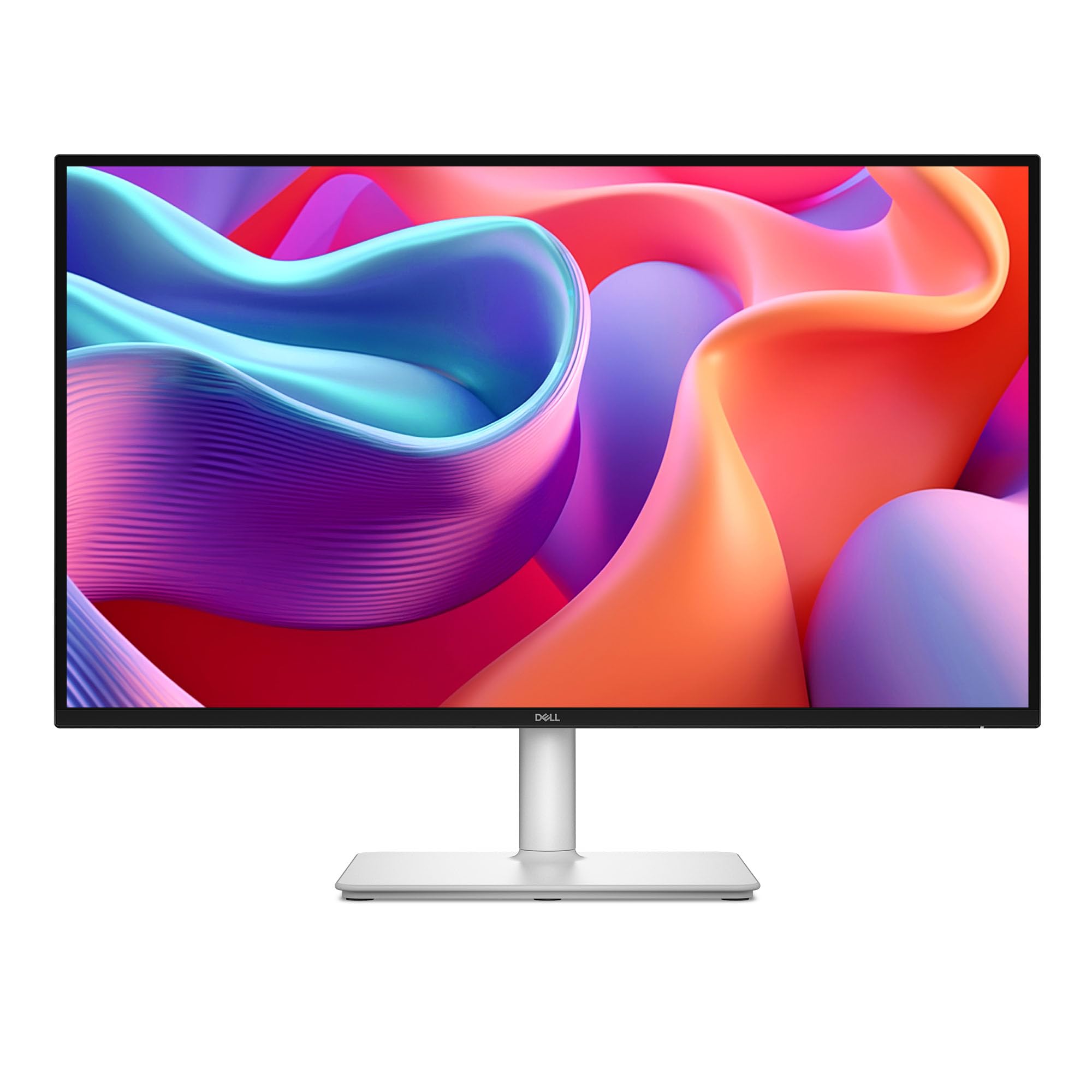
Laptop users with messy cable situations will find their answer in this Dell, which connects to a laptop with a single USB-C cable delivering video, data, AND up to 65W of power delivery — so your laptop charges while it displays, no separate power brick needed. It is the definition of desk decluttering, and owners specifically note it “saves clutter with single usb-c display supply cable” and is ideal for travel. The QHD (2560×1440) resolution at 144Hz keeps the picture sharp and motion smooth.
The display quality is the top praise point, with owners calling the picture amazing and perfect as a second monitor. Its 1500:1 contrast ratio and IPS panel give accurate colors and good viewing angles, and buyers find it comfortable for 10-hour work sessions. Integrated dual 3W speakers deliver a wider range of frequencies, and owners rate the audio as good with decent definition. The 4-star TÜV-certified display cuts harmful blue light without washing out colors.
The pop-out quick access port is a clever touch — a USB-C port (up to 15W power delivery) and a USB Type-A port on the side make it easy to connect or charge devices without reaching around the back. The stand offers full height, tilt, pivot, and swivel adjustment. Owners note it works perfectly with a Mac Mini via USB-C and that setup takes under 5 minutes. The main limitations are that it is not wall-mountable and there are only limited inputs beyond the USB-C and HDMI.
Versatility Winner: this pairs the same QHD 144Hz IPS panel as the S2725DSM but adds USB-C with 65W power delivery — the single-cable convenience is worth the premium for laptop users.
Small Caveats: no wall-mount option and a fragile-feeling joystick control are the main owner nitpicks.
Reach for this if: you use a laptop daily and want one cable to handle power, video, and data while keeping the desk tidy.
pass on it if: wall-mounting is part of your plan — this model does not offer VESA mounting.
10. Dell S2725QC

The 4K all-in-one that keeps your desk minimal with USB-C power and surprisingly good sound
This Dell takes the 4K experience and streamlines it around a single USB-C cable that delivers up to 65W of power delivery (enough to charge most laptops) alongside the video signal. Its 4K UHD (3840×2160) resolution at 163 PPI (pixels per inch, a measure of pixel density) makes text incredibly sharp and images look almost print-quality. A 120Hz refresh rate keeps scrolling and motion smooth, and FreeSync Premium reduces tearing during video playback.
The display quality is the overwhelming favorite among owners, with deep blacks and vibrant true colors that some describe as near-OLED quality. The re-engineered sound quality is a genuine surprise — shoppers say the built-in speakers are “surprisingly good” with no external soundbar needed, and they work well for meetings. The 99% sRGB coverage and 1500:1 contrast ratio deliver excellent depth and detail, and ComfortView Plus reduces harmful blue light to 35% or less without sacrificing color accuracy.
Setup is smooth — one USB cable handles power, display, and data, working perfectly with MacBooks. The ultra-thin bezel and ash white finish look sleek and modern. Buyers report crisp images and great color right from the start. There is a rare but serious caveat: a few owners mention USB-C/docking failures after months of use, so it is worth testing the USB-C connection thoroughly early on. The stand has no tilt adjustment, which is an odd omission at this price.
Why It Stands Out
- Single USB-C cable delivers video, data, and 65W charging
- 4K at 163 PPI for exceptional text sharpness
- Surprisingly good built-in speakers
The Risk to Weigh
- Rare USB-C/docking failures reported after months
- No tilt adjustment on the stand
- Recessed VESA mount needs standoff spacers for arms
Choose this for: a clean, minimal desk with one-cable USB-C power and 4K sharpness that also delivers decent built-in audio.
Weigh this risk: the rare USB-C failure reports mean you should stress-test the port early in your ownership.
11. INNOCN GA27T1M
The esports monster whose 320Hz refresh and 1152-zone Mini LED backlight redefine smooth
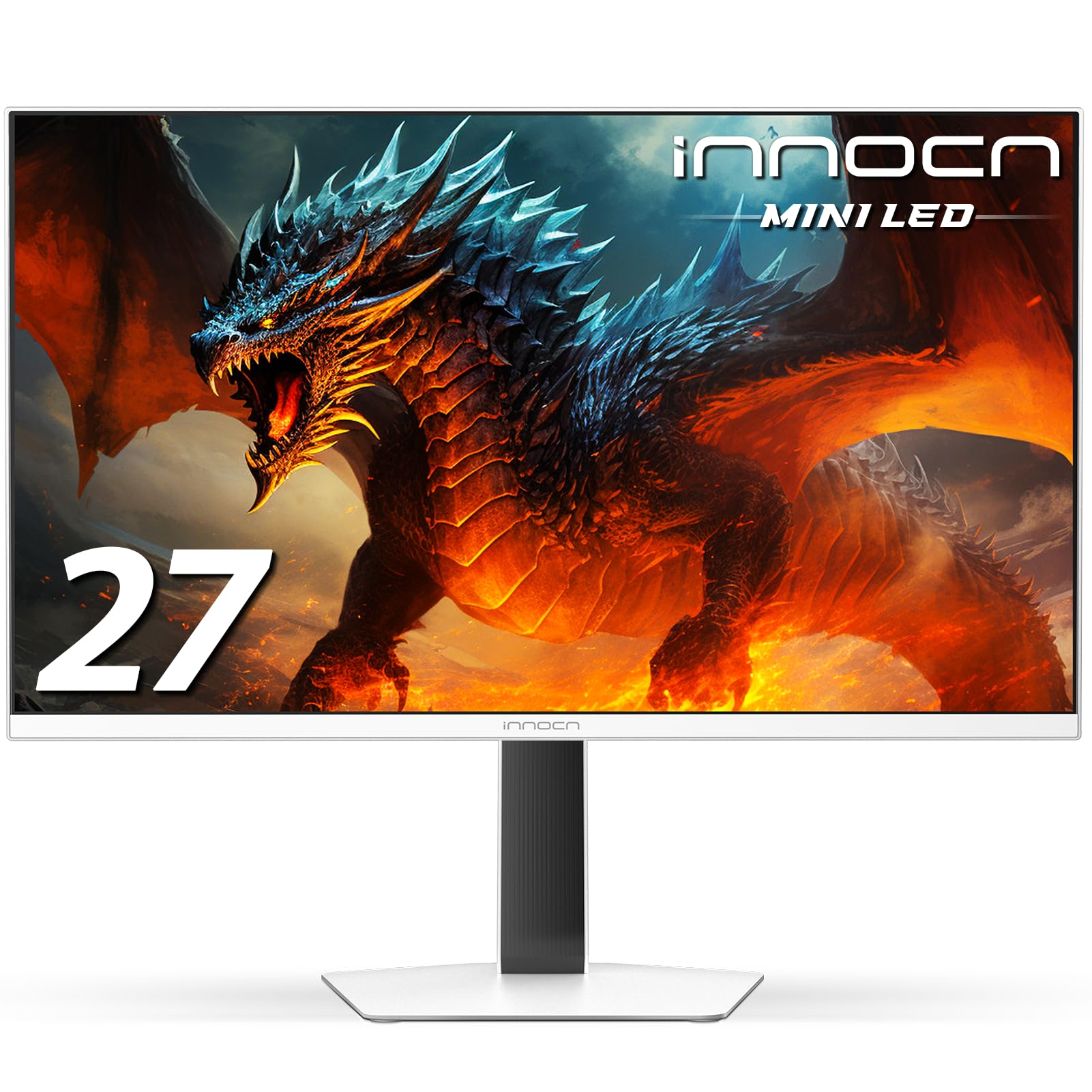
Competitive gamers chasing every millisecond of advantage will find their weapon here. This INNOCN pushes a 320Hz refresh rate versus the ViewSonic VA2756A-MHD’s 120Hz — meaning the screen redraws over 300 times per second for buttery-smooth motion in fast FPS and RTS games. Its Mini LED backlight with 1152-zone local dimming (where the backlight is split into 1152 individually controlled zones) delivers near-OLED black levels with peak brightness up to 1000 nits, making HDR content look stunningly vivid.
The quality is what owners praise most, describing rich, sharp visuals with amazing HDR performance that “beats my C3” in brightness and HDR punch. It is an IPS screen (so colors stay accurate from wide angles) with 100% sRGB coverage, and it supports up to 0.5ms gray-to-gray response time (a measure of how fast pixels change, virtually eliminating ghosting). It is G-SYNC compatible for tear-free play and works with both NVIDIA and AMD graphics cards.
Connectivity is future-proof with HDMI 2.1 and DisplayPort 1.4, supporting desktop PCs, gaming laptops, Switch, Xbox, and PS5 consoles. The adjustable stand lets you find the right height and angle. Owners note the speakers are mediocre — functional for system sounds but not for immersion, so serious gamers will use a headset. The 320Hz maximum requires a powerful graphics card to reach, and some owners found the default 60Hz setting needs to be changed manually in the system.
Built for Speed
- 320Hz refresh rate for ultra-smooth competitive play
- 1152-zone Mini LED with 1000-nit peak brightness
- Near-OLED black levels with minimal blooming
Not Its Strengths
- Mediocre built-in speakers
- Demands a powerful GPU to reach 320Hz
- Needs manual refresh rate setting on setup
Built for: serious gamers who want the fastest refresh rate available and HDR punch that rivals OLED — with a headset for audio.
Not for: casual users who would waste both the 320Hz speed and the premium price on basic office work.
Understanding the Specs
Refresh Rate (Hz)
This tells you how many times per second your screen redraws the image. A standard 60Hz monitor is fine for office work, but a 120Hz or 144Hz screen makes everything feel noticeably smoother — from scrolling through web pages to dragging windows around. For gaming, higher numbers like 240Hz or 320Hz give competitive players a real edge in fast-paced shooters.
Contrast Ratio
This measures the difference between the brightest white and the darkest black a screen can produce. A higher ratio like 2000:1 means deeper, richer blacks in dark scenes — important if you watch movies or play games with lots of shadow detail. A 1000:1 ratio is perfectly fine for office work, but the gap becomes obvious in darker content.
FAQ
Will a 27-inch monitor with speakers fit on my desk?
Can I connect both my PC and my gaming console to the same monitor?
Are built-in monitor speakers good enough for watching movies?
What does refresh rate mean for everyday office work?
Is a 4K 27-inch monitor worth it over 1080p?
Will a 27-inch monitor with speakers work with my MacBook?
What is the difference between IPS and LED displays?
Can I use a 27-inch gaming monitor for office work?
What is VESA mounting and why does it matter?
How do FreeSync and G-SYNC help with gaming?
Final Thoughts: The Verdict
For most buyers, the 27 inch monitor with speakers winner is the ViewSonic VA2756A-MHD because it balances a silky 120Hz refresh rate, sharp IPS color, and flexible HDMI/DisplayPort/VGA inputs at a price that undercuts most rivals. If you want the sharpness of QHD resolution plus genuinely useful dual 3W speakers and a fully adjustable stand, grab the Dell S2725DSM. And for competitive gamers who demand the absolute fastest motion, the INNOCN GA27T1M with its 320Hz refresh rate is the one to reach for — assuming you have a powerful graphics card to feed it.
How We Picked
We do not accept paid placement. Every pick is matched to a real buyer and a real use-case; we do not hands-on test units.
Sources & Methodology
Specifications: manufacturer listings and product documentation. Review insights: verified customer reviews, as of August 2026. Pricing: not shown on this page (it changes often); check the current price via the retailer link.
As an Amazon Associate, Gadgets Feed earns from qualifying purchases. This does not affect which products we feature.