
Our readers keep the lights on and my morning glass full of iced black tea. As an Amazon Associate, I earn from qualifying purchases.
Specs are compiled from manufacturer listings and verified buyer reviews and can change over time — please confirm the key details on the product page before buying.
Buying an affordable inkjet printer feels like a trap. This guide cuts through the noise to find the models that deliver sharp prints without turning your wallet into a subscription service.
I’m Min — the founder and writer behind Gadgets Feed. This guide is built by comparing the manufacturers’ published specifications and the patterns across verified customer reviews, so you get each pick’s real strengths and trade-offs instead of marketing spin.
You want a printer that won’t drain your wallet at the store or at the ink refill counter. The best affordable inkjet printers keep both the purchase price and the cost of running them reasonable, if you need a simple home model or a tank-style one that uses ink slowly.
Our Picks at a Glance


How To Choose The Best Affordable Inkjet Printer
The cheapest printer at the store is often the most expensive one to own. Before you pick, you need to understand what you are actually paying for over the life of the machine.
Cartridge Cost Per Page
The single biggest mistake is ignoring the price of replacement ink. A printer that uses a 2-cartridge hybrid system or separate color tanks can be far cheaper to run than one with a single tri-color cartridge. Look for models where you can replace only the color that runs out.
Print Speed And Volume
Print speed is measured in pages per minute (ppm). If you print homework and the occasional photo, a 10 ppm black-and-white speed is fine. If you run a busy home office, you want closer to 16 to 20 ppm so you are not waiting at the machine.
Duplex And Document Feeder
Automatic duplex printing flips pages for you, which cuts paper use in half on multi-page documents. An Auto Document Feeder (ADF) lets you scan or copy a stack of pages without standing over the glass. These two features separate a convenience machine from a chore machine.
Quick Comparison
| Model | Best For | Print Speed (B&W) | Duplex | Ink Type | Amazon |
|---|---|---|---|---|---|
| Canon PIXMA TR7120★ Best Overall | Home & Hybrid Work | 14 ppm | Automatic | 2-Cartridge Hybrid | Amazon |
| Brother MFC-J1360DWTop Performer | Cloud App Users | 16 ppm | Automatic | LC501 Series | Amazon |
| HP Envy 6155 | Everyday Color Docs | 10 ppm | Automatic | HP 68 Setup | Amazon |
| HP OfficeJet Pro 8125 | Home Office Volume | 20 ppm | Automatic | HP 923 Setup | Amazon |
| Canon MegaTank G3270 | Lowest Ink Cost | 11 ppm | No (Simplex) | GI-21 Bottles | Amazon |
| Brother MFC-J1365DW | Inkvestment Value | 16 ppm | Automatic | LC504 Series | Amazon |
| Epson EcoTank ET-2988 | High-Volume Home | 15 ppm | Automatic | 502 Bottles | Amazon |
In-Depth Reviews
1. Canon PIXMA TR7120
Our pick — over 4★ from 400+ verified ratings; the strongest balance of quality and price.
A compact all-in-one that nails crisp prints with a hybrid ink design that keeps running costs sane.
The PIXMA TR7120 wins people over with its print quality — it is the thing owners praise most, with over 80 mentioning it. The 2-cartridge hybrid system means you replace black and color separately, so you are not throwing away a half-full tri-color cartridge. That single detail makes this a genuinely budget-friendly machine to live with, not just to buy.
Setup is the other standout, with owners noting quick Wi-Fi pairing and a 1.42-inch monochrome OLED screen that shows ink levels and printer status at a glance. Buyers report: “I had no problems with the set up and it connected quickly to my wi fi.” Dual-band Wi-Fi (2.4GHz or 5GHz) keeps the connection stable, and automatic 2-sided printing cuts paper waste on multi-page jobs.
The trade-off is the paper tray, which several owners describe as on the small side. This is a light-to-moderate use machine, perfect for homework, household documents, and the occasional borderless photo up to 8.5″ x 11″. It prints 14 pages per minute in black, which is 2 ppm slower than the Brother 1360 — noticeable only if you are churning out big jobs daily.
What Wins Owners Over
- Sharp print quality that owners rave about
- Quick, guided setup with stable dual-band Wi-Fi
- Automatic duplex printing saves paper
What To Know
- Paper tray is on the small side
- No duplex scanning on the ADF
- Ink consumption runs high for heavier use
Reach for this if: you want a dependable home all-in-one with low-stress setup and separate black/color cartridges that do not waste ink.
Think twice if: you print high volumes daily and need a larger paper tray and faster throughput.
2. Brother Work Smart 1360 (MFC-J1360DW)
A productivity-focused Brother that hits 16 ppm and talks directly to Google Drive and Dropbox.
If you print a lot of text documents, the Brother 1360 gets your pages out faster than the Canon TR7120 — up to 16 pages per minute in black, which is 2 pages per minute quicker. You can scan or print straight from your cloud storage (Google Drive, Dropbox, Box, and OneDrive) using the 1.8-inch color screen, so you don’t have to transfer files to a computer first. Owners mention: “smooth Windows 11 wireless setup under 15 min.”
It packs productivity features you would expect from a pricier machine: automatic duplex printing, a 20-sheet single-sided Auto Document Feeder, and a 150-sheet paper tray. The Brother Mobile Connect app handles printing, copying, scanning, and device management from your phone, with a Page Gauge that tracks ink usage so you are not caught empty. Initial page print time is roughly 6.2 seconds in black and 9.6 seconds in color.
The honest caveat is that print quality gets mixed feedback — the most-discussed aspect at 376 mentions, with some owners finding it excellent and others noting it could be sharper. Ink life also runs short for some, with owners reporting roughly 100 pages per cartridge even in eco mode. This is a capable everyday printer for moderate expectations, not a professional photo lab.
Cloud-first pick: the fastest black-and-white speed here, and the direct cloud app integrations make it a slick fit for Google Drive or OneDrive users.
Know before buying: print quality is a split decision among owners, and cartridge life can be short for heavy printing.
Who it beats: anyone who prints from cloud storage daily will appreciate the speed over the Canon TR7120.
Who it does not: photo purists expecting flawless color should look at the tank-style Canon instead.
3. HP Envy 6155

An approachable home printer with a color touchscreen and a 3-month ink delivery trial.
The Envy 6155 aims straight at households printing homework, forms, and borderless photos. Print quality and setup are the two things owners praise most, with both earning 38 positive mentions each. The 2.4-inch touchscreen is genuinely intuitive, and HP’s true-to-screen P3 technology keeps colors looking vibrant on the page. It weighs 11.2 pounds, so it is light enough to move between rooms.
It includes a 3-month trial of HP Instant Ink, a delivery service that sends cartridges before you run out. HP claims you save up to 50% on ink with the subscription, though a monthly fee applies after the trial unless you cancel. The printer handles auto 2-sided printing, a 100-sheet input tray, and connects over dual-band Wi-Fi that HP says automatically detects and resolves connection issues.
The catch is the software. While many owners find setup easy, a few report the companion app losing connection and requiring constant reconnects, with one owner calling the software troublesome even when the hardware works fine. It also uses HP 68 setup cartridges with modest yields — roughly 120 pages black and 75 pages tri-color — so the included ink gives you just a taste before you buy more.
Family Appeal
- Easy touchscreen navigation for all ages
- Borderless photo printing looks vibrant
- 3-month Instant Ink trial included
Watch Out For
- Software can drop the connection for some owners
- Starter cartridges run out quickly
- 10 ppm black speed is the slowest here
Best for: families who want a simple, colorful home printer with a touchscreen the whole household can use.
Look elsewhere if: you need fast multi-page printing or want to avoid subscription ink plans entirely.
4. HP OfficeJet Pro 8125

A fast home-office workhorse with a 225-sheet tray and enterprise-grade security features.
The OfficeJet Pro 8125 is built for volume, printing up to 20 pages per minute in black and 10 ppm in color — the fastest black speed on this list. Setup is the aspect owners praise most, with 43 positive mentions, and the 2.7-inch color touchscreen with a phone-like interface makes navigation easy. One owner has bought HP twice, keeping the first machine for over 7 years, which tells you the longevity story.
It steps up the paper handling with a 225-sheet input tray and an auto document feeder, plus automatic 2-sided printing as standard. The included HP 923 setup cartridges are generous, with the black cartridge rated around 255 pages and each color around 270. HP Wolf Essential Security protects your network, and the printer is made with more than 45% recycled plastic content.
Connectivity is where opinions split. Some owners find it easy to connect to all devices, while others report the Wi-Fi dropping when the printer sits idle, with one owner solving it by switching to ethernet. The setup software also pushes the HP ink plan signup hard, and a few owners hit install loops if they decline. Place it near your router and the experience smooths out considerably.
Office Strengths
- 20 ppm black speed for serious throughput
- Large 225-sheet tray reduces refill trips
- Generous starter cartridges included
Office Quirks
- Wi-Fi can drop when idle without a wired connection
- Setup software pushes the ink subscription
Choose this for: a home office printing reports, flyers, and presentations at speed with a big paper tray.
skip it if: you want the simplest possible setup and will not place the printer near your router.
5. Canon MegaTank G3270

A refillable tank printer that includes up to 2 years of ink in the box.
The MegaTank G3270 flips the affordability script. Instead of cartridges, it uses GI-21 ink bottles that you pour into built-in tanks, and Canon says one set of inks prints up to 6,000 black-and-white pages or 7,700 color pages. The box includes up to 2 years of ink, so the tank-style design eliminates the expensive cartridge cycle entirely. Print quality is the standout, with 182 positive mentions — owners call it flawless after setup.
This is the smart buy for anyone who prints a lot and hates ink shopping. Owners who replaced tired Epson machines rave about the user-replaceable print head and how slowly the ink level drops, making it ideal for stickers, cards, and craft projects. The 1.35-inch square LCD display keeps settings simple, and it prints 11 pages per minute in black and 6 ppm in color.
The compromises are real. It does single-sided printing only — no duplex — so you will flip pages manually for double-sided jobs. Print speed runs slower than the cartridge models here, and wireless connectivity draws mixed feedback, with some owners finding the “Printer Offline” error and resorting to a USB cable. One small-business owner reported print heads deteriorating quickly on multiple units, so the tank economy works best for typical home volumes.
Ink Economy
- Up to 2 years of ink included in the box
- 6,000 black pages per ink set saves serious money
- Print quality earns the most praise by far
Give And Take
- No automatic duplex printing
- Wireless can drop; USB is the reliable route
- Slower than cartridge rivals at 11 ppm
Buy it for: high-volume home printing where ink cost is your number one concern and duplex is a nice-to-have.
Steer clear if: you need auto 2-sided printing or refuse to deal with finicky wireless connections.
6. Brother INKvestment 1365 (MFC-J1365DW)

A compact Brother that bundles a 1,200-page black cartridge and Wi-Fi Direct in the box.
The INKvestment 1365 earns its name from the ink included: one 1,200-page yield black cartridge and 500-page yield cartridges for each color. That is a substantial head start over most rivals, and value for money is the aspect owners praise most, with 13 positive mentions. It shares the same 16 ppm black and 9 ppm color speeds as the Brother 1360, plus automatic duplex and a 150-sheet paper tray.
Wi-Fi Direct (a feature that creates a direct wireless link between your device and the printer, with no router needed) lets you print from a hotel room or temporary office where there’s no network. The 1.8-inch color screen and Brother Mobile Connect app make mobile printing straightforward, and owners note the compact footprint fits small desks. One owner ran it 9 months with no paper jams, calling the double-sided printing reliable.
The mixed feedback centers on print quality — the most-discussed aspect at 57 mentions, with some owners finding output sharp and others reporting it will not print at all. Ink consumption also drew a harsh review from one owner who compared it to a previous Brother and found the 1365 drinks ink much faster. Set your expectations around clean office documents rather than photo work.
Ink head start: the bundled 1,200-page black cartridge is the most generous starter ink on this list.
Honest fit: a good compact home-office choice if you value front-loaded ink and Wi-Fi Direct, but print quality is a split decision among owners.
Who it suits: mobile workers who print from laptops and phones without a fixed network, thanks to Wi-Fi Direct.
Who it does not: users who were underwhelmed by Brother cartridge life and want tank-style refillable economy.
7. Epson EcoTank ET-2988 (Renewed)
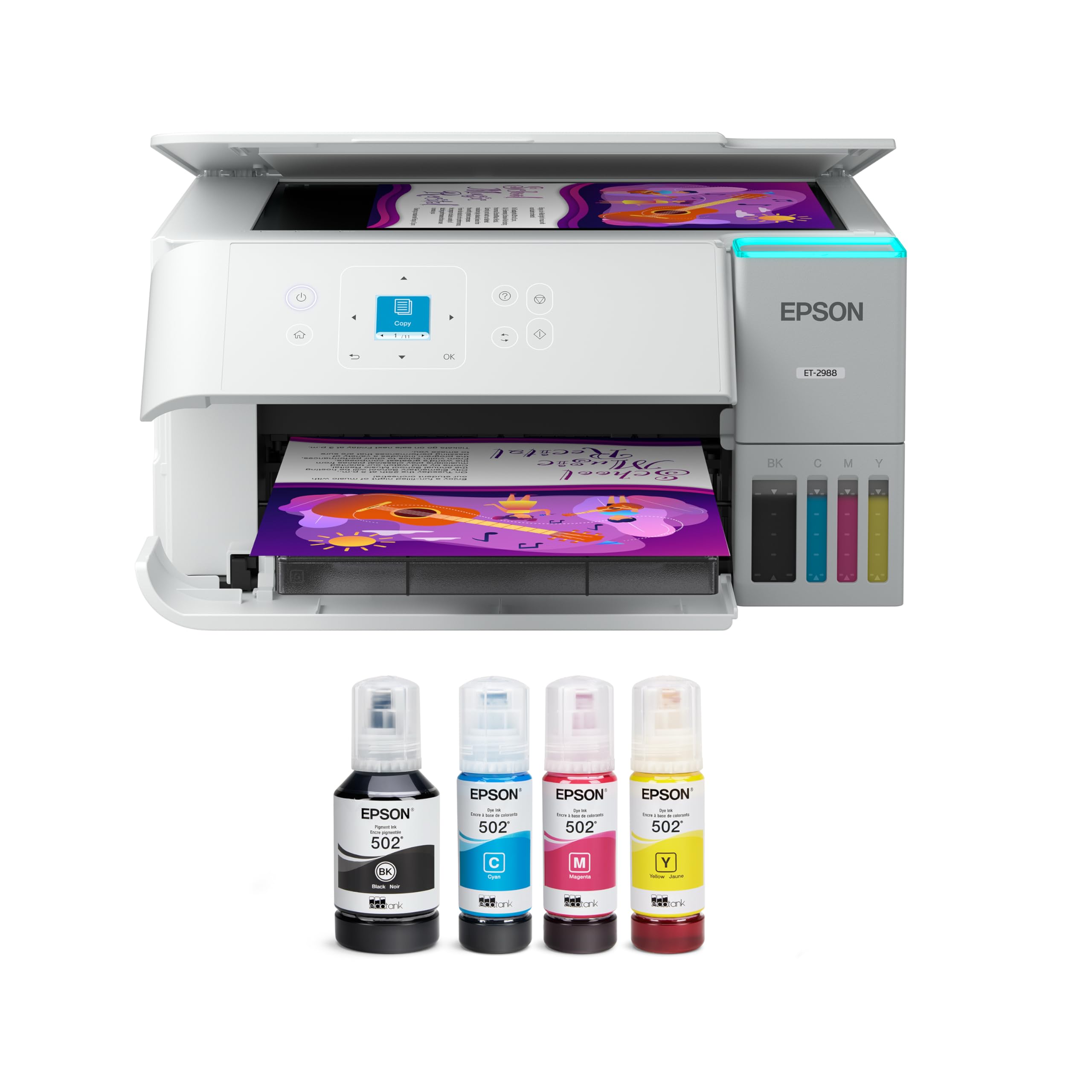
A renewed supertank that ships with up to 3 years of ink and 4800 x 1200 dpi output.
The EcoTank ET-2988 is Epson’s cartridge-free answer, coming with enough ink to print up to 6,600 pages in black and 5,500 pages in color — Epson says up to 3 years of ink in the box. Each replacement ink bottle set is equivalent to about 80 cartridges. It uses keyed EcoFit bottles with supersized tanks, so refilling is a clean, no-mess pour with no chance of mixing up colors. Reliability is what owners praise most, with 12 positive mentions.
Print resolution hits 4800 x 1200 dpi, which owners say delivers professional-quality photos, and the 1.44-inch color screen makes navigation straightforward. It runs at 15 ppm black and 8 ppm color with zero warmup time, plus auto duplex printing and a 100-sheet paper tray. The Epson Smart Panel app supports Apple AirPrint and Mopria, so mobile printing is well covered.
This is a renewed unit, which is the key caveat. One owner’s unit jammed on every single attempt and had to be returned, while another needed two exchanges before getting a working unit — the third one worked perfectly. The reliability positives and setup difficulties split roughly evenly in the feedback.
Supertank Appeal
- Up to 3 years of ink included, cartridge-free
- 4800 x 1200 dpi for photo-quality prints
- Owners praise reliability and easy daily use
Renewed Risks
- Renewed units can arrive defective; exchanges happen
- Setup earns mixed feedback from owners
Reach for it if: you want tank-style ink economy and are comfortable with the lottery of a renewed unit.
Buy new instead if: the thought of a return-and-exchange dance for a printer makes you want to skip the whole endeavor.
Understanding the Specs
Pages Per Minute (ppm)
This is how fast the printer produces black-and-white pages in a minute. A 10 ppm machine handles light home printing fine, while 16 to 20 ppm models keep a busy home office moving. Color speed is always slower and matters less unless you print lots of graphics.
Duplex Printing
Automatic duplex flips each page over and prints both sides without your help. It cuts paper use roughly in half for reports and school packets. Simplex printers only print one side, which means you manually flip pages for double-sided jobs.
FAQ
Are tank printers cheaper to run than cartridge printers?
What does automatic duplex printing save me?
Can I print from my phone with these printers?
Is a 2-cartridge hybrid ink system better than tri-color?
How much ink comes in the box with these printers?
What is a renewed printer and should I buy one?
What is the Auto Document Feeder for?
What is Wi-Fi Direct and why would I need it?
Final Thoughts: The Verdict
For most households, the affordable inkjet printers winner is the Canon PIXMA TR7120 because it pairs the most-praised print quality with a hybrid ink system that keeps running costs down. If you print high volume and hate cartridge shopping, the Canon MegaTank G3270 delivers years of ink in the box. And for a busy home office churning out documents at speed, the HP OfficeJet Pro 8125 at 20 ppm is the one to reach for.
How We Picked
We do not accept paid placement. Every pick is matched to a real buyer and a real use-case; we do not hands-on test units.
Sources & Methodology
Specifications: manufacturer listings and product documentation. Review insights: verified customer reviews, as of August 2026. Pricing: not shown on this page (it changes often); check the current price via the retailer link.
As an Amazon Associate, Gadgets Feed earns from qualifying purchases. This does not affect which products we feature.