
Our readers keep the lights on and my morning glass full of iced black tea. As an Amazon Associate, I earn from qualifying purchases.
Specs are compiled from manufacturer listings and verified buyer reviews and can change over time — please confirm the key details on the product page before buying.
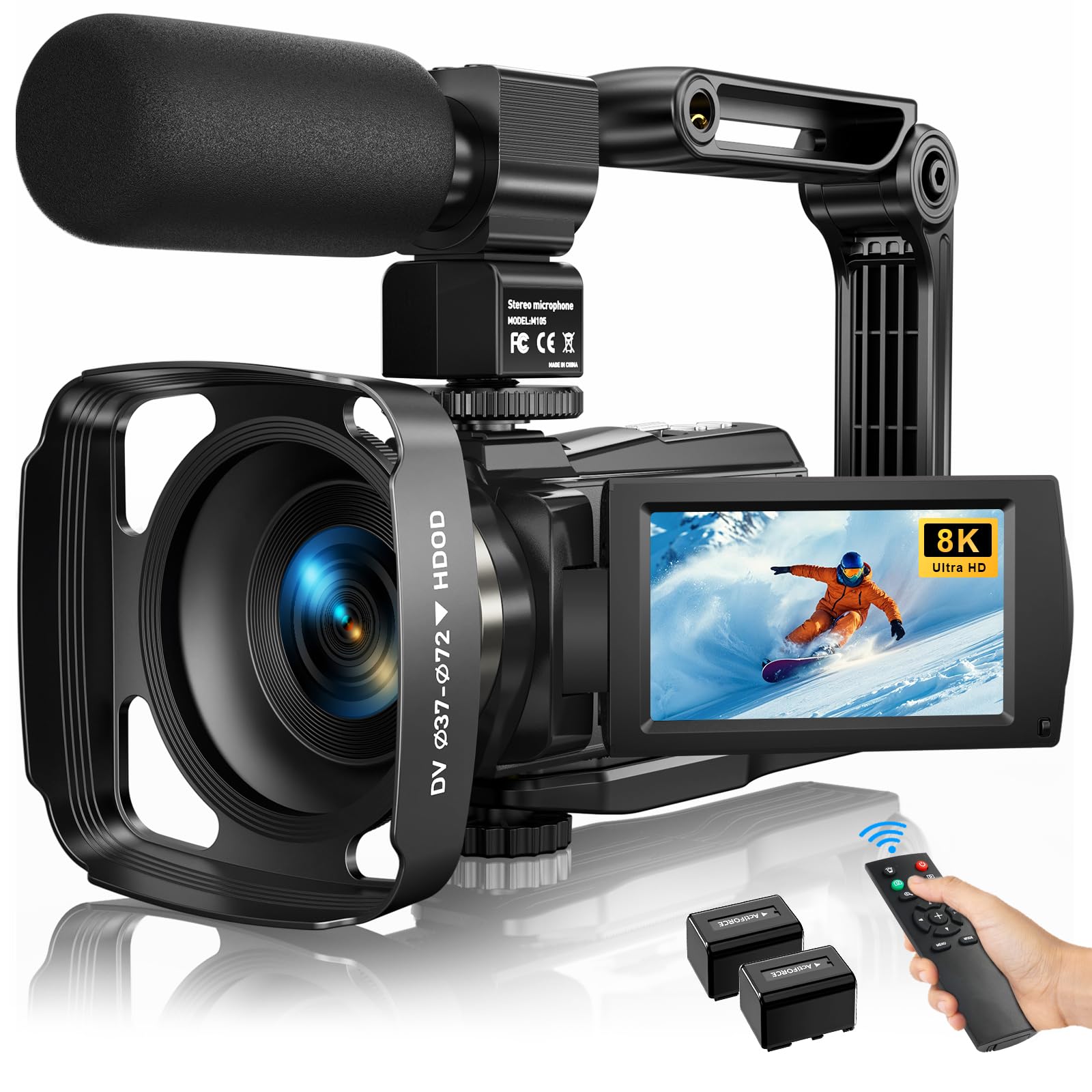
Starting a podcast on a tight budget usually means choosing between a camera that makes you look good and a microphone that makes you sound good. The best answer is one device that does both without emptying your wallet. This guide zeros in on the cameras that give you clean video, a way to plug in a real mic, and the streaming features you actually need to go live.
I’m Min — the founder and writer behind Gadgets Feed. This guide is built by comparing the manufacturers’ published specifications and the patterns across verified customer reviews, so you get each pick’s real strengths and trade-offs instead of marketing spin.
Every pick here passes the two tests that matter most for a budget podcast camera: a proper microphone input and clean HDMI or USB output for live streaming.
Our Picks at a Glance


How To Choose The Best Budget Podcast Camera
For a podcast, your camera does two jobs: it frames you clearly and it lets you capture good audio. Most cheap camcorders nail the first job and fail the second, which is why a mic input should be your top filter before you even look at resolution.
Check for a Real Microphone Input
You do not want to rely on a built-in mic for a show. Look for a 3.5mm jack so you can plug in a lavalier or shotgun mic, or XLR inputs if you want studio-grade gear. Without this, your audio will sound distant and echoey no matter how sharp the video is.
Confirm It Can Stream or Act as a Webcam
If you plan to go live on YouTube or record into OBS, the camera must either have clean HDMI output or a USB webcam mode. Clean HDMI means no menus or battery icons burned into the video. A camera that only records to an SD card is useless for live podcasts.
Match Resolution to Your Real Workflow
4K video sounds impressive, but it creates huge files and needs a powerful computer to edit smoothly. For most podcast setups, reliable 1080p at 60fps gives you crisp video that is easy to handle. Higher resolution only matters if you plan to crop in on the footage later.
Quick Comparison
| Model | Best For | Max Video Resolution | Still Resolution | Mic Input | Amazon |
|---|---|---|---|---|---|
| Insta360 Link 2★ Best Overall | AI tracking & webcam use | 2160 pixels | 8 mp | Built-in array | Amazon |
| MWIRB 8K CameraBest Value | Best value bundle | 7680 pixels | 88 mp | 3.5mm (external mic) | Amazon |
| Yatao 6K CameraBeginner’s Kit | Beginner all-in-one kit | 6K Ultra HD | 64 mp | 3.5mm (mic included) | Amazon |
| Uytya 5K Camcorder | Night vision vlogging | 5K/20fps | 64 mp | 3.5mm (mic included) | Amazon |
| FJFJOPK 5K Camera | Optical zoom live streaming | 5120 pixels | 64 mp | 3.5mm (mic included) | Amazon |
| NearStream VM20 | Multi-output streaming | 4K@30fps | 8 mp | 3.5mm + 8-MEMS array | Amazon |
| AVKANS GO | Wireless sports streaming | 4K UHD | 2 mp | Built-in mics | Amazon |
| TONGVEO PTZ Camera | Pro PTZ & auto-tracking | 4K/30FPS | — | — | Amazon |
| Zoom Q8n-4K | XLR audio quality | 2160 pixels | — | 2x XLR + stereo mics | Amazon |
In‑Depth Reviews
1. Insta360 Link 2
Our pick — over 4.5★ from 1,500+ verified ratings; the strongest balance of quality and price.
The webcam that physically follows you around the room so you stay perfectly framed.
For a solo host who moves while talking, this is the pick that removes the biggest hassle of podcasting: staying in frame. The Link 2 pans and tilts to track you with AI, and a wave of your hand can zoom in or trigger Auto Framing, so you never have to lean into a fixed lens. Owners call the tracking and autofocus the standout features, with the camera following them “extremely well” as they walk around.
You stay sharp on camera even when you gesture, thanks to the Phase Detection Auto Focus (a fast autofocus system that locks onto your face instantly) on a 1/2″ sensor that shoots true 4K with HDR. This is the crowd favorite and the top pick of the whole list, holding a 4.6-star average across 1,500+ owners; buyers rave about overall quality, with image quality a close second. The built-in AI noise-canceling mic is decent but not broadcast-grade; buyers report that 4K capture has background noise, so 1080p is the balance for audio unless you plug in a separate mic.
Why It Wins The Frame
- AI tracking has 3 speeds and follows you smoothly.
- Gesture control lets you zoom and frame without touching it.
- Privacy mode tilts the lens down after 10 seconds idle.
The Honest Trade-Offs
- Built-in mic is mediocre — plan for a separate mic.
- Not compatible with Windows Hello Face Recognition.
- Some setups need a mount adapter for the magnetic base.
Reach for this if: you podcast solo and want hands-free framing that follows your movement.
Look elsewhere if: you need Windows Hello log-in support or want to rely on the built-in mic.
2. MWIRB 8K Video Camera
The bundle king that hands you everything needed to start recording on day one.
This camcorder wins on sheer completeness: it ships with an external X-Y stereo microphone, remote control, handheld stabilizer, lens hood, and two batteries. That means you get a usable podcast rig from the start without buying accessories separately. The image specs lead the whole list — an 88MP still resolution and 7680-pixel video resolution, which is an 11.0x gap over the Insta360 Link 2’s 8MP stills and a 3.6x gap on video resolution.
In real use, owners mention sharp video and photos with a flip screen that makes self-framing easy, plus a webcam mode for live streaming. The 6-axis anti-shake (a stabilization system that counters camera shake across six directions) keeps handheld shots steady, and the infrared night vision lets you record in complete darkness. At 8K the frame rate drops to 15FPS, so most owners shoot at 4K at 30FPS for smooth motion, and the 20-minute file limit at 1080p is a quirk to know about before a long recording session.
The Complete Kit
- External stereo mic is included and reduces ambient noise.
- Two rechargeable batteries cover long shoots.
- WiFi app transfer shares clips straight to social media.
Before You Buy
- True 8K is limited to 15FPS — use 4K for smooth video.
- 1080p recordings cap at 20 minutes per file.
- No memory card is included in the box.
Best for: beginners who want a full accessory bundle and the flexibility of night vision for any recording setting.
Think twice if: you need uninterrupted long-form recording without file breaks.
3. Yatao 6K WiFi Flip Screen Digital Camera
A fun, complete starter kit that teaches you the basics with a mic and fill light included.
This one is aimed squarely at the first-time creator who wants to learn without a steep learning curve. The box includes a 64GB card, two batteries with a charging stand, a microphone, a bi-color fill light, and a lens hood — so you can experiment with lighting and audio from your very first shoot. The dual-lens system swaps between a wide-angle lens for landscapes and a macro lens for close-ups, with 16X zoom for flexibility.
The 64MP still resolution and 6K Ultra HD video give you plenty of detail for social clips, and the flip screen makes solo vlogging natural. Owners find the WiFi transfer fast for getting photos to a phone, and the extra accessories genuinely useful when filming indoors. The honest caveat is that this is entry-level hardware: menu navigation is tricky and the multi-function buttons need the manual, so it suits casual and family use better than demanding professional shoots.
The All-In-One Start
- 64GB card and dual batteries included for immediate use.
- Bi-color fill light helps when indoor lighting is poor.
- Slow motion and time-lapse modes add creative options.
Keep In Mind
- Menu system is not intuitive for new users.
- Overall quality is entry-level, not professional grade.
- Buttons are multi-function and need the manual to master.
Grab it if: you are a complete beginner who wants a low-pressure kit to learn framing and lighting.
skip it if: you are producing a serious show that demands pro-level controls and image fidelity.
4. Uytya 5K Video Camera Camcorder

The 5K camcorder that keeps shooting sharp even in complete darkness.
This camera earns its place for podcasters who record at odd hours or in dim rooms. The IR night vision captures clear black-and-white footage in total darkness, which owners confirm works “in complete darkness” — a rare skill at this level. The 3.0″ IPS touch screen rotates 270° on a metal hinge, so you can frame yourself from any angle, and the 64MP photos pair with 5K/20fps video (plus 4K/60fps for smoother motion).
The bundle is generous: a 32GB memory card, dual 1800mAh batteries, tripod, external noise-reduction mic, remote control, and lens hood. Owners find setup quick and intuitive, and the build feels premium and lightweight. The catch is manual focus — you must stay over 0.6m from the lens for sharpness, and it is not Mac compatible, which rules it out for Apple-only studios. Smart 16X zoom and four recording modes (normal, time-lapse, slow-mo, loop) round out the feature set.
What Stands Out
- IR night vision works in pitch black conditions.
- Dual 1800mAh batteries provide long recording sessions.
- Metal-hinge 270° touch screen is durable and flexible.
The Fit Note
- Manual focus requires a 0.6m minimum distance.
- Not compatible with Mac file recognition.
- Camera bag fits only the body, not the accessories.
Well suited to: Windows users who record in low light and want a full accessory bundle.
Not for: Mac-based studios or anyone who prefers autofocus simplicity.
5. FJFJOPK 5K Video Camera
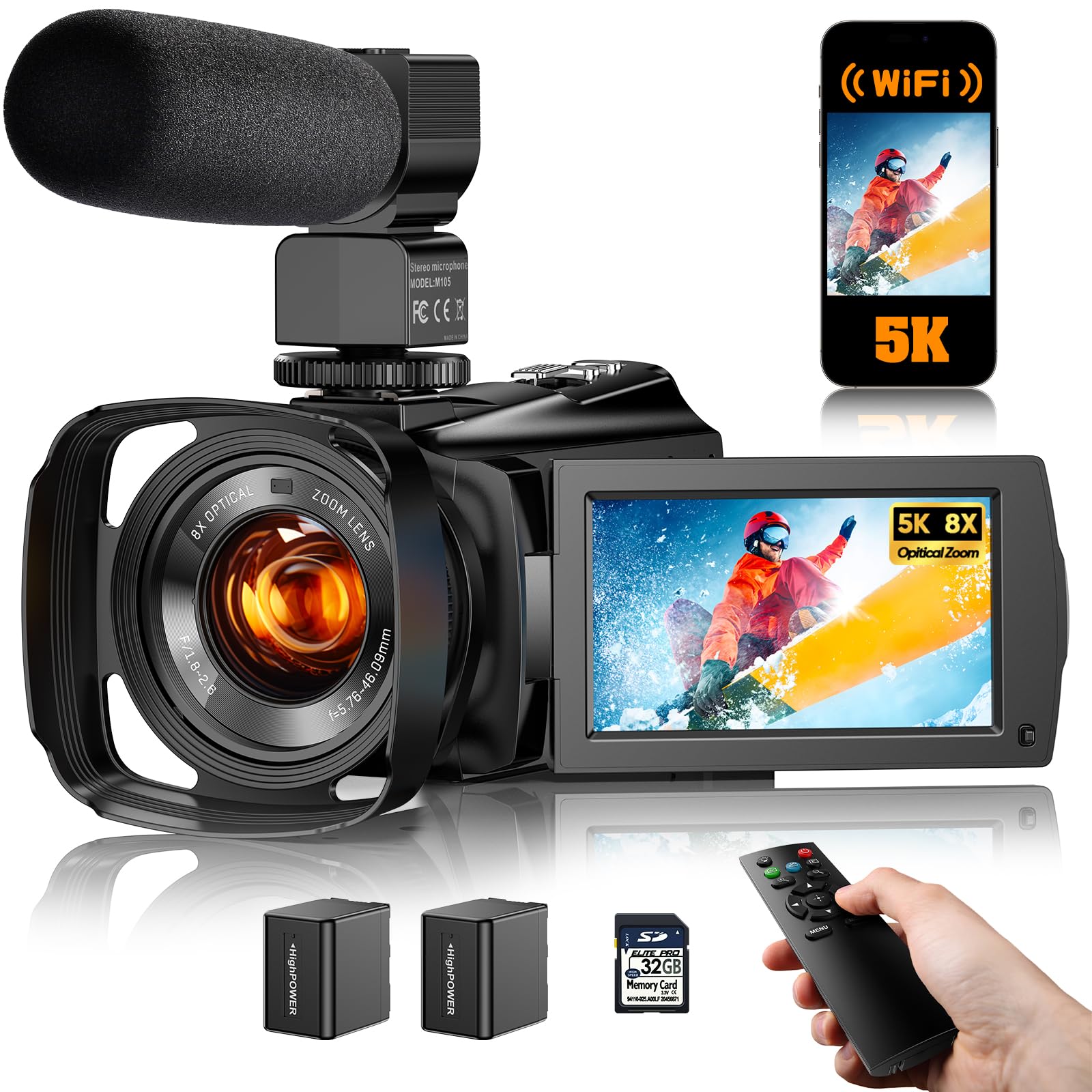
The live-streaming camera with real optical zoom that pulls in detail from across the room.
If your podcast involves showing products or filming from a distance, the 8X optical zoom here is the defining feature. Optical zoom magnifies without losing clarity, so you can frame a close-up of a product or a guest across the room and still get sharp detail. The 3.6″ IPS touch screen rotates 270° for self-framing, and 6-axis EIS electronic stabilization (a system using a gyroscope and accelerometer to reduce shakes) keeps handheld shots steady.
You get sharp focus even in dim rooms, because the TOF laser assist (a laser-based focusing aid) speeds up focus in low light, while video tops out at 5K with a 64MP still resolution. The kit includes a microphone, remote control, two rechargeable batteries, a 32GB SD card, and an HDMI cable. Owners say the image quality beats a phone camera and is great value, but the recurring gripe is audio sync: with a lapel mic you must record in 1080p or the sound drifts out of sync, and the color night vision needs bright UV light to look good.
The Zoom Advantage
- 8X optical zoom keeps detail sharp at distance.
- TOF laser assist locks focus fast in low light.
- HDMI cable included for direct streaming output.
Watch For
- Audio sync issues with external mics above 1080p.
- Full-color night vision needs a bright UV source.
- Built-in audio is only okay without an external mic.
Choose this for: product showcases or multi-person setups where optical zoom framing matters.
Pass if: you rely on lapel mics at 4K — you will hit the audio sync wall.
6. NearStream VM20 4K Streaming Camera
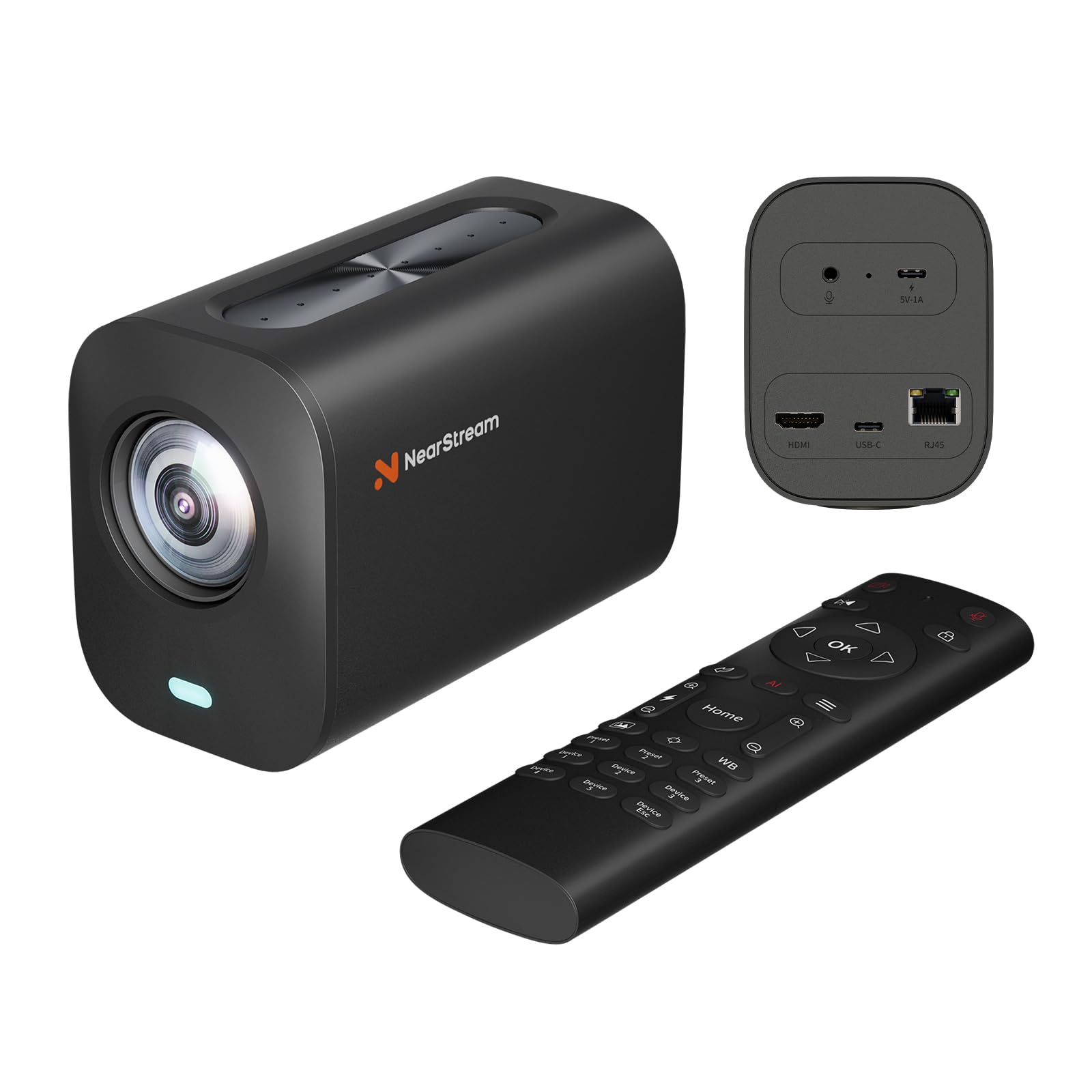
A wired streaming workhorse that gives you USB, HDMI, and Ethernet output in one box.
This is the camera for podcasters who want one device that plugs into any production setup. It outputs 4K video over USB-C, 1080p over HDMI and RJ45 Ethernet, and supports RTSP streaming (a network protocol that sends live video to software like OBS) without extra hardware. The 40X hybrid zoom combines an 8X optical lens with 5X digital zoom, so you can frame tight on a speaker from across a large room.
You capture every voice in the room, because the 8-MEMS microphone array picks up 360° sound within a 16-foot radius, with AI noise-canceling to clean up background hum, plus a 3.5mm jack for an external mic. Owners rate the build and value highly, and one deployment across a university found it had “the best built-in mics tested.” The honest note: this is tune for software-based workflows like OBS, not plug-and-play consumer use, and some owners hit settings that reset despite a lock function, with the macOS app needing fixes.
The Flexibility Edge
- USB, HDMI, and RJ45 outputs suit any streaming setup.
- 8-MEMS mic array cleans up 360° audio.
- 40X hybrid zoom frames large rooms easily.
Know This
- Designed for software workflows, not casual plug-and-play.
- Some settings reset despite the lock feature.
- macOS companion app has reported bugs.
Ideal for: educators, streamers, and event producers running OBS or multi-camera setups.
Not ideal for: beginners who want a simple point-and-shoot experience.
7. AVKANS GO 4K Live Streaming Camera
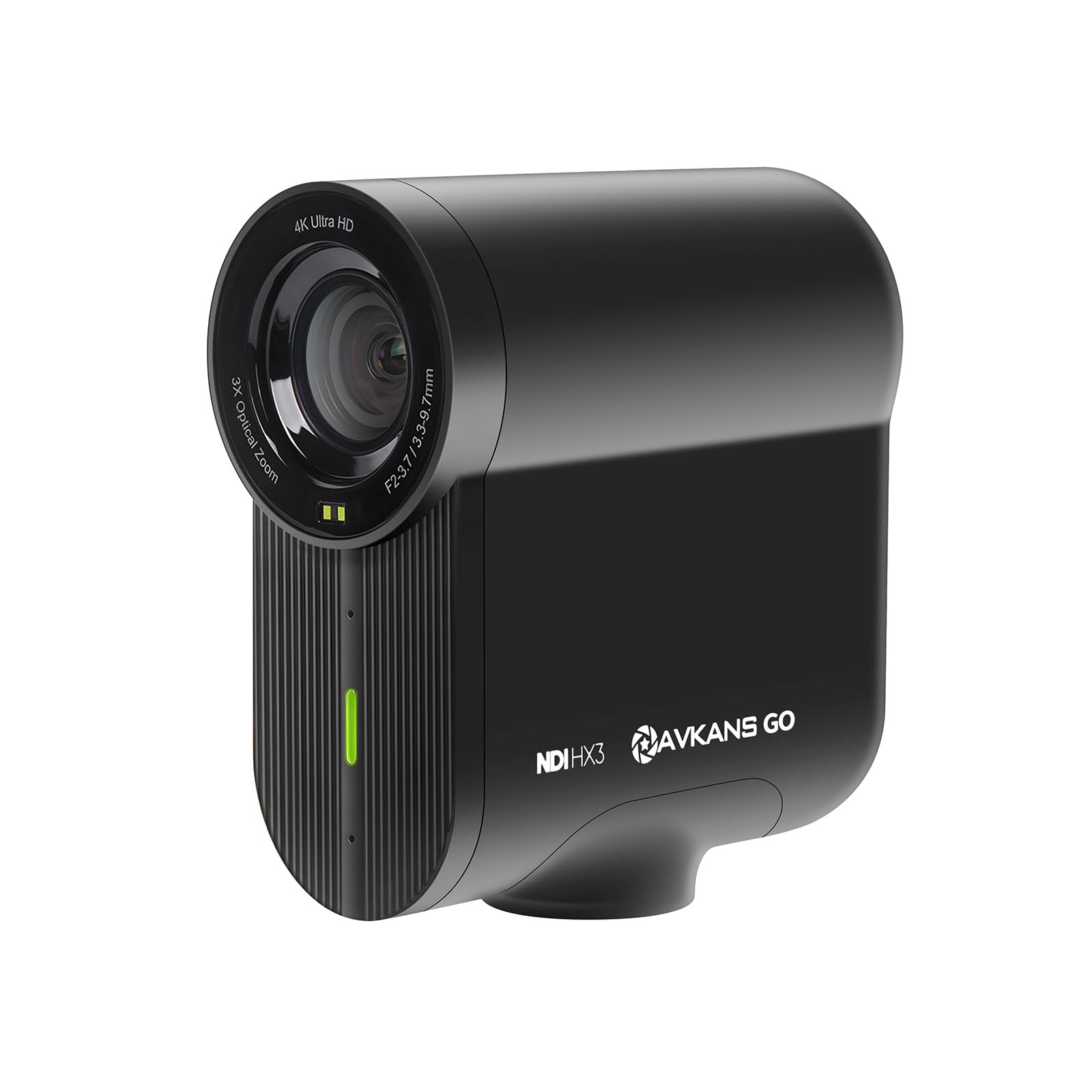
A wireless 4K camera that streams from the field with up to 6 hours of battery life.
For podcasters who broadcast from different locations — a sports field, an event, a live show — this camera cuts the cords. It streams over Wi-Fi, Ethernet, or your phone’s LTE/5G connection, and includes an NDI license (a protocol that lets video travel over a network for production software). Owners streaming travel baseball via GameChanger praise the easy setup and the auto-reconnect after network drops.
The 4K sensor records locally to an SD card while streaming 1080p, and the wide-angle lens with 3X optical zoom covers a 90° field of view, which owners say frames an entire field comfortably. A 6-hour battery covers two full games, and PoE (Power over Ethernet, which sends power and data over one cable) keeps it running indefinitely when plugged in. The comparison is favorable against the Mevo line: customers note a wider angle and better 4K clarity. The catch is the companion app — owners say the software still needs polish, and built-in mics pick up electrical noise, so an external mic is recommended.
Built To Roam
- 6-hour battery covers long live events.
- Streams via Wi-Fi, LTE/5G, or PoE for flexibility.
- NDI license included for pro software integration.
The Reality Check
- Companion app is still being refined.
- Built-in mics pick up electrical noise.
- Effective still resolution is just 2 mp.
Reach for it if: you stream sports or events on the move and need wireless freedom.
Look elsewhere if: you want polished software and dependable built-in audio.
8. TONGVEO 4K NDI PTZ Camera

A true broadcast PTZ camera with 20X optical zoom and AI tracking that follows your face.
You can fill the frame with a speaker from the back of a room, thanks to the 20X optical zoom, making this the closest thing to a real studio camera in the budget zone. The AI auto-tracking uses both facial and body recognition — so if your body is blocked, it resumes tracking when your face reappears. Owners use it for church services and live YouTube broadcasts, and the picture is “stunningly clear” even in low light.
Connectivity is the other headline: HDMI, USB 3.0, and professional SDI output for cable runs up to 300 feet without extra hardware, plus NDI support for network streaming. PoE (Power over Ethernet) delivers power and data over one cable to reduce clutter. The remote controls presets for scenes, which made one studio owner buy three more after the first test. The recurring gripe is the remote itself — it can control up to four cameras but feels clunky to some, so a joystick controller (sold separately) is recommended for multi-cam setups.
The Studio Punch
- 20X optical zoom captures detail from across a room.
- SDI output runs up to 300 feet without extra gear.
- AI tracks by face and body for reliable framing.
Consider This
- Remote control feels clunky for precise moves.
- Tracks one person at a time, not high-speed motion.
- Network streaming tops out at 1080p.
Built for: churches, schools, and studios needing broadcast-grade PTZ control on a budget.
Overkill for: a solo podcaster who just needs a fixed desk cam.
9. Zoom Q8n-4K Video Recorder

A musician-grade recorder that turns your podcast into a four-track audio studio with video.
You can plug in studio microphones or run straight from a mixing board, because the Q8n-4K records up to four simultaneous audio tracks and gives you two XLR inputs with phantom power (the voltage that powers professional condenser mics). If your podcast lives or dies on audio quality, this is the specialist pick. Buyers call the audio “fantastic,” with stage mics plugging in directly and eliminating audience noise entirely.
The 4K video at 30fps comes from an F2.8 wide-angle lens with five field-of-view settings and scene presets for indoor, outdoor, nighttime, and concert lighting. A swap-capable capsule system lets you match the audio capture to the scenario, and the flip-out screen plus remote app support solo creators. Stream live over USB while recording locally to an SD card up to 512GB. The catch is the video: reviewers point out grainy footage in low light and note that true 4K only happens at the widest FOV, with no zoom — just four preset widths. One unit also overheated and shut down after about 40 minutes handheld in a warm room.
The Audio Powerhouse
- Two XLR inputs with phantom power accept studio mics.
- Four simultaneous audio tracks for multi-source recording.
- Streams live via USB while recording to SD.
The Video Reality
- Low-light footage is grainy and soft.
- No zoom — only four preset FOV widths.
- Long handheld sessions can trigger overheating.
Perfect for: musicians and podcasters who prioritize studio-grade audio capture over video fidelity.
Not for: anyone who needs sharp low-light video or optical zoom range.
Understanding the Specs
Microphone Inputs
A 3.5mm jack lets you plug in a lavalier or shotgun mic for clear speech. XLR inputs are the pro standard, carrying balanced audio from studio mics. Without an input, you are stuck with the built-in mic, which picks up room echo and keyboard clicks.
Webcam vs HDMI Output
Webcam mode sends video over USB so your streaming software recognizes the camera instantly. Clean HDMI output sends an uncluttered signal to a capture card or mixer. You want at least one of these, or you cannot go live at all.
Optical vs Digital Zoom
Optical zoom uses glass to magnify without losing quality. Digital zoom crops and enlarges the image, which softens detail. For framing a guest across a room, optical zoom is the feature that keeps your picture sharp.
AI Tracking and Autofocus
AI tracking physically pans and tilts the camera to follow you as you move. Autofocus keeps your face sharp without manual adjustments. These matter most for solo hosts who gesture or walk while talking.
FAQ
Do I need a camera with a microphone input for podcasting?
Can I use a webcam instead of a camcorder for my podcast?
What is clean HDMI output and why does it matter?
Is 4K video necessary for a podcast?
What is the difference between optical and digital zoom?
How do I know if a camera can stream to YouTube or Twitch?
Why does the Zoom Q8n-4K cost more than other podcast cameras?
What does a gimbal or stabilizer do for podcast video?
Can I record and live stream at the same time with these cameras?
What is NDI and do I need it for podcasting?
Final Thoughts: The Verdict
For most buyers, the budget podcast camera winner is the Insta360 Link 2 because its AI tracking removes the hassle of staying framed and its 4K image is the crowd favorite of the whole list. If you want a complete kit with a mic and lights ready on day one, grab the MWIRB 8K Camera. And for audio-obsessed shows where sound is everything, the Zoom Q8n-4K with its XLR inputs is the one to reach for.
How We Picked
We do not accept paid placement. Every pick is matched to a real buyer and a real use-case; we do not hands-on test units.
Sources & Methodology
Specifications: manufacturer listings and product documentation. Review insights: verified customer reviews, as of August 2026. Pricing: not shown on this page (it changes often); check the current price via the retailer link.
As an Amazon Associate, Gadgets Feed earns from qualifying purchases. This does not affect which products we feature.