
The jump to 1440p is the single most meaningful upgrade a PC gamer can make, striking a perfect balance between visual fidelity and raw frame rate performance. It delivers a pixel density that makes 1080p look soft without demanding the brute GPU force required to drive a 4K panel at high refresh rates, making it the sweet spot for modern gaming.
I’m Rikta — the co-founder and writer behind Gadgets Feed. I’ve spent countless hours analyzing market data, comparing panel technologies, and parsing technical specifications to identify which models deliver the right mix of resolution, refresh rate, and color accuracy for different user profiles. (And Homer 🐱 supervised the entire selection process from his warm laptop perch).
In this guide, I’ve broken down everything you need to know to pick the right screen, from panel types and connectivity to refresh rates and color gamut. If you’re looking for a solid upgrade, this breakdown of the best 1440p computer monitor options will save you hours of research.
How To Choose The Best 1440p Computer Monitor
The 1440p market has grown dense, with options ranging from budget-friendly 27-inch IPS panels to premium OLED ultrawides. Navigating this landscape requires understanding a few key specs that directly affect your day-to-day experience, whether you’re gaming, editing photos, or grinding through spreadsheets.
Panel Technology: IPS, VA, or OLED?
IPS panels offer the most consistent color accuracy and wide viewing angles, making them the go-to for creative professionals and versatile gamers. VA panels deliver higher native contrast ratios (around 3000:1 to 4000:1), producing deeper blacks and better dark-room performance, but suffer from slower response times. OLED panels, while premium, offer near-infinite contrast and the fastest response times, but require careful use to avoid burn-in.
Quick Comparison
On smaller screens, swipe sideways to see the full table.
| Model | Category | Best For | Key Spec | Amazon |
|---|---|---|---|---|
| LG 27GS93QE | OLED | Competitive & immersive gaming | 240Hz / 0.03ms GtG | Amazon |
| Samsung Odyssey OLED G6 | QD-OLED | Color-critical gaming & media | 240Hz / 1,000,000:1 contrast | Amazon |
| ASUS TUF Gaming VG27AQM5A | Fast IPS | High-refresh competitive play | 300Hz / 0.3ms GtG | Amazon |
| Samsung Odyssey G50D | Fast IPS | Balanced gaming & productivity | 180Hz / 1ms GtG | Amazon |
| ViewSonic VX3418C-2K | VA Ultrawide | Immersive ultrawide gaming | 3440×1440 / 180Hz | Amazon |
| KTC H34S18S | VA Ultrawide | Budget ultrawide immersion | 3440×1440 / 4000:1 contrast | Amazon |
| BenQ PD2706QN | IPS Professional | Photo & video editing | 100% sRGB / Delta E ≤ 2 | Amazon |
| Alienware AW2725DM | IPS Gaming | Entry-level high-refresh gaming | 180Hz / 95% DCI-P3 | Amazon |
| KOORUI 32 Inch Curved | VA Curved | Budget large-screen gaming | 170Hz / 3000:1 contrast | Amazon |
In‑Depth Reviews
1. LG 27GS93QE 27-inch Ultragear OLED

The LG 27GS93QE brings an OLED panel to the 1440p high-refresh arena at a price that undercuts most QD-OLED rivals. With a 240Hz refresh rate and a near-instantaneous 0.03ms GtG response time, motion clarity here is essentially flawless — you won’t see ghosting or blur even in the most chaotic competitive shooters. The WOLED panel delivers infinite contrast and rich blacks without the purple tint some QD-OLED panels show under bright ambient light.
VESA DisplayHDR True Black 400 certification ensures HDR content pops with proper shadow detail, and the 98.5% DCI-P3 coverage provides vibrant, accurate colors out of the box. The anti-glare coating on this model leans closer to glossy than aggressive matte, preserving the OLED’s characteristic depth without turning your screen into a mirror. It also includes a two-year warranty covering the OLED panel, a critical consideration for long-term ownership.
Connectivity is solid, with HDMI 2.1 and DisplayPort 1.4 both supporting the full 240Hz refresh rate, plus a fully adjustable stand offering tilt, height, swivel, and pivot. The only compromise is peak brightness — like most OLED monitors, it tops out around 400 nits, so it performs best in a controlled lighting environment. For gamers who prioritize response time and contrast above all else, this is the monitor to beat in the mid-range premium tier.
Why it’s great
- Flawless 0.03ms response time for competitive play
- Infinite contrast ratio with true black levels
- Excellent color accuracy with wide DCI-P3 coverage
Good to know
- Lower peak brightness than high-end IPS panels
- Requires periodic pixel refresh to prevent burn-in
2. Samsung 27″ Odyssey OLED G6 (G61SH)

Samsung’s Odyssey OLED G6 uses a third-generation QD-OLED panel that pushes brightness and color volume beyond what WOLED can achieve. The result is a stunningly vibrant image with a 1,000,000:1 contrast ratio, 240Hz refresh rate, and 0.03ms response time. It’s Pantone Validated, meaning it reproduces over 2,100 colors and 110 skin tone shades accurately, making it a rare gaming monitor that doubles as a credible tool for color-critical work.
One standout feature is Samsung’s Glare-Free technology, which diffuses reflections far more effectively than standard matte coatings. It maintains deep blacks even with a window behind you, which is a genuine advantage over glossy QD-OLED panels that can wash out under direct light. The OLED Safeguard system uses a thermal modulation algorithm to actively prevent burn-in, giving buyers more confidence in long-term durability compared to earlier OLED generations.
The height-adjustable ergonomic stand supports tilt, swivel, and pivot, and the monitor ships with both HDMI 2.1 and DisplayPort 1.4 connections. Text clarity is slightly softer than a high-PPI IPS panel due to the QD-OLED subpixel layout, but it’s not a dealbreaker for mixed productivity use. If you want the absolute best image quality in a 1440p form factor and can budget for it, this is the premium choice.
Why it’s great
- Superior brightness and color volume over WOLED
- Glare-Free technology maintains contrast in lit rooms
- Pantone Validated for accurate color reproduction
Good to know
- Text clarity slightly below high-PPI IPS panels
- Premium pricing requires a significant budget
3. ASUS TUF Gaming 27” VG27AQM5A

The ASUS TUF Gaming VG27AQM5A sets a blistering pace with a 300Hz refresh rate and a 0.3ms GtG response time, all built on a Fast IPS panel that delivers excellent color reproduction with 95% DCI-P3 coverage. It supports both AMD FreeSync Premium and NVIDIA G-Sync, and includes ASUS’s Extreme Low Motion Blur Sync (ELMB Sync) technology, which allows backlight strobing and variable refresh rate to work simultaneously for exceptionally sharp motion without tearing.
Shadow Boost is a practical inclusion for competitive shooters, brightening dark areas dynamically without washing out highlights. The DisplayWidget Center software lets you tweak settings with a mouse instead of fumbling with the OSD joystick, a quality-of-life feature that power users will appreciate. The monitor also includes a 3-month Adobe Creative Cloud subscription, adding value for creative professionals who need editing tools.
Built-in speakers provide convenience for casual use, though they won’t replace dedicated desktop speakers. The static contrast ratio is 1,300:1, slightly higher than typical IPS panels, which helps with dark scene detail. It comes with a three-year warranty, backing its build quality. For the combination of speed, color accuracy, and feature set, this is the standout mid-range gaming monitor.
Why it’s great
- 300Hz refresh rate with 0.3ms response time
- ELMB Sync eliminates ghosting without tearing
- Wide 95% DCI-P3 color gamut
Good to know
- Built-in speakers are basic
- OSD navigation can be finicky without software
4. SAMSUNG 32-Inch Odyssey G50D

The Samsung Odyssey G50D delivers a well-rounded 32-inch Fast IPS panel with a 180Hz refresh rate and 1ms GtG response time, making it a strong contender for gamers who want a larger screen without switching to VA or OLED. The QHD resolution on a 32-inch panel results in a pixel density of about 93 PPI, which is slightly less sharp than 27-inch 1440p but still far superior to 1080p at this size.
VESA DisplayHDR 400 certification provides decent HDR performance for a mid-range IPS monitor, though it relies on local dimming via edge lighting rather than true per-pixel control. The fully adjustable stand supports height, tilt, swivel, and pivot, a feature set that’s increasingly rare at this price tier. G-Sync compatibility and AMD FreeSync both work flawlessly, ensuring tear-free gameplay across different GPU ecosystems.
Eye Saver Mode reduces blue light emission without the harsh yellow tint typical of software-based solutions, and the anti-glare coating keeps reflections manageable in bright rooms. The main drawback is that some units require significant calibration out of the box to correct color balance, as default settings can make whites look warm and blacks look grayish. For the size, adjustability, and refresh rate, however, it’s an excellent value proposition.
Why it’s great
- Large 32-inch Fast IPS panel with 180Hz
- Full ergonomic stand with tilt, swivel, pivot, and height
- G-Sync and FreeSync compatible
Good to know
- Default color calibration needs adjustment
- HDR performance is entry-level
5. ViewSonic VX3418C-2K 34 Inch Ultrawide
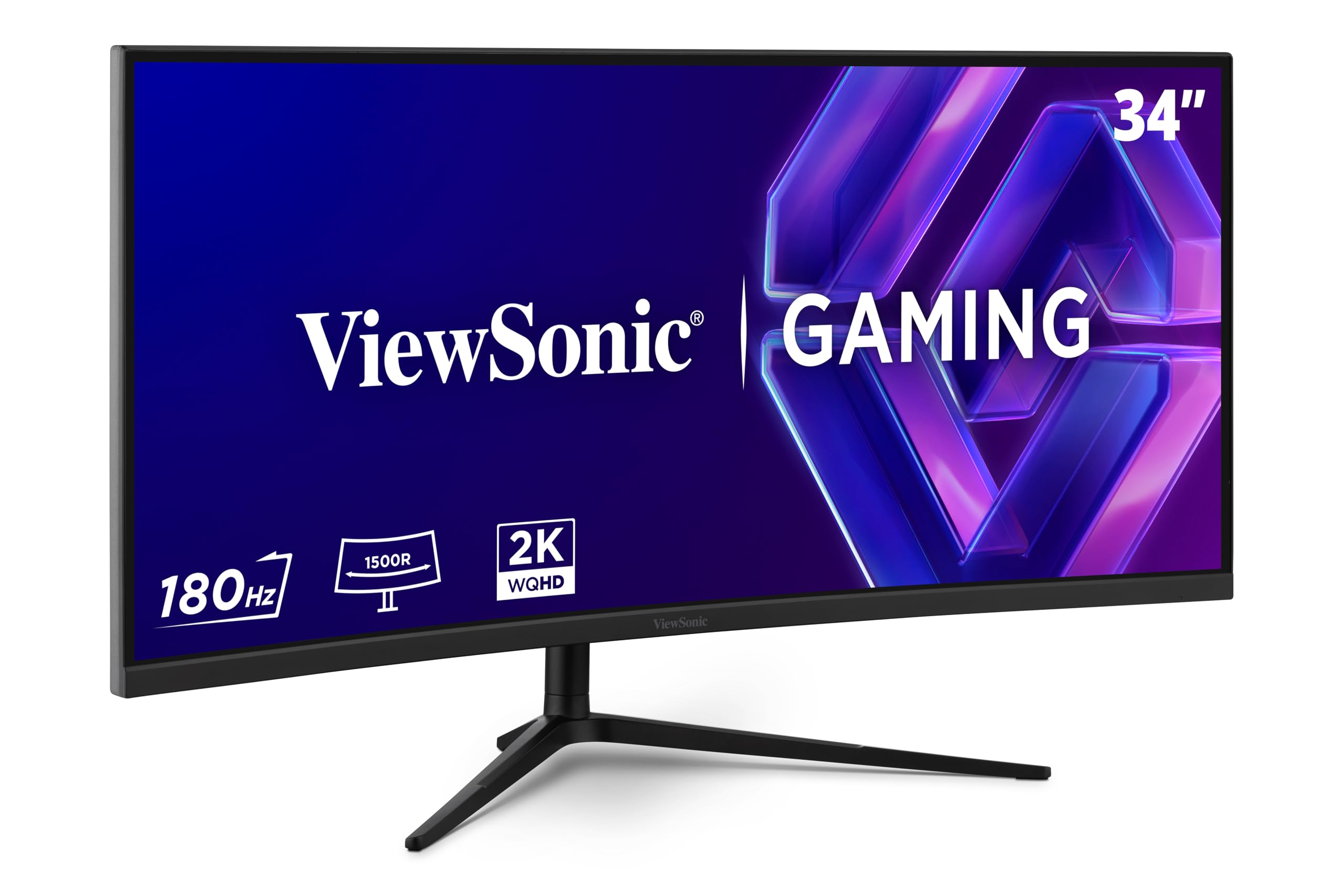
The ViewSonic VX3418C-2K offers a 34-inch 21:9 ultrawide VA panel with a 3440×1440 resolution and a 180Hz refresh rate, providing an immersive gaming and productivity experience at a competitive price. The 1500R curvature wraps around your peripheral vision, and the VA panel’s 4000:1 native contrast ratio delivers deep blacks that IPS panels can’t match, making dark scenes in games and movies look rich and detailed.
FreeSync Premium technology keeps gameplay fluid and tear-free, and the 1ms MPRT response time ensures fast motion stays relatively crisp for a VA panel. The monitor includes a full arsenal of gaming presets for FPS, RTS, and MOBA genres, and the anti-glare screen combined with a blue light filter reduces eye strain during extended sessions. Connectivity covers HDMI and DisplayPort, but there’s no USB-C pass-through.
The included stand is functional but basic — it lacks height adjustment, so you’ll likely want to budget for a VESA-compatible monitor arm. The built-in speakers are also underwhelming, best reserved for system beeps rather than media consumption. For the ultrawide resolution, high contrast ratio, and 180Hz refresh rate, this monitor delivers strong value for immersive gaming.
Why it’s great
- 3440×1440 ultrawide resolution with 180Hz
- 4000:1 VA contrast ratio for deep blacks
- FreeSync Premium for tear-free gameplay
Good to know
- Stand lacks height adjustment
- Built-in speakers are very weak
6. KTC 34 inch Curved Ultrawide H34S18S

The KTC H34S18S is a 34-inch ultrawide VA monitor that brings a 3440×1440 resolution, 180Hz refresh rate, and 1ms MPRT response time to a budget-friendly price point that’s rare in the ultrawide segment. The 1500R curvature and 4000:1 native contrast ratio create an immersive viewing experience with deep blacks and vibrant colors that IPS panels at this price simply can’t achieve. The 98% DCI-P3 and 123% sRGB coverage mean colors are punchy and saturated right out of the box.
Ergonomics are a strong point here — the stand offers height adjustment (90mm range), tilt, swivel, and pivot, which is almost unheard of on budget ultrawides. It also features RGB lighting on the back for aesthetic customization, and a quick-release VESA mount system (100x100mm) for easy arm installation. Connectivity includes dual HDMI 2.0 (limited to 100Hz at 3440×1440) and dual DisplayPort 1.4 (full 180Hz), plus a USB 2.0 port for firmware updates.
Customer feedback suggests the monitor is lightweight with thin bezels, but the stand base provides only 6.5 inches of clearance, which may be too low for some setups without an arm. Some users report that the DisplayPort input can fail after about a year of use. If you’re seeking an affordable entry into ultrawide 1440p gaming and can handle the occasional reliability concern, this is a compelling option.
Why it’s great
- Affordable ultrawide with 3440×1440 resolution
- Full ergonomic stand with height, tilt, swivel, pivot
- Wide color gamut coverage (98% DCI-P3)
Good to know
- HDMI limited to 100Hz at native resolution
- Long-term reliability is a concern per user reports
7. BenQ PD2706QN 27” 2K QHD Mac-Ready Monitor
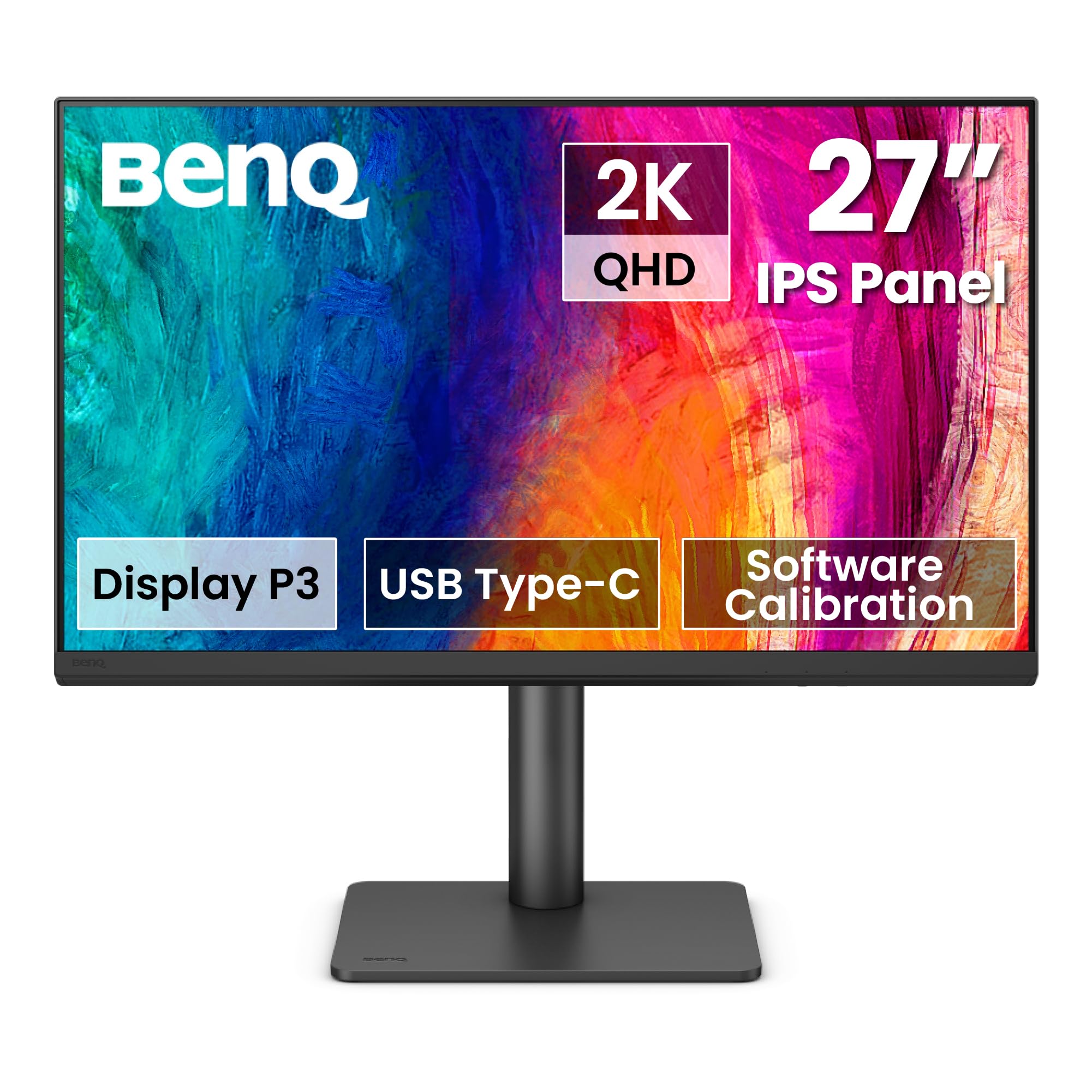
The BenQ PD2706QN is purpose-built for creative professionals, offering a 27-inch IPS panel with 1440p resolution, factory-calibrated Delta E ≤ 2 accuracy, and 100% sRGB and Rec.709 coverage along with 95% DCI-P3. It’s Pantone Validated and comes with ICCsync, which automatically syncs ICC profiles between a Mac and the monitor when switching color modes, eliminating the need for manual profile management.
The 90W USB-C port delivers single-cable connectivity for modern laptops, transmitting video, data, and charging power all at once. The monitor supports daisy chaining (MST) for multi-monitor setups, though this doesn’t work with Apple Silicon MacBooks. The Nano Matte panel diffuses ambient light without introducing the graininess typical of heavy matte coatings, preserving color accuracy and contrast even in brightly lit rooms.
The ergonomic stand offers full adjustability — height, tilt, swivel, and pivot — and the built-in KVM switch allows you to control two connected devices with a single keyboard and mouse. The refresh rate is capped at 100Hz, which is adequate for light gaming but not competitive play. For professional color work with Mac compatibility, this monitor delivers exceptional factory accuracy and build quality.
Why it’s great
- Factory-calibrated Delta E ≤ 2 accuracy
- 90W USB-C with single-cable laptop connectivity
- Nano Matte panel reduces glare without grain
Good to know
- 100Hz refresh rate limits competitive gaming
- Daisy chaining not supported on Apple Silicon Macs
8. Alienware 27 Gaming Monitor AW2725DM

The Alienware AW2725DM is a 27-inch QHD IPS gaming monitor that offers a solid 180Hz refresh rate and 1ms GtG response time at an accessible entry-level price for the 1440p category. It covers 95% of the DCI-P3 color space and carries VESA DisplayHDR 400 certification, delivering vibrant colors and adequate HDR punch for a monitor in this tier. The build quality is excellent, with a sturdy, fully adjustable stand that includes height, tilt, swivel, and pivot adjustments.
NVIDIA G-Sync and AMD FreeSync compatibility ensures tear-free gameplay across both GPU ecosystems, and the hardware-based low blue light solution reduces eye strain without washing out colors. Users consistently praise the crisp text and clean image quality for productivity use alongside gaming. The monitor’s sleek design with thin bezels will fit well into any desktop setup.
One limitation is that the full 180Hz refresh rate is only achievable via DisplayPort 1.4; the HDMI port is capped at 144Hz. There’s no USB-C input, which may be a consideration for users with modern laptops. It also lacks built-in speakers and a headphone jack, so plan for external audio. For a reliable, well-built gaming monitor with strong specs, the Alienware is a trustworthy choice.
Why it’s great
- Solid 180Hz IPS panel with 95% DCI-P3
- Fully adjustable ergonomic stand
- G-Sync and FreeSync compatible
Good to know
- HDMI limited to 144Hz, 180Hz requires DisplayPort
- No built-in speakers or headphone jack
9. KOORUI 32 Inch Curved Gaming Monitor
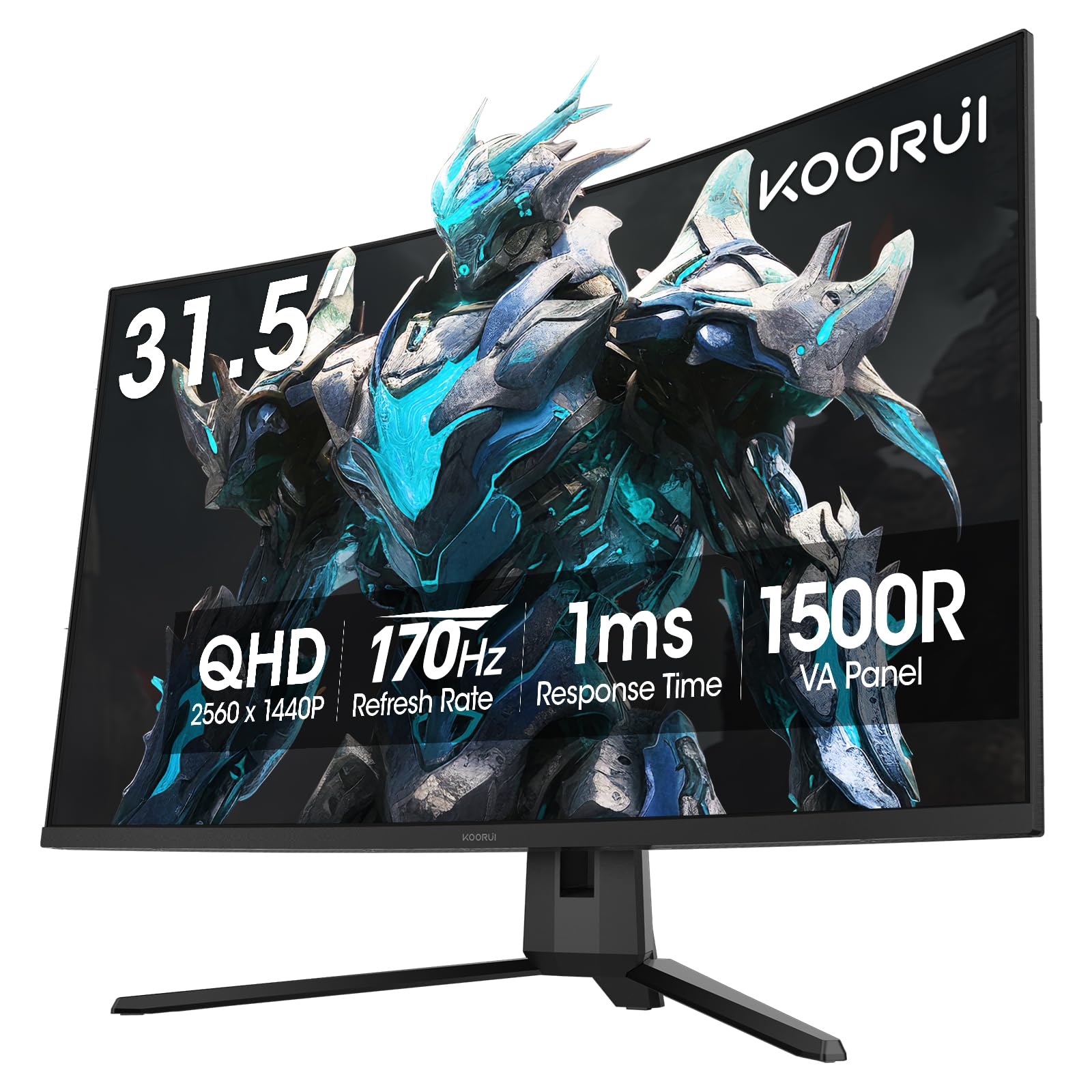
The KOORUI 32-inch Curved Gaming Monitor brings a 2560×1440 VA panel with a 1500R curvature, 170Hz refresh rate, and 1ms MPRT response time to the most budget-friendly tier of the 1440p market. The VA panel’s native 3000:1 contrast ratio provides deep blacks and good shadow detail, making single-player games and movies look more immersive than they would on an IPS panel at the same price. The 90% DCI-P3 color gamut and HDR10 support deliver punchy, saturated colors.
Adaptive Sync (compatible with both FreeSync and G-Sync) effectively eliminates screen tearing, and the monitor supports dual HDMI 2.0 and a DisplayPort 1.2 input for broad connectivity. The tilt-adjustable stand is basic but functional, and the 100x100mm VESA mount allows for arm mounting. Users consistently note the sharp image quality and bright, flicker-free performance for both gaming and desktop use.
The monitor lacks built-in speakers, so external audio is required, and the OSD menu is controlled by a single fiddly button rather than a joystick. One notable point from reviews: some units lack VESA mounting holes despite the listing indicating they do, so inspect yours on arrival. For a large-screen 1440p gaming monitor at an entry-level price, the KOORUI delivers impressive value.
Why it’s great
- Large 32-inch VA panel with 3000:1 contrast
- 170Hz refresh rate with Adaptive Sync
- Very budget-friendly for the screen size and resolution
Good to know
- No built-in speakers
- OSD menu uses a fiddly single button
FAQ
What GPU do I need to drive a 1440p 144Hz monitor effectively?
Is a 32-inch monitor too big for 1440p resolution?
Final Thoughts: The Verdict
For most users, the 1440p computer monitor winner is the ASUS TUF Gaming VG27AQM5A because it delivers a 300Hz Fast IPS panel with excellent color accuracy, ELMB Sync, and great value for high-refresh gaming. If you want the deepest blacks and near-instant response times, grab the LG 27GS93QE. And for professional color work with flawless Mac compatibility, nothing beats the BenQ PD2706QN.