
Our readers keep the lights on and my morning glass full of iced black tea. As an Amazon Associate, I earn from qualifying purchases.
Specs are compiled from manufacturer listings and verified buyer reviews and can change over time — please confirm the key details on the product page before buying.
Chasing a 1440p 200Hz monitor usually ends with buyers staring at two very different specs sheets and wondering if the extra cash for OLED is actually worth it. The real answer is in the panel technology: a fast IPS panel gives you speed for less, while an OLED with a 0.03ms response time delivers motion clarity that makes fast-paced games feel almost weightless. This guide sorts through 11 verified models to show you exactly which panel type fits your gaming style, your GPU, and your desk setup.
I’m Min — the founder and writer behind Gadgets Feed. This guide is built by comparing the manufacturers’ published specifications and the patterns across verified customer reviews, so you get each pick’s real strengths and trade-offs instead of marketing spin.
Whether you play ranked shooters or cinematic single-player titles, finding the best 1440p 200hz monitor means weighing refresh rate against color accuracy and response time against price.
Our Picks at a Glance

How To Choose The Best 1440p 200Hz Monitor
Every monitor on this list hits the core requirements of QHD (2560×1440) resolution and at least a 200Hz refresh rate, so the real differentiators are the panel tech, the response time, and the HDR performance. Understanding these three will help you avoid overpaying for specs your eyes—or your GPU—can’t fully use.
Panel Technology: OLED vs IPS vs Mini-LED
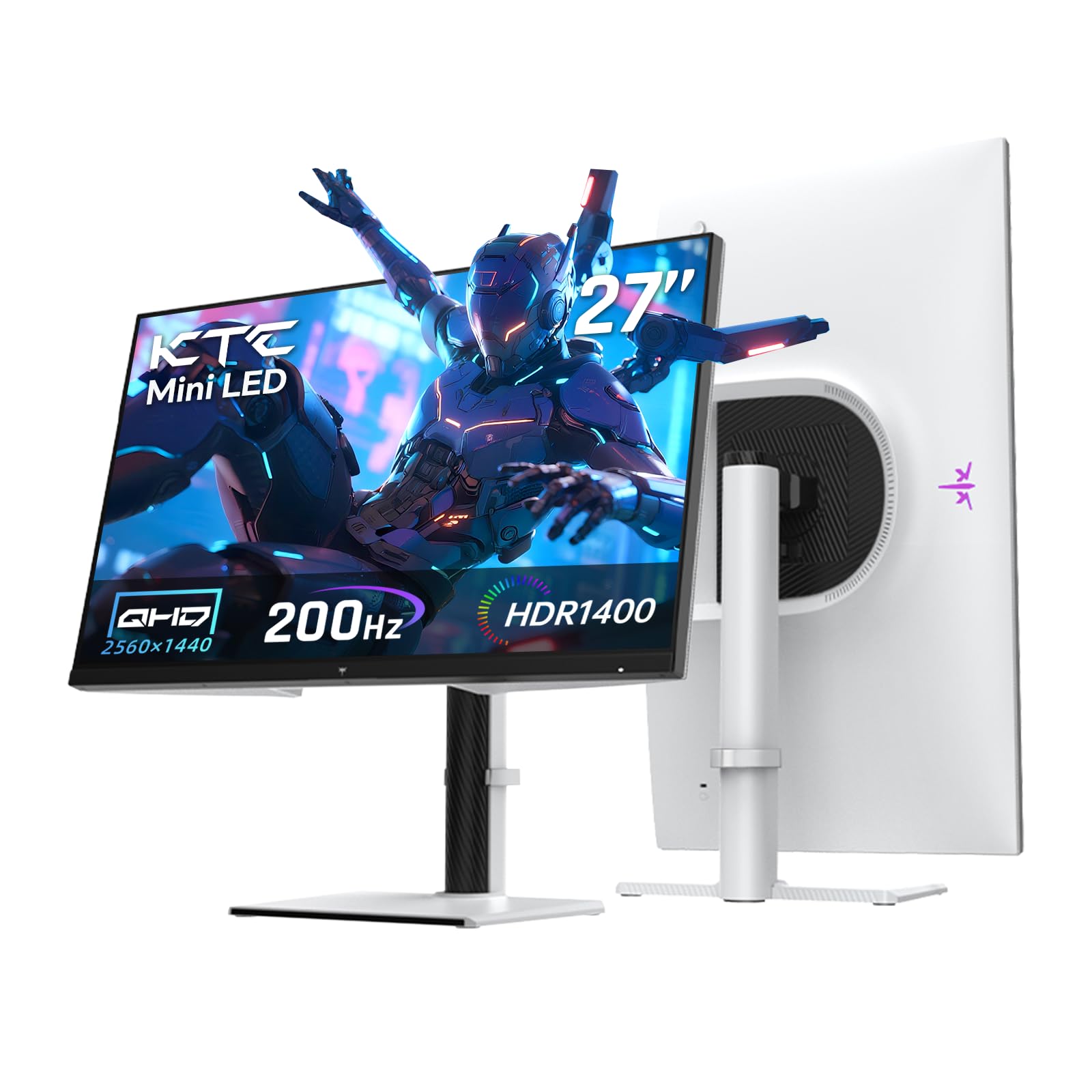
The panel determines almost everything about how the image looks. OLED panels use self-emitting pixels, meaning each pixel turns off completely for true blacks, delivering a contrast ratio of 1,500,000:1 and response times as low as 0.03ms. IPS panels are more affordable, with typical 1000:1 contrast ratios and 1ms response times, but they suffer from backlight bleed. Mini-LED panels sit between them, using thousands of tiny LEDs behind an IPS screen, like the KTC M27T6S with 1152 local dimming zones, to achieve deeper blacks while keeping IPS viewing angles.
Response Time and Motion Clarity
Refresh rate tells you how often the screen updates, but response time tells you how fast a pixel can change color. A 240Hz OLED with 0.03ms response time will show moving objects with almost no trailing blur, while a 200Hz IPS with 1ms response time will still be sharp but might show slight ghosting in fast scenes. For competitive shooters where tracking a moving target matters, the lower the response time, the clearer the motion.
Adaptive Sync and Your GPU
Adaptive sync eliminates screen tearing by matching the monitor’s refresh rate to your graphics card’s frame output. G-Sync Compatible works best with NVIDIA GPUs, while AMD FreeSync Premium pairs with Radeon cards. Most modern monitors on this list support both, so check what your graphics card supports to get the smoothest experience regardless of frame rate dips.
Quick Comparison
| Model | Best For | Refresh Rate | Response Time | Panel Type | Amazon |
|---|---|---|---|---|---|
| LG 27GX704A-B★ Best Overall | Overall gaming excellence | 240Hz | 0.03ms | OLED | Amazon |
| KTC M27T6SBest Value Mini-LED | Mini-LED HDR value | 200Hz (OC 210Hz) | 1ms | Fast IPS Mini-LED | Amazon |
| KOORUI 27 Mini-LEDCreator Favorite | Content creation and gaming | 200Hz | 1ms | Mini-LED IPS | Amazon |
| KTC H27E6 | Budget high refresh | 320Hz | 1ms | Fast IPS | Amazon |
| MSI MAG 272QP | Premium QD-OLED color | 240Hz | 0.03ms | QD-OLED | Amazon |
| MSI MAG 274QP | Versatile QD-OLED gaming | 240Hz | 0.03ms | QD-OLED | Amazon |
| Samsung Odyssey G6 G60F | Competitive esports speed | 350Hz | 1ms | Fast IPS | Amazon |
| Samsung Odyssey OLED G6 | Glare-free QD-OLED | 240Hz | 0.03ms | QD-OLED | Amazon |
| LG 27GX700A-B | Brightest OLED scenes | 280Hz | 0.03ms | OLED 4th Gen | Amazon |
| ASUS ROG XG27AQDMG | Glossy WOLED clarity | 240Hz | 0.03ms | WOLED | Amazon |
| GIGABYTE M27Q2 QD | Productivity plus gaming | 200Hz (OC 210Hz) | 1ms | SS-IPS Quantum Dot | Amazon |
In‑Depth Reviews
1. LG 27GX704A-B 27-inch Ultragear QHD OLED
Our pick — over 4.5★ from 400+ verified ratings; the strongest balance of quality and price.
A glossy OLED panel that pairs a 240Hz refresh rate with a 0.03ms response time for ultra-smooth motion.
Thousands of buyers report that this monitor’s OLED contrast and speed justify the upgrade from IPS. The glossy 27-inch QHD display uses self-illuminating pixels to deliver a 1,500,000:1 contrast ratio, which means inky blacks and highlights that make explosions pop. It refreshes at 240Hz with a 0.03ms response time, so fast-moving enemies stay razor sharp with zero ghosting. The standard brightness sits at 275 nits but can peak at 1300 nits, and it supports up to 98.5% DCI-P3 color coverage for rich, lifelike scenes.
Connectivity covers next-gen consoles and PCs with dual HDMI 2.1, DisplayPort 1.4, and USB 3.2 ports. It works with both NVIDIA G-Sync and AMD FreeSync Premium Pro, so screen tearing stays gone regardless of your graphics card. The stand adjusts height, tilt, swivel, and pivot, while the three UL certifications for Anti-Glare, Flicker-Free, and Low Blue Light keep extended sessions comfortable.
Owners consistently praise the color quality and build, with one noting it “looks like a monitor” at a fraction of the cost. The crisp text and low eye strain make it suitable for daily productivity as well as gaming, and the built-in OLED Care runs automatic pixel cleaning cycles during standby to help prevent image retention.
What wins people over
- 0.03ms response time with 240Hz refresh for buttery motion
- True OLED blacks with 1,500,000:1 contrast ratio
- Triple UL certification for eye comfort during long sessions
The honest trade-offs
- Glossy finish can reflect bright room lights
- No built-in smart features for streaming apps
Your best match if: you want the smoothest, most color-accurate 1440p experience without stepping up to a 4K OLED.
Think twice if: your room has direct light behind your desk, since the glossy panel shows reflections.
2. KTC QHD Mini LED M27T6S
A 1152-zone Mini-LED that brings HDR drama to a budget-friendly 200Hz.
Owners mention the HDR performance here is superb, with a 1000cd/㎡ brightness that makes highlights genuinely pop while 1152 local dimming zones keep blacks deep. The 27-inch QHD Fast IPS panel refreshes at 200Hz with a 1ms GTG response time, and it overclocks to 210Hz if you want a bit more. The 99% color gamut and DeltaE<2 factory calibration deliver vibrant colors for both gaming and creative work.
Unlike the OLED picks above, this uses a 1000:1 contrast ratio, but the local dimming closes much of that gap in practice. The white borderless design fits bright workspaces, and the stand offers tilt, swivel, pivot, and height adjustments. Connectivity includes HDMI2.0×2 at 144Hz and DP1.4×1 at 200Hz-OC 210Hz, plus a USB2.0 port. The 100x100mm VESA mount lets you wall-mount it when you want a cleaner desk.
Owners mention the SDR colors feel slightly weaker than a standard IPS, so you will want to enable HDR for the full experience. The lack of ghosting or lag makes it a strong pick for fast shooters, and the local dimming is best viewed straight-on since it weakens at angles.
HDR hero without the OLED price: 1152 zones and 1000cd/㎡ brightness punch far above the budget tier.
Who should pass: if you work in bright rooms with wide viewing angles, since the dimming zones fade off-axis.
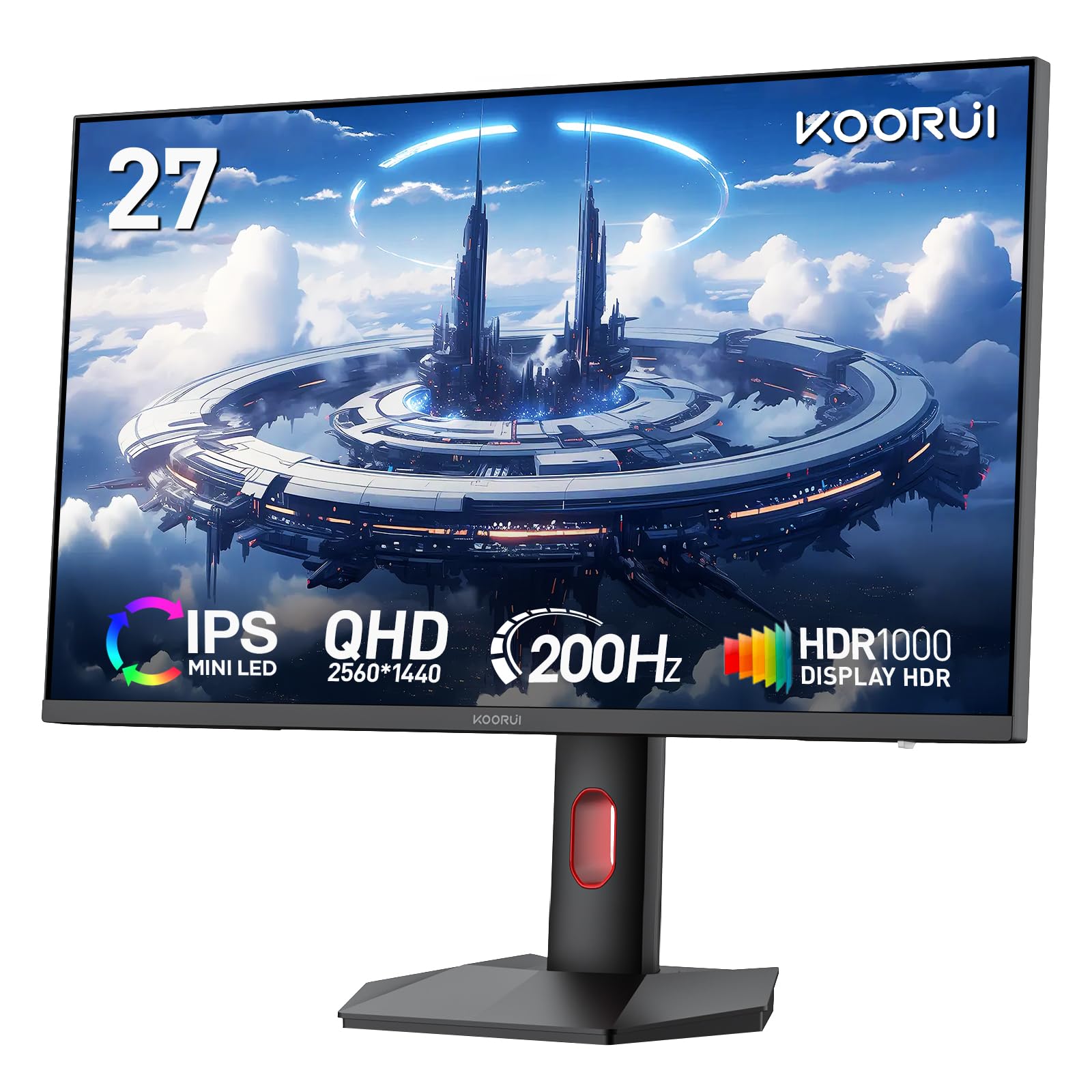
3. KOORUI 27 inch Mini-LED IPS Gaming Monitor
The 200Hz workhorse with a 300,000:1 contrast ratio for editors who also frag.
KOORUI pairs a 200Hz refresh rate with a 1ms (GtG) response time and a stunning 300,000:1 static contrast ratio, which is unusually high for an IPS panel. The QHD (2560×1440) resolution covers 97% DCI-P3 and 99% Adobe RGB, making it a strong choice for photo editing and game development where color accuracy matters. Owners note the out-of-the-box color accuracy and brightness are appreciated, and the OSD menu lets you fine-tune contrast and color settings.
For multitaskers, the PiP and PBP modes let you display two sources at once without constantly switching tabs. The edge-less design and ergonomic stand support height, tilt (-5° to 20°), swivel, and rotation. It is VESA-compatible at 75x75mm for wall or arm mounting, and the 3-year spare parts warranty plus 12-month replacement service covers you if anything arrives damaged.
One owner praised the “video game displays and clarity is Top notch” for the money. The slim bezel has a visible gap between the bezel and display edge, which matters mostly in multi-monitor setups, but for a single-screen gaming and creation rig, this is a fantastic value.
Why creators like it
- 99% Adobe RGB and 97% DCI-P3 for accurate color work
- 300,000:1 contrast ratio for deep blacks on an IPS
- 3-year parts warranty with 12-month replacement
What to know
- 75x75mm VESA pattern is smaller than the standard 100x100mm
- Slim bezel leaves a gap visible in multi-monitor arrays
Reach for this if: you split time between gaming and color-sensitive creative projects and want one monitor for both.
Look elsewhere if: you run a triple-monitor setup where the bezel gap will bother you.
4. KTC 27 Inch 320Hz H27E6

A 320Hz Fast IPS that outruns the 200Hz class while staying affordable.
If you want raw speed above everything, this KTC delivers a 320Hz scan rate on a 27-inch WQHD (2560×1440) Fast IPS panel with a 1ms response time. That is a 20% jump over the 200Hz baseline, and customers note it delivers true 200Hz from the start with fast pixel response and no backlight bleed. The 144% sRGB color gamut reproduces rich colors, and the 450cd/㎡ brightness keeps the screen visible even in bright rooms.
The low blue light and flicker-free functions reduce eye fatigue during long sessions. Connectivity includes two HDMI ports and one DisplayPort, plus a headphone jack for private audio. The stand offers tilt, swivel, pivot, and height adjustments, and the VESA mount works for wall setups. It comes with a three-year warranty, and reviewers point out the customer service handled a quality issue efficiently with a successful RMA.
The on-screen menu has a learning curve, and the built-in crosshair is small, but these are minor quirks against the performance. One owner said it “works flawlessly with RTX 5070 Ti,” calling it a 10/10 for the price.
Pure pace, fair price: 320Hz on a 1ms Fast IPS makes it the fastest 1440p option here per dollar.
Not for beginners: the OSD menu takes time to master, and the small crosshair is easy to misplace.
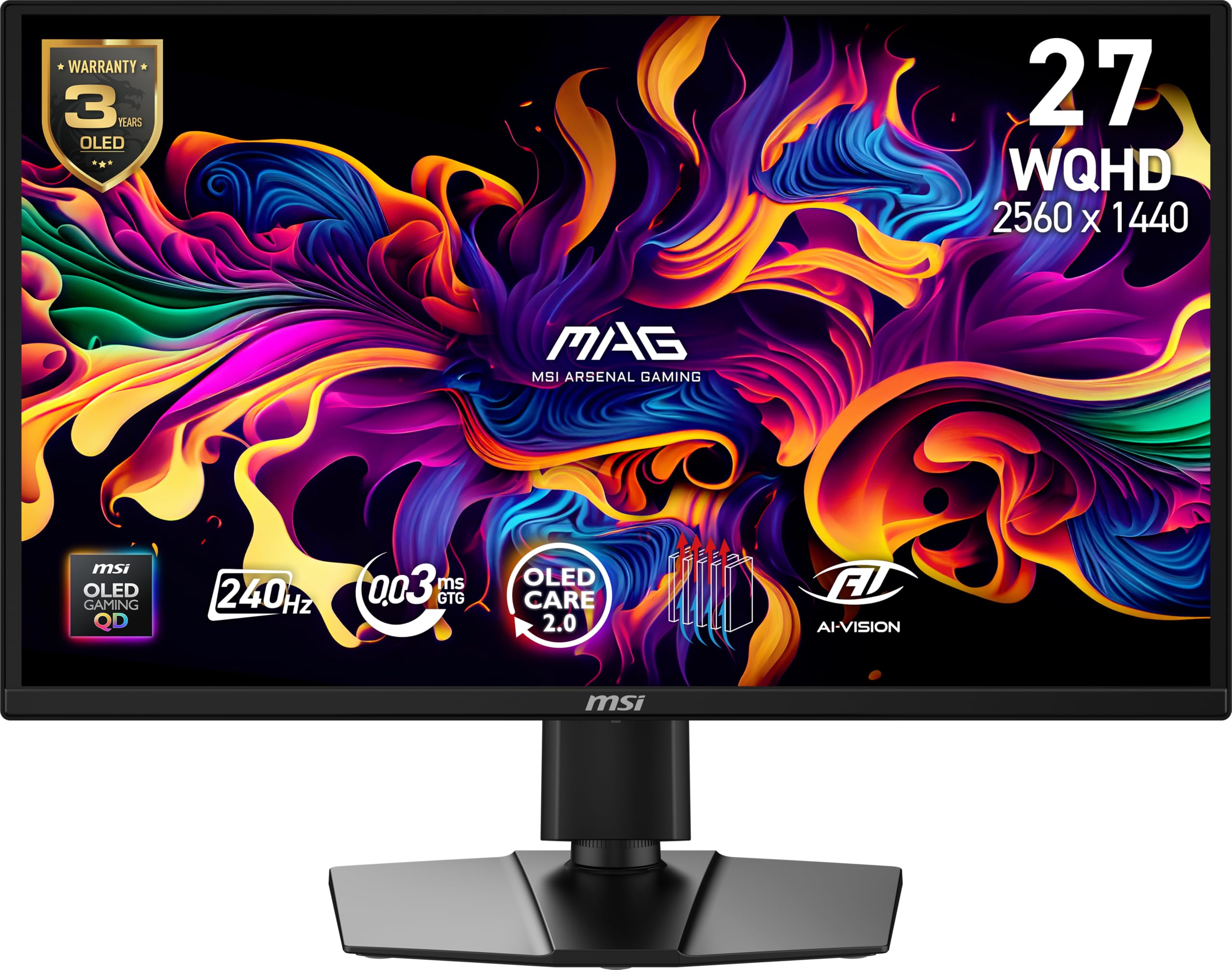
5. MSI MAG 272QP QD-OLED X24
Quantum Dot OLED with a 0.03ms response and VESA ClearMR 13000 motion rating.
MSI’s Quantum Dot OLED panel combines 10-bit color with self-emitting pixels for a 1,500,000:1 native contrast ratio and a 0.03ms (GtG) response time. The 26.5-inch WQHD display shows 1.07 billion colors with 99% DCI-P3 coverage and Delta E ≤2 accuracy, making it a serious tool for content creation as well as gaming. The 240Hz refresh rate earns a VESA ClearMR 13000 rating, which is a certification for motion clarity that owners say delivers.
The enhanced sub-pixel arrangement improves text sharpness, and the fanless graphene heatsink enhances panel durability. MSI GI software includes OLED Care 2.0 to prevent burn-in, plus an AI-supported Smart Crosshair for aiming. The 4-way adjustable stand and VESA 100mm mount give you placement flexibility, and connectivity covers DisplayPort 1.4a and HDMI 2.1 CEC ports for PC, Mac, and console.
Shoppers say the “vibrant colors, deep blacks, sharp image” on Xbox Series X with minimal motion blur, and one called it “way better product than the price suggests.” The glossy panel means brightness appears as advertised, though some found the power reliability mixed. The 3-year warranty covers burn-in, so you are protected against long-term screen damage.
The OLED advantage
- 0.03ms response eliminates ghosting in fast scenes
- VESA ClearMR 13000 ranking for verified motion clarity
- Graphene heatsink for durability without a fan
The catch
- Power reliability got mixed reviews, with some units not powering up
- Brightness is listed at up to 400 nits peak, which some find modest
Pick this if: you want QD-OLED color pop with verified motion clarity and a stand that adjusts every direction.
skip it if: you are wary of potential power issues, since a few units arrived with problems.
6. MSI MAG 274QP QD-OLED X24
The QD-OLED that flips between competitive shooters and movie nights without compromise.
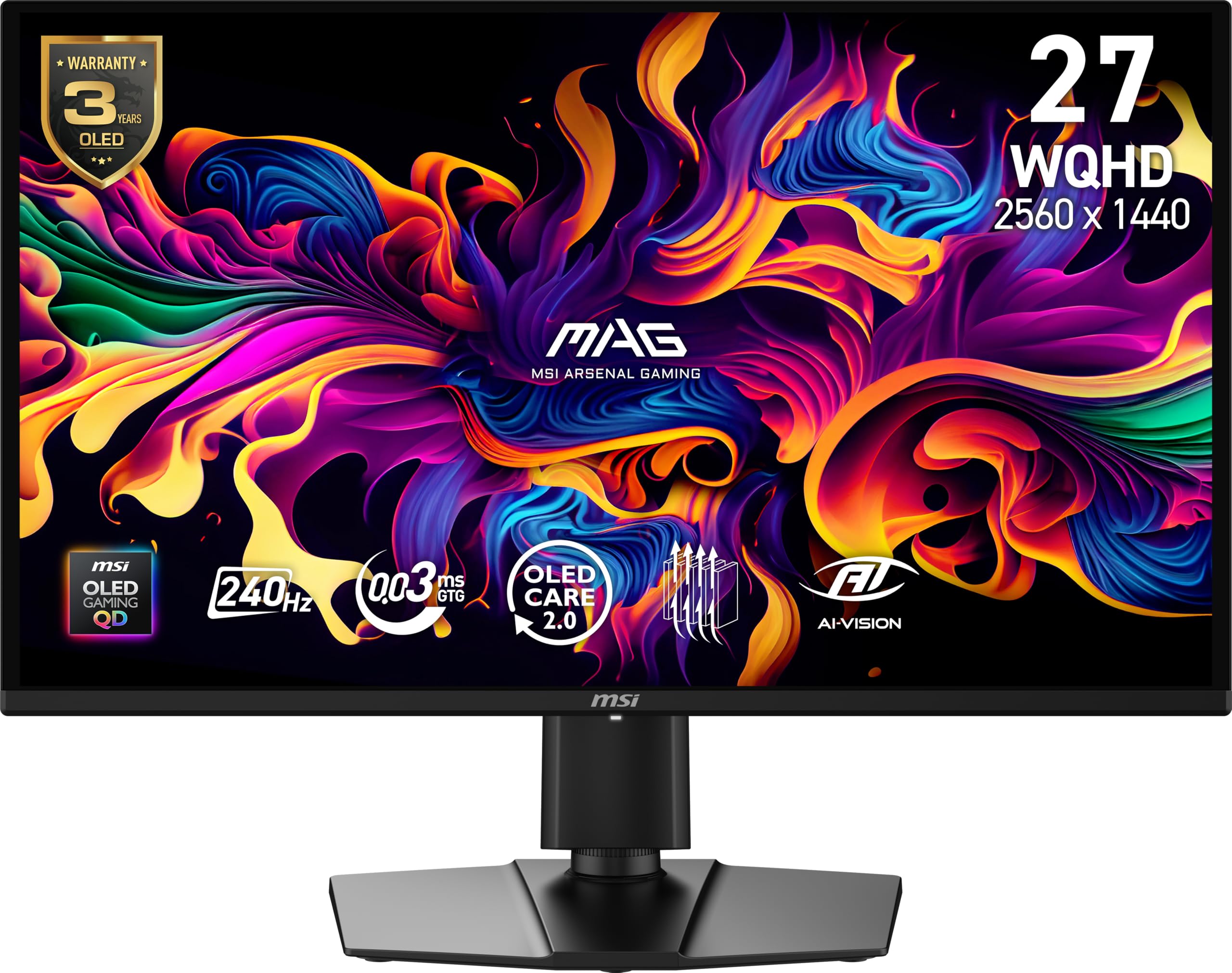
This sibling to the MAG 272QP adds Picture-in-Picture and Picture-by-Picture modes on top of the same Quantum Dot OLED core, making it the most versatile of the MSI pair. The 26.5-inch WQHD panel refreshes at 240Hz with a 0.03ms response time, backed by a 1,500,000:1 contrast ratio and 400 nits peak brightness. Owners describe a “3-D effect” to the picture quality and “butter-smooth” performance, particularly praising its deep blacks and bright highlights.
The graphene heatsink keeps the panel cool without a fan, and OLED Care 2.0 handles burn-in prevention through the MSI GI software. The stand offers 4-way adjustment with VESA 100mm mounting, and connectivity includes DisplayPort 1.4a and HDMI 2.1 CEC ports. Buyers report the 27-inch size is ideal for competitive play, and the 0.03ms response time gave one owner better sniping accuracy in Battlefield.
A helpful owner tip: handle the monitor by its base, since the panel is thin, and update firmware via DisplayPort for best results. The QD-OLED delivers “true blacks and superior contrast vs IPS” that makes older games feel new, and the 3-year screen warranty covers burn-in.
One screen, every mode: PiP and PBP let you watch and game simultaneously on a 0.03ms QD-OLED.
Handle with care: the thin panel needs gentle handling, and HDR benefits from Windows calibration.
7. Samsung 27″ Odyssey G6 G60F
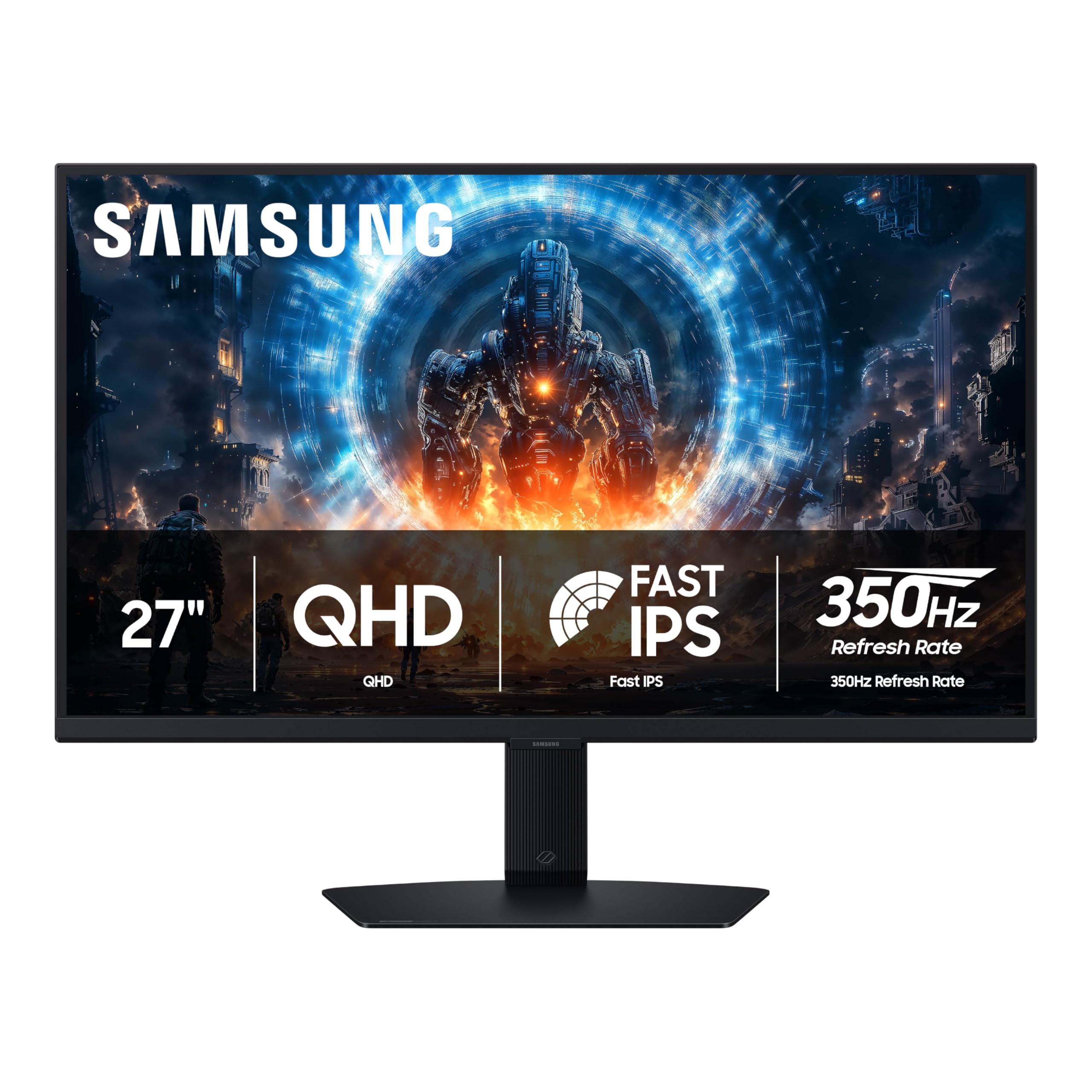
A 350Hz Fast IPS for split-second reactions where every frame decides the round.
Samsung pushes the refresh race forward with a 350Hz refresh rate and a near-instant 1ms response time (GtG) on a 27-inch QHD (2560×1440) Fast IPS panel. At 350Hz, motion feels wired directly to your hands, with owners describing it as “butter-smooth speed” and cleaner edges on moving objects. The VESA DisplayHDR 400 certification improves brightness and refines contrast in both bright and shadowed areas.
You get QHD resolution (2560×1440) with 1.7 times the pixel density of Full HD, so text appears crisp and game details stay sharp. G-Sync compatibility and AMD FreeSync Premium (technologies that sync the monitor’s refresh rate to your graphics card) reduce choppiness, screen lag, and image tearing. The ergonomic stand tilts, pivots, and adjusts height, and Auto Source Switch+ smoothly toggles between connected devices. Both G-Sync and FreeSync work without drivers on Windows 11.
Owners praise the sturdy stand and easy setup, though color accuracy draws mixed feedback with some calling it subpar for creative work. There are only two inputs (one HDMI, one DisplayPort), so this is a pure gaming monitor rather than a productivity hub. For non-gamers, the lack of speakers and cameras means you need external peripherals.
Built for the fragger
- 350Hz refresh is the fastest on this list
- 1.7x pixel density of Full HD for crisp details
- Auto Source Switch+ for quick device changes
Know before you buy
- Color accuracy is not tuned for photo editing
- Only two inputs limits multi-device setups
Your move if: competitive titles like Fortnite or Valorant are your main focus and you want the highest refresh available.
Pass it by if: you need accurate colors for creative work or more than two device connections.
8. Samsung 27″ Odyssey OLED G6 G61SH

A Pantone-validated QD-OLED with Glare Free tech for bright rooms and accurate color.
Samsung’s QD-OLED display pairs a 240Hz refresh rate with a 0.03ms response time on a 27-inch QHD (1440p) panel. The Glare Free Technology keeps the screen clear of reflections from external light sources, solving the glossy OLED weakness in bright rooms. The Pantone Validated screen accurately reproduces 2100+ lifelike colors and 110+ skin tone shades, with HDR10 providing brighter highlights and nuanced shadows.
OLED Safeguard technology (a thermal modulation system) actively helps prevent burn-in, so your screen stays clear over time. The 1,000,000:1 contrast ratio delivers deep blacks and vibrant colors, and owners moving from IPS describe it as a “huge upgrade.” The height-adjustable ergonomic stand pivots, tilts, and swivels for the perfect view, and AMD FreeSync Premium reduces choppiness and image tearing.
One owner who was initially “horrified” by the factory settings reversed course after tuning and activating HDR in Windows, now loving it. The display quality drew mixed feedback, with some finding it impressive and others feeling it could be brighter. The color quality is the standout, praised for its richness, and the 3-year warranty with OLED Safeguard provides long-term confidence.
Best for bright-room OLED: Glare Free tech and Pantone validation make it a creator-friendly screen that handles daylight.
Budget your time: factory settings need calibration, and brightness is modest for HDR enthusiasts.
9. LG 27GX700A-B 27-inch Ultragear QHD OLED

LG’s brightest OLED yet, using 4th-gen tech to hit 1500 nits on a 280Hz panel.
LG calls this its brightest OLED gaming monitor, and the 1500 nits peak brightness with Primary RGB Tandem tech is the headline. The 27-inch QHD (2560×1440) panel refreshes at 280Hz with a 0.03ms response time, and the VESA DisplayHDR True Black 500 certification ensures deep blacks with pinpoint detail in dark scenes. It covers up to 99.5% DCI-P3 for vivid, accurate color.
Enhanced APL and reduced ABL keep critical visuals sharp during intense action, so bright explosions do not trigger aggressive dimming. It carries UL Verified Perfect Black, Perfect Color with 100% Color Fidelity, and Perfect Reproduction certifications. The LG Switch app lets you tune for gaming or everyday use, split the screen into 11 layouts, and launch video calls with a click.
Owners who tested four different OLED panels called this the “best OLED in price range,” praising its smooth video and balanced brightness with no eye strain. The 280Hz refresh delivered zero blur with an RTX 4070. Some reported visible horizontal banding on static colors like web pages, though most had no dead pixels or grey banding.
The brute force
- 1500 nits peak brightness tops every other OLED here
- 280Hz refresh with 0.03ms response for elite speed
- 4th-gen OLED reduces burn-in risk
Worth knowing
- Horizontal banding can appear on solid color screens
- HDR consistency varies across Windows apps
Choose this if: you want the brightest OLED image for HDR gaming and can look past occasional banding.
Consider the LG 27GX704A-B if: you prefer a more proven panel with fewer reports of banding.
10. ASUS ROG XG27AQDMG

A third-generation WOLED with a custom heatsink that keeps 240Hz motion blur-free.
ASUS wraps a third-generation WOLED panel in a glossy finish, and the 26.5-inch QHD (2560×1440) display refreshes at 240Hz with a 0.03ms response time. The third-gen panel provides brighter full white windows, clearer text, and improved motion clarity over earlier WOLEDs. Owners mention the gloss compensates for clarity, making images look crisp and vivid with exceptional blacks that do not turn purple in light.
The custom heatsink and advanced airflow design reduce burn-in risk, paired with ASUS OLED Care functions and a 3-year warranty that includes burn-in coverage. ROG OLED Anti-flicker technology reduces flicker during refresh-rate fluctuations, and the uniform brightness setting keeps luminance consistent across the display. It covers 99% DCI-P3 for vibrant, accurate colors.
Connectivity includes HDMI, DisplayPort, and 2x USB 3.2 Gen 1 Type-A ports, all compatible with PS5 and Xbox. Owners upgrading from a 165Hz 1080p IPS called it a “crazy difference,” with OLED colors and contrast exceeding expectations. The DisplayWidget software lets you adjust settings from your desktop, and the GamePlus features include a dynamic crosshair that helps in games like Rivals.
The glossy advantage
- Third-gen WOLED for brighter whites and clearer text
- 3-year warranty with burn-in coverage
- ROG Anti-flicker tech for stable VRR
The honest trade-off
- Auto-dimming needs disabling to avoid annoyance
- Reliability feedback is mixed, with some display failures reported
Pick this for: competitive gaming where 240Hz and 0.03ms response give you a real edge.
Think twice if: you want a set-and-forget monitor, since you will want to tune the screen-saving settings.
11. GIGABYTE M27Q2 QD
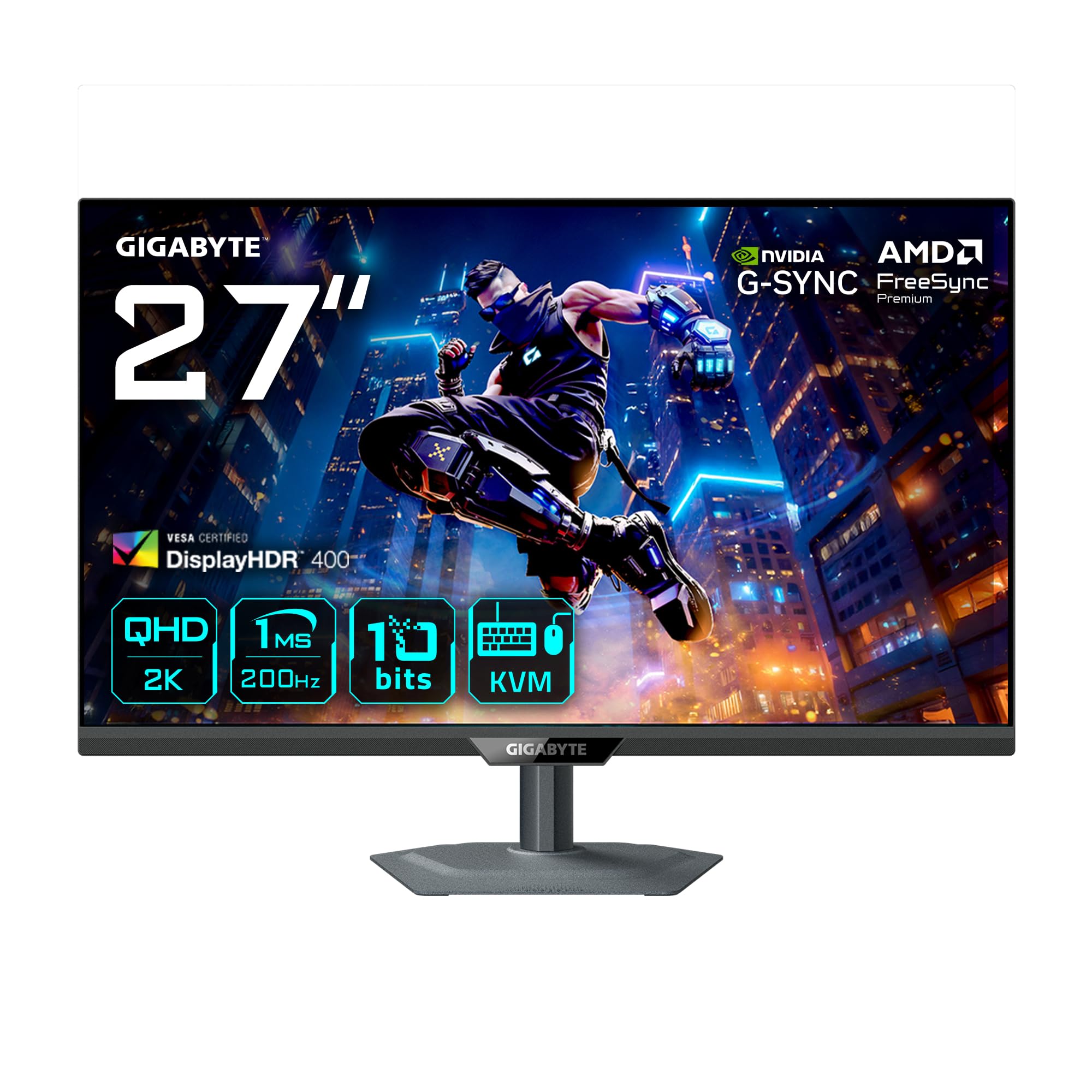
A 200Hz QD-IPS that doubles as a KVM hub for work and play on one desk.
Gigabyte’s SuperSpeed IPS panel with Quantum Dot technology hits a 200Hz refresh rate (overclockable to 210Hz) with a 1ms response time on a 27-inch QHD (2560×1440) screen. The 10-bit color depth covers 99% DCI-P3 and 83% BT.2020, delivering vivid colors with no ghosting. Owners who tested it against MSI, Dell, and Acer models called it the best QD-IPS for the money.
The standout feature is the KVM cross-platform control, which lets you switch the monitor, keyboard, and mouse between a PC, MacBook, or Steam Deck using the built-in USB hub. It supports PiP and PBP for multitasking, and connectivity includes 2x HDMI 2.0, DisplayPort 1.4, and USB-C with 18W power delivery. The ergonomic stand offers tilt, swivel, pivot, and height adjustments.
Owners praise the vivid, accurate colors and smooth 200Hz performance, with one calling it an “Eierlegende Wollmilchsau” (a jack-of-all-trades) for office and gaming. The HDR 400 is not true HDR, and the USB-C power delivery is insufficient for charging a MacBook, so keep your laptop charger handy. Brightness sits around 300-350 nits, which is moderate but fine for most rooms.
Best desk companion: the KVM switch alone justifies the price if you game on a PC and work on a laptop.
Manage expectations: DisplayHDR 400 is entry-level HDR, and USB-C delivers only 18W to peripherals.
Understanding the Specs
Refresh Rate vs Response Time
Refresh rate (measured in Hz) tells you how many times per second the screen draws a new image. A 200Hz monitor updates 200 times per second, which makes motion look smooth. Response time (measured in ms) tells you how quickly a pixel can change color. A 0.03ms OLED pixel changes almost instantly, so fast-moving objects have no trailing blur. A 1ms IPS pixel is still fast, but you may see slight ghosting in the quickest scenes. For competitive shooters, the combination of high refresh and low response time is what makes gameplay feel responsive.
Contrast Ratio and HDR
Contrast ratio is the difference between the brightest white and the darkest black a panel can show. A 1,500,000:1 ratio on OLED means blacks are truly black, since pixels turn off completely. A 1000:1 ratio on standard IPS means blacks look more like dark grey. HDR (High Dynamic Range) refers to the brightness range a monitor can display, measured in nits. VESA DisplayHDR 400 is entry-level, while DisplayHDR True Black 400 or 500 indicates the deep-black HDR performance of OLED panels. Mini-LED panels use local dimming zones to approximate deeper blacks by turning off zones of backlight.
FAQ
Will a 1440p 200Hz monitor work with my PS5 or Xbox Series X?
Is a 0.03ms response time worth paying more for than 1ms?
What is the difference between G-Sync Compatible and FreeSync Premium?
Will OLED burn-in be a problem on a gaming monitor?
How many local dimming zones do I need for good HDR?
Can I use a 1440p 200Hz monitor for photo editing and color work?
What does overclocking the refresh rate from 200Hz to 210Hz mean?
Is a glossy or matte screen better for a gaming monitor?
Do I need HDMI 2.1 for a 200Hz monitor?
What is the difference between OLED, QD-OLED, and WOLED panels?
Final Thoughts: The Verdict
For the majority of shoppers, the 1440p 200hz monitor winner is the LG 27GX704A-B because it combines the response advantage of OLED with the highest rating and most consistent owner satisfaction, making it a crowd favorite for good reason.
How We Picked
We do not accept paid placement. Every pick is matched to a real buyer and a real use-case; we do not hands-on test units.
Sources & Methodology
Specifications: manufacturer listings and product documentation. Review insights: verified customer reviews, as of August 2026. Pricing: not shown on this page (it changes often); check the current price via the retailer link.
As an Amazon Associate, Gadgets Feed earns from qualifying purchases. This does not affect which products we feature.