
Stepping up to a 2560×1600 monitor isn’t just about more pixels—it’s about reclaiming vertical screen real estate that 16:9 panels steal from you. Whether you’re a developer scrolling through thousands of lines of code, a photographer grading images frame by frame, or a professional juggling multiple documents, the 16:10 aspect ratio gives you that extra breathing room where it counts. The market has quietly shifted, putting WQXGA resolution within reach of more budgets than ever, but the nuances between panels, refresh rates, and color accuracy can make or break your workflow.
I’m Rikta — the co-founder and writer behind Gadgets Feed. I spend my days analyzing display specifications and market trends to help buyers cut through marketing noise and invest in the right panel for their specific needs, whether it’s color-critical creative work or high-refresh productivity. (And Homer 🐱 quality-checked the unboxing pile from the warmest laptop).
This guide cuts through the confusion, analyzing nine top contenders to help you find the best 2560×1600 monitor that matches your workflow without overspending on features you don’t need.
How To Choose The Best 2560×1600 Monitor
Choosing a 2560×1600 monitor requires looking beyond resolution alone. The 16:10 aspect ratio is the headline feature, but panel technology, connectivity, ergonomics, and color performance determine how well that extra vertical space serves your daily tasks. Here’s what to prioritize.
Aspect Ratio & Pixel Density
The core advantage of a 2560×1600 panel is the 16:10 aspect ratio, offering 120 more vertical pixels than a standard 2560×1440 display. On a 24-inch screen, this translates to a sharp 125 PPI, making text exceptionally crisp for long coding sessions or document editing. On 16-inch portable monitors, the pixel density climbs even higher, ensuring fine details remain visible without scaling artifacts. Always confirm the aspect ratio—some marketed “WQXGA” monitors are 16:9—and check whether your operating system handles the resolution natively for optimal sharpness.
Connectivity & Power Delivery
For a 2560×1600 monitor to be truly useful, it must integrate seamlessly with your laptop or desktop. USB-C with Alt Mode and at least 60W power delivery is the gold standard for portable models, allowing a single cable to carry video, data, and charging simultaneously. Desktop-oriented models should offer DisplayPort 1.4 and HDMI 2.0 as a minimum—HDMI 2.1 is a bonus for console gamers. Check whether the monitor supports daisy chaining via MST (Multi-Stream Transport) if you plan to run multiple screens from one laptop port.
Refresh Rate & Response Time
While 60Hz is adequate for static productivity tasks, a 120Hz or higher panel dramatically improves cursor smoothness and reduces eye strain during prolonged scrolling. For creative professionals who also game, a 120Hz refresh rate with Adaptive Sync (FreeSync or G-Sync Compatible) is a compelling middle ground. Portable monitors typically cap at 60Hz due to power constraints, but the latest premium mobile panels now hit 120Hz, blurring the line between stationary and on-the-go workflows. Response times under 5ms (GtG) are standard for IPS panels and sufficient for most non-competitive gaming scenarios.
Quick Comparison
On smaller screens, swipe sideways to see the full table.
| Model | Category | Best For | Key Spec | Amazon |
|---|---|---|---|---|
| ASUS ProArt PA278QGV | Desktop | Color-Accurate Design | 120Hz / ΔE<2 / 95% DCI-P3 | Amazon |
| LG 27G640A-B UltraGear | Desktop | Competitive Gaming | 300Hz / 1ms / DisplayHDR 400 | Amazon |
| KTC U27T6 | Desktop | Budget 4K Gaming | 160Hz / 4K UHD / Adaptive Sync | Amazon |
| BenQ RD240Q | Desktop | Programming & Coding | 16:10 / 90W USB-C / Coding HotKey | Amazon |
| ViewSonic VG1656-2K | Portable | Travel Productivity | 16″ / 65W USB-C / 2.3 lbs | Amazon |
| LG gram +View 17” | Portable | Ultra-Light Travel | 17″ / 99% DCI-P3 / 1.7 lbs | Amazon |
| ROYY 16″ Screen Extender | Portable | Dual-Screen Laptop Setup | 16″ / 235° Rotation / Detachable | Amazon |
| SOTSU FlipAction Pro 16″ Gen 2 | Portable | Premium On-the-Go Creator | 120Hz / 100% DCI-P3 / Full Metal | Amazon |
| ASUS ROG Strix XG49VQ | Desktop | Ultra-Wide Immersion | 49″ / 144Hz / 32:9 Curved | Amazon |
In‑Depth Reviews
1. ASUS ProArt Display 27” 1440P Professional Monitor (PA278QGV)
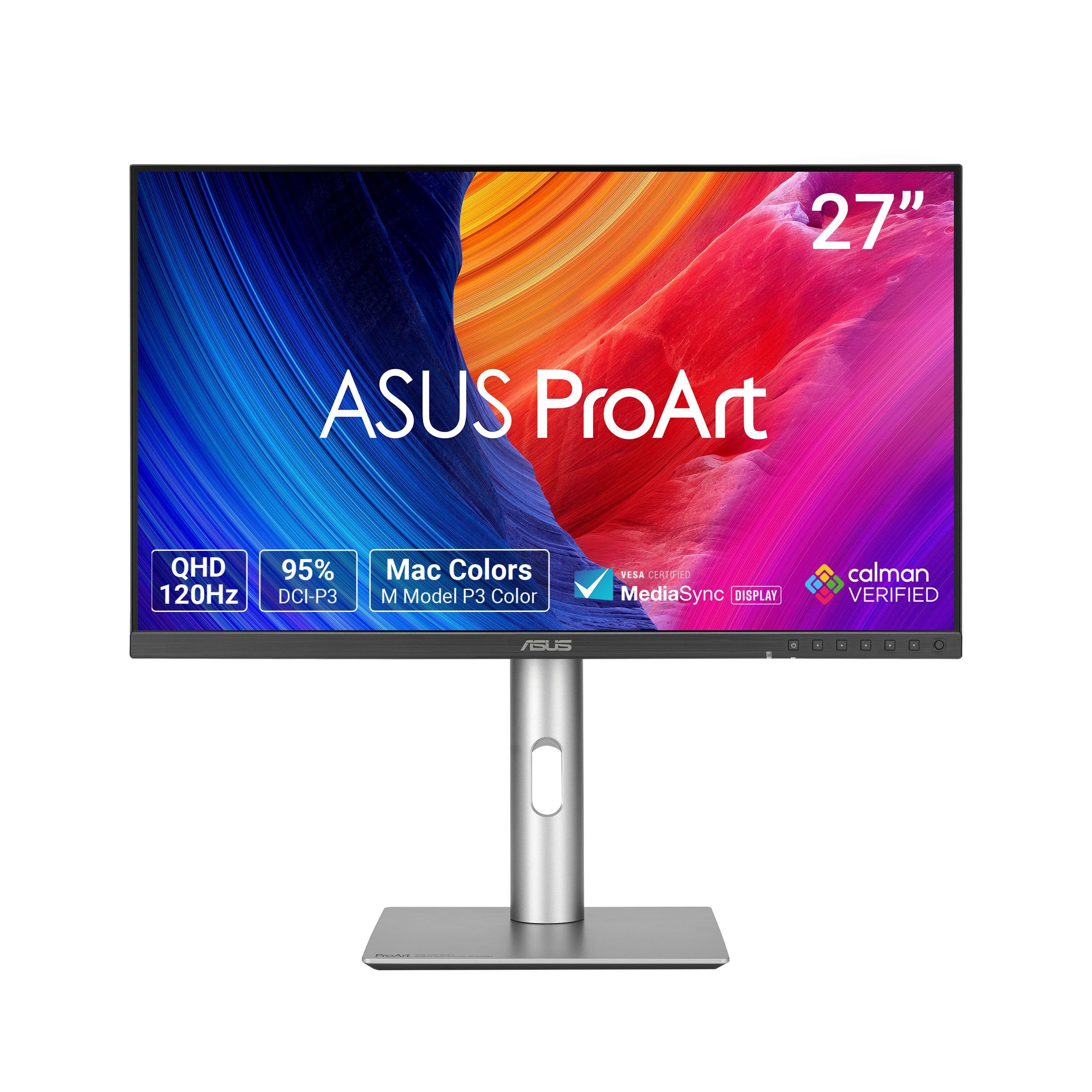
The ASUS ProArt PA278QGV is a 27-inch QHD (2560×1440) IPS monitor that serves creative professionals who also appreciate a smooth 120Hz refresh rate. Its factory calibration targets Delta E < 2, making it one of the few mid-range monitors that comes Calman Verified out of the box. The 95% DCI-P3 coverage ensures images and video retain the wide color gamut demanded by modern workflows, while the 100% sRGB gamut covers standard web and office use without oversaturation.
ASUS includes its Light Sync solution with an ambient light sensor that adjusts the monitor’s color gamut based on surrounding lighting—a feature typically reserved for far more expensive displays. Connectivity is generous for a productivity monitor, with DisplayPort, HDMI, and a USB hub included. The ergonomic stand supports full tilt, swivel, pivot, and height adjustments, and the 120Hz variable refresh rate is compatible with FreeSync, making light gaming or rapid document scrolling noticeably fluid.
The built-in speakers are weak and the contrast ratio of 1000:1 is standard for IPS, but neither detracts from its primary mission: color-critical work at a refresh rate that keeps the desktop feeling fast. The 5-year warranty (3 years plus 2 more with registration) adds long-term confidence for a tool that should last through several upgrade cycles.
Why it’s great
- Factory-calibrated Delta E <2 with Calman Verification for accurate color straight out of the box.
- 120Hz refresh rate with FreeSync provides smooth motion for both productivity and casual gaming.
- Ambient light sensor automatically adjusts display gamut to maintain consistent color in any environment.
Good to know
- Built-in speakers are tinny and unsuitable for any critical audio work.
- Contrast ratio is typical for IPS (1000:1), so deep blacks won’t match VA or OLED panels.
2. LG 27G640A-B 27-inch UltraGear QHD IPS Gaming Monitor

The LG 27G640A-B UltraGear is built for competitive gamers who demand the highest frame rates at 2560×1440 resolution. Its 27-inch IPS panel delivers a blistering 300Hz refresh rate with a 1ms (GtG) response time, making motion blur and ghosting virtually non-existent. The panel covers up to 95% DCI-P3 and is VESA DisplayHDR 400 certified, offering punchy highlights and decent contrast for its class—impressive for a monitor targeting pure speed.
Connectivity is a standout feature: dual HDMI 2.1 ports, DisplayPort 1.4, and a USB-C port with 15W power delivery. The HDMI 2.1 support means PlayStation 5 and Xbox Series X users can enjoy 1440p at 120Hz with VRR enabled, effectively future-proofing the monitor for console gaming. The inclusion of both FreeSync Premium and G-Sync Compatible certification ensures tear-free performance regardless of GPU brand—a rarity at this price tier.
The ergonomic stand offers height, swivel, pivot, and tilt adjustments, and the slim bezels make it suitable for multi-monitor setups. The built-in speakers are weak—expected for a gaming monitor—and the aggressive default sleep mode requires a quick adjustment in the OSD. At this price point for a 1440p 300Hz panel with HDMI 2.1, the value is difficult to beat for serious gamers.
Why it’s great
- 300Hz refresh rate and 1ms GtG response time provide incredibly smooth competitive gameplay.
- Dual HDMI 2.1 ports allow full 1440p 120Hz support on modern consoles with VRR.
- FreeSync Premium and G-Sync Compatible eliminates screen tearing on both AMD and Nvidia GPUs.
Good to know
- Built-in speakers are extremely weak and should be replaced with dedicated desktop speakers.
- Default sleep mode is aggressive; requires an OSD adjustment to avoid unexpected shutdowns.
3. KTC 27 Inch 4K Gaming Monitor (U27T6)
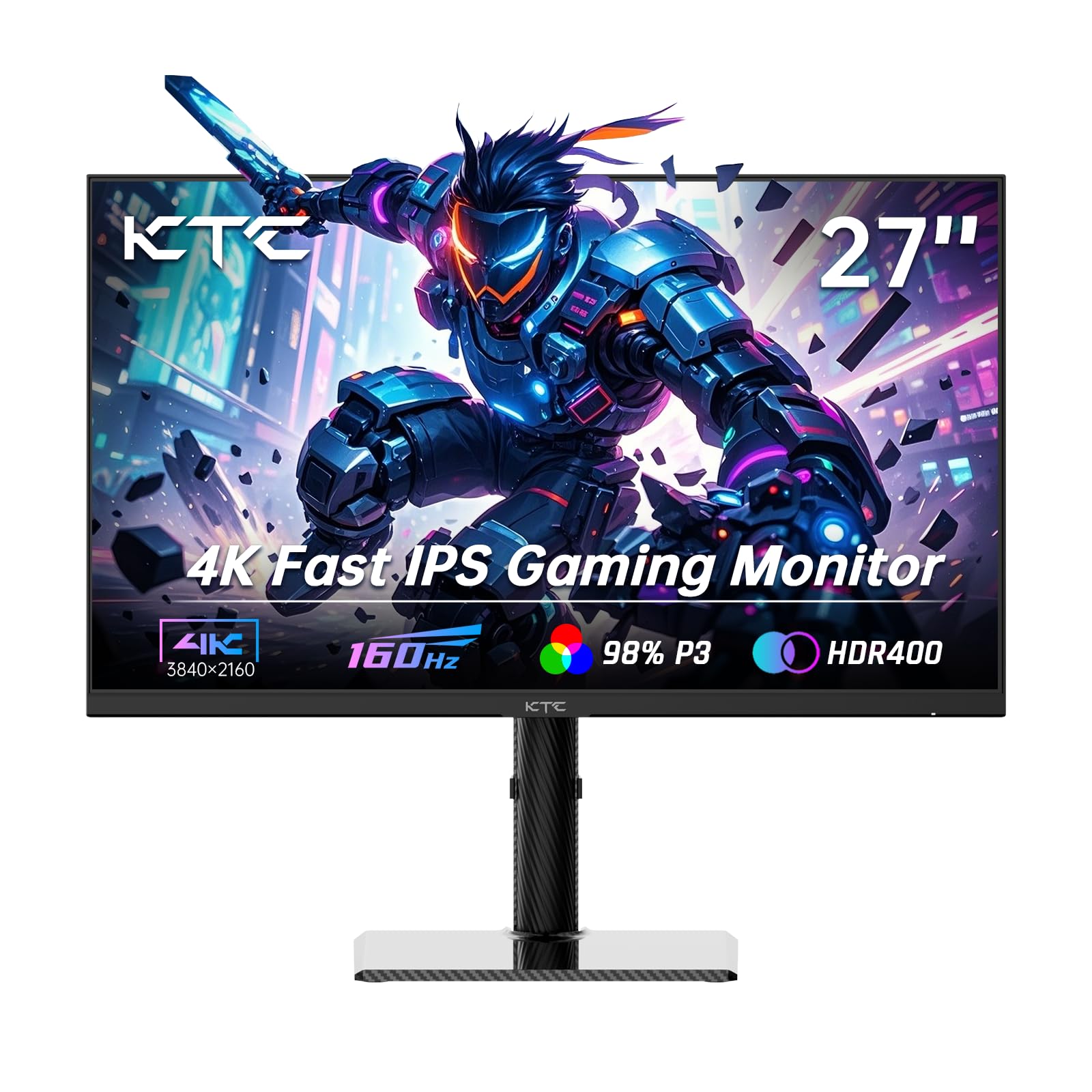
The KTC U27T6 is a 27-inch 4K UHD (3840×2160) Fast IPS monitor that delivers a 160Hz refresh rate—a combination typically found in premium panels. While not a native 2560×1600 display, it operates at a 16:9 aspect ratio, offering a different value proposition: the sheer pixel density and high frame rate for mixed gaming and productivity. The 140% sRGB color gamut and 1.07 billion colors produce vibrant, detailed visuals, and the Delta E < 2 accuracy rating is certified for color-sensitive work.
The monitor includes Adaptive Sync (FreeSync and G-Sync Compatible) to handle screen tearing at high frame rates, and HDR400 certification adds a modest dynamic range boost. Connection options are robust with HDMI 2.1 and DisplayPort 1.4 ports. The carbon fiber backplate keeps the monitor lightweight, and the stand supports height, tilt, swivel, and pivot adjustments, plus VESA 75x75mm mounting for custom arms.
A minor trade-off is that the stand lacks the premium build feel of more expensive competitors—though it remains fully functional. Some users have reported that the OSD becomes less responsive after the monitor enters sleep mode, requiring a quick input switch to restore control. For the combination of 4K resolution, 160Hz, and accurate color at this price tier, the KTC U27T6 punches well above its weight.
Why it’s great
- 4K UHD (3840×2160) resolution with a 160Hz refresh rate offers exceptional detail and smooth motion.
- Delta E < 2 color accuracy and 140% sRGB gamut make it suitable for creative work.
- Versatile ergonomic stand with height, swivel, pivot, and tilt adjustments included out of the box.
Good to know
- OSD controls may become unresponsive after sleep mode; requires switching inputs to restore functionality.
- Stand build quality feels less premium than higher-priced alternatives.
4. BenQ RD240Q 24.1” WQXGA Programming Monitor

The BenQ RD240Q is a 24.1-inch WQXGA (2560×1600) monitor purpose-built for developers and coding professionals. The 16:10 aspect ratio provides noticeably more vertical space than a standard 16:9 1440p display, allowing developers to see 10-15% more lines of code without scrolling. The 24.1-inch form factor is a deliberate choice—it offers a pixel density of roughly 125 PPI, making text razor-sharp without requiring the scaling adjustments that larger high-resolution panels often need on Windows or macOS.
Unique to this monitor is the dedicated Coding HotKey ()—a physical button on the front bezel that instantly switches between preset display modes optimized for code differentiation. The Circadian Mode adjusts the white point and brightness throughout the day based on ambient light, reducing eye strain during late-night coding sessions. Connectivity includes a 90W USB-C port that can charge a laptop while carrying video and data over a single cable—a lifesaver for desk setups with limited docks.
Some users note that the 60Hz refresh rate feels dated when scrolling through large codebases, though for non-gaming productivity it’s perfectly adequate. The built-in speakers are unnecessary for coding and add bulk. The stand, however, is superb, offering full ergonomic adjustment and stability. For developers who prioritize text clarity, vertical space, and eye comfort above all else, the RD240Q is uniquely suited.
Why it’s great
- Native 16:10 WQXGA resolution delivers significantly more vertical lines of code than a standard 1440p monitor.
- 90W USB-C port charges your laptop and delivers video over a single cable.
- Circadian Mode and Coding HotKey reduce eye strain and improve workflow efficiency during long sessions.
Good to know
- 60Hz refresh rate feels less fluid during rapid scrolling compared to 120Hz+ competitors.
- Built-in speakers add unnecessary weight and cost for a productivity-focused monitor.
5. ViewSonic VG1656-2K 16 Inch 1600p Portable Monitor

The ViewSonic VG1656-2K is a 16-inch portable monitor with a native WQXGA (2560×1600) resolution in a 16:10 aspect ratio. Weighing just 2.3 pounds with a thickness of 0.38 inches, it’s designed to slip into a laptop bag alongside your main machine without adding noticeable heft. The IPS panel delivers a 400-nit brightness rating and a 1500:1 contrast ratio, which is notably higher than many portable monitors, helping maintain readability in brighter coffee shop environments.
Connectivity is handled through two USB-C ports via Alt Mode, with one port supporting 65W pass-through charging—meaning you can power both the monitor and your laptop through a single wall adapter. The included magnetic smart cover doubles as a screen protector and folds into a kickstand for both landscape and portrait orientations, though it lacks height adjustment. The monitor also includes a mini HDMI port for compatibility with devices that lack USB-C video output.
The 60Hz refresh rate is standard for portable monitors and works fine for productivity tasks, though power users moving from a high-refresh desktop display will notice the difference during rapid window dragging. The anti-glare coating is effective at reducing reflections, and the inclusion of a 3-year warranty with US-based support is a strong vote of confidence in a category often plagued by flimsy construction. For mobile professionals who need true 2560×1600 resolution on the go, the VG1656-2K is a reliable workhorse.
Why it’s great
- Native 2560×1600 WQXGA resolution in a 16-inch portable form factor with excellent 400-nit brightness.
- 65W USB-C pass-through charging enables single-cable power and video for your laptop on the go.
- Magnetic smart cover provides both protection and a functional kickstand for versatile positioning.
Good to know
- 60Hz refresh rate feels sluggish compared to desktop high-refresh monitors.
- Uses mini HDMI input, requiring an adapter for standard HDMI cables.
6. LG gram +View 17-inch Portable Monitor

The LG gram +View is a 17-inch portable monitor that prioritizes extreme portability and color accuracy above all else. Weighing just 1.7 pounds at 0.35 inches thick, it is one of the lightest 2560×1600 monitors available, making it an ideal companion for the LG gram laptop line or any ultrabook where weight is critical. The 16:10 IPS panel covers up to 99% of the DCI-P3 color gamut, delivering near-professional-grade color reproduction in a package that fits in a slim laptop sleeve.
Connectivity relies on USB-C (with Alt Mode and 7.5W power delivery) and mini HDMI. The monitor does not require an external power source when connected to a laptop that can supply enough power over USB-C—a major convenience for frequent travelers. The included protective sleeve is premium and designed to shield the screen during commutes. The auto-pivot feature rotates the display orientation based on the cover position, supporting both landscape and portrait modes seamlessly.
The primary compromises are the 60Hz refresh rate and the relatively low 7.5W power delivery, which may not charge all laptops under heavy load. The magnetic stand/cover is functional but can feel slightly unstable on uneven surfaces. The lack of onboard contrast and color controls without the LG Switch app on Windows is a minor inconvenience for Mac users. For creative professionals who need true WQXGA resolution and wide color gamut in a package that barely registers in a backpack, it’s a specialized but excellent tool.
Why it’s great
- Incredibly lightweight at 1.7 pounds, making it one of the most portable 17-inch WQXGA monitors available.
- 99% DCI-P3 color gamut offers near-professional color accuracy for on-the-go photo and video editing.
- Auto-pivot and included premium sleeve make orientation switching and travel protection effortless.
Good to know
- 7.5W USB-C power delivery may not adequately charge larger laptops under heavy workloads.
- Magnetic kickstand can feel slightly unstable on uneven tables without a flat surface.
7. ROYY 16″ Laptop Screen Extender 2.5K Monitor
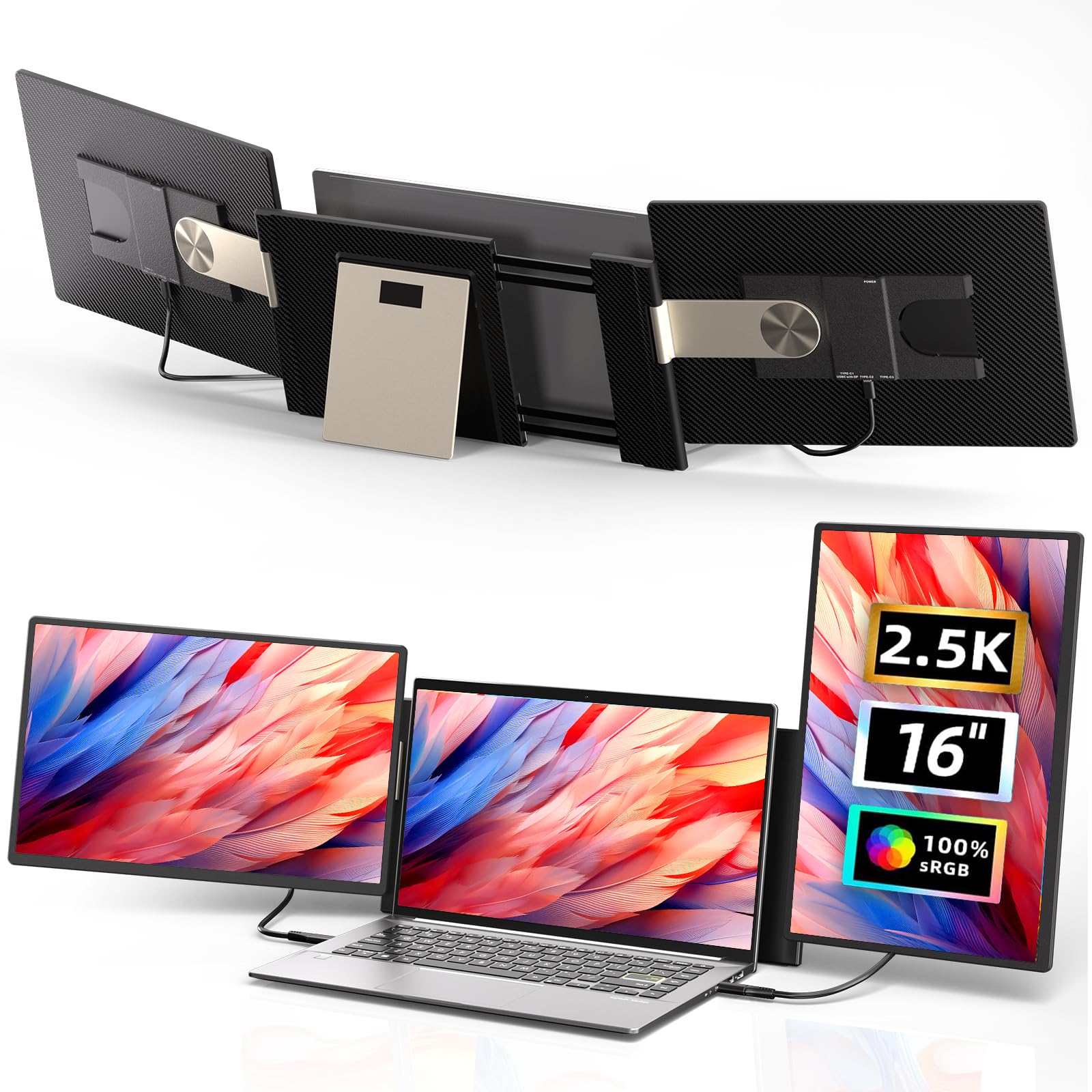
The ROYY 16″ 2.5K Monitor Extender takes a unique approach to portable productivity: it is a dual-monitor setup that attaches directly to the back of your laptop lid, offering two 16-inch 2560×1600 panels that swing out on either side. Each panel is detachable for independent use, and the 235-degree horizontal rotation allows for a variety of configurations, including a stacked folding mode or a portrait orientation on one or both screens. The IPS panels deliver 350 nits of brightness and a 100% sRGB color gamut, ensuring consistent color across all three displays.
Connectivity requires careful attention: compatible laptops need support for multiple video outputs, and MacBook M1/M2/M3 chip users must use the included H5 cable to connect to the DP port on the secondary screen, plus a USB cable for power. The extender is compatible with Windows, Chrome OS, Linux, Dex, and game consoles, making it a flexible option for cross-platform users. The built-in magnetic structure has been improved for stability, and the entire assembly weighs roughly 2 pounds per screen (4 pounds total for both).
Setup on some laptops can require troubleshooting—specifically removing certain USB-A cables to allow the extended screens to be recognized by the OS. The extender also drains laptop battery faster due to powering two extra panels, so keeping the laptop plugged in during extended sessions is recommended. For on-the-go professionals like IT support, stock traders, or remote workers who need multiple screens without external monitor arms, this extender is a creative solution that maximizes the laptop’s built-in ergonomics.
Why it’s great
- Dual detachable 2560×1600 screens offer a complete multi-monitor workstation without external monitor arms.
- 235-degree horizontal rotation and 90-degree vertical pivot enable flexible portrait, landscape, and stacked configurations.
- 100% sRGB coverage on both panels ensures color consistency across all three displays for design work.
Good to know
- Setup can be finicky on MacBook M-series chips, requiring specific cable connections and driver downloads.
- Powering two additional screens significantly drains laptop battery; keeping the laptop plugged in is recommended.
8. SOTSU FlipAction Pro 16″ Gen 2
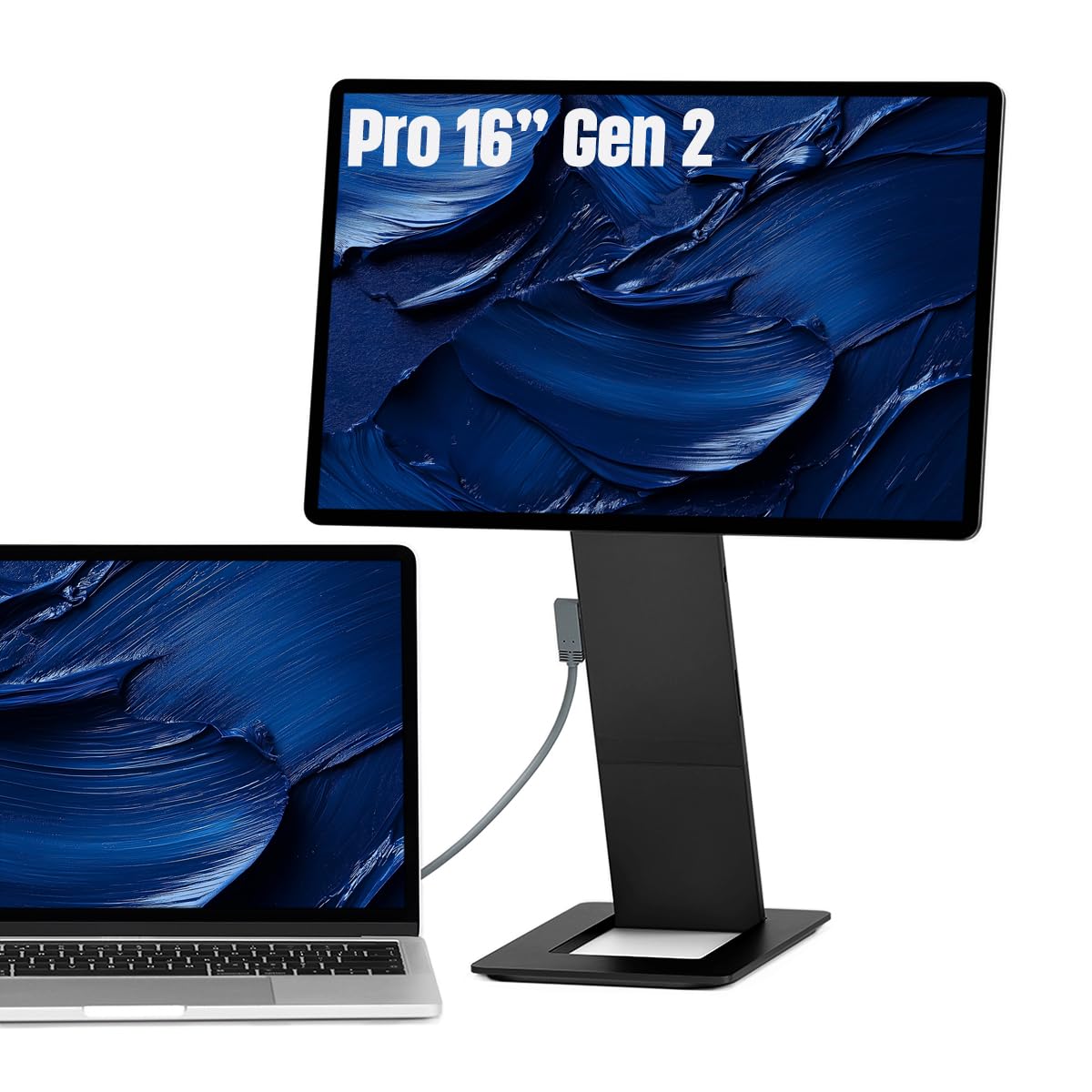
The SOTSU FlipAction Pro Gen 2 is a premium 16-inch portable monitor that raises the bar for mobile color accuracy and refresh rate. Its 2560×1600 WQXGA IPS panel covers 100% of the DCI-P3 color gamut while achieving a 120Hz refresh rate—a combination rare in portable monitors. The full metal CNC-machined chassis gives it a solid, premium feel, and the magnets that secure the base stand to the back of the monitor when collapsed are satisfyingly strong. The unit folds to just half an inch thick, making it genuinely easy to carry.
The height-adjustable hinges allow the display to be positioned at eye level whether you’re using it in landscape or portrait mode, and the stand supports rotation from 0 to -90, 90, and 180 degrees. A full-size SD card slot is integrated into the kickstand, a thoughtful addition for traveling photographers who need to offload files without an external reader. Pass-through charging and MST daisy-chaining (for connecting a second QHD monitor) make it a viable portable workstation for creative professionals with demanding setups.
The panel uses a glossy screen finish, which enhances perceived contrast and color vibrancy but makes reflections more noticeable in bright environments. On macOS, users will need BetterDisplay (third-party software) to achieve proper HiDPI scaling and clear text rendering at 2560×1600—Apple does not support this resolution natively with Retina scaling. The included carry case is thin and provides minimal drop protection. For the creative professional who needs accurate color and fluid motion everywhere, the SOTSU is the current benchmark.
Why it’s great
- 100% DCI-P3 color gamut with a 120Hz refresh rate—exceptional color and smoothness for a portable monitor.
- Full metal CNC construction provides a premium, durable feel that justifies the investment.
- Integrated full-size SD card slot and height-adjustable hinges are game-changers for traveling photographers and creators.
Good to know
- Glossy screen finish enhances color but creates noticeable reflections in brightly lit environments.
- Needs third-party software (BetterDisplay) on macOS to achieve proper HiDPI scaling at its native resolution.
9. ASUS ROG Strix XG49VQ 49” Curved Gaming Monitor

The ASUS ROG Strix XG49VQ is a 49-inch super ultra-wide monitor with a 32:9 aspect ratio, effectively replacing a dual-monitor setup with a single curved, immersive panel. Its resolution is Dual Full HD (3840×1080), which is technically 1080p stretched across 49 inches—resulting in a lower pixel density than smaller WQXGA monitors. However, the 1800R curvature, 144Hz refresh rate, and FreeSync 2 HDR support make it a specialized tool for sim racing, flight simulators, and immersive gaming where peripheral vision matters more than pixel density.
The VA panel delivers better contrast (3000:1) than typical IPS monitors, making blacks appear deeper and HDR content more engaging, especially in darker scenes. The 90% DCI-P3 coverage ensures colors are vibrant for cinematic games and media consumption. Connectivity includes DisplayPort and HDMI with HDR support, and the stand provides height, swivel, and tilt adjustments with VESA mount compatibility. The built-in USB port is convenient for charging a wireless mouse or keyboard dongle within reach.
The major drawback is the 3840×1080 resolution at this size: individual pixels are visible from a normal viewing distance, making this monitor unsuitable for productivity tasks requiring crisp text rendering or photo editing. The FreeSync 2 implementation works best with AMD GPUs—Nvidia G-Sync users may experience flickering in some scenarios. For gamers who prioritize a wrap-around field of view over sharpness, the XG49VQ delivers an unmatched sense of scale. For anyone doing text-heavy work, a smaller WQXGA panel will provide far better clarity.
Why it’s great
- 49-inch 32:9 super ultra-wide aspect ratio replaces a dual-monitor setup with a single seamless curved display.
- VA panel with 3000:1 contrast ratio delivers deep blacks and excellent HDR performance for cinematic gaming.
- 144Hz refresh rate with FreeSync 2 provides smooth, tear-free gameplay in supported titles.
Good to know
- Dual Full HD (3840×1080) resolution results in visibly lower pixel density than a 2560×1600 monitor at this size.
- Poor text clarity makes it unsuitable for coding, document editing, or any productivity requiring fine detail.
FAQ
What is the difference between 2560×1600 (WQXGA) and 2560×1440 (QHD)?
Can my laptop handle a 2560×1600 external monitor?
Is a 120Hz refresh rate worth it for a 2560×1600 productivity monitor?
Final Thoughts: The Verdict
For most users, the 2560×1600 monitor winner is the ASUS ProArt PA278QGV because it combines professional-grade color accuracy (Delta E < 2, 95% DCI-P3) with a fluid 120Hz refresh rate at a price that undercuts typical creative monitors. If your priority is absolute smoothness for competitive gaming, grab the LG 27G640A-B UltraGear with its 300Hz panel and HDMI 2.1 console support. And for on-the-go creative professionals who refuse to compromise on color accuracy, nothing beats the portable SOTSU FlipAction Pro Gen 2 with its 100% DCI-P3 and 120Hz refresh in a premium metal chassis.