
Our readers keep the lights on and my morning glass full of iced black tea. As an Amazon Associate, I earn from qualifying purchases.
Specs are compiled from manufacturer listings and verified buyer reviews and can change over time — please confirm the key details on the product page before buying.
The real question for a laptop battery bank isn’t “how many milliamp-hours” — it’s whether the thing will actually talk to your laptop. Laptops are picky about the charger they’ll accept, and a phone power bank plugged into a MacBook Pro often just sits there doing nothing. The single most important spec is the wattage a USB-C port can push out, because that’s the language your laptop uses to decide if a charger is powerful enough to trust.
I’m Min — the founder and writer behind Gadgets Feed. This guide is built by comparing the manufacturers’ published specifications and the patterns across verified customer reviews, so you get each pick’s real strengths and trade-offs instead of marketing spin.
That’s why this list ranks the battery bank for laptop picks by per-port wattage, capacity, and how well they actually negotiate with finicky laptops.
Our Picks at a Glance
How To Choose The Best Battery Bank For Laptop
Charging a laptop from a battery bank is a different game than charging a phone. Your phone will happily sip power from almost anything, but a laptop needs a specific voltage handshake over a USB-C cable. If the bank can’t deliver the wattage your laptop asks for, the laptop simply refuses to charge — or worse, discharges while plugged in.
Start with per-port wattage, not total output
The number that matters most is the maximum wattage a single USB-C port can output. A bank might promise 100W total, but if that’s split across two ports, a single laptop might only get 65W. For a 13-inch ultrabook, 45-65W is usually enough. For a 16-inch MacBook Pro or a gaming laptop, look for a port that can deliver 100W or more on its own.
Check the watt-hour rating for travel
Airlines and the TSA cap carry-on batteries at 100Wh (watt-hours). A 20,000mAh bank typically lands around 72Wh, while a 25,000mAh unit sits near 90-92.5Wh — both are under the limit. Skip anything that pushes past 100Wh unless you never fly with it.
Match the protocols, not just the plug
Most modern banks support PD (Power Delivery, the standard USB-C fast-charging protocol) and QC (Quick Charge for older Android devices). If you have a Samsung or a Steam Deck, look for PPS (a Samsung-specific fast-charging protocol). The bank must support the same protocol your laptop uses, or it will fall back to slow, basic charging.
Quick Comparison
| Model | Best For | Max Single-Port Output | Capacity (mAh) | Weight | Amazon |
|---|---|---|---|---|---|
| Anker Prime 220W★ Best Overall | Power users with huge laptops | 140W | 20,100 | 510 g | Amazon |
| UGREEN Nexode 165WCable-Ready Pick | Business travelers wanting two built-in cables | 140W | 25,000 | 550 g | Amazon |
| AsperX 140WDisplay King | Road warriors wanting a TFT display | 140W | 25,000 | 621 g | Amazon |
| AFERIY Nano100 | Owners wanting a long-life LiFePO4 pack | 100W | 31,000 | 710 g | Amazon |
| NOBIS 90W | Budget multi-device charging | 90W | 20,000 | 400 g | Amazon |
| UGREEN Nexode 67W | Travelers wanting a built-in cable | 67W | 20,000 | 393 g | Amazon |
| JUOVI 65W | Students wanting a detachable lanyard cable | 65W | 20,000 | 400 g | Amazon |
| NOBIS 65W | Budget users wanting 4-port charging | 65W | 20,000 | 400 g | Amazon |
| Ansody 65W | Budget users wanting the largest capacity | 65W | 25,000 | 600 g | Amazon |
In‑Depth Reviews
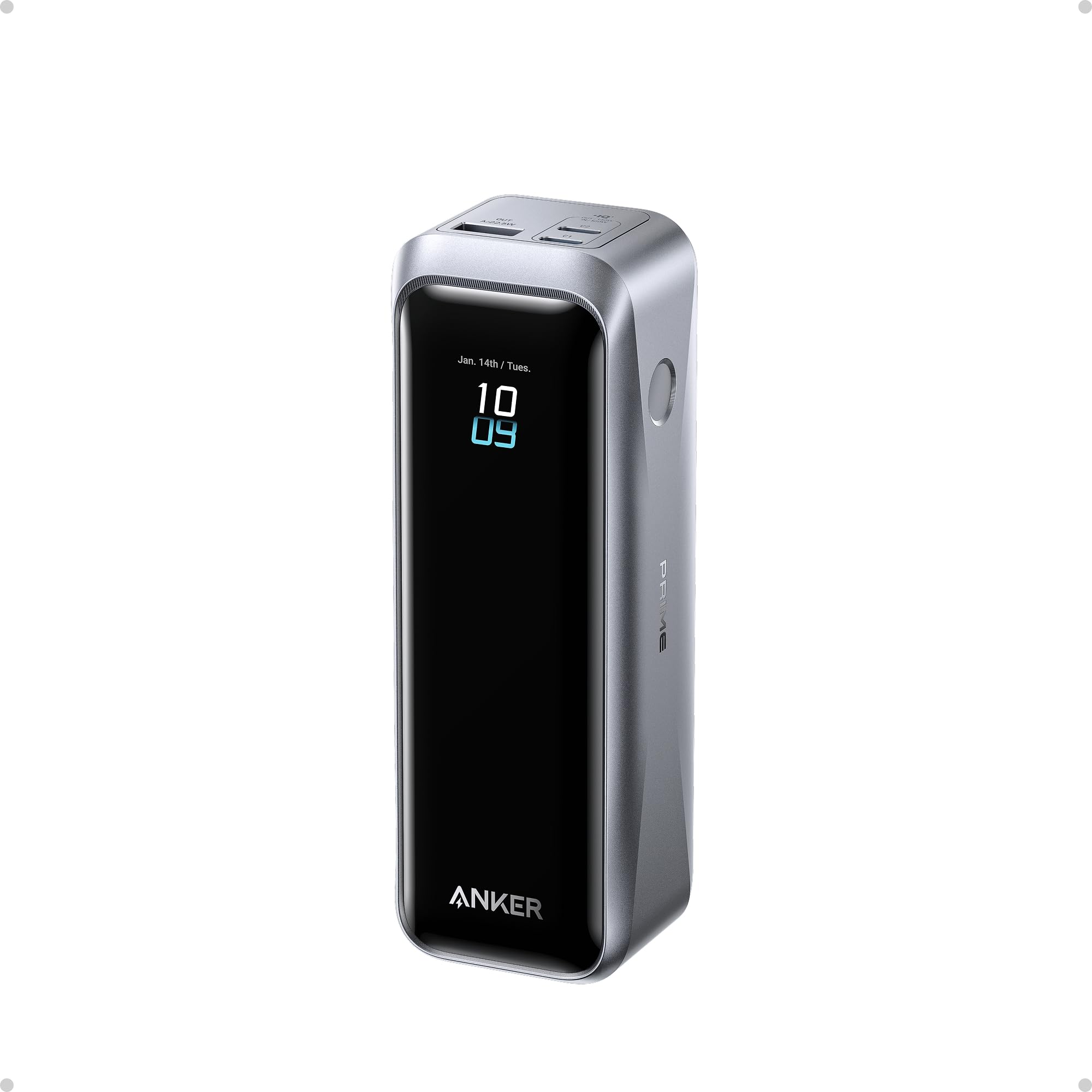
1. Anker Prime Power Bank, 20,100mAh 3-Port Portable Charger | 220W Max Output
Our pick — over 4.5★ from 600+ verified ratings; the strongest balance of quality and price.
The picky-laptop problem-solver that pushes 220W through three ports at once.
The defining trick here is the per-port muscle. A single USB-C port delivers 140W, charging a 16″ MacBook Pro (M4 Pro) to 50% in 28 minutes with a 5A cable. That beats the 65W budget banks in this list by a 2.2x margin, which matters if you own a large-screen laptop that demands serious power. Buyers report it does what cheaper banks can’t: “Reliable PD negotiation for picky laptops.”
For a 20,100mAh unit, the power density is the real story. It carries 72.36Wh of energy, which the maker says translates to up to 4.2 days of video streaming on an iPhone 17 Pro Max. The crowd favorite — 4.7 stars across 600+ owners — and the thing everyone raves about is the charging speed, with build quality a close second. It’s not the biggest capacity here, but it’s the smartest, with a Bluetooth app and a clear display for real-time port parameters.
The honest trade-off is weight and value. At 510 g, it’s noticeably heavier than the 400 g NOBIS options, and some owners find the price steep for the capacity. The status display is a joy — showing exactly where power is flowing as it fast-charges a MacBook and iPhone at once.
What wins people over
- 220W total output across 2 USB-C and 1 USB-A ports
- 140W max fast charging to top off a big laptop in under 30 minutes
- 100W max recharging refills the bank to 50% in 25 minutes
- Bluetooth app and display show live charging metrics
Where it asks for compromise
- 510 g is heavy for a 20,100mAh bank
- Premium price tag gets mixed reviews on value
Reach for it if: you own a power-hungry 16-inch laptop and want wall-speed charging with zero negotiation headaches.
Look elsewhere if: you want the absolute largest capacity per dollar and don’t need 140W to a single port.
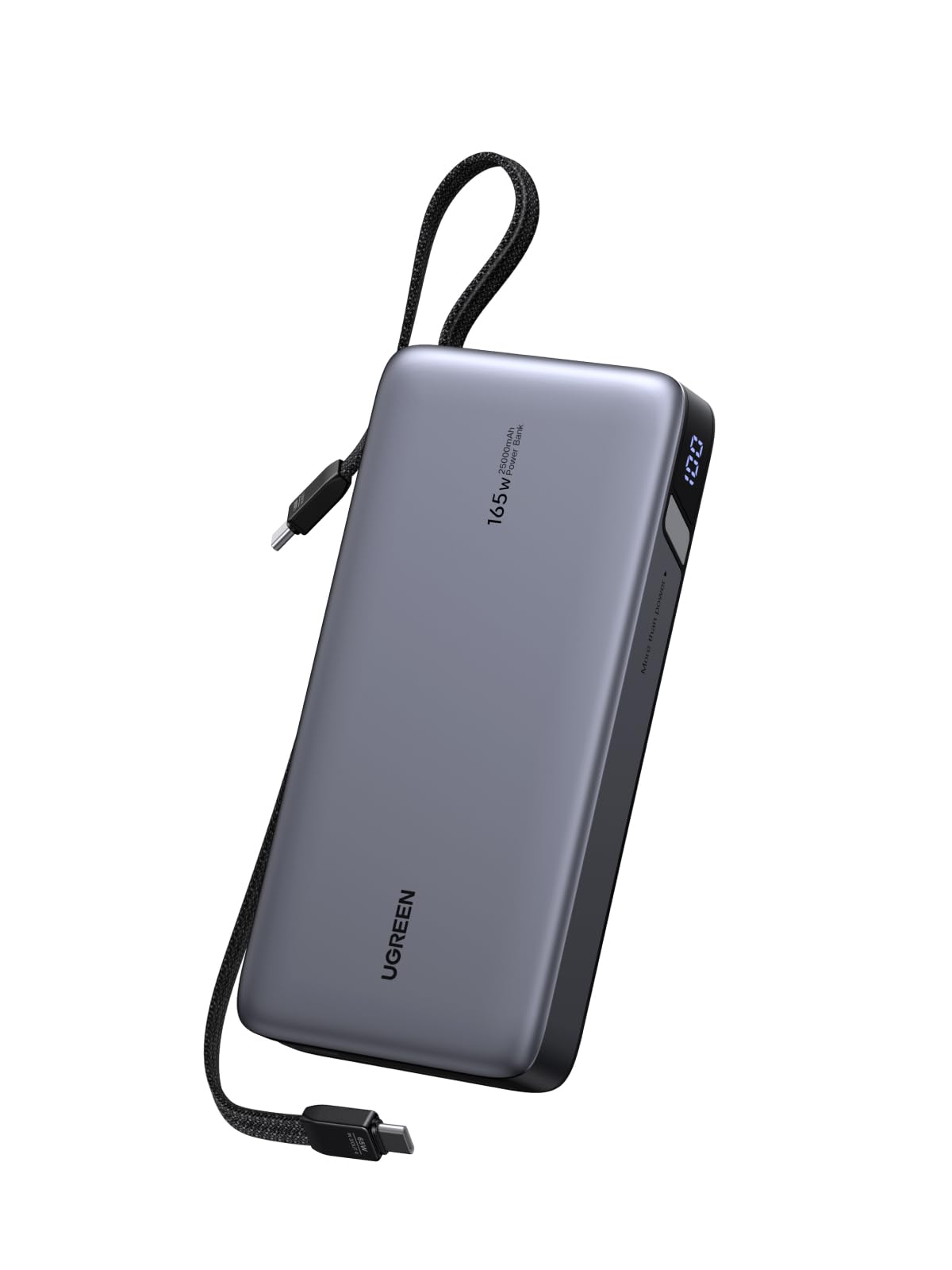
2. UGREEN Nexode 25000mAh 165W Built-in USB-C Power Bank
A business-travel workhorse that hides two cables inside so you never forget one.
You’ll never dig through your bag for a lost cord at an airport gate again, thanks to the pair of built-in USB-C cables that tuck away when you’re done. The 165W total output lets you charge a laptop and a phone at the same time without worrying about which device gets power. A single port delivers up to 140W, matching the Anker Prime above for raw speed to one laptop.
The 25,000mAh capacity gives you 90Wh of energy — enough for a full workday, with several full phone charges left over. The 90W recharging input is the hidden gem: it refills the bank in about 2 hours, which suits short layovers and coffee breaks perfectly. The crowd favorite — 4.5 stars across 600+ owners — and the thing everyone raves about is the charging speed and how quickly it tops up multiple devices.
The catch is physical. At 550 g, it’s heavy, and owners note it runs noticeably warm under load. But for a remote worker who lives on the go, the built-in cables and the sheer capacity make it the most complete travel kit in this lineup.
Business-travel verdict: the built-in cables plus 165W output make this the easiest premium pick — just be ready for the weight in your bag.
Grab this if: you fly often and want a no-fuss, all-in-one solution where you can’t lose the cable.
Think twice if: you carry your bank in a pocket and want the lightest option possible.
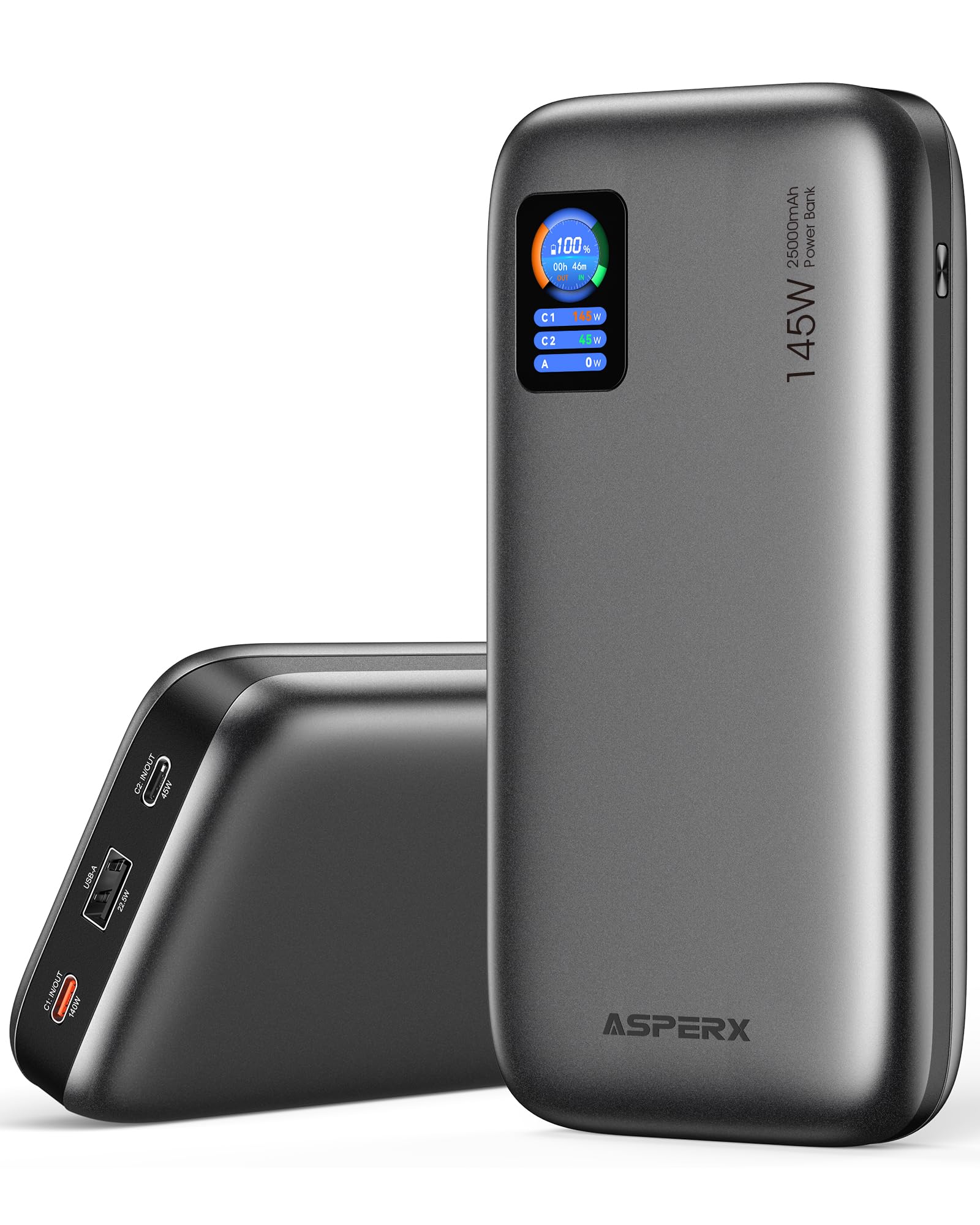
3. AsperX Laptop Power Bank, 25,000mAh 140W PD 3.1
A 140W powerhouse with a TFT screen that shows exactly how fast your laptop is sipping power.
The headline spec is the 140W single-port output, which can push a total of 145W across two devices. That’s serious speed for a 16-inch MacBook Pro or a Dell XPS. Owners like that the TFT display shows real-time battery level, remaining usage time, and input/output power, so you’re never guessing whether you have enough juice to finish a task. It charges a MacBook Pro 1.3 times and an iPhone 16 4.5 times.
At 92.5Wh, it’s flight-approved under the TSA’s 100Wh carry-on rule, and it recharges fully in 1.8 hours with a 65W or higher charging adapter. The crowd favorite — 4.3 stars across 900+ owners — and the thing everyone raves about is the reliability and solid build quality.
The honest note is that the charging speed gets mixed feedback — some owners mention erratic performance alongside the fast recharging. It’s also the heaviest pick here at 621 g, so it’s a bag-bank, not a pocket-bank. For someone who wants a clear readout of their charging session, this is the one.
Display-first take: no other pick in this list gives you a live wattage readout on a TFT panel — if you like data, you’ll love this.
Choose it for: the informative TFT display and the 140W speed that keeps a big laptop running through a long flight.
Be aware: its 621 g heft and the mixed charging-speed reports mean it suits patient users who value the screen.
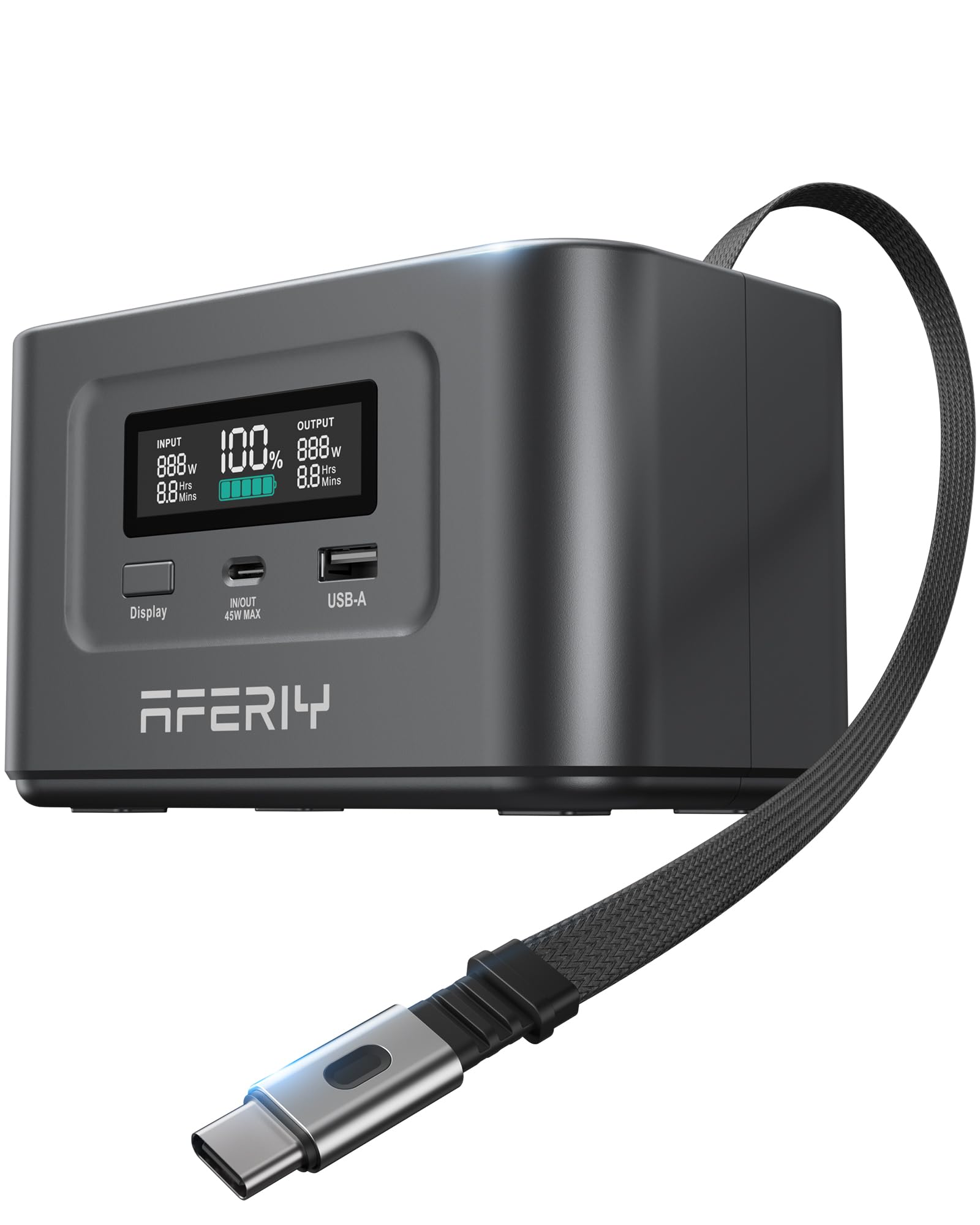
4. AFERIY Nano100 31000mAh Power Bank Station, 100W PD
A rare 31,000mAh pack whose LiFePO4 chemistry is built to outlive every other bank here.
The defining spec is the chemistry, not the capacity. LiFePO4 (lithium iron phosphate) cells retain over 80% capacity after 3,000+ cycles, roughly 6x longer than standard lithium-polymer cells. That’s the difference between buying this once and replacing a standard lithium-polymer bank every couple of years. The chemistry also resists swelling and won’t catch fire when punctured, a real safety edge over lithium-polymer.
With 99.2Wh and 31,000mAh, it packs the most energy in this entire list while staying under the airline carry-on limit. The 100W USB-C PD3.0 port and a second 45W port give you up to 145W total output, and it accepts 100W solar input if you want to go off-grid. Owners love the retractable USB-C cable and the informative display showing watts and time remaining.
The trade-off is weight and recharge patience. At 710 g, it’s the heaviest pick here, and one owner measured a 6-hour climb from 50% to 100%. The crowd favorite — 4.5 stars across 160+ owners — and the thing everyone raves about is the portability for its size, with charging speed close behind. A few note the USB-C input can renegotiate its draw speed, but the output stays strong.
The longevity case
- 31,000mAh / 99.2Wh capacity — the biggest in this guide
- LiFePO4 cells survive 3,000+ cycles with 80% capacity left
- 100W USB-C PD3.0 output charges a laptop near wall speed
- Retractable USB-C cable and solar input support
The weight of it
- 710 g is the heaviest bank in this lineup
- Slow self-recharging means overnight top-ups, not quick refills
Pick it if: you want a bank that will still hold a healthy charge after years of daily use, not months.
skip it if: you need a light daily carry — this one belongs in a backpack for the long haul.
5. NOBIS Power Bank 90W 20,000mAh
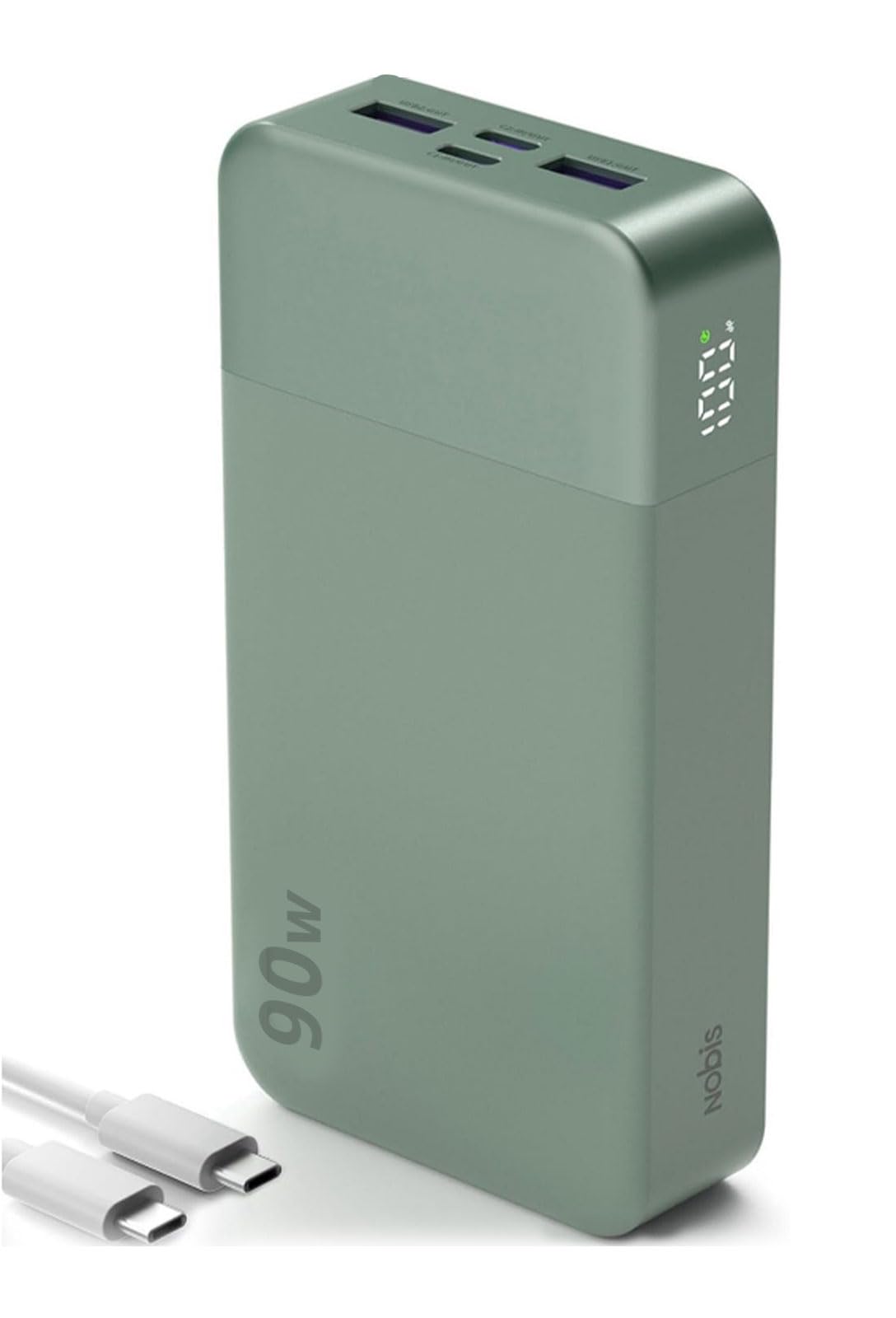
A mid-range 90W option that juggles four devices while staying affordable.
This NOBIS sits in a smart middle spot: 90W of output is plenty for most 13- and 14-inch laptops, and 65W self-recharging means it tops itself up quickly between uses. The 20,000mAh capacity covers a full day, and the 4-port layout (2 USB-C, 2 USB-A) lets you charge a laptop, phone, and earbuds all at once.
The low-current mode is the detail that wins over smartwatch and earbud owners — a double-click delivers steady power for up to 2 hours without auto-shutdown. The LED digital display shows remaining power in 1% increments, which owners find handy for planning. One owner turned it into a power source for a soldering iron, which says a lot about the clean, stable output.
At 400 g, it’s the same weight as the cheaper NOBIS 65W but delivers more headroom for bigger laptops. It’s heavy for a pocket but perfectly at home in a laptop bag. The crowd favorite — 4.7 stars across 150+ owners — and the thing everyone raves about is the charging speed and how it handles multiple devices without getting hot.
Sweet-spot take: it splits the difference between budget 65W banks and premium 140W units — most laptop owners will never use more than this.
Best for: the traveler who wants one bank for a laptop plus a few gadgets and doesn’t need 140W speed.
Consider others if: you own a 16-inch workstation that gobbles more than 90W under load.
6. UGREEN Nexode 20000mAh 67W Built-in USB-C Power Bank
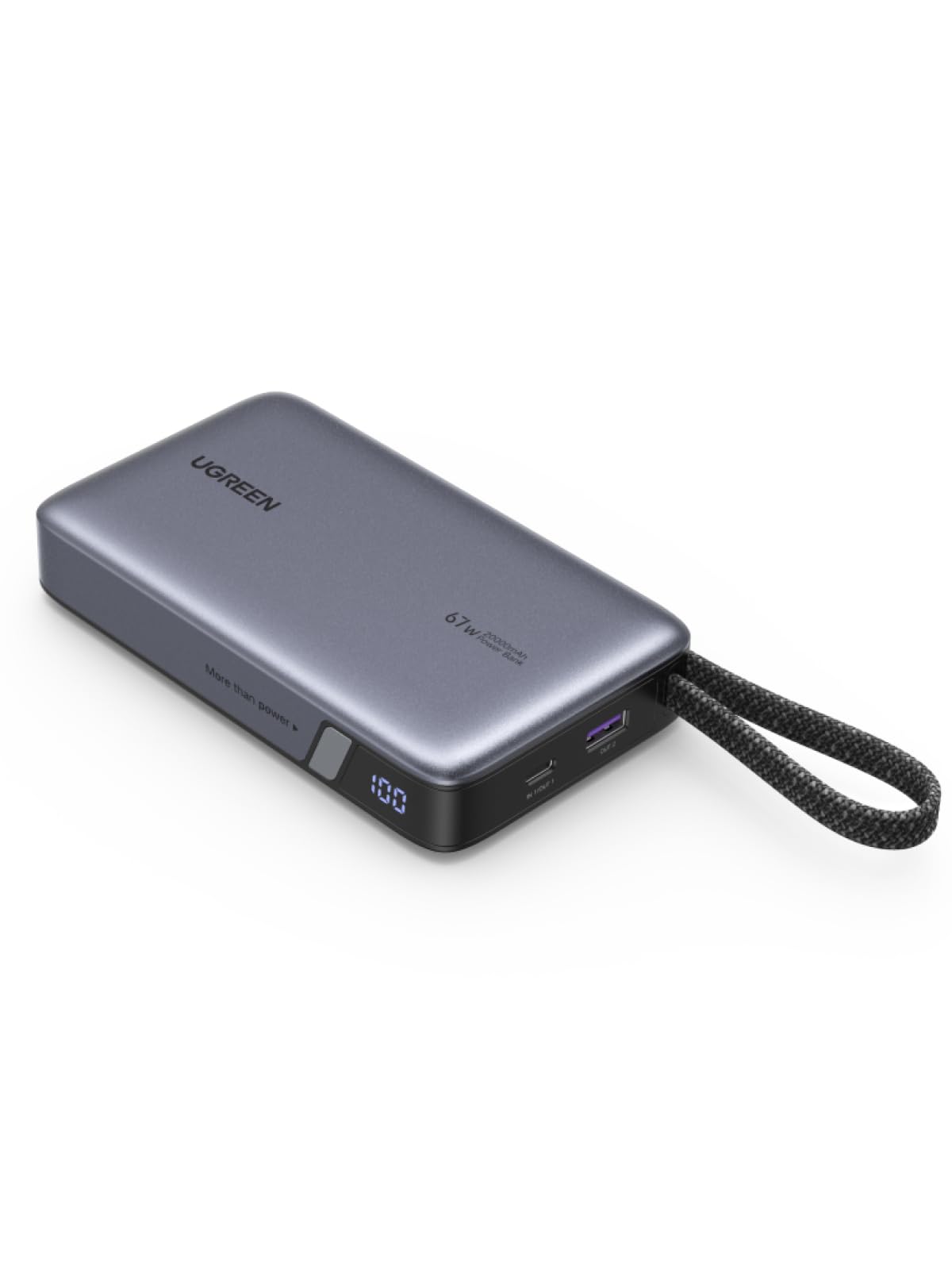
A compact 67W option whose braided built-in cable is tested to survive 10,000 bends.
This is the one to grab when you want a smaller, lighter bank that still handles a laptop. The 67W max output charges a MacBook Pro or Air comfortably, and the same port pushes 45W to a Samsung S25 Ultra, reaching 70% in 35 minutes. The built-in USB-C cable uses 48-layer braided nylon, rated for 10,000 bends and plug cycles to resist fraying.
The integrated carrying strap doubles as a cable organizer — a small touch that keeps the cable tidy. At 393 g, it’s one of the lighter laptop-capable banks here, and the 72Wh capacity (20,000mAh) covers a solid day of work. It also recharges itself at 65W in about 2 hours, so it’s ready when you need it.
The catch is the cap on output — this isn’t the pick for a 16-inch MacBook Pro. It’s a “feels a little cheap” note from some owners, and the single built-in cable means you’ll want a spare for multi-device charging. The crowd favorite — 4.6 stars across 500+ owners — and the thing everyone raves about is the fast charging while staying compact.
Compact-travel verdict: the lightest and most cable-convenient pick here — perfect for a MacBook Air and phone, not a heavy workstation.
Reach for it if: you want one tidy, lightweight bank for a 13-inch laptop that you never have to pack a cable for.
Look elsewhere if: your laptop wants more than 67W or you need to charge several devices at once.
7. JUOVI Power Bank 65W 20000mAh with Detachable Cable
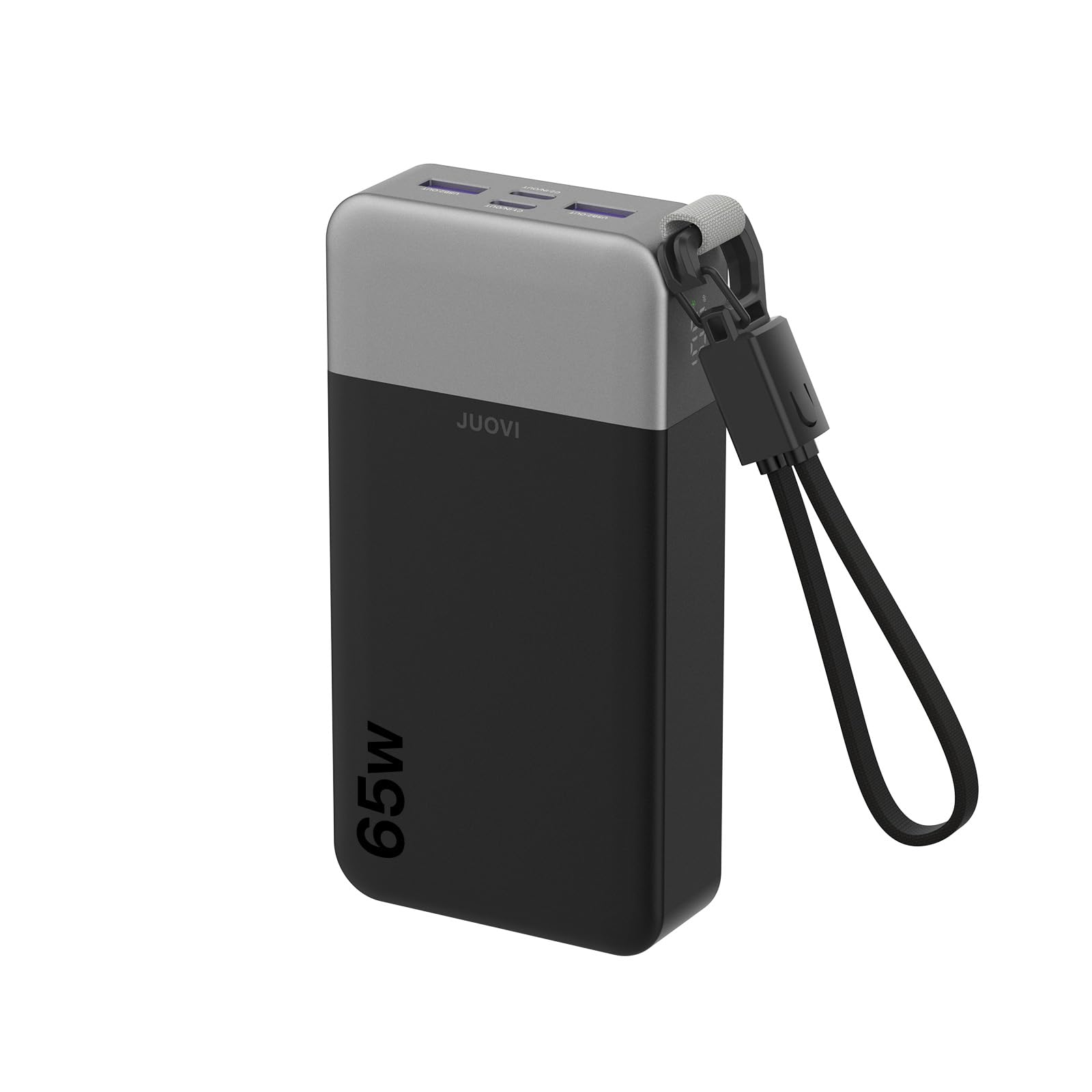
A 65W bank with a clever lanyard-cable that clips to your bag or wrist.
The clever design hook is the detachable 2-in-1 cable that doubles as a lanyard with a hook — clip it to your bag or wrist, and you never lose your charging cable. Dual USB-C ports deliver 65W PD 3.0, recharging a 14″ MacBook Pro to 50% in ~40 minutes or an iPhone to 60% in 30 minutes.
The 4-port layout (2 USB-C at 65W, 2 USB-A at 30W) lets you charge up to 4 devices at once. The trickle mode is the detail that protects your AirPods and smartwatch — a double-press drops it to a gentle low-current charge that preserves battery health. The digital display shows remaining percentage, so you never guess.
The honest caveat from owners: the 65W PD only delivers at full speed when charging a single device. With multiple loads, the output drops, so it’s best for one primary device plus small accessories. At 400 g, it’s light enough for a backpack without being pocketable. The crowd favorite — 4.8 stars across 70 owners — and the thing everyone raves about is the honest capacity rating and the build quality.
Single-device take: superb for charging one laptop plus a phone or earbuds — just don’t expect full 65W to a laptop while a camera is also drawing power.
Get it if: you want a light 65W bank with a cable you can’t lose and gentle trickle charging for small gadgets.
Move on if: you regularly juggle two power-hungry devices at once and need both at full speed.
8. NOBIS 65W 20000mAh Portable Charger with 4-Port Charging
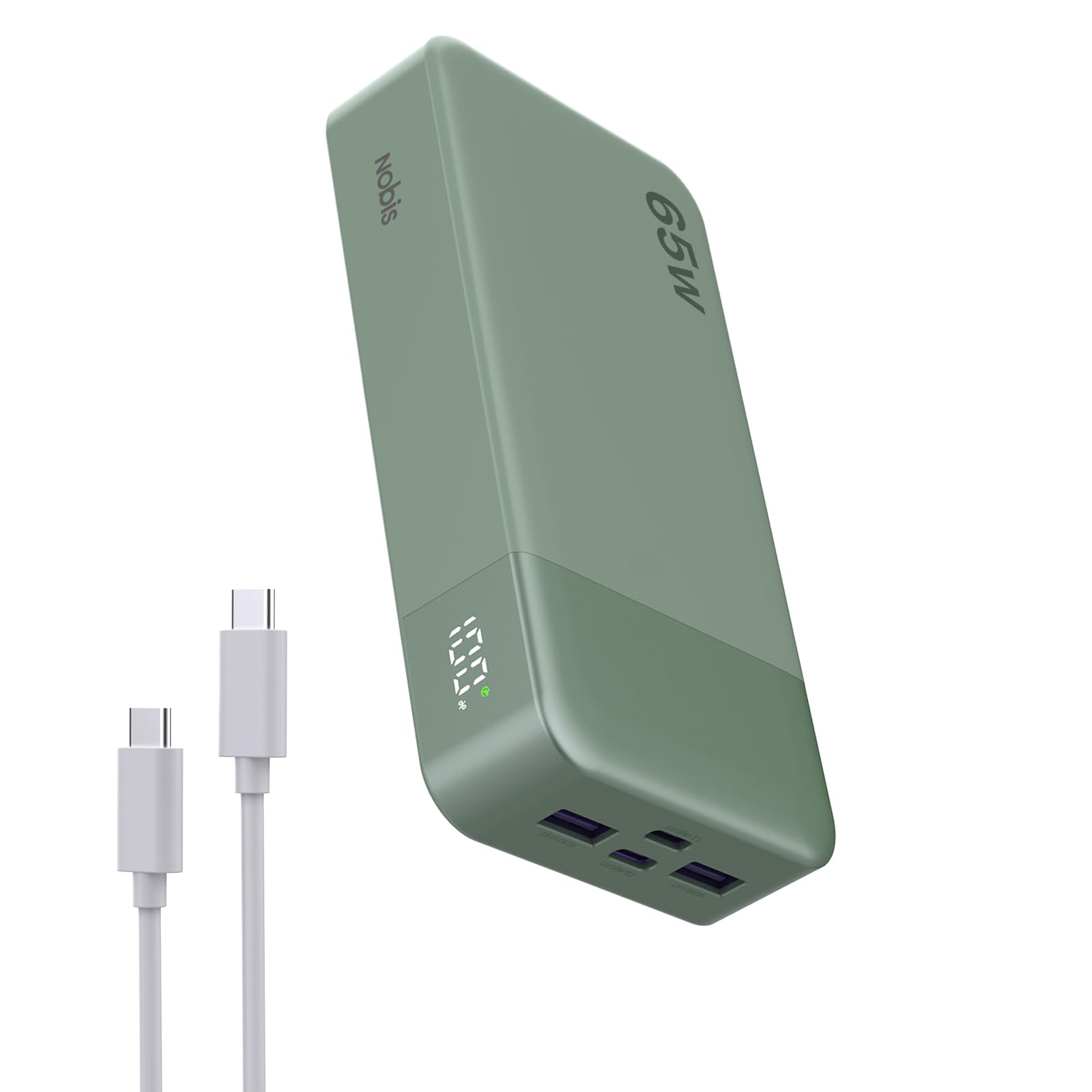
A 65W four-port bank that charges a laptop to 45% in 30 minutes on a budget.
This is the value pick done right. With 65W output and 45W input, it tops a laptop to 45% in 30 minutes and refills itself in 1.5 hours. The 20,000mAh capacity charges a smartphone 3-4 times, a tablet 2-3 times, or a laptop once — enough to kill battery anxiety for a full day out.
With 4 ports (2 USB-A, 2 USB-C), you can charge four devices at once—a rare feature at this price. The low-current mode keeps earbuds and smartwatches safe, and the multi-layer safety protection covers over-charge, over-discharge, over-voltage, over-current, short-circuit, and temperature control. That’s real confidence for a budget price.
One owner powered an aerator pump overnight using only 4% of the bank’s charge, and another said their Roku projector ran for 2 hours. The honest note is that a laptop charges slowly while it’s in use—one owner called it “okay when I’m using it at the same time it’s charging.” The crowd favorite—4.5 stars across 400+ owners—and the thing everyone raves about is the charging speed and reliability.
Budget wisdom: you get 65W laptop charging, four ports, and safety features at a price that undercuts most competitors — the clear entry-level winner.
Ideal for: students and first-time buyers who want a reliable laptop-capable bank without spending premium money.
Expect: slower laptop charging while the laptop is actively running — fine for topping up, not for intense multitasking.
9. Ansody 65W Laptop Power Bank, 25000mAh 101W Total

A 25,000mAh budget beast that offers the most raw capacity per dollar here.
The headline is pure capacity: Its 25,000mAh capacity charges a MacBook Pro 1.3 times and an iPhone 15 4.3 times, per the maker. That makes it a genuine emergency power source for long trips, camping, or home power outages. The 101W total output splits across three ports, with a single device getting up to 65W max — enough to charge a 14″ MacBook Pro to 50% in under 40 minutes.
It works with a broad range of devices and supports PD3.0, QC2.0, QC3.0, FCP, SCP, AFC, DCP, BC1.2, and APPLE 2.4A protocols. Owners note it works with a Microsoft Surface via an adapter and has three ports with varying wattages, so you can match the right port to the right device. One owner charged an iPhone 17 Pro Max 4-5 times on a single charge during a week-long trip.
The trade-offs are physical and practical. At 600 g, it’s one of the heaviest picks here, and the maker’s own note explains that real-world usable capacity is about 65% of the rated 25,000mAh due to energy conversion losses. The crowd favorite — 4.0 stars across 800+ owners — and the thing everyone raves about is the build quality, with the charging speed and battery life drawing mixed feedback. A few customers note the unit going dead between 72% and 75% charge, and one says the battery life dropped after 6-7 months. It’s the budget pick that trades a little polish for maximum capacity.
Capacity-first logic: if your priority is squeezing the most milliamp-hours out of every dollar, this delivers — just keep your expectations realistic on the long-term battery health.
Best for: the budget buyer who needs maximum capacity for long trips and can live with a heavier, bulkier unit.
Choose another if: you want a compact daily carry or need consistent performance over many years.
Understanding the Specs
Wattage vs. Capacity
Wattage (W) is the speed of charging — how fast a laptop can draw power. Capacity (mAh or milliamp-hours) is the total energy stored. A 65W bank charges a laptop slower than a 140W bank, even if both hold 20,000mAh. Match the wattage to your laptop’s needs first; then use capacity to decide how long the bank will last. A 20,000mAh bank usually holds about 72Wh of usable energy, which is why capacity and watt-hour ratings matter together.
PD Negotiation and Protocols
PD (Power Delivery) is the USB-C standard that lets a laptop and charger agree on a safe voltage and current. Some laptops are “picky” and only charge with specific PD profiles. QC (Quick Charge) is an older standard for Android phones. PPS (a programmable power supply standard) is what Samsung and Steam Deck owners should look for. If the bank and laptop don’t share a protocol, charging falls back to a slow 5V trickle — or stops entirely.
Watt-Hour (Wh) and Airline Rules
Wh (watt-hours) is the true measure of a battery’s energy. The TSA allows carry-on batteries up to 100Wh. A 20,000mAh bank at 3.7V is roughly 72-74Wh. A 25,000mAh bank sits around 90-92.5Wh. Both are legal for carry-on travel. Stay under 100Wh to avoid check-in problems.
Low-Current and Trickle Mode
Small devices like earbuds and smartwatches draw tiny amounts of power. A bank might shut off because it thinks the device is “full.” Trickle or low-current mode is a setting that delivers a gentle, steady charge to keep that from happening. Usually activated by a double-press of the power button, it protects the battery health of your small gadgets.
FAQ
What wattage does my laptop need from a power bank?
Will a power bank with a USB-C port work with any laptop?
Can I take a laptop battery bank on a plane?
How many times can a laptop power bank charge my laptop?
Is 65W enough to charge a laptop while I’m using it?
What does PD 3.0 mean and do I need it?
What is the difference between LiFePO4 and lithium-polymer battery cells?
How long does a laptop power bank take to recharge itself?
Why does my power bank stop charging small devices like earbuds?
Final Thoughts: The Verdict
For the majority of shoppers, the battery bank for laptop winner is the Anker Prime 220W because its 140W single-port output and 220W total are class-leading for handling the pickiest laptops while staying TSA-friendly and compact. If you want built-in cable convenience with top-tier speed, grab the UGREEN Nexode 165W. And for the budget-conscious buyer who needs maximum capacity, the Ansody 65W delivers the most raw milliamp-hours per dollar.
How We Picked
We do not accept paid placement. Every pick is matched to a real buyer and a real use-case; we do not hands-on test units.
Sources & Methodology
Specifications: manufacturer listings and product documentation. Review insights: verified customer reviews, as of August 2026. Pricing: not shown on this page (it changes often); check the current price via the retailer link.
As an Amazon Associate, Gadgets Feed earns from qualifying purchases. This does not affect which products we feature.