
Our readers keep the lights on and my morning glass full of iced black tea. As an Amazon Associate, I earn from qualifying purchases.
Specs are compiled from manufacturer listings and verified buyer reviews and can change over time — please confirm the key details on the product page before buying.
Before you buy an at-home laptop, ask yourself one honest question: do you need serious power for creative work, or just a dependable machine for browsing, streaming, and documents? Answering that first saves you money and frustration, because the gap between a budget workhorse and a premium creator laptop is wider than you might think. Here are the real trade-offs, so you can match the machine to your actual routine, not just the spec sheet.
I’m Min — the founder and writer behind Gadgets Feed. This guide is built by comparing the manufacturers’ published specifications and the patterns across verified customer reviews, so you get each pick’s real strengths and trade-offs instead of marketing spin.
The best at home laptops balance screen quality, battery life, and enough processing power for your daily tasks without pushing you into overkill.
Our Picks at a Glance

How To Choose The Best At Home Laptops
Start with what you do most. A laptop for video calls, web browsing, and office documents has very different needs than one for video editing or 3D design. Once you know your main tasks, the three specs below will guide nearly every decision.
Match RAM to your multitasking
Random Access Memory (RAM) is your laptop’s short-term workspace for open apps and browser tabs. If you keep 15 tabs open while running a video call and a word processor, you want at least 8GB. For heavier multitasking or creative apps, 16GB feels far smoother and keeps everything responsive.
Read the display, not just the size
Screen resolution and brightness matter as much as the inch count. A Full HD (1920×1080) panel is sharp enough for most eyes, while an anti-glare finish cuts reflections in bright rooms. If you work near a window, look for a brightness rating of 250 nits or higher so you are not constantly squinting.
Understand storage types
Solid State Drives (SSDs) boot Windows in seconds and load programs instantly, while older Hard Disk Drives (HDDs) spin slower and feel sluggish. For general home use, a 256GB or 512GB SSD gives you speed and enough space for documents, photos, and a few games, with the option to add an external drive later.
Quick Comparison
| Model | Best For | Screen | RAM / Storage | Processor Speed | Amazon |
|---|---|---|---|---|---|
| jumper 17.6″★ Best Overall | Big-screen value | 17.6″ FHD | 16GB / 256GB SSD | 3.9 GHz | Amazon |
| Lenovo V15 Gen 4Business Pick | Business productivity | 15.6″ FHD | 16GB / 512GB SSD | 4.6 GHz | Amazon |
| GEEKOM X14 ProPremium Pick | Ultra-portable creators | 14″ 2.8K OLED | 32GB / 1TB SSD | 5.1 GHz | Amazon |
| NIMO 15.6 | Creative & AI tasks | 15.6″ FHD | 16GB / 1TB SSD | 4.9 GHz | Amazon |
| Dell 16 | Touchscreen fans | 16″ 2K Touch | 16GB / 1TB SSD | — | Amazon |
| HP 17.3″ | Large-screen value | 17.3″ HD+ | 16GB / 512GB SSD | — | Amazon |
| Dell 15.6 | Name-brand reliability | 15.6″ FHD | 8GB / 512GB SSD | 4.7 GHz | Amazon |
| HP 255 G10 | Storage-heavy users | 15.6″ FHD | 16GB / 1TB SSD | 4.3 GHz | Amazon |
| KAIGERR 15.6 | Power multitaskers | 15.6″ FHD | 24GB / 512GB SSD | 4.5 GHz | Amazon |
| Lenovo 15.6″ 2026 | Budget schoolwork | 15.6″ FHD | 4GB / 128GB SSD | 3.4 GHz | Amazon |
| HP 14″ | Budget-friendly basics | 14″ HD | 8GB / 128GB SSD | 3.6 GHz | Amazon |
In-Depth Reviews
1. jumper 17.6″ Laptop
Our pick — over 4.5★ from 100+ verified ratings; the strongest balance of quality and price.
The big-screen home companion that turns movie night and work into one enjoyable experience.
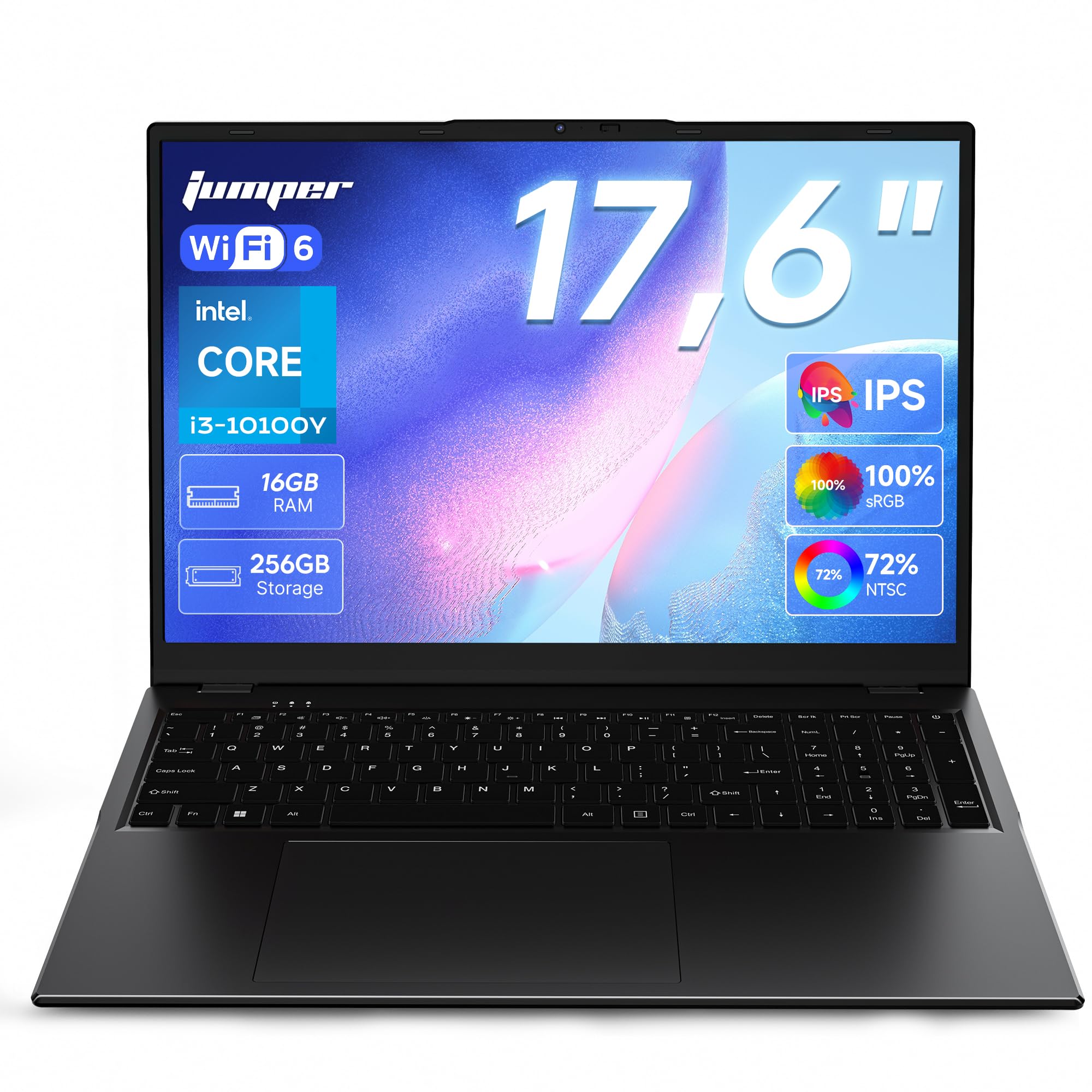
The defining feature here is the sheer size: a 17.6-inch display at 1920×1200 FHD resolution with a 16:10 aspect ratio. Buyers report the screen is crisp and vibrant, which is exactly what you want for streaming, photo editing, or having multiple documents side by side. The larger canvas means less scrolling and more content visible at once, a real daily comfort win.
Under the hood, the 16GB RAM and 256GB SSD deliver smooth multitasking for office work, school, and light gaming, and the backlit keyboard makes late-night typing easy. The 7000mAh (53.2Wh) battery supports up to eight hours of study and work, so you can move from desk to couch without hunting for the charger. Fast charging tops it up quickly when you do stop.
Connectivity is generous for a home machine: Wi-Fi 6, Bluetooth 5.2, a full-featured Type-C port, HDMI for an external monitor, and three USB 3.0 ports. One owner put it simply: “Was looking for a larger computer and at 17.6 inches this really did the job.” The build feels light and easy to carry around, which is surprising for a screen this big.
The big-screen win: The 17.6-inch FHD panel is the reason to buy this — it rivals higher-end displays for color and clarity, and the 16:10 ratio gives extra vertical space for documents and web pages.
Who it’s for: Anyone who spends hours at home streaming, working, or studying and wants a large, clear screen without paying premium prices.
Reach for this if: You prioritize a massive, bright display and solid 16GB multitasking performance for everyday home use.
Look elsewhere if: You need extreme portability — a 17.6-inch body is a desktop replacement, not a lap-nestling travel companion.
2. Lenovo V15 Gen 4 Business Laptop
A fast, professional workhorse with a numeric keypad and rock-solid build for home offices.
The Lenovo V15 Gen 4 is built for productivity, and its Intel Core i5-13420H processor with 8 cores and 12 threads is the standout spec. It hits a max turbo speed of 4.6 GHz, so spreadsheets, video calls, and document editing all feel snappy. The 16GB RAM and 512GB SSD give you room to keep dozens of browser tabs open without slowdowns.
A dedicated numeric keypad is a rare and welcome addition for anyone punching in numbers for budgets or data entry. The 15.6-inch FHD (1920×1080) display gives you sharp text and plenty of workspace. Buyers call it reliable and efficient, perfect for on-the-go business use, and the battery life impresses during long work sessions.
Ports include HDMI, RJ45 ethernet, USB Type-C, and a webcam, covering both home and office needs. The build feels sturdy, though some note the plastic construction feels less premium than a ThinkPad. It runs Windows 11 Pro, giving you business-grade organization tools right from the start.
Performance-first: The i5-13420H beats the i7-1355U in real-world speed, and the 512GB SSD keeps boot times and app launches quick.
The honest trade-off: The plastic chassis feels a bit economical compared to pricier business laptops, but the performance and price make up for it.
Choose this for: Productivity-heavy home work where a fast processor, numeric keypad, and reliable battery matter more than a flashy design.
Consider otherwise if: You want a featherlight travel machine — this is a solid desktop alternative, not an ultraportable.
3. GEEKOM GeekBook X14 Pro
A featherlight 2.2 lb OLED powerhouse that feels more like a tablet than a laptop.
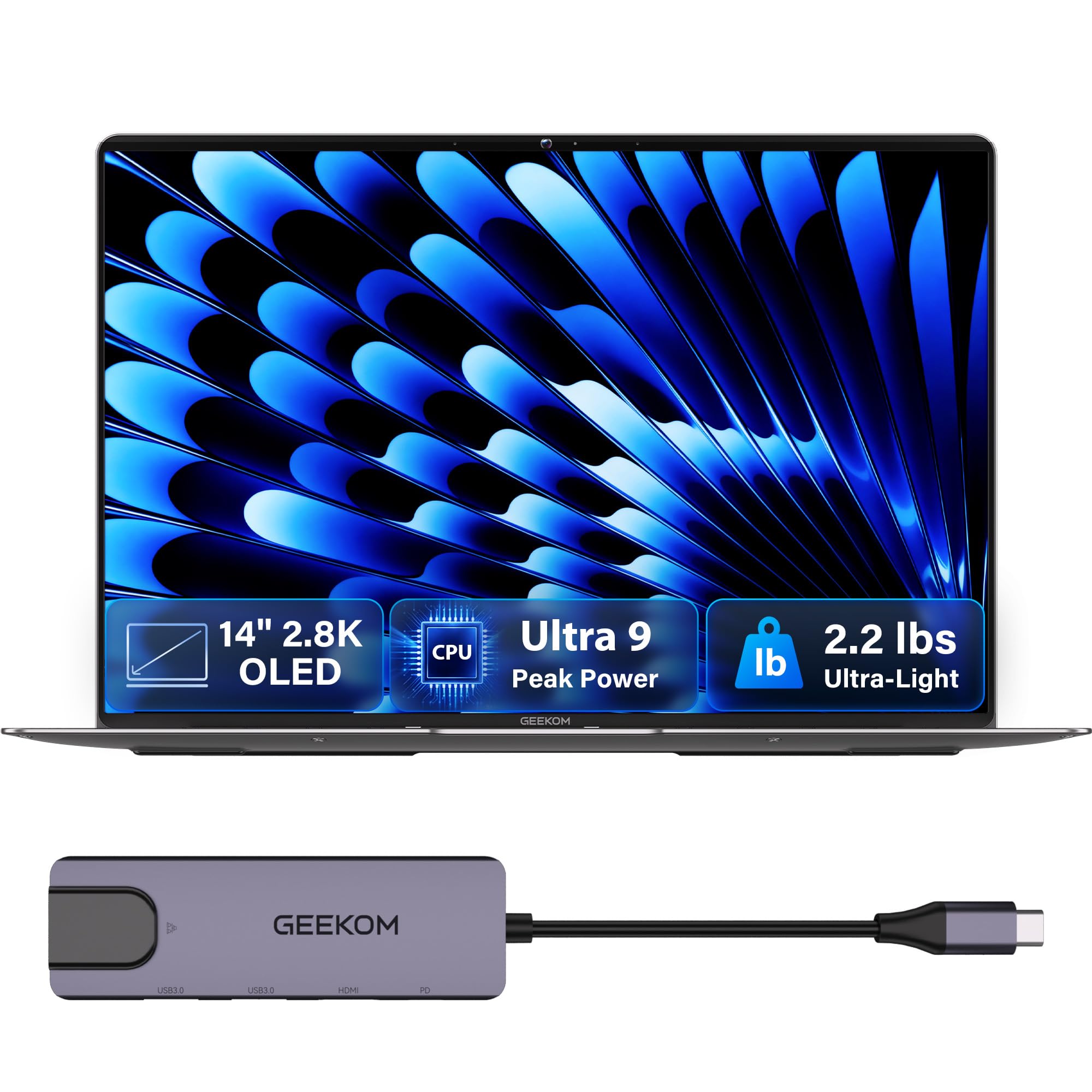
The GEEKOM X14 Pro is the one that makes you feel the future of home computing: a 14-inch 2.8K OLED display with 100% DCI-P3 color coverage and a 120Hz refresh rate. Self-lit pixels produce true blacks and vibrant colors, which is why creators and movie lovers rave about it. The screen stays clear even in bright sunlight with up to 450 nits of brightness.
Inside, the Intel Core Ultra 9 185H processor with 16 cores and 22 threads hits up to 5.1 GHz, paired with 32GB of LPDDR5x RAM at 7500MHz and a 1TB SSD. This combo handles demanding creative apps and stacks of browser tabs without a hiccup. The 72Wh battery lasts up to 16 hours, and the included 65W GaN charger refills it to 80% in about an hour.
At just 2.2 lbs, it is incredibly portable — one owner said they can literally bring it anywhere and the battery lasts the day. Two 40Gbps USB4 ports support charging and connecting up to three 4K displays, plus HDMI 2.1 and a USB 3.2 Type-A port. Fingerprint open up and a physical camera shutter keep your privacy secure, and the included docking station removes the dongle hassle.
The screen is the star: The 2.8K OLED with 120Hz refresh makes everything from spreadsheets to streaming look magazine-quality, and it weighs almost nothing.
Fair caveat: The touchpad draws mixed feedback — some find it smooth, others report it finicky, so budget for an external mouse if you are picky.
Pick this for: Creative professionals and travelers who want desktop-class power, a stunning OLED display, and 2.2 lbs of portability in one machine.
Skip it for: Gamers needing a discrete graphics card — the Intel Arc GPU is capable but not a gaming rig replacement.
4. NIMO 15.6 Gaming-Creator Laptop
Serious performance for video editing and AI tasks, wrapped in a surprisingly travel-friendly body.
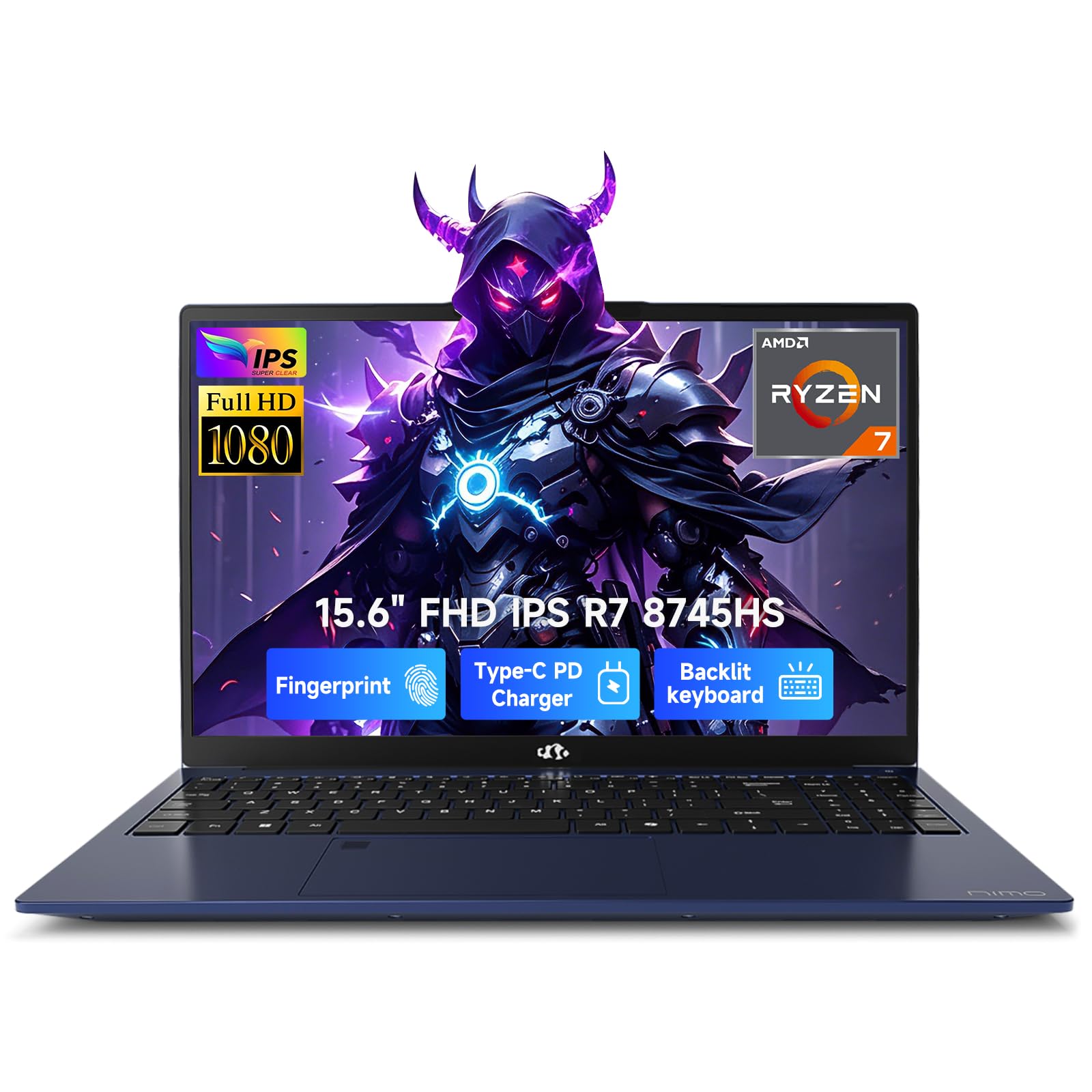
The NIMO is built for creative workloads, and the AMD Ryzen 7 8745HS processor with 8 cores and a 45W TDP is its beating heart. It hits up to 4.9 GHz, which owners mention makes boot-up fast and multitasking easy — handling video calls, programming, and music all at once without lag. The Radeon 780M integrated graphics with RDNA 3 architecture handles 1080p streaming and light gaming smoothly.
With 16GB RAM and a 1TB SSD, you have plenty of space for big video files and projects. The 100W Power Delivery (PD) fast charging recharges to 50% in just 30 minutes, so you are never tethered to a wall for long. The backlit keyboard is a draw for late-night editing sessions, and the 180° lay-flat hinge makes sharing your screen with clients easy.
A USB4 port lets you connect an external GPU for future 4K rendering muscle, and HDMI 2.1 supports 4K/120Hz output. The built-in fingerprint sensor on the touchpad enables one-touch Windows Hello login. Buyers consistently praise the value and the included 2-year warranty, calling it a great piece of hardware that runs some video games if you do not push it too hard.
Creator-ready: The Ryzen 7 plus Radeon 780M and 1TB SSD makes this a serious tool for video editing and AI tasks at a mid-range price.
Worth noting: Some find the numpad layout unusual and the touchpad overly sensitive, but most agree the performance and portability win out.
Reach for this if: You edit video, run AI tools, or stream 1080p content and want fast charging plus a 2-year warranty.
Look past it if: You need a dedicated graphics card for heavy AAA gaming — the Radeon 780M is capable, not a replacement for a discrete GPU.
5. Dell 16 Laptop DC16251
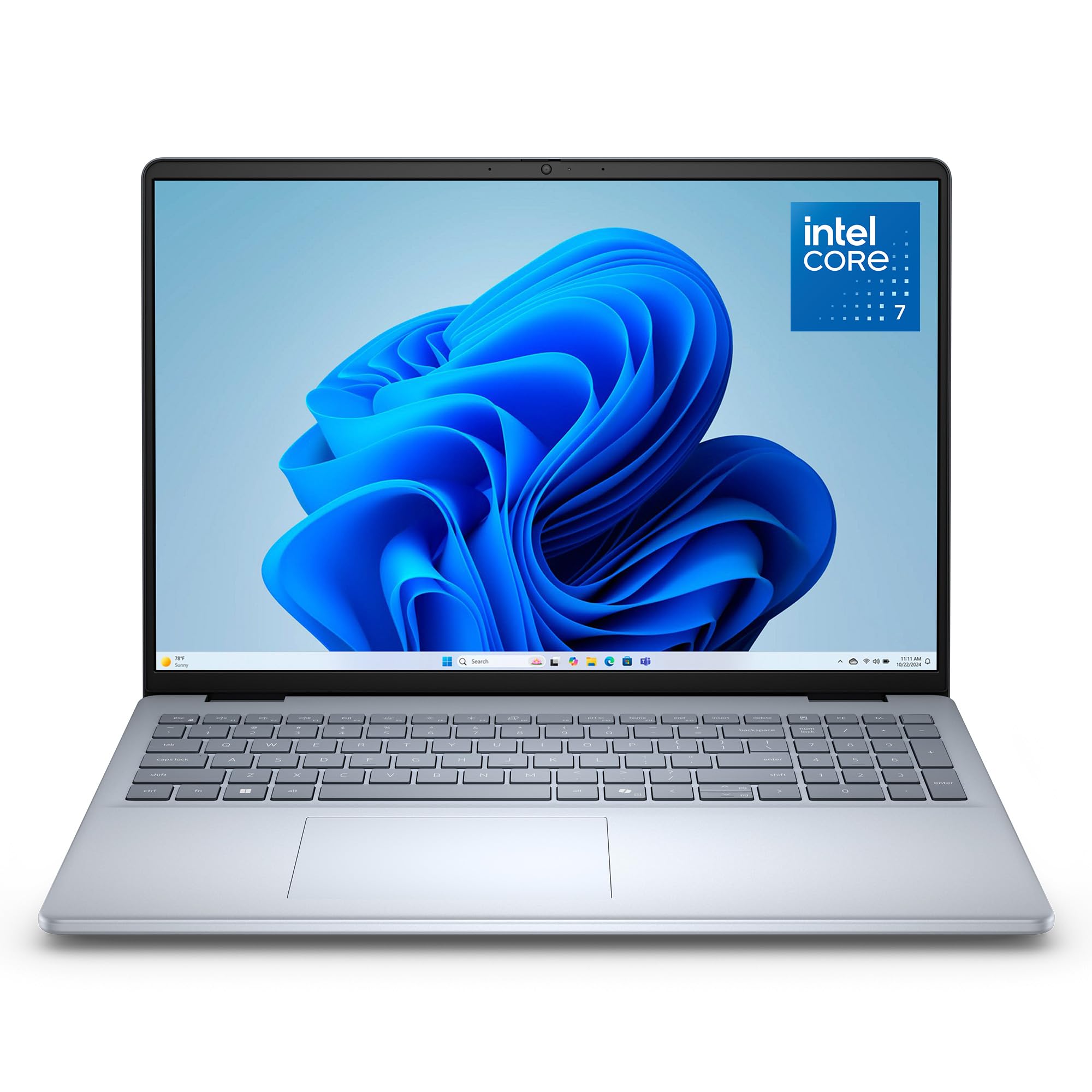
You get a 16-inch 2K touchscreen (a high-resolution display with sharp, detailed images) that stretches edge-to-edge, so movies and design work look rich and crisp.
The headline here is the display: a 16-inch 2K touchscreen with a 16:10 aspect ratio that delivers crisp, expansive visuals. The taller ratio means more vertical space for documents and web pages, which feels genuinely premium in daily use. Buyers call it a great value with a really nice screen and keyboard, praising the clear graphics and very good battery life.
Inside, the Intel Core 7 150U processor handles business and entertainment with ease, backed by 16GB of DDR5 RAM and a 1TB SSD for fast boot times and ample storage. The up-to-FHD camera is designed for virtual meetings, with wide dynamic range and temporal noise reduction to keep you looking sharp in any lighting. ComfortView Plus technology reduces harmful blue light while preserving true-to-life color.
Adaptive thermals let the laptop sense when it is on a stable surface and adjust power for efficiency, which means quieter, cooler operation. The 1-year Basic Onsite Service means Dell will come to you if an issue can’t be resolved remotely. Buyers describe it as a great mid-line computer that runs exceptionally well and is well worth the price.
Display-first: The 2K touchscreen with a 16:10 aspect ratio is the reason to choose this — it makes everyday browsing and streaming feel noticeably richer.
Minor quirk: A few owners mention needing to press the power button twice occasionally, a small annoyance in an otherwise solid machine.
Choose this for: Touchscreen lovers and home users who want a large, sharp display with on-site service support.
Consider otherwise if: You are on a strict budget — this is a premium-tier investment, not an entry-level buy.
6. HP 17.3 inch Laptop
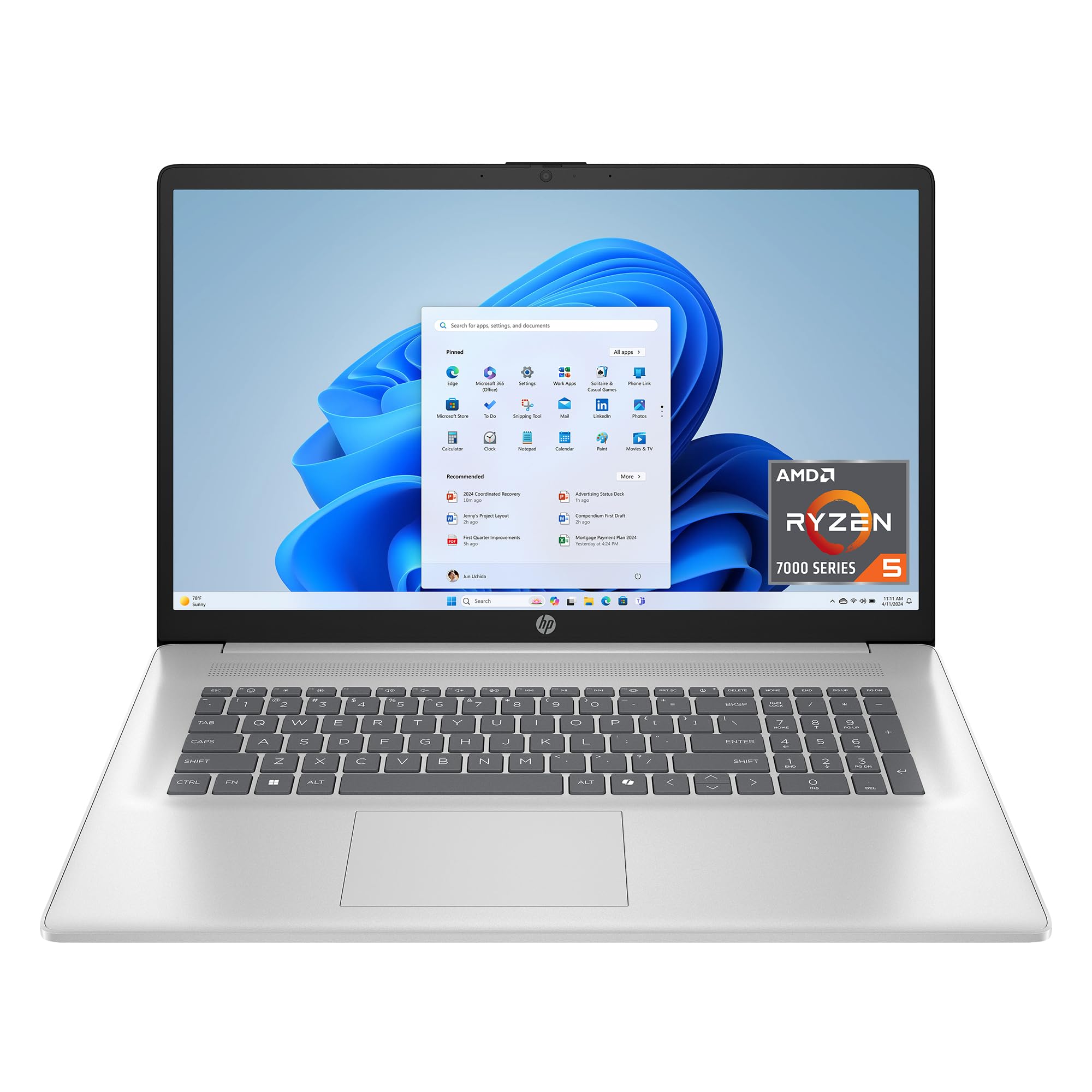
A huge 17.3-inch screen and smooth Ryzen 5 performance make this the family’s shared powerhouse.
If you want a huge screen for multitasking, the HP 17.3-inch gives you a massive display that owners say is fantastic for students and daily tasks. Inside, the AMD Ryzen 5 7520U processor (a mid-range chip that handles everyday work smoothly) pairs with 16GB of LPDDR5 RAM (fast memory for running many apps at once), so browsing, office work, and streaming feel fluid. The 512GB PCIe NVMe M.2 SSD runs up to 15x faster than a traditional hard drive, so boot and load times feel instant.
The anti-glare HD+ display reduces reflections, making it comfortable to watch movies or work near a window. A lift-hinge design raises the keyboard for more natural typing, and the HP True Vision HD camera with a physical shutter keeps video calls clear in low light. AI noise reduction filters out background chatter so your voice comes through cleanly in group calls.
Buyers praise the huge screen for spreadsheets and media, the strong WiFi, and the lightweight build — surprising for a 17.3-inch machine. The one-touch Microsoft Copilot button is handy for quick productivity boosts. While some note the plastic casing feels a bit less premium, the overall value is hard to argue with for a screen this size.
Massive canvas: The 17.3-inch anti-glare display with 1.4 million pixels is the standout — crisp for photos, movies, and multitasking.
The trade-off: The plastic chassis feels a little less premium than pricier aluminum rivals, and battery life under heavy load runs around 5.5 hours.
Pick this if: You want the biggest screen possible for home entertainment and general family use without a huge price tag.
Skip it for: Frequent travelers — the 17.3-inch form factor is better suited to staying at a desk or couch.
7. Dell 15.6 Laptop
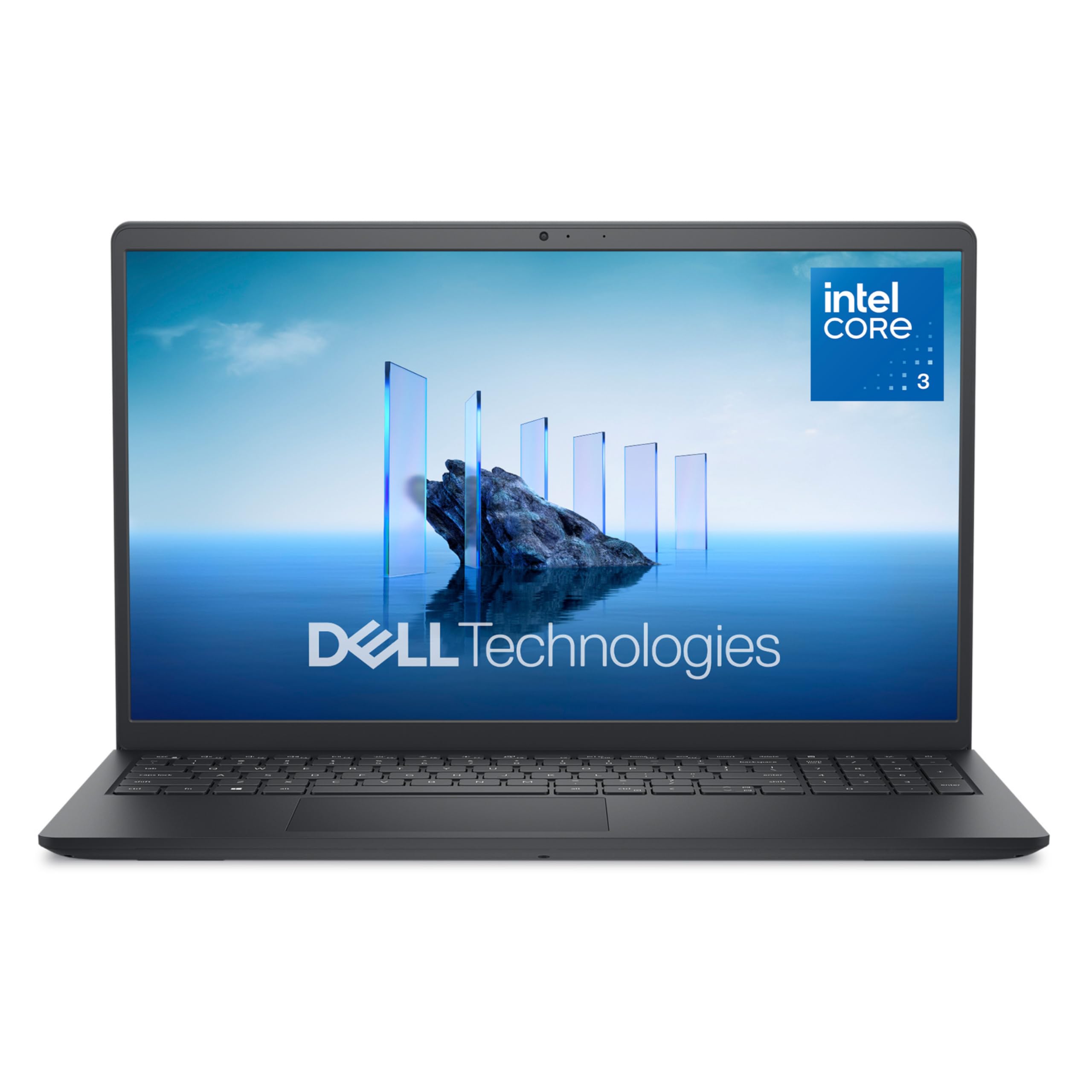
True Dell quality in a light package that handles taxes, homework, and everyday tasks easily.
The Dell 15.6 earns its spot as the name-brand reliable pick because its Intel Core 3 100U processor (a chip designed for everyday tasks) hits a max speed of 4.7 GHz — 38% faster than the Lenovo 15.6″ 2026 Edition’s 3.4 GHz, so everyday tasks feel noticeably quicker. With 8GB of RAM and a 512GB SSD, it boots fast and runs documents, streaming, and light productivity smoothly. Buyers call it true Dell quality and easy to set up, with one reporting it runs Fallout New Vegas at high quality.
The anti-glare IPS WVA display at 250 nits keeps reflections down, and ComfortView software helps reduce blue light for comfortable extended viewing. The separate numeric keypad and calculator hotkey make number crunching quick, while lifted hinges provide an ergonomic typing angle. At a light weight, it is easy to move around the house.
Dell’s 1-Year Onsite Service means a technician comes to your home if an issue can’t be resolved remotely — real confidence. Wi-Fi 6 (the latest wireless standard for faster, more stable connections) and Bluetooth 5.3 keep your devices linked reliably. The main compromise is battery life: it drains quicker than some rivals, and a few owners note the screen could be brighter. Still, for a low-cost name-brand Windows 11 laptop, the value is strong.
Dependable daily driver: The 4.7 GHz Core 3 processor and 512GB SSD make this a snappy choice for basic needs, with Dell’s onsite service as a safety net.
Honest limits: Battery life is on the short side and the fan can get loud under load, which matters if you work away from outlets often.
Reach for this if: You want a trusted name brand for taxes, homework, and everyday use with onsite warranty support.
Look elsewhere if: You need all-day battery life or plan heavy multitasking — 8GB RAM is entry-level for demanding workloads.
8. HP 255 G10 Laptop
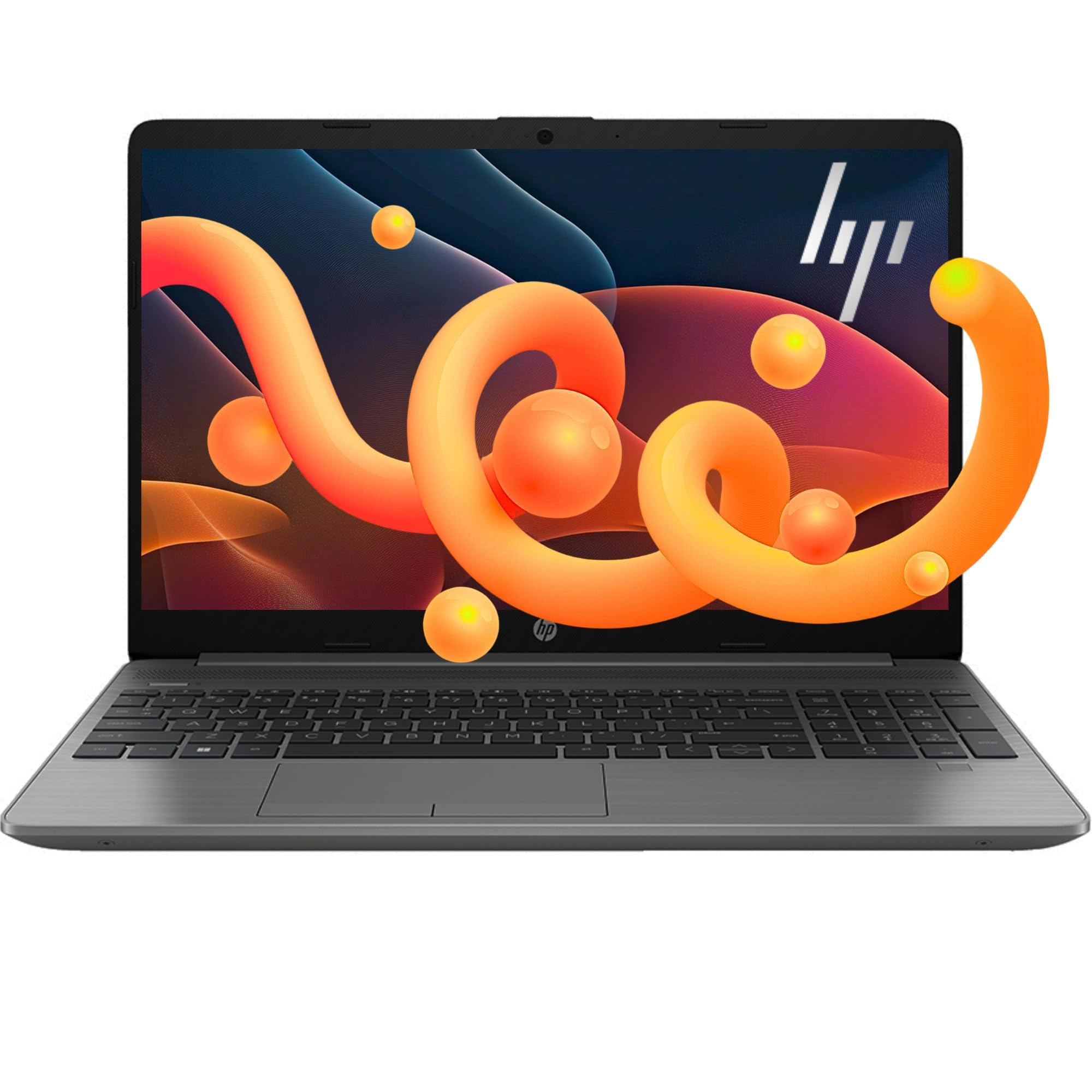
Enormous 1TB storage and a fast Ryzen 3 processor make this the ultimate digital filing cabinet.
The HP 255 G10 answers the storage question before you ask it: 1TB of SSD space means you can keep years of photos, videos, and documents without an external drive. The AMD Ryzen 3 7330U processor with 4 cores hits up to 4.3 GHz, and owners say it works really fast and has not let them down, running smoothly for home and work. The 16GB RAM handles multiple applications and browser tabs without a struggle.
The 15.6-inch Full HD (1920×1080) LED-backlit display provides crisp, clear visuals, backed by AMD Radeon Graphics for work and entertainment. At a thin and light design with a big screen-to-body ratio, it is portable enough for moving between rooms or taking to a cafe. The up-to-64GB RAM support means this machine has room to grow if your needs expand.
Windows 11 Pro is a real plus for home users who want business-grade organization and security features. Buyers highlight the great screen resolution and brightness, and the fast charge keeps you going through long days. The loud fan and short battery life are the recurring trade-offs, but for the storage and performance, most agree it is solid value.
Storage first: The 1TB PCIe NVMe SSD is the defining spec — fast bootups and enough room for a massive media library without external drives.
Fair warning: The fan runs loud under load and battery life is moderate, so this is best kept near a power outlet.
Choose this for: Home users with big storage needs — media hoarders and document collectors will love the 1TB SSD.
Consider otherwise if: Silence and all-day battery are your top priorities — the fan noise and moderate battery are real drawbacks.
9. KAIGERR 2026 Laptop
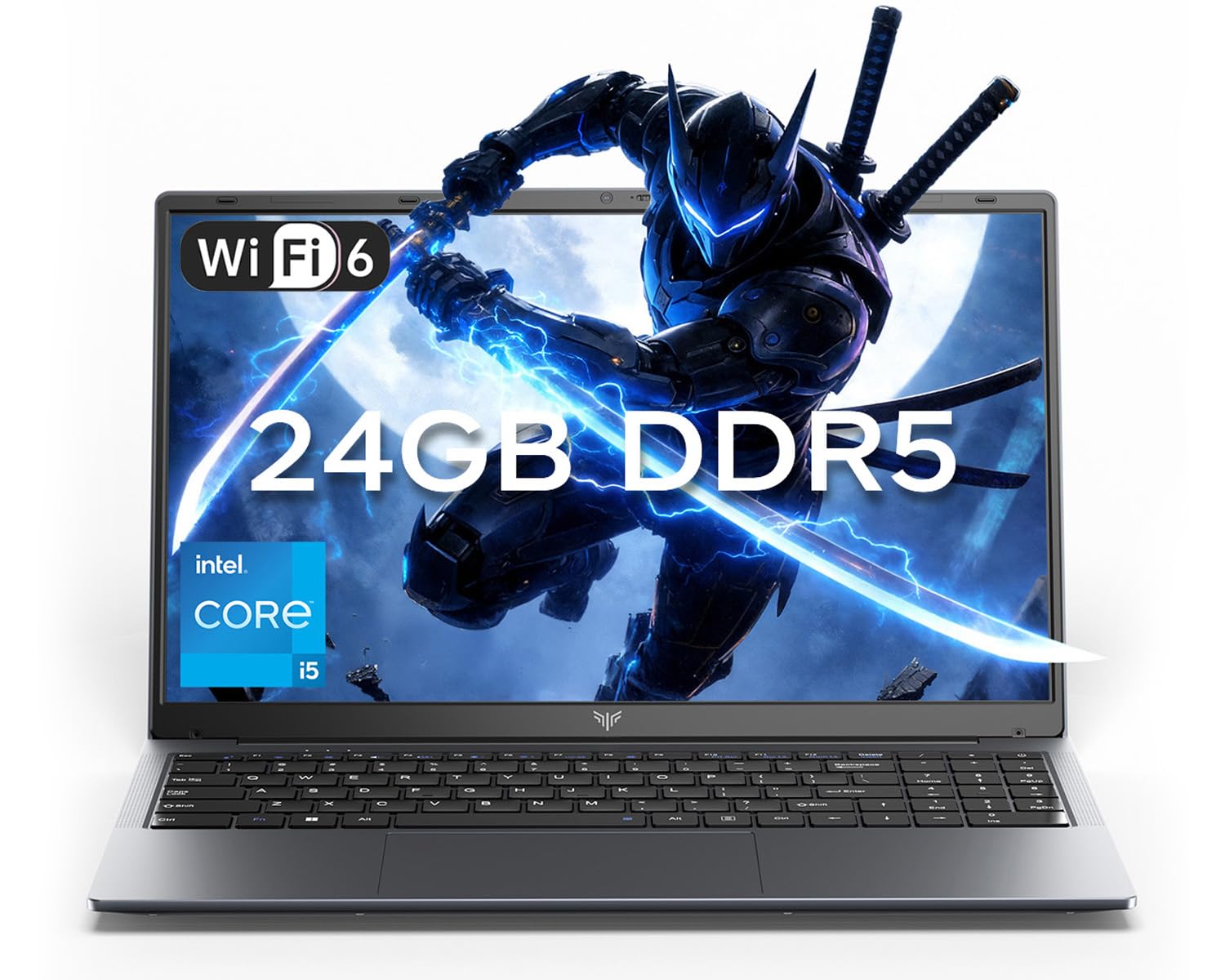
A multitasking monster with 24GB of RAM and 12 cores for power users who juggle everything.
The KAIGERR is the RAM champion of this list, packing 24GB of LPDDR5 memory in a dual-channel setup that keeps demanding apps flying. The Intel Core i5-12600H processor with 12 cores and 16 threads hits up to 4.5 GHz, making it perfect for light gaming, multitasking, and demanding applications. Customers note it starts up quickly and handles browsing with lots of tabs, email, documents, and video calls without slowing down.
The 512GB M.2 NVMe SSD loads programs fast, and dual M.2 slots support up to 4TB total storage if you need more space later. The 54.72Wh lithium-polymer battery provides all-day power for remote work and classes. At 1.65kg, it is a lightweight traditional laptop that travels well between home and campus.
The 15.6-inch Full HD display in a 16:9 aspect ratio delivers sharp text and vibrant colors, and the 180° hinge lets you share your screen easily. Wi-Fi 6 and Bluetooth 5.2 keep connections stable, while the 1MP webcam with a physical privacy switch protects you after video calls. Three USB 3.2 ports, HDMI 1.4, and two Type-C ports cover almost any peripheral you need.
RAM for days: The 24GB LPDDR5 memory is the standout — it keeps heavy multitasking silky smooth, and the dual-channel setup adds extra speed.
Newer on the scene: With fewer reviews than the established brands, the track record is still building, though early buyers are very positive.
Pick this for: Power users who keep 20+ tabs open and run demanding apps simultaneously without wanting to pay premium prices.
Skip it for: Anyone who values brand recognition and years of proven reviews over raw specs and value.
10. Lenovo 15.6″ FHD Laptop, 2026 Edition
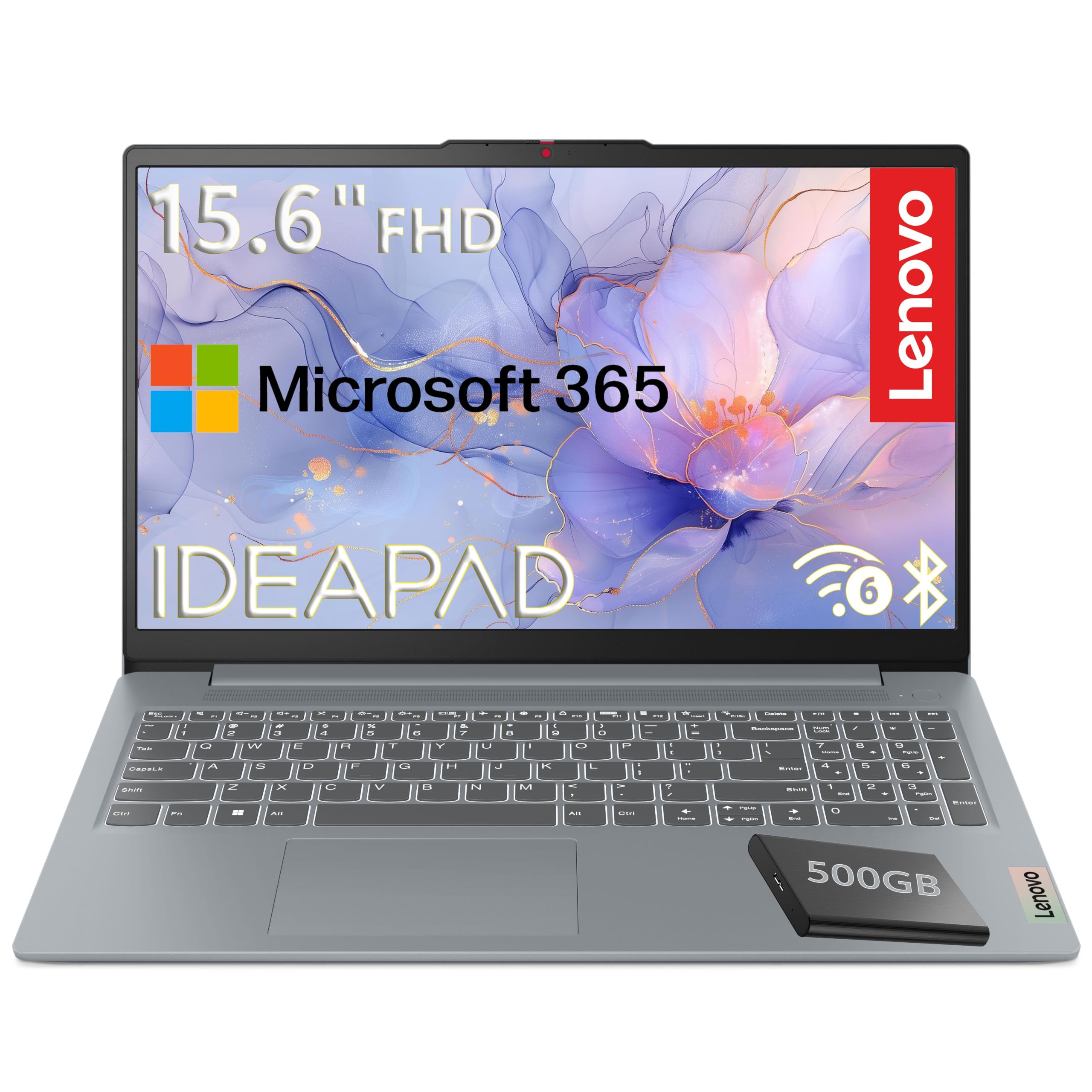
An ultra-affordable Lenovo that replaces an aging PC and handles schoolwork with ease.
This Lenovo is the budget-friendly answer for replacing a decade-old computer, and its 15.6-inch Full HD (1920×1080) display with 250 nits of brightness is the entry point. The Intel N100 processor tops out at 3.4 GHz — 38% slower than the Dell’s 4.7 GHz — a real gap for memory-intensive programs. But for everyday browsing, streaming, and schoolwork, it gets the job done.
The 4GB LPDDR5-4800 RAM and 128GB UFS 3.1 storage are modest, but the included 500GB portable external hard drive gives you room for files. A Microsoft 365 Personal subscription adds Word, Excel, PowerPoint, and 1TB of OneDrive cloud storage for a year. The MIL-STD-810H military-grade certification passes 20 durability tests, so it survives bumps and drops.
At just 3.42 lbs and 0.70 inches thin, it is genuinely light and portable. Buyers praise the easy setup and note it runs QuickBooks along with other memory-intensive programs fast with no lagging. The 720p camera with a privacy shutter and dual-array microphones keep video calls secure and clear. One owner put it simply: “I bought this to replace my 10-year-old HP just because it aged out of Windows.”
Budget simplicity: The 15.6-inch FHD screen and included 500GB external drive make this a complete setup for basic home tasks right from the start.
Know your limits: With 4GB RAM, heavy multitasking is not this machine’s strength — it shines for light schoolwork and browsing, not demanding apps.
Reach for this if: You need a dependable, low-cost laptop for a student or as a simple home secondary machine.
Look elsewhere if: You run memory-heavy programs like video editing — the 4GB RAM will feel tight quickly.
11. HP 14″ Laptop, 2026 Edition
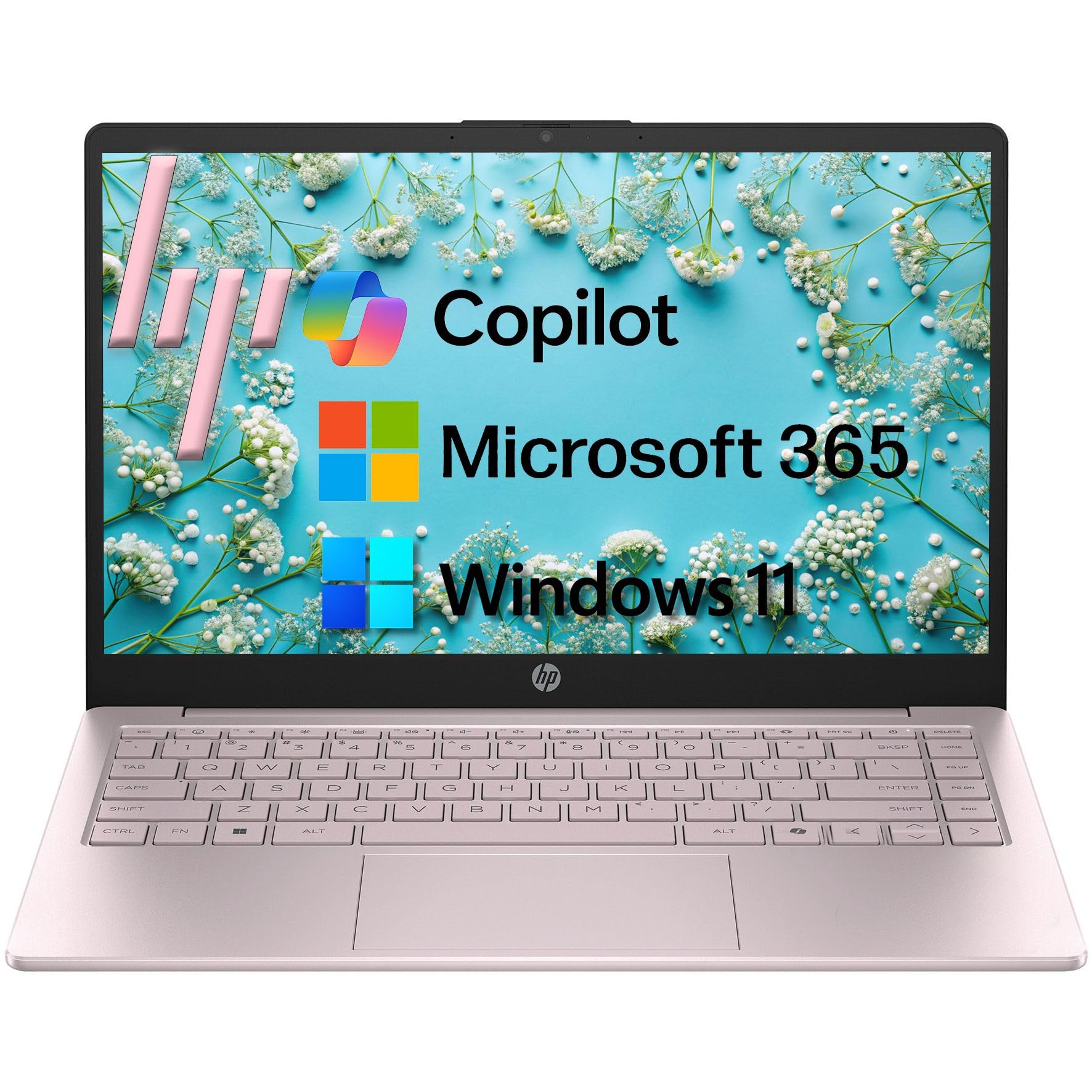
A light, colorful entry-level HP with AI Copilot built in for students and budget shoppers.
The HP 14″ is the accessible entry point with a 14-inch HD (1366×768) anti-glare display at 250 nits, designed to reduce eye strain during long study sessions. The Intel N150 quad-core processor hits up to 3.6 GHz, delivering efficient performance for web browsing, document editing, and video streaming. The 84% screen-to-body ratio makes the most of the compact size.
With 8GB of DDR4 RAM and 128GB UFS storage, it handles everyday multitasking and standard productivity software without fuss. The full-size crepe pink keyboard includes a dedicated AI Copilot hotkey for instant access to intelligent assistance, and the AI noise reduction filters background noise for clearer video calls. The 720p camera with a privacy shutter keeps you secure.
Windows 11 Home in S Mode comes with a 1-year Microsoft 365 Personal subscription, so you get Word, Excel, PowerPoint, and 1TB of OneDrive storage immediately. At just 3.11 lbs, it is genuinely lightweight, and Wi-Fi 6 with Bluetooth 5.4 keeps connections fast and reliable. Buyers find it good value for the money with easy setup, though the modest storage means you will rely on cloud services.
Student-friendly: The included Microsoft 365 subscription and AI Copilot key make this a complete study companion right from the start.
The compromise: The 1366×768 HD resolution is lower than Full HD, and 128GB storage fills up fast, so cloud storage is essential.
Choose this for: Students and budget-conscious buyers who want a light, colorful laptop with AI features and Office apps included.
Consider otherwise if: You need sharp Full HD resolution or large local storage for media files — this is a basic, portable workhorse.
Understanding the Specs
RAM and Storage Balance
RAM is your laptop’s short-term memory for open apps and tabs, while storage (like an SSD) is the long-term home for your files. For smooth everyday use, 8GB of RAM is the comfortable minimum, with 16GB a balance for multitaskers. Storage speed matters more than raw size — a 512GB Solid State Drive (a fast, no-moving-parts drive) boots Windows in seconds, while a spinning hard drive feels sluggish.
Display Resolution and Brightness
Resolution determines how sharp text and images look — Full HD (1920×1080) is the modern standard, while 2K and 4K add extra detail. Brightness, measured in nits, determines how well you see the screen in bright rooms; 250 nits is a common baseline, with 450 nits keeping you comfortable near sunlit windows. Anti-glare coatings cut reflections that cause eye strain.
FAQ
How much RAM do I really need for home use?
Is a larger screen always better for home laptops?
What is the difference between an SSD and an HDD?
How long should a home laptop battery last?
Can these laptops handle light gaming?
What does Windows 11 Home in S Mode mean?
Is a touchscreen worth it on a home laptop?
How important is Wi-Fi 6 for home use?
Final Thoughts: The Verdict
If you want one dependable pick, the at home laptops winner is the jumper 17.6″ because its massive FHD display and 16GB of RAM cover both work and entertainment without a premium price. If you want business-grade speed and a numeric keypad, grab the Lenovo V15 Gen 4. And for a featherlight OLED stunner that goes anywhere, the GEEKOM X14 Prois the one to reach for. The crowd favorite by ratings, the jumper 17.6″, is the clear all-around pick for most homes thanks to its unbeatable screen-to-value ratio.
How We Picked
We do not accept paid placement. Every pick is matched to a real buyer and a real use-case; we do not hands-on test units.
Sources & Methodology
Specifications: manufacturer listings and product documentation. Review insights: verified customer reviews, as of August 2026. Pricing: not shown on this page (it changes often); check the current price via the retailer link.
As an Amazon Associate, Gadgets Feed earns from qualifying purchases. This does not affect which products we feature.