
Finding a dependable machine for lectures, research papers, and late-night streaming without draining your savings account is the central challenge for every incoming freshman and returning student. The market is flooded with options that promise performance, but many stumble under the weight of a dozen browser tabs and a running video call. The real trick is knowing which specs actually matter for campus life, from processor speed to RAM capacity, and which features are just distractions that inflate the price.
I’m Rikta — the co-founder and writer behind Gadgets Feed. I’ve spent years analyzing the top-performing student laptops across every price tier, dissecting benchmarks, real-world battery tests, and user reports to separate fleeting deals from lasting investments. (And Homer 🐱 claimed the box of the first candidate as his new study spot).
This guide breaks down eleven solid candidates, each vetted for the balance of speed, storage, and portability that a college schedule demands. Whether you need a lightweight note-taker or a multitasking powerhouse, you’ll find the right affordable laptops for college that fits your workload and your budget.
How To Choose The Best Affordable Laptops For College
Picking a student laptop means balancing portability against performance without overpaying for features you’ll never use in a dorm room. The sweet spot sits where a capable processor meets enough memory for multitasking and a screen that doesn’t cause eye fatigue after hours of reading. Below are the three factors that separate a smart buy from a regrettable one.
RAM and Storage Realities
Most entry-level student laptops ship with 8GB of RAM, which handles basic word processing and web browsing. If your course load involves data analysis, coding, or digital media, 16GB becomes the practical minimum to avoid stuttering when switching between a dozen tabs and a research PDF. Storage type matters just as much: PCIe NVMe SSDs offer boot times under ten seconds, while eMMC or UFS drives are slower but keep costs lower. A 256GB SSD is tight for a four-year degree — 512GB gives you breathing room for projects and media files.
Processor and Battery Life Trade-offs
Intel Core i5 and AMD Ryzen 5 chips from the recent generations deliver enough punch for simultaneous video calls and office suites. Lower-tier Celeron or Pentium processors can feel sluggish once you install multiple apps. Battery life often varies wildly between claimed and real-world numbers — look for models that quote at least nine hours of typical mixed usage, and check user reviews for honest estimates. Fast charging via USB-C is a major plus when you have only twenty minutes between classes.
Display and Build Quality
A 15.6-inch Full HD (1920×1080) IPS panel offers a good balance of screen real estate and portability. Anti-glare finishes reduce reflections in brightly lit lecture halls. Build materials matter less for campus commuting, but a lid that doesn’t flex and hinges that feel solid are signs the laptop will survive four years in a backpack. A numeric keypad is useful for accounting or engineering students, while a backlit keyboard helps during late-night library sessions.
Quick Comparison
On smaller screens, swipe sideways to see the full table.
| Model | Category | Best For | Key Spec | Amazon |
|---|---|---|---|---|
| HP 17.3″ Touchscreen | Premium | Power Users & Business | 2TB SSD / 32GB DDR5 RAM | Amazon |
| Dell Inspiron 15.6″ Touch | Premium | Heavy Multitaskers | 64GB RAM / 2.5TB Storage | Amazon |
| NIMO Ryzen 7 | Mid-Range | Gaming & Content Creation | 32GB DDR5 / Radeon 680M | Amazon |
| Apple MacBook Neo 13″ | Mid-Range | Eco-System Loyalists | A18 Pro / 16hr Battery | Amazon |
| HP 15.6″ Copilot AI | Mid-Range | Office & Online Classes | 16GB RAM / 256GB SSD | Amazon |
| Lenovo IdeaPad 1 (20GB) | Mid-Range | Budget Media & Office | 20GB RAM / 1TB SSD | Amazon |
| Lenovo IdeaPad 1 (12GB) | Budget | Basic Student Tasks | 12GB RAM / 512GB+128GB | Amazon |
| ASUS Vivobook Go 15 | Budget | Simple Web & Documents | Ryzen 3 / 256GB SSD | Amazon |
| NIMO Ryzen 5 | Value | Performance on a Budget | 16GB RAM / 512GB SSD | Amazon |
| Dell 15 DC15250 | Budget | Reliable Daily Driver | 120Hz FHD Display | Amazon |
| Acer Aspire Go 15 | Value | Entry-Level Efficiency | UFS 128GB / 12.5hr Life | Amazon |
In‑Depth Reviews
1. HP 17.3″ Touchscreen Business Copilot AI Laptop
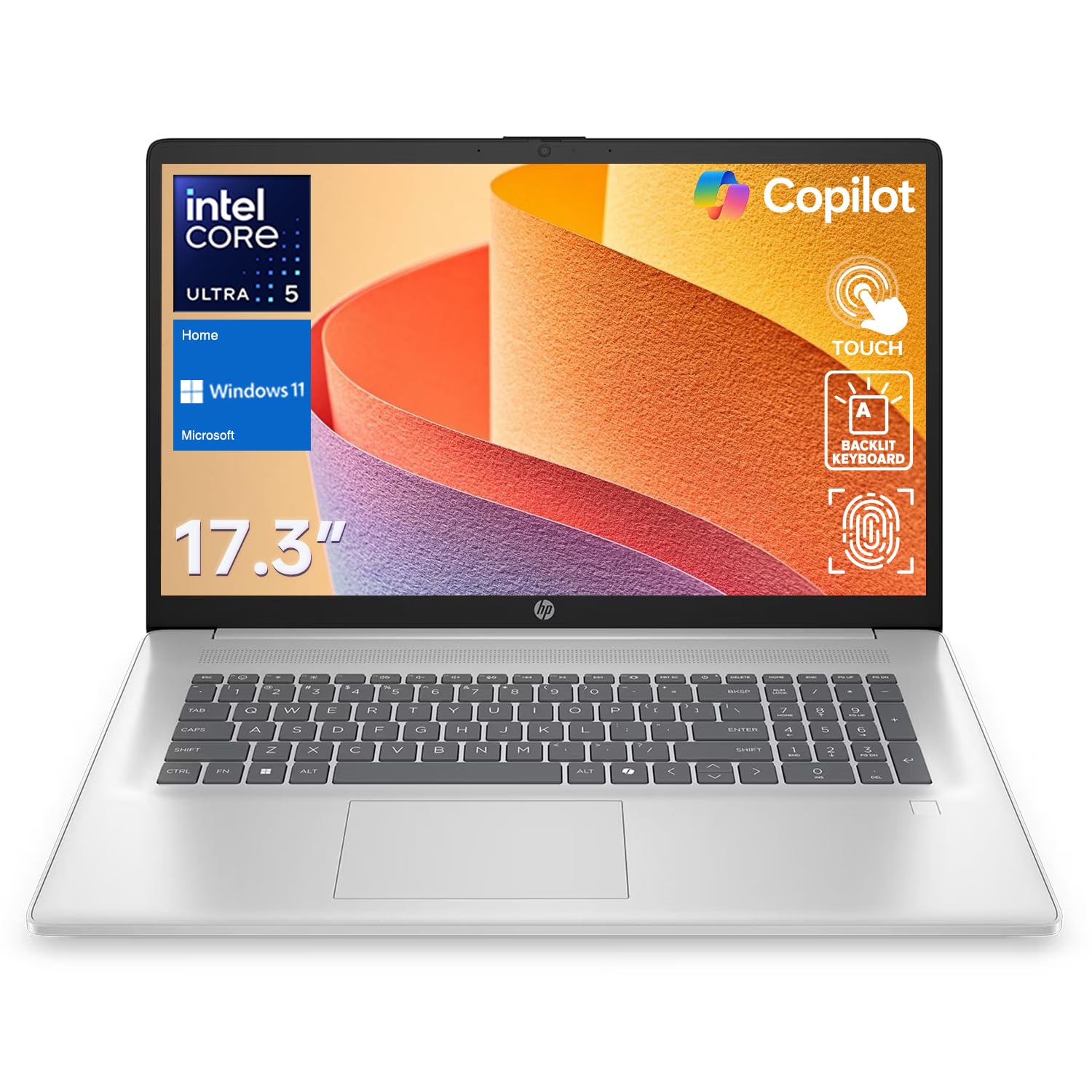
The HP 17.3″ Touchscreen model is the closest thing to a desktop replacement in this list, offering a spacious 17.3-inch display with touch input and a robust Intel Core Ultra 5 processor. With 32GB of DDR5 RAM and a 2TB SSD, it handles heavy multitasking, large datasets, and creative software without breaking a sweat. The full-sized keyboard with a numeric keypad makes it a natural fit for business majors and anyone who spends hours typing.
Build quality is solid, and the anti-glare touchscreen is responsive enough for quick interactions during presentations. The fingerprint reader adds a layer of security that is welcome on a shared campus machine. However, the 1600×900 resolution on a 17.3-inch panel is a noticeable step down from the crisp Full HD panels found on smaller competitors — text and images lack the sharpness that makes reading dense PDFs comfortable over long periods.
Battery life is adequate but not remarkable; the large screen and high-performance components drain faster than ultraportable alternatives. The hinge feels sturdy, and the chassis is lighter than previous HP 17-inch models, but it remains a bulky companion for a backpack. If your workflow demands massive storage and RAM on a touch-enabled canvas, this machine delivers serious value, but the lower resolution is a genuine compromise for media consumption and detailed reading.
Why it’s great
- Massive 2TB SSD and 32GB DDR5 for heavy workloads
- Touchscreen with anti-glare finish is practical for presentations
- Fingerprint reader and backlit keyboard enhance daily use
Good to know
- Display resolution is 1600×900, not Full HD
- Larger chassis is less portable for tight backpacks
- Battery life is shorter than smaller competitors
2. Dell Inspiron 15.6″ FHD Touchscreen Business & Student Laptop
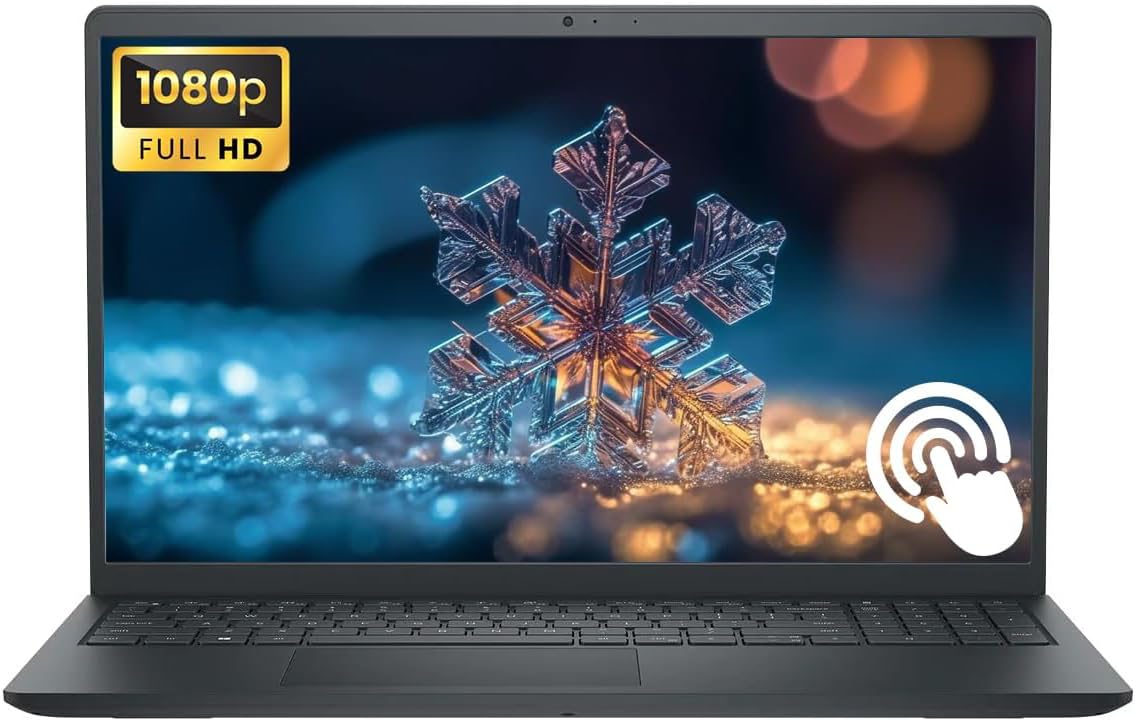
The Dell Inspiron 15.6″ Touchscreen model is a raw specs monster, packing an 8-core AMD Ryzen 7 processor, 64GB of RAM, and a staggering 2.5TB of total storage. This configuration is rare in the student segment and is designed for users who run multiple virtual machines, edit 4K video, or handle massive datasets without compromise. The 15.6-inch Full HD touchscreen with anti-glare coating delivers clear, vibrant visuals suitable for both research and media playback.
Build quality is typical Dell Inspiron — plastic but well-constructed, with a sturdy hinge and a comfortable keyboard that includes a numeric keypad. The touchscreen is responsive, and the 720p webcam with MaxxAudio Pro speakers provides acceptable quality for Zoom calls. However, the laptop runs noticeably warm under sustained load, and the fan noise can become distracting in a quiet library. The RAM and storage figures are overkill for 95% of college students, but for those who truly need them, the value proposition is undeniable.
Battery life is average for a Ryzen 7 machine, lasting a typical school day with mixed use but requiring a charge by evening. The inclusion of Wi-Fi 5 instead of Wi-Fi 6 is a curious omission at this tier, and the USB-C port is not Thunderbolt-compatible. If you are an engineering, data science, or media production student who needs a portable workstation, this Dell delivers unmatched capacity at a competitive price, but casual users will find the specs excessive and the heat output annoying.
Why it’s great
- 64GB RAM and 2.5TB storage for extreme multitasking
- Full HD touchscreen with anti-glare for comfortable use
- Numeric keypad and solid keyboard for long typing sessions
Good to know
- Runs warm and fans are audible under load
- Uses Wi-Fi 5 instead of the newer Wi-Fi 6 standard
- Overkill specs for general student use
3. NIMO 15.6″ Light-Gaming Laptop, AMD Ryzen 7 7735HS
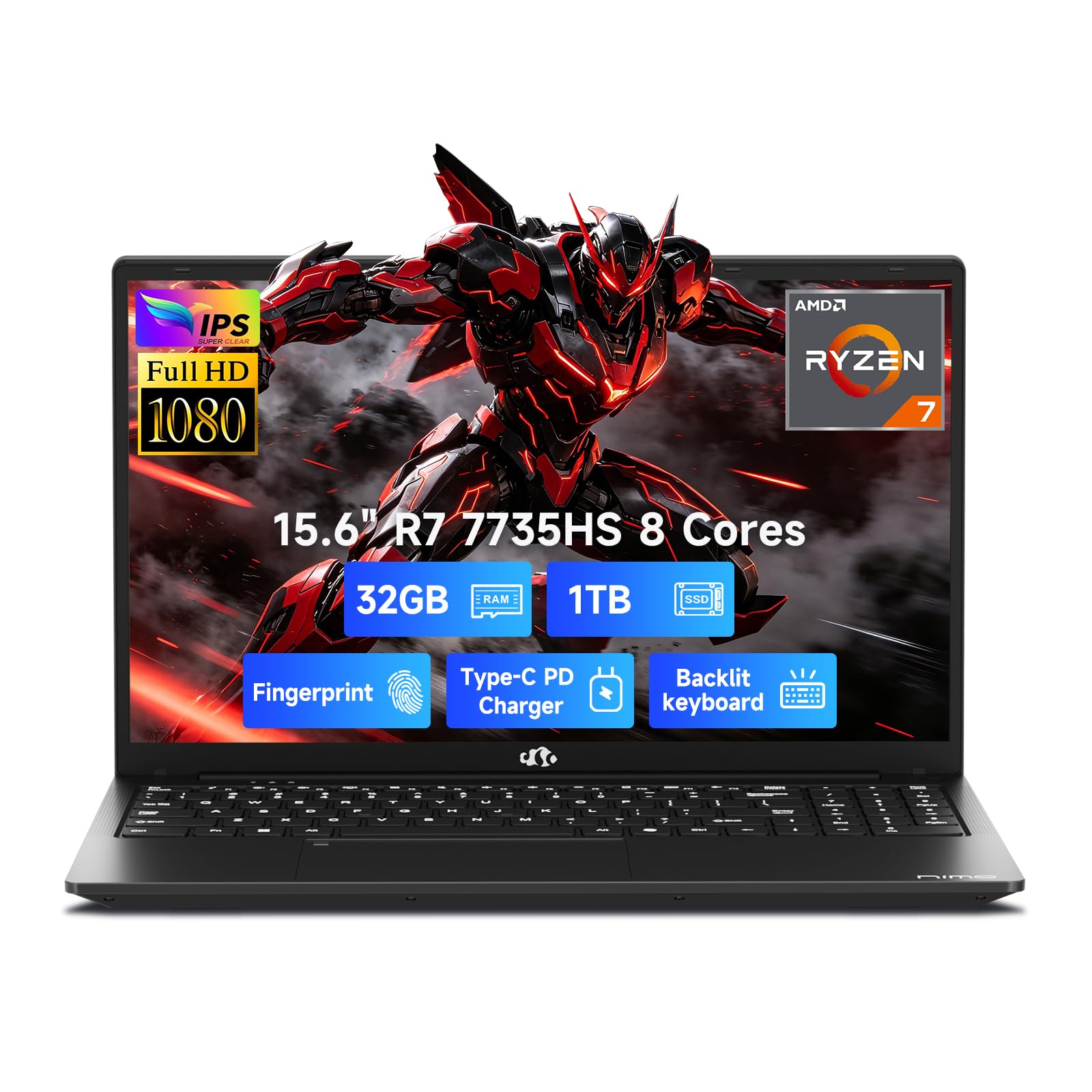
The NIMO 15.6″ with the AMD Ryzen 7 7735HS processor and Radeon 680M integrated graphics blurs the line between a student laptop and a light gaming machine. The 8-core, 16-thread CPU handles coding, 3D modeling, and data analysis with ease, while the Radeon 680M can run many modern titles at medium settings. The 32GB of DDR5 RAM and 1TB PCIe 4.0 SSD mean you rarely wait for anything — boot times are instant, and large project files load in seconds.
The 15.6-inch Full HD IPS anti-glare display is bright and color-accurate, making it suitable for photo editing and media consumption. The 180-degree lay-flat hinge is a thoughtful addition for group project collaborations. The backlit keyboard and fingerprint reader add convenience, and the 100W PD fast charging can refill the 54Wh battery quickly. However, the chassis, while lightweight at under 4 pounds, feels less premium than competitors like the Dell or HP, with some flex in the keyboard deck.
Battery life hovers around 9 hours in mixed use, which is respectable given the powerful internals. The port selection includes HDMI and multiple USB 3.0 Type-A ports, plus a USB-C for charging and data. The built-in speakers are adequate but lack bass. For a student who wants to game on the side without carrying a heavy, dedicated gaming laptop, the NIMO offers a compelling balance of performance and portability, though the build material quality is the main concession.
Why it’s great
- Radeon 680M graphics capable of light gaming
- 32GB DDR5 RAM and 1TB fast NVMe SSD
- 100W PD fast charging and 180° hinge
Good to know
- Chassis feels less premium with some flex
- Speakers are only adequate for casual listening
- Not a dedicated gaming machine for AAA titles at high settings
4. Apple 2026 MacBook Neo 13-inch Laptop with A18 Pro chip

The Apple 2026 MacBook Neo 13-inch is a striking entry-level Mac that brings the A18 Pro chip to a more accessible price point. The Liquid Retina display with a 2408-by-1506 resolution and 500 nits of brightness is a standout feature, delivering sharp text and vibrant colors that are a joy for reading, note-taking, and media. The aluminum chassis is rigid and premium, and at just 2.71 pounds, it is one of the most portable options in this roundup, easily sliding into any backpack.
The A18 Pro chip is built for efficiency, offering all-day battery life that genuinely lasts 16 hours under light to moderate use. macOS is intuitive for students already in the Apple ecosystem, with seamless handoff between iPhone and iPad. The 1080p FaceTime HD camera and dual-mic array provide excellent call quality for remote lectures. The 8GB of unified memory is sufficient for browsing and office tasks, but power users may find it limiting when running multiple professional apps simultaneously.
The MacBook Neo lacks a keyboard backlight, which is a surprising omission for a 2026 device, and the single USB-C port limits peripheral connectivity without a dongle. The storage is capped at 256GB, which fills up quickly. For a student who values portability, battery life, and a fantastic display above all else, and who doesn’t need to run Windows-exclusive software, the MacBook Neo is an outstanding choice. It is, however, less versatile than similarly priced Windows competitors with more RAM and storage.
Why it’s great
- Stunning Liquid Retina display with high brightness
- Excellent 16-hour battery life for all-day campus use
- Premium aluminum build that is very lightweight
Good to know
- No keyboard backlight, a surprising omission
- Limited to 8GB RAM and 256GB storage
- Only one USB-C port; limited expandability
5. HP 15.6″ FHD Laptop 2026 Edition with Copilot AI

The HP 15.6″ 2026 Edition is a straightforward student machine built around the Intel N100 processor and 16GB of RAM, designed to handle Microsoft Office, web browsing, and streaming without hassle. The 15.6-inch Full HD anti-glare display is comfortable for reading, and the lightweight 3.64-pound chassis makes it easy to carry between classes. The inclusion of Copilot AI integration is a forward-looking touch that helps with summarizing notes and writing drafts.
Performance is snappy for basic multitasking — having ten browser tabs open alongside a Word document and a Spotify session doesn’t cause slowdown. The 256GB SSD is sufficient for documents and school apps, but media-heavy students will need to rely on cloud storage or external drives. The battery life is solid, lasting through a full day of lectures with moderate use. The full-size keyboard with a numeric keypad is a boon for data entry.
The Intel N100 processor is not a powerhouse — it will struggle with heavy photo editing, video rendering, or any form of gaming beyond the simplest titles. The build plastic feels durable but not premium. The port selection is decent with USB-C, USB-A, and HDMI. This HP is a reliable, no-surprises laptop for the student whose primary tools are a browser and an office suite, and who doesn’t want to fuss with complex configurations.
Why it’s great
- Good 16GB RAM for smooth multitasking
- Lightweight and portable at 3.64 lbs
- Copilot AI integration for note-taking assistance
Good to know
- Intel N100 is not suitable for heavy creative work
- 256GB storage may fill up quickly
- Plastic chassis feels less premium
6. Lenovo IdeaPad 1 Laptop, 15.6” FHD, 20GB RAM, 1TB SSD

The Lenovo IdeaPad 1 with 20GB of RAM and a 1TB SSD presents an interesting proposition: a massive amount of memory and storage paired with a modest Intel Celeron N4500 processor. This configuration is ideal for a student who runs many applications simultaneously — perhaps dozens of browser tabs, a citation manager, and a word processor — but does not perform CPU-intensive tasks. The 15.6-inch Full HD display offers sharp visuals, and the keyboard is comfortable for extended typing.
The 1TB SSD provides ample room for a large media library, project files, and backups, eliminating storage anxiety. The 20GB of RAM ensures you can keep everything open without hitting memory limits. The inclusion of a 1-year Office 365 subscription adds immediate value. However, the Celeron N4500, with its dual-core design and 1.1GHz base clock, can feel sluggish when launching applications or processing complex spreadsheets. It is a processor built for basic tasks, not for speed.
Battery life is decent, averaging around 9 hours in light use. The build is utilitarian plastic, and the 720p webcam is merely functional. The IdeaPad 1 is a niche choice: perfect for the student whose primary bottleneck is RAM and storage, not CPU performance. If you need a laptop that can hold a vast digital library and keep many apps resident, this is a smart way to get there cheaply, but you will feel the processor’s limits during heavy lifting.
Why it’s great
- Excellent 20GB RAM and 1TB SSD for storage-heavy users
- Includes 1-year Office 365 subscription
- Full HD display with good brightness and contrast
Good to know
- Celeron N4500 processor is slow for demanding apps
- Dual-core CPU struggles with heavy multitasking
- Plastic build and average 720p webcam
7. Lenovo IdeaPad 1 Student Laptop, 12GB RAM, 512GB SSD + 128GB eMMC

The Lenovo IdeaPad 1 Student Edition strikes a more traditional balance than its higher-RAM sibling, pairing a dual-core Intel Celeron N4500 with 12GB of RAM and a dual-storage setup of a 512GB PCIe SSD plus a 128GB eMMC drive. This configuration is well-suited for everyday college tasks like note-taking in OneNote, browsing research databases, and streaming lectures. The 15.6-inch Full HD IPS anti-glare display delivers crisp text and decent viewing angles, reducing eye strain over long study sessions.
The dual-storage setup is clever: the larger SSD handles fast boot times and app loading, while the eMMC drive serves as additional space for documents and media. The 12GB of RAM is enough to keep a dozen Chrome tabs, a PDF reader, and Word open without noticeable lag. The included 1-year Office 365 subscription and Wi-Fi 6 connectivity are welcome additions that add practical daily value. The keyboard is full-sized with a numeric keypad, and the port selection is generous for the price.
Like all Celeron-based laptops, this Lenovo is not designed for gaming or heavy video editing. The dual-core processor can feel slow when installing large updates or processing complex Excel sheets. The build is plastic and lightweight, which aids portability but not durability. For a student who needs a dependable, no-frills machine for writing papers and managing course materials, this IdeaPad offers a solid feature set at a very accessible price point.
Why it’s great
- Good 12GB RAM for basic multitasking
- Dual storage: 512GB SSD + 128GB eMMC
- Includes Wi-Fi 6 and 1-year Office 365
Good to know
- Celeron N4500 is underpowered for creative apps
- Dual-core design limits heavy multitasking
- Plastic chassis compromises long-term durability
8. ASUS Vivobook Go 15.6” FHD Slim Laptop, AMD Ryzen 3 7320U

The ASUS Vivobook Go 15 is a slim and stylish entry-level laptop powered by the AMD Ryzen 3 7320U processor, a quad-core chip that offers noticeably better performance than the Celeron or Pentium alternatives at a similar price point. The 15.6-inch Full HD display is clear and bright enough for indoor use, and the 8GB of DDR5 RAM ensures smooth operation for typical student workloads like word processing, web browsing, and email. The laptop is light and easy to slip into a bag between classes.
Battery life is a standout feature here, with many users reporting all-day usage from the 42Wh battery. The laptop also supports fast charging, which is convenient for quick top-ups during a short campus break. ASUS includes a webcam privacy shutter, a thoughtful touch for security-conscious students. The chiclet keyboard with a numeric keypad is comfortable for typing, and the SonicMaster audio provides decent sound for watching lectures or videos.
The 256GB SSD is the main bottleneck — it fills up quickly with software, projects, and media. There is no room for internal expansion, so cloud storage or an external drive is necessary for heavier users. The 720p webcam is functional but not high-resolution, and the plastic build, while lightweight, does not feel as rugged as some competitors. The Vivobook Go is a solid choice for the student who prioritizes portability and battery life and mainly works with web-based tools and documents.
Why it’s great
- Excellent battery life with fast charging
- Ryzen 3 quad-core outperforms Celeron alternatives
- Lightweight design and webcam privacy shutter
Good to know
- Limited 256GB storage with no upgrade slot
- 8GB RAM is the minimum for multitasking
- Plastic build, 720p webcam are merely adequate
9. NIMO 15.6” FHD IPS Student Laptop, AMD Ryzen 5, 16GB RAM 512GB SSD

The NIMO 15.6” Student Laptop is a compelling package that pairs an AMD Ryzen 5 processor (a chip that beats Intel i5-1135G7 in many tasks) with 16GB of DDR4 RAM and a 512GB PCIe SSD. This configuration delivers genuine performance for creative software, light programming, and multitasking that goes beyond basic office work. The 15.6-inch Full HD IPS anti-glare display is vibrant and color-accurate, making it suitable for photo editing and media consumption.
Build quality is surprisingly good for the price, with a metal A-shell that gives a premium feel. The backlit keyboard is a great feature for late-night study sessions in dimly lit dorms, and the fingerprint reader integrated into the touchpad adds convenience and security. The 65W USB-C PD fast charger is a nice inclusion, and the laptop’s battery life is respectable, lasting a full day of classes with mixed use. Users have reported excellent performance and a solid, flex-free chassis.
The webcam is the weakest link — it is a 720p unit that looks grainy in low light. Some users have noted that the touchpad layout is slightly unusual with a different number pad configuration, which takes getting used to. The NIMO laptop is assembled in the USA and comes with a 2-year warranty, which adds peace of mind. For a student seeking strong performance and good features without stepping into premium pricing, this is one of the most balanced options available.
Why it’s great
- Ryzen 5 with 16GB RAM handles creative and coding tasks
- Metal A-shell and backlit keyboard feel premium
- Includes 65W USB-C PD charger and 2-year warranty
Good to know
- 720p webcam is grainy in low-light conditions
- Number pad layout may feel unfamiliar
- Some reports of slower than advertised boot times
10. Dell 15 Laptop DC15250, 15.6-inch FHD 120Hz Display

The Dell 15 DC15250 stands out in the budget segment for its 15.6-inch Full HD display with a 120Hz refresh rate — a feature typically found on gaming laptops. This makes scrolling through long research papers, web pages, and documents exceptionally smooth and reduces eye strain. Powered by an Intel Core 3 processor (100U, 12th Gen), it offers reliable performance for everyday student tasks. The 512GB SSD provides ample room for files and applications, and the 8GB of DDR4 RAM is adequate for basic multitasking.
The laptop has a slim, lightweight design with lifted hinges that provide an ergonomic typing angle. The full-size keyboard includes a numeric keypad and a calculator hotkey, which is surprisingly handy for engineering or accounting students. Dell’s ComfortView software helps reduce blue light emissions, making long reading sessions more comfortable. The build quality feels solid, and the carbon black finish looks professional.
Battery life is the main drawback here — it is shorter than many competitors, often requiring a mid-day charge. The 720p webcam is also mediocre. Some users have reported limited USB ports (only two) and a restricted warranty experience. The 120Hz display is a genuine differentiator for students who consume a lot of content or spend hours scrolling, making this Dell a unique and compelling option for those specific use cases, provided the battery trade-off is acceptable.
Why it’s great
- 120Hz Full HD display provides exceptionally smooth scrolling
- Slim design with ergonomic hinge and numeric keypad
- 512GB SSD is generous for the price segment
Good to know
- Battery life is below average among competitors
- Only two USB ports limit peripheral connectivity
- 720p webcam quality is mediocre
11. Acer Aspire Go 15 AI Ready Laptop, Intel Core 3 N355

The Acer Aspire Go 15 is a budget-friendly entry-level laptop that punches above its price class with an 8-core Intel Core 3 N355 processor and 8GB of DDR5 RAM. This combination is surprisingly capable for a sub-400 machine, handling basic productivity, web browsing, and streaming without major hiccups. The 15.6-inch Full HD IPS display is sharp and comfortable for reading, and the narrow bezel design gives it a modern look. The included Copilot key offers quick access to Windows AI assistance.
Battery life is exceptional for this tier, with users reporting upwards of 8 to 10 hours of mixed use, and the fast charging can reach 93% in about 30 minutes. The dual USB-C ports with DisplayPort and 45W charging are a welcome connectivity upgrade. The AcerSense software provides intuitive device management, and Acer’s TNR technology enhances the 720p webcam in low light. The build is lightweight, though the plastic chassis scratches easily, as noted in user reviews.
The main compromise is the 128GB UFS storage — it is fast for booting but very limited for storing files, apps, and media. Most users will need to rely on cloud storage or an external drive. The laptop ships in Windows 11 S Mode, which restricts app installations to the Microsoft Store only. For a student with a light digital footprint who needs a reliable, long-lasting battery for classes and web-based work, the Acer Aspire Go 15 is a remarkable value proposition, provided storage limitations are managed.
Why it’s great
- Excellent battery life with very fast charging
- 8-core Intel Core 3 processor is surprisingly capable
- Dual USB-C ports with DisplayPort and charging
Good to know
- Limited 128GB UFS storage fills up quickly
- Plastic chassis scratches easily
- Runs Windows 11 S Mode by default
FAQ
Is 8GB of RAM enough for a college laptop?
What is the difference between an SSD and an eMMC drive?
Should I get a touchscreen laptop for college?
Final Thoughts: The Verdict
For most college students, the winner in the affordable laptops for college category is the NIMO Ryzen 5 because it delivers strong 16GB RAM, a fast 512GB SSD, and a capable Ryzen processor with a metal build and backlit keyboard at a price that respects your budget. If you prioritize battery life and portability above all, the ASUS Vivobook Go 15 is an excellent choice with its all-day endurance and lightweight frame. And for a student who needs a premium display and macOS ecosystem in a portable form, nothing beats the Apple MacBook Neo 13.