
Our readers keep the lights on and my morning glass full of iced black tea. As an Amazon Associate, I earn from qualifying purchases.
Specs are compiled from manufacturer listings and verified buyer reviews and can change over time — please confirm the key details on the product page before buying.
An industrial 3D printer must reliably process engineering materials like carbon-fiber nylons into production parts with minimal supervision. Top picks combine an enclosed heated chamber, a high-temperature hotend for composites, and a tool-changing system to minimize waste. This guide reviews nine industrial printers to help you match one to your workshop’s material and volume needs.
I’m Min — the founder and writer behind Gadgets Feed. This guide is built by comparing the manufacturers’ published specifications and the patterns across verified customer reviews, so you get each pick’s real strengths and trade-offs instead of marketing spin.
The right 3d printer for industrial use balances your material list, part size, and daily volume—so read closely before you commit to a workhorse.
Our Picks at a Glance


How To Choose The Best 3D Printer For Industrial Use
Industrial printing prioritizes heat control, build volume, and material support over raw speed. A printer that handles PLA may fail on PPA-CF, so choose one that supports the materials your parts require.
Chamber heating and hotend temperature
An actively heated enclosure maintains a steady air temperature to prevent warping in ABS, nylon, and polycarbonate prints. Pair that with a hotend that reaches 370°C and you can handle carbon-fiber-reinforced nylons and other abrasive engineering filaments that standard printers choke on.
Tool changing versus filament swapping
Single-nozzle multi-color printing wastes filament by purging old colors between changes. Tool-changing printers swap entire print heads, keeping each tool preloaded and preheated to cut waste and reduce change time to seconds.
Build volume versus footprint
A large build volume lets you print big prototypes or batch many small parts in one run, but it also means a heavier, bulkier machine. Check your shop floor clearance and doorway widths before committing to a printer that measures 35 by 31 by 31 inches and weighs in at 75 pounds—you need space and a sturdy bench.
Quick Comparison
| Model | Best For | Max Speed | Build Volume | Max Nozzle Temp | Amazon |
|---|---|---|---|---|---|
| Snapmaker U1★ Best Overall | Multi-color production | 500 mm/s | 270×270×270 mm | — | Amazon |
| QIDI PLUS4High-Temp Specialist | High-temp engineering | 600 mm/s | 305×305×280 mm | 370°C | Amazon |
| Flashforge Creator 5 ProIndustrial Multi-Material | Industrial multi-material | 600 mm/s | — | — | Amazon |
| Creality K2 Pro Combo | Large batch printing | 600 mm/s | 300×300×300 mm | 300°C (hardened steel nozzle) | Amazon |
| Creality K2 Pro Combo (Alt) | Quiet large-format work | 600 mm/s | 300×300×300 mm | 300°C (hardened steel nozzle) | Amazon |
| Flashforge Creator 5 Pro (Toolhead) | Mixed-material flexibility | — | — | 320°C | Amazon |
| QIDI Max4 Combo | Oversized prototypes | 800 mm/s | 390×390×340 mm | 370°C | Amazon |
| Original Prusa CORE One | Reliable daily printing | — | 250×220×270 mm | — | Amazon |
| Original Prusa XL | Max material flexibility | — | 14.17×14.17×14.17 in | — | Amazon |
In-Depth Reviews
1. Snapmaker U1
Our pick — 4.5★ from 90+ verified ratings; the strongest balance of quality and price.
The tool-swapping powerhouse that turns multi-color prints into a zero-waste, five-second operation.
You can switch materials in about 5 seconds with the Snapmaker U1, because its SnapSwap system swaps entire toolheads instead of purging filaments. That cuts the old multi-minute filament change down to a blink, and the locking mechanism has been validated through over 1,000,000 swaps with zero failures, so it is built for production volume.
Because each toolhead stays preloaded and preheated, you skip the purge waste that single-nozzle machines dump between colors. Buyers report a time-lapse showing “4 Tigers in 32hrs zero waste vs 58hrs/350g waste on single-nozzle,” which makes the U1 a serious money-saver on long multi-part runs. The rigid CoreXY frame with carbon fiber X-axis rails holds accuracy right up to its 500 mm/s maximum speed across a full 270×270×270 mm build volume.
The smart calibration system—automatic toolhead offset, vibration compensation, and first-layer tuning—means less manual fiddling between jobs, and the built-in model library plus Snapmaker Orca slicer make it approachable for a first-time shop owner. Its print quality and printing performance are what owners praise most, with the 4-toolhead setup reliably handling TPU with different Shore hardness ratings and rigid materials in a single run.
The Zero-Waste Advantage
- 4 independent toolheads switch in 5 seconds with no purge
- 500 mm/s CoreXY speed stays stable with carbon fiber rails
- Auto bed leveling and toolhead offset calibration cut setup fuss
Reality Check
- Connectivity draws mixed feedback from owners
- At 59 pounds this is a bench-anchored machine, not a desktop toy
- Some owners reported a loud PSU fan during operation
The best pick if: you run multi-color or multi-material jobs daily and want near-zero filament waste with production speed.
Think twice if: you need the absolute largest single-part volume—the 270 mm cube is spacious but not the biggest here.
2. QIDI PLUS4
An industrial-duty workhorse that prints demanding carbon-fiber nylons right from the start.
The QIDI PLUS4 earns its industrial reputation with a 370°C integrated nozzle and an 80W high-temperature hotend, so abrasive materials like PPS-CF and PPA-CF/GF print without constant clogging. Its second-generation chamber heating system—400W of power with air circulation and dual-layer insulation—keeps the 65°C enclosure stable, cutting the warping and cracking that ruins large high-temp prints.
Owners mention it as “Reliable 6 months; 20-30 rolls (PLA, ABS, CF Nylon); SSR upgrade kit sent quickly; swapped noisy mainboard fan; excellent speed/quality; open Klipper; active community; highly recommended,” which tells you the maker stands behind the machine when issues appear. At 600 mm/s max speed on a 305×305×280 mm build volume, it out-paces the Snapmaker U1’s 500 mm/s while offering a slightly larger printable area for batch work.
The independent dual-motor Z-axis and 6mm thickened aluminum hot bed add stiffness for consistent first layers, and the HD camera handles remote monitoring and time-lapse while you step away. If you mostly print PLA and PETG, the extra thermal headroom is wasted; this is a machine for engineers pushing into PPS-CF and PPA territory.
Engineering-Grade Heat
- 370°C hotend handles PPS-CF, PPA-CF/GF, and more
- Unbox-to-print in about 10 minutes with auto leveling
- Open Klipper firmware plus an active community for tinkerers
Setup Friction
- Reliability draws mixed feedback—some owners had early hotend jams
- Auto-leveling is good but not flawless per owner reports
- Wi-Fi dongle was weak for some buyers, who swapped in a cheap replacement
Reach for this if: your parts demand high-temperature engineering filaments like PPS-CF and you want an open, community-backed platform to tune it further.
Look elsewhere if: you want a fully plug-and-play experience with zero manual tuning—this one rewards experienced hands.
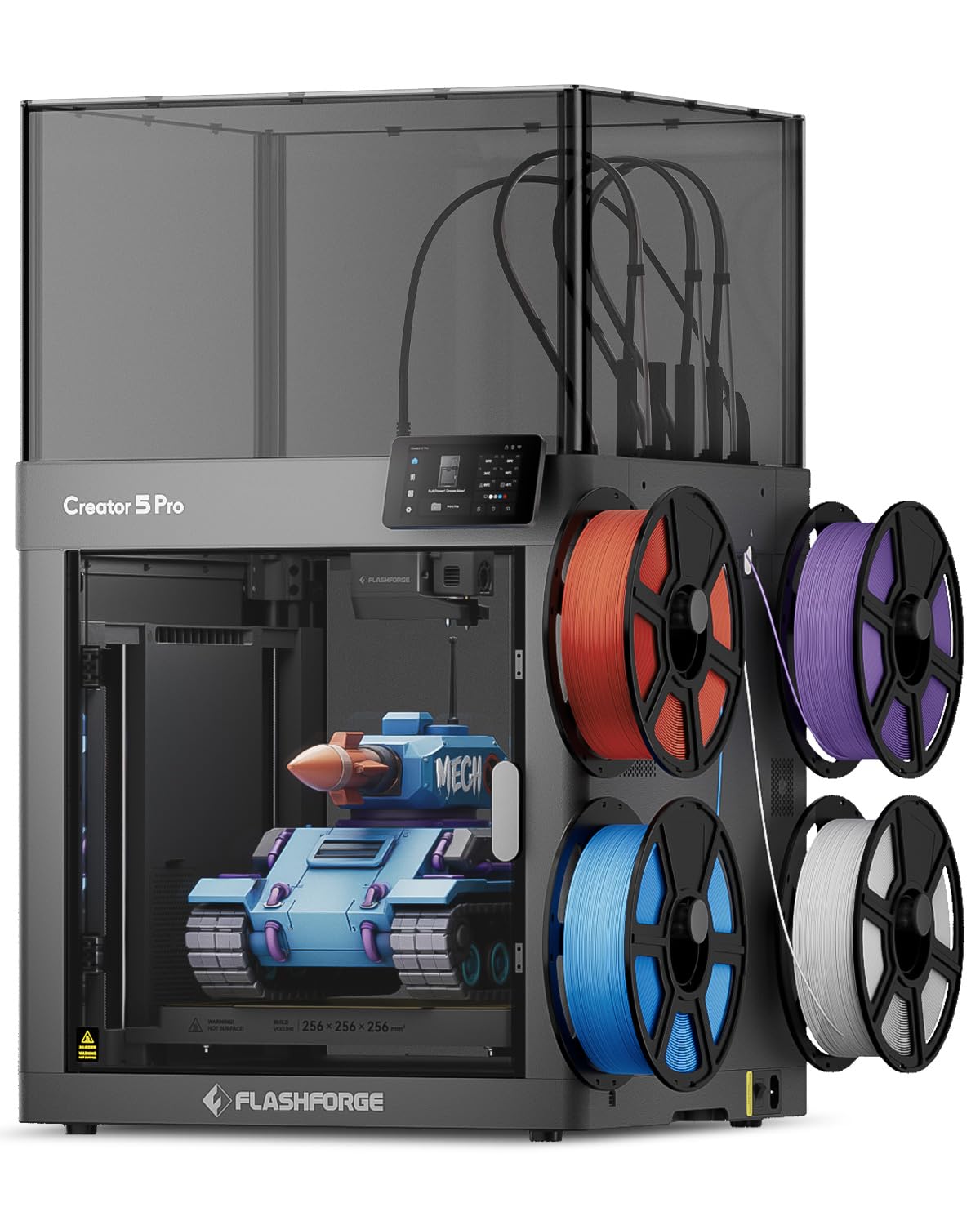
3. Flashforge Creator 5 Pro
A fume-filtering production cell that switches four nozzles in seven seconds with zero flush waste.
The Flashforge Creator 5 Pro targets industrial workshops directly: its 7-second FlashSwap changer cycles four independent toolheads without flushing filament, almost eliminating the purge waste that drives up material budgets. Customers note print times and filament usage effectively halved versus single-nozzle machines, with a 24-hour job finishing in under seven hours—the kind of throughput gain that justifies the investment.
You can print ABS, PC, or PA in a shared workspace without the smell, because it is the only printer here with dual HEPA 13 filters and an activated carbon system. The fully enclosed frame holds an active heated chamber at 65°C to prevent warping in advanced filaments, while the ultra-rigid CoreXY structure with precision linear rails and 1.5GT high-torque timing belts keeps 600 mm/s runs free of high-speed ghosting.
At 39 pounds, it is the featherweight of the industrial tier, which makes it easier to move around a shop than its 59-to-120-pound rivals. Its automated toolhead offset calibration and dynamic flow calibration deliver a flawless first layer, and the built-in HD chamber camera records time-lapses while you control it remotely through Flash Studio on desktop or mobile.
Shop-Floor Safe: dual HEPA 13 and activated carbon filtration trap ultrafine particles and fumes—unusual in this class and welcome in a busy office.
Watch For: clogging draws mixed feedback, with occasional nozzle jams from factory residue; but long-run reviewers point out 200+ hours of reliable printing.
Who it fits: teams printing ABS, PC, or PA in a shared space who want filtration plus multi-material speed in one compact frame.
Who it doesn’t: buyers needing a bigger build plate—some owners wish it matched their larger-format machines.
4. Creality K2 Pro Combo

A 300 mm cube of batch capacity with a smart filament system for up to 16 colors.
The Creality K2 Pro Combo pairs a 300×300×300 mm build volume with the CFS Smart Filament System, which handles up to 16 colors and multi-material printing through auto filament identification and moisture-proof storage. That large volume means printing big prototypes or multiple small parts in one batch, cutting the wait time between production runs—exactly what a small workshop needs to stay busy.
You can shave hours off large jobs without losing precision, because its FOC step-servo motors on linear rails push print speeds up to 600 mm/s with 20,000 mm/s² acceleration. The active chamber holds a stable 60°C to stop corner warping in ASA and PPA, and the dual AI cameras are the standout: one watches for print failures around the clock, while the nozzle camera auto-tunes flow rate in real time and flags waste chute blockages.
Owners call it simple to use and fast, with quality the most-praised aspect, but the reliability talk is mixed—a few report mid-print failures, though most were ultimately solved with support help. The package includes a 500g Hyper RFID filament spool and a spare hardened steel nozzle, so you can start printing immediately without extra purchases.
Speed And Scale: 600 mm/s with 20,000 mm/s² acceleration on a 300 mm cube—few machines match this combination of velocity and volume.
The Honest Catch: reliability splits opinion; some shoppers say flawless use, others hit mid-print failures that needed support to resolve.
Best when: you batch-produce parts on a large bed and want AI-monitored, multi-color runs without constant supervision.
Skip if: you need plug-and-play certainty—this one rewards patience with software quirks.
5. Creality K2 Pro Combo (Alternate)
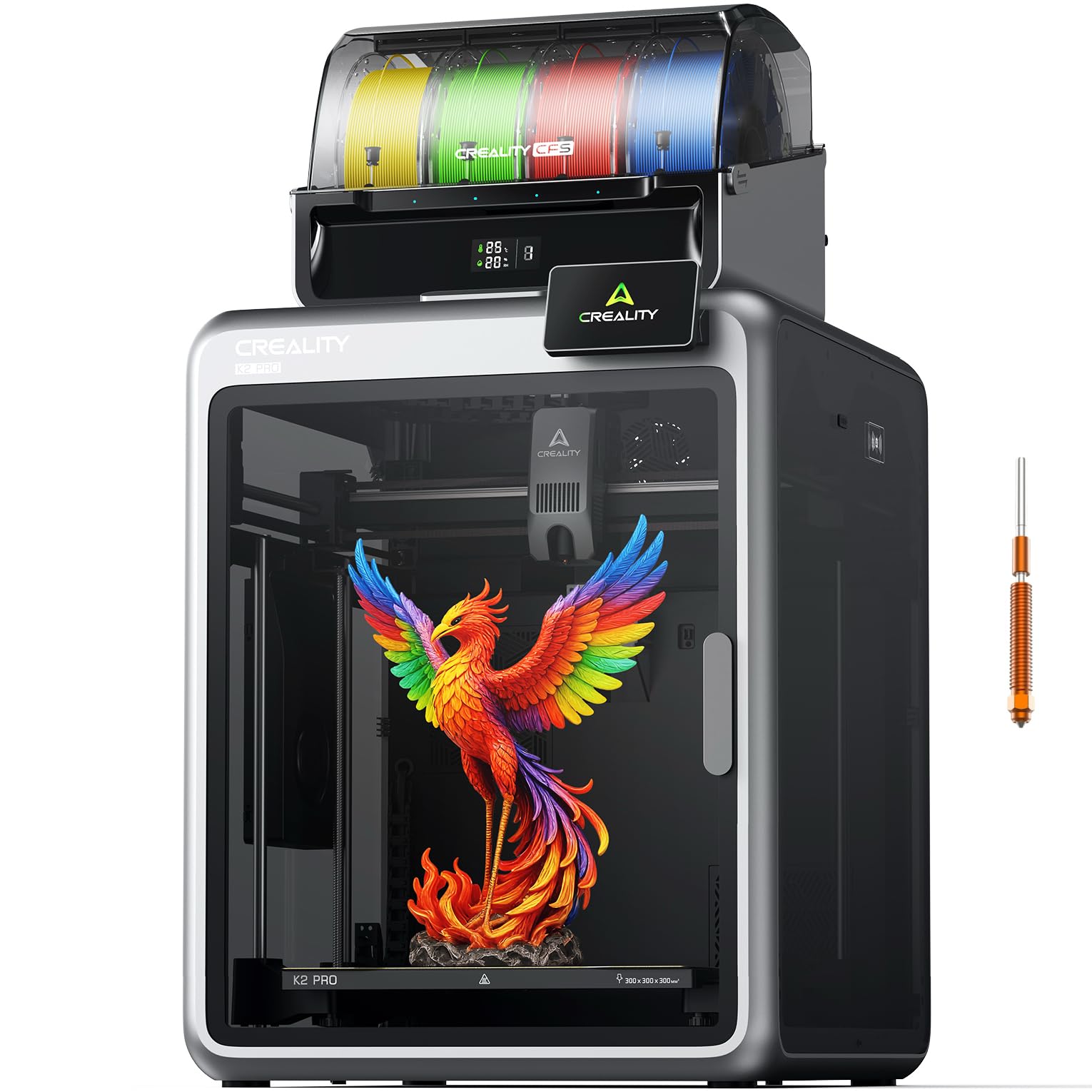
The same fast K2 Pro frame, tuned for quiet precision with an aerospace-grade aluminum exoskeleton.
This K2 Pro Combo version focuses on structural rigidity and quiet running, using an aerospace-grade aluminum alloy exoskeleton, a precision steel X-axis rail, and dual Z-axis with four linear rods for stability. It prints full helmet-size models in one pass on its 300×300×300 mm build volume, and the quick-swap direct drive extruder with hardened steel gears reaches a 40 mm³/s flow rate for fast, clog-free carbon-fiber prints.
Its FOC step-servo motors hit 600 mm/s with 20,000 mm/s² acceleration yet run quietly thanks to dynamically balanced fans and motor tuning—a real advantage in an office or classroom. The stated 300°C hardened steel nozzle manages abrasive engineering filaments, and chamber heating up to 60°C stabilizes ABS, ASA, and PPA-CF against warping. The dual AI cameras mirror the other K2 Pro: failure detection, flow rate tuning, and time-lapse in one package.
Buyers call it excellent value with strong print quality, and one owner ran off a full Mandalorian helmet with no clogs after 100 hours of use. It is 95% pre-assembled, so setup is quick, though at 84.9 pounds it is the heaviest Creality here and demands a sturdy table. Reliability feedback is mixed—a few report clogs and sensor issues emerging after a couple of months, so expect some hands-on maintenance over a long service life.
Built To Last: the aluminum exoskeleton and four linear rods on the Z-axis give this frame exceptional stiffness for large, vibration-prone prints.
Consider Carefully: while print quality wins the most praise, a minority of owners hit filament clogs and cable issues after the first months.
Grab this if: you print oversized parts or batches and want a quiet, rigid machine that pairs multi-color with a 40 mm³/s high-flow extruder.
Pass if: you need the lightest footprint—at 84.9 pounds this needs a permanent, solid bench.
6. Flashforge Creator 5 Pro (Toolhead Edition)
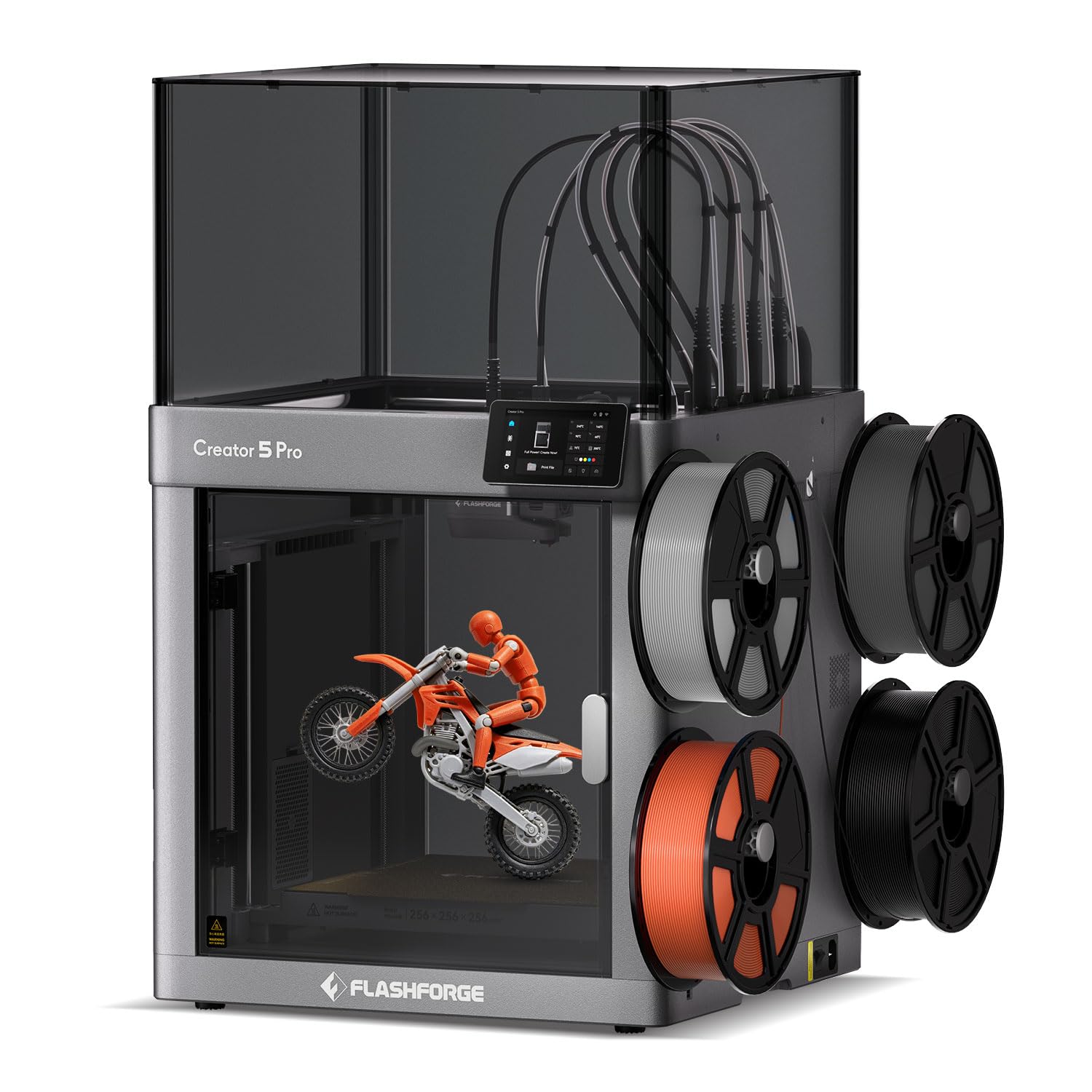
Four preheated toolheads with an adaptive airflow system that keeps PLA overhangs crisp while handling CF-nylons.
You get crisp PLA overhangs and clean bridges with the Flashforge Creator 5 Pro, because its adaptive airflow system refreshes the chamber with cool air to help each low-temperature layer set precisely. The 65°C actively heated chamber still handles demanding engineering materials without warping.
The four independent toolheads support a genuinely wide material list—PLA, PETG, TPU, ABS, PVA, ASA, PA-CF, PET-CF, PAHT-CF, PPA-CF, PPS-CF, HIPS—so you can pivot between functional prototypes and production-ready parts without changing machines. A 320°C hardened nozzle tackles the abrasive composites, and Flow Dynamics Calibration models extrusion as a dynamic, nonlinear system to compensate for a worn nozzle or moisture in the filament, keeping lines clean and repeatable.
Buyers report strong value and quality, with one owner noting it is “Correcta para su precio” and another running 200+ hours with flawless PLA and PETG prints. It is the lightest enclosed industrial option at 30.8 pounds, and its simplicity makes it effective for beginners while still hitting a 65°C chamber for advanced materials.
Self-Correcting Extrusion: Flow Dynamics Calibration adapts to wear and moisture mid-print, keeping each line clean without manual recalibration.
Keep In Mind: a couple of owners flagged the slicer crashing on Mac and finicky Wi-Fi setup; the proprietary nozzles also cost more to replace.
Choose this if: you juggle many material types and want a light, low-fuss machine that self-corrects extrusion drift.
Think twice if: you rely on a Mac workflow or want cheap commodity nozzles—proprietary parts add cost over time.
7. QIDI Max4 Combo

A 390 mm build cube that prints large industrial parts in one go with 800 mm/s speed and closed-loop motors.
You can print large industrial parts, complex molds, and custom prototypes in one go without splitting them, because the QIDI Max4 Combo offers a 390×390×340 mm printing area that is 55% larger than its predecessor. A full-surface silicone heated bed spreads heat evenly to avoid warping, and the closed-loop motors on the X/Y axes push maximum speed to 800 mm/s with 30,000 mm/s² acceleration.
You can print both standard PLA and industrial-grade abrasives like carbon-fiber-reinforced nylon, because its 40 mm³/s high-flow hotend with a hardened steel nozzle handles them. The 65°C active chamber plus the optional Polar Cooler system create ideal conditions for ABS-CF, PC, and PPS-CF, while the built-in AI camera detects spaghetti-like failures and pauses prints instantly to save material.
Owners praise print quality most, with one calling it “a reliable workhorse with a huge print volume” after pushing 5km of filament through in a month with rare warping and no clogs. The 120-pound weight and 28×28×30-inch footprint mean you need dedicated floor space, but the payoff is one-pass production of parts that would otherwise need splitting or outsourcing.
Industrial Scale
- 800 mm/s top speed with closed-loop motors for accuracy at pace
- 390 mm cube prints oversized parts and molds in one go
- AI camera pauses prints on failure to save material
Before You Commit
- 120 pounds and a 28-inch footprint demand real floor space
- The Polar Cooler accessory—needed for some high-temp materials—sells separately
- Long pre-print time and high purge noted by owners
The one for: shops that keep outgrowing their build plate and want engineering-filament capability at true production scale.
Not for: tight workspaces—this printer is effectively permanent shop furniture, not a bench machine.
8. Original Prusa CORE One

A made-to-last CoreXY from Prusa with a 55°C chamber and an all-steel exoskeleton for daily-driver dependability.
The Prusa CORE One is the pick for buyers who value long-term reliability over raw speed, built on Prusa’s “made to last” philosophy with a wholly enclosed chamber that reaches 55°C with active temperature control. That means you can print PLA and PETG with the door closed, then switch to ASA, PC, or Nylon without changing machines—a genuine all-rounder for a mixed-material shop.
You get consistent layers on a 250×220×270 mm print area, because its CoreXY design combines high-speed printing with maximum quality, and the all-steel exoskeleton frame provides the firmness you need. It ships fully assembled and tested, includes a free 1 kg spool of Prusament PLA Galaxy Black, and Prusa backs it with lifetime technical assistance and 24-hour professional customer service—the kind of support that matters when a machine is part of your daily workflow.
Owners praise the print quality and speed most, with one noting it outperforms the older Prusa i3 MK3S. An occasional review flags layer shifts, often traced to needing a very solid mounting surface, so budget for a heavy, stable table. It is not the biggest or fastest here, but it is the machine you can trust to run consistently with minimal maintenance.
Buy It For The Backing: lifetime technical assistance and 24-hour customer service make this the safest long-term investment in the lineup.
One Caveat: build quality draws mixed views, and it needs a rock-solid bench—an unstable table can knock calibration off.
Ideal for: professionals who want a dependable, open-source all-rounder with real manufacturer support behind it.
Less ideal if: you need a huge build volume—the 250 mm width is modest for large industrial parts.
9. Original Prusa XL 5-Toolhead

Five independent tools on a 14.17-inch build cube—the ultimate platform for industrial prototyping.
The Prusa XL 5-Toolhead is the flagship for professional environments that need maximum flexibility in material and color combinations, printing with up to five materials or colors in a single job. Its 14.17 × 14.17 × 14.17-inch build volume handles advanced functional prototypes and full-color visual models, while the high-end CoreXY performance maintains speed and precision even with frequent tool changes.
You reduce waste during transitions, because smart tool management cuts down on material loss, and the segmented heated bed system heats only the zones in use—improving energy efficiency while reducing warping on large prints. It integrates smoothly with Prusa’s software tools and the Printables.com model ecosystem, and it ships with one Satin print sheet plus a 1kg spool of Prusament PLA, with lifetime technical assistance included.
Owners describe the print quality as outstanding and fabulous, praising the open design with no forced updates or accounts. However, durability draws negative feedback, with several units arriving with broken parts from transport—and some found the extruder needed a half-day of assembly despite the “assembled” label. For a shop that prizes material freedom and is ready for a hands-on setup, this is the most capable platform here; for hands-off reliability, the smaller Prusa CORE One is the safer bet.
The Flexible Flagship
- 5-toolhead multi-material prints full-color models in one pass
- Segmented heated bed cuts energy use and reduces warping
- Open ecosystem with no forced updates and full user control
Know Before Buying
- Several units arrived with broken plastic parts from shipping
- Extruder assembly can take half a day despite the assembled label
- At 75 pounds, transport-care is essential
Worth it for: industrial prototyping teams that need five-material flexibility and accept a hands-on unboxing.
Harder to justify if: you want a true ready-to-run machine — the CORE One delivers that from the start.
Understanding the Specs
Active Heated Chamber
An enclosed, actively heated chamber holds the air around your print at a steady temperature, preventing the corners of ABS, nylon, and polycarbonate parts from curling up as they cool unevenly. Look for a chamber that reaches at least 60-65°C if you plan to print engineering materials; PLA and PETG are more forgiving and can run with the door closed on most enclosed machines.
Max Speed And Acceleration
Speed ratings like 500 mm/s, 600 mm/s, or 800 mm/s describe how fast the print head can move across the bed, while acceleration—measured in mm/s²—tells you how quickly it reaches that speed. Both numbers matter for production volume, but accuracy at speed depends on the frame’s rigidity: CoreXY designs with linear rails and carbon fiber components hold precision better than flimsier open frames.
Hotend Temperature And Nozzle
The hotend temperature, often 300°C to 370°C, determines which materials you can melt—standard PLA needs only about 200°C, while PPS-CF and PPA-CF demand the upper range. A hardened steel nozzle resists wear from abrasive carbon-fiber filaments that would quickly erode a brass nozzle, so check for it if you plan to print composites regularly.
Build Volume And Footprint
Build volume is the maximum part size you can print in one piece, measured in millimeters or inches across X, Y, and Z axes. Bigger volumes let you batch multiple parts in one run, but they come with a larger machine footprint and heavier weight—so measure your floor space and doorway before choosing a 390 mm cube that weighs 120 pounds.
FAQ
What is the difference between a tool changer and a filament swapping system?
Why does an actively heated chamber matter for industrial printing?
What is the best 3D printer for industrial use?
What does a 370°C hotend let me print that standard printers cannot?
How much waste does a tool changer really save?
What size parts can I print with a 390×390×340 mm build volume?
Is a heavier printer always more stable?
What does a segmented heated bed do?
Can these printers run unattended overnight?
What is the difference between CoreXY and a moving-bed printer?
Final Thoughts: The Verdict
Across the board, the 3d printer for industrial use winner is the Snapmaker U1 because its 4-toolhead system delivers near-zero waste multi-color printing with a fast 5-second tool change that buyers praise for print quality. If you want high-temperature composites, grab the QIDI PLUS4 with its 370°C hotend and 65°C chamber. And for oversized industrial parts and molds, the QIDI Max4 Combo 390 mm build volume is the one to reach for.
How We Picked
We do not accept paid placement. Every pick is matched to a real buyer and a real use-case; we do not hands-on test units.
Sources & Methodology
Specifications: manufacturer listings and product documentation. Review insights: verified customer reviews, as of August 2026. Pricing: not shown on this page (it changes often); check the current price via the retailer link.
As an Amazon Associate, Gadgets Feed earns from qualifying purchases. This does not affect which products we feature.