
Our readers keep the lights on and my morning glass full of iced black tea. As an Amazon Associate, I earn from qualifying purchases.
Specs are compiled from manufacturer listings and verified buyer reviews and can change over time — please confirm the key details on the product page before buying.
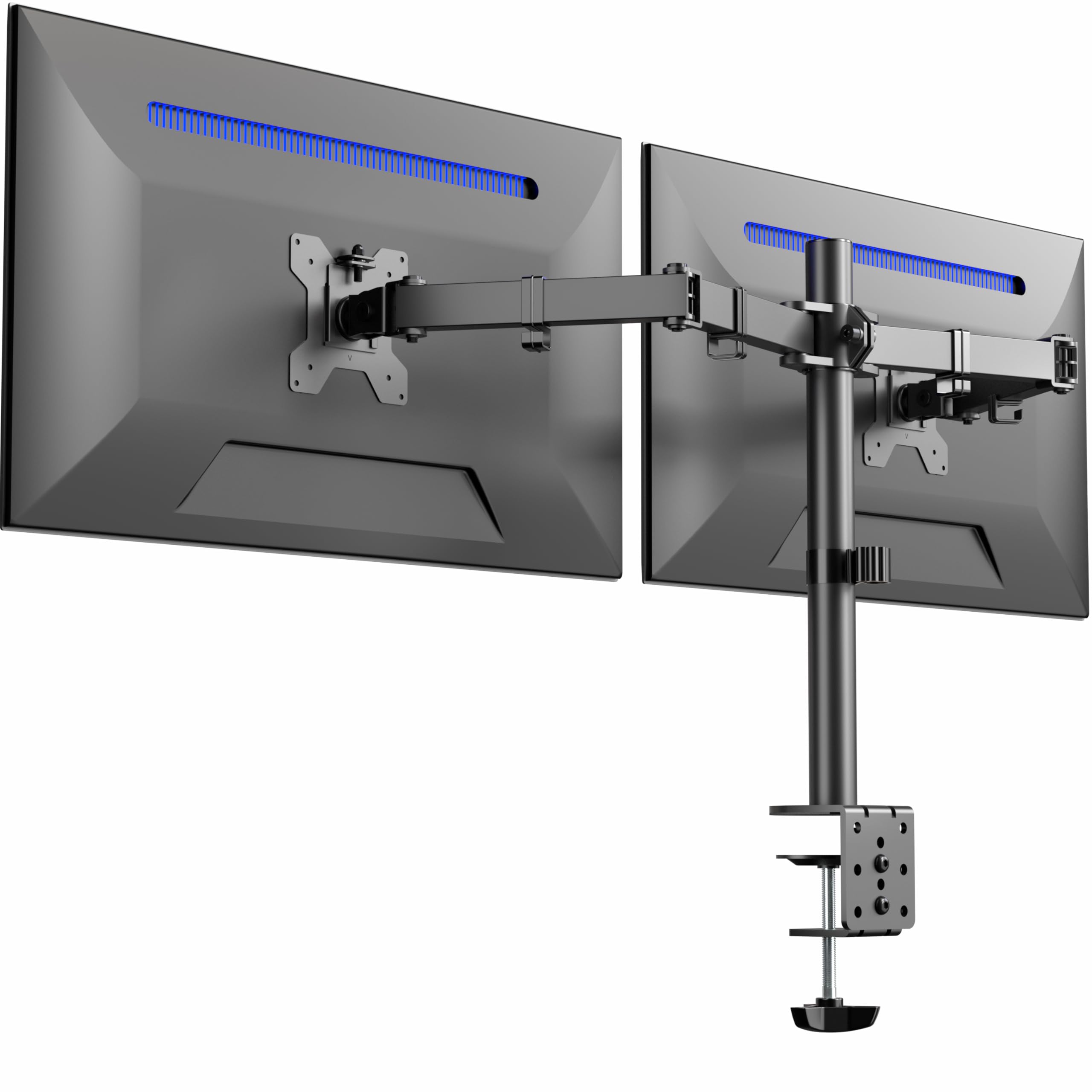
Factory stands for two monitors swallow your desk and force your neck into a painful hunch. A 2 Monitor Mount — a pair of arms that clamp to your desk — lifts both screens to eye level and frees space for your keyboard, notebook, and coffee. To pick the right one, check three things: your screen weight, your desk thickness, and if you want vertical stacking or side-by-side placement.
I’m Min — the founder and writer behind Gadgets Feed. This guide is built by comparing the manufacturers’ published specifications and the patterns across verified customer reviews, so you get each pick’s real strengths and trade-offs instead of marketing spin.
Skip the wobbly knock-offs and match your setup to a 2 monitor mount that holds your screens steady, frees your desk, and adjusts to your natural line of sight.
Our Picks at a Glance

How To Choose The Best 2 Monitor Mount
Buying a dual monitor arm is mostly about matching three numbers to your own gear: your monitor’s weight, its VESA hole pattern, and your desk’s thickness. Get those right and almost any of these picks will serve you well; get them wrong and you will fight the mount every single day.
Weight capacity per arm comes first
Check the back of your monitor for its weight in the manual or online spec sheet. A mount rated for 22 lbs per arm is the safe zone for most 27″ and 32″ screens, while ultrawides need a heavier-duty rating. A gas-spring arm also needs you to tune its tension to your screen’s weight, or it will drift downward on its own.
Your desk decides the mounting style
A C-clamp grips the edge of the desk and is the most common option, but it needs a solid lip. If your desk has a cable tray or cross beam in the way, a grommet mount that drops through a hole in the surface is the cleaner answer. Most mounts here include both options, so check which one fits your setup before you commit.
Quick Comparison
| Model | Best For | Max Screen Size | Weight Per Arm | Max Tilt | Amazon |
|---|---|---|---|---|---|
| VIVO STAND-V032★ Best Overall | Overall value | 32″ | 22 lbs | 90° | Amazon |
| Mount-It! MI-4781Best Freestanding | Clamp-free freestanding base | 32″ | 19.8 lbs | 45° | Amazon |
| HUANUO HNDS18Best Tilt Range | Big tilt range | 32″ | 22 lbs | 90° | Amazon |
| Amazon Basics DS-MADDBE | Budget gas spring | 27″ | 15.4 lbs | — | Amazon |
| VIVO STAND-V102D | Ultrawide screens | 34″ | 22 lbs | 90° | Amazon |
| HUANUO B0GFSYH7K4 | Gaming and single-hand moves | 27″ | 19.8 lbs | 85° | Amazon |
| MOUNTUP B0CHW2NMVG | Vertical stacked setup | 32″ | 17.6 lbs | 90° | Amazon |
| PUTORSEN FPT09 | Heavy ultrawide stacking | 49″ | 44 lbs | 20° | Amazon |
| QUARX QX-700 | Premium adjustable arms | 35″ | 26.4 lbs | — | Amazon |
In‑Depth Reviews
1. VIVO STAND-V032 Dual Monitor Mount
Our pick — over 4.5★ from 60,500+ verified ratings; the strongest balance of quality and price.
The desk-space liberator that holds two 32-inchers steady without emptying your wallet.
The VIVO STAND-V032 tops this list because it handles the two specs that matter most. It supports screens from 13″ to 32″ at up to 22 lbs each, so it fits most common monitors. Its tilt range of +90° to -90° lets a colleague across the desk see the screen without glare. You also get a 180° swivel and 360° rotation, so you can flip either monitor to portrait for coding or document work.
Installation is genuinely simple — the VESA plates detach so you can bolt them to the screen first, then hang the monitor on the arm, and the included C-clamp secures to desks up to 3.25″ thick. The crowd favorite with tens of thousands of owners, this is the one most people end up happiest with.
Assembly shines brightest
- Easy drill-free C-clamp install
- Full range of motion for portrait or landscape
- Cable clips keep cords tidy
Setup takes patience
- Height adjustment is limited to about 1/4″ per bracket
- You may need washers to level mismatched monitors
- Arms angle back, so keep the desk about 3″ from the wall
build it yourself: you want the most proven dual-arm mount for a standard 27″ or 32″ side-by-side setup.
hire a pro: you need fine per-monitor height control — this one adjusts in small bracket steps, not a gas-piston glide.
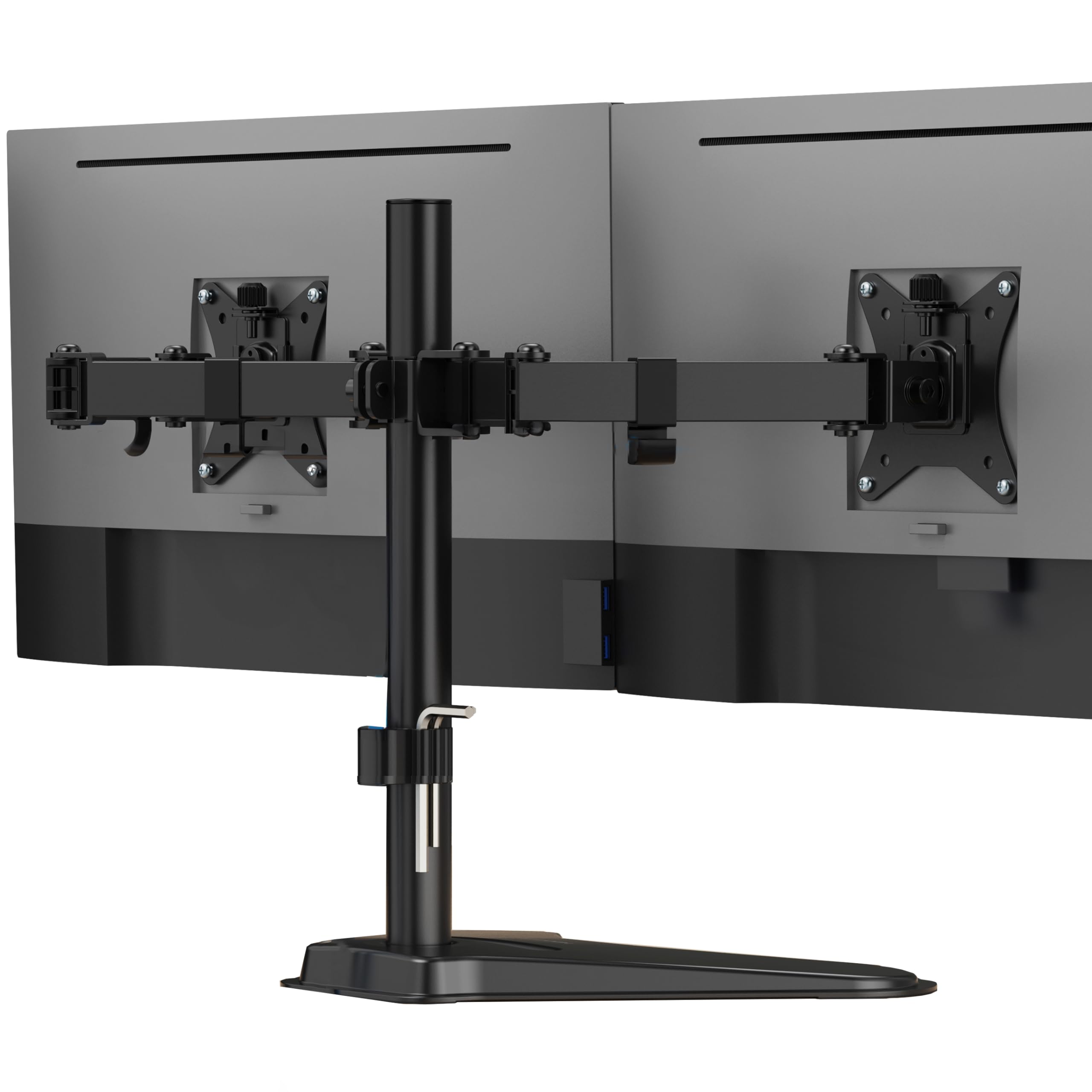
2. Mount-It! Dual Monitor Desk Stand
The freestanding mount that sidesteps clamps entirely for glass and thin tabletops.
Most dual mounts clamp to the desk edge, which rules out glass tops and fragile surfaces. The Mount-It! skips that problem with a heavy-duty freestanding base that sits on the desk, supports two screens up to 32″ and 19.8 lbs per arm, and still feeds cables through the pole for a tidy look. Buyers report it holds dual 32″ monitors on a corner desk with no sagging.
Both arms ride a 16.5-inch center pole, so you adjust viewing height to ease neck strain, and each monitor tilts up and down to cut glare. One trade-off: it only tilts 45 degrees — exactly half the range of the VIVO above — so if you often flip a screen toward someone across the room, the freestanding base is the cost of that flexibility.
Steel-solid stability: owners mention it “works perfect holds my 2 screens no problem and it doesn’t fall or shake,” which is the whole job.
Patience for assembly: the joints arrive stiff, and the deep base needs real desk space to sit comfortably.
3. HUANUO HNDS18 Dual Monitor Mount
The arm that reaches out 17.5 inches and still matches the VIVO’s tilt range.
HUANUO built this mount from aerospace-grade aluminum alloy to hold 22 lbs per arm for 17″ to 32″ screens, and it matches the VIVO with a 90-degree tilt while adding a 17.5″ forward extension. Pull a screen closer for spreadsheets, then push it back for video — the height adjusts up to 17.5″ above the desktop with a simple tension tweak. It is the one buyers in an office context bought six times over for reliability.
Set up takes about ten minutes with the included tools, and the C-clamp suits desks from 0.39″ to 2.56″ thick while the grommet option handles 0.39″ to 2.17″. The catch is fit: the adjustability draws the most owner comments and it is a mixed bag — a 29″ ultrawide owner found a slight lean on a flimsy desk, so a solid surface matters here.
cheap and flexible: you alternate between deep-focus typing and leaning back to watch content, since the long extension and smooth tension make that easy.
premium finish: your desk is a lightweight or hollow-core model — this mount will expose its weaknesses.
4. Amazon Basics Gas Spring Dual Monitor Arm

A gas-spring dual arm that glides by hand without the premium sticker shock.
The Amazon Basics arm brings the smooth gas-spring feel to a budget price, supporting two screens from 15″ to 27″ at 4.4 to 15.4 lbs each with 75×75 or 100×100 VESA patterns. Each arm needs its own tension adjustment to match the monitor weight, and once set, you can reposition a screen with one hand — a real upgrade over a fixed pole. A 32″ plus a 27″ owner reports it holds both heavy older panels perfectly even left untightened.
Keep two things in mind. First, the joints ship stiff on purpose for transport, so loosen them per the instructions before expecting full motion. Second, the clamp needs several inches of horizontal clearance under the desk — a folding table with only 1.25″ of lip will not fit.
Gas spring smoothness: the gas-spring glide and genuine adjustability at an entry-level price point.
Weight limit modest: anyone with a heavier ultrawide over 15.4 lbs, or a desk with almost no overhang for the clamp.
5. VIVO STAND-V102D Full Motion Mount
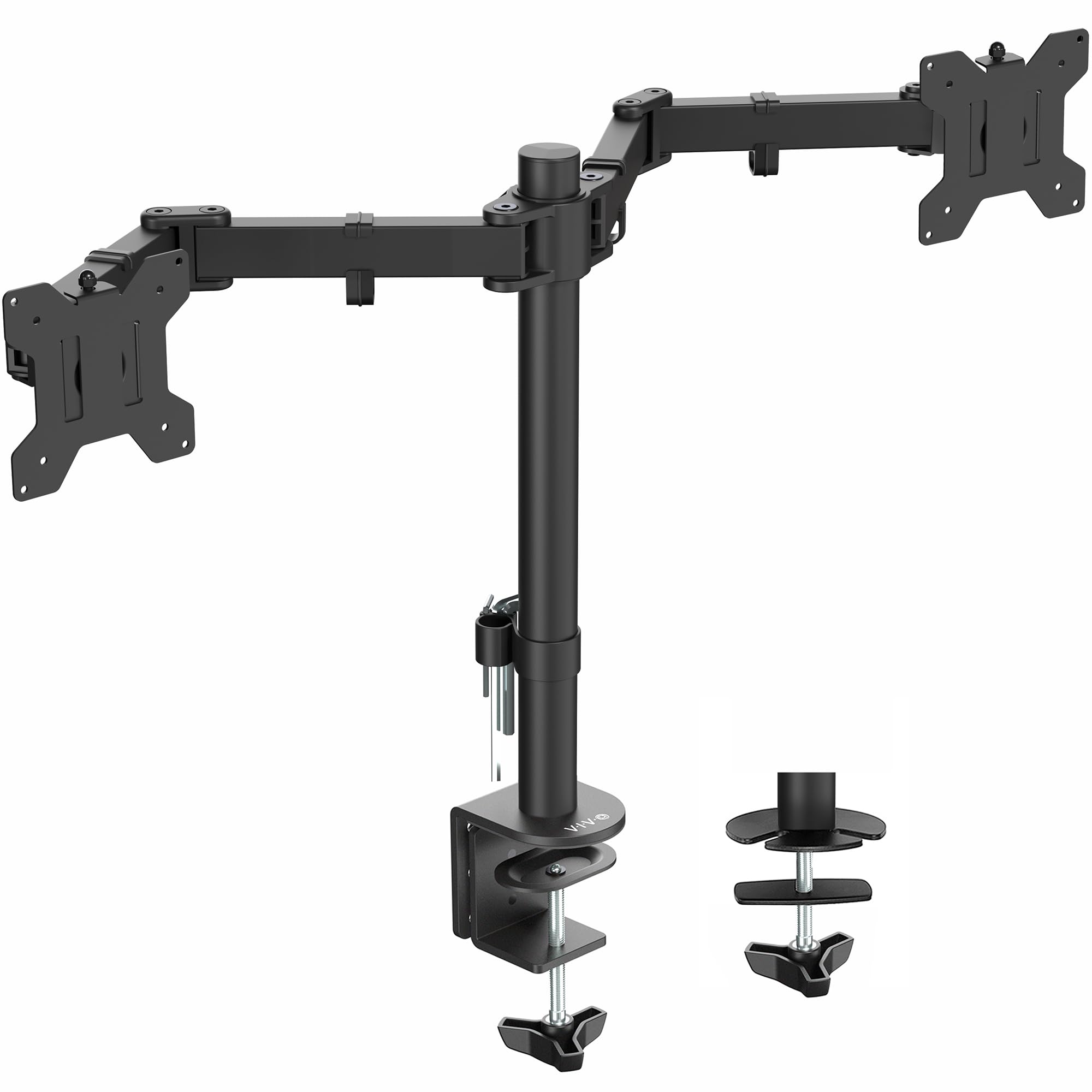
The alloy-steel mount built for 34-inch ultrawides and the heaviest dual setups.
Where most dual mounts top out at 32″, the VIVO STAND-V102D pushes support to 34″ at 22 lbs per arm, making it the pick for ultrawide and large-format screens. It is built from alloy steel with a double center-arm joint for extra rigidity, and it still offers the full +90° to -90° tilt, 180° swivel, and 360° rotation. Owners routinely hang two 32″ panels on this and report zero bounce or vibration.
The C-clamp accepts desks up to 3.5″ thick, and there is a grommet option plus bottom-side padding to protect the desk surface. Expect to spend effort on alignment — several owners note the arms need hard tightening and a bit of patience to level perfectly, one calling it “a little finnicky to set up” before it holds flawlessly.
desk edge flex: you run ultrawides or two big 32″ panels and want the extra steel that keeps them perfectly still.
thick desktops: you want a quick 10-minute setup — this one rewards care and a few extra minutes of tightening.
6. HUANUO Dual Monitor Stand with Dual C-Clamp
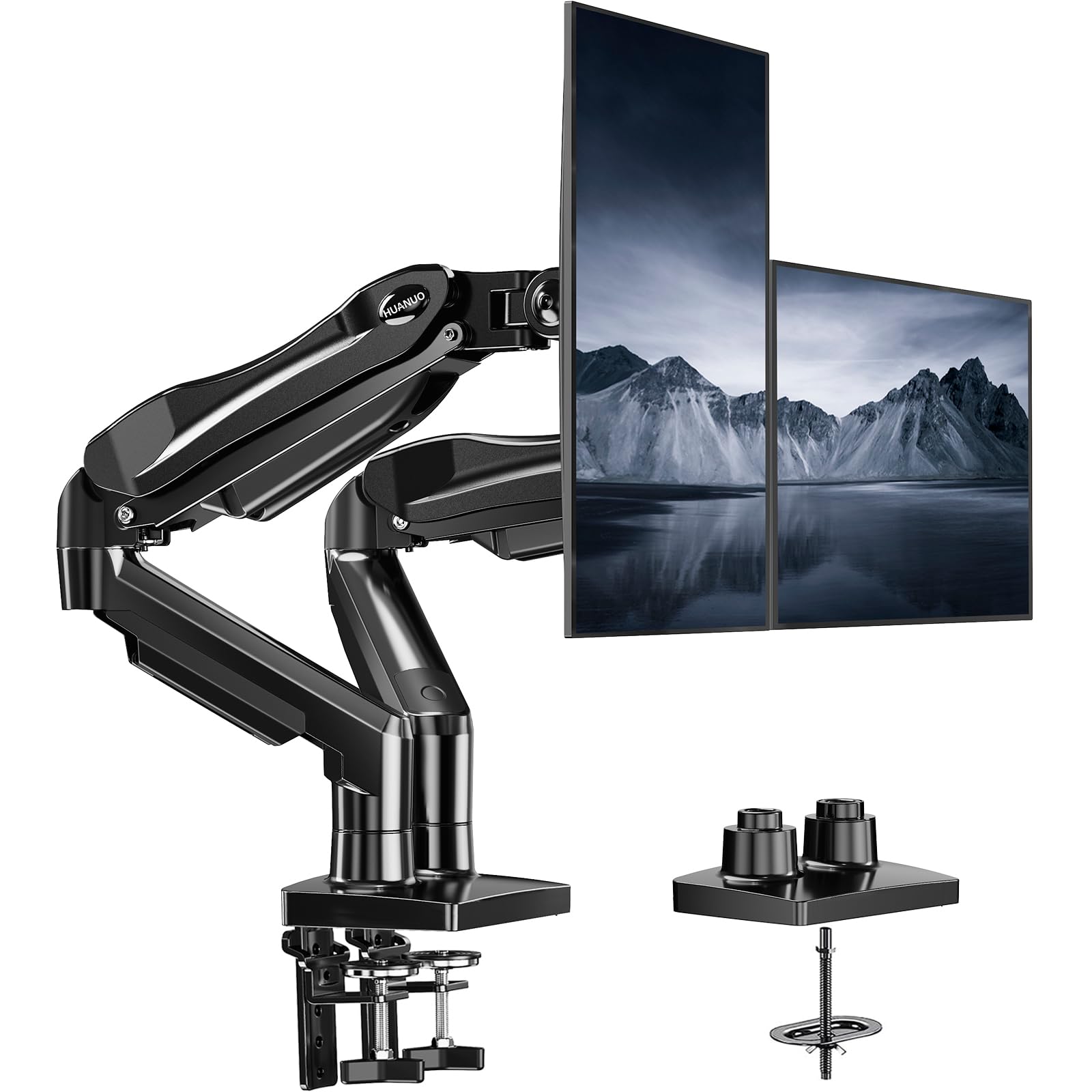
The one-hand-adjustable mount that locks tight so your screens never drift mid-match.
Gamers and heavy multitaskers, this HUANUO is for you. Its dual C-clamp structure (two clamps that grip the desk) stops the wobble when you slam the desk mid-game. Each arm holds 4.4 to 19.8 lbs for 13″ to 27″ screens, and the gas-spring arms (which use pressurized gas for smooth motion) let you reposition a screen with one hand while the other stays on the mouse. You can raise either display up to 16.2″ to match your natural line of sight.
A few fit rules matter: it wants a wooden desk between 0.59″ and 3.54″ thick with no cross beams underneath, and plastic or glass surfaces are off the table. The smooth one-hand adjustment drew the most praise, with the caveat that the cable rails are fiddly — you may want zip ties for thicker cords.
two desks: you game or switch between documents and video calls all day and want silky one-hand repositioning.
single surface: your desk is glass, plastic, or has a beam in the way — the dual clamp needs a clean wooden lip.
7. MOUNTUP Vertical Dual Monitor Mount

The stacked-screen tower that saves horizontal desk space for two big displays.
For a wide but shallow desk, vertical stacking is the smart layout, and the MOUNTUP is built for it. Its 28-inch pole raises the top screen to 36.3 inches, so you get two displays without eating desk depth. Each arm supports 4.4 to 17.6 lbs for up to 32″ screens, and the gas-spring arms glide smoothly — one owner called the adjustment “smooth” and the install “very VERY easy.” It also flexes to a three-monitor setup, with the middle arm fixed and the outer arms free.
The full motion range gives you ±90° tilt, 180° swivel, and 360° rotation so either screen can flip to portrait for reading code or documents. The C-clamp and grommet bases both fit desks 0.39″ to 3.15″ thick. The recurring note is the pole height: very tall users may find the center pole a touch short and end up buying an extension, so measure your eye level first.
Vertical stacking win: the vertical layout reclaims desk depth and keeps two 27″ or 32″ screens fully adjustable.
Height range narrow: outer monitors can wobble a bit if the whole table moves, and tall users should confirm the pole reaches their eye line.
8. PUTORSEN Heavy Duty Dual Monitor Arm
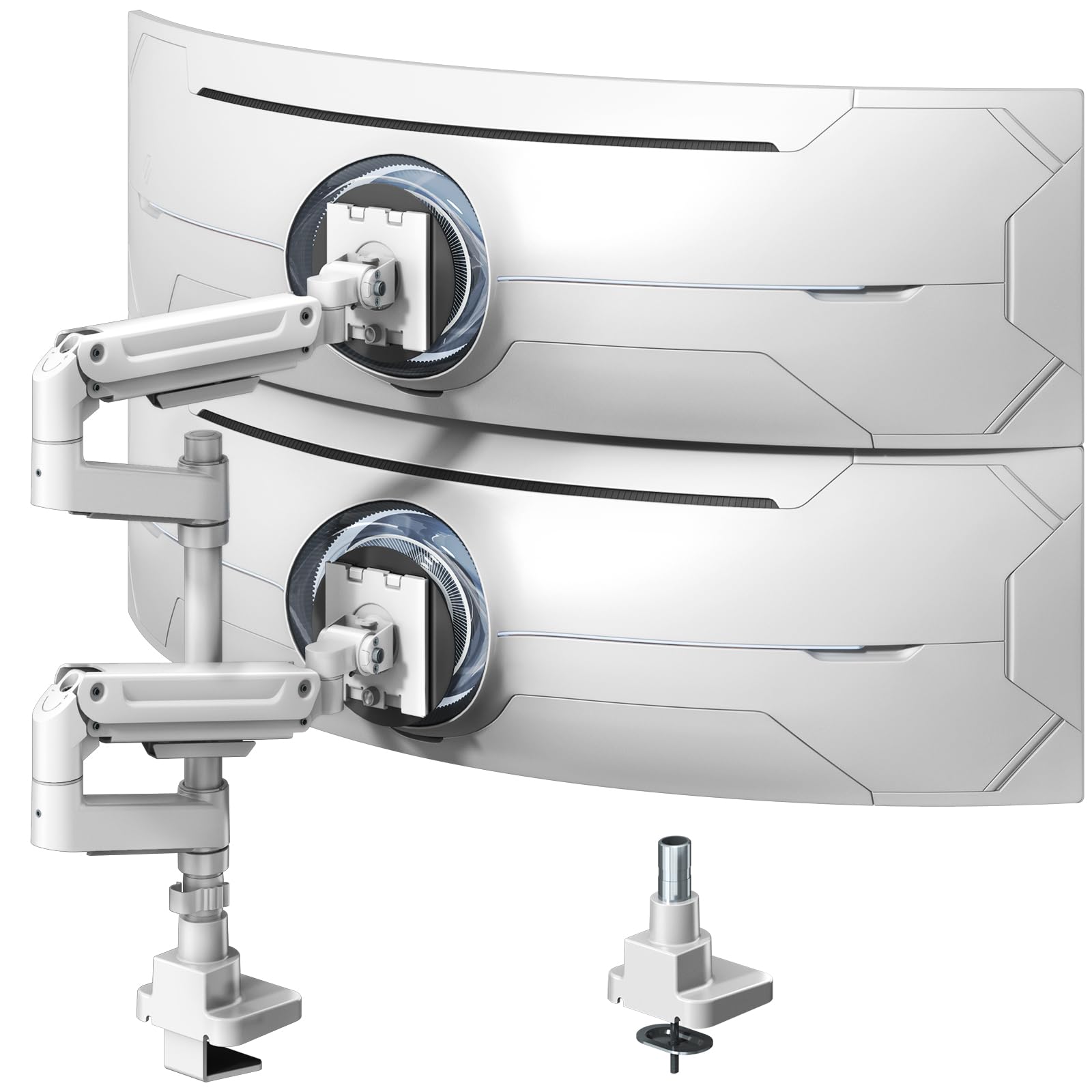
The 44-pound-per-arm brute that safely stacks the biggest ultrawides money can buy.
Nothing else here comes close to the PUTORSEN’s 44 lbs per arm, which lets it support screens from 17″ all the way up to 49″ — territory where most mounts just fold. It is crafted from aluminum and steel with pro gas springs you tune with the included Allen wrench, and the 19.69″ pole is made for vertical stacking of two ultrawides. Owners have run two 32″ monitors at 23 lbs each with no sag and no wobble.
The motion range is built for productivity rather than spectacle: +50°/-20° tilt, ±90° swivel, and full 360° rotation so either screen flips to portrait. It also carries a 10-year warranty, which speaks to how seriously it is built. The quirks are minor — the instructions are diagram-only like IKEA furniture, and the plastic cable guides feel less premium than the metal arms they sit on.
big monitors: you own a heavy 49″ ultrawide or plan to stack two big screens and want zero sag, guaranteed.
compact setups: you want a quick visual guide — you will be decoding diagrams, not reading steps.
9. QUARX FLYTE Dual Monitor Arm

The all-metal premium arm with a clip-on VESA plate and a 6-inch secure base.
The QUARX FLYTE is the finish-line option, built from premium-grade metal with a uniquely designed 6″ base and the ArmAdjust system that holds any position without wobble, tilt, or drift. It supports 26.4 lbs per arm for screens up to 35″, and it is the rare mount that owners say fits Secretlab Magnus desks easily — half the price of that brand’s own dual mount. The matte black finish and rubber pads give it a genuinely high-end feel.
Installation leans on a clip-on VESA plate: screw the plate to the monitor, then click it onto the arm bracket, with the whole setup under 10 minutes. It works on wood, plastic, metal, and even glass desks up to 3″ thick. The common thread in owner experience is stellar once tension is dialed; one buyer’s monitor sank until they tightened it fully, so follow the setup guide before trusting it. It also needs 1-2″ of wall clearance behind the desk.
style seekers: you want the most polished, sturdy dual arm for a premium desk and heavy 34″ or 35″ screens.
budget buyers: your desk sits flush against the wall — the arms need a little breathing room to fold back.
Understanding the Specs
Weight capacity and screen size
Screen size alone does not tell you how heavy a monitor is — a 32″ ultrawide can weigh far more than a slim 27″. Always match the mount’s per-arm weight rating to your actual monitor weight, and leave a little headroom. Gas-spring arms also need their tension tuned to that weight or the screen will slowly sink.
VESA patterns and desk thickness
VESA is the standard hole pattern on the back of a monitor — 75×75 and 100×100 are the two you will see here, measured in millimeters. Check yours before buying. For the desk, a C-clamp needs a clean edge while a grommet mount drops through a hole; each mount lists the desk thickness range it accepts, and going outside that range means a wobbly fit.
FAQ
How do I know if a 2 Monitor Mount fits my monitors?
What is the difference between a C-clamp and a grommet mount?
Can I stack my two monitors vertically with these mounts?
Why does my monitor arm keep sagging or drifting down?
Will a 2 Monitor Mount work on a glass or standing desk?
How much desk edge clearance does a C-clamp need?
Is a gas-spring arm worth paying more for?
Can I use a 2 Monitor Mount with two different monitor sizes?
Final Thoughts: The Verdict
For most people, the 2 monitor mount winner is the VIVO STAND-V032 because it pairs a proven sturdy build with a 90° tilt and 22 lbs per arm at a price that makes it the crowd favorite. If you want a gas-spring glide for easy one-hand repositioning, grab the HUANUO HNDS18 or its gaming sibling. And for a heavy 49″ ultrawide or a premium desk setup, the PUTORSEN and QUARX are the ones to reach for.
How We Picked
We do not accept paid placement. Every pick is matched to a real buyer and a real use-case; we do not hands-on test units.
Sources & Methodology
Specifications: manufacturer listings and product documentation. Review insights: verified customer reviews, as of August 2026. Pricing: not shown on this page (it changes often); check the current price via the retailer link.
As an Amazon Associate, Gadgets Feed earns from qualifying purchases. This does not affect which products we feature.