
Our readers keep the lights on and my morning glass full of iced black tea. As an Amazon Associate, I earn from qualifying purchases.
Specs are compiled from manufacturer listings and verified buyer reviews and can change over time — please confirm the key details on the product page before buying.
A 2-in-1 tablet has to answer one question before anything else: do you need a laptop that folds into a tablet, or a tablet that snaps into a laptop? That single choice decides everything — the size in your bag, the power under the hood, and whether you’ll actually use it the way you imagine. This guide breaks down the best convertibles and detachables across every price tier, so you can match the machine to how you really work, study, or create.
I’m Min — the founder and writer behind Gadgets Feed. This guide is built by comparing the manufacturers’ published specifications and the patterns across verified customer reviews, so you get each pick’s real strengths and trade-offs instead of marketing spin.
You want a 2-in-1 tablet that fits how you actually work—whether that means a laptop-first convertible or a light tablet-first detachable. The right pick balances screen quality, raw speed, and portability for your daily routine.
Our Picks at a Glance

How To Choose The Best 2-In-1 Tablet
The first fork in the road is the physical design. A convertible (like the Lenovo Yoga) has a screen that folds a full 360 degrees behind a keyboard that’s always attached. A detachable (like the Microsoft Surface Pro) is a tablet first, with a keyboard that clicks on when you need to type. Your choice here shapes everything else, from weight to lap comfort.
Shape: Convertible Hinge vs Detachable Keyboard
Convertibles feel like a laptop first — the keyboard is solid and always there, which suits long typing sessions on your lap. Detachables are lighter in hand for reading or drawing, but the keyboard often needs a flat surface or a kickstand to be usable. Think about where you’ll actually type most.
Power: The Processor Decides Your Workload
The processor (the “brain” of the device) sets the ceiling for what you can run. A high-end chip like the Core Ultra 7 handles heavy multitasking, video editing, and complex office suites. A budget chip like the Celeron N4500 is fine for web browsing, document editing, and streaming, but will struggle with demanding creative software.
Memory and Storage: RAM vs SSD
RAM (memory) determines how many apps you can keep open smoothly; 8GB is the comfortable starting point, while 12GB or 16GB is for serious multitasking. Storage (the SSD) is where your files live; 256GB suits light users, but 512GB or 1TB gives creators and gamers breathing room.
Quick Comparison
| Model | Best For | Screen | Processor | Memory / Storage | Amazon |
|---|---|---|---|---|---|
| Lenovo Yoga 7i★ Best Overall | Power users wanting max storage | 16″ 1920×1200 | Core Ultra 7 155U | 16GB / 2TB | Amazon |
| CHUWI Hi10 X2Best Value | Budget-friendly detachable | 10.1″ 1280×800 | Intel Core i3 | 8GB / 256GB | Amazon |
| Dell Latitude 5300Business Pick | Refurbished business convertible | 13.3″ 1920×1080 | Core i7-8665U | 16GB / 512GB | Amazon |
| ASUS Chromebook Flip CX1 | Simple ChromeOS multitasking | 14″ 1920×1080 | Celeron N4500 | 8GB / 128GB | Amazon |
| QAZIPO 12″ 2-in-1 | Creatives wanting color accuracy | 12″ 2000×1200 | Intel 6500Y | 12GB / 512GB | Amazon |
| KOOFORWAY 8″ Mini | Ultra-portable travel companion | 8″ 1280×800 | Intel N95 | 12GB / 1TB | Amazon |
| Lenovo Chromebook Duet | Students wanting rugged tablet | 10.95″ 1920×1200 | MediaTek Kompanio 838 | 8GB / 256GB | Amazon |
| HP OmniBook X Flip | Long battery & AI features | 16″ 1920×1200 | AMD Ryzen AI 5 340 | 16GB / 512GB | Amazon |
| HP OmniBook 5 Flip | Travelers wanting power & portability | 14″ 1920×1200 | Intel Core 7 150U | 16GB / 512GB | Amazon |
| Microsoft Surface Pro | Premium tablet-first experience | 13″ Touchscreen | Snapdragon X Plus | 16GB / 512GB | Amazon |
| ASUS ROG Flow Z13 | Serious gaming in tablet form | 13.4″ 2.5K 180Hz | Ryzen AI MAX+ 395 | 32GB / 1TB | Amazon |
In‑Depth Reviews
1. Lenovo Yoga 7i 2-in-1 Laptop
Our pick — over 4.5★ from 200+ verified ratings; the strongest balance of quality and price.
The powerhouse convertible that handles a decade of files without breaking a sweat.
The defining spec here is storage: a 2TB PCIe 4.0 SSD means your entire media library and project archives live on the machine, not on an external drive. That pairs with a 16GB DDR5 memory so you can keep dozens of browser tabs, office apps, and creative tools open at once without slowdown. This is the pick for someone replacing a very old PC with something that feels current for years to come.
Owners replacing a 15-year-old PC report “performance exceeds expectations,” and the 12-core Core Ultra 7 155U (boosting to 4.8 GHz) is the reason—it splits work across cores for speed when you need it and efficiency when you don’t. The 360° flip-and-fold design gives you four modes: laptop, tablet, tent, and stand. As a tablet, expect it to feel big—the 16″ screen makes this more of a lap machine than a hand-held one.
People praise the quality of the build, the responsive touchscreen, and the excellent battery life that carries through a full day. The honest trade-offs are its weight (it’s a hefty unit in tablet mode) and speakers that a few owners found weak despite Dolby Atmos. The fingerprint reader and backlit keyboard keep it convenient for daily use.
What Wins People Over
- Massive 2TB SSD plus 16GB DDR5 for heavy multitasking
- Sharp 1920×1200 IPS touchscreen with wide viewing angles
- Fingerprint reader and backlit keyboard for quick access
The Real Trade-Offs
- Heavy enough that tablet mode is a lap experience, not a handheld one
- Speakers get mixed reviews despite the Dolby Atmos label
- Aggressive upsell prompts from Lenovo Vantage and Microsoft ads annoy some owners
Reach for this if: you want desktop-class storage and memory in a flexible convertible that can outlast your old PC by years.
Think twice if: you need a light slab to hold in one hand for reading — this 16-incher is a laptop first.
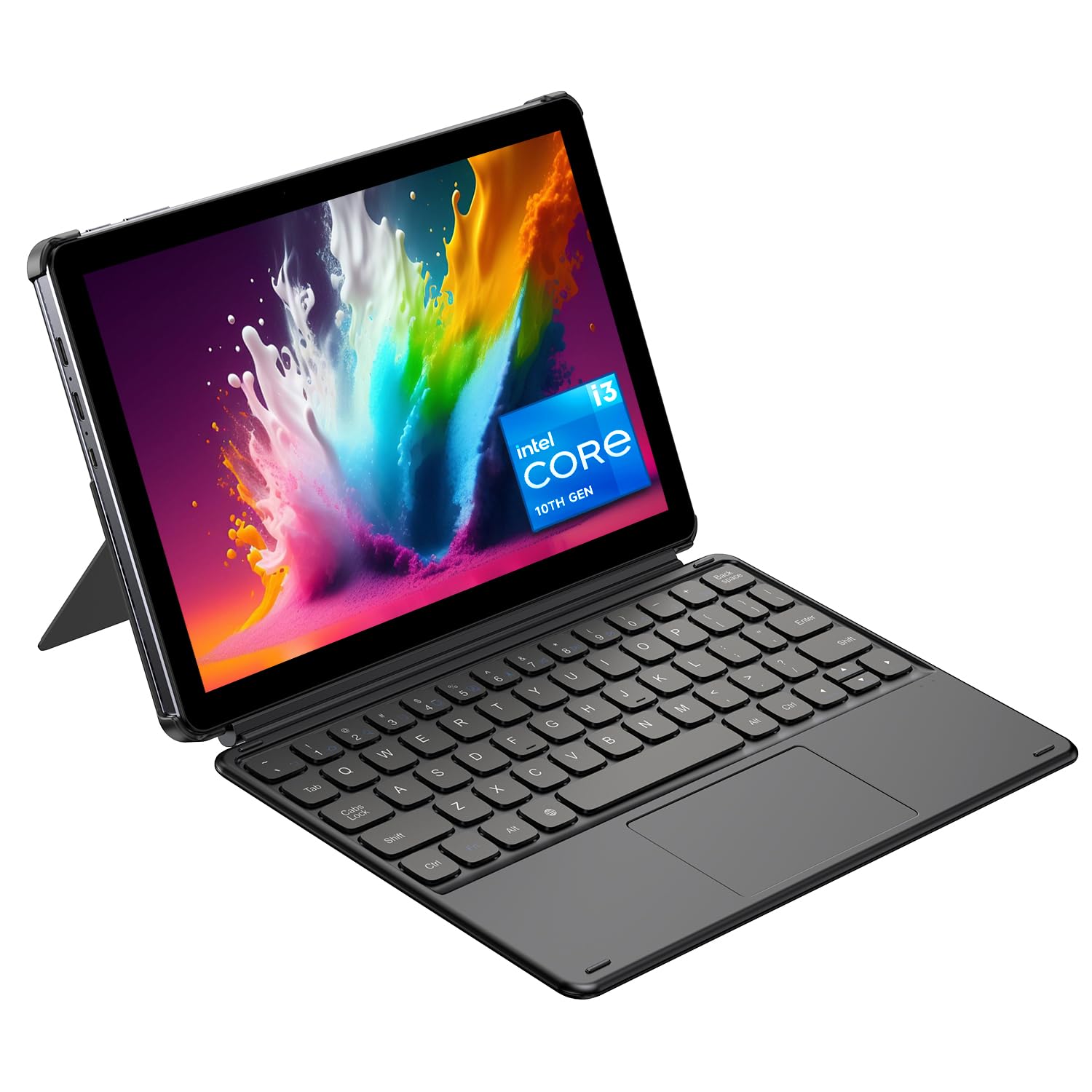
2. CHUWI Hi10 X2 2-in-1 Tablet
A genuinely affordable Windows detachable that punches near Surface performance.
The CHUWI Hi10 X2 sets a remarkable baseline for the money: a 10.1″ HD touchscreen with a 1280×800 resolution, an Intel Core i3 processor that turbo boosts to 3.9 GHz, 8GB of RAM, and a 256GB SSD. In hand, it’s just 0.4 inches thick and weighs only 1.34 lbs, which makes it a genuinely portable tablet that slips into a bag for students and travelers.
What wins people over is the value — owners describe performance that comes close to a Surface at a fraction of the cost, and they praise the included pen and magnetic keyboard. The 5MP rear and 2MP front cameras handle video calls and daily snapshots, while Wi-Fi 6 and Bluetooth 5.3 keep connections modern. A case with a 145° viewing angle lets you prop it hands-free for movies.
The honest caveats: battery life is mixed, with some owners seeing just a few hours, and the 1280×800 screen is noticeably less sharp than the 1920×1080 panels on the Dell Latitude above. Performance also gets slower under sustained load. It’s not a machine for heavy gaming or 4K video editing — it’s a capable daily driver for office work, web, and streaming.
Value Read: You get a working Windows tablet with keyboard and pen for entry-level money, and owners consistently say it delivers more than the price suggests.
The Catch: Battery life and the low-resolution screen are where the budget shows — pick this for portability and price, not all-day unplugged power.
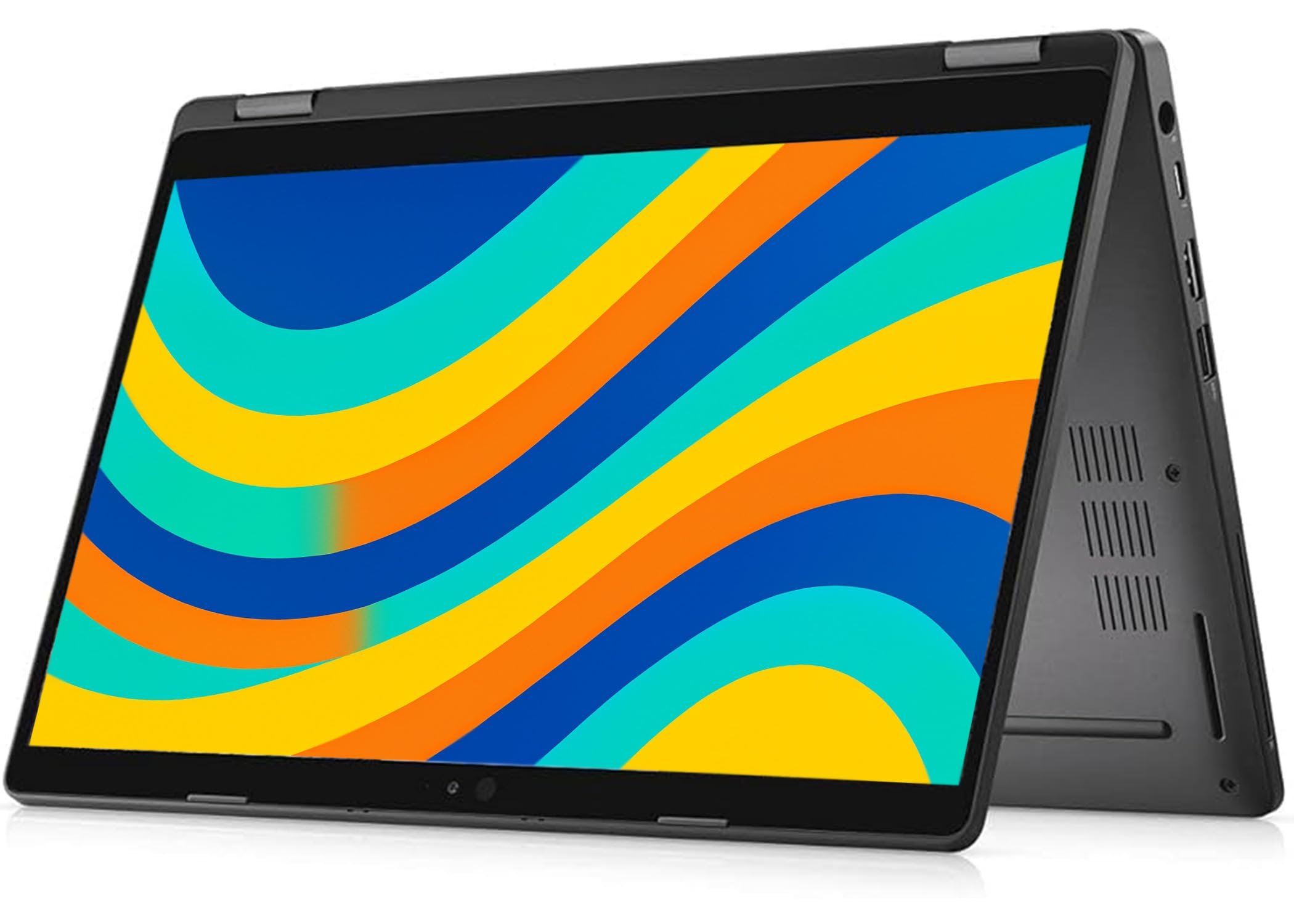
3. Dell Latitude 5300 2-in-1 (Renewed)
Refurbished business-grade performance with a sharp 1080p screen for the price of a budget tablet.
The key number here is the 1920×1080 FHD resolution — a 50% sharper image than the CHUWI’s 1280×800 panel, which makes a real difference for presentations and digital note-taking. Under the hood sits an 8th Gen Intel Core i7-8665U (up to 4.6 GHz), 16GB of DDR4 RAM, and a 512GB SSD — a combination that handles business multitasking, remote work, and hybrid office needs smoothly.
Owners praise the quality of the machine, describing it as a great 2-in-1 laptop/tablet replacement that feels light and offers good value. The 360° hinge design lets you switch between laptop, tablet, tent, and stand modes just like the Yoga. It ships with Windows 11 Pro for advanced security, plus a backlit keyboard and USB-C and HDMI ports.
The big asterisk is that this is a renewed (refurbished) unit, so reliability varies from unit to unit. Some buyers report the machine works flawlessly, while others have received units with defective batteries, missing backlight, or non-working touchscreens. Battery life is roughly 4 hours, which is modest by modern standards. Treat this as a budget-conscious business choice where you accept some refurb risk for the spec.
Spec-for-Price: You are getting a true business convertible with an i7, 16GB RAM, and 512GB storage for entry-level money — an unusual combination on paper.
Proceed With Care: Because it’s refurbished, check the unit thoroughly on arrival; some buyers have needed returns for hardware faults.
4. ASUS Chromebook Flip CX1 Convertible

The flippable Chromebook that’s ready for work the moment you open the box.
The standout here is the combination of a 14-inch FHD 1920×1080 NanoEdge touchscreen with a 360-degree hinge, all in a chassis that meets US Military Grade MIL-STD-810H standards while weighing just 3.59 lbs. You get four modes — clamshell, tent, stand, and tablet — making it a true all-rounder for work and play. It’s built to survive the knocks of daily commute life.
What wins people over is the value and ease of use. Owners rave about the fast 5-minute setup, the responsive touchscreen, and the camera quality for Zoom calls. The Intel Celeron N4500 (up to 2.8 GHz), 8GB RAM, and 128GB eMMC storage handle office work, web browsing, and video streaming smoothly. The battery is rated up to 11 hours, though real-world owners typically see 7-8 hours with heavier use.
The honest limits: performance is mixed for demanding tasks — some owners mention occasional slowness, and it’s not built for gaming or heavy graphics work. There are also divided opinions on durability, with some screens cracking on short drops. This is a Chromebook, so if you live inside Google apps and the web, it’s a joy; if you need heavy Windows software, look at a Windows option instead.
Why It’s a Crowd Favorite
- Rugged MIL-STD-810H build at just 3.59 lbs
- Up to 11-hour battery for all-day use
- Fast setup and easy Google phone integration
Who Should Pass
- Gamers and graphics users need more than a Celeron
- Screens can be fragile despite the military-grade body
- No backlit keyboard, a miss for night typists
Grab it for: a portable, secure Chromebook that handles daily work, Zoom, and web tasks with minimal setup friction.
Look elsewhere if: you need Windows-only software or plan to game — the Celeron chip has clear limits.
5. QAZIPO 12″ 2-in-1 Laptop Tablet
A 2K screen with true color that turns a budget tablet into a creative canvas.
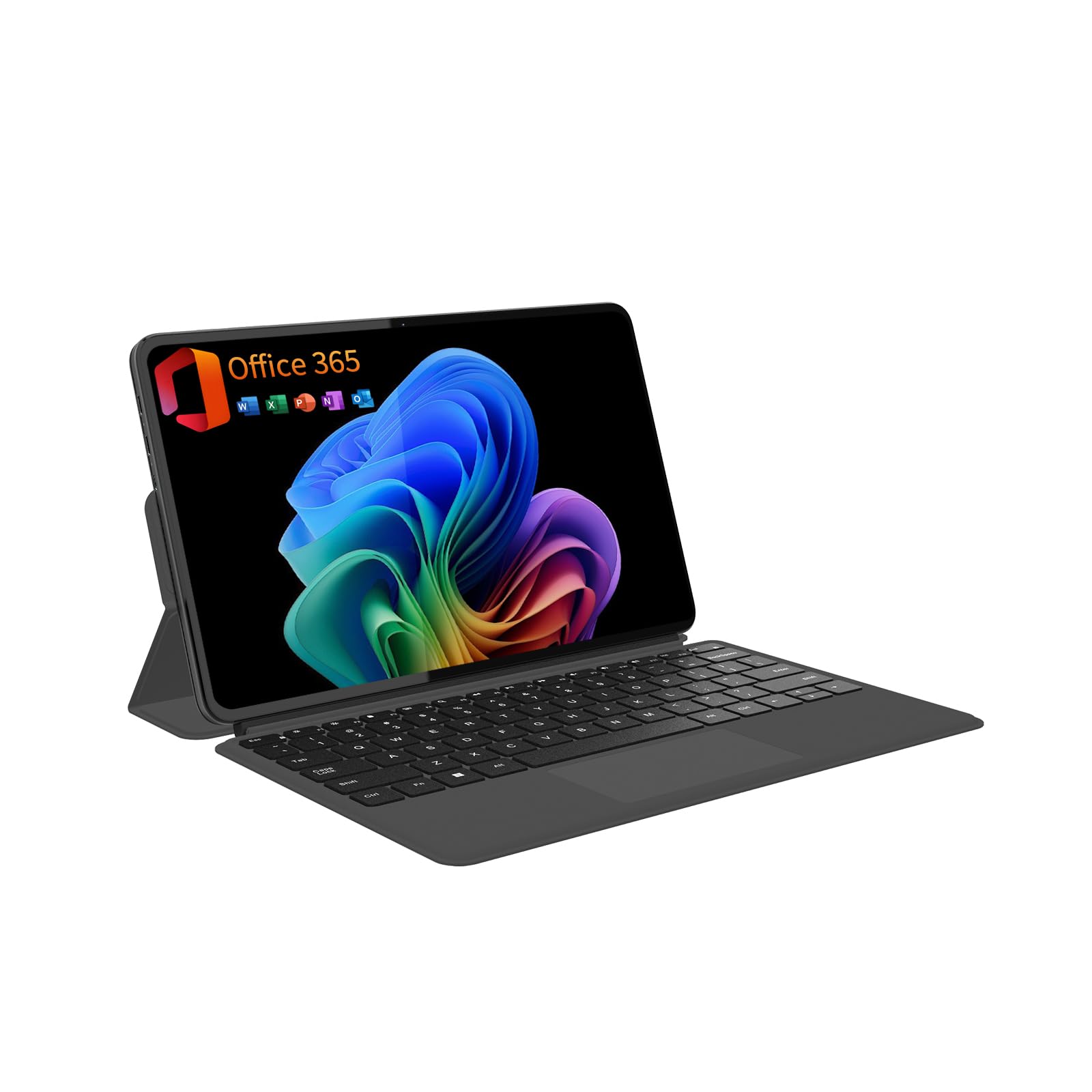
The defining spec is the 12-inch 2K IPS touchscreen with 2000×1200 resolution and 100% sRGB color coverage. For digital artists and designers, that color accuracy means what you sketch on screen matches what you see on a calibrated monitor — a rare feature at this price. The 10-point responsive touch supports fluid drawing, and the included magnetic keyboard and leather case stand let you switch between work and hands-free streaming.
Performance comes from the Intel Pentium Gold 6500Y with a 3.4GHz boost speed, paired with 12GB of RAM and a 512GB SSD. That’s enough for smooth multitasking across creative apps, music, and video calls. It comes with a full 1-Year Office 365 subscription pre-installed, so you can start writing reports or building presentations immediately. At just 0.36 inches thick and 1.4 pounds, it’s genuinely portable.
Owners praise the smooth performance with no frustrating lag, the sharp bright display, and the responsive detachable keyboard. The honest drawbacks: the brand is less established, so long-term reliability is less proven than a Lenovo or HP. There is also the occasional complaint about sound quality and pre-installed software. The 28.88-watt-hour battery means all-day life is a stretch under heavy use.
Creator’s Pick: The 100% sRGB 2K screen gives you color accuracy that budget Windows tablets rarely offer, ideal for photo editing and sketching.
Keep in Mind: A smaller brand means thinner support history, and the Pentium chip won’t handle heavy video editing or modern gaming.
6. KOOFORWAY 8″ Mini Laptop 2-in-1
A pocket-sized Windows machine with a stylus that fits in a go-bag, not a backpack.
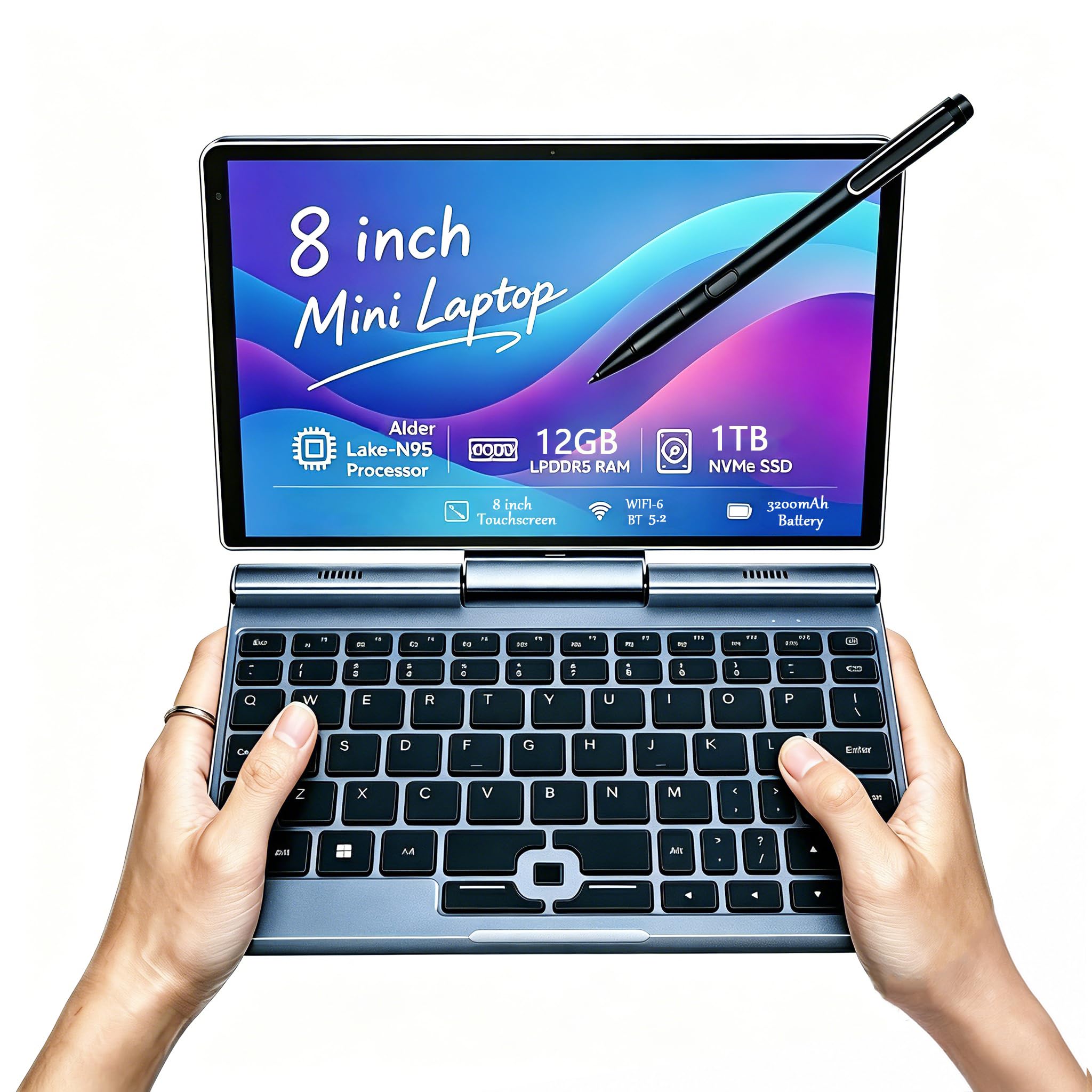
The number that defines this device is its size: an 8-inch 1280×800 HD touchscreen on a machine that weighs just 0.78 kg (about 1.7 lbs). It’s the “take anywhere” laptop — owners use it in data centers, at flea markets, and on sales calls because it slips into a bag easily. The 10-point touch and 1024-level pressure-sensitive pen make it handy for quick notes and signatures on the move.
What wins people over is the portability and connectivity. The Intel N95 processor (up to 3.4 GHz), 12GB LPDDR5 RAM, and 1TB NVMe SSD deliver surprising multitasking power for the size — one owner transferred 3TB of data in 2 hours while multitasking. It includes HDMI output, USB-C, and even an RJ45 ethernet port, making it a genuinely useful tool for IT and field work.
The recurring gripes are about long-term reliability and battery. Some customers note keyboard failures after a few months and battery life that barely lasts 3 hours, while others get all-day use. The speakers are quiet, and the keyboard layout takes adjustment. This is a specialist device for travelers and field workers who prize portability over comfort, not a primary machine for long typing sessions.
The Portability Payoff
- 8-inch size and 0.78 kg weight are class-leading for travel
- Full port selection: HDMI, USB-C, USB-A, RJ45 ethernet
- Stylus with 1024 pressure levels for on-the-go notes
The Small-Screen Sacrifice
- Keyboard layout is cramped and takes getting used to
- Battery life is inconsistent, with some units dropping to 3 hours
- Speakers are too quiet for comfortable media use
Perfect for: technicians, sales reps, and travelers who need a full Windows PC that fits in a jacket pocket.
Not for: heavy typing or media consumption — the 8-inch screen and small keyboard demand compromise.
7. Lenovo Chromebook Duet Gen 9 11″ Tablet
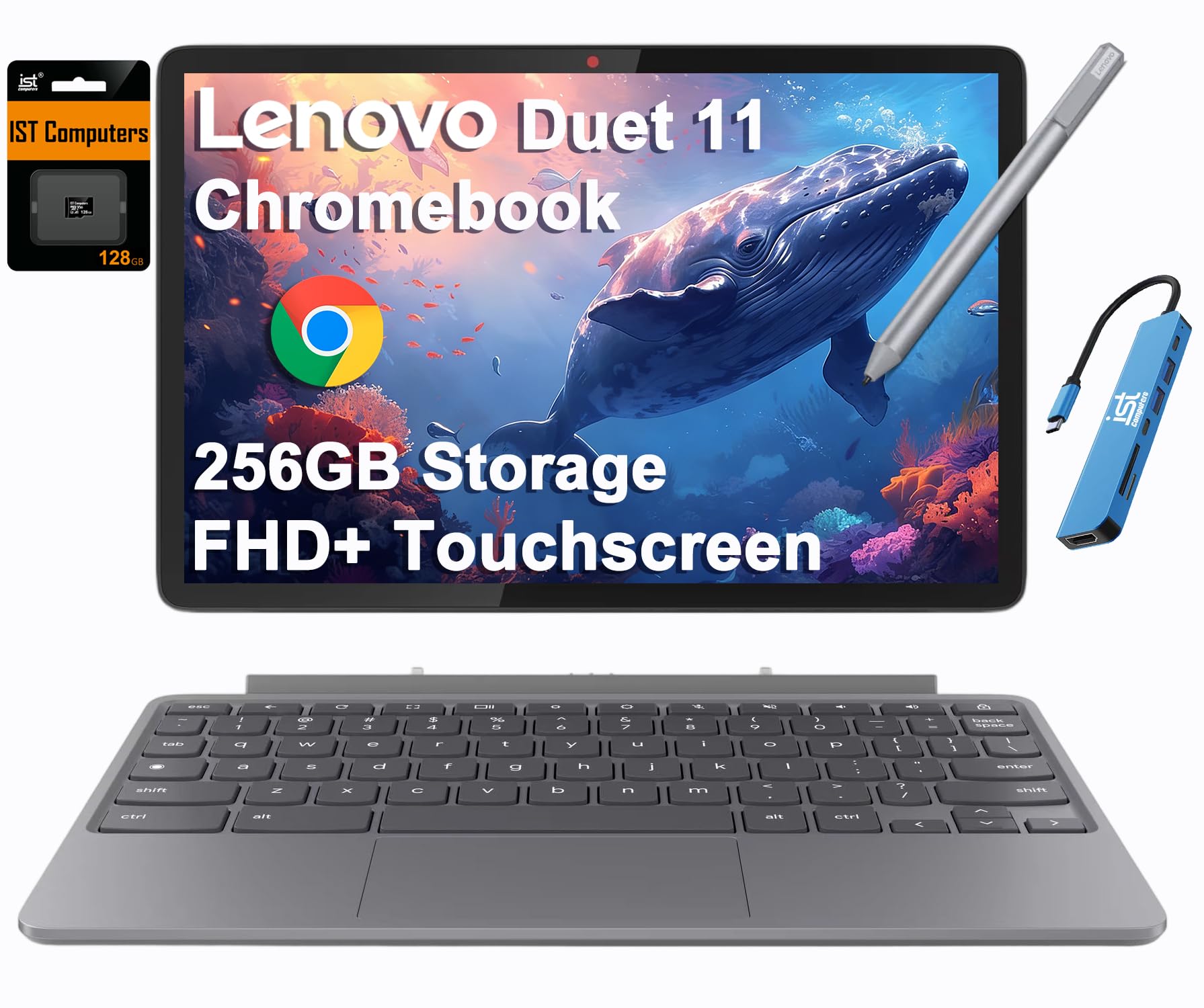
A rugged little detachable Chromebook built to survive a student’s backpack.
The defining feature is the build: an aluminum tablet body with a PU folio stand and keyboard, engineered to MIL-STD-810H military standards — the same ruggedness rating as the ASUS Flip, but in a lighter 2.43 lbs package. The 10.95″ WUXGA (1920×1200) IPS touchscreen hits 400-nits brightness with Corning Gorilla Glass 3 protection, so it stays readable outdoors and resists scratches from daily handling.
The 8-Core MediaTek Kompanio 838 processor (up to 2.6 GHz) with 8GB RAM handles Chromebook workloads smoothly — note this is the highest-end of the Chromebooks here, a clear step up from the ASUS’s Celeron. The dual stereo speakers are tuned with Waves MaxxAudio, and an 8MP rear camera plus a 5MP front camera with privacy shutter cover video calls. Battery life reaches up to 12 hours for all-day classes.
Owners praise the quality, ease of use, and the smooth Google backup experience. The honest trade-offs: the performance is comparable to a mid-tier Android tablet, so it’s not for heavy multitasking. The included USI Pen 2 support is nice, but the stylus is not included, and the keyboard lacks a Caps Lock and Delete key—a quirk that takes adjustment. Sound quality on speakers gets mixed reviews.
Student-Ready: The rugged build, 12-hour battery, and 400-nit screen make it a dependable class-and-library companion for years of school.
Know The Limits: Performance sits at mid-tier Android level, the stylus costs extra, and the keyboard layout requires adjustment.
8. HP OmniBook X Flip Copilot+ PC

A 21-hour battery in a 16-inch premium convertible — the endurance champion of this list.
The headline number is battery life: up to 21 hours, which is exceptional for a 16-inch convertible. That endurance comes from the AMD Ryzen AI 5 340 processor, which boosts to 4.8 GHz and pairs a powerful NPU (50 TOPS) with efficient cores. For college students and road warriors, this means leaving the charger at home for a full day of classes or meetings.
The 16″ WUXGA (1920×1200) IPS 2K touchscreen with 400 nits brightness and 178-degree viewing angles makes it a pleasure for drawing and media — owners specifically note the screen is nice for digital art. The 16GB LPDDR5x-7500 memory and 512GB PCIe Gen4 SSD keep everyday tasks fast. The HP 5MP IR camera with AI noise reduction and Poly Studio audio tuning makes video calls clear, and the recycled-metal build with backlit keyboard feels premium.
Owners find it fast, with a great screen and good value, calling it ideal for college. The trade-off is size and weight — as a tablet, a 16-inch machine is heavy to hold. Some owners also note initial lag from Windows updates and tricky setup for certain creative software. This is a laptop-first convertible that happens to fold, not a tablet you’ll cradle in one hand.
The Endurance Advantage
- Up to 21-hour battery — top-tier for a 16-incher
- 400-nit 2K touchscreen praised by artists
- AI-powered NPU with 50 TOPS for on-device Copilot+ features
The Weight of Power
- Large and heavy when used as a tablet
- Initial Windows updates can cause brief lag
- Some creative apps need manual setup tweaks
Choose this when: you want a large premium convertible that lasts an entire workday on a single charge.
skip it if: you need a light tablet to hold in hand — this is a laptop that folds, not a slab.
9. HP OmniBook 5 Flip 14″ 2-in-1

A 14-inch convertible that travels beautifully and still has real desktop power.
The defining spec is the balance of size and speed: a 14″ FHD+ (1920×1200) touchscreen with 178-degree viewing angles, powered by the Intel Core 7 150U that clocks up to 5.4 GHz. That’s a snappy top speed — owners call it a premium, middle-to-high-quality device that runs quick and is perfect for plane travel. The 16GB DDR5 RAM and 512GB SSD keep it future-proof for years of college or work.
The IPS (in-plane switching) edge-to-edge glass touchscreen supports multitouch and rotates into tablet or tent mode for note-taking, sketching, and editing. At 14 inches, it’s the balance between the cramped 8-inch mini and the heavy 16-inch OmniBook X Flip—portable enough for a train seat, powerful enough for real work. The backlit keyboard is comfortable for typing.
Owners love the touchscreen, the lightweight feel, and the excellent battery life, noting it’s ideal for a student heading to college. The one consistent critique is the speakers — they’re not as loud as some would like. If you’re a frequent flyer or a student who wants a premium convertible without the 16-inch bulk, this is a compelling middle ground between the budget CHUWI and the flagship Surface Pro.
The Travel Balance: A 14-inch chassis with up to 5.4 GHz processing gives you power without the back strain of a 16-incher.
One Caveat: Speakers top out louder than you’d hope, so pack headphones for movies and music.
10. Microsoft Surface Pro 2-in-1 (2024)

The iconic detachable that redefines what a tablet-first Windows machine can do.
The Surface Pro is the original modern 2-in-1, and this 2024 edition is a Copilot+ PC built around the Snapdragon X Plus processor (10 cores, up to 3.4 GHz). The defining advantage is efficiency: up to 14 hours of battery life with fast charging via a 65W PSU over Surface Connect or USB-C. Owners describe it as light, cool, and quiet — a genuine all-day companion.
What wins people over is the hardware quality and the flexibility. The 13″ touchscreen with a sturdy kickstand lets you shift from tablet to laptop to sketchbook, and the detachable Surface Pro Flex Keyboard (sold separately) completes the laptop experience. Owners recommend it for design work, praising the sharp, clean colors and the fast performance. The Snapdragon chip with its powerful NPU handles creative apps and AI features smoothly.
The honest caveats: this generation uses ARM architecture, so some Windows programs have compatibility issues — one owner noted a lack of Google Drive support and slow boot times. Reliability gets mixed reviews, with some units requiring returns. The accessories (keyboard and pen) are sold separately and are pricey, and there are only 2 USB-C ports. It’s a premium pick for those who want the best tablet-first Windows experience and accept the ARM trade-offs.
The Tablet-First Advantage
- 14-hour battery life with fast 65W charging
- Light, cool, quiet Snapdragon X Plus performance
- Sleek, sturdy kickstand design for any angle
What to Know Before You Buy
- ARM architecture causes some app compatibility issues
- Keyboard and pen cost extra
- Only two USB-C ports; reliability is mixed in some units
Best for: professionals and creatives who want a premium, lightweight tablet that transforms into a laptop on demand.
Consider the risk: ARM compatibility and the extra cost of accessories mean you should verify your key apps run before committing.
11. ASUS ROG Flow Z13 Gaming Tablet

Desktop-class gaming power in a 13-inch tablet that folds into a keyboard.
The defining spec is the display: a 13.4″ 2.5K WQXGA ROG Nebula touchscreen with a 180Hz refresh rate and 3ms response time, covering the DCI-P3 color space and PANTONE validated. For gamers and creators, that 180Hz refresh means buttery-smooth motion without ghosting—a level of fluidity no other tablet on this list can match. The screen alone separates it.
Under the hood sits the AMD Ryzen AI MAX+ 395 with 16 cores (boosting to 5.1 GHz), 32GB of low-latency LPDDR5X 8000MHz quad-channel memory, and a 1TB SSD. Owners pair it with the XG Mobile external GPU for AAA gaming, reporting performance that outperforms some desktops. The 32GB of memory dynamically balances the integrated CPU and GPU duties for smooth gaming, and the 170° kickstand adapts to any angle for work or play.
The honest truth: this is a niche, expensive machine. Value for money and battery life are rated negatively by owners — with a power-hungry chip, you’ll be near a charger often. Reliability also gets mixed feedback, with one owner reporting freezes and failed wake-from-sleep, and another noting a monthly screen blackout. It’s the most powerful 2-in-1 here, but it demands a willingness to troubleshoot and a budget that justifies the price.
The Power Play: The 180Hz 2.5K screen and 16-core Ryzen chip deliver gaming desktop performance in a tablet form factor.
The Hard Truth: Battery life and value for money are weak points, and reliability can be hit-or-miss — this is for enthusiasts who accept the quirks.
Understanding the Specs
Refresh Rate & Response Time
Refresh rate (measured in Hz) is how many times the screen updates per second. A standard 60Hz display looks fine for office work, but a 180Hz display like the ROG Flow Z13 appears dramatically smoother — a key difference for gaming or fast-scrolling creative work. Response time (measured in ms) is how quickly a pixel changes color; a 3ms panel reduces motion blur.
Processor Architecture: x86 vs ARM
Most Windows laptops use x86 processors (Intel, AMD) that run all traditional software. The Surface Pro uses an ARM chip (Snapdragon X Plus) that’s more power-efficient, giving amazing battery life, but some older Windows apps may not work perfectly. If you rely on specific software, check compatibility before choosing an ARM-based 2-in-1.
FAQ
What is the difference between a convertible and a detachable 2-in-1 tablet?
Will a budget 2-in-1 handle my daily work needs?
Is a 2-in-1 tablet good for taking notes and drawing?
How long does the battery actually last on a 2-in-1 tablet?
Is a Chromebook 2-in-1 better than a Windows 2-in-1 for me?
How much RAM and storage do I really need?
Will a 2-in-1 tablet replace my laptop completely?
What does the refresh rate mean for a 2-in-1 tablet?
Is it worth buying a refurbished 2-in-1 tablet?
How important is the touchscreen quality on a 2-in-1?
Final Thoughts: The Verdict
The 2-in-1 tablet landscape splits cleanly by how you work. The Lenovo Yoga 7i takes the crown as Best Overall because its 2TB SSD, 16GB DDR5, and Core Ultra 7 make it the most future-proof convertible here—the crowd favorite at 4.6 stars. If you want the class-leading 21-hour endurance of the HP OmniBook X Flip, that’s your premium battery champion. For a tablet-first experience with all-day 14-hour life, the Microsoft Surface Pro is the sleek detachable to reach for.
Budget-conscious buyers have real options too: the CHUWI Hi10 X2 proves a capable Windows detachable can be affordable, and the ASUS Chromebook Flip CX1 delivers rugged value for ChromeOS fans. And if gaming is non-negotiable, the ASUS ROG Flow Z13 with its 180Hz display is the only true gaming tablet worth considering — just keep a charger nearby.
How We Picked
We do not accept paid placement. Every pick is matched to a real buyer and a real use-case; we do not hands-on test units.
Sources & Methodology
Specifications: manufacturer listings and product documentation. Review insights: verified customer reviews, as of August 2026. Pricing: not shown on this page (it changes often); check the current price via the retailer link.
As an Amazon Associate, Gadgets Feed earns from qualifying purchases. This does not affect which products we feature.