
When your media library, backup array, or production workflow demands a single-volume capacity that most desktop computers cannot even address internally, the search for a 32TB external hard drive moves beyond simple “plug and play.” You are looking at enterprise-grade spinning rust, professional RAID enclosures, and NAS appliances designed for 24/7 duty cycles. The choice between a single 32TB helium-filled HDD and a multi-bay RAID 0 stripe defines not just your transfer speeds, but your data recovery strategy.
I’m Rikta — the co-founder and writer behind Gadgets Feed. I have spent years analyzing the sustained transfer rates, cache buffer sizes, and failure-rate data of large-capacity storage devices so you do not have to dig through technical datasheets. (And Homer 🐱 approved this list from the warm spot on my laptop’s palm rest).
Whether you are building a video editing workstation, future-proofing a NAS, or consolidating a decade of archives, the right drive depends on access speed, redundancy, and physical footprint. This guide breaks down the most reliable 32tb external hard drive options to match your exact workflow demands.
How To Choose The Best 32TB External Hard Drive
Not all 32TB capacities are created equal. Some models pack two 16TB drives in a RAID enclosure, while others use a single 32TB enterprise HDD. Your choice affects noise, speed, redundancy, and cost per gigabyte. Focus on these three factors first.
Single Drive vs. Multi-Bay RAID Enclosure
A single-drive 32TB external HDD (like the Seagate IronWolf Pro internal used in an enclosure) gives you one large volume with no redundancy. If the drive fails, all data is gone. A dual-bay enclosure (like the Glyph StudioRAID or OWC Mercury Elite Pro Dual) combines two 16TB drives. In RAID 0 you get one 32TB volume at double the speed but double the risk. In RAID 1 you get a mirrored 16TB volume with data protection. Choose based on whether raw speed or data safety matters more.
Connectivity Speed and Protocol
USB 3.0 caps out around 5Gbps (about 180 MB/s real-world for HDDs). Thunderbolt 3 offers 40Gbps but requires a compatible computer. eSATA at 6Gbps works for pro AV setups. For a 7200 RPM drive, RAID enclosures saturate USB 3.2 Gen 1 at 5Gbps; Thunderbolt is wasted on spinning platters unless you use RAID 0 or SSDs. A 2.5GbE NAS gives you network-attached speeds that rival local USB without being tethered to one machine.
Drive RPM and Cache Size
Enterprise 7200 RPM drives (like the Ultrastar inside the G-Technology units) sustain writes much better than budget 5400 RPM drives. Look for at least 256 MB cache on a 32TB HDD. The larger cache buffers small file bursts and keeps transfer curves flat during multi-gigabyte writes. Lower RPM drives run cooler and quieter but may drop to 80 MB/s during sustained writes to the outer platters.
Quick Comparison
On smaller screens, swipe sideways to see the full table.
| Model | Category | Best For | Key Spec | Amazon |
|---|---|---|---|---|
| Glyph StudioRAID 32TB | RAID Enclosure | Studio production | 2x 16TB 7200 RPM, RAID 0/1/JBOD | Amazon |
| OWC Mercury Elite Pro Dual 32TB | RAID Enclosure | Pro video workflows | 407 MB/s read, USB 3.1 + eSATA | Amazon |
| Seagate IronWolf Pro 32TB | Internal NAS HDD | Enterprise NAS builds | 7200 RPM, 512 MB cache, 285 MB/s | Amazon |
| BUFFALO TeraStation 32TB | Desktop NAS | Small office / home server | 4x 8TB, 2.5GbE, RAID 5 (24TB usable) | Amazon |
| G-Technology 36TB G-RAID | Pro RAID Enclosure | Mac video editors | Thunderbolt 3, dual Ultrastar 7200RPM | Amazon |
| SanDisk Professional G-RAID Project 2 | Pro RAID Enclosure | High-throughput DIT work | 540 MB/s read, Thunderbolt 3, PRO-BLADE slot | Amazon |
| WD 24TB My Book | Desktop HDD | Plug-and-play backups | 24TB, USB 3.2 Gen 1, hardware encryption | Amazon |
| WD 24TB Elements Desktop | Desktop HDD | Bulk media archives | 24TB, USB 3.2 Gen 1, 5Gbps | Amazon |
| WD 22TB Elements Desktop | Desktop HDD | Cost-per-TB efficiency | 22TB, USB 3.0, 180 MB/s | Amazon |
| WD 20TB Elements Desktop | Desktop HDD | Entry-level large storage | 20TB, USB 3.0, quiet operation | Amazon |
| SSK 8TB SSD | Portable SSD | High-speed mobile transfers | 2000 MB/s, USB 3.2 Gen2x2, 8TB | Amazon |
In‑Depth Reviews
1. Glyph StudioRAID 2-Bay RAID Desktop External Hard Drive (32TB)
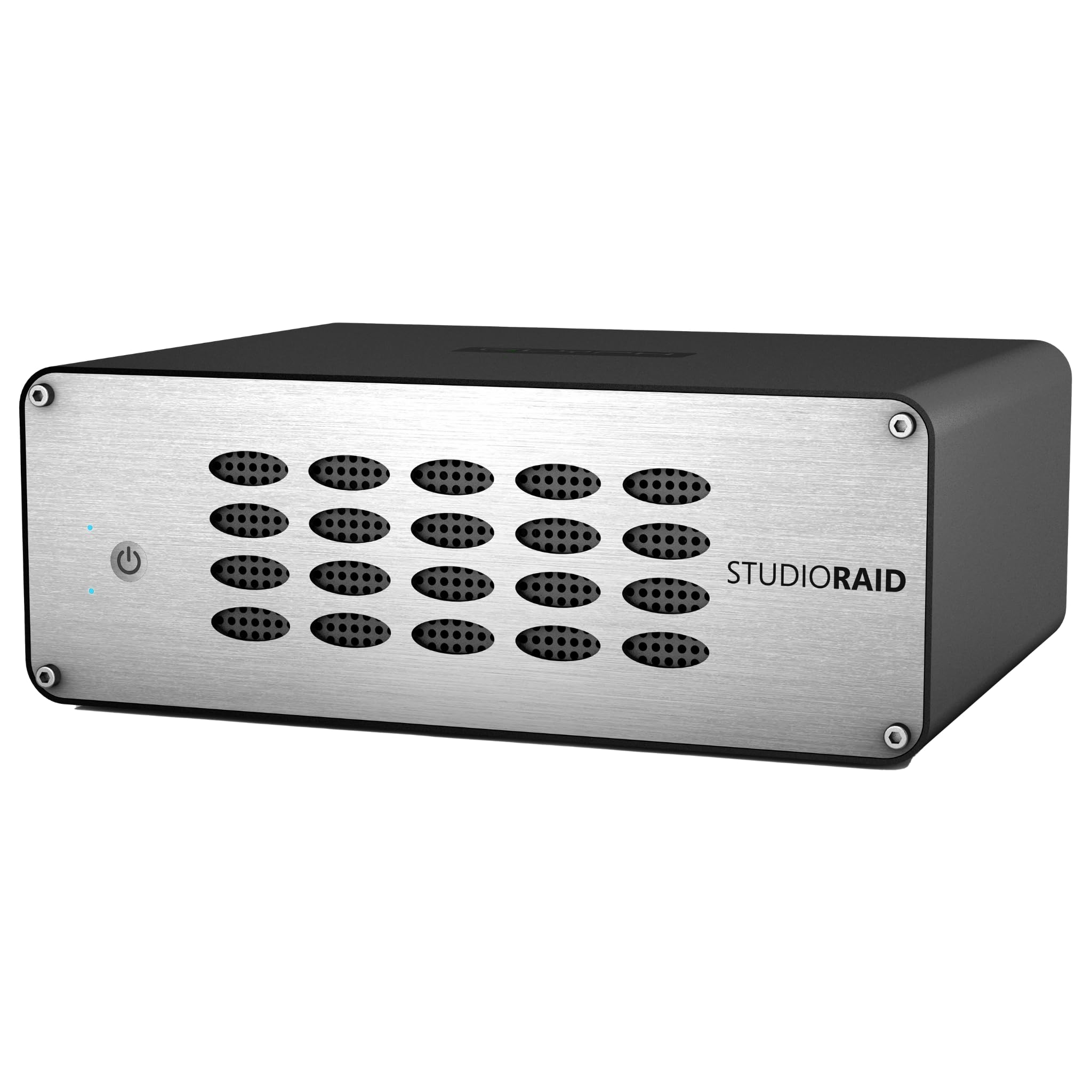
The Glyph StudioRAID hits the sweet spot for professional media workflows that demand both a full 32TB volume and hardware RAID configurability. Its dual 16TB 7200 RPM drives support RAID 0 (full 32TB at double speed), RAID 1 (mirrored 16TB), JBOD, and SPAN modes — all adjustable via a rear switch without any software. The all-aluminum chassis with a quiet fan keeps temperatures stable during twelve-hour editing sessions, and the three interface options (USB 3.0, FireWire 800, eSATA) ensure compatibility with legacy studio equipment.
Transfer rates hover around 360 Mbps for RAID 0, which is sufficient for 4K ProRes and HD video playback from the timeline. Users consistently praise the drive’s near-silent operation at a mix position — you will not hear it over monitor speakers. The high build quality and responsive support from Glyph, known for studio-grade storage, justify the premium over consumer enclosures.
One caveat: Glyph recommends disabling disk sleep and screensavers to prevent file system corruption. This is standard for RAID enclosures but worth noting if you are used to power-saving features. For a production environment where the drive stays on all day, this is a non-issue.
Why it’s great
- Tool-free RAID mode switching for 0/1/JBOD/SPAN
- Triple-interface connectivity for studio setups
- Quiet aluminum cooling with effective fan
Good to know
- Advises against system sleep to avoid corruption
- USB 3.0, not USB 3.2 Gen 2
2. OWC Mercury Elite Pro Dual 32TB RAID

The OWC Mercury Elite Pro Dual delivers the highest sequential read speeds in this roundup at 407 MB/s, using two 3.5-inch 7200 RPM drives in RAID 0. This is fast enough for HD and even light 4K video workflows without dropping frames. The enclosure ships in RAID 0 but lets you switch to RAID 1, SPAN, or JBOD via a rear switch and a SET button sequence — no software required. The included USB 3.2 Gen 1 Type-B and eSATA 6G ports give you flexibility for both modern and pro AV rigs.
Build quality is excellent, with a rugged aluminum shell that dissipates heat well. The fan is quiet — users report transfer rates between 35 and 90 MB/s in JBOD mode when writing to a NAS, but in RAID 0 the drive saturates the USB 3.1 bus easily. The hardware RAID controller is reliable for RAID 1 mirroring, with clear green/red LEDs indicating drive health. One experienced user noted three of four units failed silently in RAID 1, but the majority of reviews report solid long-term performance.
For Linux and ZFS users, this enclosure works well in JBOD mode as a dumb storage shelf. The power supply uses a real rocker switch, so it powers on reliably after a power outage. At this price point, you get pro-grade speed with the flexibility to trade performance for redundancy as your needs change.
Why it’s great
- 407 MB/s RAID 0 read speed for video editing
- Hardware RAID with four modes, no software
- USB 3.1 and eSATA dual connectivity
Good to know
- Some RAID 1 silent failure reports exist
- Drives screw in, not hot-swappable
3. Seagate IronWolf Pro 32TB Enterprise NAS Internal HDD
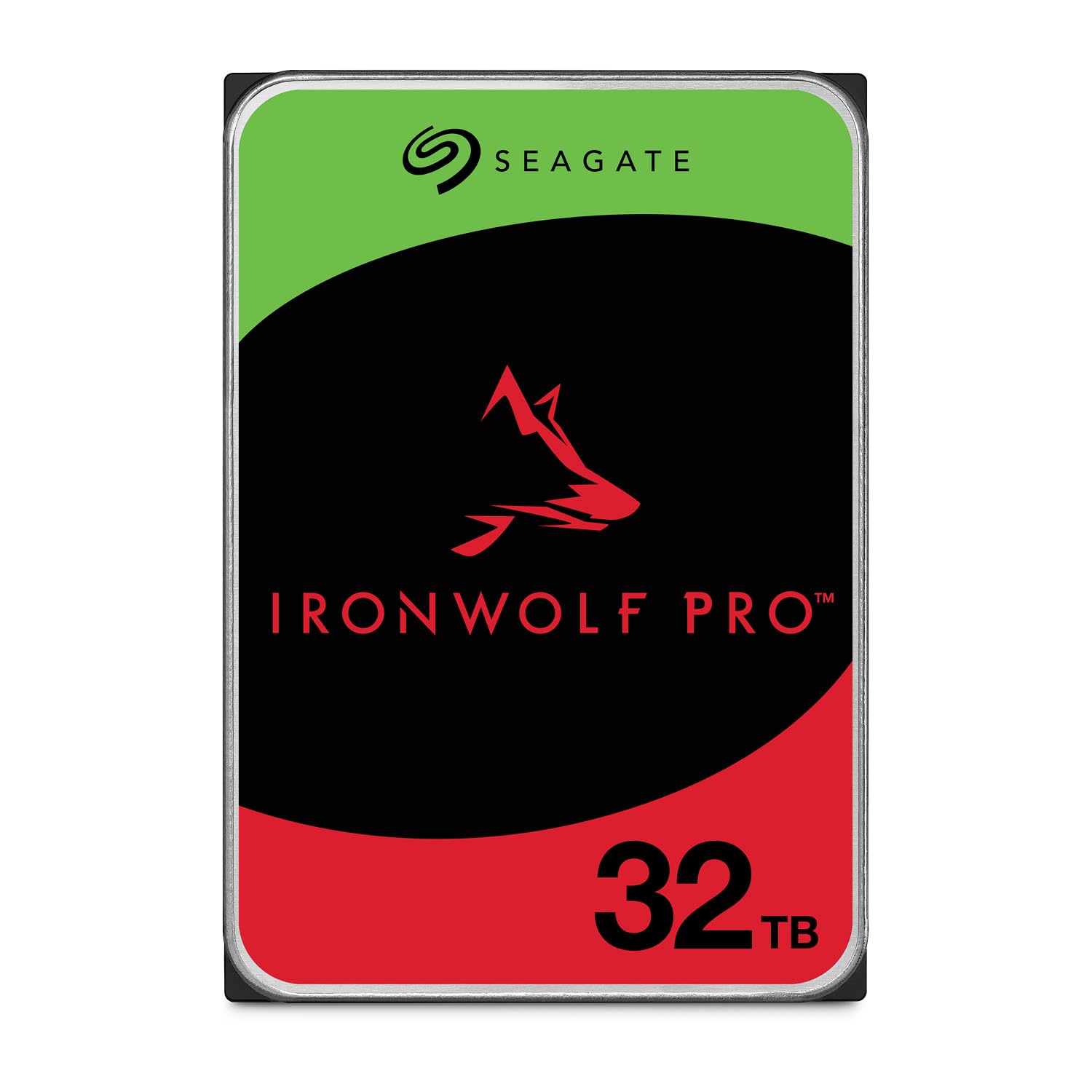
The Seagate IronWolf Pro 32TB is a single 3.5-inch helium-filled HDD designed for enterprise NAS environments that demand 24/7 availability. With a 7200 RPM spindle, 512 MB cache, and 285 MB/s sustained transfer rate, this drive is optimized for RAID arrays handling AI training data, analytics, and multi-user media libraries. The CMR (conventional magnetic recording) technology ensures consistent write performance — no SMR slowdowns during large transfers. Seagate backs it with a 5-year limited warranty and includes a 3-year data recovery service, which is rare at this capacity.
This is an internal drive, so it requires a NAS enclosure or external USB/SATA dock. Users report quiet operation and excellent vibration tolerance in multi-bay Synology and QNAP units. The 1.2 million hours MTBF reflects enterprise-grade reliability. One reviewer noted that Seagate support can be slow to process RMAs, but the majority of users see years of trouble-free service.
If you are building a custom NAS and want the highest single-drive capacity available, this is the drive. Pair two in a RAID 1 for a mirrored 32TB volume, or run four in a RAID 5 for 96TB usable. The helium filling reduces internal friction, so power draw and noise are lower than previous 20TB+ designs.
Why it’s great
- Highest single-drive consumer capacity at 32TB
- 512 MB cache with sustained 285 MB/s writes
- 5-year warranty with 3-year data recovery
Good to know
- Internal drive — requires enclosure or NAS bay
- Premium price per TB vs. 22TB/24TB models
4. BUFFALO TeraStation Essentials 2025 4-Bay NAS (32TB)

The BUFFALO TeraStation Essentials delivers a complete 32TB NAS solution out of the box with four pre-installed 8TB 5400 RPM hard drives. It ships in RAID 5, giving you 24TB of usable space with single-drive fault tolerance, but you can reconfigure to RAID 6 (more redundancy) or RAID 0 (full 32TB). The native 2.5GbE port provides significantly faster network transfers than standard 1GbE NAS units without needing a cable upgrade — real-world throughput approaches 280 MB/s on a compatible network.
Setup is genuinely hassle-free: plug in Ethernet, power on, and access the web-based management interface. Users report rock-solid stability over six months of continuous operation with no crashes. The closed system with 256-bit drive encryption and cloud sync to Amazon S3, Dropbox, Azure, and OneDrive makes it suitable for small offices that want a hybrid cloud backup strategy. Made in Japan and TAA-compliant, this NAS carries a 3-year warranty covering hard drives.
The 5400 RPM drives are slower than 7200 RPM enterprise drives, but for file sharing, backups, and media streaming to multiple clients, the network becomes the bottleneck before the drives. The included 4x8TB drives are pre-tested, reducing the risk of DOA drives that can plague self-built NAS. If you want network-attached storage with zero assembly, this is the most cost-effective entry point.
Why it’s great
- Pre-configured RAID 5 out of the box
- 2.5GbE networking for faster transfers
- Cloud hybrid sync and 3-year warranty
Good to know
- 5400 RPM drives limit raw throughput
- Manual is online-only, no printed guide
5. G-Technology 36TB G-RAID with Thunderbolt 3

The G-Technology G-RAID is a staple in Mac-based video production suites, and this 36TB version (with two 18TB 7200 RPM Ultrastar enterprise drives) is no exception. It connects via dual Thunderbolt 3 ports (40Gbps) and a single USB-C 3.1 Gen 2 port, allowing daisy-chaining up to five additional devices. The all-aluminum stackable enclosure looks right at home next to a Mac Pro or Mac Studio, and the drives are pre-configured in RAID 0 for maximum speed — approximately 230 MB/s in real-world transfers.
The build quality is exceptional: the metal chassis is rigid and the fan, while audible under load, is quieter than competing WD drives. The drive ships Mac-ready but works on PC after reformatting. For video editors working with Premiere, Final Cut, or Avid, the G-RAID handles 4K ProRes timelines without stuttering, and the RAID 0 stripe provides enough bandwidth for multi-stream HD.
Note that the 36TB capacity is over the 32TB target, but the price and feature set make it a direct competitor. The fan noise is present but not distracting — users place it under the desk and forget about it. One minor complaint: the fan is the loudest component, but it is still quieter than the G-Drive alternatives. If your workflow is Mac-native and you need Thunderbolt speeds, this is the gold standard.
Why it’s great
- Dual Thunderbolt 3 with daisy-chaining support
- Enterprise Ultrastar 7200 RPM drives
- Stackable aluminum design for desk integration
Good to know
- 36TB exceeds 32TB, pricing is premium
- Fan noise present, louder at idle than some competitors
6. SanDisk Professional 48TB G-RAID Project 2

The SanDisk Professional G-RAID Project 2 pushes the performance envelope with the highest sequential throughput in this guide — 540 MB/s read and 490 MB/s write from two 7200 RPM Ultrastar enterprise-class drives in RAID 0. It also features a unique PRO-BLADE SSD Mag slot that lets you add an NVMe SSD module for ultra-fast cache, project transfers, or backup without cluttering your desk. The 48TB capacity is overkill for most, but for DIT carts and high-end post-production, it delivers the raw speed needed to ingest and playback 8K footage.
The Thunderbolt 3 interface (40Gbps) fully saturates the dual-drive RAID 0 array, and color-coded cable indicators on the back prevent you from plugging the wrong cable into the wrong port. The space gray aluminum enclosure feels premium and stacks with other G-RAID models. Users report excellent reliability for video editing — one reviewer called it a “horse on my last production.”
However, there are significant reliability concerns. A verified buyer reported a catastrophic failure within 40 days, losing 7TB of data, and another long-time G-Drive user reported four failed units in under five years. While many users have positive experiences, the failure pattern is worse than the OWC or Glyph enclosures. If you buy this drive, maintain a separate backup religiously.
Why it’s great
- 540 MB/s read, fastest HDD RAID in this list
- PRO-BLADE slot for NVMe expansion
- Thunderbolt 3 with color-coded cables
Good to know
- Reports of premature drive failure within weeks
- 48TB capacity is oversized for 32TB target
7. WD 24TB My Book Desktop External Hard Drive

The WD My Book 24TB offers the most complete software bundle among desktop drives, including password protection via hardware encryption, automatic backup software, and ransomware defense. It comes pre-formatted in exFAT, so it works with both Windows and Mac out of the box — no reformatting required. The USB 3.2 Gen 1 interface delivers standard 5Gbps speeds, translating to roughly 180 MB/s for sequential transfers. This is a single HDD, so you get no speed boost from RAID, but the hardware encryption is a standout feature for sensitive data.
Users appreciate the quiet operation and compact footprint relative to the 24TB capacity. One reviewer reported dropping an 8TB My Book while it was not spinning — after connecting the drive directly via SATA, all data survived, demonstrating impressive physical durability when idle. The included Acronis backup software is useful for Windows users, though Mac users may prefer Time Machine.
The main drawback is that the My Book’s drive is not user-serviceable; the enclosure is difficult to open without breaking the plastic casing. If the drive fails, data recovery requires sending the whole unit to a specialist. For archival backups where you access data infrequently, this is a strong value proposition with built-in security features that competing drives lack.
Why it’s great
- Hardware encryption with password protection
- exFAT formatted for Windows and Mac plug-and-play
- Includes backup and ransomware defense software
Good to know
- Enclosure is not user-serviceable for drive removal
- 24TB max capacity — below 32TB target
8. WD 24TB Elements Desktop External Hard Drive

The WD Elements 24TB shares the same physical design and internal drive technology as the My Book but strips away the encryption and software bundle for a lower cost. It is plug-and-play on Windows (NTFS) and requires reformatting for Mac. The SuperSpeed USB 3.2 Gen 1 interface hits 5Gbps, and the drive itself is a 3.5-inch 7200 RPM HDD delivering around 180 MB/s sequential transfers. The aluminum and glass enclosure looks clean on any desk and the drive stands vertically without tipping.
User reviews consistently highlight the drive’s stability and quiet operation during idle, with some audible noise during active transfers. The 24TB capacity is the highest available in the Elements line, using a single CMR drive. Unlike cheaper SMR drives, the Elements maintains consistent write speeds even after filling the cache. One reviewer with experience handling hundreds of drives per year rated WD reliability higher than Seagate for consumer-level storage.
At 24TB, this is not a full 32TB solution, but it is the most cost-effective way to get close to that capacity with a single, simple desktop unit. If you do not need hardware encryption, backup software, or Mac compatibility out of the box, the Elements saves you money on a rock-solid drive that performs identically to the My Book under the hood.
Why it’s great
- Cost-effective alternative to My Book at same capacity
- Stable vertical design with compact footprint
- CMR drive with consistent write performance
Good to know
- Requires reformatting for macOS
- 24TB max, not a full 32TB volume
9. Western Digital 22TB Elements Desktop External Hard Drive

Stepping down to 22TB, the WD Elements Desktop remains one of the best values in high-capacity external storage. The USB 3.0 interface delivers smooth 180 MB/s transfer rates, and the drive runs cool enough that users report it does not get “very hot like some of the drives.” The vertical orientation and weighted base keep it stable even when bumped. It is fully plug-and-play with Windows 11 and requires a quick format for macOS.
Real-world capacity is 18.19 TB usable on the 20TB model, and similar overhead applies to the 22TB — about 20 TB usable after formatting. For video archives and media libraries, this is plenty. The included power brick is small, and the 5-foot USB cable provides flexibility for desktop placement. Users who shuck these drives (remove the drive from the enclosure) report that the internal drive is a standard WD CMR HDD, making this a popular choice for building custom NAS arrays at lower cost than buying bare drives.
Noise is well-controlled — the drive is quiet when idle and only produces a low hum during active transfers. The enclosure is plastic and may feel less premium than the My Book’s aluminum/glass build, but at this price per TB, the savings are substantial. If you are willing to accept 22TB instead of 32TB, this is the most wallet-friendly route to multi-terabyte storage.
Why it’s great
- Excellent cost per TB in the Elements lineup
- Runs cool and quiet under normal use
- Popular for shucking into custom NAS builds
Good to know
- Plastic enclosure feels less premium
- 22TB capacity falls short of 32TB target
10. WD 20TB Elements Desktop External Hard Drive

The 20TB WD Elements Desktop is the gateway to high-capacity external storage — the lowest cost entry point in the WD Elements lineup that still provides multi-terabyte archival space. It uses the same USB 3.0 plug-and-play design as its larger siblings, with transfer rates around 180 MB/s and a quiet, stable standing form factor. The aluminum enclosure provides adequate heat dissipation, and the included AC adapter ensures consistent power delivery for long backup sessions.
Buyers consistently rate this drive 4.5 to 5 stars, praising its reliability and straightforward setup. One reviewer noted that the drive “doesn’t fall over very easy” — the wide base and vertical orientation are genuinely stable. The cache memory is sufficient for smoothing large file transfers, and the drive does not produce excessive vibration even during sustained writes.
At 20TB, this drive is best suited for users who need a massive amount of storage but cannot justify the jump to 22TB, 24TB, or 32TB. It is ideal for consolidating older smaller drives into a single volume. For a 32TB solution, you would need to pair two of these, which negates the cost advantage. But as a single-drive archive or backup target, the 20TB Elements remains a workhorse.
Why it’s great
- Lowest entry price for WD multi-terabyte storage
- Reliable CMR drive with stable performance
- Quiet and compact vertical design
Good to know
- 20TB capacity requires two drives for 32TB
- USB 3.0, not USB 3.2 Gen 2
11. SSK 8TB SSD External Hard Drive

The SSK 8TB Portable SSD represents a fundamentally different category — it is an SSD, not an HDD, with blistering 2000 MB/s transfer speeds over USB 3.2 Gen2x2. This is 11 times faster than the fastest HDD in this guide and offers shock resistance, silent operation, and a pocket-sized form factor. The zinc alloy and plastic enclosure is palm-sized, and the drive includes both a 20Gbps USB-C cable and a 10Gbps USB-A cable for universal compatibility.
The 8TB capacity is smaller than the 20TB+ HDDs, but for professionals who need to transfer large project files between locations, the speed difference is transformative. The drive supports S.M.A.R.T. health diagnostics and adaptive TRIM to sustain peak performance. It works with iPhone 15/16 Pro, Mac, Windows, and gaming consoles. Users report plug-and-play ease with MacBook Air and Lenovo laptops, with no overheating even during extended use.
While the 8TB capacity cannot replace a 32TB archive drive, this SSD excels as a working-drive complement — fast enough to edit video directly from the drive, small enough to carry in a pocket. If your workflow prioritizes speed over sheer capacity, this is an essential companion to an HDD-based archive. The price per TB is higher than HDDs, but the performance justifies the premium for active projects.
Why it’s great
- 2,000 MB/s read speed — fastest in this guide
- Palm-sized, shock-resistant, silent operation
- USB 3.2 Gen2x2 with dual cables included
Good to know
- 8TB capacity is far below 32TB target
- Higher cost per TB than HDD alternatives
FAQ
Can a single 32TB external hard drive be powered by USB alone?
Is a 32TB external HDD reliable for long-term archival storage?
Why do 32TB RAID enclosures cost more than a single 32TB internal drive?
Can I use a 32TB external hard drive with a gaming console?
Final Thoughts: The Verdict
For most users, the 32tb external hard drive winner is the Glyph StudioRAID because it balances full 32TB capacity in RAID 0, professional-grade build quality, and versatile connectivity without demanding a software setup. If you need the fastest possible single-volume speed, grab the OWC Mercury Elite Pro Dual with its 407 MB/s RAID 0 throughput. And for network-attached storage with zero assembly, nothing beats the BUFFALO TeraStation Essentials with its 2.5GbE and pre-installed RAID 5.