
An 8K gaming monitor isn’t just a display — it’s the final frontier of pixel density, demanding a GPU that can push 33 million pixels without choking. The leap from 4K to 8K quadruples the rendering load, so panel choice, refresh rate floor, and connection bandwidth become non-negotiable filters rather than optional upgrades.
I’m Rikta — the co-founder and writer behind Gadgets Feed. I’ve analyzed hundreds of monitor specification sheets and real-world reviews to isolate exactly which 8K-ready panels deliver usable frame rates, accurate color, and low input lag without forcing you back to 1080p. (And Homer 🐱 supervised the cable management from his heated perch).
This guide breaks down the only panels that can actually drive 8K content at playable speeds, the connectors that won’t bottleneck your GPU, and whether you need an RTX 5090 to see the difference. If you are hunting for the best 8k gaming monitor, the list ahead separates true 8K hardware from upscaling marketing tricks.
How To Choose The Best 8K Gaming Monitor
An 8K monitor demands more than high resolution — you must evaluate panel technology, connectivity bandwidth, and your GPU’s ability to feed that many pixels. The wrong choice leaves you stuck at a blurry lower resolution or wrestling with input lag.
Panel Technology: OLED vs IPS vs VA
For 8K gaming, OLED panels deliver the deepest blacks and fastest response times (0.03ms GtG), which helps compensate for the heavier rendering load. IPS panels can offer higher brightness and longer lifespan, but their contrast ratio drops below 2000:1, making dark scenes look washed out at 8K.
Connectivity Bandwidth: HDMI 2.1 vs DisplayPort 2.1
8K at 60Hz requires at least 48Gbps of bandwidth. HDMI 2.1 can handle that with Display Stream Compression (DSC), but DisplayPort 2.1 (UHBR20) offers 80Gbps, allowing native 8K without compression artifacts. If you plan to use a single cable, DP 2.1 is the safer bet for lossless transmission.
GPU Requirements
No current GPU can natively push 8K at high frame rates in modern titles. The NVIDIA RTX 5090 with 32GB GDDR7 and DLSS 4 is the only graphics card that makes 8K playable — even then, expect around 40-60 fps in AAA games at native resolution. Budget GPUs will force you down to 4K or 1440p on an 8K panel, which often results in scaling artifacts.
Quick Comparison
On smaller screens, swipe sideways to see the full table.
| Model | Category | Best For | Key Spec | Amazon |
|---|---|---|---|---|
| ZOTAC RTX 5090 | GPU | Enabling 8K gaming | 32GB GDDR7 / 512-bit | Amazon |
| LG 39GX950B | OLED | 5K2K ultra-wide gaming | 165Hz / 0.03ms | Amazon |
| ASUS ROG Strix OLED XG32UCWMG | WOLED | Glossy 4K with 480Hz dual mode | TrueBlack 400 / 240Hz | Amazon |
| Alienware AW3225QF | QD-OLED | Premium 4K gaming | 240Hz / 0.1ms | Amazon |
| MSI MPG 322URX | QD-OLED | Competitive 4K gaming | 240Hz / 0.03ms | Amazon |
| Samsung Odyssey G9 (2025) | VA | Ultra-wide immersive gaming | DQHD 5120×1440 / 144Hz | Amazon |
| INNOCN 49Q1S | OLED | Budget-friendly 49″ OLED | 240Hz / 0.03ms | Amazon |
| ASUS ProArt PA32UCDM | QD-OLED | Pro-grading with gaming performance | ∆E < 1 / 240Hz | Amazon |
| LG 32U990A | IPS | Creative 6K professional monitor | 224 PPI / 60Hz | Amazon |
| Dell UltraSharp U4025QW | IPS | Productivity-focused 5K2K | 120Hz / 2000:1 contrast | Amazon |
| GIGABYTE AORUS CO49DQ | OLED | 49″ ultra-wide OLED gaming | 144Hz / 0.03ms | Amazon |
| Samsung Odyssey G9 OLED 2024 | OLED | Premium 32:9 immersive play | 240Hz / 5120×1440 | Amazon |
| ASUS ROG Strix XG43UQ | LED | Console gaming on large 4K | 43″ / 4K 144Hz | Amazon |
In‑Depth Reviews
1. ZOTAC Gaming GeForce RTX 5090 Solid OC White Edition

This is the only GPU on the market that can drive an 8K monitor at usable frame rates. The RTX 5090 packs 32GB of GDDR7 memory on a 512-bit bus, with a boost clock of 2422 MHz — enough bandwidth to push 7680 x 4320 resolution without choking on texture loads. In titles like Resident Evil 9 at 5120×1440, it holds 200-250 fps with DLSS Balanced enabled and no frame generation.
IceStorm 3.0 cooling uses three 100mm BladeLink fans and a vapor chamber, keeping temps at 67°C under full load while the fans stay nearly silent. The card is compact enough to fit in a Y60 case, unlike bulkier 4090 designs. Dual BIOS and Spectra 2.0 ARGB lighting add customization, but the real story is the 512-bit interface — the only path to 8K native rendering today.
Bear in mind that Windows can become unstable above 600W draw; experienced users set voltage to 95% to avoid crashes. The card ships with a 4x 8-pin-to-16-pin adapter, so factor in a suitable PSU. If your goal is to run an 8K panel without downscaling, this is the prerequisite.
Why it’s great
- 32GB GDDR7 with 512-bit bandwidth handles 8K textures without page-outs
- IceStorm 3.0 cooling keeps temps at 67°C under sustained load
- Compact form factor fits SFF cases better than most 4090s
Good to know
- Requires voltage cap at 95% to avoid driver crashes above 600W
- Some units shipped with broken seals — verify packaging upon arrival
- No price-to-performance leader; this is a flagship investment
2. LG 39GX950B-B 39-inch Ultragear evo 5K2K OLED
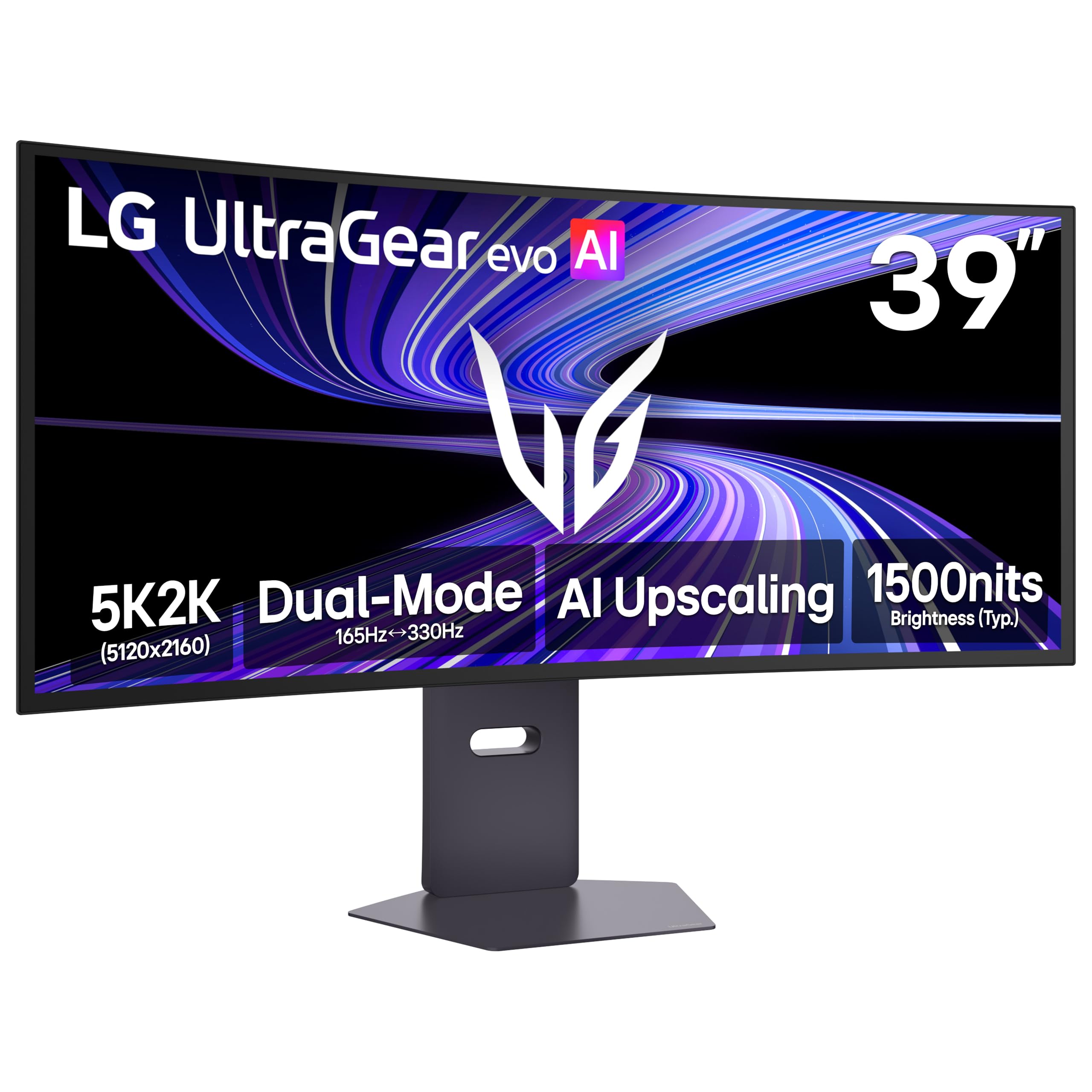
The world’s first 39-inch 5K2K (5120×2160) OLED gaming monitor uses a 4th Gen Primary RGB Tandem OLED structure that pushes 335 nits typical brightness with improved power efficiency. The 21:9 1500R curve expands peripheral vision without the distortion of tighter curves, and the 143 PPI pixel density makes in-game text and HUD elements razor-sharp.
Dual Mode lets you switch between 5K2K at 165Hz for cinematic AAA titles and WFHD at 330Hz for competitive shooters. The 0.03ms GtG response time eliminates ghosting entirely, and VESA DisplayHDR True Black 500 reveals shadow detail that IPS panels wash out. AI Upscaling improves lower-resolution content toward 5K2K without needing a GPU upgrade.
Matte coating has a slight grain that some users notice on white backgrounds, though it becomes invisible at normal viewing distance. The 15-pound panel works well on an Ergotron HX arm, and no coil whine was reported. If you want the highest pixel density available in a gaming ultrawide, this is the benchmark.
Why it’s great
- 143 PPI on a 5K2K panel delivers the sharpest text and HUD elements
- Dual Mode 165Hz/330Hz adapts to both AAA and competitive gaming
- True Black 500 with 1.85M:1 contrast reveals deep shadow details
Good to know
- Matte coating shows a slight grain pattern on solid gray screens
- AI Scene Optimization must be disabled to use color presets
- Some units shipped with signs of open-box packaging
3. ASUS ROG Strix OLED XG32UCWMG

This 32-inch glossy WOLED panel uses a TrueBlack surface that eliminates the veil-effect common on matte OLEDs, producing exceptionally sharp images and vibrant colors. The dual-mode capability shifts from 4K at 240Hz to Full HD at 480Hz, letting you maintain high resolution for immersive play and then drop to extreme refresh rates for esports titles.
ASUS OLED Care Pro includes a Neo proximity sensor that detects when you walk away and switches to a black screen, reducing burn-in risk. The DisplayWidget Center allows mouse-based adjustments for OLED Care features without reaching for panel buttons. Connectivity includes DisplayPort 1.4 with DSC, HDMI 2.1, and USB-C with 15W power delivery.
Out of the box the colors can appear oversaturated — a quick calibration to the sRGB or Rec.709 preset fixes this. The 480Hz mode is only available at FHD, so it’s a fallback for competitive play rather than a daily driver. For buyers who want one panel that handles both 4K cinematic gaming and high-speed shooters, this is the most versatile OLED.
Why it’s great
- Glossy TrueBlack surface delivers sharper text and richer colors than matte OLEDs
- Dual Mode 4K 240Hz / FHD 480Hz covers both AAA and competitive gaming
- Neo proximity sensor automatically protects against burn-in
Good to know
- Colors are oversaturated out of the box — calibration reduces this
- Firmware updates require USB-B connection, which can be finicky
- 480Hz mode locks resolution to 1920×1080
4. Alienware AW3225QF 32-inch QD-OLED

The AW3225QF delivers the same 4K 240Hz QD-OLED panel found in monitors costing hundreds more, with deep blacks, infinite contrast, and Dolby Vision support. The 12-bit color processing (via 10-bit + FRC) produces smooth tonal transitions in HDR content, and the anti-burn-in technology runs automatically in the background without user intervention.
Gamers praise its motion clarity — the 0.1ms response time eliminates all visible ghosting, and the 240Hz refresh rate feels buttery smooth in fast-paced shooters. The stand is sturdy with full tilt/swivel/height adjustment, though the white-and-black design may clash with all-black setups.
Mac users should note that HDMI from M1 Macs caps at 60Hz; a USB-C to DisplayPort cable is needed to reach 120Hz on Mac. The 4K resolution demands a powerful GPU — an RTX 4080 or higher is recommended to push 4K at high frame rates. For the price, this is the most accessible entry into high-refresh 4K QD-OLED gaming.
Why it’s great
- 12-bit color processing delivers smooth HDR gradients
- 240Hz refresh with 0.1ms response eliminates ghosting
- Automatic anti-burn-in technology requires no manual intervention
Good to know
- Mac M1 users need USB-C to DP cable to reach 120Hz
- White bezel may not suit all setups
- 4K resolution requires a high-end GPU for high frame rates
5. MSI MPG 322URX QD-OLED

The 3rd Gen QD-OLED panel in the MPG 322URX achieves a 0.03ms GtG response time — faster than almost any competitor — making it ideal for competitive gaming where every millisecond matters. The 32-inch 4K display runs at 240Hz and supports DisplayPort 2.1a with UHBR20, delivering 80Gbps bandwidth for native 4K at 240Hz without Display Stream Compression.
Color accuracy is guaranteed with Delta E ≤ 2 out of the box, covering 99% DCI-P3. VESA DisplayHDR True Black 400 provides excellent HDR performance, and OLED Care 2.0 includes a 3-year burn-in warranty for peace of mind. The stand offers tilt adjustment, and the monitor includes HDMI, DP, and USB-A-to-B connectivity.
Some units have arrived with cosmetic damage — dents on the top frame and missing screen protectors — so inspect packaging carefully upon delivery. The glossy panel can scratch easily if wiped with a dry cloth. For pure gaming speed in a 4K OLED, this monitor’s 0.03ms response time is unmatched.
Why it’s great
- 0.03ms GtG response time is the fastest available on a 4K OLED
- DisplayPort 2.1a UHBR20 enables lossless 4K at 240Hz
- 3-year burn-in warranty included with OLED Care 2.0
Good to know
- Some units arrived with cosmetic defects or missing accessories
- Glossy QD-OLED surface scratches easily
- Requires HDR and SDR calibration for optimal color
6. Samsung Odyssey G9 G91F 49-inch

The 49-inch Odyssey G9 wraps around you with a 1000R curve and a 32:9 aspect ratio equivalent to two 16:9 monitors side by side. The DQHD (5120×1440) resolution gives you massive horizontal real estate without the bezel gap, and the 144Hz refresh rate with 1ms MPRT response keeps fast-paced games fluid.
DisplayHDR 600 certification delivers brighter highlights and deeper blacks than standard VA panels, while AMD FreeSync Premium Pro eliminates screen tearing across the entire refresh range. The ergonomic stand offers tilt, swivel, and height adjustment. Auto Source Switch+ detects active devices and switches inputs automatically — a convenience for multi-device setups.
There are no built-in speakers, so you will need external audio. The 49-inch width (4 feet) demands a deep desk — at least 30 inches depth is recommended. For gamers who want the most immersive single-panel experience for flight sims and racing titles, this is the best 32:9 VA monitor at its price point.
Why it’s great
- 1000R curve perfectly matches human field of view for immersion
- FreeSync Premium Pro covers the entire refresh range without tearing
- Auto Source Switch+ eliminates manual input switching
Good to know
- No built-in speakers — external audio required
- 4-foot width requires a desk depth of at least 30 inches
- VA panel has lower contrast than OLED in dark scenes
7. INNOCN 49Q1S 49-inch OLED Curved

The INNOCN 49Q1S brings OLED contrast to a 49-inch ultra-wide format at a price point typically reserved for VA panels. The 5120×1440 resolution with a 32:9 aspect ratio and 1800R curve provides an immersive gaming canvas, and the 240Hz refresh rate with 0.03ms response time keeps motion ultra-smooth.
Connectivity is surprisingly robust: dual DP 1.4, HDMI 2.1, USB-C with 90W power delivery, a USB hub, and even an RJ45 Ethernet port. The PiP/PbP split screen feature lets you display two input sources at once — useful for streaming or console-and-PC setups. Built-in speakers provide audio without needing external speakers for casual use.
Some users report reliability concerns — a small number of units stopped working after three months. Customer service has been responsive in offering replacements for defective units. The 1800R curve is less aggressive than Samsung’s 1000R, which some users prefer for productivity work. If you are willing to accept some risk for OLED-level blacks in a 49-inch format, this is an entry point.
Why it’s great
- OLED panel delivers true blacks and infinite contrast at 49 inches
- USB-C with 90W PD charges a laptop through the monitor
- Built-in RJ45 and USB hub reduce cable clutter
Good to know
- Long-term reliability concerns reported by a subset of users
- 1800R curve is less immersive than 1000R for gaming
- Some apps may display tiny or misaligned text at this resolution
8. ASUS ProArt Display PA32UCDM
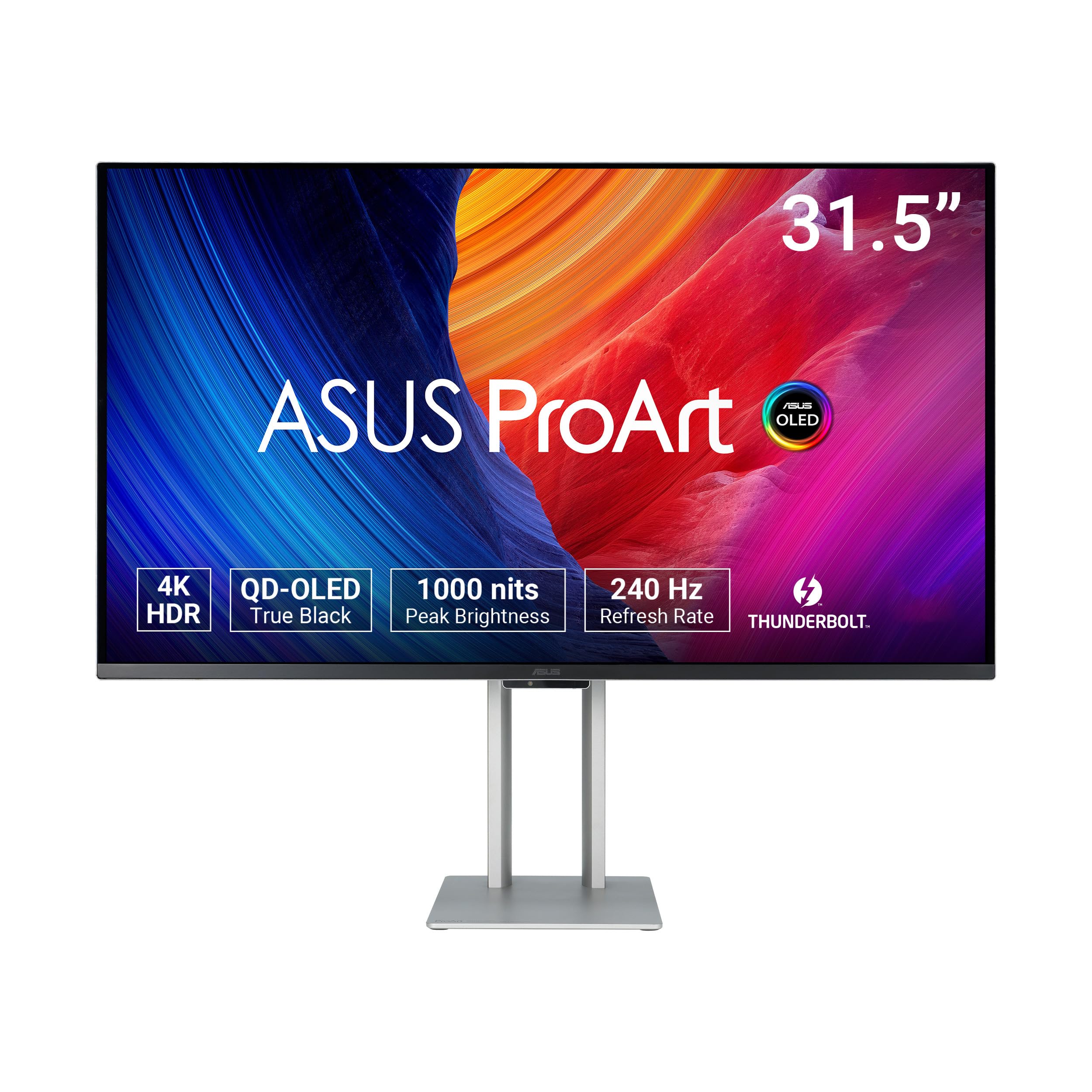
The PA32UCDM bridges professional color grading with high-refresh gaming, using a 32-inch 4K QD-OLED panel that hits 1000 nits peak brightness and covers 100% sRGB, 99% DCI-P3, and 99% BT.2020. Delta E < 1 accuracy out of the box makes it reference-grade for video editing, while the 240Hz refresh rate and 0.1ms response time keep it viable for competitive gaming.
VESA DisplayHDR True Black 400 produces deep blacks without blooming, and Dolby Vision support adds another HDR gradient for content creators. The ProArt Hardware Calibration Technology allows write-back of color profiles directly to the monitor’s internal LUT. The included color pre-calibration report confirms factory accuracy.
The lack of DisplayPort (only Thunderbolt 4 and HDMI 2.1) means some PC gamers need a bidirectional Thunderbolt cable. The fan can be loud on early firmware — updating via USB-C to the latest revision quiets it completely. For hybrid users who need both pro-grade color and high-refresh gaming, this is the only QD-OLED that delivers both without compromise.
Why it’s great
- ∆E < 1 factory calibration for professional color work
- 1000 nits peak brightness with Dolby Vision and HDR10 support
- 5-year warranty (3 + 2 with registration) provides long-term coverage
Good to know
- No DisplayPort — requires Thunderbolt 4 or HDMI connectivity
- Early firmware had a loud fan; update via USB-C to fix
- Random “initialization” mode can cause brief black screens
9. LG 32U990A-S 32-inch Ultrafine 6K

The world’s first 6K monitor with Thunderbolt 5 packs 6144×3456 resolution into a 32-inch Nano IPS Black panel, reaching an extraordinary 224 PPI — 156% more pixels than a standard 4K display. This density makes text and fine details appear printed, and the 2000:1 contrast ratio from Nano IPS Black delivers significantly deeper blacks than typical IPS panels.
Color professionals benefit from 99.5% Adobe RGB and 98% DCI-P3 coverage with true 10-bit color depth. Thunderbolt 5 provides 96W power delivery and supports daisy-chaining multiple 6K displays from a single cable. The monitor is certified TÜV Rheinland Eye Comfort for long editing sessions, and includes built-in speakers adequate for system audio.
The 60Hz refresh rate makes this unsuitable for high-frame-rate gaming — this is a creation tool, not a gaming monitor. The matte coating has been criticized for a grainy appearance on white backgrounds, and brightness peaks at 450-600 nits, which can feel dim compared to OLED panels. For Mac users seeking a Pro Display XDR alternative with Thunderbolt 5, this is the most affordable path to 6K.
Why it’s great
- 224 PPI at 6K resolution is the sharpest non-8K panel available
- Thunderbolt 5 with 96W PD and daisy-chain support future-proofs your setup
- Nano IPS Black delivers 2000:1 contrast — best-in-class for IPS
Good to know
- 60Hz refresh rate is not suitable for gaming
- Matte coating can appear grainy on solid white backgrounds
- Power supply is large and heavy; cables are relatively short
10. Dell UltraSharp U4025QW 40-inch 5K2K

The U4025QW combines a 40-inch 5K2K (5120×2160) IPS Black panel with a 120Hz refresh rate, delivering the high pixel density needed for detailed spreadsheets, code editors, and video timelines without the motion blur of typical 60Hz productivity monitors. The 2000:1 contrast ratio from IPS Black technology provides deeper blacks than standard IPS, making UI elements pop.
Connectivity is comprehensive: Thunderbolt 4, HDMI, DisplayPort, Ethernet, and a built-in KVM that switches between two computers. The 600-nit brightness ensures visibility even in well-lit rooms. The 2500R curve is subtle, reducing eye strain during long work sessions without distorting straight lines.
The 5ms response time is adequate for productivity but not competitive gaming. The monitor lacks a remote control, and the downward-facing ports make cable reconnection awkward if you swap devices frequently. For professionals who need 5K2K resolution, decent refresh, and a built-in KVM, this is the most capable productivity ultrawide on the market.
Why it’s great
- 5K2K IPS Black with 2000:1 contrast for excellent UI clarity
- 120Hz refresh rate eliminates motion blur in productivity tasks
- Built-in KVM with Thunderbolt 4 simplifies multi-device workflows
Good to know
- Downward-facing ports are difficult to access when mounted
- 5ms response time is too slow for competitive gaming
- Real-world contrast still falls short of OLED panels
11. GIGABYTE AORUS CO49DQ 49-inch OLED

The AORUS CO49DQ delivers the immersive benefits of a 49-inch OLED ultra-wide — true blacks, vibrant colors, and a 144Hz refresh rate — at a price that undercuts most competitors. The 5120×1440 resolution with a 32:9 aspect ratio provides the same workspace as two 27-inch QHD monitors without a bezel gap, and the 0.03ms response time eliminates ghosting.
Gigabyte Control Center software provides convenient OSD adjustments, and the monitor supports FreeSync Premium Pro for tear-free gaming. After six months of use (380 hours), one user reported no burn-in, though occasional flickering on black backgrounds with white text was noted. Peak brightness measured 967 nits — impressive for an OLED panel.
The 144Hz refresh rate is lower than the 240Hz found on some competitors, which may matter to esports enthusiasts. The 21:9 aspect ratio at 5120×1440 means ultrawide game support varies — some titles require tweaks or mods. For value-conscious buyers who want OLED-grade contrast in the 49-inch format, this is the most affordable entry point.
Why it’s great
- OLED blacks and vibrant colors at a competitive price point
- Measured peak brightness of 967 nits exceeds typical OLED panels
- FreeSync Premium Pro provides tear-free performance
Good to know
- 144Hz refresh rate is lower than 240Hz alternatives
- Some users report flickering on black backgrounds with white text
- Ultrawide game support varies; some titles require manual tweaks
12. Samsung Odyssey G9 OLED 2024 49-inch
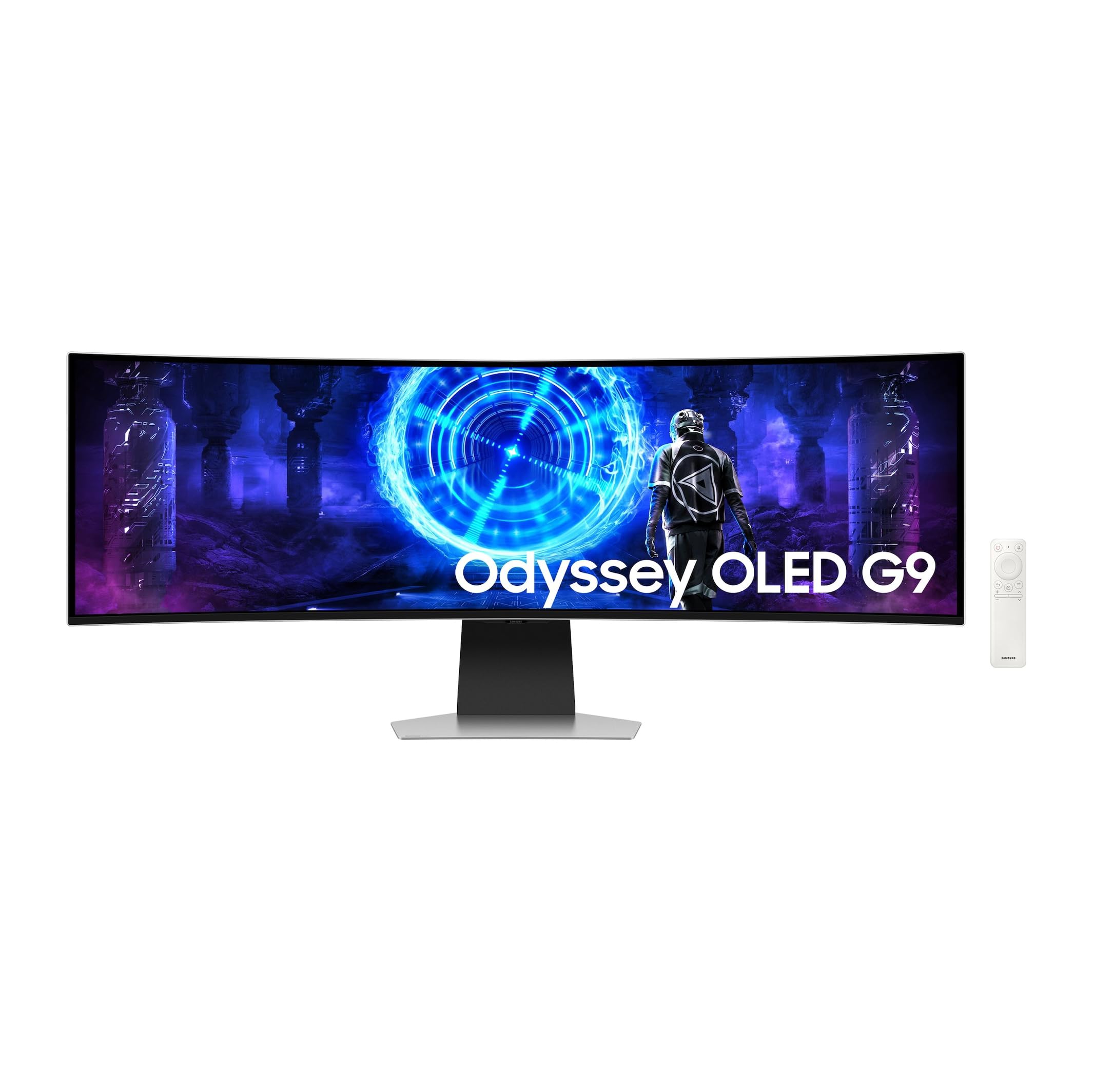
The 2024 Odyssey G9 OLED brings together every premium feature: a 49-inch 5120×1440 OLED panel, 240Hz refresh rate, 0.03ms response time, and G-Sync compatibility. The 32:9 aspect ratio with 1800R curve creates an immersive cockpit for racing and flight sims, while the OLED contrast (1,000,000:1) makes dark scenes in games like Resident Evil or Cyberpunk 2077 truly black.
Smart TV functionality is built in — you can stream Netflix and YouTube directly from the monitor without a PC, controlled by a remote similar to AppleTV. The metal stand is solid and sturdy. The monitor also supports smartphone and Apple Watch power-on via the SmartThings app.
Mac Mini users need a DisplayPort to USB-C cable to reach 5K resolution; HDMI caps at 3K on that platform. Similarly, PlayStation output is limited to 3K over HDMI. The external power supply is lighter than previous versions but still bulky. For PC gamers who want the best 32:9 OLED experience at 240Hz, this is the ultimate ultra-wide.
Why it’s great
- 240Hz OLED with 0.03ms response provides elite gaming performance
- Built-in Smart TV functionality streams directly without a PC
- 1,000,000:1 contrast ratio delivers true black levels
Good to know
- Mac Mini only reaches 5K via DP-to-USB-C cable
- PlayStation output is limited to 3K resolution
- Multiple G9 OLED units on the same network respond to one remote
13. ASUS ROG Strix XG43UQ 43-inch 4K

The XG43UQ is a 43-inch 4K VA panel that targets console gamers who want a large screen with native 16:9 support. The 144Hz refresh rate and 1ms MPRT response provide smooth motion for PS5 and Xbox Series X titles, and the VA panel delivers decent contrast (4000:1 typical) for an LCD. Adaptive Sync reduces tearing across both console and PC inputs.
Built-in speakers are surprisingly capable — some users report audio quality comparable to good desktop speakers, eliminating the need for external audio in a console setup. The 43-inch size is immersive for racing and open-world games, though it may feel too large for close-quarters PC gaming unless you have a deep desk.
The monitor’s age means it lacks HDMI 2.1 full bandwidth on all ports — check your console’s requirements for 4K 120Hz HDR. The resolution is 4K, not 8K, so this is a fallback for gamers who want a large display while they wait for 8K panels to become more accessible. The size and cost make it a specialized choice for console-first setups.
Why it’s great
- 43-inch 16:9 screen provides full immersion without black bars
- Built-in speakers perform well enough to skip external audio
- 144Hz refresh rate with 1ms response suits console and PC gaming
Good to know
- Limited HDMI 2.1 bandwidth may not support full 4K 120Hz HDR
- 43-inch size is too large for most standard PC desks
- Resolution is 4K, not 8K — an intermediate rather than future-proof choice
FAQ
Can any GPU run a game at native 8K resolution?
Is there a difference between true 8K and upscaled 8K?
Final Thoughts: The Verdict
For most users, the best 8k gaming monitor setup starts with the ZOTAC RTX 5090 as the only GPU capable of driving an 8K panel, paired with a high-PPI ultra-wide like the LG 39GX950B or ASUS ROG Strix OLED XG32UCWMG for a sharp, responsive experience. If you want professional-grade color accuracy alongside gaming performance, the ASUS ProArt PA32UCDM is the hybrid pick. And for immersive ultra-wide gaming at the highest refresh rate, nothing beats the Samsung Odyssey G9 OLED 2024. Choose based on your GPU budget and whether you prioritize resolution, refresh rate, or color accuracy.