
The 23-inch computer monitor refuses to fade into obscurity. While the industry chases ever-larger panels, this compact size quietly dominates the spaces that matter most: cramped dorm desks, L-shaped workstations, and professional setups where a second screen must fit without dominating the real estate. What has shifted dramatically is the refresh rate floor. A 60Hz panel no longer cuts it, even in the budget tier. The current generation of 23-inch monitors routinely delivers 100Hz or 120Hz motion, along with IPS color accuracy that was once reserved for far pricier displays. The challenge now is not finding a good monitor, but picking the right one from a market that has suddenly become very competitive.
I’m Rikta — the co-founder and writer behind Gadgets Feed. My focus has been on tracking the convergence of refresh rate technology and panel quality in the sub-24-inch segment, where manufacturers now pack features that would have been considered premium just two years ago. (And Homer 🐱 approved by curling up on the biggest box in the stack).
Whether you are building a dual-screen workflow or upgrading an aging office setup, finding the right screen comes down to balancing resolution, motion clarity, and ergonomic flexibility. This guide breaks down the best options available to help you find the ideal 23 inch computer monitor for your specific needs and budget.
How To Choose The Best 23 Inch Computer Monitor
The 23-inch category is unique because it forces a trade-off between physical footprint and feature density. A buyer cannot simply assume that a larger, cheaper panel will suffice. The best units in this size deliver specifications that rival larger screens, but only if you know which levers to pull. Three factors separate a great monitor from a merely adequate one.
Refresh Rate and Motion Handling
The single most impactful upgrade in this category is the shift from 60Hz to 100Hz or 120Hz. This is not just a gaming nicety. A 100Hz panel refreshes the image nearly twice as fast as a standard office display, making cursor movement, scrolling, and window animations visibly smoother. The human eye perceives this reduction in stutter immediately. Many budget monitors now ship with 120Hz panels, which also support Adaptive Sync (FreeSync or G-Sync Compatible) to eliminate screen tearing when paired with a compatible graphics card. If your daily workflow involves reading or data entry, the 60Hz penalty is minor. If you ever drag windows or watch video content, the jump to 100Hz is the single best upgrade you can make.
Panel Technology and Color Fidelity
In-Plane Switching (IPS) technology is now the de facto standard for this size class. IPS panels offer superior color accuracy and 178-degree viewing angles compared to older Twisted Nematic (TN) panels, which suffer from color shifting when viewed off-axis. For anyone doing photo editing, graphic design, or simply wanting consistent color reproduction across the screen, IPS is non-negotiable. Look for a color gamut coverage of at least 99% sRGB. This ensures that web content and standard digital media display as intended. A 1000:1 to 1500:1 contrast ratio is typical for IPS in this price range, delivering decent black depth without the high contrast of VA panels, which often exhibit slower pixel response times.
Ergonomics and Connectivity
A 23-inch monitor often lives in a constrained space, making physical adjustability critical. A stand that offers at least tilt adjustment is the bare minimum. Height adjustment, pivot (for portrait mode), and swivel are premium features that dramatically improve desk comfort but are typically found on more expensive business-class models. VESA mount compatibility (usually 100x100mm) is a must-have if you plan to use a monitor arm or wall mount. On the connectivity front, HDMI is the standard. DisplayPort is a welcome addition for higher bandwidth, especially if you need 120Hz at full resolution. VGA persists on some budget models for legacy hardware, but it should be considered a fallback, not a primary connection. Built-in speakers are a convenience feature, but nearly all monitor speakers are anemic compared to even a basic set of external desktop speakers.
Quick Comparison
On smaller screens, swipe sideways to see the full table.
| Model | Category | Best For | Key Spec | Amazon |
|---|---|---|---|---|
| Dell 24 Plus S2425HSM | Premium | High-FPS Gaming & Media | 144Hz / 1ms MPRT | Amazon |
| Samsung S40GD | Premium | Ergonomic Office Work | Height/Pivot/Swivel Stand | Amazon |
| Dell P Series P2319H | Business Pro | Corporate/IT Deployments | USB Hub / Full Ergo Stand | Amazon |
| LG 24U411A-B | Mid-Range | Casual Gaming & Productivity | 120Hz / 1ms MBR | Amazon |
| BenQ GW2490 | Mid-Range | Reading & Eye Comfort | 99% sRGB / Low Blue Light Plus | Amazon |
| ASUS VA24EHF | Value | Dual-Screen Budget Setup | 100Hz / 1ms MPRT | Amazon |
| AOC 24B35H3 | Value | Ultra-Budget 120Hz | 120Hz / VGA+HDMI | Amazon |
| Amazon Basics 24E40 | Value | Simple Plug-and-Play | 120Hz / Built-in Speakers | Amazon |
| ViewSonic VS2447M | Entry-Level | Basic Home Office | 100Hz / VRR Support | Amazon |
In‑Depth Reviews
1. Dell 24 Plus Monitor – S2425HSM

Dell breaks the mold with the S2425HSM, the only monitor in this roundup to offer a 144Hz refresh rate at the 23.8-inch size. This is a significant leap beyond the 100Hz and 120Hz panels that dominate the competition. Paired with a 1ms Moving Picture Response Time (MPRT), the S2425HSM delivers fluid motion that benefits both competitive gaming and high-refresh desktop use. The FHD resolution and 1500:1 contrast ratio provide crisp text and deeper black levels than the typical 1000:1 IPS panel. The ash white finish is a refreshing departure from the sea of black monitors, making it a standout on any desk.
What elevates this monitor beyond raw speed is its professional-grade ergonomic stand. You get a full range of adjustments: height, tilt, pivot, and swivel. This level of flexibility is rare at this price point and makes a tangible difference in comfort during long work sessions. The built-in dual 3W speakers are among the best we have tested in a monitor in this size class, delivering a wider frequency range than the tinny, single-driver speakers found on most competitors. Dual HDMI ports provide sufficient connectivity, though the absence of a DisplayPort is a minor letdown for users with older GPUs.
Dell also prioritizes eye comfort with a 4-star TÜV-certified display that reduces harmful blue light emissions without washing out color accuracy. The Dell Display and Peripheral Manager software offers a unified hub for optimizing your workspace. This monitor is the complete package for anyone who refuses to compromise between work ergonomics and high-refresh-rate gaming. It earns its premium status through a combination of features that simply do not appear on budget-focused models.
Why it’s great
- 144Hz refresh rate is the highest in the category, offering a tangible smoothness advantage.
- Full ergonomic stand (height, pivot, swivel, tilt) is a premium feature rarely seen at this level.
- Built-in speakers are genuinely usable for daily media consumption.
Good to know
- Lacks a DisplayPort input, which some users may need for high-refresh output.
- The ash white finish may not match every desk aesthetic.
2. Samsung 24” S40GD Business Monitor
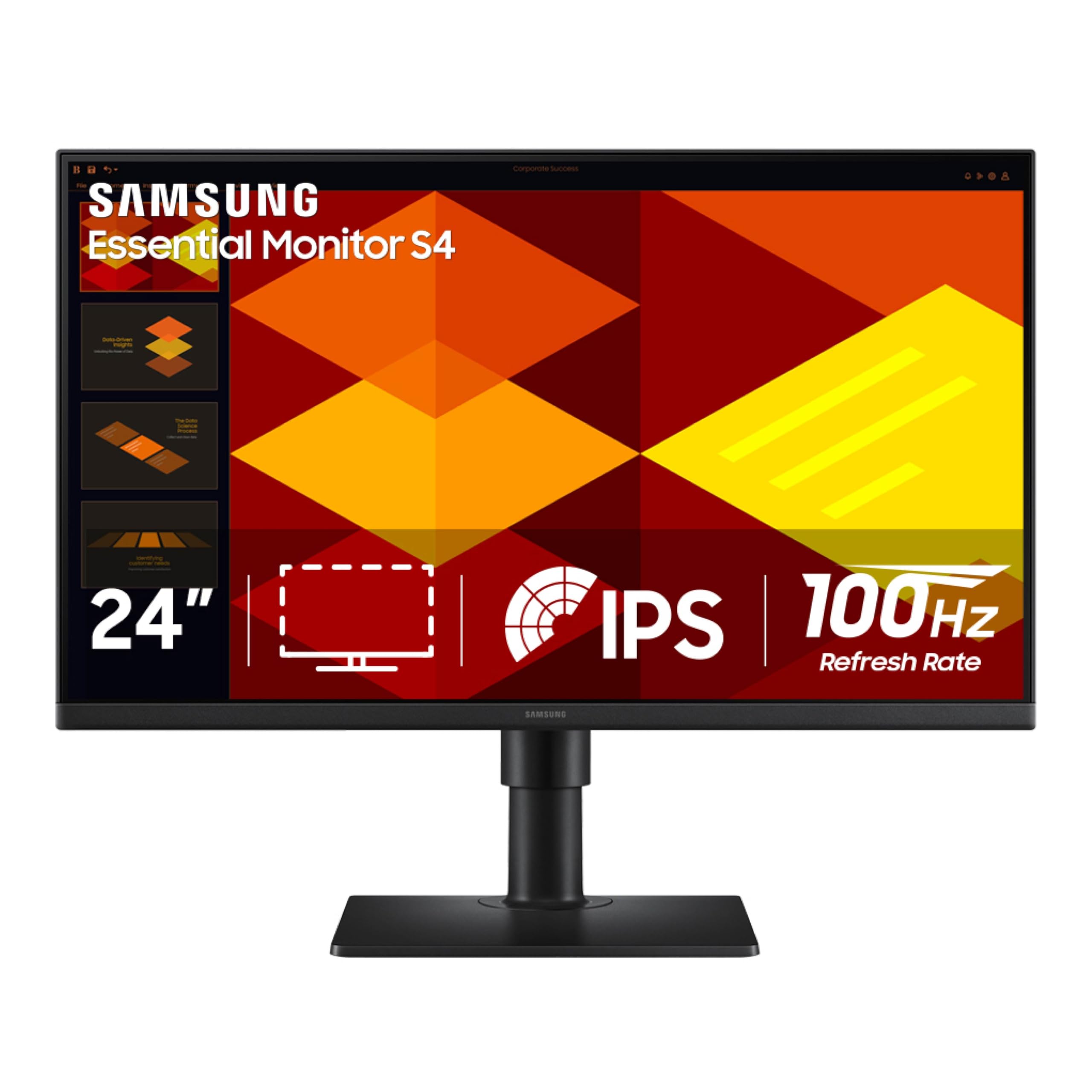
The Samsung S40GD is the monitor for the user whose neck and shoulders have suffered through too many hours in front of a fixed, non-adjustable screen. While many monitors in this class offer only a tilt adjustment, the S40GD delivers a fully articulated stand with height adjustment, pivot rotation for portrait mode, swivel, and tilt. This is a business-class feature set normally reserved for monitors costing significantly more. The 100Hz IPS panel provides a noticeable upgrade from 60Hz, reducing motion blur in everyday tasks like scrolling through documents and web pages.
Samsung’s borderless design minimizes bezels, making this monitor an excellent candidate for multi-screen arrays where uninterrupted viewing is the goal. The inclusion of two HDMI ports and a DisplayPort input gives you flexibility to connect a laptop and a desktop simultaneously without swapping cables. The built-in USB hub is a thoughtful addition for connecting peripherals directly to the monitor, reducing desk clutter. Eye Saver Mode and Flicker Free technology are standard, but the real selling point here is the physical adjustability that lets you dial in the perfect viewing angle without needing a third-party monitor arm.
Game Picture Mode allows for genre-specific contrast and color optimization, which is unusual for a monitor positioned as a business display. While it is not a high-refresh gaming monitor like the Dell S2425HSM, the 100Hz panel combined with FreeSync support handles light gaming without visible tearing. The built-in power supply keeps the overall footprint tidy. If your primary need is a comfortable, adjustable workstation that also handles occasional gaming, the Samsung S40GD is an outstanding choice that prioritizes ergonomics without sacrificing feature density.
Why it’s great
- Full ergonomic stand with height, pivot, swivel, and tilt for superior desk comfort.
- Borderless design and thin bezels make it ideal for multi-monitor setups.
- Includes a USB hub and dual HDMI plus DisplayPort inputs for versatile connectivity.
Good to know
- Refresh rate is 100Hz, not 120Hz or 144Hz, which power users may notice.
- Side-oriented USB ports can be awkward to reach depending on desk layout.
3. Dell P Series 23-Inch FHD Monitor (P2319H)

The Dell P2319H is the workhorse that corporate IT departments have trusted for years, and for good reason. It is a 60Hz panel, which may seem antiquated in a market flooded with high-refresh options, but its mission is entirely different. This monitor is built for reliability, color consistency across a fleet of machines, and the kind of full-featured stand that lets a user adjust height, tilt, pivot, and swivel with industrial-grade smoothness. The 23-inch IPS panel delivers 250 cd/m² brightness and a 1000:1 contrast ratio, which is perfectly adequate for document processing, spreadsheets, and coding under typical office lighting.
Where the P2319H truly differentiates itself is in its connectivity and build quality. It includes a USB 3.0 upstream port and four downstream ports, effectively acting as a USB hub. This allows you to connect peripherals like a keyboard, mouse, and webcam directly to the monitor and have them follow whichever computer is connected upstream. The monitor also features DisplayPort, HDMI, and VGA inputs, ensuring compatibility with nearly every device in a mixed-vintage office environment. The anti-glare coating is effective at reducing reflections, a critical feature for open-plan cubicles with overhead lighting.
The design is a pragmatic mix of matte black plastics and cable management features. It is not flashy, and it does not need to be. The base is stable, the hinge does not wobble, and the monitor stays where you put it. The primary trade-off is the 60Hz refresh rate, which will feel sluggish to anyone accustomed to a 100Hz or 120Hz panel. However, for a professional who values long-term reliability, hot-desking compatibility, and ergonomic integrity above motion smoothness, the Dell P2319H remains a benchmark that few competitors have matched.
Why it’s great
- Integrated USB 3.0 hub simplifies peripheral management and reduces desk cable clutter.
- Full ergonomic stand with height, pivot, swivel, and tilt is built to commercial durability standards.
- Legacy VGA port ensures compatibility with older hardware in corporate environments.
Good to know
- 60Hz refresh rate is a significant downgrade compared to most competitors in this roundup.
- No built-in speakers, requiring external audio solutions for media consumption.
4. LG 24U411A-B 24-Inch Monitor

The LG 24U411A-B strikes a remarkable balance between price and performance, delivering a 120Hz IPS panel with 1ms Motion Blur Reduction (MBR) at a price point that undercuts many 100Hz competitors. This is a monitor that understands its audience: it is for the user who wants smooth motion without paying a premium for a gaming badge. The FHD resolution is paired with 99% sRGB color gamut coverage and HDR10 support, producing visuals that are vibrant and punchy for a budget panel. The virtually borderless 3-side design looks modern and works well in a dual-monitor configuration.
Gaming-centric features like Dynamic Action Sync (which minimizes input lag) and Black Stabilizer (which brightens dark scenes) are included, making this monitor genuinely capable for casual and even competitive gaming. The 120Hz refresh rate is a clear step up from the 100Hz found on many budget models, and it works flawlessly with FreeSync on compatible graphics cards. The tilt-adjustable stand is basic but functional, and the 100x100mm VESA mount offers a path to aftermarket arm solutions. The metal stand is notably stable with no wobble, a detail that often gets overlooked at this price level.
Reader Mode reduces blue light for comfortable extended reading sessions. The major compromise is the single HDMI input. With no DisplayPort and only one HDMI port, you are limited to one high-bandwidth source unless you use a switch. The built-in speakers are weak, a consistent issue across this category. For the price, however, you are getting a 120Hz IPS panel with solid color accuracy and useful gaming features. This is the monitor to buy if you want maximum fluidity for your dollar and are willing to work around basic connectivity limits.
Why it’s great
- 120Hz refresh rate at a price that often only buys 100Hz from other brands.
- 1ms MBR and FreeSync support provide smooth, tear-free gameplay.
- 99% sRGB coverage and HDR10 support deliver vibrant, accurate colors.
Good to know
- Only one HDMI input limits connectivity for multiple high-bandwidth devices.
- Built-in speakers are notably weak and not suitable for primary audio.
5. BenQ GW2490 24-Inch Monitor

BenQ has built a reputation on eye-care technology, and the GW2490 is a pure expression of that philosophy. It features a 100Hz IPS panel with a 99% sRGB color gamut, delivering accurate, lifelike colors straight out of the box. What sets it apart is BenQ’s Low Blue Light Plus technology, which filters out the harmful short-wave blue-violet light without the yellow tint that plagues many competing blue-light filters. This makes the GW2490 the best choice for anyone who spends eight or more hours reading documents, coding, or managing spreadsheets.
The dual HDMI and single DisplayPort inputs offer solid connectivity flexibility, and the Input Hotkey allows you to switch between two connected devices with a single click — a genuine productivity boost for a mixed PC and laptop setup. The VESA Certified Media Sync ensures compatibility with set-top boxes and media players. The monitor includes built-in 2W speakers, though they are tinny and best considered an emergency fallback. The joystick-style menu button is small and can be finicky, and the on-screen controls require some patience during initial setup.
The refresh rate of 100Hz is a clear improvement over 60Hz for desktop navigation, though it does not reach the heights of the 120Hz or 144Hz panels in this roundup. The contrast ratio is a standard 1000:1, which is fine for an IPS panel but not exceptional. The GW2490 is not the monitor for high-refresh competitive gaming. It is, however, the monitor for the professional who values visual comfort above all else and wants a display that reduces eye fatigue without sacrificing color quality. BenQ’s three-year warranty adds a layer of confidence for a long-term purchase.
Why it’s great
- Low Blue Light Plus maintains color accuracy while effectively reducing eye-straining blue light.
- 99% sRGB coverage delivers accurate, vibrant colors ideal for creative work.
- Input Hotkey provides one-click switching between two connected devices.
Good to know
- Built-in speakers are very tinny and should be replaced with external speakers.
- The joystick menu button is small and the controls require a learning period.
6. ASUS VA24EHF Frameless Monitor

The ASUS VA24EHF is a study in efficient design. It delivers a 23.8-inch IPS panel with a 100Hz refresh rate and a 1ms MPRT response time, all within a frameless chassis that maximizes screen real estate. The 178-degree viewing angles ensure consistent color reproduction even when you are not sitting directly in front of the display. This monitor supports both FreeSync and G-Sync Compatible VRR, which is unusual at this price point and gives it an edge for gamers with either brand of graphics card.
The TÜV Rheinland-certified Flicker-Free and Low Blue Light technologies are effective at reducing eye strain during long sessions. The matte finish and low-glare coating work well to minimize reflections in brightly lit rooms. The stand is the primary compromise here. It offers tilt adjustment only, and the base is notably large, which can make it awkward to place on narrower desks. The plastic build feels a bit cheap, as noted in user feedback, and the single HDMI input (with no DisplayPort) limits your high-quality connection options. The on-screen menu buttons are located on the back, which takes some getting used to.
Despite its budget-tier stand and connectivity, the panel itself performs admirably. Colors are bright and vivid out of the box, and the 100Hz refresh rate is a significant and noticeable upgrade over traditional 60Hz office monitors. It includes an HDMI cable in the box, which simplifies setup. The VESA 100x100mm mount compatibility is a saving grace, allowing you to bypass the large base entirely with a monitor arm. For the price, the ASUS VA24EHF offers excellent panel quality and a modern frameless look, provided you are willing to address the ergonomic limitations with an aftermarket arm or a deep desk.
Why it’s great
- IPS panel with 100Hz and 1ms MPRT delivers smooth motion at a very competitive price.
- Frameless design looks modern and is ideal for multi-monitor setups.
- Supports both FreeSync and G-Sync Compatible VRR for wide GPU compatibility.
Good to know
- Stand offers only tilt adjustment and has a large, space-consuming base.
- Only one HDMI input, limiting connectivity for multiple devices.
7. AOC 24B35H3 24-Inch Monitor
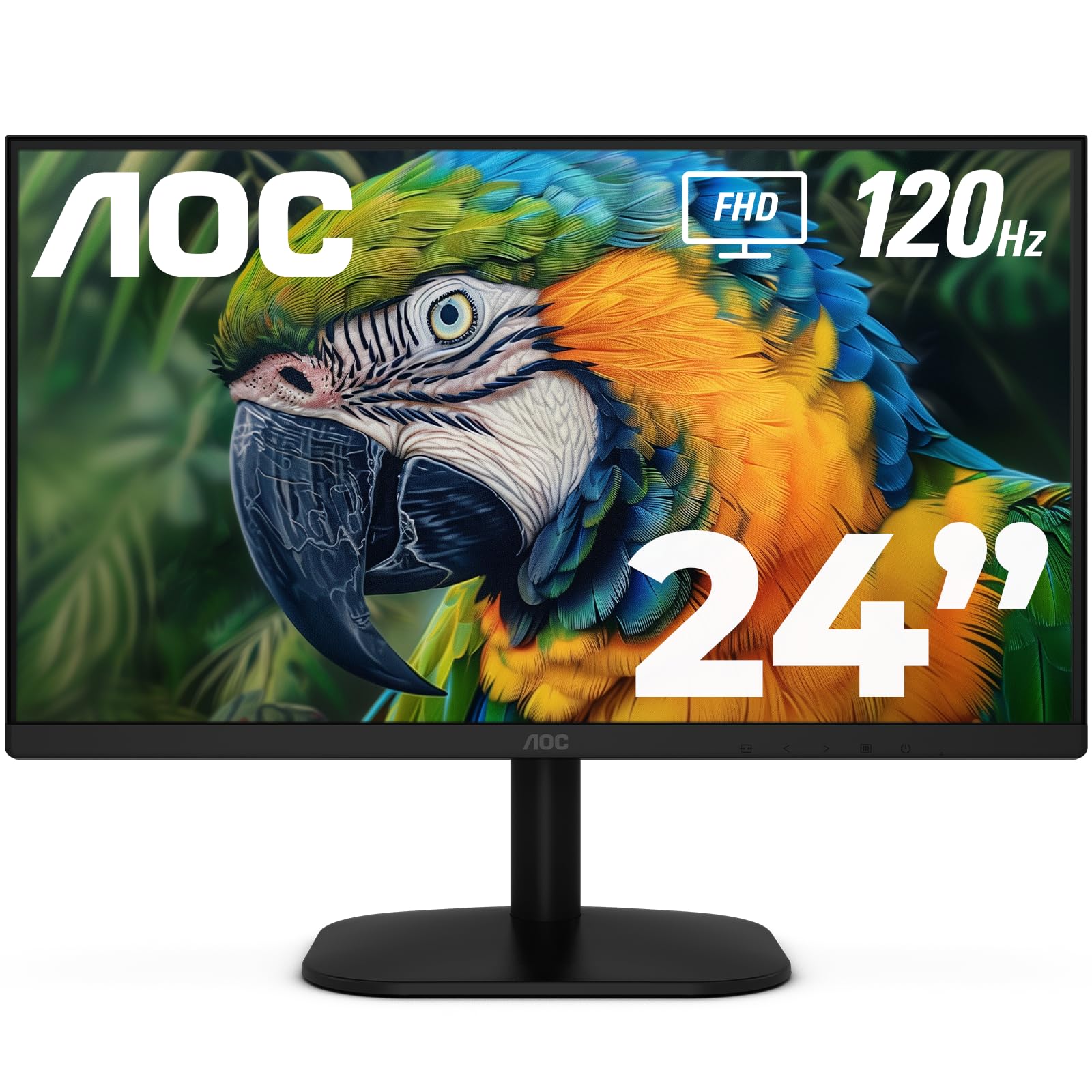
The AOC 24B35H3 is a price aggressor that refuses to be ignored. It brings a 120Hz IPS panel with Adaptive Sync and a 100% sRGB color gamut to a price point that is typically reserved for low-spec 60Hz displays. The 178-degree viewing angles deliver consistent image quality from any position, which is crucial for a shared desk or when leaning back in your chair. The inclusion of a VGA port alongside HDMI is a nod to legacy connectivity, giving it compatibility with older laptops and projectors that lack modern digital outputs.
The stand is basic, offering tilt adjustment only, but the monitor supports a VESA 100x100mm mount, giving you the option to upgrade to a monitor arm or wall mount. The low-blue light mode and flicker-free backlight reduce eye strain effectively for the price. The eco-friendly design aims to reduce power consumption without noticeable performance trade-offs. The color accuracy out of the box receives positive user feedback, with many noting the display is crisp and bright for the price.
The primary limitation is the reduced selection of ports: a single HDMI input and a VGA input, with no DisplayPort. This limits you to a single high-bandwidth digital source. The built-in audio-out jack allows for private listening with headphones. The 120Hz refresh rate is the star here, providing fluid motion for desktop use and casual gaming that far exceeds what a standard office monitor can deliver. If your budget is tight but you refuse to settle for a 60Hz panel, the AOC 24B35H3 offers the best refresh rate-to-price ratio in the entire 23-inch category. It is a no-frills, high-motion display.
Why it’s great
- 120Hz IPS panel at a price point usually associated with 60Hz monitors.
- 100% sRGB coverage provides vibrant, accurate colors for a budget display.
- Inclusion of a VGA port offers compatibility with older hardware.
Good to know
- Connectivity is limited to one HDMI and one VGA; no DisplayPort is available.
- The stand is basic with tilt-only adjustment; a VESA mount is recommended for better ergonomics.
8. Amazon Basics 23.8-inch Monitor (24E40)
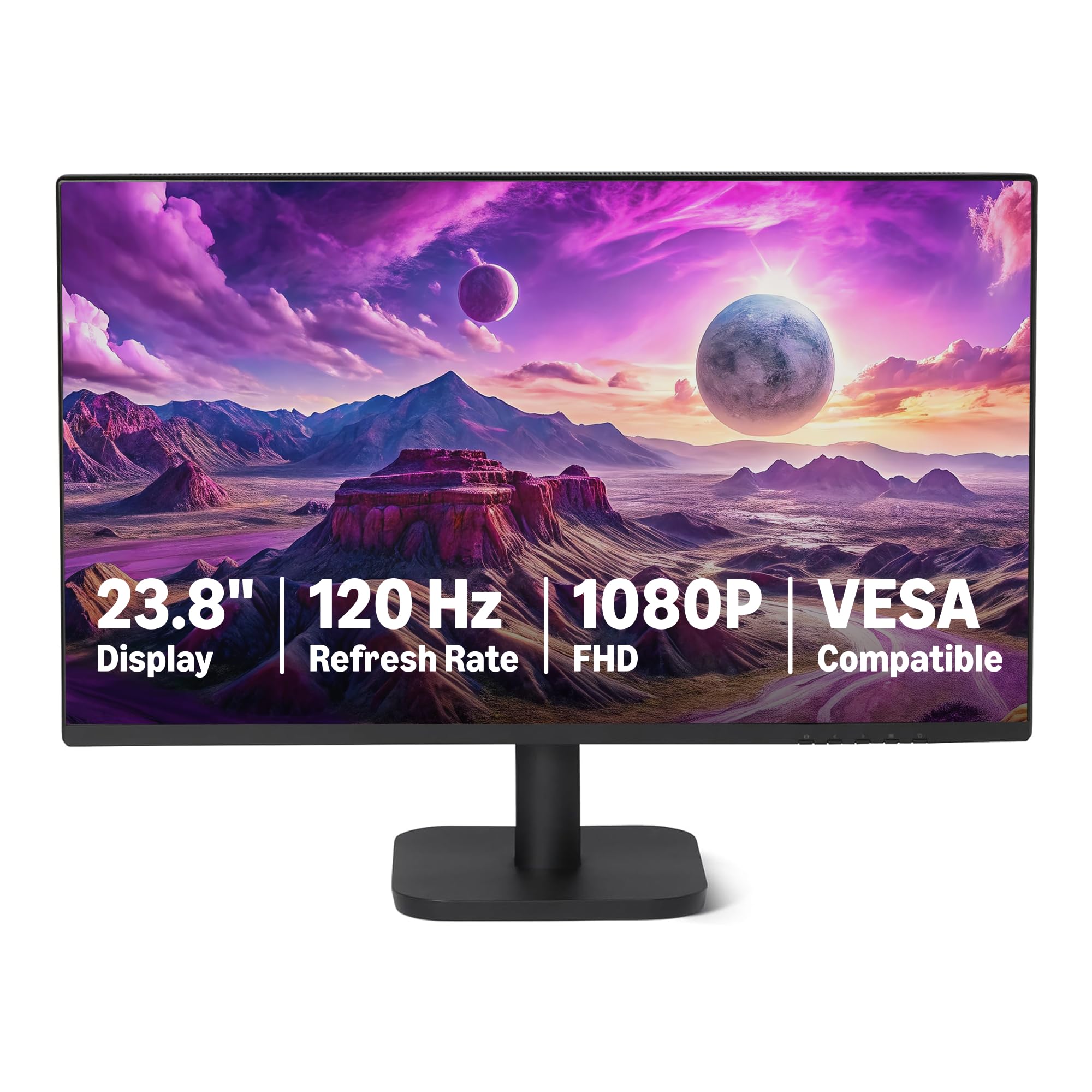
The Amazon Basics 24E40 is the definition of a no-surprises monitor. It offers a 23.8-inch IPS panel with a 120Hz refresh rate, a 1500:1 contrast ratio, and 99% sRGB coverage, delivering a clear and vibrant image. The four-sided narrow bezel design maximizes the viewing area, making it a strong contender for a clean dual-monitor arrangement. The matte screen finish effectively diffuses ambient light, reducing glare in well-lit rooms. It is designed to be plug-and-play, and most user reviews confirm that the default settings work well out of the box.
The inclusion of built-in 2W x2 speakers is a notable convenience feature at this price point. While they are not going to replace a dedicated sound system, they are perfectly adequate for system sounds, video calls, and background YouTube playback. Connectivity includes an HDMI 1.4 port, a DisplayPort 1.2, and a 3.5mm audio-out jack. The presence of DisplayPort is a significant advantage over many budget competitors that rely solely on HDMI. The stand is basic and offers limited adjustability, but the VESA 100x100mm mount compatibility provides an upgrade path.
There is a minor point worth noting: some users have found that achieving the full 120Hz refresh rate requires configuring the display settings in the operating system, as the monitor defaults to 60Hz. The accompanying HDMI cable is approximately 4 feet long, which may be too short for some desk configurations. The 14ms response time is slower than the 1ms MPRT found on some competitors, though this is less noticeable for office work and general use than for competitive gaming. For the price, the Amazon Basics 24E40 provides a reliable, feature-rich package that prioritizes simplicity and value.
Why it’s great
- 120Hz refresh rate and 99% sRGB coverage offer excellent motion clarity and color for the price.
- Built-in 2W x2 speakers provide usable audio for calls and system sounds.
- Includes both HDMI and DisplayPort inputs for flexible connectivity.
Good to know
- 120Hz may require manual configuration in the OS to activate from the default 60Hz setting.
- The 14ms response time is slower than gaming-focused alternatives.
9. ViewSonic VS2447M 24-Inch Monitor

The ViewSonic VS2447M is the quintessential entry-level monitor for the home or small office. It offers a 24-inch Full HD panel with a 100Hz refresh rate and Variable Refresh Rate (VRR) support, which is a significant step above the standard 60Hz office display. The 3000:1 contrast ratio is unusual for this class and provides deeper, richer blacks than the typical 1000:1 IPS panel, making it a strong choice for watching movies and media in a dimmer room. The thin bezels give it a clean, modern look that does not scream budget.
The monitor incorporates ViewSonic’s Flicker-Free technology and a Blue Light Filter to reduce eye fatigue during extended use. Connectivity includes HDMI and VGA inputs, providing enough flexibility for a single desktop or laptop connection. The inclusion of a headphone jack is a simple but welcome addition for private listening. The stand is functional but basic, offering tilt adjustment only. The plastic build is adequate for the price, and the monitor is lightweight, making it easy to reposition on your desk.
The primary trade-off is the panel type. The specifications list it as an LCD with an LED backlight, and the 3000:1 contrast ratio suggests it may use a VA panel technology, which typically offers better contrast than IPS but can suffer from slower pixel response times and narrower viewing angles. The 100Hz refresh rate and VRR support, however, make motion look smoother than a 60Hz panel while keeping the price accessible. For a user seeking an affordable upgrade from an ancient monitor for basic productivity, web browsing, and the occasional video, the ViewSonic VS2447M is a reliable and competent choice that gets the fundamentals right.
Why it’s great
- 3000:1 contrast ratio delivers deeper blacks than typical IPS panels, enhancing media enjoyment.
- 100Hz refresh rate with VRR provides noticeably smoother motion than 60Hz displays.
- Flicker-Free and Blue Light Filter technologies reduce eye strain during long sessions.
Good to know
- The LCD panel likely uses VA technology, which may have slower pixel response than modern IPS.
- Connectivity is limited to HDMI and VGA, with no DisplayPort or USB hub.
FAQ
Is a 100Hz or 120Hz monitor worth it if I don’t play games?
What does Adaptive Sync (FreeSync / G-Sync) actually do?
Should I worry about a 14ms response time on a budget monitor?
Is the 23-inch size good for a dual-monitor setup?
Final Thoughts: The Verdict
For most users, the 23 inch computer monitor winner is the Dell 24 Plus Monitor (S2425HSM) because it uniquely combines a 144Hz refresh rate with full ergonomic adjustability (height, pivot, swivel, tilt) and surprisingly capable built-in speakers, covering both high-performance gaming and professional comfort in one white chassis. If you want maximum ergonomic flexibility and a USB hub for a cleaner desk, grab the Samsung 24” S40GD. And for the purest value in motion smoothness, nothing beats the LG 24U411A-B for its 120Hz IPS panel at an entry-level price point.