
Our readers keep the lights on and my morning glass full of iced black tea. As an Amazon Associate, I earn from qualifying purchases.
Specs are compiled from manufacturer listings and verified buyer reviews and can change over time — please confirm the key details on the product page before buying.
Finding an Android tablet for note taking means chasing one thing above all else: a stylus that feels like a real pen on real paper, not a plastic stick on a glass screen. The tablets below earn their place by pairing a responsive pen with a screen that shows your handwriting clearly and a battery that survives a full day of lectures, meetings, or studio sessions. This guide compares the best options by their actual specs and the patterns in thousands of owner experiences, so you can match a device to how you really work.
I’m Min — the founder and writer behind Gadgets Feed. This guide is built by comparing the manufacturers’ published specifications and the patterns across verified customer reviews, so you get each pick’s real strengths and trade-offs instead of marketing spin.
Whether you are a student, artist, or desk-bound professional, the right stylus support and screen tech decide how naturally your ideas flow. Your perfect android tablet for note taking balances pen precision, display clarity, and battery stamina for your daily workflow.
Our Picks at a Glance


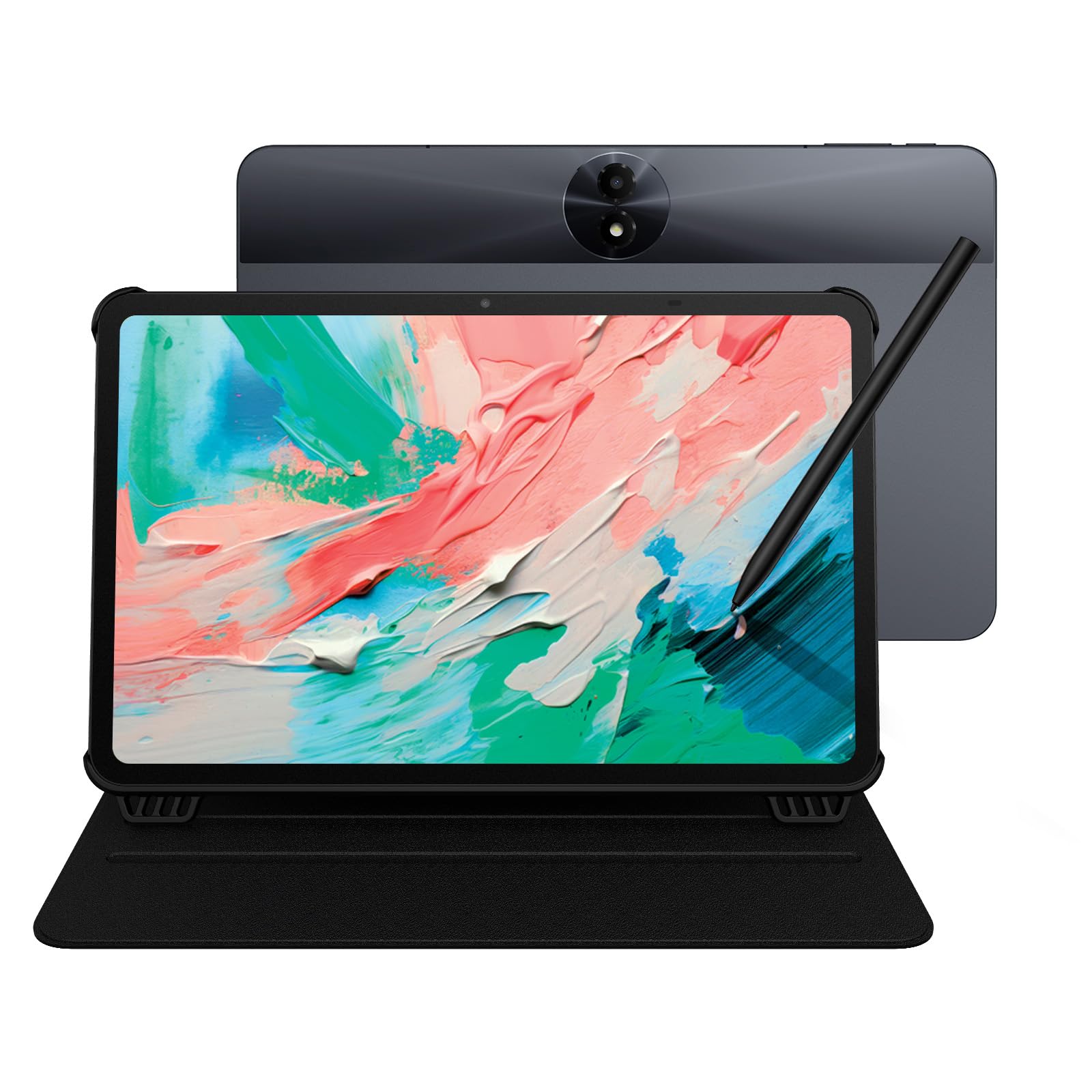
How To Choose The Best Android Tablet For Note Taking
Note taking is the most demanding daily task for a tablet because it tests every part of the device at once. The stylus must track your pen tip precisely, the screen must feel like paper, and the battery must last through back-to-back classes or meetings. Here is what separates a great notebook replacement from a frustrating one.
Stylus Quality and Pressure Sensitivity
The pen is the heart of any note-taking tablet. Pressure sensitivity is measured in levels, and higher numbers mean the tablet recognizes finer differences in how hard you press. That translates to natural line variation, shading, and handwriting that looks like yours rather than a clumsy digital approximation. Look for a stylus that needs no charging and one that sits close to your fingertip so your strokes land where you expect them.
Display Technology and Writing Feel
A smooth glass screen can feel slippery for writing, so many tablets add a matte or etched finish to create friction and reduce glare. Some use E-Ink screens with no touch layer at all, which makes the writing surface feel closer to real paper and is far easier on the eyes for long reading sessions. A higher refresh rate, measured in Hertz, also makes the line appear on screen with less lag as you write.
Battery Life and Charging Speed
Your tablet needs to last from the first lecture to the last meeting, so battery capacity in milliamp-hours matters. Fast charging, measured in watts, determines how quickly you can top up between commitments. Some tablets offer reverse charging, letting you use the tablet as a power bank for your phone or earbuds in a pinch.
Quick Comparison
| Model | Best For | Stylus Pressure | Battery | Display | Amazon |
|---|---|---|---|---|---|
| Samsung Galaxy Tab S10 FE★ Best Overall | Neat AI Notes | S Pen Included | 20 hours | 90Hz IPS | Amazon |
| Lenovo Idea TabBest Value | Budget Classroom Work | Tab Pen Included | 12 hours | 2.5K 90Hz | Amazon |
| TCL NXTPAPER 11 Gen 2Eye-Comfort Pick | Eye-Friendly Reading | 4096 T-PEN | 8000mAh | 2K 60Hz | Amazon |
| Callsky-Pro 14″ | Large-Screen Tasks | Stylus Included | 10000mAh | FHD+ 14.1″ | Amazon |
| Lenovo Idea Tab Pro | Speed and Multitasking | Tab Pen Plus | 11 hours | 3K 90Hz | Amazon |
| XPPen Magic Note Pad | Art-Style Notes | 16384 Levels | 8-10 hours | 10.95″ 90Hz | Amazon |
| TCL NXTPAPER 14 | Musicians and Sheet Music | 4096 T-PEN | 10000mAh | 2.4K Paper-Like | Amazon |
| Penstar eNote2 | Distraction-Free Writing | 8192 Levels | 6500mAh | E-Ink 300ppi | Amazon |
| XPPen Magic Drawing Pad | Professional Digital Art | 16384 Levels | 13 hours | 12.2″ 2160×1440 | Amazon |
| Wacom MovinkPad 11 | Premium Sketching Feel | 8192 Levels | 1.3 lbs tablet | 11.45″ Matte | Amazon |
| Samsung Galaxy Tab S9 | Flagship Power and Display | S Pen Included | 15 hours | AMOLED 120Hz | Amazon |
In‑Depth Reviews
1. Samsung Galaxy Tab S10 FE
Our pick — over 4.5★ from 950+ verified ratings; the strongest balance of quality and price.
The AI-powered S Pen that tidies your messy handwriting into neat, readable notes
This is the tablet that fixes the biggest note-taking complaint of all: your own scrawl. Handwriting Assist straightens, aligns, and adjusts the spacing of your words to create neater notes, and Math Solver turns your hand-written equations into clean text. The 8000 milliamp-hour battery delivers up to 20 hours of use, and buyers report it can go more than 2 and a half days without charging — the battery life is the standout here.
The 90Hz refresh rate renders S Pen strokes smoothly on the bright display, and the pen’s responsive design mimics writing on paper. A 256GB storage base gives generous room for textbooks and notes, and you can add a microSD card for up to 1 TB more. The fingerprint scanner adds quick, secure access between classes.
The device quality earns the most praise by far, with over 150 owners noting it, and value for money is the second most-discussed aspect. Water resistance means a knocked-over drink at your desk is not a disaster. iPad is the usual rival here, but you get a fan-favorite rating of 4.8 stars across nearly a thousand owners, which shows how consistently this delivers.
S Pen included
- 20-hour battery with Super Fast Charging
- AI Handwriting Assist straightens messy notes
- Water resistant for desk-side safety
- Up to 1TB expandable storage via microSD
older chipset
- Installing the microSD card is tricky for big fingers, per owners
- DeX mode still feels imperfect to some users
S Pen fans: you want the most complete note-taking experience with the least effort, thanks to AI that cleans up your handwriting.
power users: you prefer a pure paper-simulation device like an E-Ink tablet for zero eye strain and no distractions.
2. Lenovo Idea Tab College Tablet
The campus-ready bundle with a 2.5K screen and essential learning apps pre-loaded
Students get a complete kit here: the Tab Pen, a folio case, and four learning apps (Lenovo AI Note, Squid, Nebo, MyScript Calculator) built to match study flow. The 11-inch 2.5K IPS display at 90Hz writes smoothly, and the 256GB storage dwarfs the TCL NXTPAPER 11 Gen 2’s 64GB — a 4.0x gap that matters when you hoard PDFs and slides. Owners mention it is ideal for note-taking and PDF markup in grad school.
The MediaTek Dimensity 6300 processor keeps things responsive, and the 12-hour battery life with a 20W charger gets you through a full day of lectures. The quad Dolby Atmos-tuned speakers make study breaks and streaming feel richer. At this budget tier, the quality is what wins people over — it is the most-mentioned aspect by far.
The trade-off is the folio case’s unsecured edges, which owners note are prone to dents, and replacement nibs for the AP4O1U pen are not available. The 7216 milliamp-hour battery trails the Samsung’s 8000 milliamp-hour pack, so this is a full-day device rather than a multi-day one.
students: students who want a complete note-taking setup — pen, case, and apps — without a separate budget for accessories.
media lovers: anyone who needs replacement pen tips, since spare nibs are not sold separately.
3. TCL NXTPAPER 11 Gen 2
The note-taking tablet that thinks it is a sheet of paper, built for weary eyes
The NXTPAPER 4.0 display cuts blue light and uses an anti-reflective, flicker-free surface to ease eye strain during long reading and work sessions. Three display modes — Regular, Ink Paper, and Color Paper — let you switch from crisp videos to a paper-like experience perfect for reading and handwriting. The 4096-pressure-level T-PEN stylus pairs with these modes for a natural writing feel.
The 8000mAh battery supports a full day of study and even reverse charges your phone or earbuds when needed. The eye comfort is the headline feature here, and owners praise the writing stylus options for notes and artwork. The matte, paper-like finish is what wins people over for reading textbooks and PDFs.
The 64GB storage is the tight spot compared to the Lenovo Idea Tab’s 256GB, and the Helio G80 chip is not built for heavy gaming. The weak GPU and lack of a headphone jack are honest limitations, but for a dedicated note-taking and reading device, the eye-friendly screen is worth it.
readers: extended reading sessions and note-taking where eye strain is your biggest concern.
bright rooms: the limited storage and the need to manage files carefully with only 64GB built-in.
4. Callsky-Pro 14″ Android 15 Tablet
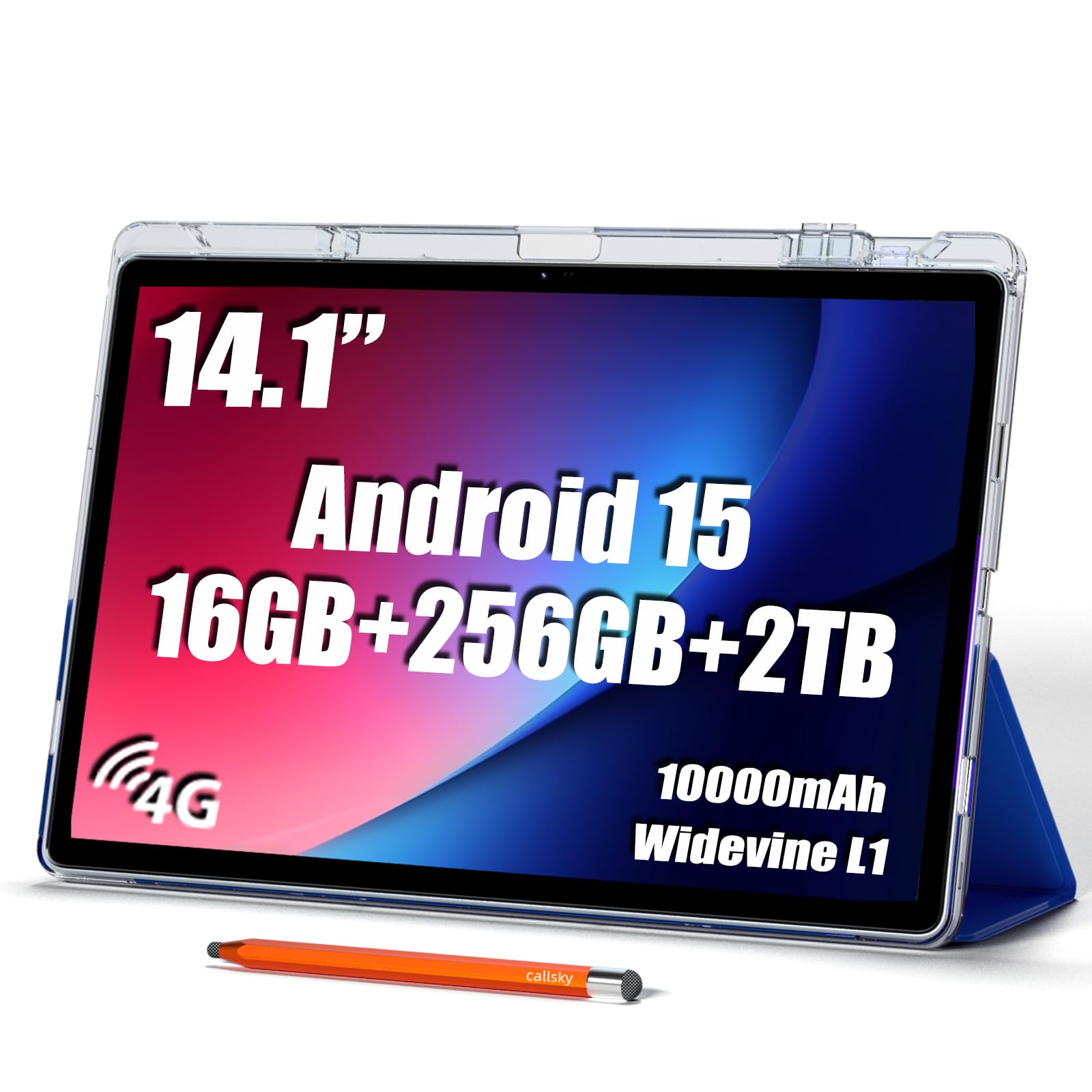
The 14-inch screen that musicians use to read sheet music and everyone else uses to see everything bigger
The defining feature here is the 14.1-inch display on an Android 15 tablet with built-in 4G LTE, so you stay connected even without Wi-Fi. Musicians rave about this for sheet music, with one owner reporting it works well in two bands and rivals 13-inch iPads. The included premium leather case with magnetic closure and precision stylus make it a complete package.
The 10,000mAh battery is the largest in the lineup, paired with 18W USB-C charging and a quad speaker system. The T616 octa-core processor and 16GB RAM handle spreadsheet work and creative projects. Widevine L1 support enables HD streaming on services like Prime Video.
The honest split among owners: quality and screen size are praised heavily, but performance and battery life get mixed reviews. The 4.0 star rating reflects some inconsistency, so this is best for a secondary device or a specific use-case like reading large documents rather than your primary daily driver.
budget buyers: musicians needing a large screen for sheet music and anyone who prioritizes display size above all.
durability: you need consistent performance and battery reliability for daily heavy work.
5. Lenovo Idea Tab Pro

The speed demon with a 3K canvas, ready to jump from notes to games without missing a beat
The MediaTek Dimensity 8300 processor makes this the performance pick among the Lenovo options, supported by Wi-Fi 6E for lightning-quick downloads. The 12.7-inch 3K LCD display at 90Hz is bright and responsive, and it switches between mono and chromatic visual modes for focused reading. The included Tab Pen Plus works with Google’s Circle to Search, so you can circle anything on screen with your finger or the pen for instant answers.
The 10200 milliamp-hour battery gives 11 hours of unplugged video streaming, and the 45W quick charge gets you back in action fast. Owners praise it as a fantastic tablet for students and productivity, noting the crisp display and fast multitasking. The quad JBL Dolby Atmos speakers make it a solid entertainment device too.
The catch is the size — at 12.7 inches, it is very large and heavy, making portrait-mode note-taking impractical. Battery life gets mixed reviews, and you will need a separate 45W PD charger for full-speed charging, as standard chargers only deliver slow “Flash Charging.”
multitaskers: desk-based reading and writing where the large 3K canvas makes documents and spreadsheets shine.
all-day use: you plan to take notes on the go and need something you can hold in one hand.
6. XPPen 10.95″ Magic Note Pad
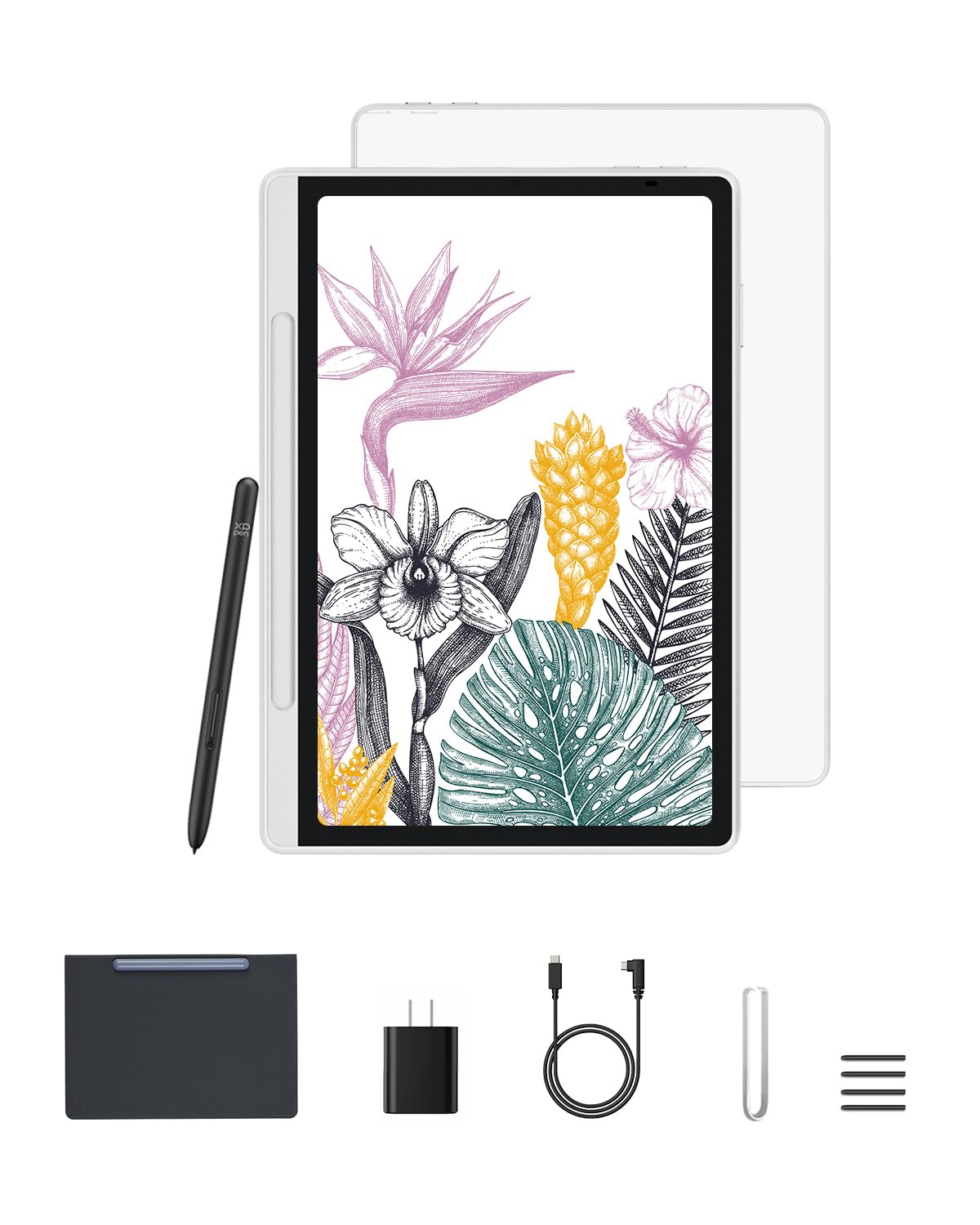
The paper-feel specialist with 16K pressure levels that artists and note-takers both adore
The 10.95-inch X-Paper display uses AG nano-etching technology to deliver a true paper-like texture and friction for natural pencil strokes. The 16384 pressure levels on the X3 Pro battery-free Pencil 2 give precise control for shading and doodling. Three color modes — nature, light color, and black and white — let you annotate, sketch, or read immersed.
The 90Hz refresh rate eliminates lag for smooth line transitions, while TÜV-certified low blue light and anti-glare tech reduce eye strain. It runs Android 14 with the XPPen Notes app pre-installed, plus a lifetime subscription to jnotes for handwriting-to-text conversion. At 7mm thick and 495g, it slips easily into any bag.
What wins people over is the texture — it beautifully mimics real paper, and the matte finish makes reading textbooks and PDFs easier. The battery drains about 4% overnight and needs daily charging, and palm rejection is low enough that users recommend a drawing glove. The functionality is the most-praised aspect, followed by value for money.
note takers: artists and students who want a drawing-tablet feel with full Android app access.
app users: the battery needs daily top-ups and a glove helps avoid accidental palm marks.
7. TCL NXTPAPER 14
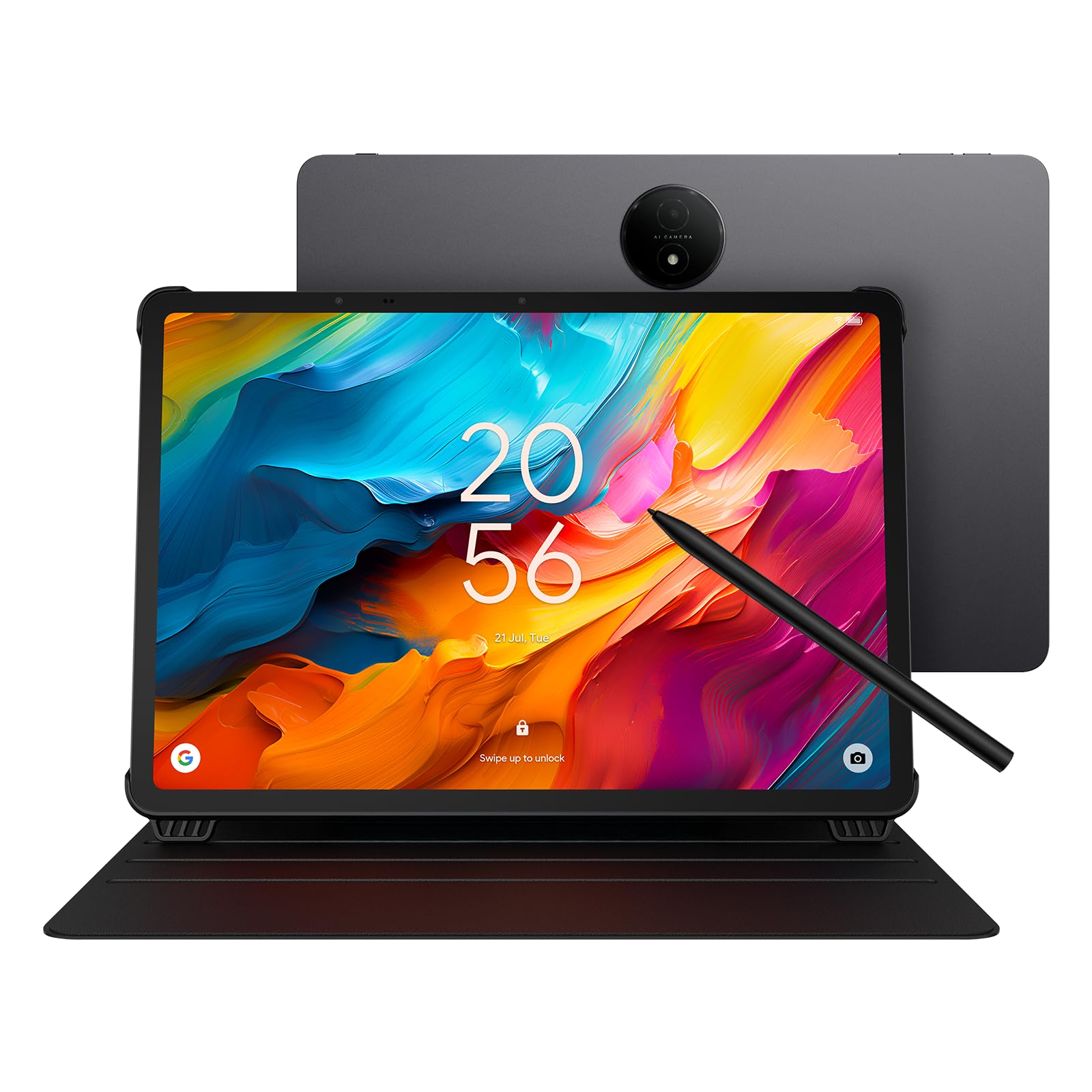
The 14.3-inch paper-like display built for musicians who read sheet music by the hour
The screen size is the whole story here — 14.3 inches of NXTPAPER 3.0 technology that reduces glare, filters blue light, and supports DC dimming for comfortable extended viewing. Musicians specifically praise the screen for reading documents and sheet music, and it works with a foot pedal for hands-free page turns. The paper-like display is easy on the eyes for long practice sessions.
The MediaTek Helio G99 processor pairs with 8GB RAM and 256GB storage, plus 8GB expandable memory for smooth multitasking. The 10,000mAh battery recharges in about 2-3 hours with 33W fast charging and can reverse-charge your phone or earbuds. The included adjustable flip case doubles as a stand, and the 4096-level T-PEN stylus handles note-taking.
The screen size is the most-praised aspect by owners, with screen quality right behind it. Performance gets mixed reviews, with some finding it speedy and others saying it is too slow. The pen itself is a bit laggy and unintuitive, and there is no microSD slot or headphone jack, so you are limited to the built-in 256GB.
big-screen fans: musicians and anyone who reads large documents or sheet music for long stretches.
portability: the stylus feels laggy to some owners, so heavy handwriting use might frustrate.
8. Penstar eNote2 E-Ink Digital Notebook
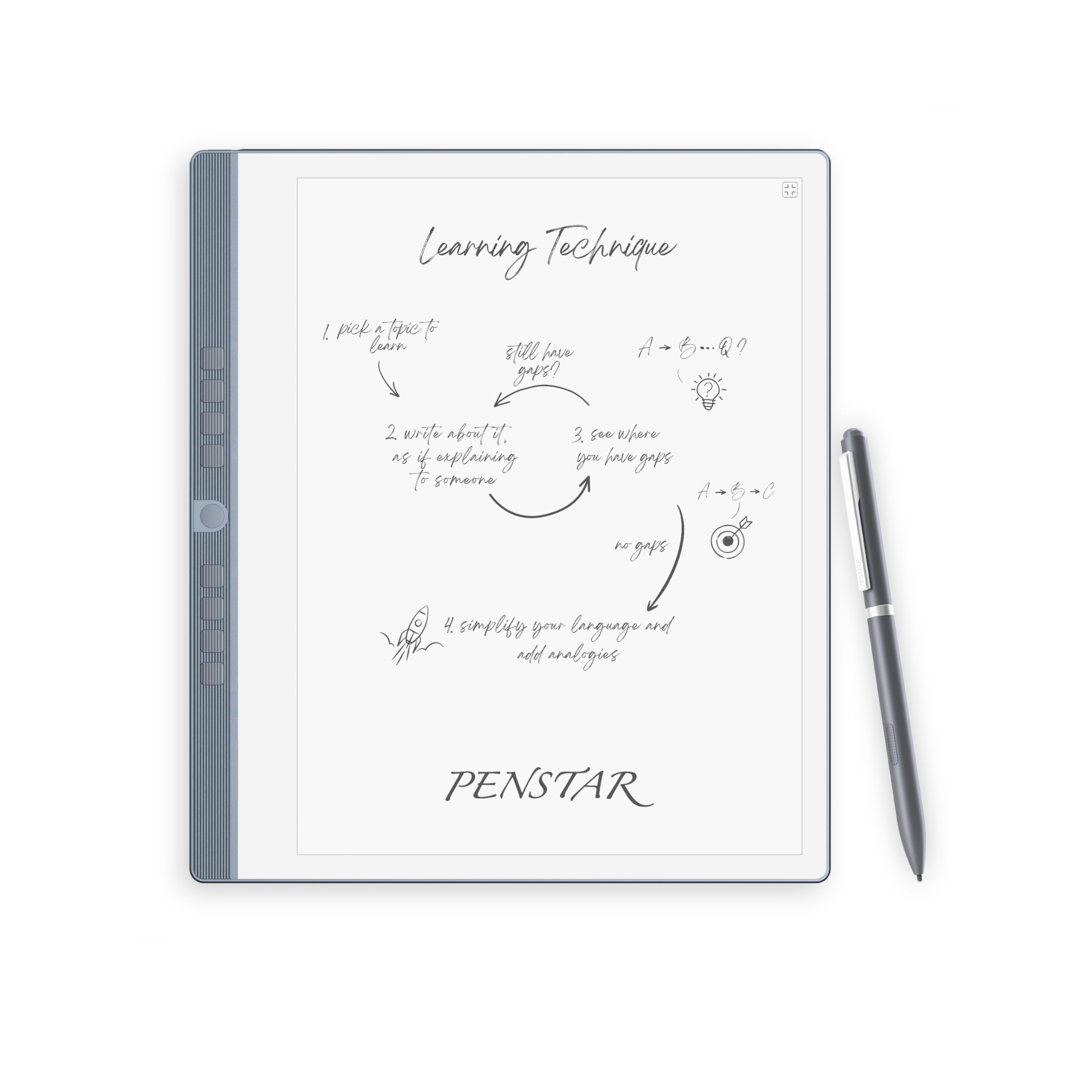
The E-Ink notebook that reads like a printed page, even in direct sunlight
By removing the capacitive touch layer, the eNote2 minimizes haze and refraction to deliver whiter whites and punchier blacks that read like a finely printed book page. The 10.3-inch HD paper-like screen at 300ppi brings text closer to the surface, clear even under sunlight. The 8192-level pressure sensitivity on the exclusive B5 stylus provides precise control with reduced eye-invisible lag.
At just 0.22 inches thick and 0.97 kg, it is built to be a notebook replacement. The 6500mAh battery lasts up to 4 weeks, and it runs Android 14 with support for over 35 file formats including PDF, DOCX, and EPUB. Nine customizable buttons give fast control, and a built-in microphone and 4 speakers handle voice recording and playback.
What wins people over is the writing experience — owners say it feels like writing in a real notebook, with accurate OCR and a paper-like feel that is ideal for lefties. The bundle includes two B5 pens, 10 spare marker tips, a magnetic folio cover, and a charging cable. The negatives are the stylus-only input, so you cannot navigate with your fingers, and some software limitations like calendar sync.
writers: you want the physical feel and focus of paper with the search and storage of digital files.
graphics: anyone who wants a touchscreen and the full app flexibility of a standard Android tablet.
9. XPPen 12.2″ Magic Drawing Pad
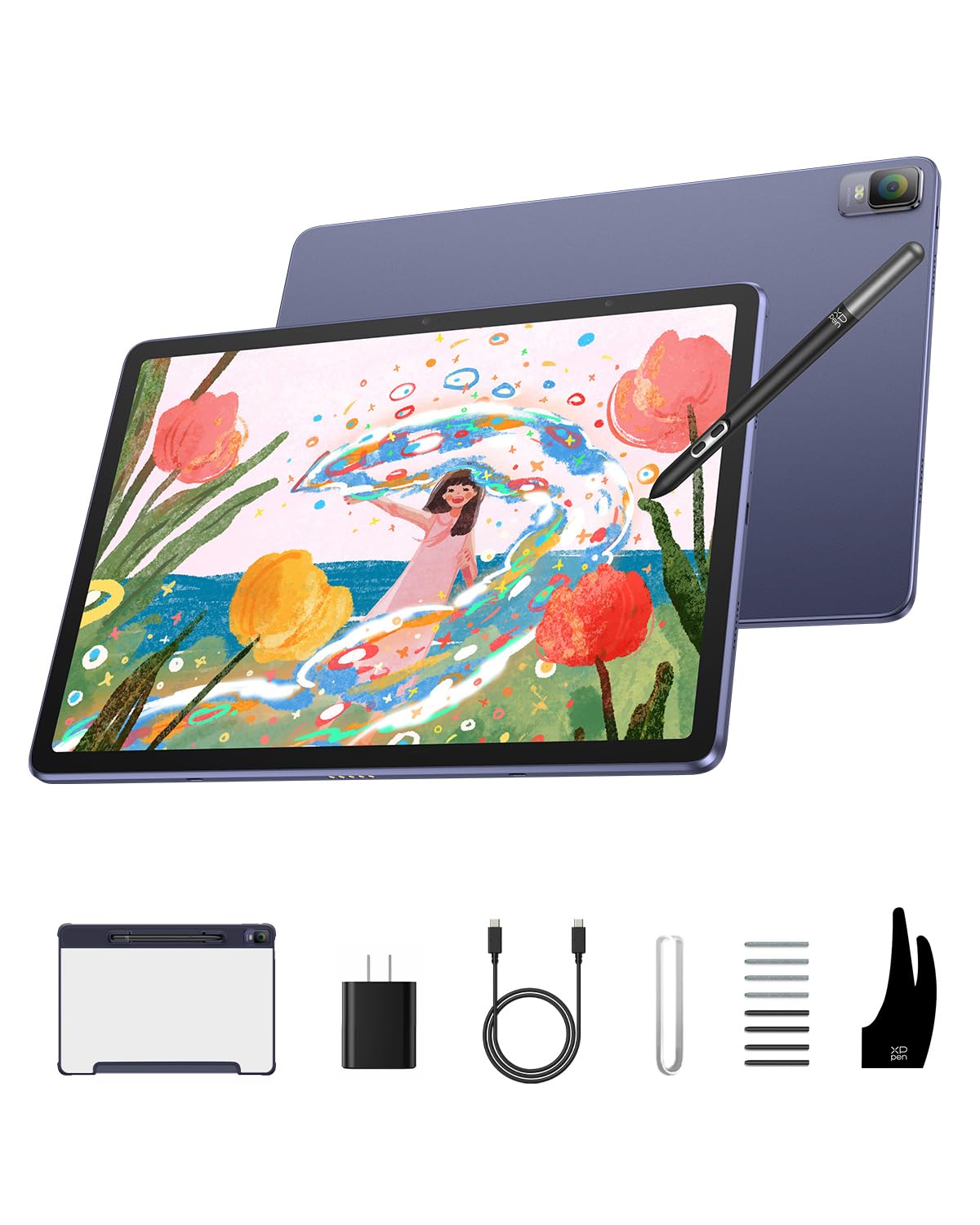
The standalone art tablet that outperforms the Samsung S Pen for professional drawing
The 2160×1440 resolution with a 3:2 aspect ratio and 109% sRGB color gamut delivers stunningly rich colors on a paper-like screen. The X3 Pro Slim Stylus offers 16384 pressure levels with tilt support for ultra-smooth, precise strokes. The 8000mAh battery delivers up to 13 hours of continuous use, and the TÜV Rheinland-certified screen with ten levels of soft light treatment reduces eye strain during long sessions.
It runs Android 14 with 8GB RAM and 256GB storage, expandable up to 512GB, plus a 13MP rear and 8MP front camera. At just 6.9mm thick and 599g, it is easy to slip into a bag. Customers note zero reflection, excellent pencil feedback, and no delay in freehand drawing — it outperforms Samsung for drawing purposes.
The performance is the most-praised aspect, with owners who have owned six other tablets calling it the best they have found. The included artists glove fits both right and left-handed people. The main complaint is the charger quality, with one owner reporting the cable end came apart after three uses.
artists: digital artists who want a dedicated drawing tablet that also runs full Android apps.
casual use: a possible charger replacement, since the included cable has proven fragile for some.
10. Wacom MovinkPad 11

The Wacom that sketches the moment you tap and hold on screen, just like opening a sketchbook
The Pro Pen 3 delivers 8192 pressure levels, has three buttons, and stores replacement nibs in the pen’s back end. The matte etched glass surface feels like paper with subtle texture, reducing glare and fingerprints so you can focus on creating. Tap and hold the pen on screen to instantly launch the Wacom Canvas app and start sketching or taking notes the moment an idea hits.
At just 1.3 lbs, it is lighter than most laptops and fits easily in a bag. It comes with 2 years of CLIP STUDIO PAINT DEBUT and trials of Ibis Paint, Magma blaze, and Artwod training. The 11.45-inch Android 14 tablet has 8GB memory and 128GB storage, and the battery-free pen needs no charging.
Owners praise the organic drawing experience and portability, with the performance being the most-discussed strength. The micro-etched finish provides paper-like traction for the stylus. The responsiveness gets mixed reviews, and the processor can feel slow for effects like liquefy or textured brushes in demanding apps.
professionals: artists who want a premium, portable sketchbook feel with industry-leading stylus tech.
tight budgets: this is a premium investment, and some owners note the processor is not built for heavy effects.
11. Samsung Galaxy Tab S9

The flagship AMOLED canvas where handwriting and drawing both look their absolute best
The 11-inch Dynamic AMOLED 2X screen at a 120Hz refresh rate is the most brilliant display in this lineup, with Vision Booster automatically adjusting brightness and contrast. The S Pen feels like a real pen, and Galaxy AI handles the heavy lifting: transcript assist takes notes for you, formats them into clear summaries, and lets you search using natural language. The Snapdragon 8 Gen 2 is Samsung’s most powerful tablet processor, handling anything you throw at it.
The 8400 milliamp-hour battery delivers up to 15 hours of use, and the IP68 rating makes it one of the only water- and dust-resistant tablets on the market. The Armor Aluminum frame protects against bumps, and the 256GB base storage covers most needs. The fingerprint sensor, Wi-Fi 7 connectivity, and quad Dolby Atmos speakers round out a premium package.
The device quality is the most-praised aspect, followed by performance, with owners noting it runs faster than work laptops. The AMOLED screen and 120Hz superiority over the Tab S10 FE’s IPS display are clear differentiators for anyone who cares about color depth. The negatives are the price and the lack of a headphone jack, which is a notable concession for a flagship.
compact users: anyone who wants the best possible display and performance for both notes and entertainment.
future-proofing: you need a headphone jack or you are working to a strict budget — the S10 FE covers most needs for less.
Understanding the Specs
Pressure Sensitivity Levels
This number shows how finely the tablet detects differences in your pen pressure. Higher counts, like 8192 or 16384 levels, mean the tablet recognizes subtle changes in how hard you press, which translates to natural line variation and shading. It is the difference between handwriting that looks like yours and a clunky digital approximation.
Display Refresh Rate
Measured in Hertz, this is how many times the screen updates per second. A 90Hz or 120Hz display makes the line under your pen appear with less lag and feels smoother than a standard 60Hz screen. A higher refresh rate also makes scrolling through long PDFs and web pages feel more fluid.
FAQ
What is the difference between an E-Ink tablet and an LCD tablet for note taking?
Can I replace the stylus nibs when they wear out?
Does a higher refresh rate really improve handwriting?
Should I choose an included stylus or buy a separate one?
How much storage do I need for note taking?
Is a screen protector necessary for the writing experience?
Can I use these tablets for reading e-books and PDFs comfortably?
Will these tablets work for both handwriting and typing?
How important is the battery capacity for a full day of classes?
Final Thoughts: The Verdict
For most people, the android tablet for note taking winner is the Samsung Galaxy Tab S10 FE because its AI Handwriting Assist, 20-hour battery, and water resistance make it the most complete and dependable choice. If you want a large canvas for sheet music or documents, grab the TCL NXTPAPER 14. And for the pure paper feel with zero distractions, the Penstar eNote2 is the one to reach for.
How We Picked
We do not accept paid placement. Every pick is matched to a real buyer and a real use-case; we do not hands-on test units.
Sources & Methodology
Specifications: manufacturer listings and product documentation. Review insights: verified customer reviews, as of August 2026. Pricing: not shown on this page (it changes often); check the current price via the retailer link.
As an Amazon Associate, Gadgets Feed earns from qualifying purchases. This does not affect which products we feature.