
Our readers keep the lights on and my morning glass full of iced black tea. As an Amazon Associate, I earn from qualifying purchases.
Specs are compiled from manufacturer listings and verified buyer reviews and can change over time — please confirm the key details on the product page before buying.
Handing over a paper card in a world of digital taps feels forgettable. An aluminum blank changes that moment entirely — the heft, the cool touch, the way a client stops and asks, “Is this metal?” These blanks are the raw material for that impression, sized to fit a wallet and ready for your laser or CNC machine.
I’m Min — the founder and writer behind Gadgets Feed. This guide is built by comparing the manufacturers’ published specifications and the patterns across verified customer reviews, so you get each pick’s real strengths and trade-offs instead of marketing spin.
Whether you run a diode, fiber, or CO₂ laser, choosing the right aluminum business cards depends on thickness, finish, and engraving behavior that match your machine’s power and your design goals.
Our Picks at a Glance


How To Choose The Best Aluminum Business Cards
Picking a pack of metal blanks is really about one question: what machine do you own and what look are you chasing? The data from engravers who actually run these cards shows the biggest divide is thickness, so start there.
Match Thickness to Your Laser’s Power
Thin cards around 0.01 inch are the standard for diode and lower-power lasers because they engrave cleanly without needing heavy settings. But crank a high-power fiber laser too hard and a thin blank will warp or bend. The 0.45 mm and 0.02 inch options add stiffness, so they suit sublimation pressing and higher-power engraving where flatness matters. If your machine is weak, a thick card can resist the etch; if it is strong, a thin card can curl under the heat.
Pick the Coating for Your Output
Black-coated cards reveal a light or silver engraving mark with high contrast, which is why they dominate the laser crowd. White cards with a thermal transfer coating are built for sublimation or UV printing, letting you lay down full color instead of just an etched line. Check whether a card is described as “for engraving” or “for sublimation” before you buy, since the two surfaces are not interchangeable.
Count the Cards You Actually Need
Packs run from 100 to 350 pieces, so the real decision is volume versus price per card. A 100-pack is enough to make a personal set or test a new coating, while a 300-piece box supports a small business or a run of custom gifts. Weight also tracks quantity — a 300-pack of thin cards lands around 1.5 pounds, and a 200-pack of thicker sublimation blanks comes to 2 pounds.
Quick Comparison
| Model | Best For | Sheet Count | Size | Finish | Amazon |
|---|---|---|---|---|---|
| Marspark 300 Pc★ Best Overall | High-volume diode engraving | 300 | 3.38 x 2.12 in | Black, glossy | Amazon |
| Danghyuk 300 PcTop Performer | CNC and CO₂ engraving | 300 | 3.4 x 2.2 in | Black, glossy | Amazon |
| LOSYHU 100 Pc | Sturdy silver engraving | 100 | 3.4 x 2.1 in | Silver | Amazon |
| Zonon 100 Pc | Sublimation full-color print | 100 | 3.4 x 2.1 in | White | Amazon |
| lipetol 350 Pc | Largest pack for gifts | 350 | 3.4 x 2.13 in | Glossy black | Amazon |
| Kosiz 200 Pc | Sublimation with sturdy feel | 200 | 3.4 x 2.1 in | White | Amazon |
In‑Depth Reviews
1. Marspark 300 Pc Metal Engraving Blanks
Our pick — 4.5★ from 731 verified ratings; the strongest balance of quality and price.
The high-volume pick that diode owners keep coming back to for clean, black-on-metal contrast
This is the pack that wins people over on pure versatility — 300 blanks at 3.38 x 2.12 inches each, thin enough at 0.01 inch for a home laser yet sturdy enough to survive daily pocket carry. The black surface etches to a silver or gray tone, and buyers report a 5W laser at 30% power cleans the black off beautifully, with a 100% pass coming out similar but slightly wider. That headroom means you can dial in your settings without burning through the whole pack to learn.
The smooth, shiny face engraves with sharp detail, and the crowd favorite is how the mark stays put — the black coating does not scratch off after the etch. The trade-off the reviews keep circling is thickness: a 22W diode owner found they had to drop to 30% power at 6000 mm/min to avoid warping, and high-power fiber users report thinness means it bends easily. It is 1.5 pounds for the full 300-pack, so the stack has real presence on your desk, and at this volume the per-card cost is hard to argue with.
Owners mention the color after direct engraving is silver or gray, so if you want a gold or colored mark you will need to print or paint it on. That is the one honest limitation: this is a laser blank, not a sublimation surface, so plan your design around the etched contrast rather than full-color print.
Why owners stick with it
- What wins people over is engravability — the coating lifts cleanly with crisp, scratch-resistant results
- 300 pieces in one box is enough for a full business run plus gifts
- Smooth edges that do not catch or hurt when you handle a stack
The settings you must respect
- The recurring gripe is thinness — high-power lasers warp it if you push the watts
- Size lands at 3.38 x 2.12 inches, slightly tighter than a standard credit card
Grab this for: diode-laser owners who want the biggest reliable pack per dollar and do not mind tuning power settings.
Look elsewhere if: you run a high-wattage fiber laser and need a thicker blank that will not curl under max power.
2. Danghyuk 300 Pc Metal Business Card Blanks
The sturdy black blank that shrugs off warping and makes recipients ask, “Is this metal?”
You get the largest surface in the lineup at 3.4 x 2.2 inches per card, and engravers report it works well with both CNC and CO₂ lasers for crisp, clean results. Its defining strength is durability — buyers specifically note it does not warp or melt, which separates it from the Marspark pack if you tend to run hotter settings. The edge is the heft: at 1.5 pounds for 300 cards, each one feels substantial in the hand, and the “I’m Definitely the Boss” energy is real.
Owners love how the black finish takes an etch and holds it — one buyer’s reaction is the stuff of networking legend, with people asking in surprise whether the card is actually metal. The mixed feedback lands on color, with some finding the appearance misleading versus the photos. There is also a note that a 30W diode laser wants 40% power at 2800 mm/min plus air assist and mineral spirits for the best mark, so this is not a zero-setup blank.
The recurring warning is thickness — it is listed as 0.01 inch, and the review pages call it thinner than ideal even while praising the results. As buyers put it: “At first I thought these were too thin but after etching my first few I realized otherwise.” That is the honest read — expect to trust the etch before you trust the feel in your fingers.
Real-world verdict: This is the pick for engravers who want a larger canvas and a card that resists warping at higher power, with the caveat that the thin profile surprises you in a good way only after the first pass.
3. LOSYHU 100 Pc Silver Metal Business Card Blanks

The thicker silver blank that resists bending and etches to a bright white mark
This 100-pack flips the script on the thin black cards above — at 0.45 mm thickness it is the stiffest of the engraving blanks here, and buyers single out that sturdiness as the reason it won’t bend under normal handling. That makes it the right call if you have been frustrated by flimsy cards or if you use a CNC that needs a firmer workpiece. The silver finish gives you a different look, and the engraving result is a vivid bright white with no residue left behind.
At 3.4 x 2.1 inches with rounded corners, it matches the credit-card footprint you expect, and a 0.4 mm test at 120 IPM and 50% power came out clean. The value debate splits the room — some love the price per card, others question it given the 100-piece count, which is 100 pieces versus the 300 pieces in the Marspark or Danghyuk packs. The one honest knock is packaging: a buyer reported a weak plastic box that lets cards scatter and a few arrive scratched.
The warm consensus is a rare thing for metal blanks: “Just right. Not to thin or thick. And it engraves well.” This is the pick for someone who wants a stiffer card, a bright silver-gray result, and a smaller batch to learn on, rather than a warehouse of 300.
Why it wins fans: the 0.45 mm thickness earns more praise than any other feature here — it is the blank that finally feels like a real metal card instead of foil.
4. Zonon 100 Pc Sublimation Metal Business Cards

The full-color route — white blanks that take sublimation ink with vibrant, lasting results
This is the card for a completely different workflow. Instead of etching a line, you press full-color designs onto these white blanks — the 0.018 inch aluminum alloy core carries a thermal transfer coating on both sides that takes sublimation ink directly at 180-200 degrees Celsius for 20-35 seconds. The payoff is a business card in full color, not just an engraved monochrome mark, and at 3.4 x 2.1 inches it fits a wallet like a bank card.
Sublimation is the feature owners rave about most — the coating grabs the ink with vibrant, moisture-resistant results, and the cards have won compliments and even reorder requests for the makers who use them. Buyers have reordered this exact pack three times, which is about as strong a vote as a product gets. The durability feedback is honest though: several customers note scratches on one side of the cards, and the included packaging drew a “weird size” note from one buyer.
Weighing 1.2 pounds for the 100-pack, it carries a thicker 0.018 inch build that resists bending. If you are printing for a craft fair, a side business, or a professional brand that needs color, this is the surface built for it — just inspect the coating when they arrive.
The full-color advantage
- Sublimation transfer and UV print both work on these blanks
- Vibrant, moisture-resistant color that holds up to handling
- 0.018 inch thickness adds stiffness for a premium feel
What to check on arrival
- The recurring gripe is scratches on one side of some cards
- Heat press requires following the 180-200°C window for clean transfer
Choose this for: sublimation or UV printing when you want full color and a sturdy white base.
Pass it by if: you only laser-engrave — the white coating is built for ink transfer, not etching contrast.
5. lipetol 350 Pc Metal Business Card Blanks

The biggest single box here — 350 glossy black cards that engrave fast and gift even faster
At 350 pieces, this is the largest count in the lineup, and it is the pick when you need cards not just for yourself but for a whole team, a craft booth, or a stack of holiday gifts. The glossy black finish is the standout — buyers call out the jet-black appearance, and the aluminum underneath stays bright and shiny after the coating lifts. It measures 3.4 x 2.13 inches, sized to slip into a pocket or purse, and the thin 0.01 inch profile matches a normal business card’s thickness.
Engraving performance is where it earns its keep: a 30W fiber laser marked these in seconds with an impressive finish, and the xTool F1 crowd reports clean results too. Owners lean on these for custom business cards and art, and the coating quality draws positive note after positive note. The flexibility is a double-edged sword — several buyers call them thin and bendable, which helps them conform to a project but reads as flimsy to others who want a rigid card.
The mixed feedback on thickness and durability is worth a fair hearing: some find them sturdy, others describe them as flimsy. If your priority is volume and a clean etch at low cost per card, this is an easy yes; if you want a heavy, premium hand-feel, the thicker LOSYHU or Zonon blanks serve better.
Straight call: the biggest bang for your card count, with a glossy finish that etches beautifully — just know the thin profile is the trade-off for that volume.
6. Kosiz 200 Pack Sublimation Business Card Blanks
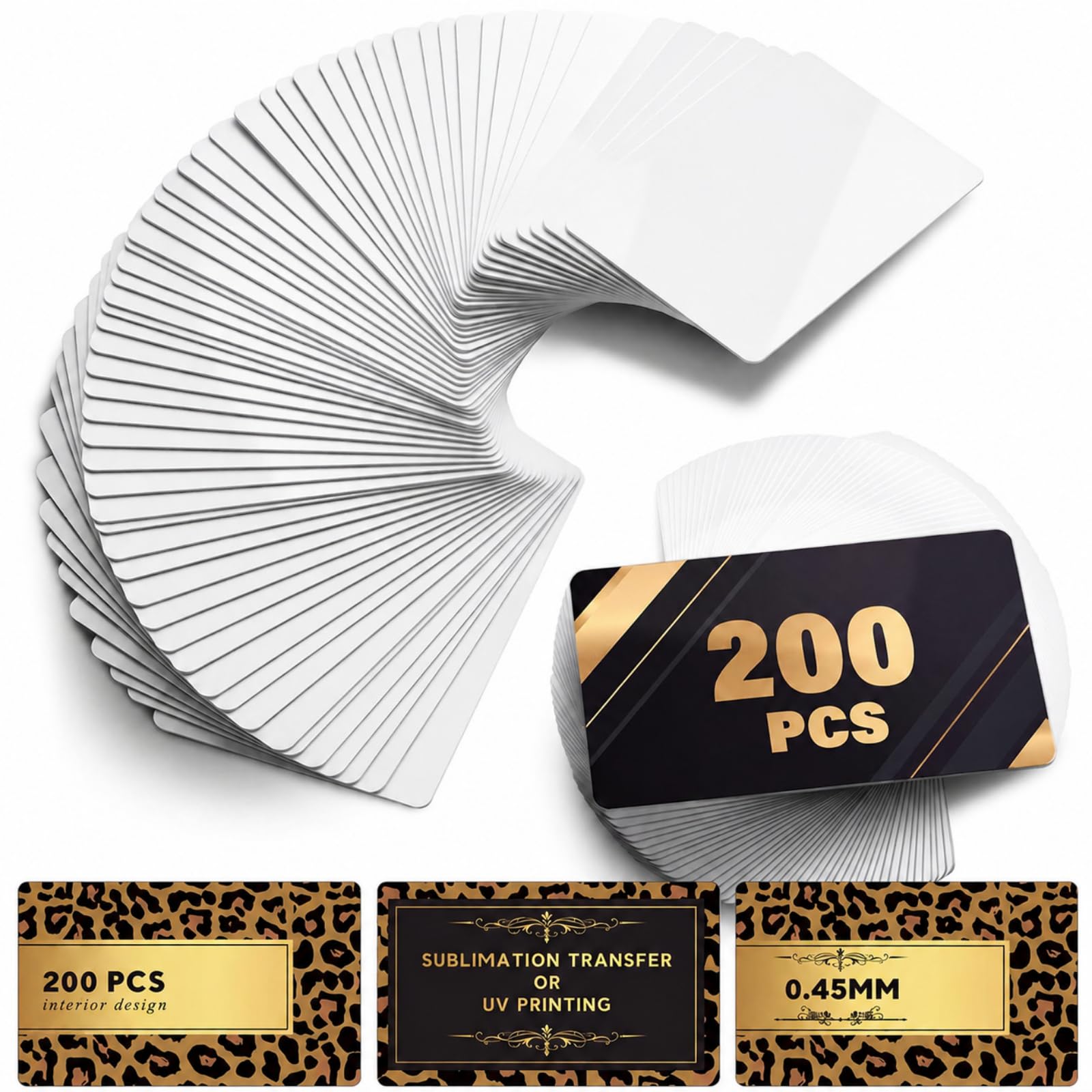
The 200-pack sublimation surface that picks up ink with a gorgeous, vibrant finish
This is the sublimation blank for makers who want volume without going full warehouse — 200 pieces at 3.4 x 2.1 inches with a thicker 0.02 inch build that resists bending and breaking better than thin foil cards. The white surface on both sides carries a quality heat transfer coating, so it takes direct sublimation or UV printing with clear text and images. At 2 pounds for the box, each card has a solid, reassuring weight that suits a professional image.
The defining praise here is how well it grabs ink: the coating “picks up the sublimation ink amazingly,” with vibrant color that has made these a repeat buy for business cards and a favorite for church event gifts. The sturdiness divides opinion honestly — some call them super durable while others report bending and scratching issues, so treat them with reasonable care. Size-wise they fit pockets easily at 2.13 x 3.39 inches, and the 0.45 mm width keeps them from feeling flimsy.
Between the two white sublimation options, this is the one that gives you 200 cards versus the Zonon pack’s 100 while keeping print quality at the core. The trade-off against the Zonon pack is review feedback — the Zonon edges ahead on coating reliability, but if you are burning through cards at a craft fair or client meetings, the Kosiz 200-pack stretches further.
Reach for this if: you sublimate in volume and want 200 sturdy white cards that print with vivid color.
Think twice if: you need the most flawless coating finish and are willing to pay more per card for the Zonon pack.
Understanding the Specs
Thickness
This is the single most important number. Thin cards near 0.01 inch engrave easily on diode lasers but warp under high-power fiber machines. Thicker cards like 0.45 mm or 0.02 inch stay flat and resist bending, which matters for CNC work and sublimation heat pressing. Match the thickness to your laser’s power or your press workflow.
Engraving vs. Sublimation Coating
Black-coated blanks are designed to be laser-etched, revealing a silver or gray mark with high contrast. White blanks with a thermal transfer coating are built for sublimation or UV printing, so you can lay down full color instead of just an engraved line. Choose based on how you plan to decorate the card.
FAQ
Will these work with my diode laser engraver?
What is the difference between engraving blanks and sublimation blanks?
Can I use these cards for CNC engraving?
How do I keep thin cards from warping under my laser?
Are black cards better for engraving than silver ones?
How many cards do I actually need to order?
Can I sublimate on the black engraving blanks?
Will these fit in a standard wallet or cardholder?
Do the white blanks scratch during shipping?
What makes a metal business card worth the extra cost over paper?
Final Thoughts: The Verdict
For most laser owners, the aluminum business cards winner is the Marspark 300-pack because it pairs a crowd-approved coating with the volume you need to actually practice and produce. If you want a stiffer card that resists bending and etches to a bright white mark, the LOSYHU 0.45 mm pack is the one to reach for. And for full-color sublimation work, the Zonon blanks deliver the vibrant, moisture-resistant finish that keeps buyers coming back — with the Kosiz 200-pack as the budget-friendly volume option when you need more cards per dollar.
How We Picked
We do not accept paid placement. Every pick is matched to a real buyer and a real use-case; we do not hands-on test units.
Sources & Methodology
Specifications: manufacturer listings and product documentation. Review insights: verified customer reviews, as of August 2026. Pricing: not shown on this page (it changes often); check the current price via the retailer link.
As an Amazon Associate, Gadgets Feed earns from qualifying purchases. This does not affect which products we feature.