
Our readers keep the lights on and my morning glass full of iced black tea. As an Amazon Associate, I earn from qualifying purchases.
Specs are compiled from manufacturer listings and verified buyer reviews and can change over time — please confirm the key details on the product page before buying.
The moment you go from a 1080p screen to a true 4K (3840 x 2160) display, the difference is impossible to miss — text gets razor-sharp, games reveal detail you never saw, and photo editing stops being guesswork. The real question is which panel technology, refresh rate, and feature set actually fit how you work and play, since the market spans from workhorses to gaming flagships.
I’m Min — the founder and writer behind Gadgets Feed. This guide is built by comparing the manufacturers’ published specifications and the patterns across verified customer reviews, so you get each pick’s real strengths and trade-offs instead of marketing spin.
Whether you chase esports speed or photo-accurate colors, the right choice changes your whole setup; this breakdown of the 2160 x 3840 monitor landscape sorts the true upgrades from the minor bumps.
Our Picks at a Glance


How To Choose The Best 2160 X 3840 Monitor
Buying a 4K monitor is a long-term decision, so the panel type, speed, and connections you pick today will shape your experience for years. Start with what you do most — competitive gaming, creative color work, or office productivity — because each use case rewards a different mix of specs.
Panel Technology: The Picture’s Foundation
The panel decides contrast, viewing angles, and motion handling. IPS panels give you the widest viewing angles and most accurate colors, making them the default for photo editors and office work. VA panels boost contrast with deeper blacks at the expense of some angle stability. QD-OLED panels take contrast to another level entirely, with per-pixel lighting that delivers true blacks and vibrant colors — but they require burn-in care and a bigger budget.
Refresh Rate and Response Time: Matching Motion to Your Eyes
Refresh rate, measured in Hertz (Hz), tells you how many times the screen redraws each second. A 60Hz panel is fine for documents and movies, but 120Hz feels noticeably more fluid for everyday use, and 240Hz becomes a real advantage in fast shooters. Response time, measured in milliseconds (ms), indicates how quickly pixels change color; lower numbers mean less ghosting in fast action.
Connectivity: Future-Proofing Your Desk
A single USB-C port that delivers up to 90W of power can replace a separate laptop charger and display cable with one clean connection. If you run multiple computers, a built-in KVM (Keyboard, Video, Mouse) switch lets you control several devices with one set of peripherals. HDMI 2.1 ports are critical for getting the full refresh rate out of modern consoles.
Quick Comparison
| Model | Best For | Panel Type | Refresh Rate | Response Time | Amazon |
|---|---|---|---|---|---|
| ASUS ROG PG32UCDM★ Best Overall | Enthusiast Gaming & HDR | QD-OLED | 240 Hz | 0.03 ms | Amazon |
| Dell S2725QSBest Value | Office Productivity | IPS | 120 Hz | — | Amazon |
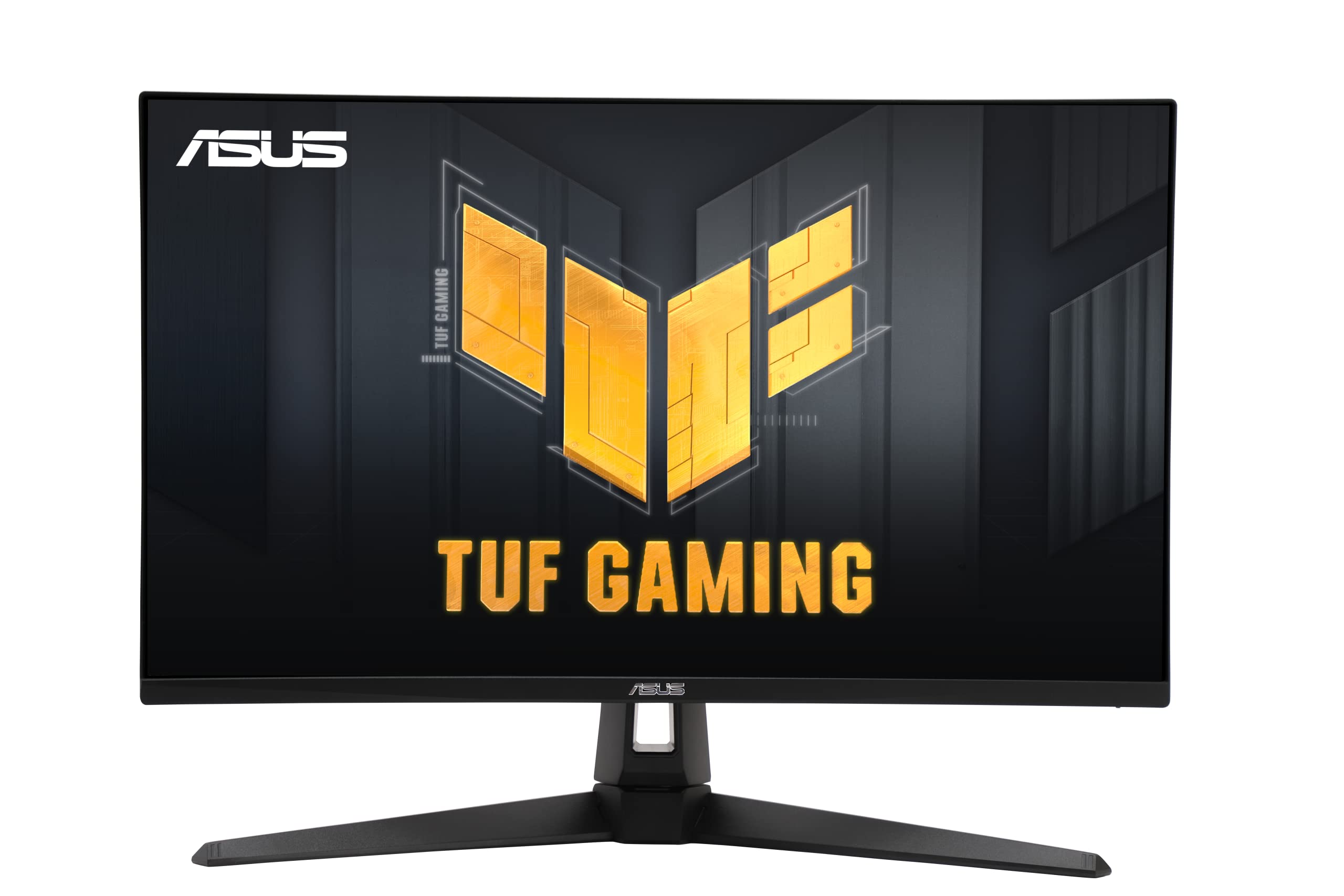
| ASUS TUF VG27UQ1ATop Performer | Fast Competitive Gaming | LED | 160 Hz | 1 ms | Amazon |
| KTC 27″ 4K | All-Round Value | Fast IPS | 160 Hz | — | Amazon |
| Samsung ViewFinity S7 | Photo & Video Editing | VA | — | — | Amazon |
| LG 32UR500K-B | Movies & Casual Play | VA | — | — | Amazon |
| LG 27UL550-W | Creative Work | IPS | — | — | Amazon |
| Dell S3225QS | Large-Screen Value | VA | 120 Hz | — | Amazon |
| Samsung ViewFinity S8 | Docking & Multi-Device | IPS | — | — | Amazon |
| MSI MPG 321URX | High-End Gaming & Work | QD-OLED | 240 Hz | 0.03 ms | Amazon |
| MSI MPG 321CURX | Curved rich Gaming | QD-OLED | 240 Hz | 0.03 ms | Amazon |
In‑Depth Reviews
1. ASUS ROG PG32UCDM
Our pick — over 4.5★ from 550+ verified ratings; the strongest balance of quality and price.
The reference 32-inch 4K OLED: 240Hz speed with contrast that leaves every LED panel behind.
This is the monitor you buy when you want the single best picture available and are willing to pay for it. The 32-inch QD-OLED panel delivers a 1500000:1 contrast ratio that simply destroys the 1000:1 you get from the ASUS TUF VG27UQ1A — a 1500x gap that makes blacks truly black rather than dark gray. It also hits 240 Hz refresh, exactly double the Dell S2725QS’s 120 Hz, so fast motion stays crisp and tear-free.
Owners consistently describe the HDR as transformational — the 99% DCI-P3 gamut and Delta E < 2 color accuracy make games like Halo Infinite look divine, and it even supports Dolby Vision, which is rare on PC monitors. The 140 PPI density lets you run 1440p games at near-4K quality, easing GPU load.
Burn-in is the obvious worry with any OLED, and the 8-hour pixel refresh cycle exists to mitigate exactly that risk. A 3-year warranty and a heat management system with custom heatsink and graphene film protect the panel. The catch is the price and the giant power brick, plus HDR mode locks out some picture controls — but if you want no-compromise, buyers report it’s “worth every penny.”
What Owners Rave About
- True blacks and brilliant highlights that make HDR content pop
- 240Hz refresh and 0.03ms response eliminate any perceptible ghosting
- 90W USB-C power delivery charges a laptop through a single cable
What to Know Before Buying
- Premium cost that sits well above every other pick here
- Single DisplayPort connection limits some multi-monitor setups
- Burn-in protection requires running the 8-hour pixel refresh cycle
The crowd favorite: A stunning 4.6-star rating across hundreds of owners makes this the safest premium bet for gamers who also care about HDR movies and creative work.
Think twice if: your budget is fixed in the mid-range — the price here buys two capable 4K IPS panels instead.
2. Dell 27 Monitor S2725QS
The productivity king that proves 4K doesn’t need to cost a fortune.
If your days are spent in spreadsheets, documents, or code, this Dell is the value champion of the list. The 27-inch IPS panel offers 99% sRGB coverage and a 1500:1 contrast ratio, which owners mention makes text incredibly crisp and colors pop — a massive upgrade from 1080p. The 120Hz refresh rate doubles the smoothness of a standard office screen, and owners say once you live at 120Hz, you can’t go back to 60Hz.
ComfortView Plus cuts blue light to 35% or less, easing eye strain during long work sessions without sacrificing color accuracy. The built-in speakers are described as incredibly loud with re-engineered sound quality, and the ultra-thin bezels with an ash white finish give it a modern, minimalist desk presence.
The catch: owners note slight ghosting in fast-paced games, so this isn’t an FPS monitor — it’s built for work. The stand is compact but a little wobbly, and the matte coating has a slightly grainy texture. But for office use, buyers sum it up as an affordable, bright, and crisp display that’s a huge step up from 1080p.
Why It Wins For Work
- 120Hz refresh makes scrolling and window management feel fluid
- ComfortView Plus cuts blue light for long sessions
- Surprisingly loud built-in speakers for meetings and media
Where It Stops Short
- Ghosting in games means it’s not for competitive FPS
- Compact stand wobbles slightly on the desk
- Matte coating has a subtle grain
Best for: office workers, students, and anyone who stares at text all day and wants a smooth, eye-friendly 4K upgrade.
Look elsewhere if: you primarily game — a higher refresh panel like the TUF below will serve you better.
3. ASUS TUF Gaming VG27UQ1A
A 160Hz 4K speed demon for competitive players who want it all on one panel.
You get smooth, tear-free gameplay without the usual 4K price tag: the ASUS TUF delivers a 160Hz refresh rate and a 1ms response time, so fast scenes stay sharp and responsive. Its Extreme Low Motion Blur Sync (ELMB Sync) technology runs anti-ghosting and variable refresh together, which eliminates both tearing and blur in fast scenes. Buyers running an Xbox Series X through HDMI 2.1 report smooth 4K at 120Hz with improved target tracking in shooters like Black Ops 7.
Color performance is strong with 95% DCI-P3 gamut, though that trails the ROG PG32UCDM’s 100% — a 5% difference that only matters for color-critical work. The 27-inch size keeps a compact desk footprint, and owners praise the pixel density and contrast for the money. It’s a huge step up from 1080p across the board.
The honest trade-offs: the stand doesn’t offer height adjustment, which is a genuine ergonomic miss, and customers note a mixed reliability record — most units are flawless, but a few have failed within the first couple of months. If you want G-Sync and FreeSync support plus 160Hz speed for competitive gaming, this delivers a lot of performance without OLED prices.
Speed First
- 160Hz refresh with 1ms response for competitive edge
- ELMB Sync eliminates both ghosting and tearing
- G-Sync Compatible and FreeSync Premium dual support
Fit Notes
- No height adjustment on the stand
- Reliability has been mixed for a small number of owners
- 95% DCI-P3 trails OLED panels for color-critical work
Reach for this if: you’re an esports player who wants high-refresh 4K without paying OLED money — it beats the KTC on brand support and FreeSync certification.
Not for: heavy photo editors who need a fully adjustable stand and class-leading color gamut.
4. KTC 27 Inch 4K Gaming Monitor
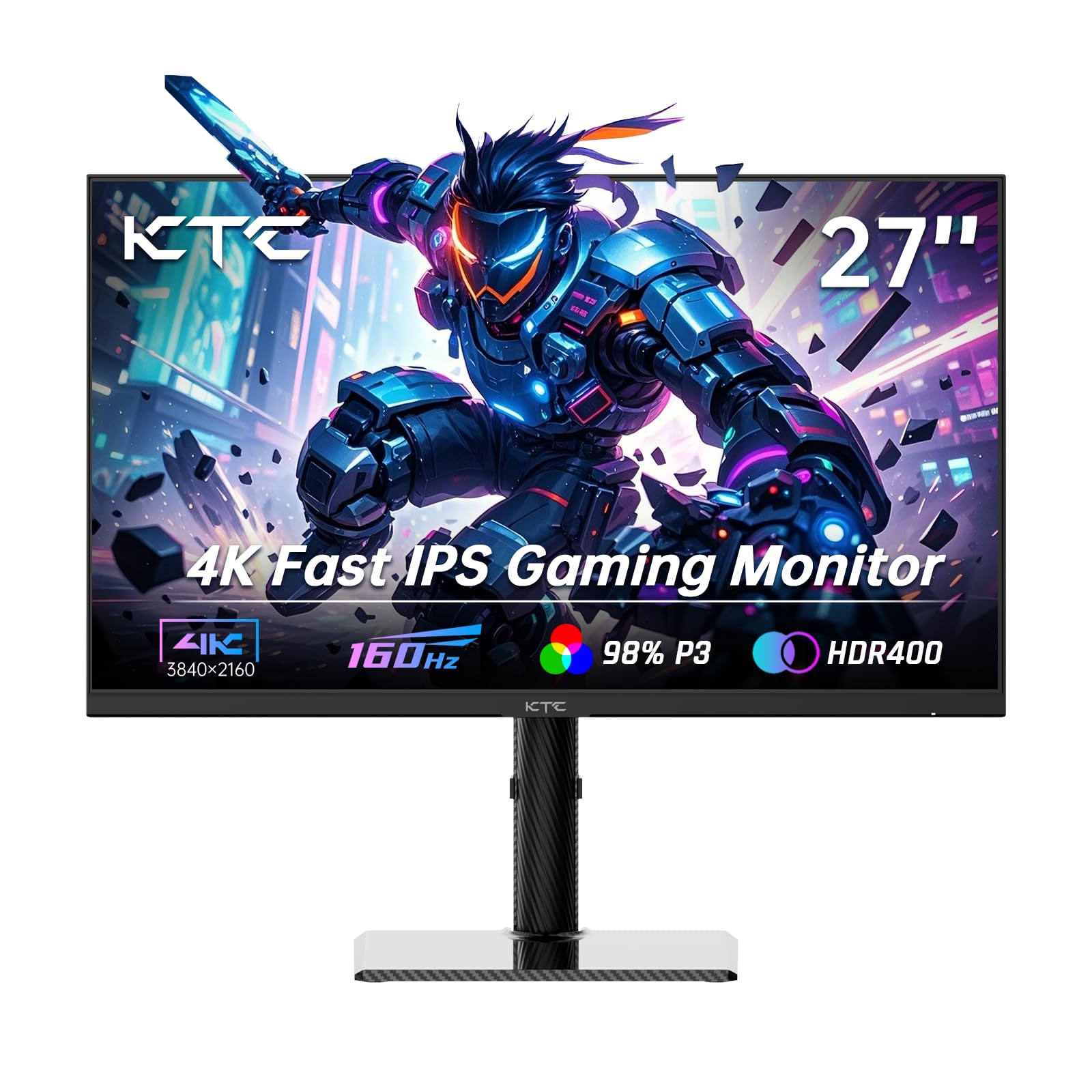
A 160Hz IPS panel with dual HDMI 2.1 ports that juggles consoles, PCs, and desk space with ease.
You get a flexible mid-range pick that handles both work and play: the KTC’s 27-inch Fast IPS panel runs 160Hz with a 1000:1 contrast ratio, delivering vibrant colors across a 140% sRGB gamut and 1.07 billion colors — buyers describe it as having awesome color that’s ideal for both desktop work and FPS gaming. The 400 cd brightness with HDR400 support and Delta E < 2 accuracy keeps details sharp in bright and dark scenes alike.
Connectivity is where this picks up a real edge: two HDMI 2.1 ports and two DisplayPort 1.4 inputs mean you can park a console and a PC simultaneously without swapping cables. Owners plugging in a MacBook Pro M2 Pro via USB-C report it works flawlessly with no lag. The carbon fiber backplate is lightweight yet sturdy, and the 75x75mm VESA mount gives you wall or arm flexibility.
The ergonomic stand is a genuine plus — height, tilt, swivel, and side swivel all adjust — and one owner called it the “toyota of monitors” for surviving three years and multiple falls. The main downside is minor: it’s a newer brand with a smaller support footprint than Dell or ASUS. But for the price, reviewers point out it’s a great deal and a great monitor.
The Flexibility Wins
- Two HDMI 2.1 and two DP 1.4 inputs for multi-device setups
- Fully adjustable stand with height, tilt, and swivel
- Carbon fiber backplate is lightweight yet durable
Keep In Mind
- Newer brand with a smaller service network
- Fast IPS contrast (1000:1) can’t match OLED
- USB 2.0 port is for firmware, not fast data
Who it beats: the TUF VG27UQ1A on connectivity and ergonomics — you get dual HDMI 2.1 and a height-adjustable stand at a similar price.
Who should skip: buyers who prefer established service networks from Dell, LG, or ASUS.
5. Samsung 32″ ViewFinity S7 (S70H)
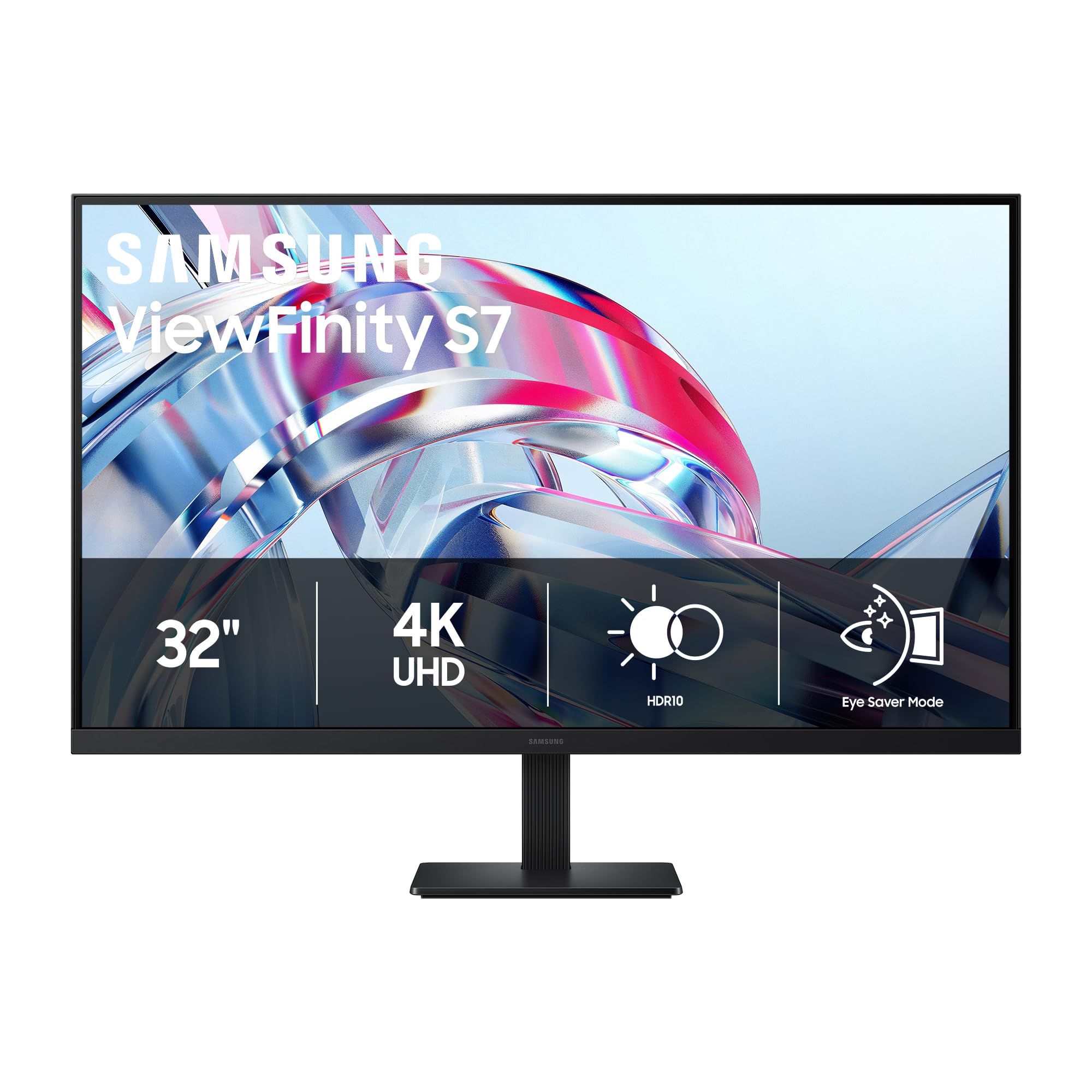
A 32-inch VA workhorse with 3000:1 contrast that makes photos and video look rich.
Editors and creators get a lot here. The 32-inch VA panel delivers a 3000:1 contrast ratio — triple what most IPS panels manage — which owners say gives deep blacks and strong HDR10 contrast that makes photos and video pop. The 178-degree wide viewing angle keeps brightness consistent from most positions, and the high pixel density of 4K UHD reveals fine detail in everything you edit.
Owners pairing this with a GeForce 5080 for photo and video editing report superb color, solid brightness, and better-than-expected sound from the built-in speakers. The Samsung Display Manager software enables split-screen setups, brightness tweaks, KVM control, and PIP/PBP (Picture-in-Picture / Picture-by-Picture) so you can view two sources at once — buyers describe it as surprisingly fun and useful.
The trade-offs are real but fair: the basic stand lacks height adjustment, and the 60Hz refresh rate means it’s not for competitive gaming. You also give up some vertical viewing angle stability with VA panels. But for productivity and creative work on a big screen, shoppers say it’s a solid brightness performer and a great value they’d repurchase.
Creative Strengths
- 3000:1 contrast delivers deep blacks for photo work
- Vivid colors and solid brightness from the start
- Display Manager gives easy split-screen and PIP/PBP tools
Honest Limits
- Stand lacks height adjustment
- 60Hz refresh is not for competitive gaming
- VA panel shows some vertical washout at extreme angles
Best for: photographers and video editors who want a large, high-contrast canvas without paying OLED prices — it beats the LG 32UR500K on contrast ratio.
Skip if: you need a height-adjustable stand or plan any competitive play on this screen.
6. LG 32UR500K-B Ultrafine

A big 32-inch 4K screen with solid built-in speakers for less than most 27-inch panels.
If you want the most screen real estate for your money, this LG is tough to beat. The 32-inch UHD 4K (3840 x 2160) display delivers clear, vibrant images with up to 90% DCI-P3 gamut, praised as sharp and easy on the eyes. The VA panel with a 1000:1 contrast ratio handles movies, sports, and games with rich detail from the start.
The built-in stereo speakers with Waves MaxxAudio are a genuine highlight — buyers report clean sound for podcasts and YouTube that’s convenient enough to skip a separate speaker bar. The borderless design keeps the footprint minimal, while OnScreen Control lets you split the workspace with a few mouse clicks. Dynamic Action Sync reduces input lag, and Black Stabilizer brightens dark scenes so you spot enemies hiding in shadows.
Occasional owners mention a stuck pixel or the need to disable Deep Sleep Mode on Linux, and standard dynamic range (SDR) content can look slightly washed out compared to HDR until you tune the settings. For a big, reliable 4K screen with decent audio, the crowd’s verdict is that this is an unbeatable value — many call it the best monitor they’ve owned.
Big Screen Value
- 32-inch size delivers far more usable space than 27-inch panels
- Built-in MaxxAudio speakers handle podcasts and video well
- Black Stabilizer reveals details in dark game scenes
The Fine Print
- SDR content needs settings tuning to match HDR vibrancy
- Deep Sleep Mode can cause issues on Linux — disable it
- Occasional unit ships with a stuck pixel
Best for: mixed-use buyers who want a big 4K screen for movies, casual gaming, and work on a tight budget.
Think twice if: you’re a competitive gamer — this is a 60Hz panel without FreeSync Premium.
7. LG 27UL550-W Ultrafine

A color-accurate IPS panel that rotates to portrait and adjusts for the perfect ergonomic fit.
This LG is aimed squarely at creative and office users who value color accuracy and flexibility. The 27-inch IPS panel delivers 98% sRGB coverage with a 1000:1 contrast ratio and 1.07 billion colors, which owners describe as crisp, vibrant, and spot-on for both work-from-home tasks and movie watching. The 178-degree viewing angle means colors stay stable even off-center.
The height, pivot, and tilt adjustable stand is the defining feature — owners praise it for easy portrait rotation and the ability to dial in a comfortable position that prevents neck strain. Readers will appreciate the built-in Reader Mode that reduces eye fatigue, and customers note the panel handles switching between three devices without issue. The 400 cd/m2 brightness is bright enough for most rooms.
The honest caveats: a few owners wish it could tilt further up, and the power LED can be disabled but the base is wide. Brightness gets mixed feedback — adequate for offices, but not a sun-bright HDR panel. For the price, buyers consistently say it’s worth the extra dollars over LG’s cheaper 27UL500W if you want the stand and portrait capability.
The Stand Wins
- Height, pivot, and tilt adjustment for perfect ergonomics
- Portrait rotation is great for reading and coding
- Reader Mode cuts eye fatigue during long sessions
Honest Trade-offs
- Tilt range won’t suit every viewing height
- Brightness is adequate but not dazzling
- Wide base takes up desk surface
Best for: programmers, writers, and editors who want a color-true 4K IPS panel they can rotate to portrait and adjust for all-day comfort.
Skip if: you need high refresh gaming — this is a 60Hz workhorse, not a gamer.
8. Dell 32 Monitor S3225QS

A spacious 32-inch VA panel that upgrades MMO visuals and streaming without the OLED price tag.
This big-screen Dell offers a 32-inch VA panel with a 1500:1 contrast ratio and 120Hz refresh rate — a rare and welcome combination in this price range. Owners describe the image quality as stellar, with improved visuals and shading in MMOs like DDO and Guild Wars 2, plus fluid motion that reduces tearing. The VA panel’s strong contrast makes streaming services and video games look amazing.
It shares the ComfortView Plus eye-care tech, reducing blue light to 35% or less for comfortable all-day use. The sound quality got re-engineered too, and reviewers point out the built-in speakers are loud with TV-like quality. The stand is highly maneuverable, and the ash white finish with ultra-thin bezels keeps the design modern. It’s an excellent 4K upgrade over an old TV, owners say.
The mixed reports are worth noting: some shoppers say colors look spectacular while others find them washed out, and a few report random blackouts. At 32 inches, the VA panel shows slight edge dimming and extreme viewing angles can blur — it’s best viewed from about 2 feet away. But for MMO players and streamers who want a big screen, buyers call it a fantastic monitor for the price.
The Big-Screen Appeal
- 1500:1 contrast with 120Hz motion smoothness
- Loud, TV-like built-in speakers
- Highly maneuverable stand with VESA mounting
Mixed Reports
- Some owners see washed-out colors, others call them spectacular
- Occasional random blackouts reported
- Edge dimming and angle blur at 32 inches
Best for: MMO players and streamers who want a big, smooth 4K screen with strong contrast and speakers included.
Not for: competitive FPS players who need the 240Hz speed of the OLED picks.
9. Samsung 27″ ViewFinity S8 (S80UH)
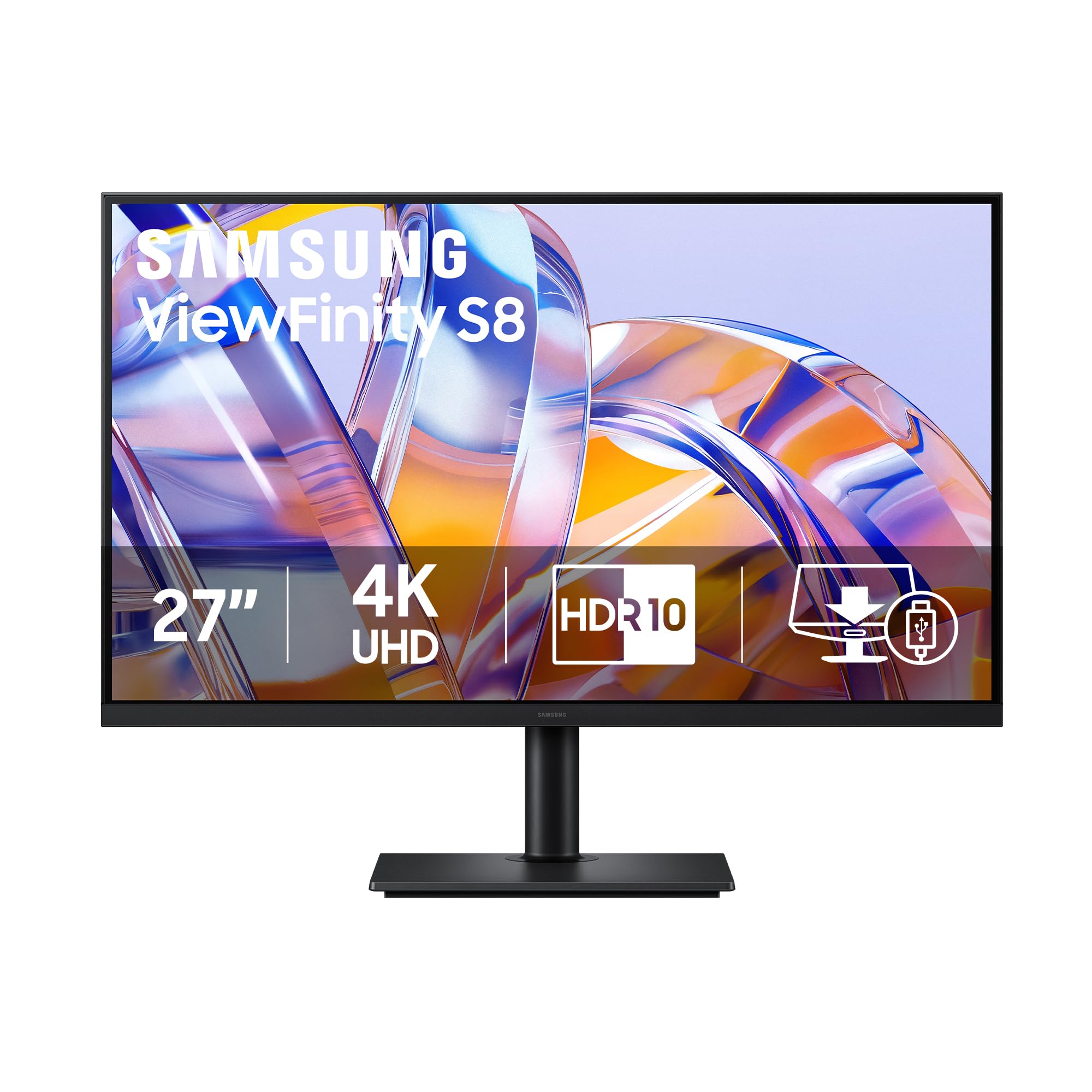
A 27-inch IPS panel that doubles as a dock, charging your laptop with a single 90W USB-C cable.
This Samsung exists to clean up your desk. The USB-C port delivers simultaneous 90W charging and data transfer, plus a built-in LAN port for wired Ethernet — so a laptop connects, charges, and gets online through one cable. Owners describe it as acting like a genuine dock, with a built-in KVM switch that lets you control multiple devices with one keyboard and mouse, plus Picture-in-Picture and Picture-by-Picture modes.
The 27-inch IPS panel with 99% color gamut and 350 cd/m2 brightness delivers sharp text and accurate colors after calibration. Buyers using it for CAD, photo editing, and productivity praise the fully adjustable stand with pivot, tilt, and height control. The 178-degree viewing angles stay uniform even in portrait orientation, which owners like for a vertical coding setup that feels like three 15-inch laptop screens.
The catch: this is a 60Hz productivity monitor, not a gaming panel, so competitive play is off the table. Owners also note the USB-C port has limits — you get 4K with USB 2.0 speeds or 1080p with USB 3.0. There are no speakers, and the joystick control is hidden under the bottom center. But for a tidy, versatile setup, buyers report it’s a great value that makes daily work feel clean and fast.
The Dock Effect
- Single 90W USB-C cable charges and connects a laptop
- Built-in KVM switch and PIP/PBP for multi-device control
- Fully adjustable stand pivots for portrait coding
Know Before You Buy
- 60Hz refresh excludes competitive gaming
- USB-C limits speed to 4K with USB 2.0
- No built-in speakers
Best for: laptop users and multi-device workers who want one-cable docking with full ergonomic adjustment — it beats the LG 27UL550-W on connectivity.
Skip if: gaming is a priority, or you need speakers built into the monitor.
10. MSI MPG 321URX QD-OLED

Infinite contrast and 240Hz speed in one flat 32-inch OLED that nails gaming and productivity.
The MSI MPG 321URX delivers the same QD-OLED magic as the ASUS ROG at a lower price point. The 32-inch panel runs 240Hz with 0.03ms response, 1.07 billion colors at 10-bit depth, 99% DCI-P3 gamut, and Delta E ≤2 accuracy. Owners call it the largest image quality jump they’ve ever experienced, with infinite contrast, perfect blacks, and zero ghosting in motion.
Where this pulls ahead of the ROG for many buyers is value: it includes a KVM switch with PiP/PbP and Console Mode — features owners note are missing on pricier rivals. VESA DisplayHDR True Black 400 certification means HDR content pops with genuine depth, while OLED Care 2.0 and MSI Gaming Intelligence AI manage burn-in risk and settings. The 90W USB-C port charges a laptop while carrying video, and owners mention crisp text with anti-burn-in features and a rock-solid stand.
One real-world wrinkle: Mac users with dual-monitor setups may need to disable DSC (Display Stream Compression) and lock the DP input to get both screens running at 120Hz. The base is chunky and takes desk space, and the settings knob is a bit fidgety. But owners consistently describe it as a plug-and-play upgrade that’s worth every dollar — the best gaming and productivity mix in this list.
Why It’s a Favorite
- 240Hz with 0.03ms response delivers zero ghosting
- KVM with PiP/PbP and Console Mode included
- True Black 400 HDR pops with genuine depth
Setup Notes
- Mac dual-monitor needs DSC disabled and DP input locked
- Chunky base consumes significant desk space
- Settings knob is small and fiddly
The smart OLED buy: it matches the ROG’s 240Hz QD-OLED core but adds KVM and Console Mode at a lower price — the best value in high-end OLED.
Not for: buyers who prefer a curved panel; this one is flat.
11. MSI MPG 321CURX QD-OLED

The curved 1700R QD-OLED that wraps 4K 240Hz immersion around your field of view.
For buyers who love the wrap-around feel of a curved display, this MSI delivers. The 3rd-gen QD-OLED panel curves at 1700R — a gentle radius that draws you into games without heavy distortion — while keeping the full 4K UHD (3840 x 2160) resolution, 240Hz refresh rate, and 0.03ms response time. Owners describe the image as absolute visual perfection, with deep blacks, vibrant colors, and buttery-smooth motion with zero input lag.
The 1500000:1 contrast ratio matches the flat 321URX and beats LED panels by a massive margin, and VESA DisplayHDR True Black 400 certification keeps HDR accurate. The USB-C port delivers 98W power delivery — the highest charging output in this list — so it can juice even power-hungry laptops. Console Mode provides HDMI 2.1 with full 48 Gbps bandwidth for UHD gaming at 240Hz, and OLED Care 2.0 reduces burn-in risk.
Owners praise the KVM for reliable multi-device control, though they note only 2 USB ports means you may want a hub. The massive size demands a deep desk or monitor arm — buyers warn to measure your space first. The pixel refresh prompt runs roughly every 16 hours, which some find mildly annoying but not a dealbreaker. For an rich hybrid work-and-play OLED, the review pages sum it up: best in class.
The Curve Advantage
- 1700R curve adds immersion for gaming and ultrawide content
- 98W USB-C power delivery charges large laptops
- Console Mode runs UHD at 240Hz over HDMI 2.1
Space & Setup
- Massive size requires a deep desk or monitor arm
- KVM has only 2 USB ports — a hub may be needed
- Pixel refresh prompts run about every 16 hours
Best for: gamers who want the rich curve with top-tier OLED black levels and the fastest charging USB-C in this class.
Skip if: your desk is shallow or you prefer flat panels for photo editing.
Understanding the Specs
Contrast Ratio
Contrast ratio describes the difference between the brightest white and darkest black a panel can show. A 1000:1 ratio is typical for IPS and LED panels and looks fine in lit rooms. A 3000:1 ratio, found on VA panels like the Samsung ViewFinity S7, delivers noticeably deeper blacks for movies and photos. The QD-OLED panels in the ASUS ROG and both MSI picks push this to 1500000:1 — a 1500x gap over the ASUS TUF’s 1000:1 — which means true black pixels that simply turn off, not backlights trying to dim.
Refresh Rate and Response Time
Refresh rate (Hz) counts how many times the screen redraws per second. Standard office screens run 60Hz; the Dell S2725QS and S3225QS hit 120Hz for noticeably smoother scrolling; the ASUS TUF and KTC reach 160Hz; and the three OLED picks top out at 240Hz — exactly double the Dell’s 120Hz. Response time (ms) measures pixel color-change speed, where the 0.03ms of the OLED panels runs 33x faster than the ASUS TUF’s 1ms, meaning far less ghosting in fast action.
FAQ
Is a 2160 x 3840 monitor the same as a 4K monitor?
Will my graphics card run a 4K 160Hz or 240Hz monitor?
What is OLED burn-in and should I worry about it?
What does a USB-C port with power delivery do for me?
What is the difference between IPS, VA, and QD-OLED panels?
Is a curved monitor better for gaming?
What is a KVM switch and why do I need one?
Which monitor is best for PS5 or Xbox Series X?
How many monitors should I pair for a 4K multi-screen setup?
What is HDR and does it matter for everyday use?
Final Thoughts: The Verdict
For the majority of shoppers, the 2160 x 3840 monitor winner is the ASUS ROG PG32UCDM because it delivers the complete package — 240Hz speed, 1500000:1 OLED contrast, and 90W USB-C charging, all backed by a 3-year warranty with burn-in coverage. If you want the same OLED experience for less and need KVM switching, grab the MSI MPG 321URX. And for a budget-friendly workhorse that won’t strain your wallet, the Dell S2725QS is the one to reach for.
How We Picked
We do not accept paid placement. Every pick is matched to a real buyer and a real use-case; we do not hands-on test units.
Sources & Methodology
Specifications: manufacturer listings and product documentation. Review insights: verified customer reviews, as of August 2026. Pricing: not shown on this page (it changes often); check the current price via the retailer link.
As an Amazon Associate, Gadgets Feed earns from qualifying purchases. This does not affect which products we feature.