
Our readers keep the lights on and my morning glass full of iced black tea. As an Amazon Associate, I earn from qualifying purchases.
Specs are compiled from manufacturer listings and verified buyer reviews and can change over time — please confirm the key details on the product page before buying.
When you pick a 128 GB laptop, you are really choosing how fast it feels, not just how much you can store. This size suits students and home users who browse, stream, and write—it boots quickly and keeps the price low. The real difference comes from the processor and RAM inside, because those decide if your machine feels instant or sluggish by year two.
I’m Min — the founder and writer behind Gadgets Feed. This guide is built by comparing the manufacturers’ published specifications and the patterns across verified customer reviews, so you get each pick’s real strengths and trade-offs instead of marketing spin.
From school-ready Chromebooks to a premium 2K touchscreen, here are the 128 gb laptop models that actually deliver on everyday performance for the price.
Our Picks at a Glance

How To Choose The Best 128 GB Laptop
Before you compare screens and colors, focus on the three components that define how a 128 GB machine actually feels to use every day: the processor, the RAM, and the type of storage. A great screen won’t save a laptop that freezes when you have ten browser tabs open.
Prioritize the Processor Over the Storage Size
The CPU determines how quickly everyday tasks like browsing and document editing respond. Processors like the Intel N100 or the AMD Ryzen 3 7320U are built for efficient, everyday workloads like web browsing, document editing, and video calls. They won’t handle heavy video rendering or modern gaming, but they excel at keeping things smooth for the average user.
Don’t Skimp on RAM
RAM holds the data for programs you’re actively using, so more RAM means smoother multitasking. 4GB is the bare minimum, but 8GB is the comfortable balance for multitasking in 2025. If you keep multiple apps open or have dozens of browser tabs active, more RAM means fewer slowdowns and a smoother experience.
Understand Your Storage Options
Most modern laptops use an SSD (Solid State Drive), which has no moving parts and loads everything faster. A 128GB SSD is fast but fills up quickly with large files. Some models also include a UFS (Universal Flash Storage) drive, which is similar in concept but sometimes slower. Always check if the storage is expandable via an SD card slot or a replaceable M.2 drive for future flexibility.
Quick Comparison
| Model | Best For | Processor | RAM | Display | Amazon |
|---|---|---|---|---|---|
| Lenovo IdeaPad Slim 3i★ Best Overall | Overall Value | Intel N100 | 4GB DDR5 | 15.6″ FHD IPS | Amazon |
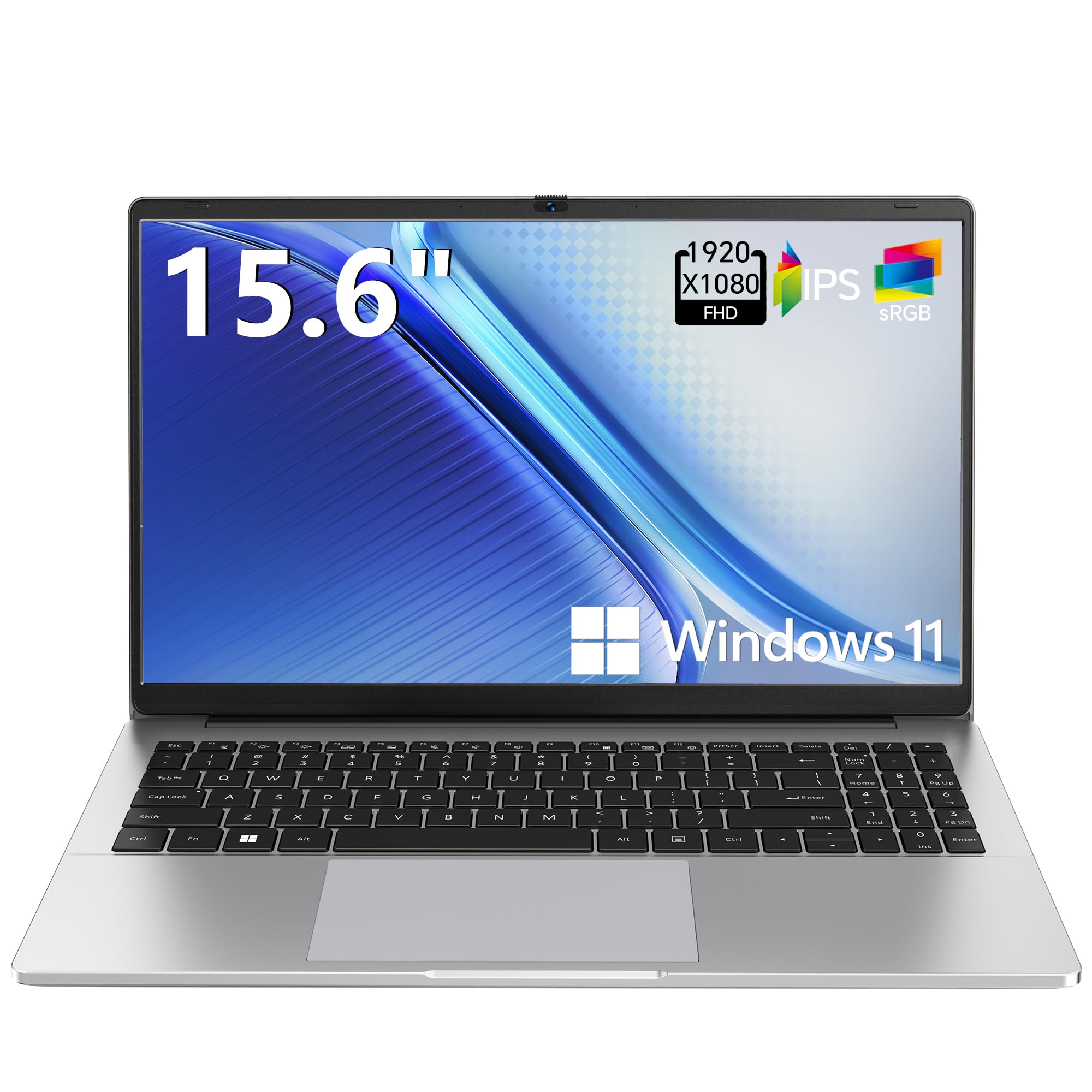
| TUQ 15.6″ N4020Budget Champion | Budget Schoolwork | Celeron N4020 | 4GB | 15.6″ FHD | Amazon |
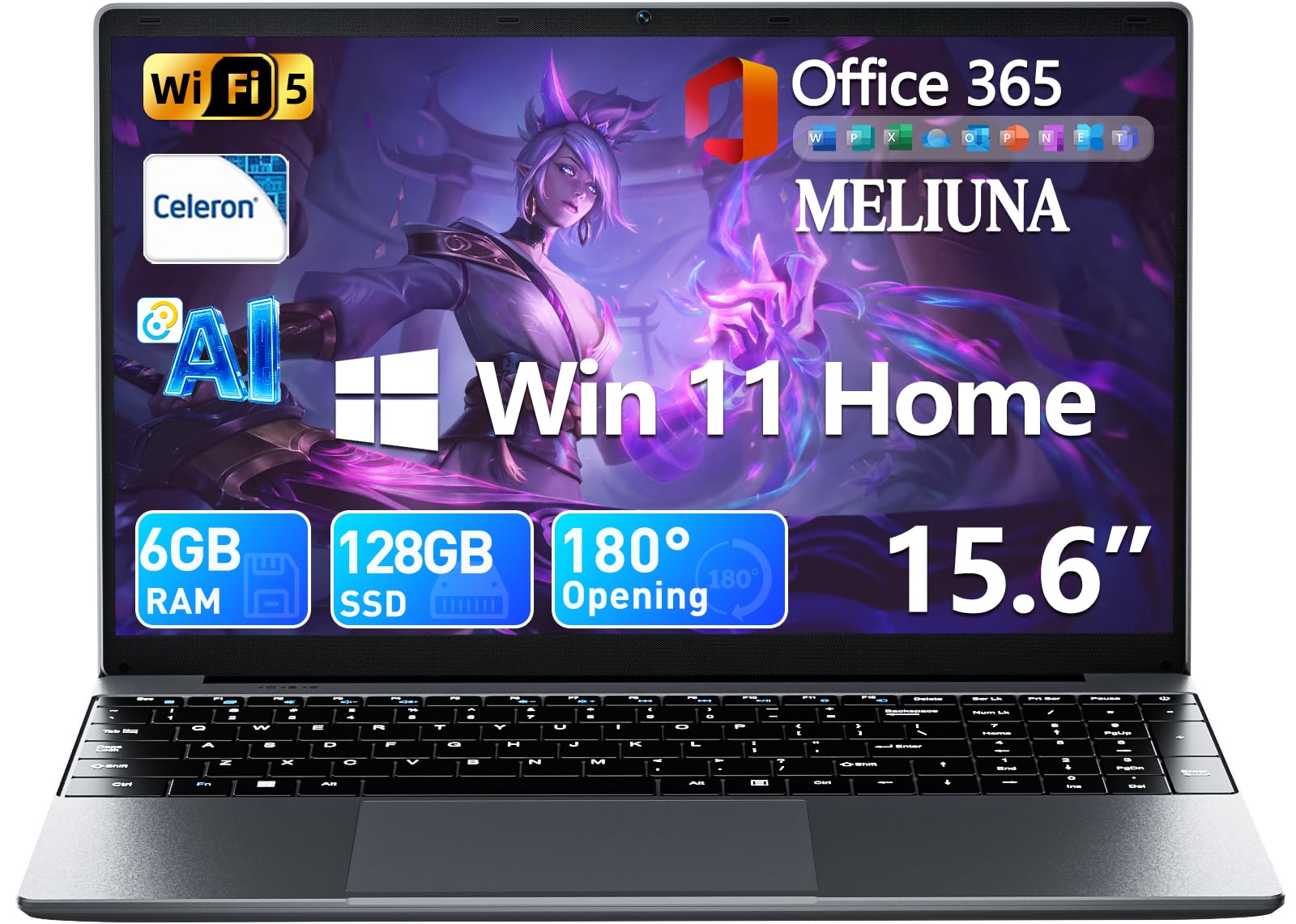
| MELIUNA AI LaptopOffice Ready | Office 365 Users | Celeron J4105 | 6GB DDR4 | 15.6″ FHD IPS | Amazon |
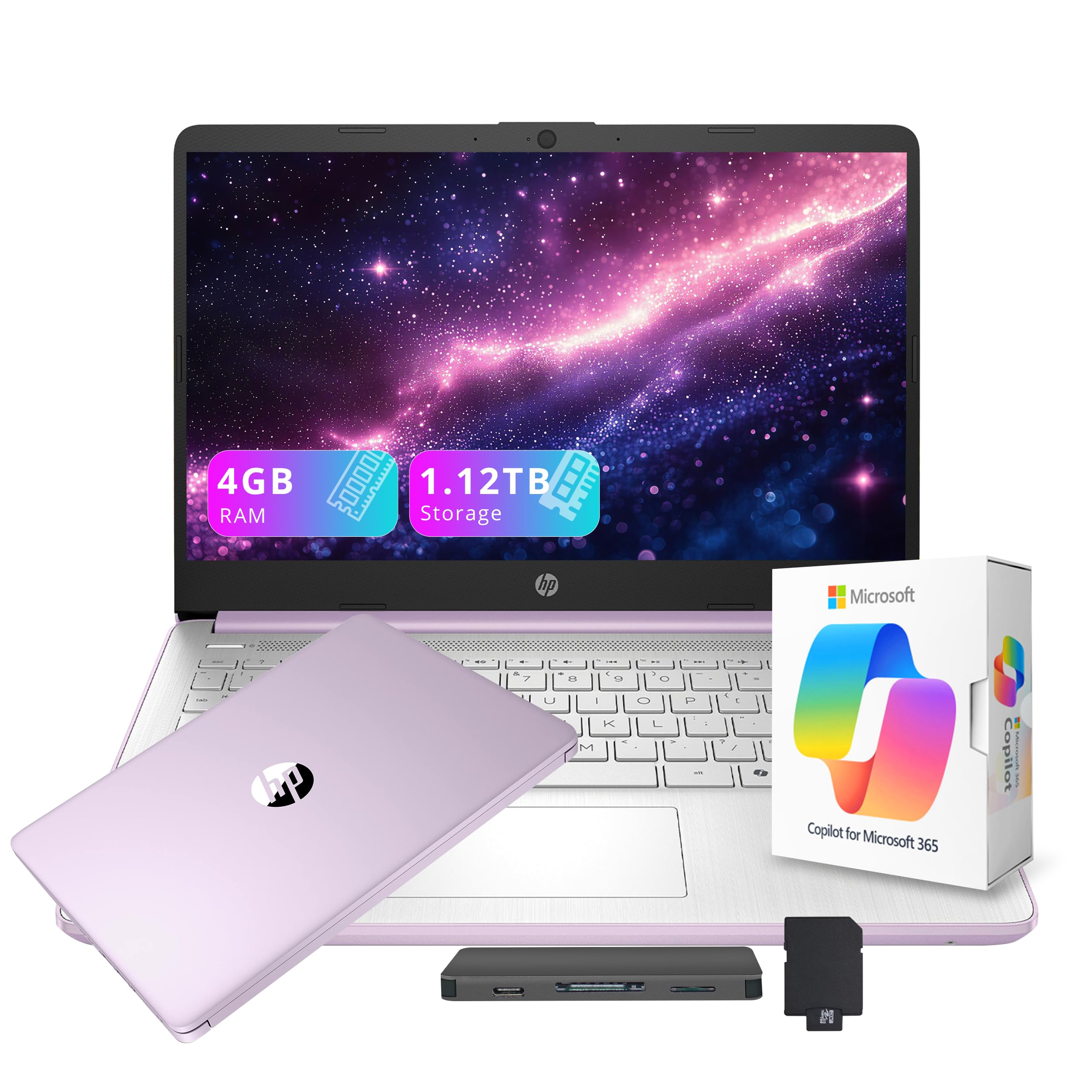
| HP Stream 14″ | Portability & Extras | Intel N150 | 4GB DDR4 | 14″ HD | Amazon |
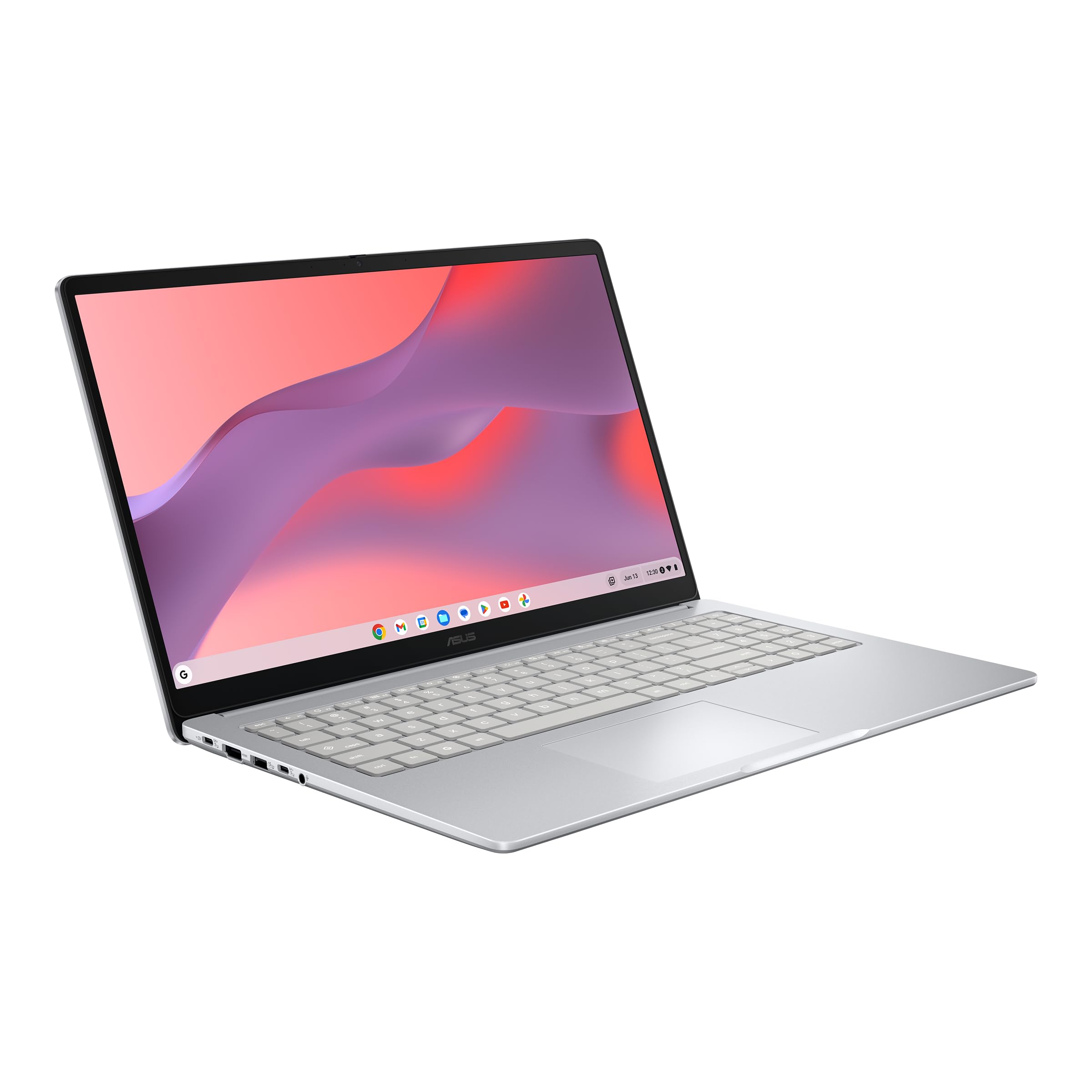
| ASUS Chromebook CX15 | Google Ecosystem | Intel N50 | 8GB LPDDR5 | 15.6″ FHD | Amazon |
| Lenovo 15.6″ 2026 Edition | Premium Durability | Intel N150 | 8GB | 15.6″ FHD | Amazon |
| Acer Aspire Go 15 | Raw Processor Power | AMD Ryzen 3 7320U | 8GB LPDDR5 | 15.6″ FHD IPS | Amazon |
| HP OmniBook 16″ | Touchscreen & Display | AMD Ryzen 5 | 8GB LPDDR5 | 16″ 2K Touch | Amazon |
| HP 17.3″ Touchscreen | Large Screen & Storage | Intel N100 | 16GB DDR4 | 17.3″ HD+ Touch | Amazon |
In‑Depth Reviews
1. Lenovo IdeaPad Slim 3i
Our pick — 4.5★ from 150+ verified ratings; the strongest balance of quality and price.
The everyday workhorse that tops the list with proven durability and smart connectivity.
This Lenovo is the safest all-rounder for students and remote workers because it balances a fast Intel Processor N100 with a screen that looks great. The 15.6-inch FHD (1920×1080) IPS display delivers crisp, color-accurate visuals right from the start, so you won’t need to fiddle with settings for natural skin tones in videos. It’s also built to withstand the bumps of daily travel, meeting MIL-STD-810H military-grade durability standards.
You get genuinely useful modern touches here, like a fingerprint reader built into the power button so you can log in with a tap, and Wi-Fi 6 for faster, more stable connections. Battery anxiety is less of a concern too, with up to 15 hours of life on a single charge and a Rapid Charge Boost that provides up to 2 hours of use from just a 15-minute plug-in. The laptop is designed to be up to 10% slimmer than the previous generation, making it easy to slip into a bag.
The trade-off to know is that the 4GB RAM is soldered on, meaning you cannot upgrade it later. It’s perfectly fine for browsing, streaming, and document work, but heavy multitaskers should keep that limit in mind. Owners often note it’s “relatively light weight and portable,” and that it “performs perfectly on all tasks” for their needs—even handling video editing on a budget.
Everyday Strengths
- 15-hour battery life and rapid charging for all-day mobility
- FHD IPS screen praised for accurate, bright colors
- Fingerprint reader adds quick, secure login
Hardware Limits
- 4GB soldered RAM is not upgradable
- Comes in Windows S mode, which can be tricky to exit
Reach for this if: you want a dependable, well-rounded machine for school or office that won’t let you down.
Give it a pass if: you plan to run lots of heavy programs at once—the non-upgradable RAM will hold you back.
2. TUQ 15.6″ FHD Windows 11 Laptop
A featherlight school laptop that swaps the bulky charger for one USB-C cable.
If you want the cheapest reliable path to a full HD screen for classes, this TUQ model is a strong entry-level pick. It’s powered by an Intel Celeron N4020 processor running at 2.8 GHz, which handles browsing, streaming, and document work without fuss. The big draw is its portability at about 3.2 lbs, making it an easy companion for a backpack all day.
What wins people over here is USB-C charging, so you can power the laptop with the same cable you use for a phone or tablet. The 15.6-inch FHD (full high definition, 1920×1080) display is repeatedly called “clear and bright,” and owners appreciate the comfortable keyboard with a number pad for data entry. A privacy camera slider lets you cover the lens between video calls for confidence.
The recurring concern is reliability—some units have arrived with power issues, so this is a pick where you should check the return policy. What wins people over is the performance for the price; owners say it runs “smooth” for schoolwork and streaming, making it a solid value choice. Just go in knowing the 4GB RAM keeps it to basic tasks.
Smart Budget Buy: A light, capable machine for anyone needing a clear screen and modern charging on a strict budget.
The Fine Print: There have been reports of units failing to power on, so test it thoroughly within the return window.
3. MELIUNA 15.6” AI Laptop with Office 365
A ready-to-work 15.6-inch laptop with a 180-degree hinge and Office 365 built in.
This MELIUNA is the pick if you want a machine that’s ready for work the second you open the box. It comes pre-installed with Windows 11 and a subscription to Office 365, so you can jump straight into writing papers or building spreadsheets. The 180-degree lay-flat hinge makes it easy to share your screen during a presentation or group study session.
Performance is anchored by a Celeron J4105 processor running at 2.5 GHz with 6GB DDR4 memory, which buyers report lets Windows 11 boot up quickly thanks to the 128GB SSD. The 7000mAh battery is a highlight, with one owner noting it stayed on for two hours at maximum brightness. You also get a narrow-bezel FHD IPS display that delivers vivid colors and wide viewing angles.
Storage is flexible here—the SSD supports expansion up to 2TB, and a TF card slot allows up to 1TB more. The main limitation is the same Celeron-class power, which won’t handle heavy rendering tasks, and the blue color is “dull” according to some. For the crowd that wants a smooth daily driver for school or remote work, this delivers “great value for students.”
Built for Productivity: The laid-flat hinge and fast SSD make it a great pick for students and office workers on the move.
Know the Ceiling: The processor is fine for documents, not for video editing or modern gaming.
4. HP Stream 14″ HD Student & Business Laptop
A colorful ultra-portable that bundles an extra terabyte of docking station storage.
This HP Stream stands out for its bundled accessories, giving you a 7-in-1 Docking Station with an additional 1TB of storage right in the box. That means you get 1.12TB total (128GB UFS inside the laptop plus the 1TB dock) for photos, videos, and applications. At just 3.24 lbs and 0.71 inches thin, it’s an ultra-portable option that’s easy to tote around campus.
The lavender purple color is a big hit, with owners calling it “just as pictured” and praising the screen quality for school use. It’s powered by an Intel Processor N150 with a 3.6 GHz maximum speed and includes AI Copilot for intelligent task assistance. A one-year Office 365 subscription is included, along with Wi-Fi 6 and Bluetooth 5.4 for modern connectivity.
The performance is a mixed bag in the reviews—some find it “wonderful” for browsing and school, while others report it crashing. Value opinions are also divided, so this is best for someone who loves the color and the dock bonus, not for power users.
Great for Portability: The slim, light design and generous dock storage make it a fun, practical companion for students.
Mixed Performance Reports: Keep expectations to browsing and documents; some users found it slow or unstable.
5. ASUS Chromebook CX15
This fast-booting ChromeOS laptop gives you a huge screen and a sturdy 8GB of RAM, so it handles many open tabs without lag.
If you live inside Google’s ecosystem—Gmail, Docs, Drive, and YouTube—this ASUS Chromebook is a brilliant fit. It runs on ChromeOS with an Intel Processor N50 and 8GB of LPDDR5 memory, which is double the RAM of most budget Windows machines. That extra memory makes a real difference for keeping dozens of browser tabs alive without lag, and it boots up in under 10 seconds.
The 15.6-inch Full HD 1920×1080 NanoEdge anti-glare display is a highlight, offering a big, bright canvas that reviewers call “fantastic” for streaming and work. It also meets Military Grade standard MIL-STD 810H for durability, and at 3.53 lbs, it’s light enough to carry anywhere. Owners mention the battery often lasts around 9 hours of actual use, close to the stated 10-hour maximum.
The catch is that it’s a Chromebook, not a full Windows machine, so some desktop apps won’t run natively. Reliability gets mixed feedback, with a few owners unable to power the unit on. For anyone who wants a simple, virus-resistant machine for browsing and Google tools, this is the one—”a good affordable laptop” that one reviewer noted started up in less than 15 minutes.
Why It Wins
- 8GB RAM handles heavy tab use smoothly
- Fast Boot in under 10 seconds
- Great screen quality and size for the price
Consider This
- Runs ChromeOS, so some Windows apps won’t work
- Mixed reports on long-term reliability
Best for: students and home users who do everything in a browser and want a big, sharp screen.
Not for: anyone who needs to install specific Windows-only software for school or work.
6. Lenovo 15.6″ FHD Laptop 2026 Edition

A durable daily driver with a near-borderless screen and military-grade toughness.
This Lenovo improve the everyday laptop experience with a 15.6-inch FHD display that boasts an 88% screen-to-body ratio, giving you a huge viewing area in a compact body. The anti-glare coating helps reduce eye strain during long study sessions, while Dolby Audio-enhanced speakers provide rich sound for video calls or movies. At 3.42 lbs and 0.70 inches thin, it’s both portable and built to last, passing MIL-STD-810H military-grade tests.
Under the hood, an Intel Processor N150 running at 3.6 GHz pairs with 8GB of RAM, which is a great combo for smooth multitasking. The 128GB SSD ensures fast boot times and app launches. It also includes a 720p HD camera with a privacy shutter, so you can physically block the lens when it’s not in use.
Connectivity is future-proofed with Wi-Fi 6 (802.11ax) and Bluetooth 5.2. Owners describe it as a “very nice laptop” that offers “great performance so far,” with some noting it replaced an older Lenovo perfectly for grad school work. The main caveat to check is the regional warranty support; one buyer mentioned a unit was sold from India, which can complicate US-based support claims.
A Premium Feel: The slim profile, big screen, and fast processor make it a joy for daily productivity.
Sourcing Caveat: Confirm the seller’s region, as some units may carry a non-US warranty that Lenovo won’t support locally.
7. Acer Aspire Go 15 AI Ready Laptop
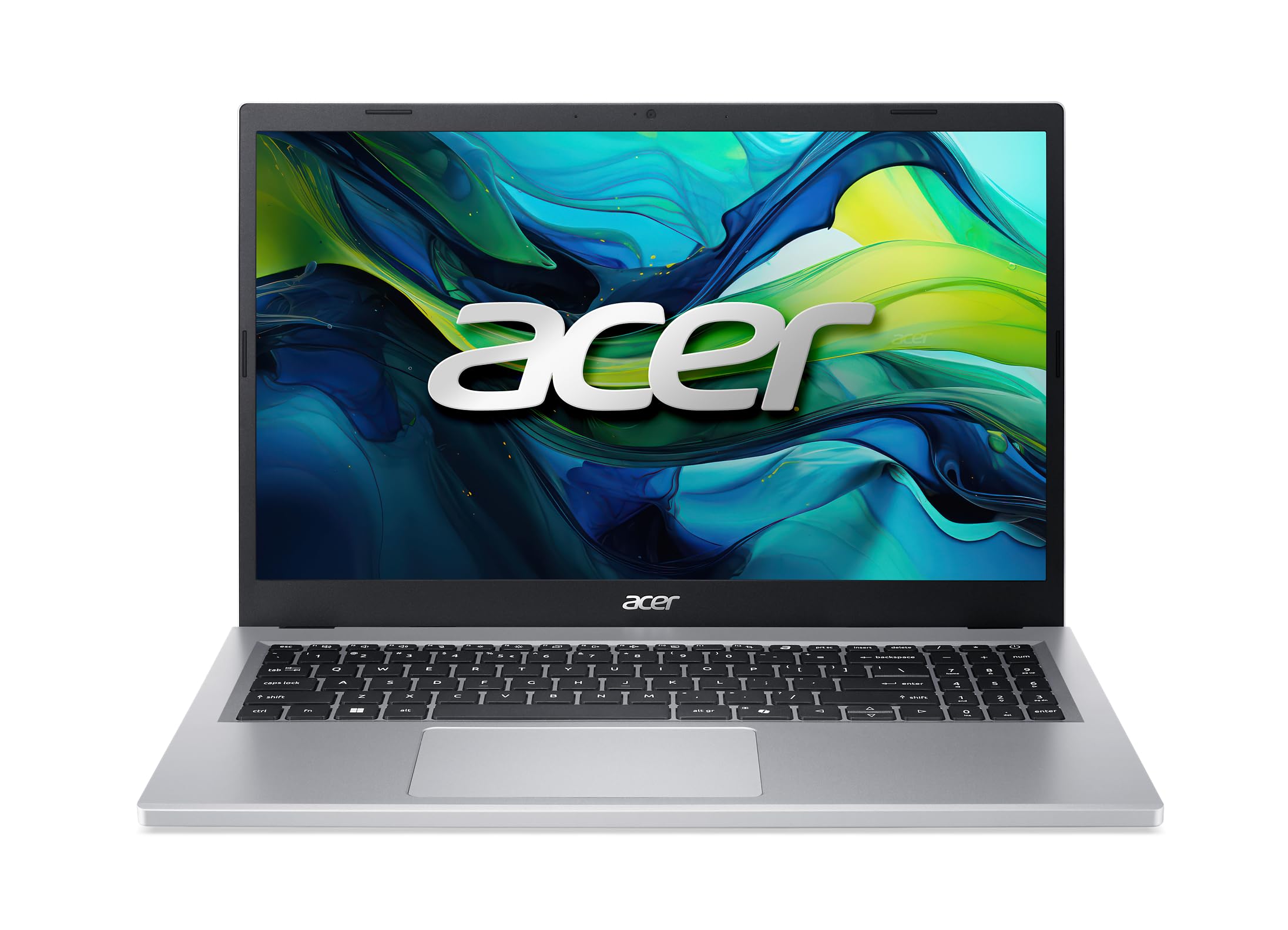
The speed king of this list, powered by a true laptop-class AMD processor.
This is the one to grab if you want the most processing muscle for your money in the 128 GB class. The AMD Ryzen 3 7320U processor, running up to 4.1 GHz, is a significant step up in power from the Intel Celeron or N-series chips found in most rivals. Paired with 8GB of LPDDR5 memory, it handles everyday multitasking with ease, and customers note it’s “extremely easy” to get set up and running.
The 15.6-inch 1080p Full HD IPS display with narrow bezels is perfect for casual browsing and streaming. Acer’s BluelightShield helps reduce blue light exposure for more comfortable late-night work. It’s also a user-friendly machine with dual full-function USB Type-C ports for charging and data, plus Wi-Fi 6 and HDMI 2.1 connectivity.
Performance is the standout feature here, with reviewers praising it as a “fast computer that gets the job done quickly” and noting the battery lasts a long time. The 128GB SSD is a known limitation for heavy users, though the M.2 drive is replaceable if you’re comfortable upgrading it to 1TB. The storage capacity gets mixed feedback, so plan your cloud usage accordingly.
Performance Highlights
- Fast AMD Ryzen 3 7320U processor
- Excellent battery life praised by owners
- 8GB of fast LPDDR5 memory
Fit Notes
- 128GB SSD fills up fast; plan for cloud or an M.2 upgrade
- Comes in Windows S Mode, which is a one-way switch to disable
Pick it if: you value raw speed and smooth performance above all else in your daily laptop.
Look elsewhere if: you need generous built-in storage right from the start.
8. HP OmniBook 16″ 2K Touchscreen Business Laptop
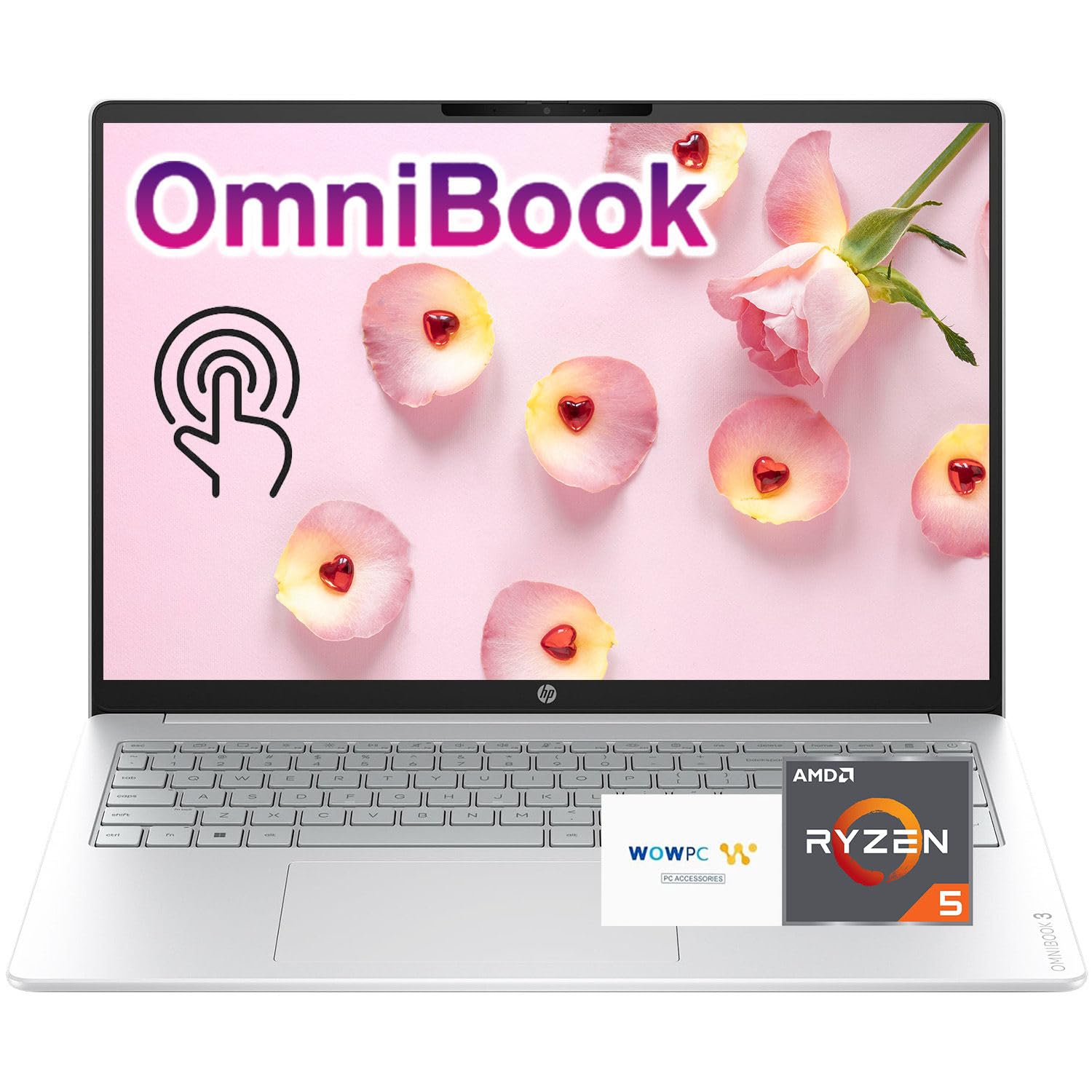
A premium 2K touchscreen with a fast AMD Ryzen 5 inside a 0.58-inch body.
This is the premium pick for anyone who wants a superior display and top-tier general performance. The 16-inch 2K IPS touchscreen, with a 1920×1200 resolution, delivers “lifelike color reproduction” and wide viewing angles that make work and media look fantastic. It’s also incredibly thin at 0.58 inches, and light at 3.61 lbs, making it a striking option for professionals.
Powering it is an AMD Ryzen 5 processor with AMD Radeon 610M Graphics. This combo can handle light 1080p gaming and photo or video editing smoothly, far beyond the capabilities of the Intel N-series laptops here. The touchscreen is a helpful plus for navigating Windows 11, and with AMD FreeSync Technology, you get fluid, artifact-free visuals.
Battery life is strong, with up to 14 hours and 15 minutes of playback, and HP Fast Charge gets you from 0 to 50% in about 45 minutes. Owners are enthusiastic, calling it a “fantastic laptop” that’s “portable and lightweight.” Each unit is also confirmed to be lightweight and easy to operate, making it a joy for daily professional use.
A Premium Investment: For a larger, sharper touchscreen and a significantly faster processor, this is the standout choice.
Sizing Note: It’s a bigger laptop than the 14 or 15.6-inch models, so make sure it fits your bag.
9. HP 17.3″ Touchscreen Laptop w/ Microsoft 365
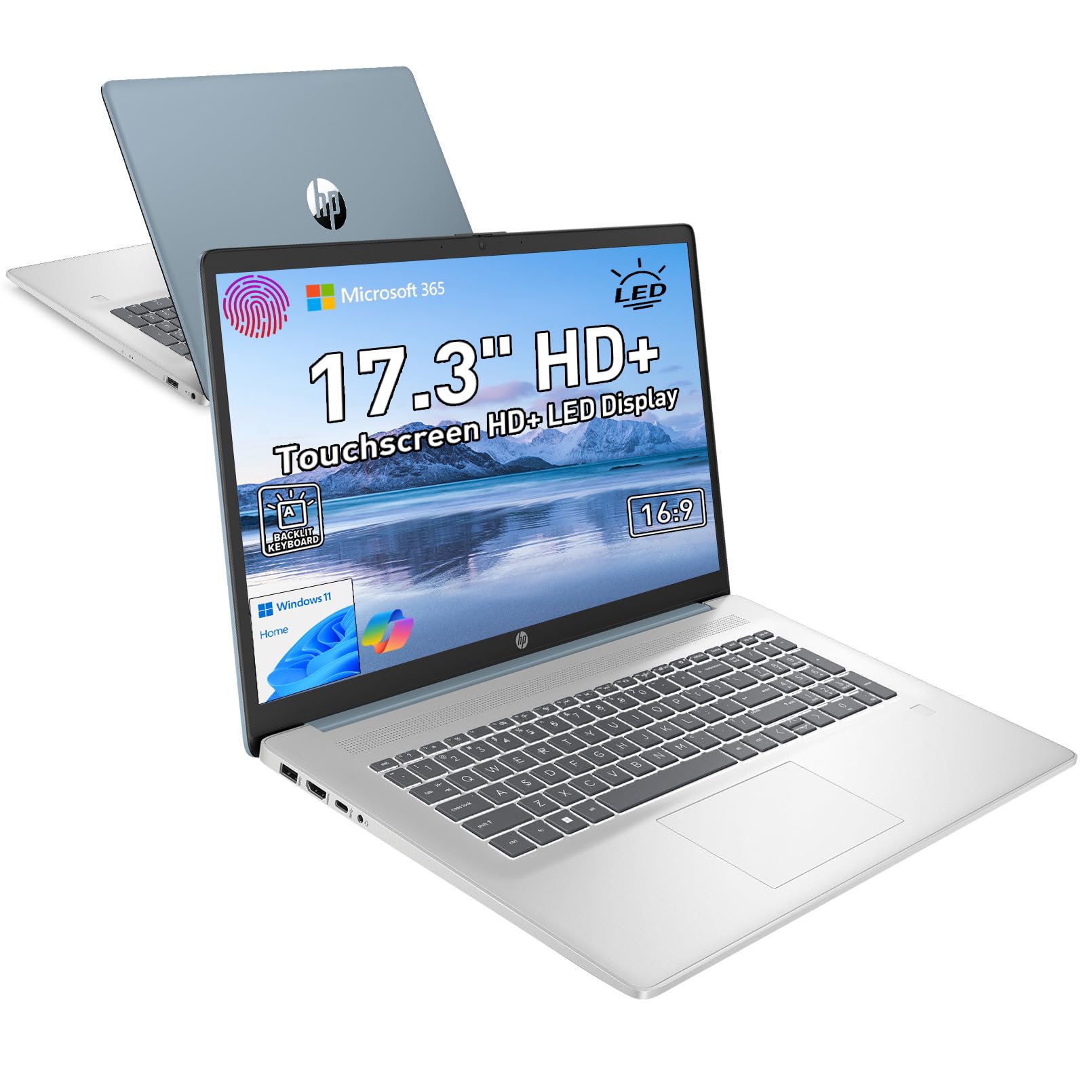
A desktop-sized 17.3-inch touchscreen with generous RAM for serious multitaskers.
If you want the biggest screen in this category, this HP delivers a massive 17.3-inch HD+ (1600×900) LED touchscreen. The anti-glare display with 250 nits of brightness suits rich work and entertainment, and owners describe the touch response as “buttery smooth.” The full-size backlit keyboard with a numeric keypad and fingerprint reader makes it a strong choice for heavy data entry and late-night work.
This model stands out for its 16GB of DDR4 RAM, which is double what most 128 GB laptops offer. That makes it excellent for keeping many programs and browser tabs open at once without slowdown. It’s powered by an Intel Quad-Core N-series processor (N100), which handles daily productivity and online learning efficiently. It also ships with Microsoft 365 personal premium apps included.
While it’s a larger device weighing 4.6 lbs, owners love the bigger screen and separate number pad, which outweighs the extra heft for them. The storage is a dual setup of 1TB SSD plus 128GB UFS, giving you both speed and space. It’s a fantastic option for anyone who works from a desk and wants a touchscreen with serious multitasking memory.
Big-Screen Benefits
- 16GB RAM ensures smooth, heavy multitasking
- 1TB SSD + 128GB UFS for ample storage
- Touchscreen is a highlight, with a full backlit numpad
Heft Factors
- At 4.6 lbs, it’s heavier and less portable
- Intel N100 is entry-level; not for gaming or video editing
Choose this if: you want the biggest Touchscreen and plenty of RAM for a home or dorm-room workstation.
skip it if: you’re always on the move and need a lighter, more backpack-friendly option.
Understanding the Specs
Processor (CPU) Power
The processor executes instructions, so a faster chip like AMD Ryzen handles complex tasks more smoothly. A faster processor, like the AMD Ryzen series, will handle more complex tasks and multitasking more smoothly than an entry-level Intel Celeron or N-series chip. For basic web and office work, most modern processors are fine, but if you want extra headroom for future-proofing, a higher-tier chip makes a noticeable difference.
RAM and Storage Speed
RAM stores data for active apps, and 8GB keeps multiple programs running smoothly. 8GB is a comfortable amount for most users, while 4GB is the bare minimum. Storage type matters too: an SSD (Solid State Drive) makes your laptop boot up and load software much faster than older hard drives or slower UFS options. This is why you’ll see a 128GB SSD praised for its fast boot times.
FAQ
Is 128GB of storage enough for a laptop?
What is the difference between an SSD and a UFS drive?
Should I get 4GB or 8GB of RAM in a 128 GB laptop?
What does Windows 11 S Mode mean on a budget laptop?
Is a Chromebook with 128GB storage a good substitute for a Windows laptop?
Can I upgrade the storage on these 128 GB laptops later?
How many hours of battery life should I expect from a 128 GB laptop?
What is a 180-degree hinge and why is it useful?
Final Thoughts: The Verdict
For most buyers, the best 128 gb laptop is the Lenovo IdeaPad Slim 3i, because it offers the strongest blend of performance, battery life, and build quality at an accessible price. If you want the absolute fastest processor in this class for daily multitasking, grab the Acer Aspire Go 15. And for those who need a huge touchscreen in a desktop-style machine, the HP 17.3″ Touchscreen is the one to reach for.
How We Picked
We do not accept paid placement. Every pick is matched to a real buyer and a real use-case; we do not hands-on test units.
Sources & Methodology
Specifications: manufacturer listings and product documentation. Review insights: verified customer reviews, as of August 2026. Pricing: not shown on this page (it changes often); check the current price via the retailer link.
As an Amazon Associate, Gadgets Feed earns from qualifying purchases. This does not affect which products we feature.