
Our readers keep the lights on and my morning glass full of iced black tea. As an Amazon Associate, I earn from qualifying purchases.
Specs are compiled from manufacturer listings and verified buyer reviews and can change over time — please confirm the key details on the product page before buying.
If you have a room where video calls freeze, a garage that drops the signal, or a house where the Wi-Fi dies the moment you close a door, a single router was never going to fix it. A 2.4GHz Wireless Access Point is the tool that actually solves this — it attaches to your existing network and broadcasts a strong signal to the places your router can’t reach. The best ones here handle everything from a busy studio to a whole property, and this guide breaks down which one fits your space and your level of patience for setup.
I’m Min — the founder and writer behind Gadgets Feed. This guide is built by comparing the manufacturers’ published specifications and the patterns across verified customer reviews, so you get each pick’s real strengths and trade-offs instead of marketing spin.
Whether you’re filling a dead zone or outfitting an office, the right 2.4ghz wireless access point is the difference between shouting at a frozen screen and just walking through your home without thinking about Wi-Fi at all.
Our Picks at a Glance


How To Choose The Best 2.4GHz Wireless Access Point
An access point is not a router. It plugs into your existing router or switch and broadcasts Wi-Fi, so the first decision is if you want a ceiling-mounted unit for clean coverage or a desktop unit for simplicity. The second is how many devices you expect it to carry without slowing down.
Match the Wi-Fi standard to your devices
WiFi 6 (the 802.11ax standard) is the current balance — it handles many devices at once far better than older WiFi 5 gear. If your home is packed with phones, laptops, TVs, and smart home gadgets, the OFDMA and MU-MIMO technologies inside a WiFi 6 unit keep everything moving without the lag you feel when the whole family is online.
Powering it without a nearby outlet
PoE (Power over Ethernet) sends both data and electrical power down a single network cable. That means you can mount an access point on a ceiling or high on a wall — places where no power outlet exists — and just run one Ethernet cable to it. Check whether the unit supports standard 802.3at PoE+ or the older passive PoE, because your existing switch or injector needs to match.
Quick Comparison
| Model | Best For | Wi-Fi Standard | Max Speed | Mount Style | Amazon |
|---|---|---|---|---|---|
| Ubiquiti U6+★ Best Overall | Existing UniFi users | WiFi 6 | 3 Gbit/s | Wall / Ceiling | Amazon |
| Cudy AP1300Budget Champion | Budget long range | WiFi 5 | 1200 Mbps | Ceiling | Amazon |
| Tenda I29High Capacity | High device density | WiFi 6 | 3000 Mbps | Ceiling | Amazon |
| Zyxel NWA50AX | Simple mesh setups | WiFi 6 | 1800 Mbps | Ceiling | Amazon |
| TP-Link TL-WA1801 | Desktop / bridge use | WiFi 6 | 1800 Mbps | Desktop | Amazon |
| Zyxel NWA50AX PRO | Multi-gig connections | WiFi 6 | 3000 Mbps | Ceiling | Amazon |
| TP-Link EAP650 | Free cloud management | WiFi 6 | 2976 Mbps | Ceiling | Amazon |
| TP-Link EAP720 | Future-proof Wi-Fi 7 | Wi-Fi 7 | 5.0 Gbps | Ceiling | Amazon |
| TP-Link EAP610-Outdoor | Weatherproof yards | WiFi 6 | 1800 Mbps | Outdoor Mount | Amazon |
In‑Depth Reviews
1. Ubiquiti U6+ Dual Band Wireless Access Point
Our pick — over 4.5★ from 950+ verified ratings; the strongest balance of quality and price.
A dependable ceiling-mounted WiFi 6 AP that delivers 3 Gbit/s speeds and stable coverage for homes and small offices.
This is the access point that owners describe with words like “clean” and “reliable” — the kind of gear you install once and forget for years. At its core is a 3 Gbit/s wireless transmission speed over the 802.11 a/b/g/n/ac/ax standard, which is the WiFi 6 umbrella, and a Gigabit Ethernet port so wired and wireless traffic both move without a bottleneck. It covers about 140 m2 (1,500 ft2), which is roughly a mid-size apartment or a large floor of a house.
The catch is in the setup story. To open up its best behavior you really want an existing Ubiquiti UniFi router, and it needs a PoE+ injector or switch since it draws power up to 25.5W through that single network cable. Once adopted into the UniFi app, buyers report easy management — multiple SSIDs for guest and IoT networks, smooth adoption of additional units, and firmware updates that just work. Two units are a popular strategy for expanding 5GHz coverage cheaply, and the low power draw keeps running costs gentle.
Owners mention: “Excellent access point with fast, reliable Wi-Fi coverage.” The feedback splits on how easy setup feels — the UniFi app makes it simple for some, while others find the ecosystem learning curve real. If you already run Ubiquiti, this is the obvious upgrade path; if you’re starting from scratch, budget for the ecosystem pieces around it. This pick holds a 4.6-star score across 900+ owners, which makes it the crowd favorite in this lineup.
Why owners stick with it
- Rock-solid stability with no reboot loops — the thing owners rave about most
- Clean, low-profile design that blends into the ceiling
- Multiple SSIDs and guest networks handled easily through the app
Who should look elsewhere
- Setup gets complicated without a UniFi router and PoE+ injector
- Slightly pricier than the value picks below once you add the ecosystem
The strong pick: If you’re already in — or willing to join — the UniFi world, this is the most dependable ceiling AP in the roundup.
Think twice if: You want plug-and-play on a random home router, because that’s not what this one is built around.
2. Cudy AC1200 Dual Band Ceiling Mount Wi-Fi 5 AP
A budget WiFi 5 ceiling AP that provides long-range coverage for large properties without ongoing fees.
If your problem is raw range across a big property — a long ranch house, a workshop, a barn — this is the value pick that doesn’t force you into an expensive ecosystem. It’s a WiFi 5 (AC1200) unit pushing 1200 Mbps, and the data transfer rate lands at a third of the Tenda I29’s 3000 Mbps, but for the price that gap is expected. What wins people over is longevity: owners measuring signal at roughly 150 feet through metal walls, a feat that beat their old mesh system by a massive margin.
Setup is genuinely fast — customers note it takes about 1 minute versus 10+ for their previous Deco system. That ease extends to the flexible power options: it runs on standard 802.3at/af PoE, or 24-57V passive PoE, or a simple 12V DC input, so you can use whatever switch or injector you already own. The AC adapter isn’t included, which trips up a few buyers who didn’t read that detail. It also packs a VPN server with WireGuard, OpenVPN, and IPsec, plus 8 SSIDs with VLAN tagging for separating guest, staff, and IoT traffic without buying extra hardware.
One owner’s verdict: “This guide compares a few access points in the past few years, this one is the best I’ve had!” While the consensus is strong, an occasional unit has arrived and failed after a few months — a durability question worth weighing against the very low entry price. The beamforming and MU-MIMO help the 5 GHz band serve several devices without queuing, which keeps video calls smooth even when the whole team shares one unit.
Range for the money: This is the pick for covering a wide property on a small budget — the long-range reports are the standout takeaway.
The honest catch: It’s WiFi 5, so it won’t keep up with the WiFi 6 units above on raw speed, and you must supply your own power adapter.
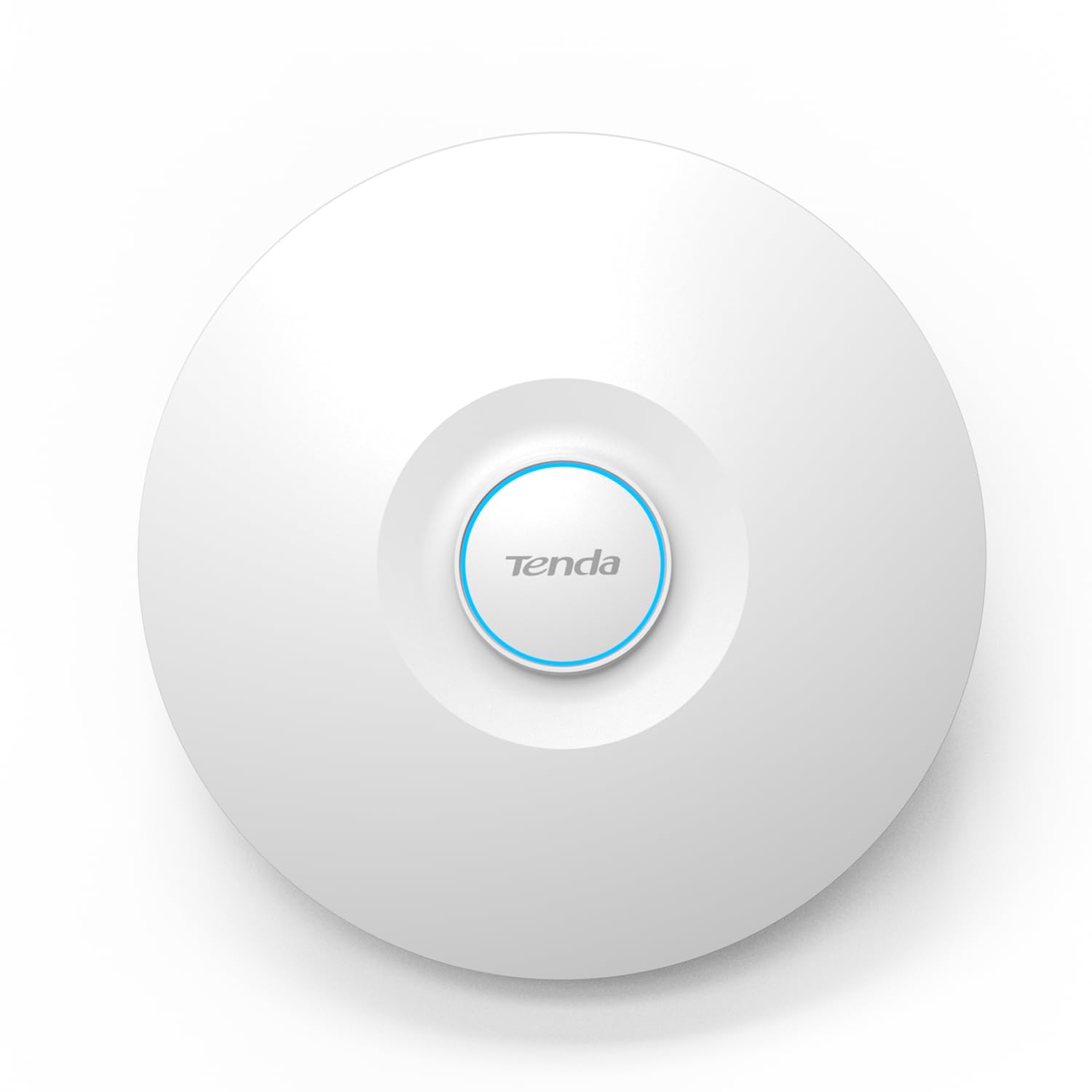
3. Tenda WiFi 6 AX3000 Dual-Band Ceiling Mount Access Point
A high-capacity WiFi 6 ceiling AP that handles up to 150 devices simultaneously for busy studios.
When a busy creative studio needs one access point to carry everything — phones, laptops, smart TVs, and dozens of client devices — this Tenda is built for exactly that chaos. It’s a WiFi 6 AX3000 unit with a 3000 Mbps data transfer rate, which outpaces the Cudy above by a 2.5x margin, and its OFDMA plus MU-MIMO tech keeps 150 devices connected simultaneously without stuttering. The spec sheet claims coverage up to 5400 sq. ft with 20% better range than traditional APs, and it supports the 802.11k/v protocols so you can roam between units without dropping a video call.
Owners replacing two enterprise TP-Link units with a single Tenda report the same coverage and a much simpler interface — advanced firmware features like VLAN at a consumer-friendly price and a clean UI. PoE+ makes the ceiling install tidy, and WPA3 encryption protects the network even if someone sets a simple password. The recurring feedback is that setup requires the Tenda app and cloud account; there’s no browser-based configuration, which frustrated a couple of buyers who prefer that route.
Reviewers point out it handles the full 150-device load with strong signal through walls, and one owner running a busy studio says it outperformed their previous ASUS setup entirely. The unit ships with a power adapter in the box, so unlike the Cudy above, you’re not hunting for one. The trade-off is that the app-only control is a genuine fork in the road for people who avoid cloud accounts.
Built for the busy stuff
- 150-device capacity with OFDMA and MU-MIMO — the defining feature here
- Wide 5400 sq. ft coverage claim with 20% better range
- VLAN-capable firmware at a consumer price point
Know before you buy
- No browser-based access — the Tenda app and cloud account are mandatory
- Bulkier than the competition, per owner feedback
Reach for this if: You run a studio, shop, or busy household that genuinely needs to move 150 devices at once without drama.
Look elsewhere if: You refuse to use a cloud app for setup — there’s no web interface to fall back on.
4. Zyxel WiFi 6 Wireless Access Point AX1800 NWA50AX

A compact WiFi 6 ceiling AP with Smart Mesh technology that extends coverage to hard-to-wire areas.
This Zyxel is the answer when running cable to a garage, basement, or far room is a nightmare you don’t want. Its Smart Mesh technology automatically forms dynamic wireless links between access points, so you can extend coverage into dead zones without complex cabling — just power up another unit and let them talk to each other. It’s a WiFi 6 dual-radio unit delivering combined speeds up to 1800 Mbps (575 Mbps on 2.4 GHz + 1200 Mbps on 5 GHz), with MU-MIMO carrying multiple devices cleanly.
One of the more flexible management stories in this list: NebulaFlex lets you switch between a standalone local web interface or the Zyxel Nebula cloud platform at no extra cost, so you’re not locked into either way of working. Built-in 4G/5G cellular coexistence filters minimize interference from mobile signal boosters, which is a thoughtful touch for homes in dense neighborhoods. It’s powered via 802.3at PoE (16W) or the included AC adapter, and the compact smoke-detector size fits a standard US single gang mounting bracket.
The buyer consensus is that performance and value are the standouts — it’s praised as a “great value AX AP,” with one owner doubling their transfer speed versus an old 5GHz router. Setup gets mixed reviews though: the web interface works but the documentation is thin, and one frustrated buyer with decades in the industry returned it after the password change kept failing. Owners also note that this is an AP-only device — it is not a router, so a router must sit in front of it. It pairs well with OpenWRT for the tinkerers who want deep control.
Coverage without cables: The mesh capability makes this the right call for extending into garages and basements you can’t easily wire.
The honest gripe: The manual is weak, and setup trips up people who expect hand-holding.
5. TP-Link TL-WA1801 AX1800 Dual Band WiFi 6 Gigabit Access Point

A versatile desktop WiFi 6 AP that switches between access point, bridge, and extender modes.
Unlike the ceiling-mount units above, this TP-Link sits on a shelf or desk and asks very little of you. It supports four operation modes — Access Point, Client, Range Extender, and Multi-SSID with VLAN support — so one box can rescue a dead zone, bridge a wired device onto Wi-Fi, or repeat a weak signal. It’s a dual-band WiFi 6 unit with four external antennas and intelligent Beamforming that keeps devices connected across long distances, delivering combined speeds up to 1.8 Gbps on both the 5 GHz and 2.4 GHz bands. Passive PoE means you can power it with an Ethernet cable up to 100 feet away from an outlet.
The buyer feedback is unusually positive on ease of use: shoppers say it works well from the start with no special networking knowledge, with speed tests showing 400 Mbps or more. One owner saw a jump from 16 to 235 Mbps at a relative’s house and from 50 to 400+ Mbps at home. The catch is that the mode-switching instructions are genuinely unclear — several buyers needed to connect to a PC, find the AP’s IP in the router, and use Chrome to set the SSID to match their network for smooth roaming.
WPA3 security, guest networks, and auto 2.4/5 GHz selection round out the package. It’s the strongest choice here if you want one gadget that can adapt when your needs change — say, you start with an extender and later convert it to a proper access point. The trade-off is that desktop placement means it doesn’t cover from the ceiling, so range is solid but not the whole-building kind you get from the units above. Owners using it as a WiFi bridge note full-speed throughput but advise that plaster and lathe walls will still challenge any signal.
One box, many jobs
- Four operation modes make it adaptable as your network grows
- Easy auto 2.4/5 GHz band selection for less fiddling
- WPA3 and guest networks built in
Watch out for
- Mode-switch instructions are unclear and frustrate first-time owners
- Desktop form limits whole-home ceiling coverage
Choose this when: You need flexibility — a box that can act as a bridge, extender, or AP as your situation changes.
skip it if: You want a single ceiling unit to blanket a whole house; a mounted AP is a better fit.
6. Zyxel WiFi 6 Wireless Access Point AX3000 NWA50AX PRO

A prosumer WiFi 6 ceiling AP with a 2.5G uplink and OpenWRT support for advanced local control.
If you’ve outgrown consumer routers and want an access point that rewards a bit of knowledge, this Zyxel PRO is the standout. It delivers 3000 Mbps total throughput over WiFi 6 with 160MHz channel support, but the headline feature is the 2.5 Gigabit Ethernet uplink port — it removes the 1 Gbps bottleneck that caps most APs, and it runs over existing Cat5e cabling, so you upgrade speeds without re-cabling the house. Three high-gain internal antennas extend coverage across multiple floors.
What makes owners genuinely excited here is the configurability. In standalone mode you get text config files, CLI, SSH, and FTP access, and it’s fully OpenWRT compatible — one owner built a DIY OpenWRT router and paired it with this for a “slick and clean” setup with great coverage. NebulaFlex again gives you the choice between local GUI or the cloud-based Nebula Control Center. The feature list is deep: OFDMA, MU-MIMO, VLAN tagging, band steering, fast roaming with 802.11r/k/v, WPA3, 4G/5G interference filtering, and mesh networking for professional deployments.
Performance reports are glowing — one owner measured 840 MB incoming and outgoing speeds, and another praises flawless mesh handoff and lag-free 4K streaming even with many devices. The honest caveat is the management GUI: it’s clunky, some settings are buried in poorly-named menus, it glitches and randomly fails to save settings, and it doesn’t play well with Firefox — Chromium browsers only. This is an AP that assumes you know your way around networking, so beginners may find the ceiling-mount simplicity of the EAP650 more approachable.
Deep control, real speed: The 2.5G port and OpenWRT support make this the pick for advanced home users and prosumers.
The cost of that power: The software interface is genuinely glitchy and browser-picky — expect to work around it.
7. TP-Link Omada EAP650 Business WiFi 6 AX3000 Access Point

A business-grade WiFi 6 ceiling AP with free cloud management and a 5-year warranty.
For a shop, hotel, classroom, or ambitious home, this Omada AP delivers enterprise features without an enterprise budget. It boosts dual-band Wi-Fi speeds up to 2976 Mbps using WiFi 6 technology with 1024-QAM, HE60, and Long OFDM Symbol, and the ultra-slim design blends into a modern ceiling. The real differentiator is the free Omada cloud management — no extra fees, no hardware or software controller required. You scan the serial number with the Omada app and you’re managing from anywhere.
The whole Omada SDN platform ties into it: access points, switches, and gateways integrate under one interface, with hardware, software, or cloud-based controllers as options. Advanced features include Mesh WiFi, smooth Roaming, WPA3, Band Steering, Load Balancing, Airtime Fairness, and Beamforming. Power flexibility is broad — it accepts 802.3at PoE+, 48V/0.5A Passive PoE, or 12V/1.5A DC, so deployment fits whatever switch you own. It’s backed by a 5-year warranty with free tech support during business hours.
Owner feedback centers on quality and easy setup — one self-described tech novice had it working “in minutes,” while a networking pro measured around 800 Mbps to a Galaxy S21 with 21 clients connected. A common scene: covering a 1300 sq ft townhouse with a single unit, isolating guest traffic, and pulling 350 Mbps down on a phone. The recurring complaint is heat — the unit runs warm during operation — and occasional connection quirks. The hardware revision you receive isn’t always clearly marked, which disappointed one buyer who wanted the latest v2.6 model. If you want professional management without a monthly fee, this is a very strong middle-ground pick.
Where it shines
- Free cloud management with no controller hardware needed
- Easy setup — both novices and pros report fast installs
- 5-year warranty for long-term confidence
Keep in mind
- Runs warm during operation
- Hardware revision shipped isn’t always the newest
The smart choice for: Anyone who wants business-grade features and remote management without paying for a controller or subscription.
Just be aware: The heat output means giving it breathing room in the ceiling is a good idea.
8. TP-Link Omada BE5000 Wireless Access Point EAP720
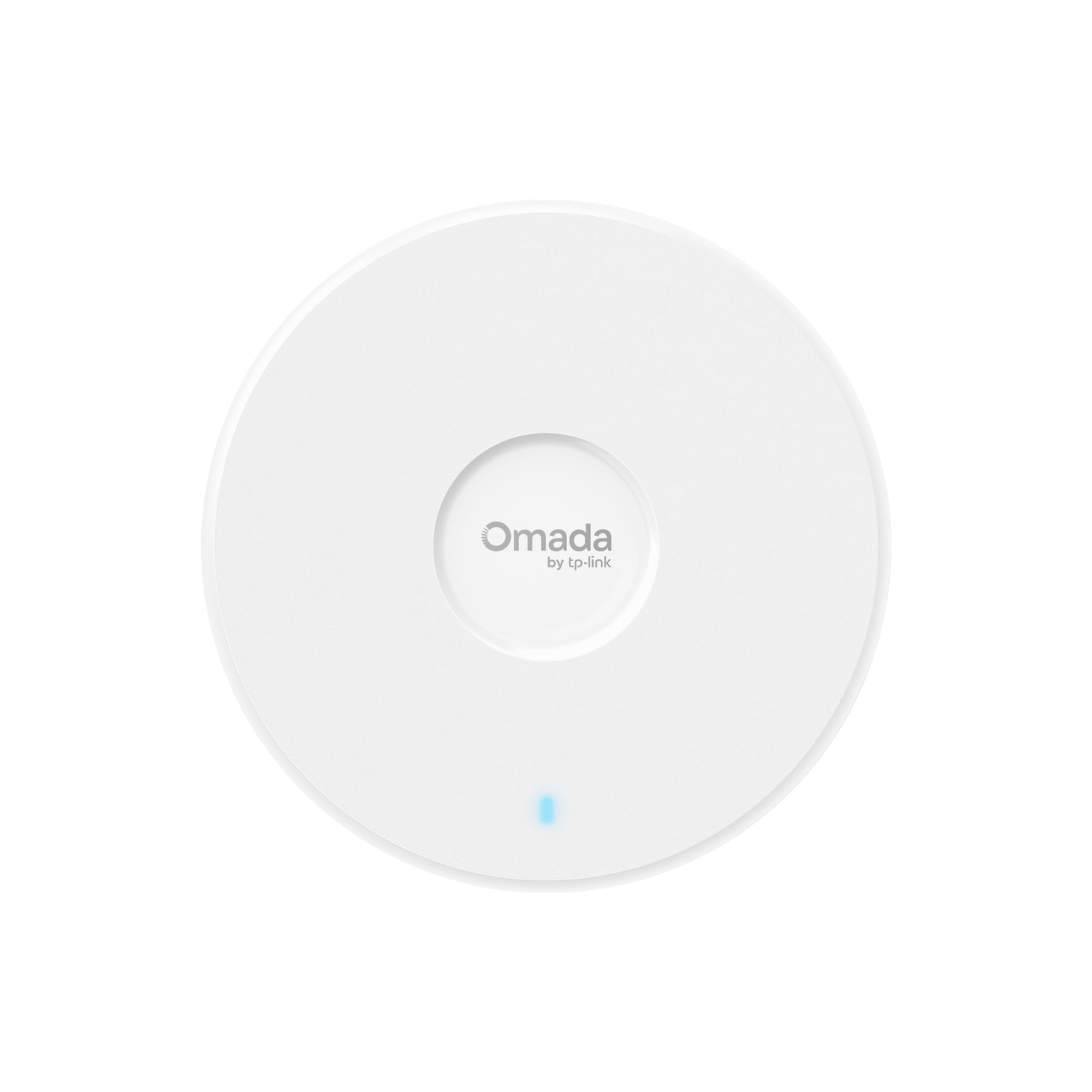
A Wi-Fi 7 ceiling AP with 5.0 Gbps speeds and a 2.5G port for long-term future-proofing.
This is the one to grab if you hate the idea of upgrading again in two years. It’s a dual-band 4-stream Wi-Fi 7 access point hitting up to 5.0 Gbps — 4324 Mbps on 5 GHz plus 688 Mbps on 2.4 GHz — with Multi-Link Operation for faster speeds and Multi-RUs for reliability. The 4K-QAM delivers 120% more data capacity. A 2.5 Gigabit Ethernet port means when you switch to a multi-gig internet plan, no hardware replacement is needed. It covers about 1,500 sq ft and handles 250+ concurrent clients without lag, even when everyone is streaming.
The Omada platform gives you free centralized remote management: network monitoring, remote configuration, AI features, and Zero Touch Provisioning (ZTP) all sit in the cloud platform. smooth roaming, Mesh, and Airtime Fairness deliver that “business-level” Wi-Fi experience. Setup is flexible — it runs on 802.3at PoE or the included DC power adapter, drawing 17.83W on PoE. Omada SDN enables one-click setup. Like the EAP650 above, it carries a 5-year warranty with free tech support.
Owners moving up from an EAP225 report big speed and coverage gains, with a single unit covering 2,200 sq ft standalone. One buyer calls it a “HUGE reliability upgrade over consumer mesh WiFi” with stable band steering and no drops across a 2,000 sq ft space. The honest caveats: the PoE injector is not included — you’ll pay extra for a 2.5G one — and it runs hot on the back, so wall-mounting is a popular choice. Reliability feedback is genuinely mixed, with a small number of owners reporting constant disconnects, though that may be a defective unit rather than a pattern, since most find it rock-solid. If you want the latest standard without buying again soon, this is the forward-lean.
Built for tomorrow: Wi-Fi 7 and the 2.5G port mean this AP won’t be the bottleneck when your internet plan gets faster.
Plan for extras: Budget for a separate 2.5G PoE injector, and give it airflow since the back runs warm.
9. TP-Link EAP610-Outdoor Long Range WiFi 6 AX1800

The rugged yard unit that pushes Wi-Fi through walls, trees, and weather
When your Wi-Fi needs to reach the backyard, the pool, security cameras, or outbuildings, this is the one built for it. It’s a dual-band WiFi 6 unit pushing up to 1800 Mbps with 1024-QAM and Long OFDM Symbol, housed in a durable IP68 weatherproof enclosure with dedicated high-gain antennas. That IP68 rating means it shrugs off rain, dust, and the harsh conditions a ceiling unit would never survive. Owners commonly report extending usable signal by roughly 100 yards into their yard.
It doubles as a long-range extender — the WiFi Range Extender Mode repeats your existing wireless signal, configured through standalone mode or the Omada app. The Omada SDN integration means it plays nicely in a larger professional setup with hardware, software, or cloud-based controllers. Power is flexible: 802.3at PoE or 48V/0.5A Passive PoE, powered by a PoE+ switch or the provided PoE adapter. A 2-year warranty covers it with free tech support during business hours.
Setup draws high praise — owners describe it as simple and effective, with one noting it “quadrupled my range” so yard Wi-Fi finally works. The signal stays strong through walls and trees, and it’s a reliable workhorse for streaming, cameras, and daily use. The honest limitations: the cable exits the bottom where weather and animals can reach it, and in rural areas some buyers report intermittent signal loss that doesn’t auto-recover — a manual reboot gets it back, which is a long trip if you’re far away. There’s also no automatic periodic reboot setting. If you need outdoor coverage that just works in most conditions, this is the one.
The outdoor standout
- IP68 weatherproof enclosure built for harsh conditions
- Long-range signal that holds through walls and trees
- Simple setup with strong owner satisfaction
Outdoor realities
- Exposed cable exit at the bottom needs protection from weather and animals
- Rural signal loss sometimes needs a manual reboot
Pick this for: Yards, pools, outbuildings, or anywhere rain and dust would kill a normal AP.
Remember: Treat the cable entry as a weak point, and place it where a rare manual reboot is possible.
Understanding the Specs
WiFi 6 vs WiFi 5 vs Wi-Fi 7
The standard built into the AP decides how well it handles lots of devices. WiFi 6 (802.11ax) uses OFDMA and MU-MIMO to serve many gadgets at once without lag, which is why it’s the balance for busy homes. WiFi 5 (802.11ac) is older and cheaper but queues devices one by one. Wi-Fi 7 is the newest and fastest but costs more and needs newer devices to use its full speed. Match the standard to your device collection, not just the internet plan.
PoE vs PoE+ vs Passive PoE
PoE (Power over Ethernet) sends data and electricity down one network cable, so you can mount an AP where no outlet exists. Standard 802.3at PoE+ delivers up to 30W, enough for any AP here. Passive PoE uses a fixed voltage and is simpler but less universal. Before buying, check which standard your switch or injector supports — an AP needing 802.3at won’t power up on a passive-only injector, and vice versa.
FAQ
Do I need a special router to use a 2.4GHz access point?
What does PoE mean and do I need it?
Will a new access point make my internet faster?
What is smooth roaming and do I need it?
How many devices can a 2.4GHz access point handle?
What’s the difference between an access point and a range extender?
Do I need a WiFi 6 access point or is WiFi 5 enough?
Can I mount an outdoor access point inside instead?
Will a 2.4GHz access point work with my smart home devices?
What is WPA3 and why does it matter?
Final Thoughts: The Verdict
For the majority of shoppers, the 2.4ghz wireless access point winner is the Ubiquiti U6+ because its 3 Gbit/s speed and rock-solid stability make it the most dependable ceiling AP you can buy — the 4.6-star crowd favorite at 900+ owners backs that up. If you want business-grade features with free cloud management, grab the TP-Link Omada EAP650. And for a yard or outbuilding that needs signal through weather, the TP-Link EAP610-Outdoor is the one to reach for.
How We Picked
We do not accept paid placement. Every pick is matched to a real buyer and a real use-case; we do not hands-on test units.
Sources & Methodology
Specifications: manufacturer listings and product documentation. Review insights: verified customer reviews, as of August 2026. Pricing: not shown on this page (it changes often); check the current price via the retailer link.
As an Amazon Associate, Gadgets Feed earns from qualifying purchases. This does not affect which products we feature.