
Our readers keep the lights on and my morning glass full of iced black tea. As an Amazon Associate, I earn from qualifying purchases.
Specs are compiled from manufacturer listings and verified buyer reviews and can change over time — please confirm the key details on the product page before buying.
Choosing a 2TB PCIe 4.0 NVMe SSD (a fast storage drive that plugs directly into your motherboard) depends on one question: how much speed do you really need, and how hot will your system run? For everyday tasks like booting Windows, loading apps, and launching games, the difference between 5,000MB/s and 7,400MB/s is real but rarely noticeable. For moving huge files, editing 4K video, or heavy workstation work, that gap justifies paying more for a premium drive. This guide compares ten 2TB Gen4 drives and pinpoints which specs—sustained write speed, SLC cache, and thermals—actually matter for your build.
I’m Min — the founder and writer behind Gadgets Feed. This guide is built by comparing the manufacturers’ published specifications and the patterns across verified customer reviews, so you get each pick’s real strengths and trade-offs instead of marketing spin.
Whether you’re upgrading a laptop, building a gaming rig, or expanding a PS5, this breakdown of the 2tb pcie 4.0 nvme ssd market reveals which drives sustain their speed and which merely advertise it.
Our Picks at a Glance



How To Choose The Best 2TB PCIe 4.0 NVMe SSD
PCIe Gen 4 drives roughly double the bandwidth of Gen 3, but only if your motherboard or laptop has a Gen 4 M.2 slot. Before you decide, you need to check whether your motherboard or laptop actually has a Gen 4 M.2 slot, since these drives are backward compatible but will only run at Gen 3 speeds in older systems.
Sequential vs. Random Performance
Manufacturers advertise sequential read speeds, but that number only tells part of the story. Random read/write performance and sustained transfer speed after the cache fills matter more for everyday multitasking and large file operations. A drive with a large SLC cache will feel faster for most users than one with a higher peak spec.
The Role of Thermal Throttling
Fast Gen4 drives generate significant heat under sustained load. If the controller gets too hot, it will throttle performance to protect itself, which means a “7,400MB/s” drive can slow down dramatically during a large transfer. Look for drives with built-in heat sinks, or ensure your motherboard has a dedicated M.2 heatsink, especially for laptops where airflow is restricted.
Quick Comparison
| Model | Best For | Read Speed | Form Factor | NAND Type | Amazon |
|---|---|---|---|---|---|
| Crucial P3 Plus★ Best Overall | Everyday Reliable | 5,000 MB/s | M.2 2280 | 3D NAND | Amazon |
| Samsung 990 PROTop Performer | Max Performance | 7,450 MB/s | M.2 2280 | TLC | Amazon |
| WD_BLACK SN850XGaming Elite | Gaming | 7,300 MB/s | M.2 2280 | TLC | Amazon |
| WD Blue SN5100 | Laptop Upgrades | 7,100 MB/s | M.2 2280 | Sandisk 3D CBA | Amazon |
| Lexar NQ780 | Value Performance | 7,000 MB/s | M.2 2280 | TLC | Amazon |
| Crucial T500 | Creative Work | 7,400 MB/s | M.2 2280 | TLC | Amazon |
| BIWIN NV7400 | Fast Value | 7,450 MB/s | M.2 2280 | TLC | Amazon |
| Samsung 990 EVO Plus | Mainstream Use | 7,250 MB/s | M.2 2280 | V-NAND | Amazon |
| TEAMGROUP MP44 | Budget Performance | 7,000 MB/s | M.2 2280 | SLC Cache | Amazon |
| TEAMGROUP MP44Q | High Capacity Value | 7,000 MB/s | M.2 2280 | SLC Cache | Amazon |
| Ediloca EN705 | PS5 Storage | 4,800 MB/s | M.2 2280 | 3D TLC | Amazon |
In‑Depth Reviews
1. Crucial P3 Plus
Our pick — over 4.5★ from 24,500+ verified ratings; the strongest balance of quality and price.
The dependable, fast, and affordable upgrade that just works in any system.
The Crucial P3 Plus is the go-to drive for reliable everyday performance. It delivers up to 5,000MB/s for quicker bootups, app launches, and file transfers, providing a massive upgrade over standard SATA drives. The 2TB capacity offers space for essential apps, documents, and media.
It’s built with Micron 3D NAND and is rated for over 1.5 million hours MTTF (Mean Time To Failure) for long-lasting durability. One of its biggest strengths is broad compatibility; it works with PCIe Gen3-enabled desktops and laptops and is backward compatible for easy system upgrades. It even comes bundled with Acronis cloning software and a one-month Adobe Creative Cloud subscription.
The thing everyone raves about is its reliability, backed by a massive amount of positive feedback. Reviewers point out it works perfectly as a secondary drive in mini PCs with easy install and instant Windows 11 recognition. It stays cool under stress and, being Micron-made, is often half the price of Samsung. For a reliable workhorse that you can slot into almost any system, this is the consensus favorite.
Why It’s a Crowd Favorite
- Proven reliability with a huge base of happy users
- Great compatibility with laptops, desktops, and even Macs
- Comes with Acronis cloning software
A Fair Note
- Its peak speed of 5,000MB/s is outpaced by newer premium drives
- It’s positioned as an everyday performer, not a top-tier gaming drive
The All-Rounder Verdict: The best choice if you want a fast, affordable, and incredibly reliable drive for daily computing and gaming without chasing the highest benchmarks.
Upgrade if: Your work involves massive, sustained 4K video transfers where the extra speed of a 7,400MB/s drive is worth the cost.
2. Samsung 990 PRO
The reference standard that pushes the Gen 4 interface to its practical ceiling.
The Samsung 990 PRO is the drive that defines maximum performance for this interface, hitting a maximum transfer rate of 7,450 MB/s. It doesn’t just advertise that speed; the advanced thermal management with Samsung’s proprietary controller is designed to maintain consistent performance during extended use without throttling. This means you get the speed for large file transfers and intensive gaming sessions, not just in a benchmark.
The 2TB capacity gives you ample room for an operating system, extensive game libraries, professional applications, and multimedia files. It’s built in the standard M.2 2280 form factor, so it slides into compatible desktops, laptops, and workstations that feature PCIe 4.0 or backward-compatible PCIe 3.0 slots. Its energy-efficient design balances high performance with reduced power consumption, which helps extend battery life in laptops and minimize heat in desktops.
Buyers report this is the “gold standard for x4” and that it doesn’t get faster or more reliable. While the crowd favorite boasts a 4.7-star rating, it’s not without occasional issues; some units have arrived faulty, though the new firmware is reported to fix the problems this drive had when first released. It’s a premium investment for users who demand the fastest Gen 4 speeds and Samsung’s proven reliability.
Why It’s the King
- Fastest max transfer rate in class at 7,450 MB/s
- Intelligent thermal control to prevent throttling
- Vast 2TB capacity for OS and game libraries
The Investment
- Premium price point in the lineup
- Some early units had firmware issues, since resolved
The Verdict: The 990 PRO is the best overall for performance-first builders and professionals who need the fastest Gen 4 drive and are willing to pay for it.
Consider skipping if: You’re on a strict budget and won’t notice the difference between 7,450MB/s and 7,000MB/s in daily use.
3. WD_BLACK SN850X
The gaming-specific drive with a dashboard that keeps loads ridiculously short.
Built for high-end gaming rigs, the WD_BLACK SN850X delivers insane speeds up to 7,300MB/s for the 1TB to 4TB models. It’s tune for the elite gaming experience, with the included WD_BLACK Dashboard software offering a Gaming Mode to fine-tune performance. The 2TB capacity with Sandisk TLC 3D NAND means you can keep more games at the ready and jump into the action faster.
The drive is remarkably stable in real-world tests, sustaining around 6,500/3,600 MB/s under load and running in the mid-50°C with a heatsink. It runs warm without a heatsink, so a good Gen4 slot with airflow is recommended. Owners mention it holds all their Epic, Xbox, and Steam games and runs cool, staying under 35 degrees even when gaming in 4K resolution.
Buyers frequently call this drive excellent for gaming, even with its higher price tag. Some note it trails Samsung in raw performance, but for high-end gaming builds, it remains a proven and trusted pick. Its huge popularity means you get a well-tested, very fast drive that many gamers rely on.
The Gamer’s Edge
- Top-tier read speeds at 7,300 MB/s
- WD_BLACK Dashboard with Gaming Mode
- Runs cool, staying under 35°C during 4K gaming
What to Watch
- Runs warm without a heatsink
- Premium price point
Reach for this if: You are building a gaming PC and want a drive with excellent sustained performance and great software support.
Look elsewhere if: You need the very last bit of peak speed for professional video editing, where the 990 PRO leads.
4. WD Blue SN5100

The high-speed upgrade that revives older laptops while staying affordable.
The WD Blue SN5100 is a fantastic option for upgrading the storage and speed of an existing PC or laptop. It delivers PCIe Gen 4.0 speeds up to 7,100 MB/s, which the maker notes is 30% faster than its prior generation. It’s a top pick for swapping out a dead or sluggish SSD in an older laptop or desktop.
The 2TB capacity on a M.2 2280 form factor uses Sandisk 3D CBA NAND technology. It’s covered by a 5-year limited warranty and includes a download of Acronis True Image for easy data migration, so you can transfer your files over from your old drive without hassle. Customers note it performs exactly as described, with significant improvements in laptop boot-up and speed, and it’s considered good value for money.
One verified comparison shows it offers a significant transfer rate advantage over budget options, hitting 7,100 megabytes per second compared to 4,800 megabytes per second on the Ediloca EN705 — a 48% gap. While it’s not the fastest drive on this list, its speed, reliability, and value make it a superb mainstream choice for anyone looking to upgrade a laptop or desktop.
Why It Wins for Upgrades
- Blazing 7,100 MB/s read speed
- Acronis cloning software included for easy migration
- Runs cool and works perfectly as an external drive
Considerations
- It is positioned below the WD_BLACK gaming line
Who should pick it: Anyone wanting near-flagship speeds for everyday work and gaming without paying a premium.
A fair trade-off: It’s not the absolute peak performer, but its price-to-performance makes it a top pick.
5. Lexar NQ780

A single-sided drive that open up fast speeds in tight laptop spaces and PS5s.
The Lexar NQ780 is engineered for compatibility. With read/write speeds up to 7000/5000 MB/s, it delivers fast gameplay and boot-ups. Its defining feature is the single-sided design, which makes it great for laptops where space and clearance are limited, and it pairs with Intelligent Power Control to manage energy use.
Inside, an 8-channel Gen 4 controller (the chip that manages data flow) keeps write speeds steady even during long transfers. The HMB (Host Memory Buffer, which uses your system’s RAM for caching) and SLC cache (a fast temporary storage area) work together to cut lag and speed up everyday tasks. The bundled Lexar DiskMaster SSD Management tool lets you update firmware and check drive health, so you can spot problems before they cause data loss.
Buyers have noted the quality is solid and the drive works well, with some using it in NAS setups and praising its value. However, the speed and boot performance have drawn mixed feedback; some find it fast while others found it slower than previous drives or had boot issues. It’s a capable drive, but it lacks the widespread reliability track record of Samsung or WD_BLACK flagships.
The Compatibility Angle: Because all components sit on one side of the circuit board, this drive fits easily into slim laptops and PS5 consoles, where space is tight.
An Honest Note: While the speed spec is high, some buyers have found real-world performance to be mixed, so manage expectations on benchmarks.
6. Crucial T500

The creator-focused drive that boosts rendering and loading speeds for demanding workflows.
For creatives and gamers, the Crucial T500 is a powerhouse. It delivers PCIe 4.0 performance up to 7,400MB/s read and 7,000MB/s write speeds with up to 1.18M/1.44M IOPS. This translates to faster loads and better multitasking, especially when handling large creative projects, games, and applications. It’s engineered with TLC NAND and a DRAM buffer, which helps maintain high performance.
This drive is designed to load games up to 16% faster with Microsoft DirectStorage (a technology that lets games read data straight from the SSD) and to speed up creative apps by up to 42% for quicker rendering, according to the maker. With 2TB of space, you can store large projects and game libraries without worry. It installs easily in any desktop, laptop, or workstation with a PCIe Gen4 M.2 slot (the standard slot for these drives). You also get a one-month free Adobe Creative Cloud subscription and Acronis cloning software, so moving your data from an old drive is straightforward.
Reviewers point out this drive works great with MacBooks and speeds up laptop performance, with one user noting a 10-second startup from the HP screen to login. Without a heatsink, it runs at 43°C when idle and 53°C under load, staying cool enough for most systems. A 5-year warranty and 1200 TBW (terabytes written, meaning it can handle 1,200TB of data writes over its life) offer long-term confidence. It’s very fast for everyday tasks, but in some benchmarks it trails the top Gen4 rivals like the Samsung 990 PRO.
Your Creative Partner: If you edit video, render 3D, or do heavy multitasking, the T500’s speed is noticeable.
The Catch: It can be slightly slower than top Gen4 rivals in specific benchmarks, but for real-world use, it’s an excellent, cool-running choice.
7. BIWIN Black Opal NV7400

A value-packed 7,450MB/s drive that comes with its own slim graphite heatsink.
The BIWIN Black Opal NV7400 is designed to deliver market-leading speeds at a more accessible price. It achieves a maximum read speed of 7450MB/s and a maximum write speed of 6500MB/s, with random read/write speeds of up to 1000K IOPS. This level of performance makes it ideal for power users with demanding workflows.
It utilizes the latest PCIe Gen 4×4 interface with 3D TLC NAND and includes a 0.5mm graphene aluminium heat sink to prevent overheating and maintain stable top performance. The drive uses PMIC (composite power supply IC) to improve power and energy savings, and HMB (Host Memory Buffer) technology to ensure stable operation even under heavy workloads. It also comes with free Biwin Intelligence software for management.
Shoppers say it performs well without issues, with one mentioning it can unzip big games quickly. It’s easy to install and comes with everything needed, and the storage is sufficient for CAD work. While compatibility has received some mixed reviews, the value for money is a strong point, with owners comparing its performance to more expensive drives from bigger brands.
Grab it for: A high-speed, budget-friendly performance drive for a gaming PC or laptop that already has good airflow.
Think twice if: You want the most proven brand with the longest track record, as its compatibility has mixed reports.
8. Samsung 990 EVO Plus

A strong mainstream Samsung with impressive large-file performance and energy efficiency.
The Samsung 990 EVO Plus is a superb pick for the majority of users. It offers sequential read/write speeds up to 7,250/6,300MB/s, powered by the latest NAND memory and Intelligent TurboWrite2.0. This ensures huge file transfers are completed faster and large-file performance is enhanced, making it ideal for finishing tasks quickly.
A key feature is its exceptional thermal control. The efficiency-boosting nickel-coated controller allows it to utilize less power while achieving similar performance, keeping things cool without worrying about overheating. It’s also forward-compatible, supporting both PCIe 4.0 x4 and PCIe 5.0 x2, giving you more bandwidth and future-proofing your system.
The drive is tune for gaming, with reports that large open-world games load in a fraction of the time. It’s easy to install and works with various devices, including PlayStation. Buyers appreciate the fast boot times and consider it a reliable choice from a trusted brand, though some have encountered compatibility issues in specific setups. It also runs very cool at 30-50°C.
The All-Rounder: A fantastic choice for a mainstream laptop or desktop build where you want Samsung reliability and great all-around speed.
Where it lands: It’s a step below the flagship 990 PRO but feels identical in most scenarios, making it a smart value.
9. TEAMGROUP MP44

A proven value workhorse with a graphene label and speeds over 7,000MB/s.
The TEAMGROUP MP44 is a favorite among budget-conscious builders who still want high performance. It delivers PCIe Gen 4 ultra-speed performance exceeding 7,000MB/s, backed by an SLC cache to keep write speeds fast. The heat dissipating graphene label is a nice touch, enhancing motherboard heatsink performance.
It’s a widely adopted drive with an excellent reputation. Buyers report running multiple MP44 drives across desktops, external enclosures, and even Raspberry Pi 5s with zero failures. The drive is fast and reliable, with one user noting it hasn’t broken yet, unlike a previous SSD. It’s available with a 2TB capacity and offers good value for money, especially for those upgrading from a 1TB SSD.
The drive runs cool, even during large installs without a heatsink. This reliability and strong performance make it a go-to brand for many. Some users note that speeds in real-world tests hit around 6800/6200 MB/s, which is still exceptional for the price.
Best for: Value seekers who want fast, reliable storage for gaming or general use and trust a brand with a proven track record.
The fine print: It’s not the fastest in this class, but its real-world performance and price make it one of the best deals.
10. TEAMGROUP MP44Q
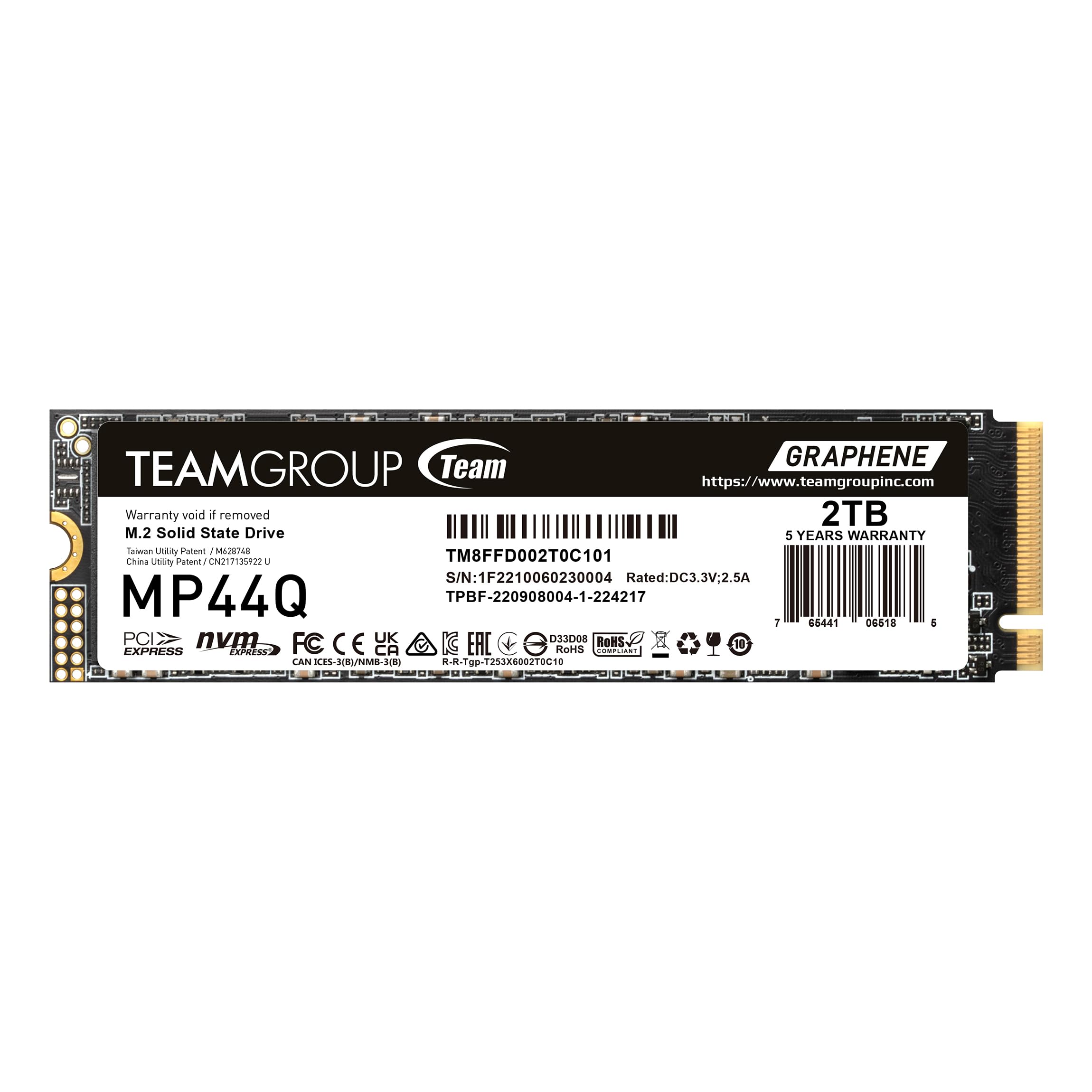
An incredibly fast and reliable 2TB drive that feels like a flagship for a fraction of the cost.
The TEAMGROUP MP44Q is engineered for incredible speed and reliability. With read/write speeds up to 7000/5900MB/s, it handles heavy workloads and gaming with ease. The 2TB capacity is perfect for large libraries, and the Gen 4×4 interface ensures fast data transfers.
Buyers are consistently impressed, reporting a 70-second copy time for 190GB of data. It’s incredibly fast, easy to install, and considered a top-tier performer for its price. One owner described it as “the best deal for an SSD at the time,” having done everything they wanted without issue. Its professional packaging and high-quality build have also drawn praise.
The drive is a go-to choice for users who have owned multiple TeamGroup SSDs, all of which have performed well. Windows loads in seconds, and disk-to-disk transfers are described as “insane”. If you want flagship-level speed and don’t need the absolute top-tier brand name, this is a smart, budget-focused pick that doesn’t compromise on daily performance.
The Value Verdict: For pure performance per dollar, the MP44Q is a standout, delivering speed and reliability that rivals more expensive drives.
Keep in mind: It lacks the advanced software suites of Samsung or WD, but the hardware is excellent.
11. Ediloca EN705

A capable PS5 expansion drive that balances speed and budget-friendly capacity.
The Ediloca EN705 is a solid choice for expanding storage on a PS5 or gaming PC. It offers sequential read/write speeds up to 4800/4500 MB/s, leveraging NVMe 1.4 technology and 3D TLC NAND. While slower on paper than the top-tier drives, it still delivers instant game loading and rapid large-file transfers, making it 8x faster than SATA SSDs.
It includes intelligent thermal management with a special composite design and heat dissipation patch to keep the NAND chip cool and maintain high-speed operation. The drive has been rigorously tested through 1,500+ hours of validation with 640TBW endurance and includes a 5-year warranty, TRIM support, and S.M.A.R.T. monitoring for long-term data integrity.
For PS5 users, it’s an easy install, though owners mention that a heatsink is not included and would be a extra. It’s recognized instantly, formats quickly, and offers fast file transfers. Customers note it runs games and programs flawlessly and is considered one of the better PS5 hard drives, with one transferring 700 GBs of games in about 5 minutes. It’s a budget-friendly way to add 2TB of fast storage to a PS5 or gaming PC.
PS5-Ready Performance
- Fast transfers, moving 700GB in ~5 minutes
- Tested with 1,500+ hours of validation
- Includes a useful installation kit with screwdriver
What to Know
- Heatsink is not included and costs extra
- Slower peak speeds than premium Gen4 rivals
Who it’s for: PS5 and laptop owners who want to expand storage to 2TB without paying a huge premium.
Not the one if: You’re building a high-end PC and demand the absolute maximum sequential transfer rates.
Understanding the Specs
Sequential Read/Write Speed
This is the headline number you’ll see, measured in MB/s. It tells you how fast large files, like a 4K video or a game install, can be read from or written to the drive. A drive rated at 7,400MB/s is faster on paper than one at 5,000MB/s, but in everyday use, you’ll only feel that difference during massive file transfers or heavy creative workloads.
NAND Type and SLC Cache
NAND is the memory that stores your data, with TLC (Triple-Level Cell) being the standard for performance drives. To boost burst speeds, many drives use an SLC (Single-Level Cell) cache, which acts as a fast zone that fills up and then slows to the drive’s native write speed. A large SLC cache helps a budget drive feel fast for long periods before it slows down on huge write tasks.
FAQ
What does the “M.2 2280” form factor mean?
What is the difference between PCIe 4.0 and PCIe 3.0 NVMe SSDs?
Will a 2TB PCIe 4.0 NVMe SSD work with my PlayStation 5?
How important is a heatsink for a Gen4 NVMe SSD?
Can I use these 2TB drives in an older laptop that has a PCIe 3.0 slot?
What does TBW mean and why does it matter?
Is a DRAM cache on the SSD important?
Are these SSDs compatible with Mac or Linux systems?
What is the real-world difference between a 5,000MB/s and 7,400MB/s drive?
Can I use one of these 2TB drives as an external portable SSD?
Final Thoughts: The Verdict
If you’re building a high-end system and want the fastest transfer speeds available, the Samsung 990 PRO leads the pack with a 7,450MB/s read rate. For gamers who want top-tier speed plus excellent software support, the WD_BLACK SN850X is the one to grab. And for most people upgrading a laptop or desktop, the WD Blue SN5100 or the crowd-favorite Crucial P3 Plus offers a solid balance of speed, reliability, and value that will serve you well for years.
How We Picked
We do not accept paid placement. Every pick is matched to a real buyer and a real use-case; we do not hands-on test units.
Sources & Methodology
Specifications: manufacturer listings and product documentation. Review insights: verified customer reviews, as of August 2026. Pricing: not shown on this page (it changes often); check the current price via the retailer link.
As an Amazon Associate, Gadgets Feed earns from qualifying purchases. This does not affect which products we feature.