
Our readers keep the lights on and my morning glass full of iced black tea. As an Amazon Associate, I earn from qualifying purchases.
Specs are compiled from manufacturer listings and verified buyer reviews and can change over time — please confirm the key details on the product page before buying.
Six terabytes is a lot of files — roughly 1,500 movies, 300,000 photos, or your entire game library — but the drive you pick determines whether that data is safe or a ticking time bomb. The real split is between 24/7-rated NAS/enterprise drives and desktop drives that fail under constant load. Match the drive type to your workload—NAS, surveillance, or desktop backup—not just the capacity.
I’m Min — the founder and writer behind Gadgets Feed. This guide is built by comparing the manufacturers’ published specifications and the patterns across verified customer reviews, so you get each pick’s real strengths and trade-offs instead of marketing spin.
Whether you’re archiving media, upgrading a NAS, or backing up a gaming console, this breakdown of the best 6 tb hard drive options sorts the reliable workhorses from the refurbished gambles before you commit your data.
Our Picks at a Glance


How To Choose The Best 6 TB Hard Drive
The single biggest mistake buyers make here is treating a NAS drive and a desktop drive as interchangeable. A drive built for a network storage box is engineered for constant vibration and 24/7 spinning; a desktop drive expects to sleep when you’re away from the keyboard. Choosing the wrong type leads to audible noise and premature failure.
Match the drive to the workload
If you’re building a NAS, a surveillance recorder, or a RAID array, you need a drive rated for continuous operation — look for enterprise or NAS-specific lines that mention 24/7 reliability and high annual workload ratings. If you just need a quiet backup for a desktop PC, a standard desktop drive runs cooler and quieter at 5400 RPM, which is plenty for file transfers.
Speed class and cache explain the real-world feel
Rotation speed — 5400 RPM versus 7200 RPM — controls how fast the platters spin and directly affects random access, which is what you feel when loading games or pulling up old photos. The cache, typically 64MB, 128MB, or 256MB, is a small buffer that stores frequently used data; bigger caches smooth out bursts of writes. Speed and cache matter little for backups but significantly for multi-user NAS performance.
New vs renewed is the big value fork
Renewed enterprise drives cost far less than new retail units, and many arrive with clean SMART diagnostics and years of life left. Renewed drives carry unknown prior wear—some last years, others fail within months. For irreplaceable data, buy new or maintain a second backup.
Quick Comparison
| Model | Best For | Rotation Speed | Cache | Interface | Amazon |
|---|---|---|---|---|---|
| WD Elements Portable★ Best Overall | Plug-and-play backups | USB 3.2 Gen 1 | 6 TB capacity | 2.5-inch | Amazon |
| HGST Ultrastar 7K6000Budget NAS Workhorse | Budget NAS capacity | 7200 RPM | 128 MB | SATA III | Amazon |
| MaxDigitalData 6TB NASQuiet NAS Pick | Quiet NAS builds | 7200 RPM | 128 MB | SATA 6.0 | Amazon |
| Avolusion PRO-5X | Windows desktop expansion | 7200 RPM | 256 MB | USB 3.0 | Amazon |
| Avolusion HDDGear Pro | PS4 game storage | 7200 RPM | 64 MB | USB 3.0 | Amazon |
| Toshiba MG06ACA600E | Enterprise servers | 7200 RPM | 128 MB | SATA | Amazon |
| WD My Passport | Travel with encryption | USB 3.1 | 6 TB capacity | 2.5-inch | Amazon |
| WD Blue 6TB | Quiet desktop storage | 5400 RPM | 64 MB | SATA 6 Gb/s | Amazon |
| WD Purple 6TB | Surveillance recorders | — | 256 MB | SATA 6 Gb/s | Amazon |
| Seagate IronWolf | Entry NAS arrays | 5400 RPM | 256 MB | SATA 6.0 | Amazon |
| Seagate IronWolf Pro | Heavy multi-user NAS | 7200 RPM | 256 MB | SATA III | Amazon |
In‑Depth Reviews
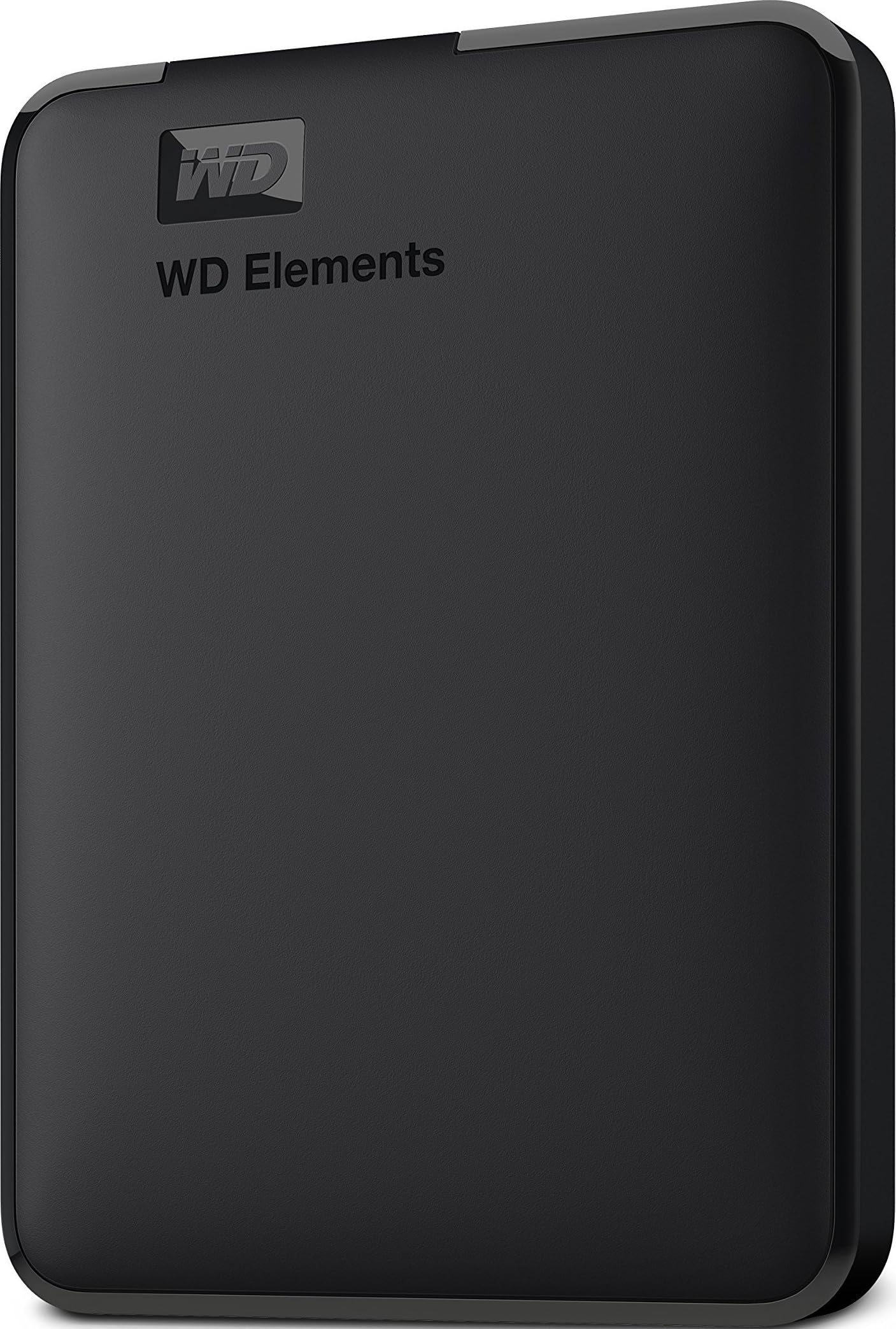
1. WD 6TB Elements Portable External Hard Drive
Our pick — over 4.5★ from 165,000+ verified ratings; the strongest balance of quality and price.
The first 6TB drive to fit in a 2.5-inch pocket — and it just works.
This is the drive that makes 6TB genuinely portable, because it’s the world’s first 6TB 2.5-inch portable hard drive. That means no power adapter, no desk tethered to a wall outlet — just a SuperSpeed USB 3.2 Gen 1 cable rated for 5Gbps transfers, so you can back up a laptop or a PS4 without opening a case or installing anything. For Windows users it’s literally plug-and-play; owners describe flawless reliability over months of daily use.
The capacity is the headline — storage capacity is what wins people over — and the compact size follows close behind, since it slips into a bag next to a tablet. Speed gets steady praise too, landing in the same feel as a decent flash drive for moving files around. The catch is compatibility: it works fine with Xbox One for some owners, but it does not work with Mac computers from the start. A 2022 MacBook Pro M1 Pro owner confirms a workaround exists — you reformat it for Mac — but it’s not a friction-free Mac experience.
Reliability is the honest caveat here. The review pages show the highest volume of discussion around whether these units last, so treat this as a solid everyday backup drive rather than an archive you never check. For that job — quick, cable-free backups of a working machine — it’s the most painless 6TB you can buy.
portable capacity king
- True plug-and-play on Windows — zero setup friction
- Compact 2.5-inch build that rides in a bag
- Fast 5Gbps USB 3.2 Gen 1 transfers
- No external power needed
needs usb power
- Not Mac-compatible without reformatting
- Reliability reviews are the most-discussed topic — verify backups
- Long-term durability is unproven in early reviews
the travel pick: reach for this if you want a true portable 6TB that backs up a Windows laptop or console with zero setup.
skip for raids: you’re a Mac-only household and don’t want to reformat from the start.
2. HGST Ultrastar 7K6000 HUS726060ALE610 (Renewed)
Enterprise-grade 7200 RPM muscle at a fraction of retail — if you accept it’s used.
This is the value play for anyone building a NAS or SnapRAID array on a budget. It’s a 6TB, 7200 RPM, SATA III 6.0Gb/s enterprise drive with a 128MB cache and a 2 Million Hours MTBF rating — that’s the manufacturer’s own measurement meaning it’s rated for continuous 24/7 operation. It’s a 7th-generation 5-disk design, and each unit passes a full “sector-by-sector” diagnostic so it arrives with zero bad sectors.
Capacity is what owners praise most, and value for money is the close second. A buyer who ran a three-day badblocks test reported clean results with reads around 215MB/s and writes at 209MB/s; another logged 4.5 years of power-on time with clean SMART data, meaning the diagnostics show healthy wear. That said, the highest-volume discussion is around reliability with mixed results, so the honest framing is this: it’s a refurbished enterprise drive, and a small number of units have failed within months of use — not for critical data unless you keep a backup.
Noise is the other thing you’ll notice. These are loud old enterprise drives with a noticeable hum and seek chatter — a storage engineer’s tool, not a quiet bedside backup. One owner even hit boot issues when four of them shared a single SATA power cable; splitting them across two cables fixed it. Best understood as cheap, capable NAS capacity where you don’t mind the whir.
enterprise endurance value
- 7200 RPM with a 128MB cache for responsive arrays
- Clean SMART diagnostics and zero bad sectors on arrival
- 2 Million Hours MTBF for 24/7 duty
- Real-world reads near 215MB/s
renewed not new
- Noticeable hum and seek noise
- Mixed reliability reports — some units die within months
- Used hardware with unknown prior workload
the budget server: any new desktop drive on cost-per-terabyte for a NAS — it’s the cheap route to lots of reliable array capacity.
not for casual: anyone storing irreplaceable data without a second copy, or anyone who can’t tolerate drive noise.
3. MaxDigitalData 6TB 7200RPM NAS Hard Drive (Renewed)
A 7200 RPM NAS drive that owners describe as genuinely quiet.
Where the HGST above is a loud old server drive, this MaxDigitalData unit flips that script — the standout praise is how quiet it runs while still spinning at 7200 RPM with a 128MB cache over SATA 6.0Gb/s. It’s a 3.5-inch internal drive aimed at NAS, hyperscale, and cloud data-center builds, and it also slots into desktop PCs, RAID systems, CCTV DVRs, and surveillance setups.
Value for money is what owners praise most, with speed right behind it; a buyer using it as a primary desktop drive called the 7200 RPM speed a major plus versus the typical 5400 RPM desktop drive. It’s a bare drive with no screws, cables, or accessories, and you must format it in your system before it shows up — a one-time step that trips up some buyers. The big conversation, though, is reliability, which is mixed: some buyers report data loss and units showing up dead on arrival, and one flagged that software reported 5400 RPM instead of the advertised 7200 RPM.
There’s also a hard-to-ignore warning in the data: one reviewer noted the actual detected capacity was 1.6TB instead of 6TB. That’s an outlier, not the pattern — but it’s precisely why you should check the detected capacity right after installation. If you get a good unit, owners say it’s a solid, quiet NAS workhorse.
nas tuned spins
- Genuinely quiet operation for a 7200 RPM drive
- Strong value per terabyte
- Good speed for a small NAS
- Fits desktop, RAID, and surveillance systems
refurb gamble
- Bare drive — no cables or screws included
- Requires manual formatting before detection
- Mixed reliability reports, plus a rare capacity mislabel
the raid filler: you want a quieter alternative to the loud enterprise refurb in a small NAS or desktop, and you’re comfortable verifying the drive after install.
avoid for cold: you need guaranteed new hardware or you want zero post-install checking.
4. Avolusion PRO-5X Series 6TB USB 3.0 External Hard Drive (Renewed)

A 6TB desktop expansion with a 256MB cache and zero setup fuss.
This one earns its place as the easiest way to add 6TB to a Windows desktop or laptop without opening the case. It’s a USB 3.0 external with a 7200 RPM enterprise drive inside — built for 24/7 use — and a 256MB cache, the largest cache in this lineup. That big cache is what smooths out sustained writes when you’re dumping a whole photo library at once.
Reliability is what owners praise most here, with performance right behind. The verdicts are blunt and positive: “simple, plug-n-play,” “the best price on 6TB I could find,” and “the storage is endless.” It comes with a power adapter and a USB 3.0 cable in the box, so setup is literally plug it in and go on Windows 11. One buyer in the data called physical storage the way to go versus the cloud for exactly this reason — it’s a set-and-forget backup target.
The trade-off is scale: this is a 3.5-inch desktop drive with external power, meaning it’s not a travel companion. It’s a stationary archive that sits next to your PC. The review base is smaller than the big-name portables, so treat it as a proven but less-traveled option for a dedicated Windows backup station.
the simple backup: if you want 6TB parked next to a Windows PC with a 256MB cache and no installation, this is the cleanest route.
not for heavy: you need portability or you’re on a Mac — this is a desktop appliance.
5. Avolusion HDDGear Pro 6TB External Gaming Hard Drive (Renewed)

A 6TB game vault pre-formatted for PS4 — no setup, just extra space.
If your PS4 library has outgrown the internal drive, this is the one built exactly for that. It’s a 6TB external with a 7200 RPM enterprise drive inside, and it ships pre-formatted for the PS4 file system, so it’s compatible with the original PS4, PS4 Slim, and PS4 Pro from the start. Owners mention it works perfectly with no lag or FPS issues — a 10-month update confirmed zero problems, just with the caveat that a mechanical drive is noisier than an SSD.
Performance is what owners praise most, with storage capacity right behind; the consensus is that 6TB is plenty even for heavy games. Value for money and ease of use round out the positives — it’s a plug-and-play box that “works great” for both a gaming PC backup and PS4 duty. It’s a 2.5-inch-form-factor unit but requires a power adapter, so it’s a console-side accessory rather than a pocket drive.
The honest split is noise: some owners call it quiet and smooth, while others find it quite loud in operation, and the front LED is bright enough that one buyer covered it with electrical tape. If you keep your console in a media cabinet, you may hear this spinning. For pure game capacity on a PS4, it’s the most purpose-built option here.
the xbox side: grab this if you want 6TB of PS4 game space with pre-formatting and zero tinkering.
skip on pc: you’re on a PS5, need absolute silence, or want a drive that doesn’t need wall power.
6. Toshiba 6TB MG Series Enterprise Internal Hard Drive

A 7200 RPM enterprise drive rated for a 550 TB per year workload.
This is the drive you’d put in a server, not a gaming rig. The Toshiba MG Series is a 3.5-inch SATA enterprise drive with 6TB capacity, 7200 RPM, and a 128MB cache, built for 24/7 reliable operation with a 5-year warranty and a workload rating up to 550 TB per year. It also packs built-in RV sensors — small vibration detectors that counteract the knock-on shaking in multi-bay server racks, so drives in adjacent bays don’t interfere with each other.
Reliability is what owners praise most, and value for money is a close second — one buyer replaced failing drives in a NAS and found this one notably quieter with less vibration than the drives it replaced. Persistent Write Cache technology is on board too, meaning data is stored securely in the event of sudden power loss. A few owners were surprised the drives weren’t new, so expect a refurbished unit with the enterprise warranty.
Noise shows up as the recurring negative — it’s a business-class drive with an audible spin-up and seek. It also runs as a bare internal drive, so it needs a mount and data cable from your system. If you’re running a NAS that demands 24/7 uptime and vibration resistance, this delivers enterprise behavior at a much friendlier price than a brand-new equivalent.
the rack mount: choose this for a NAS or industrial storage system that needs 24/7 uptime, RV sensors, and a 5-year warranty.
not for desktop: a quiet living-room PC or any build where drive hum at idle would drive you crazy.
7. WD 6TB My Passport Portable External Hard Drive

A 6TB travel drive with hardware encryption and ransomware defense built in.
This is the Elements above, upgraded for people who carry sensitive files. It’s the world’s first 6TB 2.5-inch portable drive, with the same slim, durable build, but it adds included device-management software with defense against ransomware and password protection backed by hardware encryption. That means your data is scrambled at the hardware level, not just locked behind a password a thief could bypass.
Performance is what owners praise most, and ease of use follows — a MacBook Pro owner called it simple to connect, and a Windows buyer found it already formatted and mounting almost immediately. It also posts real numbers on transfers: sequential reads around 129MB/s and writes at 120MB/s in testing, which is solid for a portable mechanical drive. The USB 3.1 interface is backward-compatible with USB 3.0, so it works on older ports too.
The honest caveats are two: reliability is the most-discussed topic with mixed results, including some units failing after 11 months, and the included cable has drawn complaints about being short or defective — check it early. It’s also a premium-priced portable because of the encryption and software. If you want hardware-level security in a 6TB pocket drive, this is the one.
the privacy pick: reach for this if you carry sensitive files and want hardware encryption plus ransomware defense in a 6TB portable.
elements cheaper: you don’t need encryption and want the simpler, lower-cost sibling.
8. Western Digital 6TB WD Blue PC Internal Hard Drive

The 5400 RPM desktop classic that runs quiet and cool for everyday storage.
This is the straightforward desktop workhorse: a 6TB WD Blue with a 5400 RPM class speed, 64MB cache, and SATA 6 Gb/s interface. It’s the drive you put inside a PC for big media libraries and documents, not for constant server duty. It includes WD’s Data Lifeguard tools, IntelliSeek to cut noise and vibration, and NoTouch ramp load technology so the read head never touches the platter on startup.
Quality is what owners praise most by a wide margin, and value for money follows — a buyer who’s had one for years called it trouble-free, and another noted the low power draw and quiet operation versus an older drive. It also ships with free Acronis True Image WD Edition cloning software, so migrating your old OS or data is a guided process instead of a manual copy job. The 2-year manufacturer’s warranty covers you for typical desktop life.
The catch is that 5400 RPM is not fast — speed is a mixed topic in the data, and this drive is audible under sustained load. It’s a “set a big transfer running and let it finish” drive, not a snappy app launcher. One owner rightly flagged that it’s internal, so you need a SATA slot and mount. For a quiet, reliable data vault inside a desktop, this is the safe, boring choice.
quiet desktop spin
- Quiet and low-power 5400 RPM operation
- Free Acronis True Image cloning software included
- WD Data Lifeguard and IntelliSeek tools built in
- Proven quality with a 2-year warranty
low workload
- 5400 RPM limits random-access speed
- Audible under heavy sustained load
- Internal-only — needs a SATA bay
the daily driver: desktop builders who want a quiet, cool, reliable 6TB archive for media and documents, with cloning software for a painless migration.
not for nas: NAS builders needing 24/7 ratings or anyone wanting fast random access.
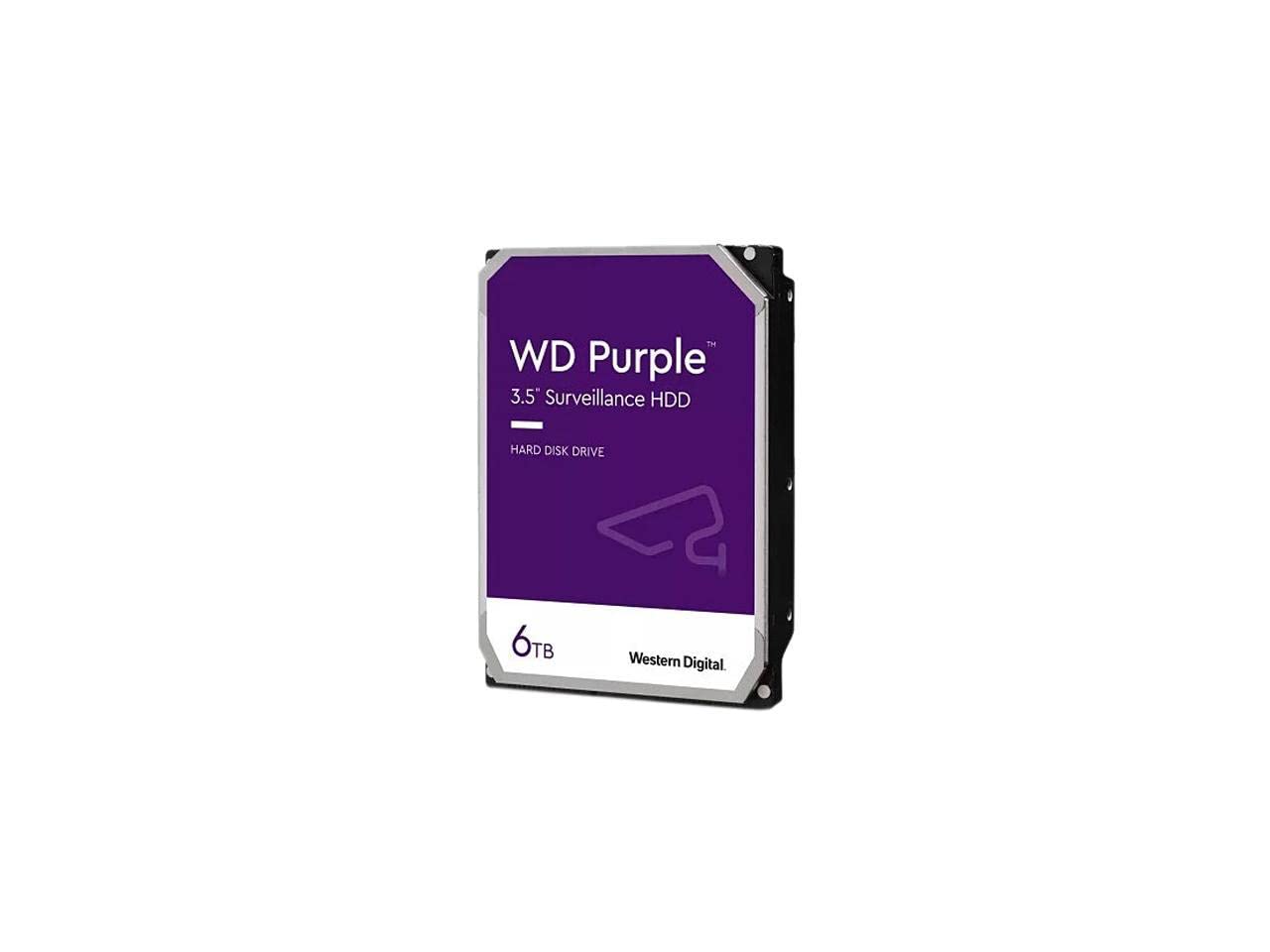
9. Western Digital 6TB WD Purple Surveillance Internal Hard Drive
A 6TB recorder drive tuned for write-heavy surveillance streams, not file edits.
If you’re replacing the failed drive in a DVR or NVR security system, this is the drive engineered for exactly that job. The WD Purple is a 3.5-inch SATA drive with 6TB capacity and a 256MB cache, purpose-built for the write-intensive, low-bit-rate, high-stream-count workloads of video surveillance. Its AllFrame technology tune the drive for continuous recording, and it’s rated for up to 180 TB per year of workload — the manufacturer’s annual data-transfer ceiling for sustained camera writes.
Quality is what owners praise most, and installation is a close second — buyers describe swapping it into a NightOwl or Tigersecu DVR as genuinely easy, with one non-technical owner doing the swap themselves. A long-term user reported drives running 24/7 for 5-6 years with healthy SMART diagnostics, and another confirmed it handles four simultaneous 4K recordings. The 4TB-and-up versions also use tarnish-resistant components for harsher environments.
The durability picture is honestly mixed — while some units run for years, one failed after about 42 days with a buzzing sound, and the data shows failures after roughly 18 months for a minority. Noise is also a topic, with some owners finding it acceptable for 24/7 use and others noticing it. This is a recorder drive: great for constant writes, not a general-purpose desktop vault, and a failed unit here means lost footage, so keep an eye on SMART health.
the cam storage: choose this for a CCTV DVR or NVR that needs a 256MB cache and write-tune endurance rated for 180 TB per year.
avoid for gaming: general desktop storage or gaming — a WD Blue is the better fit there.
10. Seagate IronWolf ST6000VN001 6TB NAS Hard Drive

A 6TB NAS drive that trades spin speed for quiet, dependable array life.
Seagate’s IronWolf line is purpose-built for NAS servers, and the ST6000VN001 is the entry point. It’s a 3.5-inch SATA drive with 6TB capacity, 5400 RPM, and a 256MB cache — the largest cache on any drive at this price tier. The 5400 RPM spin is the deliberate compromise: it runs cooler, quieter, and draws less power, which is exactly what you want in a multi-bay array that never sleeps.
An owner who upgraded a NAS from 2TB WD Reds picked this for CMR reliability — that’s the recording method where data is written directly without overlap, which matters for RAID arrays because it avoids slowdowns during rebuilds. That buyer called it a good balance of spin speed, capacity, transfer rate, and power, and said they’d rebuy from the seller. The 256MB cache keeps sustained transfers moving despite the lower RPM.
The catch is a genuinely mixed reception on arrival. Several units in the data arrived dead on arrival or faulty, and there’s a documented speed dispute — the listing says 7200 RPM in places while the packaging reads 5400 RPM, which one buyer slammed as false advertising. It’s also important to know this drive spins at 5400 RPM, so don’t expect the snappy feel of a 7200 RPM enterprise unit. For a quiet, low-power NAS where reliability matters more than burst speed, it’s a solid pick when you get a good one.
the home nas: reach for this if you want a 256MB-cache NAS drive that runs quiet and cool in a multi-bay enclosure.
skip for heavy: you need guaranteed 7200 RPM speed or you can’t tolerate an occasional DOA unit and the return process.
11. Seagate IronWolf Pro 6TB Enterprise NAS Hard Drive

The 7200 RPM 256MB-cache NAS drive for multi-bay, multi-user environments.
This is the step-up version of the entry IronWolf, and the upgrade is all about speed and endurance. It’s a 3.5-inch SATA III drive with 6TB capacity, 7200 RPM, and a 256MB cache — the same big cache as the entry model but with a faster spin for snappier array performance. It’s a CMR drive, meaning it writes data directly without overlap, which keeps RAID rebuilds from crawling. The average latency is 4.16 milliseconds, which is the spec that tells you how quickly the drive can find and start reading a requested block after the head positions.
Owners describe it as “silent” and “fast as for hdd,” with one happy to have it in desktop builds alongside NAS enclosures. Another buyer called it “perfect condition upon arrival” with drives working at full capacity, and the customer service got a shout-out for being excellent. The 256MB cache paired with 7200 RPM makes this the most responsive NAS drive on this list.
The honest caveats are new-unit wrinkles: one owner flagged that drives arrived with no warranty despite being advertised with one, so verify your coverage right away. It’s also the premium pick price-wise, sitting at the top end of the lineup. If you run a busy multi-user NAS or want the fastest spin speed with the biggest cache, this is the drive to reach for — just confirm the warranty on arrival.
the pro nas: grab this if you run a multi-bay, multi-user array and want 7200 RPM with a 256MB cache and CMR reliability.
overkill for most: you’re on a strict budget or you want the quieter, lower-power 5400 RPM IronWolf instead.
Understanding the Specs
Rotation Speed: 5400 vs 7200 RPM
This is how fast the platters spin inside the drive. 7200 RPM gives you faster access to files, which you feel when loading games or pulling up old media on a NAS. 5400 RPM runs cooler, quieter, and uses less power — a better fit for a backup drive that sits idle or a multi-bay NAS that never sleeps. Choose RPM based on your workload—7200 for gaming/NAS, 5400 for quiet backups.
Cache Size: 64MB, 128MB, or 256MB
The cache is a small buffer that holds frequently used data so the drive doesn’t have to fetch it from the platter every time. A larger cache — 256MB versus 64MB — smooths out bursts of writes and makes sustained transfers feel steadier. A larger cache benefits write-heavy tasks like surveillance or busy NAS, not occasional backups.
FAQ
Why does a 7200 RPM drive cost more than a 5400 RPM drive at the same capacity?
Can I use a desktop drive like the WD Blue in a NAS enclosure?
What does CMR mean and why does it matter for RAID?
Is a renewed enterprise drive as reliable as a new retail drive?
Why does my 6TB drive show less usable space after formatting?
Can a 2.5-inch portable drive run without a power adapter?
What is a workload rate and how much do I need?
How do I check if my refurbished drive is healthy before trusting it?
Which 6TB drive is best for a PlayStation 4?
What’s the difference between the WD Elements and WD My Passport?
Final Thoughts: The Verdict
For most people, the 6 tb hard drive winner is the WD Elements Portable because it’s the only truly pocket-sized 6TB drive that backs up a Windows laptop or console with zero setup and no power cable. If you want hardware encryption and ransomware defense while you travel, grab the WD My Passport. And for a NAS that runs 24/7, the Toshiba MG Series is the one to reach for — its enterprise-grade vibration sensors and 5-year warranty make it the crowd favorite among owners running multi-bay arrays, outshining even the higher-priced desktop drives in long-term dependability.
How We Picked
We do not accept paid placement. Every pick is matched to a real buyer and a real use-case; we do not hands-on test units.
Sources & Methodology
Specifications: manufacturer listings and product documentation. Review insights: verified customer reviews, as of August 2026. Pricing: not shown on this page (it changes often); check the current price via the retailer link.
As an Amazon Associate, Gadgets Feed earns from qualifying purchases. This does not affect which products we feature.