
Our readers keep the lights on and my morning glass full of iced black tea. As an Amazon Associate, I earn from qualifying purchases.
Specs are compiled from manufacturer listings and verified buyer reviews and can change over time — please confirm the key details on the product page before buying.
Three monitors mean three stands, three base plates, and one desk that has to hold it all without bowing in the middle. A proper 3 monitor desk provides a continuous, level surface so three screens sit side by side without crowding. This guide covers desks with wide desktops, built-in monitor risers, and triple-monitor risers.
I’m Min — the founder and writer behind Gadgets Feed. This guide is built by comparing the manufacturers’ published specifications and the patterns across verified customer reviews, so you get each pick’s real strengths and trade-offs instead of marketing spin.
You need a desk that holds three monitors without wobbling or crowding your keyboard. This roundup covers depth, weight limits, and assembly effort, from a 66-inch corner desk with built-in power to a motorized riser for three 32-inch screens.
Our Picks at a Glance


How To Choose The Best 3 Monitor Desk
Before you buy, think about how your monitors actually sit on the surface. Three separate monitor stands take up far more depth than three screens on a single mount, so the desk’s depth and whether it has a built-in riser matter just as much as its total length.
Depth Is the Real Bottleneck
Desktop depth, not width, determines whether monitor stands fit without their bases hanging off the edge. Look for a surface that is roughly 24 inches deep or more if you plan to use standard monitor feet, or pair a shallower desk with a riser that lifts the screens up and back.
Built-In Riser vs. Standalone Converter
A fixed monitor shelf raises your screens to eye level and creates storage underneath, which is ideal for a static desk. A standing desk converter adds movement — you can lift the whole monitor setup from sitting to standing height — but it has a weight limit you must respect. Check the rated capacity against the combined weight of your three monitors first.
Power and Cable Management
Three screens, a tower, and peripherals generate a lot of cables. Built-in AC outlets and USB ports reduce wall-wart clutter, while grommet holes or an open back enable clean cable routing. If the desk lacks both, plan on buying a cable tray or clips.
Quick Comparison
| Model | Best For | Desktop Width | Power & USB | Monitor Support | Amazon |
|---|---|---|---|---|---|
| ODK 66″ L-Shaped★ Best Overall | Best Overall | 66″ | 3 Outlets + 2 USB | Full Monitor Stand | Amazon |
| SEDETA 79″Triple Monitor Ready | Triple 27″ Screens | 78.7″ | Power Strip | Monitor Shelf (3) | Amazon |
| Bestier 71.5″Best Value | Power Outlets & RGB | 71.5″ | 4 Outlets + 2 USB | Monitor Stand | Amazon |
| FLEXISPOT 42″ Riser | Convert Any Desk | 42″ | — | 33 lbs Top Deck | Amazon |
| SEDETA 79″ Hutch | Storage & Shelves | 55″ | — | Integrated Stand | Amazon |
| Rocelco 46″ Bundle | Riser + Mount Bundle | 45.75″ | — | Triple Mount Arm | Amazon |
| VERSADESK PowerPro 40″ | Electric Premium Riser | 40″ | 1 USB Port | 80 lbs Capacity | Amazon |
| Mount-It! Electric | Compact Triple Mount | 28.3″ | — | 3x 32″ Mounts | Amazon |
| FEZIBO 63″ L-Shaped | Electric L-Shaped | 63″ | 2 Outlets + USB-C | Full Monitor Stand | Amazon |
| AVLT Electric Riser | Tall Vertical Range | 28.3″ | — | 3x 32″ Mounts | Amazon |
| Victor High Rise | Stable Triple Mount | 28″ | — | 20 lbs Surface | Amazon |
In‑Depth Reviews
1. ODK 66″ Large L Shaped Gaming Desk with Power Outlet & LED, Black
Our pick — over 4.5★ from 950+ verified ratings; the strongest balance of quality and price.
A corner desk that turns a wall into a three-screen command center with 66 inches of reach.
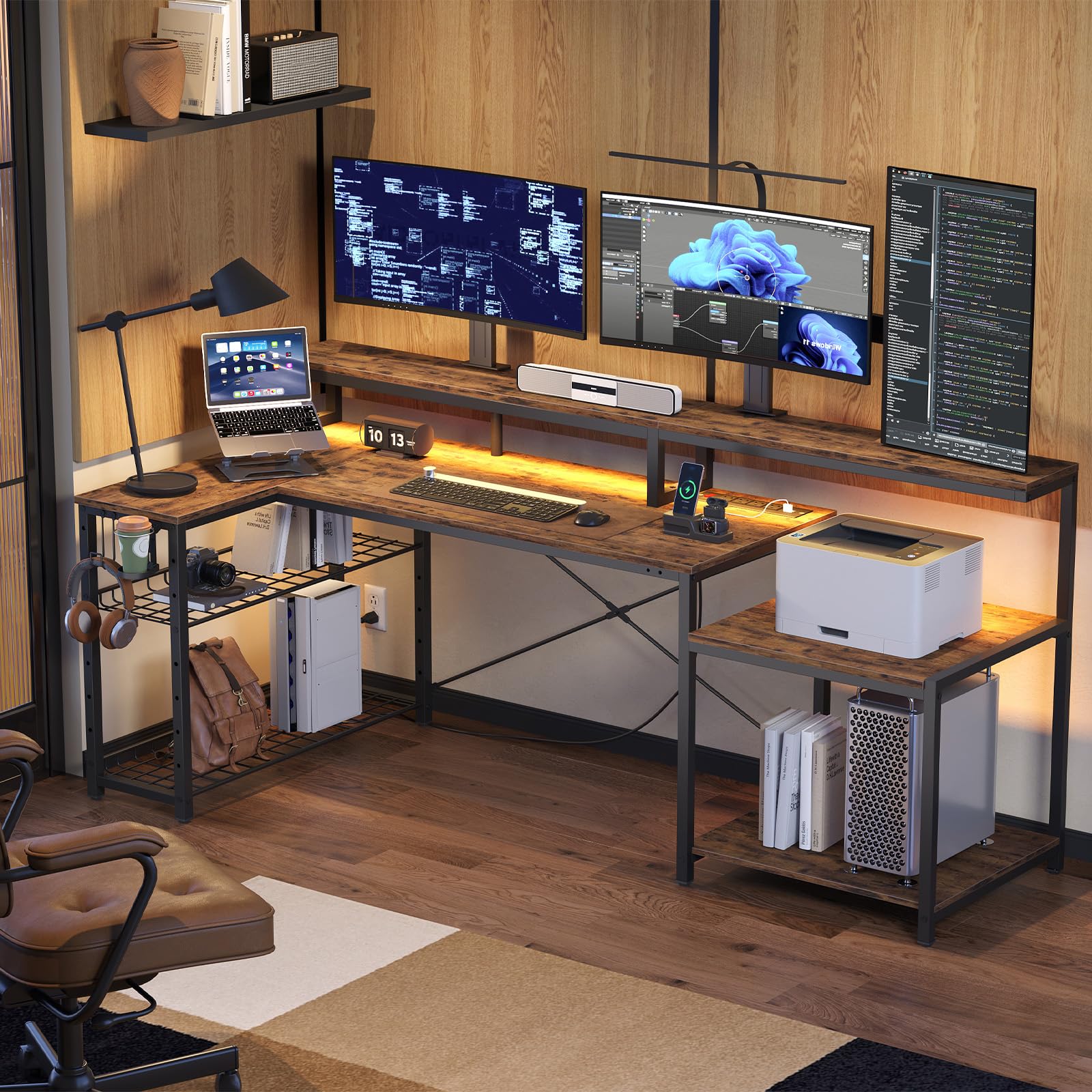
The ODK earns its spot because it is the rare L-shaped desk with a full monitor stand running across the main surface, so you can line up three screens at eye level instead of dropping them onto the desktop. The center section of the main desktop is 36″ long — a full 10 inches longer than the common 26″ desktop — which is the difference between a cramped triple setup and one where each monitor gets room to breathe. Buyers report the monitor risers are the most impressive part, doubling the usable space underneath for keyboards, controllers, and gear.
Power is built into the frame rather than tucked behind it: 3 standard plug outlets and 2 USB ports live right in the desk, so a laptop, phone, and charging cables stay within reach. The desk is reversible too, meaning you can set it up as a left or right corner configuration depending on where your room’s outlets and windows sit.
Quality is what wins people over here — owners consistently praise the sturdy build and the clean carbon-fiber look, and the LED lighting in 10 colors with 10 modes adds atmosphere without being overwhelming. The honest trade-off is assembly: most report a 3-4 hour solo build, and a drill is recommended, though every part arrives included with clear L/R instructions. A few note that the LED wire holders can arrive cracked, which is a minor cosmetic grievance on an otherwise solid desk. The crowd favorite sits comfortably at 4.7 stars across 900+ ratings.
What Buyers Rave About
- Full-length monitor stand improve three screens to eye level
- Built-in power outlets and USB ports keep cables tidy
- Reversible corner design fits left or right wall layouts
What to Plan For
- Assembly runs 3-4 hours solo; a drill is recommended
- Monitor stands are shallow for very large feet — check your base size
- Occasional cracked LED wire holders on arrival
Reach for this if: you want a corner desk with an integrated monitor riser, built-in power, and enough surface for a true triple-screen setup.
Look elsewhere if: you have very large monitor feet or want a desk that assembles in under an hour without power tools.
2. SEDETA 79″ Gaming Desk with Fabric Drawers Storage, LED Light & Power Strip
A 78.7-inch wing-shaped surface that swallows three curved monitors without crowding.
This is the desk for people who run three 27-inch curved screens side by side. The 21.7″ depth gives monitor stands a solid footing, though a few owners found the 7″ deep shelf shallow for their specific mounts.
Storage is where this pick separates itself: two fabric drawers sit under the surface for clutter-free organization, plus a CPU stand, 2 headphone hooks, a cupholder, and a free oversized mouse pad. The LED strip can be installed anywhere on the frame and is controlled through an app for color and rhythm changes.
The metal frame supports up to 352 lbs, and adjustable leg pads keep it stable even on carpet. Assembly is manageable at roughly 1-1.5 hours, though a few report screws that need pre-inserting to avoid alignment issues. The recurring practical note: the keyboard tray fits 108-key or 87-key keyboards fine, but some owners left it unused in favor of the main surface.
What Wins People Over
- Wide 78.7″ desktop holds three 27″ curved monitors
- Two fabric drawers plus CPU stand keep gear organized
- Carbon fiber finish looks and feels premium
What to Expect
- Monitor shelf is shallow — some need custom mounts
- Alignment can be tricky if screws are over-tightened
- Desktop is not a single piece; small gaps between shelf sections
Best suited for: gamers and traders who need a wide, wrap-around surface for three big curved monitors plus drawers for gear.
Think twice if: you want a one-piece smooth desktop top rather than a multi-section assembled surface.
3. Bestier 71.5″ L Computer Desk with Power Outlets, Rustic Brown
A 71.5-inch desk with its own power station — six devices charged without a single wall wart.
Three monitors and a laptop add up to serious power needs, and this Bestier desk handles it with 4 AC power sockets plus 2 USB charging ports running at 120V/12A with a 1500W rating. That means your screens, tower, phone, and tablet all plug straight into the desk surface, and the 2 USB ports at 5V 2.2A keep phones and tablets topped up. The desktop measures 71.5″L x 31.5″W x 19.7″D, and the listing is explicit: it accommodates at least 3 computer monitors and 1 laptop.
The built-in monitor stand spans 71.5″L and stands 5.9″H, which buyers at 5’10” found ideal for eye-level viewing. Underneath, a metal grid can be set to 3 different heights and tilted, giving you flexible storage for a printer, CPU, or console. The RGB light strip under the monitor stand offers 20 static colors and 22 dynamic modes with adjustable speed and brightness.
What wins people over is the quality and how easy assembly turns out to be — owners consistently describe clear directions and a sturdy, wobble-free build that holds up after months of use with no stains or sagging. The appearance draws real praise too, fitting neatly into bedrooms and apartments. The trade-off to know: the bottom shelf leaves only about 0.5″ of clearance for some PC towers, and the monitor shelf is shallow enough that some large monitor bases overhang slightly. Owners also note the LEDs are USB-powered, drawing one of the ports. The crowd rating sits at 4.7 stars across 800+ ratings.
Why Owners Rate It High
- 6-device power station built into the surface
- Easy assembly with clear directions
- RGB strip with 20 static colors and 22 dynamic modes
Fit Notes
- Bottom shelf may be tight for very tall PC towers
- Monitor shelf shallow for extra-large monitor feet
- LEDs are USB-powered, using one of the two ports
Grab this when: you want generous power built into the desk plus a spacious surface that holds three monitors and a laptop.
skip it if: you have a full-tower PC case that needs more than 0.5″ of bottom-shelf clearance.
4. FLEXISPOT Standing Desk Converter 42″ Premium Large Desk Riser for Triple Monitor, Walnut
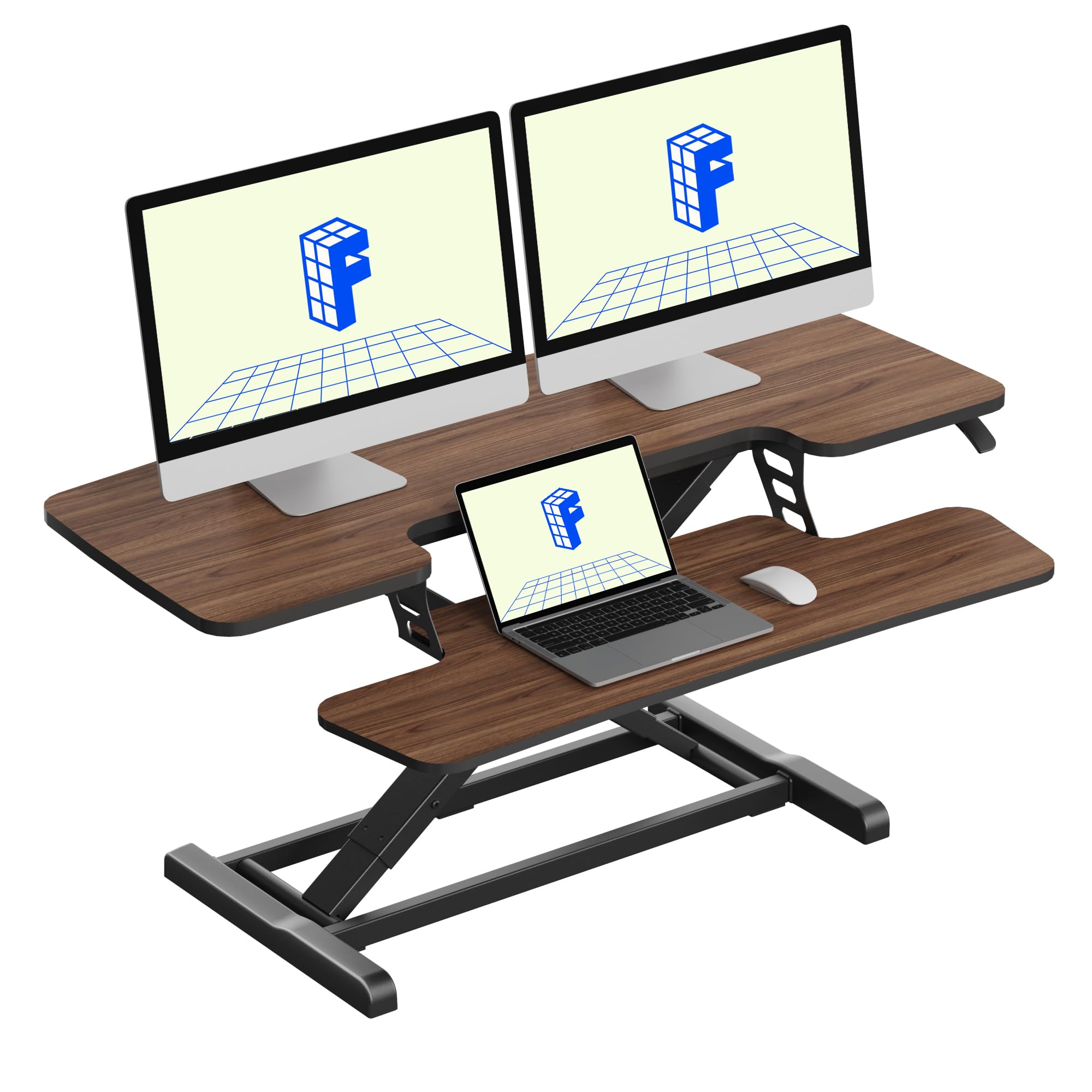
A sit-stand riser that turns your existing desk into a three-screen standing workstation in minutes.
If you already own a desk you love, the FLEXISPOT 42″ lets you keep it while adding a full standing capability for three screens. The 42-inch wide top deck supports up to 33 lbs — enough for three monitors plus a laptop — while the keyboard tray holds 4.4 lbs. Rather than gas springs that can leak air and lose performance over time, this uses a patented-pending mechanical spring system with high-quality steel spring wire, so the lift stays smooth and consistent.
Setup is genuinely quick: it arrives almost fully assembled, and you simply attach the keyboard tray without complicated tools. Buyers describe the lift as smooth and stable with no wobble while typing, and switching between sitting and standing takes just a squeeze of the handle. The ergonomic keyboard tray keeps your arms at a natural angle, which is exactly what you want during long work sessions.
Several owners specifically mention it’s easy enough to put together alone and has held up well over months of use. The one honest caution is the weight limit: two monitors at 27 inches or larger will put you near the 33 lbs max, so check your screen weights first. Assembly gets universally positive feedback, needing only a Phillips screwdriver despite the included Allen wrench.
Why it converts well: The spring-lift mechanism avoids the sag that gas-spring risers develop, so your three screens stay put day after day.
The fitting note: It’s near its 33 lb limit with two large monitors, so triple setups with big screens require careful weight math.
Made for: anyone with a solid existing desk who wants sit-stand flexibility for three monitors without buying a whole new desk.
Not for: setups where three very large monitors push past the 33 lb top-deck limit.
5. SEDETA 79” Gaming Desk with LED Lights, Hutch and Storage Shelves, Black

A desk with a hutch and shelves that keeps three monitors, speakers, and a tower in one tidy zone.
This SEDETA is built for the person who wants everything — screens, speakers, console, and tower — organized above and below the surface. The 55″L x 21.6″W desktop holds a keyboard, mouse, and accessories comfortably while two large storage shelves below accommodate a CPU tower, books, speakers, or a PS4 and Xbox. A top hutch adds even more display space for figures and plants.
The integrated monitor stand places your screens at an ergonomic height that reduces head and neck fatigue during long sessions, and it leaves the desktop feeling open rather than cluttered. Owners mention the desk fits dual 28″ monitors with speakers and a lamp all at once, with room to spare. The LED system is the flashiest here: over 60,000 colors and 29 flashing modes with a music-sync function and a sensitivity-adjustable mic built into the strip.
Quality is the most-praised trait — owners describe it as super sturdy with great instructions and numbered parts, and one notes it held up well over a year of daily use. Assembly runs 2-3 hours depending on pace, and the included L-wrench can wear out mid-build, so a screwdriver adapter helps. The appearance earns particular mention for not looking edgy, which makes it work in a home office as easily as a gaming room.
The storage edge: Two large shelves plus a hutch mean your tower, console, and speakers all have a designated spot instead of crowding the desktop.
What to know: The LED strip’s color control runs through an app with a timer function, giving you atmosphere without a physical remote.
Choose this for: a tidy all-in-one workstation where monitors, speakers, and a tower all live in one organized footprint.
Pass if: you need a wider than 21.6″ desktop for ultra-wide monitor stands.
6. Rocelco 46″ Large Height Adjustable Standing Desk Converter with Triple Monitor Mount BUNDLE
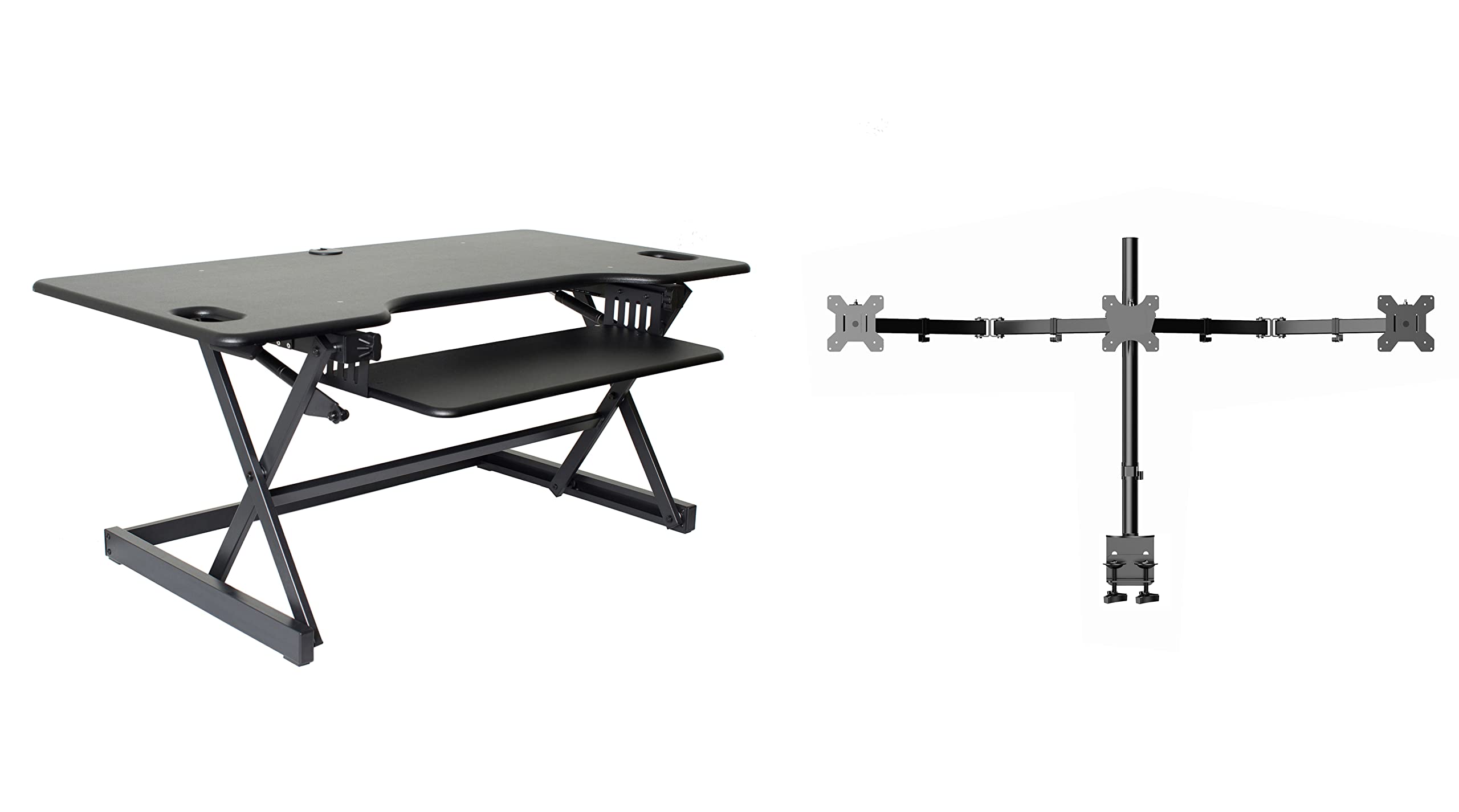
A riser and triple monitor arm in one box — lift three screens to standing height with a gas-piston handle.
You save money and setup time with this bundle because it pairs the 46″ Rocelco riser with a triple monitor arm, so you don’t have to buy the mount separately. The 45.75″ wide by 23.25″ deep desktop holds up to three medium monitors or two large ones, and the retractable keyboard tray (25.75″ x 11.25″) extends while keeping a 4.5″ spacing from the desktop for a natural arm angle. The gas piston assist raises and lowers up to 45 pounds with continuous adjustment from 5″ up to 20″ above your desk.
The straight up-and-down motion means the riser needs only 23.25″ of depth, which fits on most standard desks. A grommet hole in the surface provides cable routing for the monitor arm or a laptop charger. With the triple mount attached, customers note the monitors tilt and turn easily with convenient cable clips keeping everything tidy.
The main trade-off to weigh is stability under heavy loads. The surface is the most-mentioned topic, and the honest read is mixed: some find it sturdy, but others report the surface bends slightly under the weight of three monitors, causing a frame droop that a shim can fix. Assembly gets positive marks — the riser arrives preassembled and the monitor arm is the more complex part. One caution: the included monitor arm has drawn the harshest feedback, with one owner calling the desk five stars but the arm unusable after it wouldn’t tighten. If you already have a solid triple mount, this bundle’s value shifts depending on trust in the included arm.
What stands out: Having the riser and triple mount ship together means one package covers your whole sit-stand conversion.
The honest catch: Stability is the most-discussed point, and it’s a mixed bag under heavy triple-monitor loads — be ready to add support.
Reach for this if: you want a quick sit-stand riser with a triple mount included and can manage some DIY support for heavier screens.
pass on it if: you need a guaranteed rock-solid platform for three very large monitors.
7. VERSADESK PowerPro 40 Inch Electric Standing Desk Converter
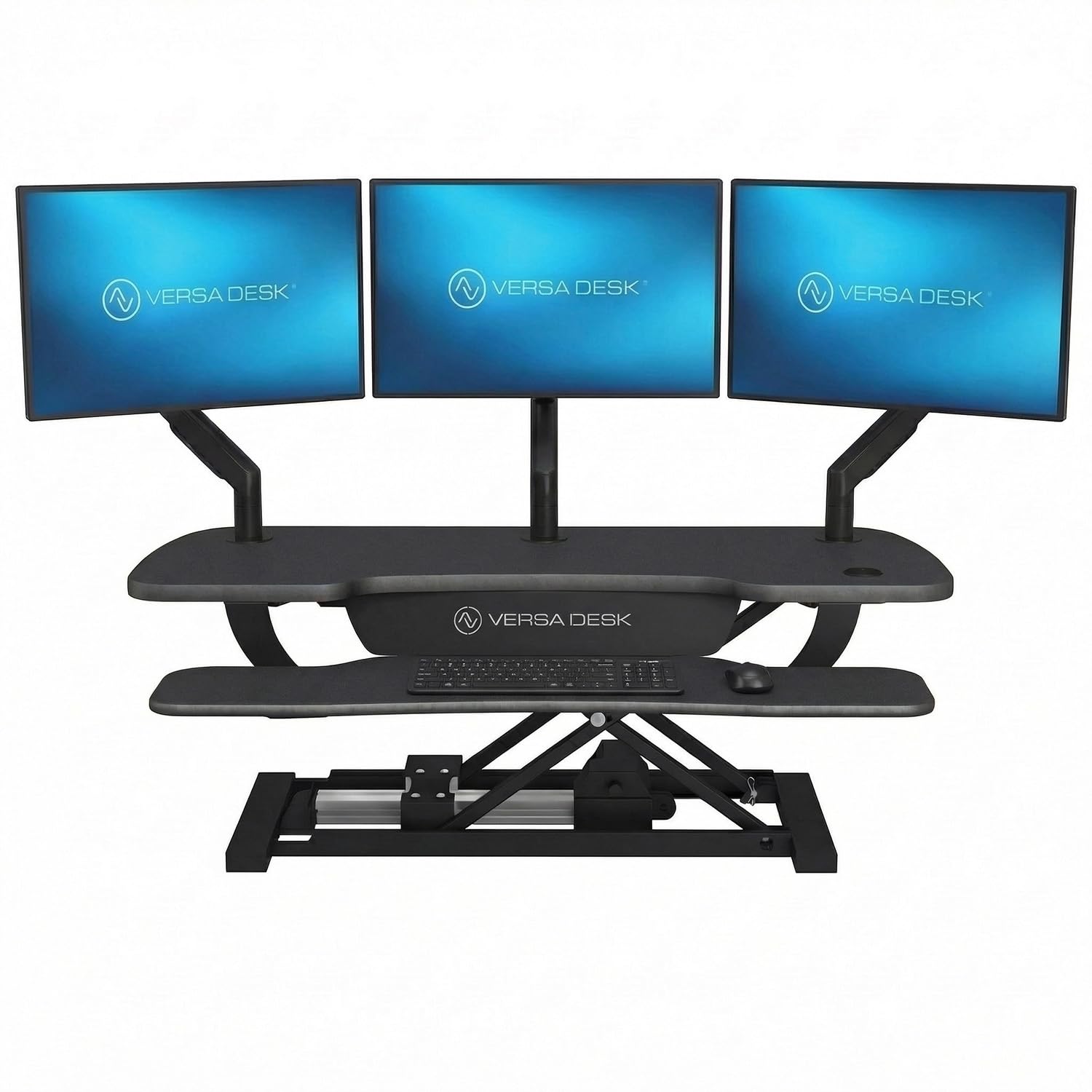
A push-button electric riser that lifts up to 80 pounds — enough for three monitors and a laptop.
When your triple-monitor setup is heavy, the VERSADESK PowerPro is the pick that handles it without breaking a sweat. Its carbon steel construction supports up to 80 lbs, which is far above what most risers allow, and the quiet motorized lift moves smoothly at the touch of a button. The generous 40″ surface supports dual monitors or up to 3 monitors plus a laptop with a split-level two-tier design that keeps screens and keyboard at natural heights.
A built-in USB charging port keeps devices powered without extra cable clutter, and three grommet holes give you clean routing for cables and an optional monitor arm. The child safety lock prevents accidental height adjustments, which matters in shared or family spaces. It ships fully assembled — you attach the keyboard tray with just 4 screws and start working, no tools required.
Smooth operation is the consistent theme in owner feedback, with the electric push-button system described as easy and quiet. The build quality gets repeated praise, and one buyer notes it held three 32″ monitors plus a laptop with excellent stability — a deciding factor after a recovery that required standing breaks. Assembly is a positive at 4 screws, and the lifetime warranty plus 30-day returns back the premium price. The caveats: the keyboard tray is fixed and shallow, so a split keyboard may overhang, and an occasional unit arrives with minor scratches or a popped screw. The 4-star-plus crowd rating reflects real satisfaction at 4.4 stars.
What Makes It Premium
- 80 lb capacity handles three large monitors plus a laptop
- Quiet push-button electric lift with child safety lock
- 4-screw assembly — ready in minutes with no tools
What to Watch
- Keyboard tray is fixed and shallow; split keyboards overhang
- Heavier and slower to move than manual risers
- Occasional cosmetic scratches on arrival
Buy this when: you run three big monitors plus a laptop and want a motorized riser that carries the weight smoothly.
Pass if: you prefer a wider, deeper keyboard tray for a split ergonomic keyboard.
8. Mount-It! Triple Monitor Electric Standing Desk Converter
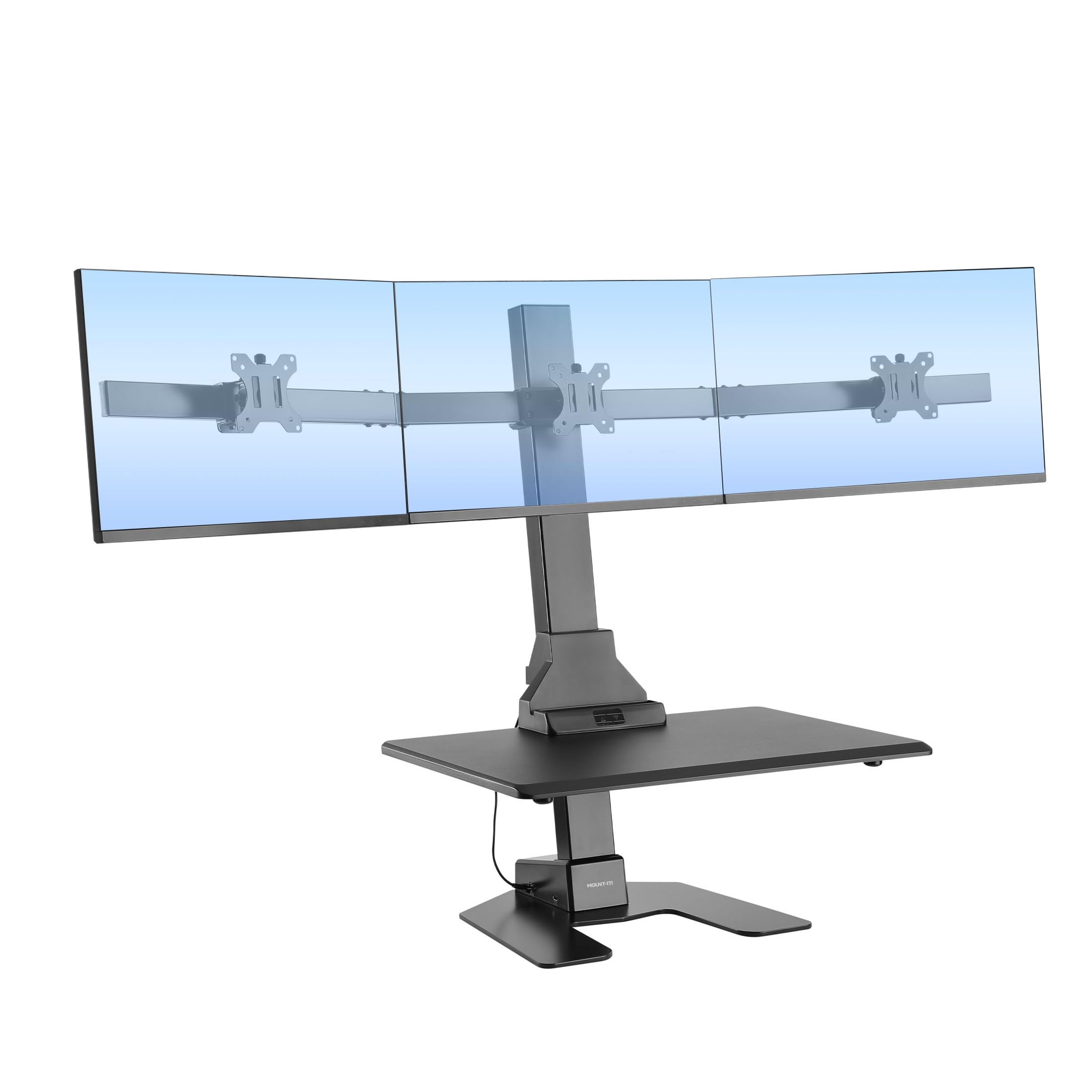
A space-saving electric riser with three VESA mounts built in — no separate arm to buy.
If floor space is tight, the Mount-It! packs a full triple-monitor workstation into a compact footprint. It supports three screens up to 32 inches each on built-in VESA-compatible mounts, with a 28.3 x 18.9-inch desktop below for your laptop, keyboard, and mouse. Each mount offers tilt, swivel, and rotation, so you can position the screens for multitasking without eye strain.
The electric motor lifts everything with the touch of a button, and the sturdy frame holds up to 55 lbs. Reviewers point out the motor is strong and raises the platform high, and that the post-leveling keeps things stable. The package includes a cable management system and a dedicated spot for a tablet or phone, which keeps the small footprint organized.
Adjustability is the most-discussed aspect, and it’s honestly mixed — some found it works great, while others report the side arms hold monitors flat with insufficient tilt for a 32-inch center with 27-inch wings. Assembly gets mixed feedback too: some find it easy, while others recommend two people and warn the solo build took 2 hours with unclear instructions. The standout positive is power — owners consistently confirm the strong, reliable motor that raises the platform well. One owner reports five years of reliable use and a warranty claim handled quickly with a replacement ordered within a day.
The compact win: Three VESA mounts on a single riser base mean you don’t sacrifice desk real estate for a separate monitor arm.
The fit caution: Adjustability is the most-mentioned topic and leans negative for mixed-size setups — check your monitor sizes before committing.
Best for: small offices where three same-size screens on a motorized riser need to fit in a compact footprint.
Not ideal for: mismatched monitor sizes like a 32-inch center with 27-inch side screens that need precise tilt.
9. FEZIBO 63″ Triple Motor L Shaped Standing Desk with LED Strip & Power Outlets

A full standing L-desk with three motors that lifts your entire corner setup at 35mm per second.
For a true full-desk standing conversion, the FEZIBO doesn’t sit on top of an existing desk — it replaces it. The L-shaped corner design gives you a 63″L x 24″W work surface, and the triple motor system lifts the whole thing with a max load capacity of 330 lbs at a lifting speed of 35mm/s. Three preset buttons let you save custom heights between 27.56″ and 47.24″, and a collision-avoiding feature stops the desk if it hits an obstruction.
The built-in power strip includes 2 outlets, 1 USB port, and 1 USB-C port, so your triple-monitor setup and phone all get power without an extra strip. A full monitor stand raises your screens for an ergonomic eye view, and the 92-inch-long LED strip offers 358 preset modes controlled by a remote. Buyers who got a good unit describe it as sturdy and great for a 3-monitor mount, with assembly manageable in about 2 hours with two people.
The honest picture here is more mixed than the other picks. Quality is the most-mentioned aspect and it splits opinion — some call it a lovely piece of furniture while others describe serious problems. A few shoppers say the control box or motor legs failing, sometimes with an E04 error code that persisted even after replacements. Assembly instructions are the weakest link, with one owner counting two overlapping instruction sets and a panel seam gap of 1/8″. If you get a working unit, the value is real; if you don’t, the company is responsive but hasn’t always solved the underlying motor issue. This is the pick to weigh carefully.
The upside: A triple-motor corner desk with a 330 lb load capacity and built-in USB-C power is rare at this level.
The risk: Quality and functionality both draw mixed feedback, with a few units arriving with motor failures that replacements didn’t fully fix.
Reach for this if: you want a corner standing desk with genuine 330 lb lifting power and USB-C convenience.
Think twice if: you can’t tolerate the risk of a finicky motor control box — this one has a real defect rate.
10. AVLT Electric Standing Desk Converter for Triple 32″ Monitors Motorized

A motorized riser with a 23.6-inch lift range — the tallest vertical travel on this list.
For taller users or desks that sit low, the AVLT offers the longest lift range here: from 3.9 in up to 23.6 in above your existing desk. The motorized system includes a memory function that stores up to 3 height presets, and an integrated timer reminds you to stand during long work sessions. Supporting 32-inch VESA-compatible monitors, the riser uses a counterbalanced high-density base that holds up to 55 lbs in a small footprint.
The work surface measures 28.3 x 15.7 in with a 28.3 x 8.7 in keyboard tray, giving you space for a laptop, tablet, keyboard, and daily essentials. Buyers describe the unit as heavy-duty and reliable, with quiet operation when raising and lowering. Buyers report attaching three 27-inch monitors without trouble, and one notes it’s sturdy enough to handle two TVs at once.
Quality gets the most positive praise here — owners consistently call it well-built with quality materials. The honest drawback is adjustability, which draws negative feedback: some report the hinges holding monitors forward keep falling back to 180-degree angles over time. A corner-placement buyer warns the advertising overstates how well it works in a corner. Assembly is mixed, generally manageable but with occasional alignment gripes. It’s a solid, tall riser for straight-on triple setups, not for corner configurations.
The standing edge: A 23.6-inch lift range means it works on low desks and for tall users where shorter risers top out.
The honest drawback: The monitor hinge design has drawn negative adjustability feedback, with screens drifting back to 180 degrees over time.
Choose this for: straight-on triple monitor setups that need a tall lift range and quiet motorized operation.
Look elsewhere if: you plan a corner placement or want monitor hinges that hold aggressive angles without drifting.
11. Victor High Rise Electric Sit-Stand Standing Desk Converter, Black

A steel-and-aluminum riser with triple mounts and a safety sensor that stops on contact.
The Victor High Rise is built for stability first, so your three monitors stay put even when you bump the desk. Its steel and aluminum construction gives it a dependable feel, and the heavy-duty padded base protects your existing desk surface without needing clamps or permanent installation. The electric lift adjusts from 1 to 20 inches above your desk with the touch of a button, and a built-in safety sensor automatically stops movement if it detects an obstruction — a real safety feature in shared spaces.
Triple monitor support is flexible: it accommodates three 23-inch screens or two large 34-inch monitors. Each mount offers independent 12.5-inch height adjustment, 140-degree swivel, 360-degree rotation, and 90-degree tilt, all on VESA-compatible hardware. The 28 x 23-inch work surface supports up to 20 pounds for a keyboard, mouse, phone, and daily essentials, with a scratch-resistant laminate finish.
Stability is the most-praised trait — buyers describe the unit as stable and sturdy, with one noting it’s held up for over 1.5 years of daily use. The smooth quiet electric lift gets consistent praise, and owners mention it holds three 24-inch monitors comfortably. Value for money is the second most-praised aspect. The honest caveats: one buyer notes a slight wobble when the platform is raised to full height, and another mentions a minor assembly confusion from unmarked left/right arms. It lacks a height memory button, which is a small miss at this level. The positive owner sentiment is captured in the 4.4-star rating.
What wins people over: The stability is the headline — a solid steel-and-aluminum build that doesn’t wobble with three monitors attached.
The fitting note: A mild wobble appears at full height for some, and there’s no preset height memory button.
Best for: buyers who want a steel-stable riser with triple mounts and a safety sensor, backed by strong long-term owner reports.
Consider alternatives if: you need height presets or want zero lateral movement at maximum extension.
Understanding the Specs
Desktop Width vs. Depth
Width tells you how many screens can sit side by side — a 66″ or larger surface easily fits three. Depth is what keeps monitor stands from hanging off the front edge. A 21.7″ or 24″ deep surface gives standard monitor feet solid footing, while a shallower top pairs better with a riser or VESA mount that lifts screens up and back.
Weight Capacity on Risers
Standing desk converters list a maximum load, usually between 20 lbs and 80 lbs. Three 27-inch monitors with stands can weigh 15-25 lbs combined, before adding a laptop. Always add up your actual gear and leave headroom — running a riser near its limit often causes droop, slow lifting, or a wobble at full height.
FAQ
Will a full-length monitor shelf hold three monitors at the same time?
What is the difference between a monitor shelfand a standing desk converter for a triple monitor setup?
How much weight can a triple monitor desk converter hold?
Will an L-shaped desk fit three monitors better than a straight desk?
Do I need a triple monitor mount if my desk has a monitor shelf?
How long does it take to assemble a 3 monitor desk?
What is a VESA mount and why does it matter for three monitors?
Is an electric standing desk converter better than a manual spring riser?
Will a 46-inch or 40-inch converter fit three monitors?
What should I do if my desk arrives with a damaged part?
Final Thoughts: The Verdict
For most buyers, the 3 monitor desk winner is the ODK 66″ L-Shaped Desk because it delivers a full-length monitor stand, built-in power outlets, and 66 inches of surface at a price that undercuts most competitors. If you want an electric riser with serious load capacity for three big screens, the VERSADESK PowerPro is the one to reach for. And for a wide straight desk that swallows three curved 27-inch monitors with drawers for gear, the SEDETA 79″ holds the crown.
How We Picked
We do not accept paid placement. Every pick is matched to a real buyer and a real use-case; we do not hands-on test units.
Sources & Methodology
Specifications: manufacturer listings and product documentation. Review insights: verified customer reviews, as of August 2026. Pricing: not shown on this page (it changes often); check the current price via the retailer link.
As an Amazon Associate, Gadgets Feed earns from qualifying purchases. This does not affect which products we feature.