
Our readers keep the lights on and my morning glass full of iced black tea. As an Amazon Associate, I earn from qualifying purchases.
Specs are compiled from manufacturer listings and verified buyer reviews and can change over time — please confirm the key details on the product page before buying.
An all-in-one computer packs the whole PC into the monitor, so you get rid of the bulky tower and the snake’s nest of cables under your desk. But picking the right one is a trade-off between screen size, processor muscle, and how much memory you actually need for your daily work. This guide breaks down eleven models to help you find the one that fits your desk, your workload, and your budget — without drowning you in tech jargon.
I’m Min — the founder and writer behind Gadgets Feed. This guide is built by comparing the manufacturers’ published specifications and the patterns across verified customer reviews, so you get each pick’s real strengths and trade-offs instead of marketing spin.
Whether you’re upgrading a home office or setting up a student desk, finding the right all-in-one computer means matching the screen, processor, and memory to how you actually plan to use it every day.
Our Picks at a Glance


How To Choose The Best All-In-One Computer
The right all-in-one balances screen quality, processor speed, and memory capacity to match your daily tasks. A weak processor makes even a sharp display feel sluggish, while a dull screen undermines a fast chip. Here’s how to match each component to your actual workload.
Match the Processor to Your Workload
The processor (the chip that executes instructions) determines how smoothly your all-in-one handles everyday tasks. For email, web browsing, and video calls, a mid-range Intel Core or AMD Ryzen chip is plenty. But if you edit photos, run many programs at once, or do creative work, you need a higher-tier chip with more cores and a higher maximum speed — the number (like 4.7 GHz) that tells you how fast it can think.
RAM and Storage Are Your Multitasking Muscle
RAM is the short-term memory that keeps your open programs running simultaneously. 8GB is the bare minimum for comfortable browsing; 16GB lets you juggle many tabs and apps smoothly; 32GB is for heavy multitasking and creative suites. Storage holds your files; a Solid State Drive (SSD) boots fast and opens apps instantly, with 512GB as a comfortable baseline and 1TB for ample photo and video space.
Don’t Overlook the Screen and Connectivity
Because the monitor is the entire computer, its quality directly affects your daily experience. Look for Full HD (1920×1080) resolution as the baseline, and consider IPS panel technology for wider viewing angles and truer colors. Check the ports, too — make sure it has enough USB ports for your devices, an HDMI port for a second monitor, and an Ethernet (RJ-45) jack if you prefer a wired internet connection over Wi-Fi.
Quick Comparison
| Model | Best For | Screen Size | Processor Speed | Memory & Storage | Amazon |
|---|---|---|---|---|---|
| Dell 23.8″ Core 3★ Best Overall | Everyday family use | 23.8″ FHD | 4.7 GHz | — / — | Amazon |
| STGSivir 22″ Core i5Budget Champion | Budget home office | 22″ FHD | 3.7 GHz | 16GB / 512GB | Amazon |
| STGSivir 24″ Core i7Smart Value Pick | Budget multitasking | 24″ FHD | 3.9 GHz | 16GB / 512GB | Amazon |
| Core Innovations 24″ | Basic browsing | 24″ FHD | 2.9 GHz | 4GB / 128GB | Amazon |
| Acer Aspire C27 | Gaming & media | 27″ FHD 120Hz | 4.3 GHz | 16GB / 1TB | Amazon |
| Lenovo 24″ N100 | Business reliability | 23.8″ FHD | 3.4 GHz | 32GB / 1TB | Amazon |
| ASUS V470 | Touchscreen lovers | 27″ FHD Touch | 4.6 GHz | 16GB / 1TB | Amazon |
| Lenovo IdeaCentre 27″ | Power users | 27″ FHD 100Hz | 4.9 GHz | 16GB / 512GB | Amazon |
| HP OmniStudio 27 | AI-ready creative | 27″ FHD | 4.6 GHz | 16GB / 512GB | Amazon |
| Dell 23.8″ Core 5 | Touchscreen productivity | 23.8″ FHD Touch | 5 GHz | — / — | Amazon |
| HP 27″ Copilot+ | Premium creative work | 27″ FHD Touch | 5 GHz | 32GB / 1TB | Amazon |
In‑Depth Reviews
1. Dell 23.8″ All-in-One Desktop, FHD, Intel Core 3 100U
Our pick — over 4.5★ from 250+ verified ratings; the strongest balance of quality and price.
The dependable family desktop that boots fast, stays silent, and handles a bit of everything.
This Dell is the crowd favorite because it nails the basics with zero fuss. The 23.8-inch Full HD IPS display covers 99% of the sRGB color range, so colors look vivid and true-to-life whether you’re streaming, working, or learning. Its 10 MB of cache memory gives it a 67% bigger buffer than budget rivals, which translates to snappier everyday response when you’re flipping between apps.
You get a faster, smoother experience with the Intel Core 3 100U processor, which peaks at 4.7 GHz — a full 27% higher ceiling than the entry-level STGSivir i5 — so spreadsheets, video calls, and even light gaming run without lag. The 5MP+IR camera (a 5-megapixel lens with infrared for low light) with HDR keeps you looking sharp in dim lighting, and the tilt adjusts from 0 to 20 degrees for a comfortable angle. Dual Bluetooth speakers with Dolby Atmos spatial sound (a surround-sound effect) fill the room with clear audio.
Owner feedback is overwhelmingly positive, with performance and ease of use being the two things people praise most. The reviews sum it up: “Great aio. It’s pretty fast for basic tasks and the display is good.” Buyers also report it connects well to Starlink, handles games, and stays impressively quiet — a rare combo in the all-in-one world.
Where It Shines
- Silent operation with smooth everyday performance
- Crisp 23.8″ FHD display with wide color coverage
- Dolby Atmos speakers deliver room-filling sound
- 1 Year Onsite Service from Dell
Fair Trade-Offs
- Lacks a fingerprint reader for quick logins
- No touchscreen option on this model
The pick for: families and home workers who want a reliable, quiet, great-looking machine without paying premium prices.
Reach elsewhere if: touch input or a fingerprint reader are must-haves, since this unit offers neither.
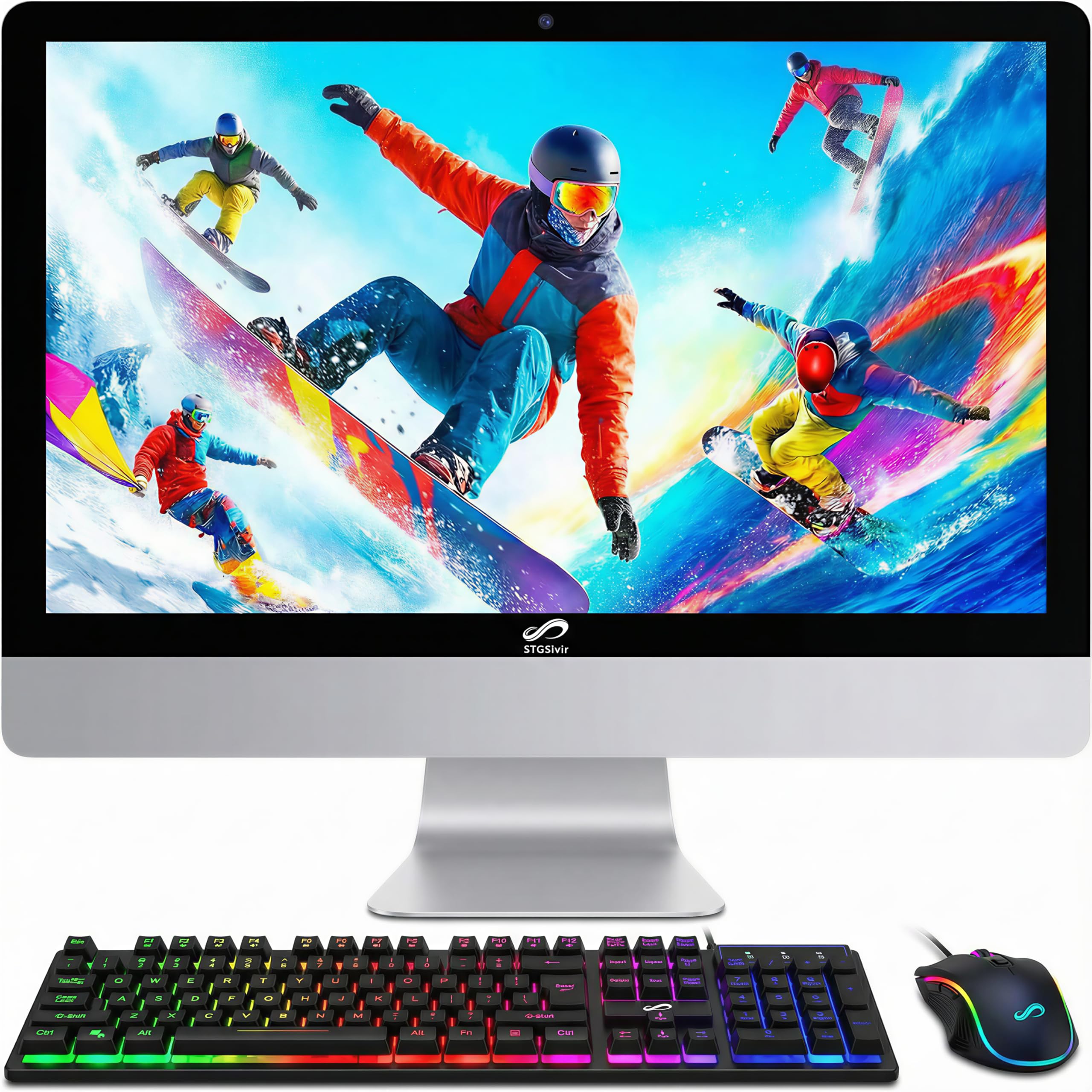
2. STGSivir All in One Computer PC, 22″ FHD, Core i5, 16GB RAM, 512GB SSD
A wallet-friendly 22-inch entry point with solid specs that gets you on-screen for less.
If your budget is tight but you still want a genuine all-in-one experience, this STGSivir delivers a 22-inch 1920×1080 Full HD LED screen, 16GB of RAM, and a 512GB solid state drive (a fast storage drive) — specs that beat many laptops at this price. The Intel Core i5 processor reaches 3.7 GHz, which is enough for study, business, streaming, and even photo editing. It’s clearly aimed at home, office, and school work, and the built-in webcam makes video sharing easy.
Connectivity is practical rather than flashy: USB 3.0, an RJ-45 Ethernet port, Wi-Fi with Bluetooth 5.0, plus HDMI and VGA outputs for hooking up a second display. The included RGB backlit keyboard and mouse add a touch of personality, and the whole thing is a plug-and-play setup with minimal cables. For someone working from home, the built-in webcam with auto-off and decent sound for Zoom calls checks the right boxes.
This is where the honest caveat lives: reliability feedback is genuinely divided. While some owners call it fast and great value, others report units that stopped working quickly, with one buyer saying “the fan has been going and is very loud” and another describing a frustrating support experience. This makes it best suited to light-duty use where you can tolerate some risk, not as a mission-critical workhorse.
What You Get
- Generous 16GB RAM and 512GB SSD at entry price
- RGB backlit keyboard and mouse included
- 1 Year parts & labor plus free lifetime tech support
The Fit Note
- Mixed reliability reports — some units have fan or startup issues
- 22″ screen is smaller than most competitors
Suits you if: you need an inexpensive secondary PC for casual browsing, streaming, or schoolwork and can live with some uncertainty.
Better off elsewhere: if your computer must be rock-solid for work income, the savings aren’t worth the gamble.
3. STGSivir All in One Computer PC, 24″ FHD, Core i7, 16GB RAM, 512GB SSD
The budget pick that trades a larger screen and a faster i7 for a leap of faith on reliability.
This is the direct upgrade path from the 22-inch STGSivir, and the screen size difference is real: 24 inches versus 22 inches — a 9% larger viewing area that makes documents and spreadsheets noticeably easier to read. It pairs that bigger display with an Intel Core i7 processor that clocks up to 3.9 GHz, giving it more headroom for multitasking and smoother handling of photo and video editing tasks.
The rest of the spec sheet mirrors its smaller sibling: 16GB of RAM, a 512GB solid state drive, and genuine Windows 11 Home 64-bit. Connectivity includes USB 3.0, an RJ-45 Ethernet port, Wi-Fi 5 with Bluetooth, plus HDMI and VGA. The RGB keyboard and mouse return, and the built-in webcam is there for video calls. For the price, you’re getting a lot of muscle on paper.
Performance is genuinely praised — one happy owner who works from home and takes online college courses calls it “definitely the best desktop I have ever had.” But the reliability picture is mixed: the same review pages include a buyer whose first unit died in two days and whose replacement froze after an hour, with tech support that didn’t help. Treat this as a capable budget machine with a real lottery factor in quality control.
Strong Points
- Faster Core i7 and larger 24″ screen than the 22″ model
- 16GB RAM and 512GB SSD included
- Quiet and reliable for basic workloads per many owners
Consider This
- Reliability is split — some units freeze or die early
- Support response quality is inconsistent
Grab it if: you want maximum processor for minimum spend and accept the quality-control risk as part of the deal.
Look elsewhere: for a purchase that must never fail, since a minority of units arrive defective.
4. Core Innovations 24″ All-in-One Desktop PC with Windows 11

A sleek and simple white all-in-one for homework and web browsing, if you keep expectations modest.
This Core Innovations machine is refreshingly straightforward: a 24-inch 1920×1080 Full HD IPS display wrapped in a clean white chassis, built around a 2.9 GHz Intel Celeron N5095 processor. With 4GB of RAM and 128GB of storage, it’s clearly not built for heavy lifting — the RAM in particular is the limiting factor. But for pure web browsing, word processing, and video calls, it gets the job done.
The IPS panel gives you better viewing angles than cheaper LED screens, and the Wi-Fi is dual-band (2.4GHz/5GHz) so it plays nicely with modern routers. It ships with a keyboard and mouse, and buyers consistently describe setup as easy and the machine as great value for the money. One owner notes it’s a “great computer for the average user with need for camera and voice chats.”
The honest trade-off is durability. Multiple buyers report units that stopped working or failed to power up, with some dying within eight months — one small business owner had two fail in under a year. There are also occasional connectivity complaints about the wireless keyboard and mouse not pairing. This is a machine for light, non-critical use where failure wouldn’t be catastrophic, not a dependable daily driver.
What Works
- Sleek, compact design that fits small desks
- Bright 24″ IPS screen with good color
- Simple plug-and-play setup, no bloatware
Watch Out For
- Only 4GB RAM — multitasking will struggle
- Reliability concerns, with some failures within months
- Cheap bundled keyboard and mouse
Perfect for: a student or casual user who needs a basic, attractive machine for browser-based work.
Not for: anyone relying on it for business income or heavy multitasking, given the RAM and reliability limits.
5. Acer Aspire C27 AIO Desktop, 27″ FHD IPS 120Hz, AMD Ryzen 7 5700U
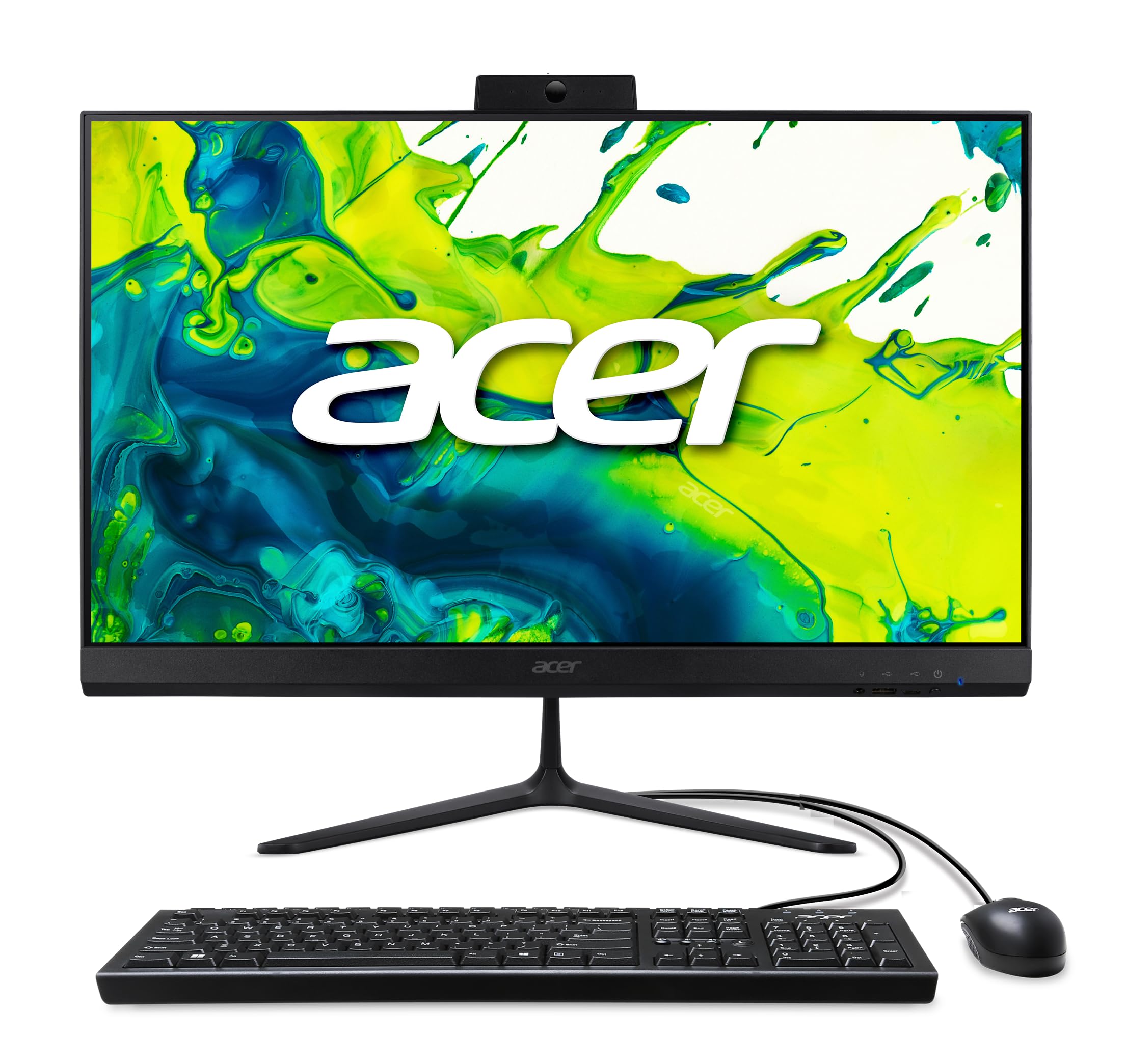
The 27-inch powerhouse with a 120Hz screen that makes everyday scrolling feel buttery smooth.
Here’s the one that stands out for a specific reason: a 27-inch Full HD IPS display with a 120Hz refresh rate. That means the screen redraws 120 times per second instead of the usual 60, so scrolling, dragging windows, and 2D motion look dramatically smoother — and input lag drops, which gamers will notice. It’s a big differentiator at this price, and the 90.71% screen-to-body ratio keeps the bezels slim.
Under the hood, the AMD Ryzen 7 5700U octa-core processor (up to 4.3 GHz) pairs with 16GB of DDR4 memory and a roomy 1TB PCIe SSD. That’s a serious combination for multitasking and storage. Wi-Fi 6 delivers fast, stable wireless speeds with WPA3 encryption, and the port selection is generous: DisplayPort, HDMI, USB Type-C, and plenty of USB Type-A, with front I/O for easy access. The 2.0MP webcam has a privacy shutter, and a dedicated Copilot key rides along with Windows 11 Home.
Owners love the screen — “Great size, awesome picture, and very quick” is a recurring theme. But there are a couple of practical gripes: the USB ports sit on the bottom where they’re awkward to reach, and the stand doesn’t swivel. The fan has also been described as noisy and continuous on some units. None of these are deal-breakers, but they’re worth knowing before you buy.
Why It’s Impressive
- 120Hz refresh rate — visibly smoother than 60Hz rivals
- 1TB PCIe SSD gives you serious storage space
- Wi-Fi 6 with fast 9.6 Gbps capability and WPA3
- Front USB ports for easy access
Small Frustrations
- Bottom-mounted ports are awkward to reach
- Non-swivel stand limits positioning
- Some units have a loud continuous fan
Reach for this if: smooth visuals and a big, bright screen matter more to you than anything else, and you play games or watch a lot of video.
Think twice if: you need USB ports in easy reach and a swiveling display for a tight corner desk.
6. Lenovo 24″ FHD All-in-One Desktop, Intel N100, 32GB RAM, 1TB PCIe SSD
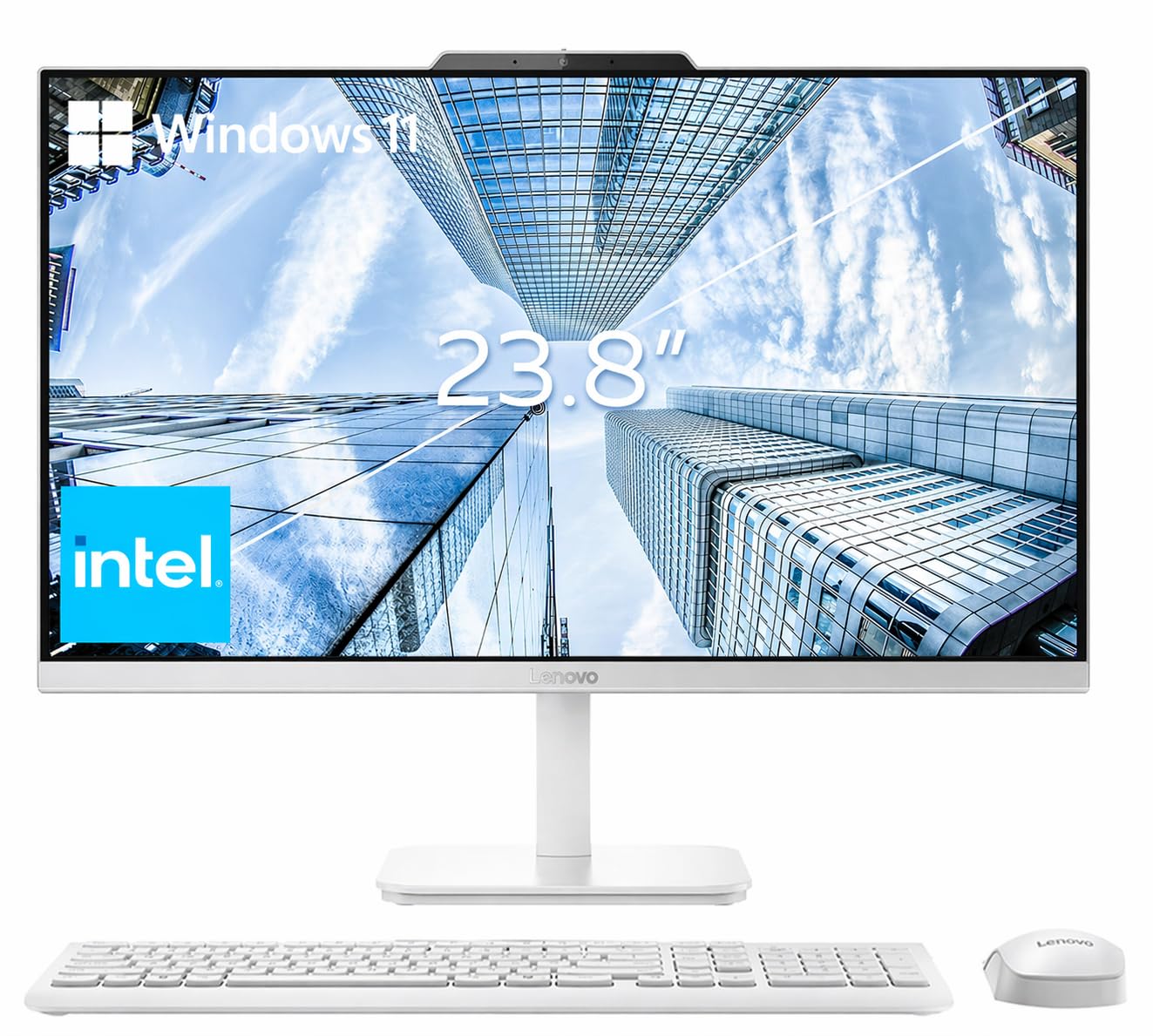
A business-minded Lenovo that crams 32GB of RAM and a 1TB drive into a tidy 23.8-inch frame.
This Lenovo makes its case with memory and storage: a whopping 32GB of DDR4 RAM (the memory that keeps multiple programs running at once) and a 1TB PCIe NVMe M.2 SSD (a fast solid-state drive). That RAM headroom is the standout — it means you can run a dozen browser tabs, a video call, and heavy document suites all at once without slowdowns, which is why it’s built for multitaskers in school, business, or studio settings. The 23.8-inch Full HD IPS anti-glare display covers 99% of sRGB (a color standard) at 250 nits (a brightness measure) for accurate colors.
Power comes from an Intel N100 processor with 4 cores and a max turbo frequency of 3.40 GHz. It’s not the fastest chip on this list, but it’s efficient and quiet. Connectivity is solid: Intel Wi-Fi 6 AX203 and Bluetooth 5.2, plus multiple USB ports — two USB-A 2.0 and two USB 3.2 Gen 2 at 10Gbps — with an HDMI-out, Ethernet, and a headphone/mic combo jack. Notably, it runs Windows 11 Pro rather than Home, which business users will appreciate.
Buyers highlight the front-accessible USB ports as a real convenience, and the Ethernet connection option for more secure networking gets specific praise. One owner mentioned the included keyboard was a UK layout, which may be an issue for some typists. Setup is straightforward, and the machine has drawn compliments for being a dependable all-rounder.
What Impresses
- 32GB RAM — rare at this level for heavy multitasking
- 1TB PCIe SSD for fast boots and big files
- Windows 11 Pro with Ethernet for secure networking
- Front USB ports are easy to reach
Keep In Mind
- N100 processor is modest — not for gaming or heavy video work
- Included keyboard may be UK layout
- Some ports sit under/behind the monitor
Choose this for: office and productivity work where running many programs at once is the daily norm and RAM is more valuable than raw speed.
skip it if: you need gaming-grade graphics or a more powerful processor for creative rendering.
7. ASUS V470 All-in-One, 27″ FHD Anti-Glare Touch, i5-13420H, 16GB DDR5
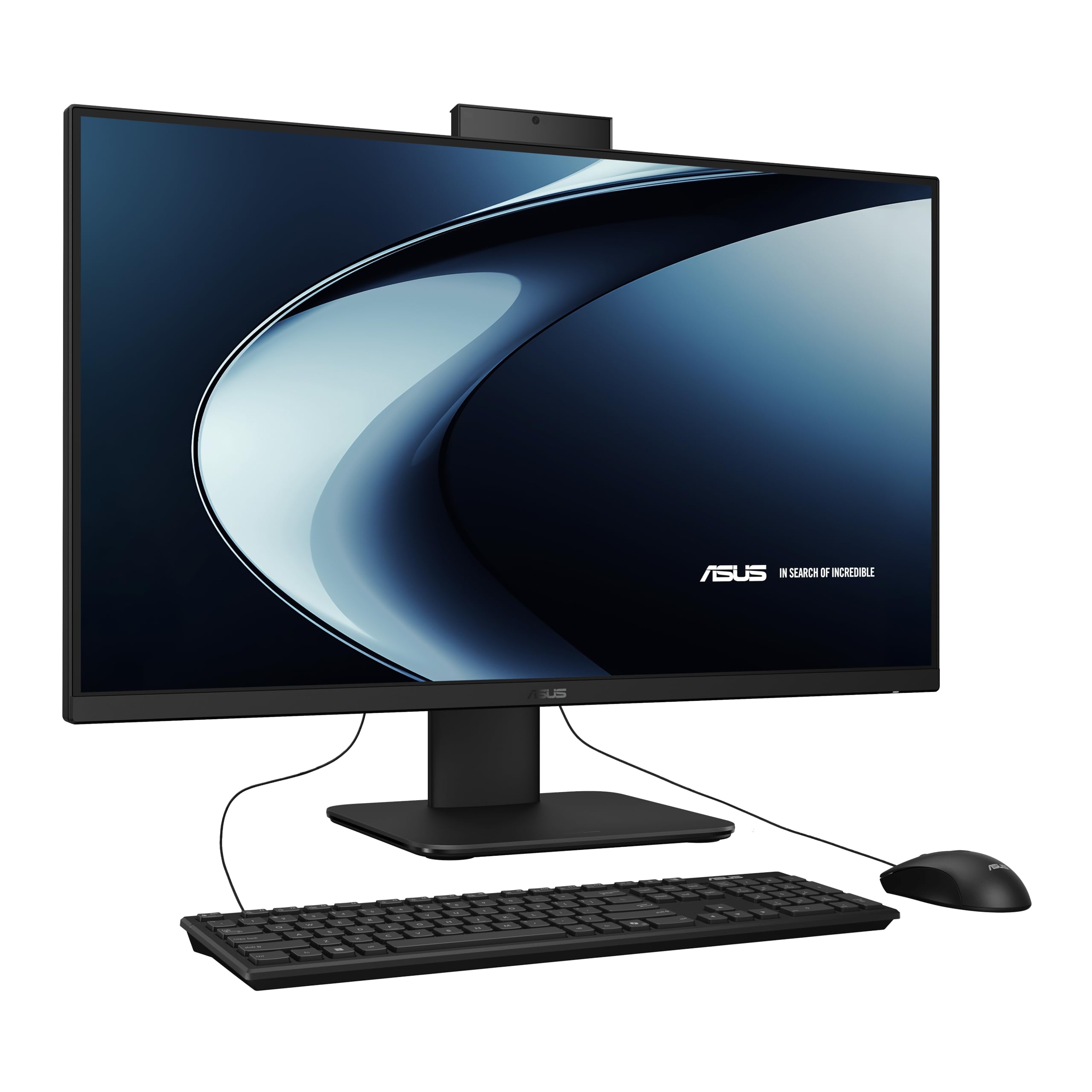
The touch-friendly 27-inch ASUS uses DDR5 memory (the latest, faster RAM) so everything feels instant, and its rich sound pulls you into movies and music.
If you like the idea of poking, swiping, and tapping your screen, this ASUS is the natural fit. It pairs a 27-inch Full HD anti-glare touchscreen with an Intel Core i5-13420H processor that boosts up to 4.6 GHz across 8 cores — real muscle for a snappy, responsive desktop. What makes it feel modern is the 16GB of DDR5 RAM, the newer, faster memory standard that keeps multitasking fluid.
The media experience is a highlight. A 1080p Full HD camera with a built-in array microphone works with AI Noise-Canceling Technology, so your voice comes through clearly on video calls while background noise gets filtered out. Dolby Atmos-powered speakers deliver rich, spatial sound for movies and music. For security, it includes Firmware TPM 2.0, an enterprise-grade protection layer.
Connectivity is well thought out: side ports include a Kensington lock and USB 2.0, while the back offers HDMI-out, three USB 3.2 Gen 1 Type-A, a USB-C port, and an RJ45 Gigabit Ethernet jack. Wireless is Wi-Fi 6E plus Bluetooth 5.3. Owners are uniformly impressed — “This computer is amazing, so fast. No problems. Easy to set up” is typical, and even a buyer in their 70s found it simple to configure, praising the vibrant colors and clear display.
Standout Features
- 27″ touchscreen with anti-glare for intuitive navigation
- Modern 16GB DDR5 RAM for snappy performance
- AI noise-canceling mics for clear meetings
- Wi-Fi 6E and Bluetooth 5.3 wireless
Things To Note
- 1TB SSD is solid but not the largest option
- No discrete graphics card for serious gaming
The ideal match: anyone who wants a touchscreen all-in-one with premium looks, fast DDR5 memory, and great call quality — including less tech-savvy users who value easy setup.
8. Lenovo IdeaCentre 27″ All-in-One, 10-core Intel i7-13620H, 16GB DDR5, 512GB SSD
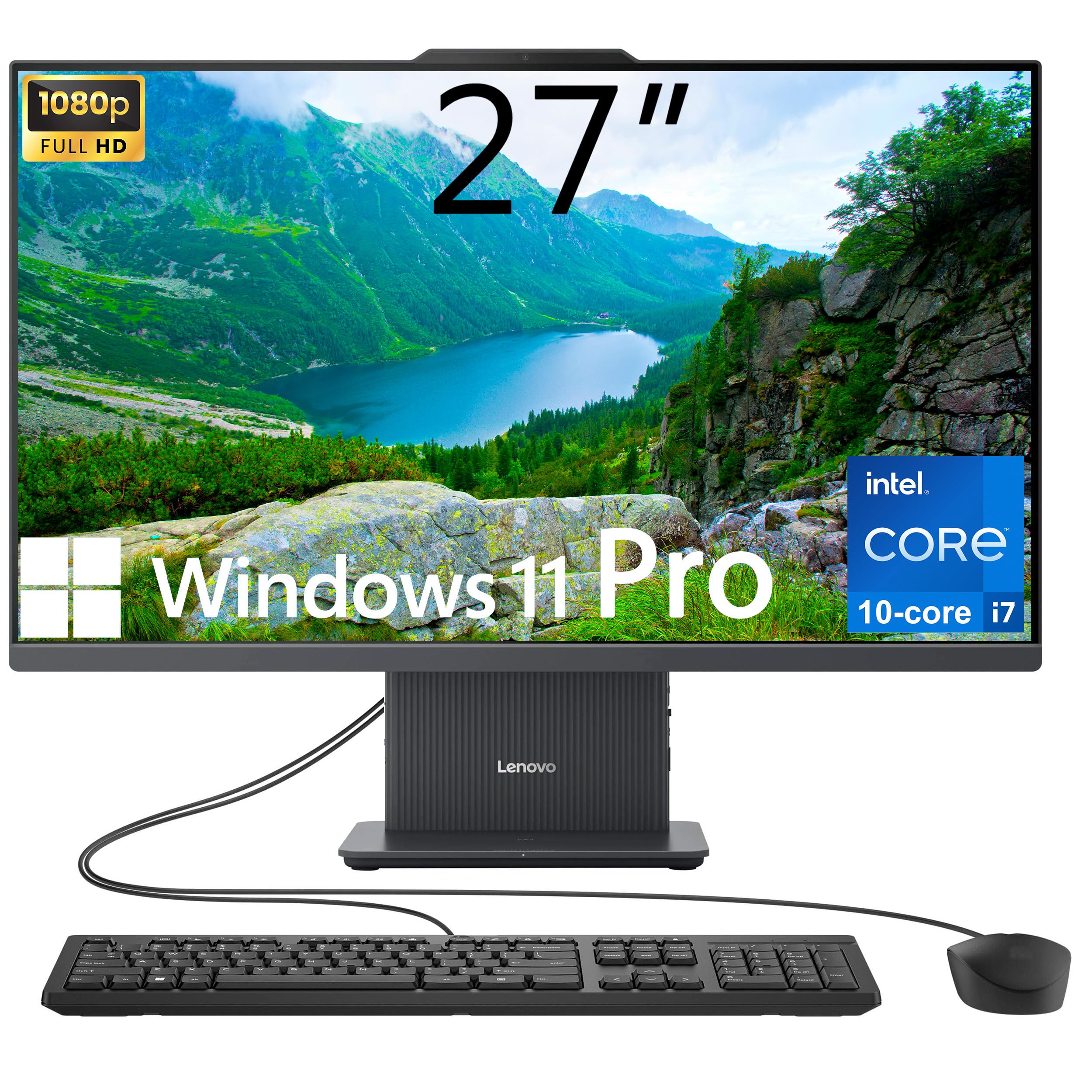
The 10-core Lenovo that blends a fast 100Hz display with a hefty 24MB cache for serious work.
Here’s the one for power users who refuse to compromise. The 13th Gen Intel Core i7-13620H packs 10 cores and 16 threads, boosting up to 4.9 GHz — the highest peak speed on this list. Its 24MB of Intel Smart Cache keeps frequently used data close at hand, which makes complex multitasking feel easy. It’s a genuine step up for anyone juggling heavy spreadsheets, code, or creative apps.
The 27-inch Full HD IPS display runs at 100Hz, smoother than the standard 60Hz, with 99% sRGB coverage, 300 nits brightness, and an anti-glare surface. It’s borderless, flicker-free, and rated low blue light — kind to your eyes over long sessions. Memory is 16GB of DDR5, and the 512GB PCIe M.2 SSD handles the operating system and apps, with support for up to 64GB RAM and 4TB storage if you want to expand later.
Ports cover the essentials: 4x USB, both HDMI-In and HDMI-Out for dual-monitor flexibility, Ethernet, and a headphone/mic combo. It runs Windows 11 Pro. Owner sentiment is glowing — one long-time Lenovo fan says “it’s my favorite windows computer,” praising it over Dell and HP, while another confirms it stays “fast and dependable” after months of use. The setup sheet could be clearer regarding camera and USB port locations, but that’s a minor stumbles.
Processing Muscle
- 10-core i7-13620H up to 4.9 GHz with 24MB cache
- 100Hz display for smoother motion than standard 60Hz
- Windows 11 Pro with HDMI-in and out
- Upgradeable to 64GB RAM and 4TB storage
Minor Notes
- 512GB SSD is smaller than some rivals
- Camera and port setup instructions could be clearer
Go with this if: raw processing power and a smooth, high-refresh display for demanding work are your top priorities over storage capacity.
9. HP OmniStudio 27″ All-in-One Next Gen AI PC, AMD Ryzen AI 7 445, 16GB RAM
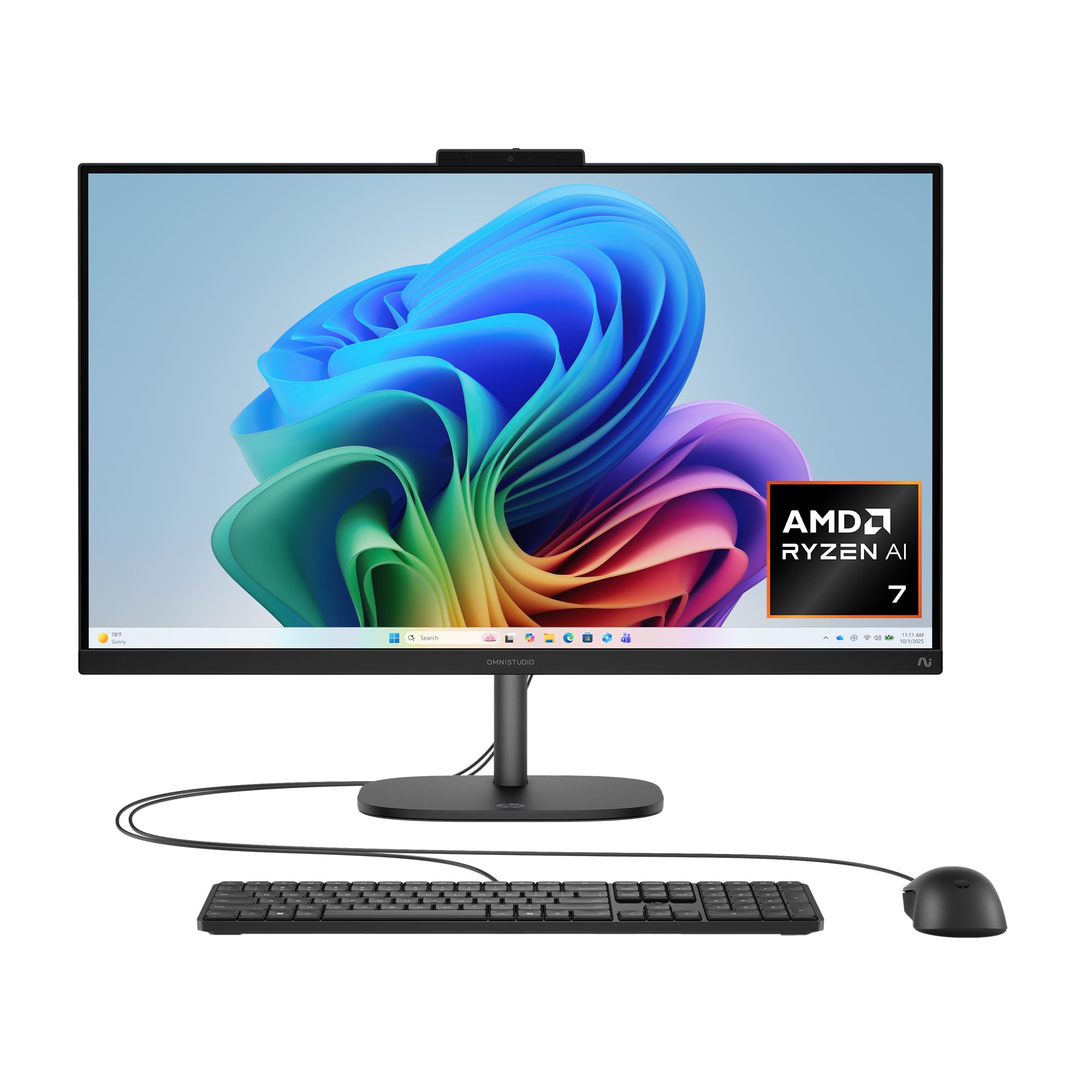
The AI-ready HP with Windows Hello facial login and a 27-inch screen built for modern work.
This HP is looking firmly to the future with a 27-inch FHD IPS display and an AMD Ryzen AI 7 445 processor — a chip with a dedicated AI engine (a 50 TOPS NPU) for accelerating AI features. It pairs with 16GB of DDR5 RAM and a 512GB PCIe NVMe M.2 SSD. The integrated AMD Radeon 840M graphics handle sharp visuals and some gaming, though it’s not a dedicated gaming card.
The on-paper star feature is the FHD IR camera with HDR auto-switch. The infrared sensor enables facial recognition login through Windows Hello, so you just look at the screen to open up it, and HDR balances contrast even in backlit rooms. HP Eye Ease reduces blue light to protect your eyes, AI noise reduction cleans up your voice in calls, and DTS Sound Unbound delivers spatial, cinema-like audio. It also ships with adjustable stand and is made with recycled plastic and metal.
Real-world feedback is a mix of excitement and caution. It’s praised as a sleek, space-saving machine that handles daily tasks and even light Adobe work well, and one owner uses it as a hub for managing servers. But it runs heavy for its class, the included keyboard and mouse feel cheap, and the 1080p touchscreen has a reported red tint with poor shadows. The 16GB RAM maxes out with AI apps, and some find the fan loud.
What’s Compelling
- AI-focused Ryzen AI 7 processor with 50 TOPS NPU
- Windows Hello facial recognition via IR camera
- Dolby-style DTS spatial audio
- Eco-friendly recycled materials
Honest Limitations
- Heavy chassis and bundled keyboard/mouse feel basic
- Display has reported red tint and poor shadows
- Few apps currently use the AI NPU horsepower
- Ram is hard to access for upgrades
Best suited for: buyers who want an AI-ready, space-saving design with face-login security and are okay with paying for future-ready tech.
Not for: heavy local workloads or serious gaming, where the modest graphics and RAM will frustrate.
10. Dell 23.8″ All-in-One Desktop, FHD, Intel Core 5 120U, Windows 11 Home

The touchscreen Dell that pushes its Core 5 processor to a blistering 5 GHz peak speed.
Take everything that makes the Dell family great and add a touchscreen: that’s this one in a nutshell. The 23.8-inch Full HD IPS display covers 99% of sRGB colors with 50% higher contrast than older generation screens, and it responds to your touch for intuitive navigation. Inside sits an Intel Core 5 120U processor that maxes out at 5 GHz — the fastest peak on this entire list — with a 12MB cache for smooth multitasking.
The 5MP+IR camera with HDR keeps you looking sharp in video calls, and the 0 to 20 degree tilt helps you find the right angle. Dual Bluetooth speakers with Dolby Atmos fill the room with sound. It ships with a card reader, and the 1 Year Onsite Service means Dell will come to your home if a hardware issue can’t be fixed remotely. Windows 11 Home rounds it out with modern multitasking tools.
Buyer feedback emphasizes flawless performance and easy setup. One telehealth worker calls it a “solid investment,” praising the large touchscreen, fast speed, and superb camera for meetings. Students and professionals appreciate the crisp display and responsive multitasking. The two recurring notes are that the camera angle isn’t adjustable and preinstalled McAfee can be annoying with popups — minor quibbles on an otherwise excellent machine.
Why It Wins
- Touchscreen adds versatility at no desk cost
- 5 GHz peak speed — fastest on this list
- HDR camera with tilt adjustment for flattering video
- Excellent value for the performance on offer
Minor Gripes
- Camera angle is not adjustable
- Pre-installed McAfee may trigger popups
Pick this over the base Dell if: touch input matters to you and you want the fastest processor in the lineup for a touchscreen model.
11. HP 27″ All in One Desktop Touchscreen Copilot PC, 32GB DDR5, 1TB SSD
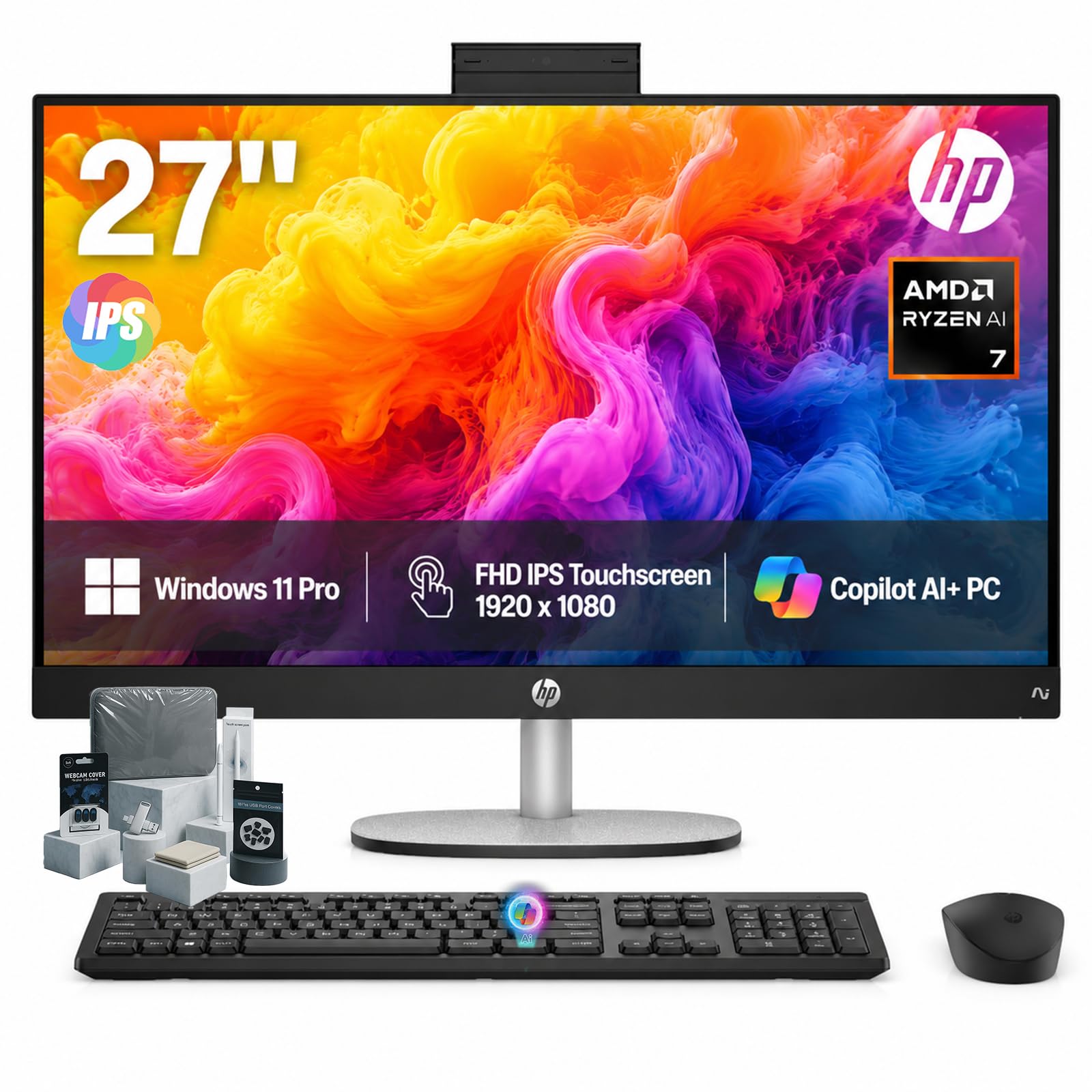
The premium Copilot+ touchscreen with 32GB of RAM and a 1TB SSD for serious creative work.
This is the all-in-one for content creators and business professionals who want it all. The AMD Ryzen AI 7 350 processor powers a Copilot+ PC experience with a dedicated Microsoft Copilot key for instant AI assistance. It’s backed by a massive 32GB of high-bandwidth DDR5 RAM — ideal for graphics-heavy games, video editing, and endless browser tabs — and a 1TB SSD that boots Windows 11 Pro in seconds.
The 27-inch FHD IPS touchscreen has 178° wide viewing angles, an anti-glare panel, and DC Dimming flicker-free technology for eye comfort. The stand adjusts from -5° to 20° for the perfect angle. For calls, an HP True Vision FHD IR camera delivers brightness even in low light and supports Windows Hello facial recognition, while built-in AI Noise Reduction filters out background chatter. AMD Radeon graphics with an 860M coprocessor handle visual tasks.
The accessory bundle sweetens the deal considerably: a touchscreen pen, a 128GB USB flash drive, a cleaning cloth, a camera protector, and dust plugs. Buyers love the speed — one owner says the “speed of this new computer is fabulous” — and the clean, cable-free setup draws specific praise. The all-in-one design that eliminates a tower is a favorite theme, with another owner calling the dedicated Copilot key a quick and simple way to access AI assistance.
Premium Perks
- 32GB DDR5 RAM for serious multitasking
- 1TB SSD with lightning-fast boot times
- Generous bundle: pen, 128GB USB drive, cleaning cloth
- Windows Hello facial recognition + AI noise reduction
By Design
- Premium positioning means it’s themost expensive option here
- Integrated graphics — not for serious dedicated gaming
The top-shelf choice: creative professionals and business users who want maximum RAM, a large touchscreen, AI features, and a useful accessory bundle in one tidy package.
Look past it if: your budget is tight — the premium price is the trade-off for this level of memory and storage.
Understanding the Specs
Processor Speed & Cores
The processor is the core component that determines your all-in-one’s speed and multitasking ability. The maximum speed (measured in GHz, like 4.7 GHz) tells you how fast it can crunch through tasks, while the number of cores determines how many things it can juggle at once. More cores and a higher GHz means smoother multitasking, faster boot-ups, and better handling of demanding software like video editors. For basic browsing and documents, a mid-range chip is plenty; for creative work or heavy multitasking, look for higher numbers and more cores.
RAM & Storage
RAM is your computer’s short-term memory for programs you have open right now. More RAM (16GB or 32GB) lets you run many apps side-by-side without slowdowns. Storage is where your files live long-term — a Solid State Drive (SSD) is much faster than old hard drives, booting Windows and opening apps almost instantly. A 512GB SSD is a solid baseline; 1TB gives you real breathing room for photos, videos, and large projects.
FAQ
How much RAM do I really need in an all-in-one?
Can I use an all-in-one for gaming?
What’s the difference between an all-in-one and a desktop tower?
Can I connect a second monitor to an all-in-one?
Is a touchscreen worth it on an all-in-one?
What does Wi-Fi 6 give me over older Wi-Fi?
Final Thoughts: The Verdict
Across the board, the all-in-one computer winner is the Dell 23.8″ Core 3 because it delivers the best blend of quiet performance, a crisp display, and trusted reliability — the qualities owners praise most. If you want a larger, smoother display for gaming and media, grab the Acer Aspire C27. And for a premium touchscreen with serious memory for creative work, the HP 27″ Copilot+ is the one to reach for.
How We Picked
We do not accept paid placement. Every pick is matched to a real buyer and a real use-case; we do not hands-on test units.
Sources & Methodology
Specifications: manufacturer listings and product documentation. Review insights: verified customer reviews, as of August 2026. Pricing: not shown on this page (it changes often); check the current price via the retailer link.
As an Amazon Associate, Gadgets Feed earns from qualifying purchases. This does not affect which products we feature.