
Our readers keep the lights on and my morning glass full of iced black tea. As an Amazon Associate, I earn from qualifying purchases.
Specs are compiled from manufacturer listings and verified buyer reviews and can change over time — please confirm the key details on the product page before buying.
In a competitive shooter, that 0.5 ms (millisecond) gap on your monitor—how fast a pixel changes color—decides if a quick flick shot lands or misses. A 0.5 ms monitor is designed to be the fastest tool for the job, cutting the blur and ghosting (a faint trail behind moving objects) that slower screens leave behind. This guide explains four of the best options right now, breaking down exactly what that 0.5 ms number means in real games.
I’m Min — the founder and writer behind Gadgets Feed. This guide is built by comparing the manufacturers’ published specifications and the patterns across verified customer reviews, so you get each pick’s real strengths and trade-offs instead of marketing spin.
Speed = a 0.5ms response time. Smoothness = the refresh rate in Hz (how many new frames the screen shows per second). Image quality = resolution (pixel count). The right monitor balances these three with your budget and desk space.
Quick Picks
- MSI MAG 274QRFW X32 27-inch QHD Gaming Monitor — Top Performer
- AOC CU34G4V 34″ Frameless Curved Ultrawide Gaming Monitor — rich Pick
- ETiansu 27″ 360Hz Gaming Monitor, 2K QHD Fast IPS — Best Overall
- ASUS TUF Gaming 31.5″ 1440P Curved HDR Gaming Monitor (VG32WQ3B) — Budget Champion
How To Choose The Best 0.5 Ms Monitor
A 0.5 ms monitor is engineered for speed, but that single spec doesn’t tell the whole story. You also need to match the refresh rate (Hz, or how many times the screen refreshes per second), resolution (how sharp the image is), and panel technology (how the screen creates colors) to your gaming habits and your graphics card (GPU). Here are the key factors to weigh.
Refresh Rate: Speed You Can See
While the response time handles how fast a pixel changes color, the refresh rate (measured in Hz) determines how many new frames the screen shows each second. A 0.5 ms monitor paired with a 180Hz or 360Hz refresh rate means motion stays crisp and stutter-free. Higher refresh rates demand more from your GPU, so check your system’s capability before buying.
Resolution and Panel Type
QHD (2560 x 1440) is the balance for many gamers, offering noticeably sharper images than 1080p without taxing your hardware as much as 4K. For even wider immersion, an ultrawide 3440 x 1440 screen at a 21:9 aspect ratio gives you extra peripheral vision in supported games. IPS panels generally offer better color accuracy and viewing angles, while VA panels deliver deeper blacks and higher contrast ratios.
Adaptive Sync: Tear-Free Gameplay
Technologies like AMD FreeSync Premium and NVIDIA G-Sync Compatible synchronize your monitor’s refresh rate with your GPU’s frame output. This eliminates screen tearing and stuttering without the input lag of traditional V-Sync. Most monitors at this speed tier support one or both, but double-check compatibility with your graphics card.
Quick Comparison
On smaller screens, swipe sideways to see the full table.
| Model | Best For | Refresh Rate | Resolution | Panel Type | Amazon |
|---|---|---|---|---|---|
| MSI MAG 274QRFW X32 | Competitive FPS & Color Accuracy | 320Hz | 2560 x 1440 | Rapid IPS | Amazon |
| AOC CU34G4V | rich Ultrawide Gaming | 180Hz | 3440 x 1440 | VA | Amazon |
| ETiansu 27″ 360Hz | Esports & Maximum Smoothness | 360Hz | 2560 x 1440 | Fast IPS | Amazon |
| ASUS TUF Gaming VG32WQ3B | Large Curved Screen Value | 180Hz | 2560 x 1440 | LCD/LED | Amazon |
In‑Depth Reviews
1. MSI MAG 274QRFW X32 27-inch QHD Gaming Monitor
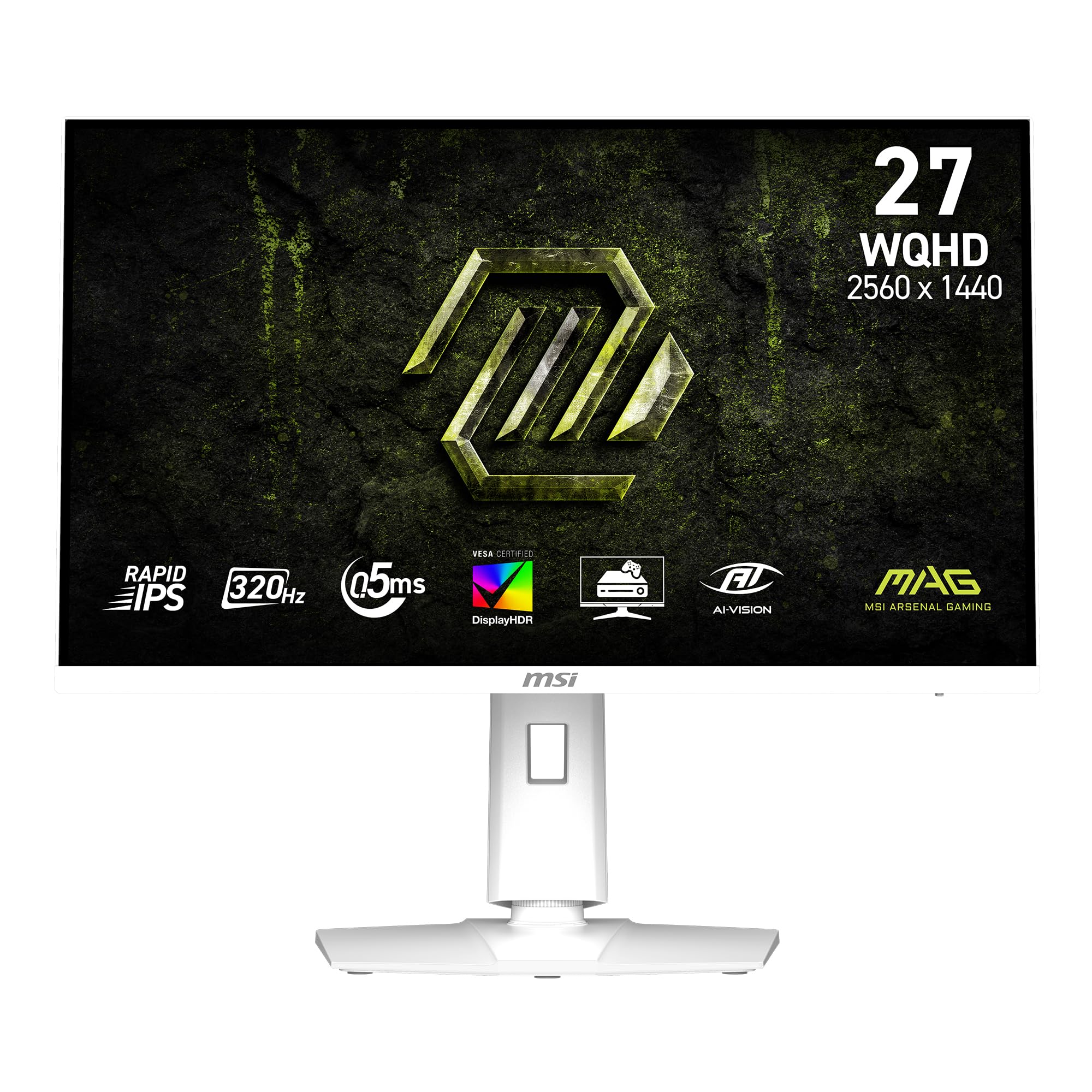
The 320Hz speed demon that still nails color accuracy for gamers who want it all.
This MSI monitor is built for the player who refuses to compromise between blistering speed and image quality. Its 0.5ms (GtG, Min.) response time works with a 320Hz refresh rate, giving you an edge in fast-paced titles where every millisecond matters. The Rapid IPS panel delivers vibrant colors and wide viewing angles without the color shift you sometimes see on faster TN panels. One reviewer noted, “this is my first monitor, i really loved it + matches my white setup,” highlighting how the clean white chassis fits smoothly into a modern desk aesthetic.
Beyond the speed, the MSI uses AI Vision technology that adjusts brightness and color saturation to reveal details in shadowy game areas without washing out highlights. This is a monitor that thinks about your gameplay, not just the next high score. It supports both AMD FreeSync Premium and NVIDIA G-SYNC Compatible, so you get tear-free motion regardless of your graphics card brand.
Compared to the ASUS TUF Gaming VG32WQ3B, which runs at 180Hz, the MSI’s 320Hz refresh rate offers a considerable bump in smoothness for competitive shooters. On the other hand, its 16:9 aspect ratio is standard, not ultrawide like the AOC CU34G4V’s 21:9, so if you crave panoramic immersion, you might prefer the wider screen.
Speed Meets Color: The 320Hz refresh rate on a Rapid IPS panel with 95% color gamut makes this an elite choice for competitive gaming where you also want your games to look their best.
Resolution Lock: At 27 inches, 2560 x 1440 is sharp, but buyers after a larger 31.5-inch screen or an ultrawide format should look at the other options on this list.
Reach for this if: you play fast-paced FPS games and want a responsive, color-accurate monitor that looks beautiful on your desk.
Look elsewhere if: you need a bigger screen for cinematic immersion or prefer an ultrawide 21:9 aspect ratio for productivity and supported titles.
2. AOC CU34G4V 34″ Frameless Curved Ultrawide Gaming Monitor
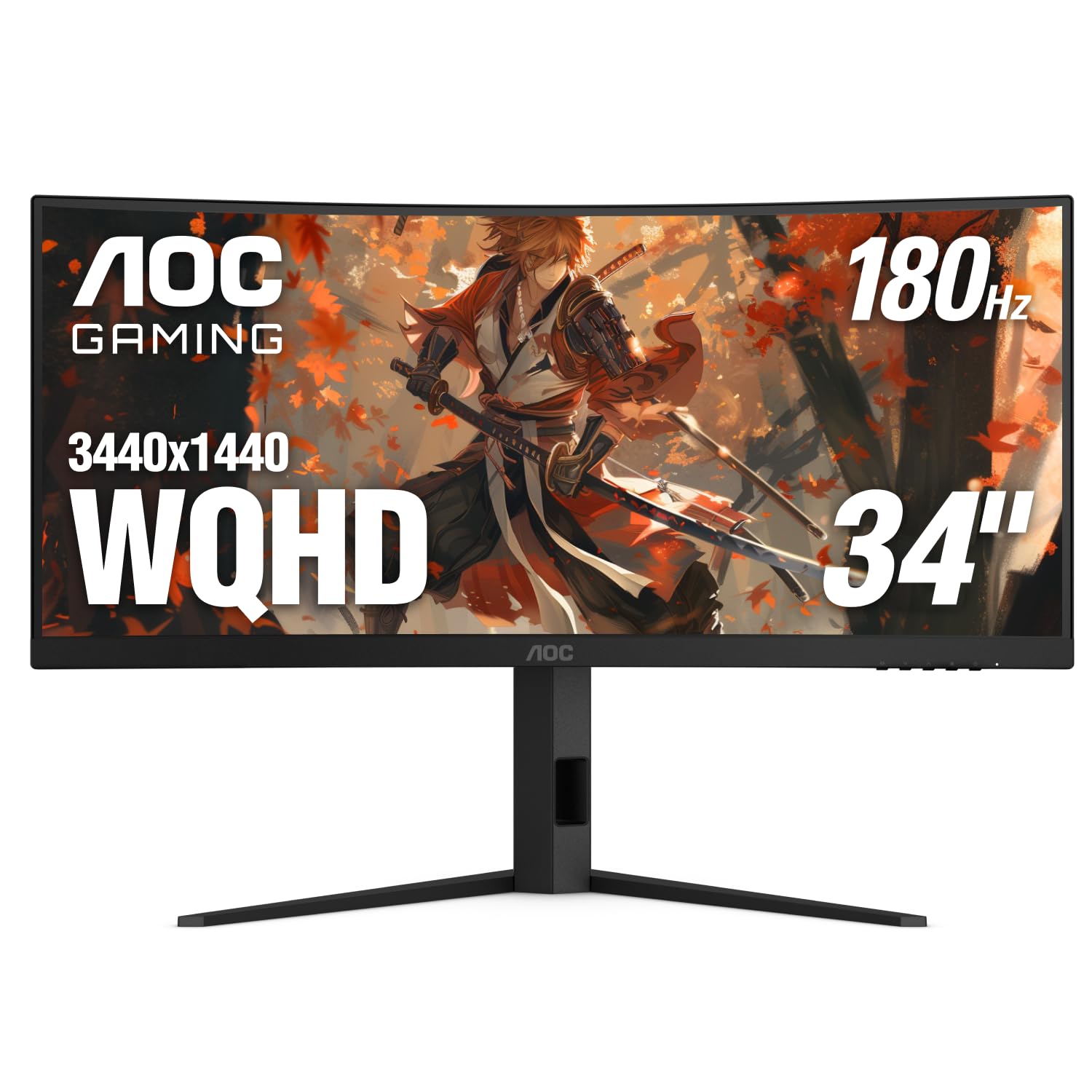
The ultrawide warrior that wraps your peripheral vision at a price that surprises everyone.
If your gaming sessions lean toward sprawling RPGs, flight sims, or productivity-heavy workflows, this 34-inch curved monitor redefines how much you see at once. Its 3440 x 1440 resolution spans a 21:9 aspect ratio, giving you 3440 horizontal pixels versus the ASUS TUF Gaming VG32WQ3B’s 2560 horizontal pixels. One owner called it a “great value 34″ monitor; decent brightness; good stand; best at this price point after extensive search; very satisfied after 6 months,” and that sentiment tracks with the specs.
Despite its size, this AOC does not slack on speed. It packs a 180Hz refresh rate and a 0.5ms MPRT (Moving Picture Response Time) to keep motion sharp. The VA panel delivers an 80000:1 dynamic contrast ratio, versus the 1000:1 listed for the ASUS TUF Gaming VG32WQ3B, meaning black levels in dark scenes are noticeably deeper and more cinematic. The 1500R curvature wraps around your field of view, pulling you into games without the distortion flatter ultrawides can create.
Connectivity includes one DisplayPort 1.4 and two HDMI 2.0 ports, plus AMD FreeSync Premium support that works with both AMD and NVIDIA cards. The ergonomic stand offers tilt, swivel, and 130mm height adjustment. The trade-off is that the 180Hz refresh rate sits behind the MSI’s 320Hz, so if competitive speed is your only priority, a smaller, faster panel might suit you better.
What It Excels At
- Massive screen real estate with a cinematic 21:9 aspect ratio
- Deep blacks and high contrast thanks to VA panel with 80000:1 dynamic contrast
- Fully adjustable stand and VESA compatible
Where It Falls Short
- 180Hz refresh rate is good but not class-leading for esports
- Requires a powerful GPU to drive 3440 x 1440 at high frame rates
Grab this for: rich single-player games, movies, and multitasking where extra screen width makes a real difference.
skip it if: you are a competitive esports player who needs every last Hz over panoramic field of view.
3. ETiansu 27″ 360Hz Gaming Monitor, 2K QHD Fast IPS
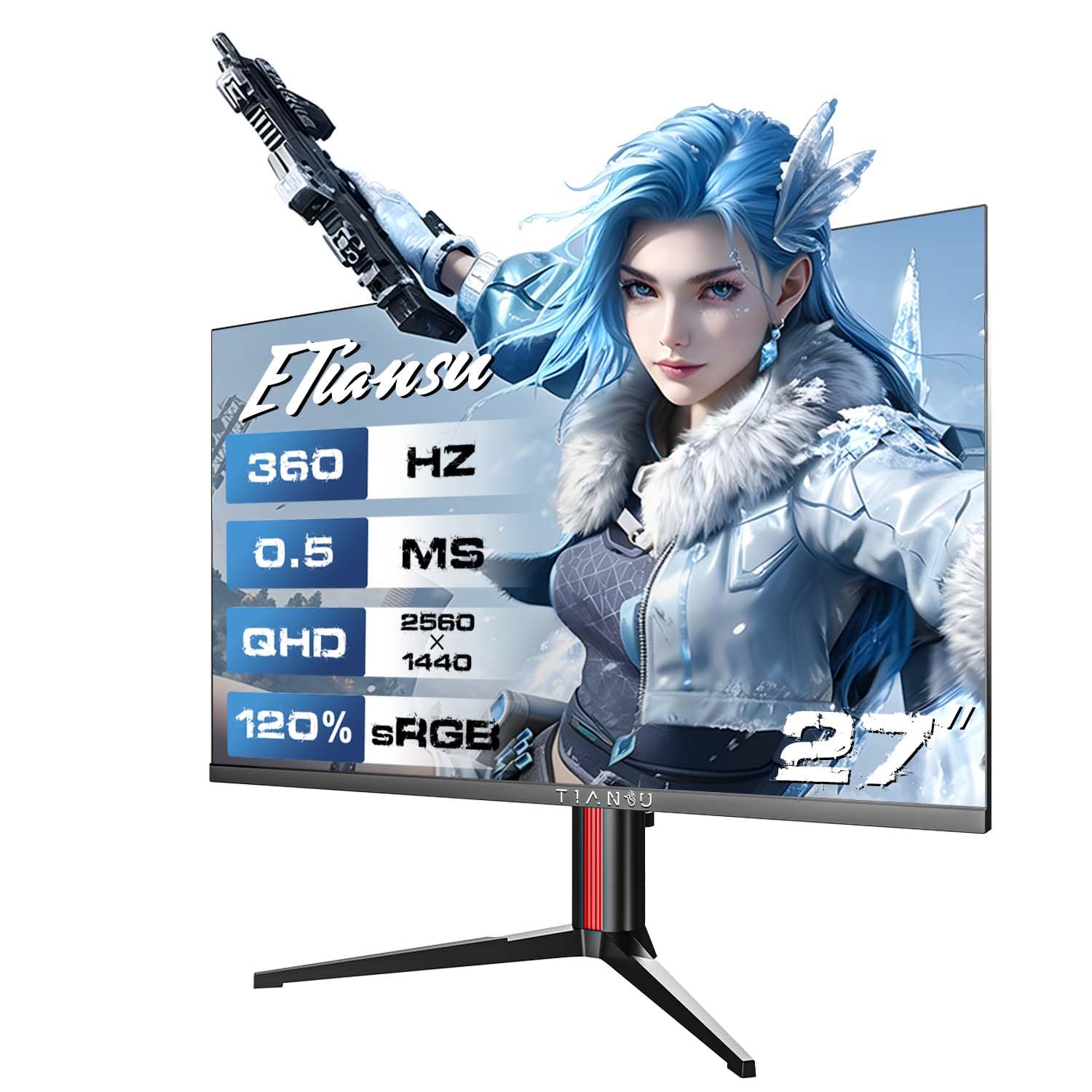
The 360Hz blur-slayer that outpaces your reflexes and keeps colors honest.
This monitor targets one thing above all else: motion clarity. At 360Hz, it refreshes at 360Hz versus the ASUS TUF Gaming VG32WQ3B’s 180Hz, which means objects in motion stay perfectly defined with almost no perceptible blur. Combined with a 0.5ms (GtG) response time on a Fast IPS panel, it delivers the kind of buttery-smooth tracking that gives you an advantage in aim-heavy games like Valorant or Apex Legends. A buyer reported, “This is the monitor on the left I have a dell on the right, the colors are a little less vibrant but it does the job and looks good,” confirming the speed-first focus.
It is not purely a one-trick pony. The QHD (2560×1440) resolution keeps images sharp at 27 inches, and the monitor covers 125% sRGB and 90% DCI-P3 color gamut. HDR400 support delivers 400 nits brightness for better highlights in supported content.
Stand adjustability is a strong point: height (3.94 inches), tilt, swivel, and 90-degree pivot for portrait mode. It also supports AMD FreeSync Premium and NVIDIA G-Sync Compatible, and includes ELMB SYNC which works alongside variable refresh rate to eliminate both ghosting and tearing. The catch is that panel costs and GPU demands increase with such a high refresh rate — you will need a powerful system to push 360 frames per second at QHD.
Speed Champion: The 360Hz refresh rate and 0.5ms response time make this the clearest choice for competitive esports where motion clarity is king.
Vibrant Trade-Off: While colors are good, the Fast IPS panel prioritizes speed over the deeper blacks of a VA panel, so it is not the best for dark, cinematic games.
Choose this if: you are a competitive gamer who wants the highest motion clarity and a responsive, adjustable stand.
Think twice if: your focus is rich single-player games with deep blacks or you cannot consistently hit 300+ FPS in your main games.
4. ASUS TUF Gaming 31.5″ 1440P Curved HDR Gaming Monitor (VG32WQ3B)

The big-screen value king that makes 1440p 180Hz affordable without cutting corners on speed.
If you want a large, curved monitor with a 0.5ms (GTG) response time but do not want to spend premium money, this ASUS TUF Gaming model is the practical choice. It provides a 31.5-inch QHD (2560 x 1440) screen with a 1500R curve for a more rich feel than a flat panel. One buyer described it as having “great refresh rate and colors, better than LG 1440p 165Hz,” pointing out that it competes well against pricier monitors in real-world image quality.
ASUS includes its Extreme Low Motion Blur (ELMB) technology to reduce motion blur, and Shadow Boost brightens dark scenes so you spot hidden enemies without washing out lighter areas. It supports FreeSync for tear-free gameplay and comes with a three-year warranty for extra confidence. The included stand offers cable management, and the internal power supply helps keep the desk tidy. The catch, many buyers mention, is that its short legs take up more desk depth than expected, so check your desk measurements before buying.
In a head-to-head, the ETiansu 360Hz monitor beats it on raw speed, but the ASUS offers a larger screen and a very smooth 180Hz experience for a significantly lower system demand. Its 1000:1 contrast ratio is typical for this type of panel, but it is dwarfed by the 80000:1 of the AOC CU34G4V, so black levels in dark scenes are not as deep.
Why It Stands Out
- Large 31.5-inch 1500R curved screen at a strong price-performance point
- ELMB and Shadow Boost improve motion clarity and dark visibility
- Three-year warranty and internal PSU with cable management
Potential Drawbacks
- Stand legs are short and require a deep desk
- 1000:1 contrast ratio is low compared to high-end VA competitors
Ideal for: budget-conscious gamers who want a large, curved 1440p screen with a fast 0.5ms response time for rich gameplay.
Not for: hardcore competitive players who need the highest refresh rates or those wanting deep inky blacks for dark cinematic games.
Understanding the Specs
Response Time (GTG vs MPRT)
Response time measures how fast a pixel can change from one color to another, usually stated in milliseconds (ms). A 0.5 ms monitor is at the current speed ceiling. GTG (Gray-to-Gray) is the most common standard, while MPRT (Moving Picture Response Time) measures how long a pixel stays visible. Both are important for reducing motion blur, but GTG is the spec most manufacturers use for direct comparison.
Panel Types: IPS vs VA
IPS (In-Plane Switching) panels offer better color accuracy and viewing angles, making them ideal for competitive gaming and creative work. VA (Vertical Alignment) panels provide higher contrast ratios for deeper blacks, which is better for cinematic games and movies. Fast IPS is an improved version that matches the speed of TN panels while keeping IPS color advantages. Your choice depends on whether you prioritize motion clarity or visual contrast.
FAQ
Is a 0.5 ms monitor response time better than 1 ms?
What refresh rate do I need with a 0.5 ms monitor?
Does a 0.5 ms monitor work with consoles like PS5 or Xbox Series X?
What is the difference between GTG and MPRT in a 0.5 ms monitor?
Will a 0.5 ms monitor reduce eye strain?
Can I use a 0.5 ms 1440p monitor for professional work?
What GPU do I need for a 0.5 ms 360Hz monitor?
What is the difference between a 0.5 ms monitor and a 1 ms monitor in gaming?
Final Thoughts: The Verdict
If you want one dependable pick, the 0.5 ms monitor winner is the ETiansu 27″ 360Hz because its combination of 360Hz refresh rate, accurate Fast IPS colors, and full ergonomic stand delivers the best all-around competitive experience while staying affordable. If you want an rich cinematic view, grab the AOC CU34G4V for its panoramic ultrawide screen and deep contrast. And for a sleek, high-refresh monitor with outstanding color performance, the MSI MAG 274QRFW X32 is a brilliant choice for serious gamers who value both speed and aesthetics.
How We Picked
We do not accept paid placement, and we did not hands-on test every unit. Instead, we match each pick to a real buyer and use-case by comparing the manufacturers’ published specifications against the patterns in verified customer reviews — so you get each pick’s real strengths and trade-offs instead of marketing copy.
Sources & Methodology
Specifications: manufacturer listings and product documentation. Review insights: verified customer reviews, as of July 2026. Pricing: not shown on this page (it changes often); check the current price via the retailer link.
As an Amazon Associate, Gadgets Feed earns from qualifying purchases. This does not affect which products we feature.
Product prices and availability are accurate as of the date/time indicated and are subject to change. Any price and availability information displayed on Amazon at the time of purchase will apply to the purchase of this product. As an Amazon Associate I earn from qualifying purchases.
CERTAIN CONTENT THAT APPEARS ON THIS SITE COMES FROM AMAZON. THIS CONTENT IS PROVIDED "AS IS" AND IS SUBJECT TO CHANGE OR REMOVAL AT ANY TIME.
Amazon and the Amazon logo are trademarks of Amazon.com, Inc. or its affiliates.