
An eight-port gigabit switch is the unsung hero of a stable home network, but picking the wrong one means constant buffering during game matches, dropped conference calls, or a switch that runs hot enough to worry about. With data rates hitting 1 Gbps per port and some models pushing beyond, the hardware you choose directly dictates your LAN’s backbone reliability. The real test isn’t raw speed on paper — it’s sustained throughput under load, silent fanless operation in a living room, and the chassis material that keeps temperatures in check during a 24/7 run.
I’m Min — the co-founder and writer behind Gadgets Feed. I have spent countless hours cross-referencing real-world throughput tests, customer longevity reports, and port-level switching fabric specs to separate the commodity hubs from the truly dependable network cores.
This guide focuses specifically on the best 1 gig switch 8 port models that balance budget-friendly value with rock-solid metal construction and multi-year reliability for home offices and entertainment setups.
How To Choose The Best 1 Gig Switch 8 Port
Choosing an 8-port gigabit switch seems simple — they all do the same thing, right? The differences lie in the physical build quality, the efficiency of the non-blocking switching fabric, and the inclusion of features like QoS or VLAN isolation that directly impact your network’s reliability in real-world conditions. Here are the three critical specs to evaluate before you click buy.
Chassis Material and Thermal Management
An unmanaged switch with a fanless design relies entirely on its metal housing to act as a passive heat sink. Entry-level plastic cases trap heat, which can lead to packet loss or premature port failure under continuous load. A metal chassis rated for 0–50°C operation will maintain stable throughput even when seven devices are transferring large files simultaneously. Always prioritize an all-steel or aluminum enclosure for any switch running 24/7.
Switching Capacity and Non-Blocking Architecture
For an 8-port gigabit switch operating in full-duplex, the theoretical switching capacity required to handle all ports simultaneously is 16 Gbps (8 ports × 2 Gbps). A unit advertising a backplane of 16 Gbps or higher ensures no single port becomes a bottleneck. Some budget models skimp on this, causing throughput to drop when multiple high-bandwidth devices talk at once. Look for a non-blocking architecture spec in the technical details.
Additional Features That Matter
Not all unmanaged switches are truly identical. Models with built-in QoS (Quality of Service) automatically prioritize time-sensitive traffic like video calls and gaming packets over bulk downloads. Jumbo Frame support (9 KB MTU) improves large file transfer efficiency between NAS and PCs. Port-based VLAN, available through a physical DIP switch on some models, lets you isolate IoT devices from your main network for security without needing a managed switch.
Quick Comparison
On smaller screens, swipe sideways to see the full table.
| Model | Category | Best For | Key Spec | Amazon |
|---|---|---|---|---|
| D-Link DMS-108 | Premium 2.5G | High-speed NAS & WiFi 6 | 40 Gbps switching capacity | Amazon |
| TP-Link TL-SG108S-M2 | Multi-Gig 2.5G | Future-proof home LAN | 8 × 2.5G auto-negotiating ports | Amazon |
| Real HD 8 Port 2.5G | Value Multi-Gig | 2.5G upgrade on a budget | 1x 10G SFP+ uplink | Amazon |
| NETGEAR GS108 | Proven Reliability | Long-term 24/7 operation | Lifetime warranty (ProSAFE) | Amazon |
| Binardat 10 Port | Value VLAN | Isolating IoT devices | Port-based VLAN via DIP | Amazon |
| D-Link DGS-108 | Classic Workhorse | Reliable home office hub | QoS + IGMP Snooping | Amazon |
| NETGEAR GS308 | Entry Level | Basic wired expansion | 0.01A max current draw | Amazon |
In‑Depth Reviews
1. D-Link 8-Port 2.5GB Unmanaged Gaming Switch (DMS-108)
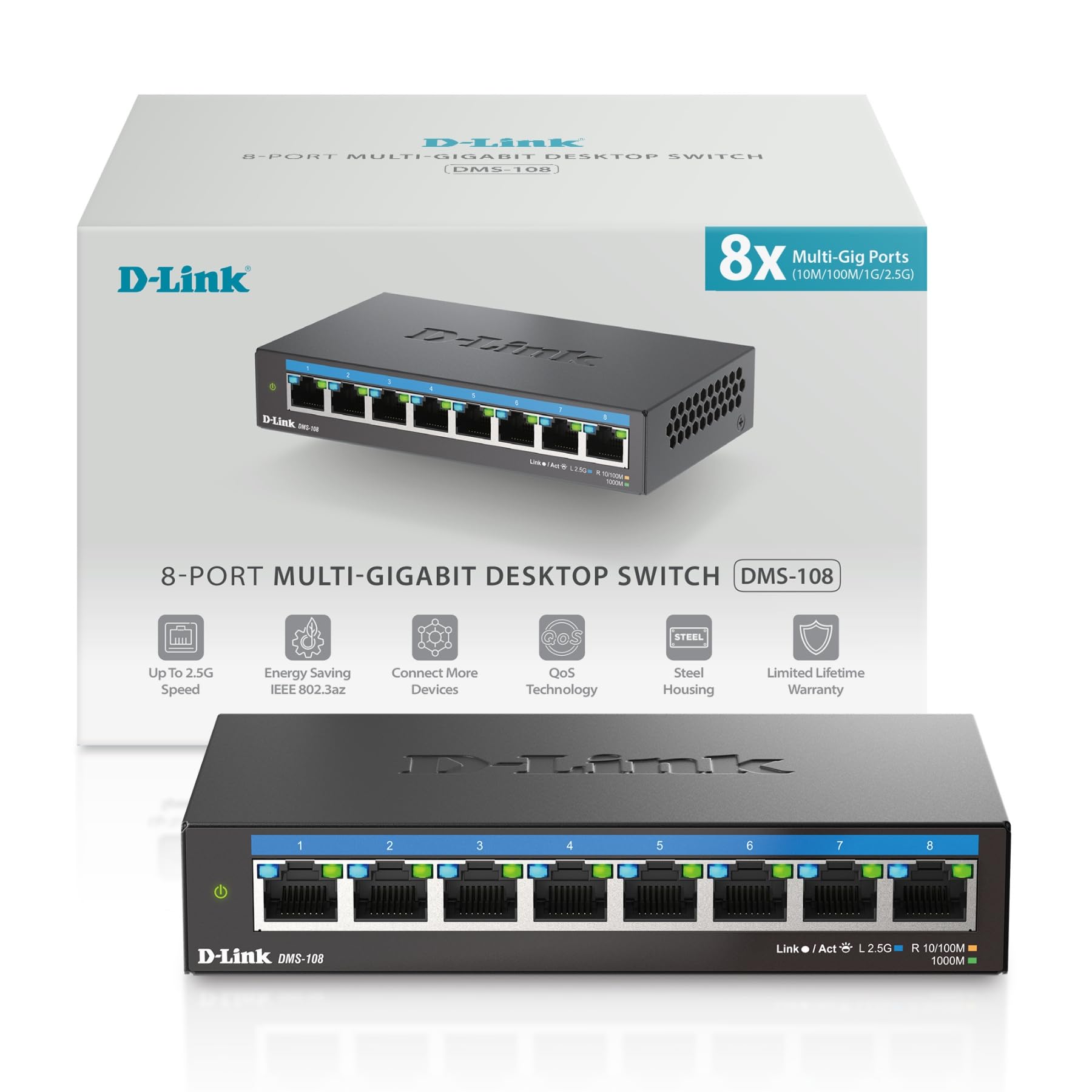
The D-Link DMS-108 sits at the top of the performance stack with eight 2.5 Gigabit ports and a massive 40 Gbps switching fabric. This switch doesn’t just handle gigabit traffic — it future-proofs your network for WiFi 6 access points and multi-gigabit NAS devices that would saturate a standard gigabit backbone. The metal housing and fanless design keep it whisper-quiet even with all eight ports pushing data simultaneously, and the per-port LED indicators clearly differentiate between 100M, 1G, and 2.5G link speeds so you always know your connection tier.
Beyond raw throughput, the DMS-108 includes smart QoS with eight priority levels and IGMP Snooping for efficient multicast streaming. This means 4K and 8K video streams from an IPTV source or Plex server won’t flood the network when you’re in a competitive gaming session. It also follows NDAA/TAA compliance, making it suitable for business or government environments where security sourcing matters. The auto-negotiation between three speed tiers ensures backward compatibility with older Cat5e cabling without manual configuration.
User reports highlight the rock-solid stability — the switch rarely requires a power cycle even under mixed traffic from a 2.5G NAS, a 1G media server, and a 100M printer simultaneously. The only trade-off is the premium price point relative to standard gigabit-only switches, but the jump to 2.5G speeds for local transfers makes this a worthwhile investment for bandwidth-hungry households or creative professionals moving large project files.
Why it’s great
- 40 Gbps non-blocking switching capacity handles full port saturation
- Eight priority QoS levels keep gaming and video traffic smooth
- Metal chassis with fanless design stays cool and silent 24/7
Good to know
- No Power over Ethernet (PoE) support for cameras or phones
- Premium pricing compared to standard gigabit-only 8-port switches
2. NETGEAR 8-Port Gigabit Ethernet Unmanaged Switch (GS108)
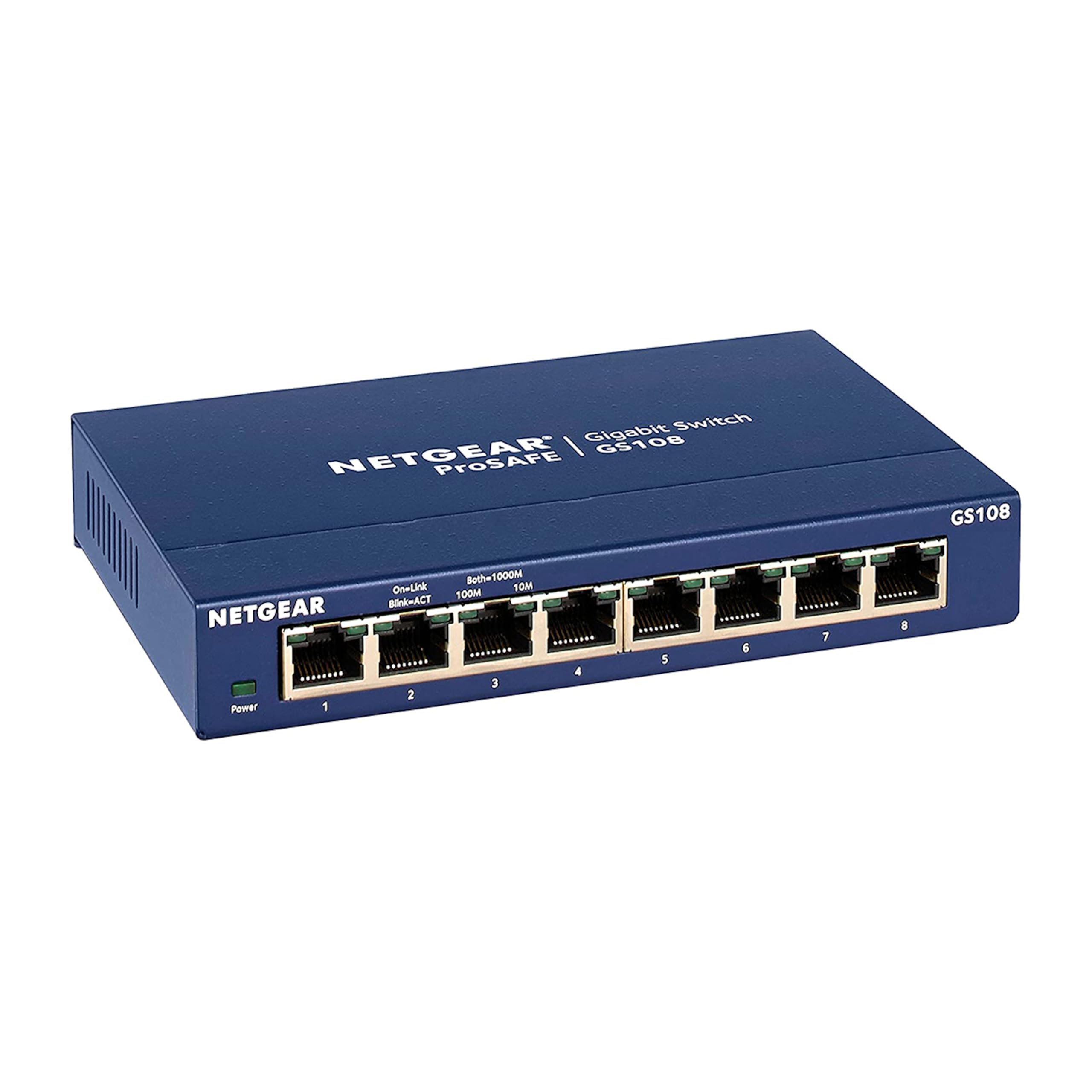
The NETGEAR GS108 is the benchmark for unmanaged gigabit switches, and its reputation is built on longevity rather than flashy specs. This metal-chassis unit draws only 2.8 watts max under load, making it one of the most energy-efficient 8-port switches available while still delivering full 1 Gbps throughput on every port. The ProSAFE Lifetime Warranty means NETGEAR will replace a failing unit free of charge — multiple customer reviews document replacements happening within two days even after ten years of continuous use.
Plug-and-play deployment requires zero configuration, and the unit auto-negotiates speed and duplex on all ports. The fanless design produces no audible noise, and the compact form factor fits easily on a desktop or mounts to a wall using the included keyhole slots. The GS108 also supports IEEE 802.3az Energy Efficient Ethernet, which automatically reduces power draw when ports are idle or connected with shorter cable runs.
Long-term user feedback is where the GS108 truly separates itself from the competition. Reports of units running 24/7 for 7 to 11 years without a single failure are common, and the switch handles mixed traffic from servers, security cameras, and gaming PCs without introducing latency. The only downside is that it lacks any advanced features like QoS, VLAN support, or Jumbo Frame configuration — it is a pure, unmanaged workhorse designed for maximum reliability above all else.
Why it’s great
- ProSAFE Lifetime Warranty with documented hassle-free replacements
- 2.8W maximum power draw for ultra-low energy consumption
- Metal chassis with fanless design proven to run for a decade
Good to know
- No QoS, VLAN, or Jumbo Frame support for traffic management
- Plastic faceplate may feel less premium than full-metal enclosures
3. TP-Link TL-SG108S-M2 8-Port Multi-Gig 2.5G Switch

The TP-Link TL-SG108S-M2 brings 2.5 Gigabit speeds to every one of its eight ports, offering a significant throughput upgrade over traditional gigabit switches without requiring the SFP+ uplink investment of higher-tier models. The auto-negotiation feature intelligently switches between 100 Mbps, 1 Gbps, and 2.5 Gbps link speeds on a per-port basis, ensuring compatibility with older devices while reserving full bandwidth for newer WiFi 6 access points and 2.5G-capable gaming PCs or NAS units. The 40 Gbps switching fabric ensures non-blocking performance across all ports.
TP-Link specifically designed this model to work with existing Cat5e cabling when running at 2.5G speeds, eliminating the need to rewire your home with Cat6 for a significant local speed boost. The fanless design keeps operation silent, and the compact form factor (6.2 by 4 by 1 inches) fits into tight spaces like media cabinets or behind entertainment centers. The plastic housing, while lighter than all-metal alternatives, still dissipates heat adequately for home use.
User feedback emphasizes the plug-and-play simplicity and the real-world performance improvement for LAN file transfers — moving from 1G to 2.5G nearly triples Steam local transfer speeds from 100 MB/s to around 220-300 MB/s. Some users note that wall-mounting is tricky due to the mounting cutout design, and the plastic chassis may not feel as durable as a full-metal enclosure. If you need a cost-effective way to jump from gigabit to multi-gig without a complete infrastructure overhaul, this is your entry point.
Why it’s great
- Eight auto-negotiating 2.5G ports for immediate speed upgrade
- Compatible with Cat5e cabling at 2.5G, no rewiring needed
- 40 Gbps switching fabric handles all ports at full duplex
Good to know
- Plastic chassis feels less robust than metal alternatives
- Wall mounting requires careful installation or case modification
4. Real HD 8 Port 2.5G Ethernet Switch with 10G SFP+
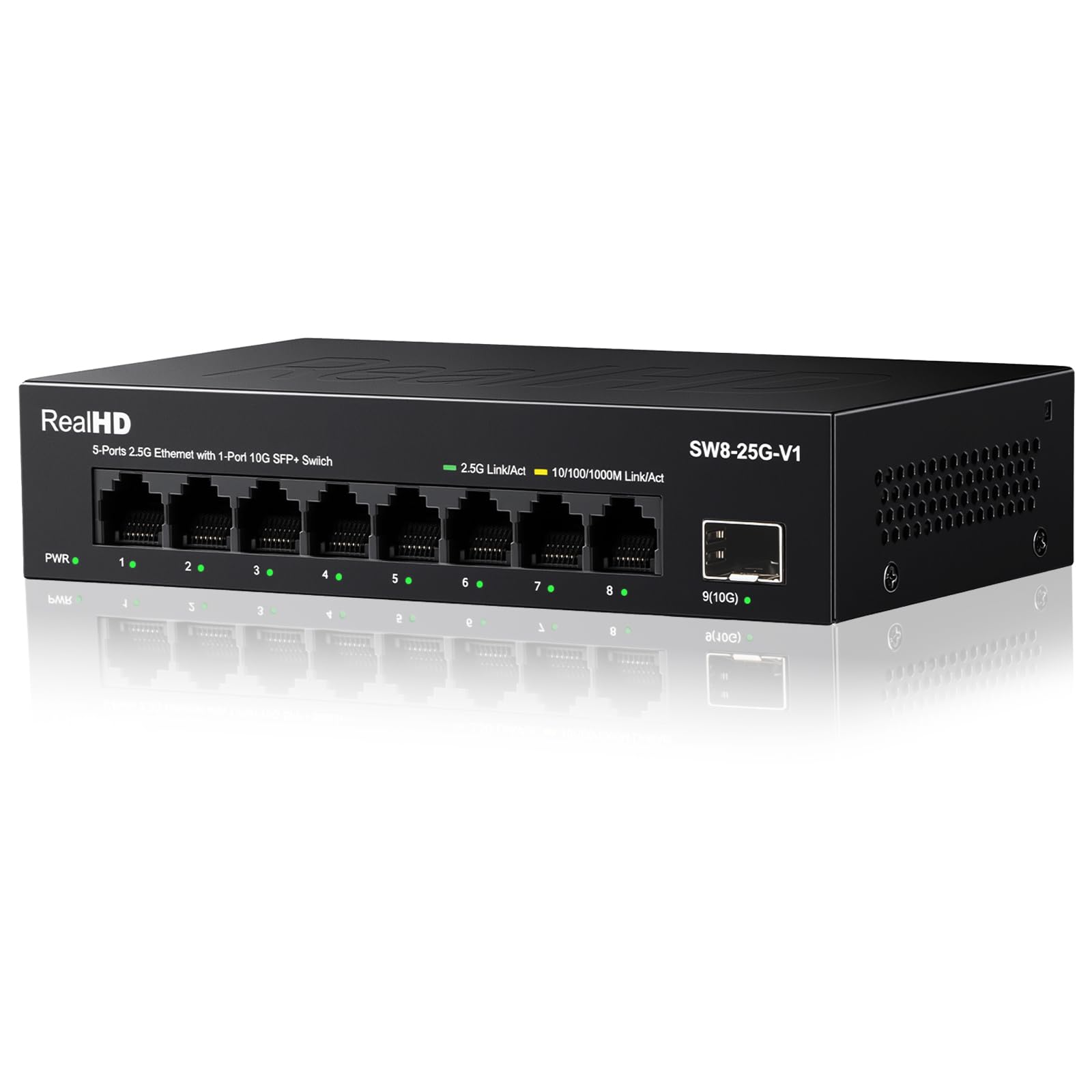
The Real HD 8 Port 2.5G Switch delivers a rare combination for its price tier — eight 2.5G RJ45 ports and a dedicated 10G SFP+ uplink port for connecting to a core router or server backbone. This configuration allows users to create a high-speed local network where the aggregated traffic from all eight ports flows through a 10G uplink without bottlenecking, a feature typically found in switches costing twice as much. The metal chassis includes a 4KV lightning protection circuit, adding resilience for environments prone to electrical surges.
Setup is pure plug-and-play with no configuration required, and the fanless design keeps the switch silent during operation. The broad operating temperature range (-20 to 50°C) makes it suitable for garage, attic, or workshop installations where temperature swings are common. Real HD’s Chicago-based technical support is available during business hours for troubleshooting, which adds a layer of confidence when buying from a less established brand.
Users report tripling their local LAN transfer speeds — from 100 MB/s on a standard gigabit switch to approximately 300 MB/s for Steam and large file transfers. The 10G SFP+ port is particularly useful for daisy-chaining multiple switches or connecting a high-speed NAS without sacrificing an RJ45 port for the uplink. Some users note that achieving full 2.5G speeds requires Cat6 or better cabling and compatible network cards on all connected devices, and the SFP+ module is not included in the box. For the price, this is the most versatile multi-gig switch available.
Why it’s great
- 10G SFP+ uplink prevents bottleneck when aggregating 2.5G ports
- 4KV lightning protection for surge-prone environments
- Runs cool and silent with fanless metal enclosure
Good to know
- SFP+ module not included and must be purchased separately
- Requires Cat6 cabling and 2.5G NICs for full advertised speed
5. Binardat 10 Port Gigabit Ethernet Switch with VLAN

The Binardat 10 Port Gigabit Switch stands out because it includes a physical DIP switch that enables port-based VLAN functionality — a feature almost unheard of in the sub-thirty-dollar price range. When the VLAN DIP switch is engaged, ports 1 through 8 are isolated from each other and can only communicate with the two uplink ports (9 and 10). This is an extremely practical way to separate smart home IoT devices (like cameras, smart bulbs, and thermostats) from your main PC and server traffic without the complexity or cost of a managed switch.
Beyond the VLAN feature, this switch offers ten gigabit ports — eight standard plus two dedicated uplink ports — providing a total bandwidth of 20 Gbps. The metal chassis and fanless design make it suitable for desktop or small cabinet installation, and the slim form factor (7.4 by 3.66 by 1.15 inches) fits into structured media enclosures like On-Q panels. Setup is plug-and-play in standard mode, and the LED indicators clearly show link status and activity for every port.
User feedback highlights the affordable price and the usefulness of the VLAN isolation for network camera installations and outdated in-wall wiring cabinets. Some users report the fan can be audible in quiet environments, though this appears to be a unit-specific variance rather than a design flaw. The brand is less established than NETGEAR or D-Link, but the lifelong technical support promise and the unique feature set make this a compelling option for security-conscious home users on a tight budget.
Why it’s great
- Hardware DIP switch enables port-based VLAN without managed software
- Ten ports (8 standard + 2 uplink) for 20 Gbps total bandwidth
- Metal housing fits structured media cabinets and tight spaces
Good to know
- Some units may produce noticeable fan noise in quiet rooms
- Less established brand than major networking manufacturers
6. D-Link DGS-108 8 Port Gigabit Ethernet Switch

The D-Link DGS-108 combines a rock-solid all-steel housing with intelligent traffic management features typically reserved for pricier switches. Unlike basic unmanaged hubs, this model includes 802.1p QoS that prioritizes voice and video traffic, plus IGMP Snooping for efficient multicast streaming — meaning your IPTV or Plex streams won’t degrade your gaming latency. The steel chassis survived customer-reported drops onto hardwood from three feet without damage, and the shielded RJ45 ports add an extra layer of interference protection in dense wiring environments.
The switch delivers 1 Gbps per port in full-duplex mode with a non-blocking architecture that handles all eight ports at line rate. The fanless design keeps it inaudible in a bedroom or studio, and the included keyhole slots allow for quick wall mounting. D-Link backs this unit with a limited lifetime warranty, and the energy-efficient design (IEEE 802.3az) automatically cuts power consumption by up to 80% on idle ports or short cable runs.
Customer experiences show the DGS-108 running cool to the touch even after four days with seven active devices, and sustained transfer speeds between 96 and 115 MB/s. Some users have noted addressing conflicts when the switch is used with certain modem/router combinations that require bridge mode, or issues with Magic Jack VoIP devices connected directly to the switch. For standard home networking — connecting PCs, game consoles, and NAS — the DGS-108 offers exceptional reliability at a reasonable price point.
Why it’s great
- All-steel chassis with shielded ports for EMI protection
- 802.1p QoS and IGMP Snooping for smooth streaming and gaming
- Runs cool and silent with lifetime warranty coverage
Good to know
- May cause addressing conflicts with certain modem/router combos
- No 2.5G support — limited to standard gigabit speeds
7. NETGEAR 8-Port Gigabit Essentials Switch (GS308)

The NETGEAR GS308 is the quintessential entry-level gigabit switch — it adds eight wired ports to any network with zero configuration and draws a minute 0.01 amps of power. The metal case (finished in NETGEAR’s signature yellow) provides adequate heat dissipation for the fanless design, and the compact dimensions (6.22 by 4.02 by 1.02 inches) allow it to sit on a desk or mount to a wall without dominating the space. This is the switch you grab when you simply need more ports and don’t want to spend time learning configuration menus.
Performance is standard for an unmanaged gigabit switch — all eight ports deliver full 1 Gbps in full-duplex mode, and the unit supports IEEE 802.3az Energy Efficient Ethernet to reduce power consumption on idle links. The silent operation is ideal for noise-sensitive environments like bedrooms or home offices, and the included power adapter keeps the setup clean and straightforward. NETGEAR’s decades of networking experience mean the GS308 is built to a consistent standard that just works out of the box.
Customer reviews consistently highlight the reliability and simplicity — users report adding the GS308 to Orbi mesh systems or router setups and immediately eliminating Wi-Fi buffering and drops on wired TVs and gaming consoles. A few users have noted a minor upload speed drop (from 950 Mbps to ~800 Mbps) when all ports are active, likely due to the switch’s internal processing overhead, but this is barely noticeable in real-world use. If your budget is tight and you need a reliable port expander, the GS308 delivers exactly what it promises without any unnecessary frills.
Why it’s great
- Ultra-low power consumption at 0.01A max current draw
- Fanless metal chassis runs completely silent
- Proven reliability for simple plug-and-play port expansion
Good to know
- Slight throughput reduction observed under full port load
- No advanced features like QoS, VLAN, or Jumbo Frame support
FAQ
Will an unmanaged switch add latency to my gaming connection?
Can I daisy-chain two 8-port switches together for more ports?
What is the difference between a switch and a router in my home network?
Final Thoughts: The Verdict
For most users, the best 1 gig switch 8 port winner is the NETGEAR GS108 because its decade-long reliability record, lifetime warranty, and ultra-low 2.8W power draw make it the safest investment for a stable home network backbone. If you want 2.5G future-proofing without rewiring, grab the TP-Link TL-SG108S-M2. And for isolating IoT devices with hardware VLAN, nothing beats the Binardat 10 Port Switch at its price point.