
The 1-millisecond response time spec is the single most contested and misunderstood figure in gaming monitors. It promises an end to ghosting, blur, and input delay, but not all 1ms panels are created equal — the technology behind the number determines whether your fast-paced frags look crisp or smeared.
I’m Min — the co-founder and writer behind Gadgets Feed. I spend my time cross-referencing panel types, refresh rates, and real-world input lag measurements to separate marketing claims from genuine performance in this narrow category.
After analyzing specifications, customer feedback, and competitive benchmarks across a wide price spectrum, I’ve identified the best 1 millisecond response time monitor options that deliver the motion clarity serious gamers actually need.
How To Choose The Best 1 Millisecond Response Time Monitor
Selecting a monitor that truly delivers on its 1ms promise requires understanding the panel architecture beneath the marketing badge. Pixel transition speed is inseparable from refresh rate, panel type, and the variable refresh rate technology you plan to use.
Panel Technology: The Foundation of Speed
Fast TN panels can achieve 1ms but sacrifice viewing angles and color accuracy. Modern IPS panels with overdrive technology now match 1ms GtG while offering vibrant colors. VA panels often excel in contrast but can suffer from dark-level smearing unless paired with aggressive overdrive. OLED panels, with response times near 0.03ms, redefine speed through instantaneous pixel-level light control — no overdrive artifacts at all.
Refresh Rate Synergy with Response Time
A 1ms response time is only useful when your refresh rate is high enough to display those transitions. At 60Hz, each frame lasts 16.67ms — any modern panel under 5ms feels identical. At 144Hz and above, the frame window drops to 6.94ms or less, making a genuine 1ms transition critical to prevent overlapping frames and visible ghosting. Always match your response time target to your refresh rate goal.
Adaptive Sync and Overdrive: The Balancing Act
Variable refresh rate technologies like G-Sync and FreeSync adjust the monitor’s scan rate to your GPU’s output, but aggressive overdrive settings can overshoot colors during frame rate dips. Premium monitors now pair 1ms speed with dynamic overdrive that scales with the refresh rate, ensuring consistent pixel transitions without inverse ghosting across the entire frequency range.
Quick Comparison
On smaller screens, swipe sideways to see the full table.
| Model | Category | Best For | Key Spec | Amazon |
|---|---|---|---|---|
| ASUS ROG Swift PG27AQDP | QHD OLED | Competitive FPS | 0.03ms GtG, 480Hz | Amazon |
| LG 32GX850A-B UltraGear | 4K OLED | Dual Mode Gaming | 0.03ms GtG, 165Hz 4K | Amazon |
| MSI MPG 271QRX QD-OLED | QHD QD-OLED | HDR & Speed | 0.03ms GtG, 360Hz | Amazon |
| ASUS ROG Strix XG27UCG | 4K Fast IPS | Dual Mode Versatility | 1ms GtG, 4K 160Hz | Amazon |
| AOC Q27G3XMN | Mini-LED QHD | HDR & Contrast | 1ms GtG, 180Hz | Amazon |
| Samsung Odyssey G50D 32 | QHD Fast IPS | Ergonomic Gaming | 1ms GtG, 180Hz | Amazon |
| LG 27GL83A-B Ultragear | QHD IPS | Balanced Performer | 1ms GtG, 144Hz | Amazon |
| Alienware AW2725DM | QHD IPS | Budget Premium | 1ms GtG, 180Hz | Amazon |
| Gawfolk 32 4K 144Hz | 4K VA | Entry-Level 4K Speed | 1ms MPRT, 144Hz | Amazon |
In‑Depth Reviews
1. ASUS ROG Swift OLED PG27AQDP

This 26.5-inch WOLED panel is the world’s first 1440p monitor to hit a 480Hz refresh rate, pairing it with a 0.03ms GtG response time that effectively eliminates all visible ghosting. The custom heatsink and burn-in warranty coverage address the primary concern with OLED longevity, while the 99% DCI-P3 gamut and DisplayHDR400 True Black certification deliver deep, inky blacks and vibrant highlights that LCD panels cannot reproduce.
ROG’s exclusive AI Assistant adds on-screen crosshairs, sniper modes, and a timer overlay without external software overhead. The OLED Anti-Flicker technology dynamically stabilizes luminance during refresh rate fluctuations, preventing the subtle brightness changes that occur with standard VRR on other panels. At this speed, motion clarity is so sharp that the 0.03ms spec feels like an actual jump from 1ms IPS.
The matte coating reduces glare in bright rooms, though some users note a slight grainy appearance on uniform gray backgrounds. The OSD menu is serviceable but the PC companion app can feel sluggish during firmware updates. For competitive gamers who want the absolute lowest lag and crispest motion, this remains the benchmark.
Why it’s great
- 480Hz with 0.03ms GtG motion clarity
- Burn-in coverage and heatsink in warranty
- Excellent color volume with True Black HDR
Good to know
- Matte coating can appear hazy on gray screens
- Requires DSC DisplayPort for 480Hz
2. LG 32GX850A-B UltraGear

LG delivers a glossy 32-inch 4K OLED panel with a dual-mode feature that switches between 4K at 165Hz and Full HD at 330Hz via a single hotkey. The 0.03ms response time ensures that even at the lower 1080p resolution, motion remains completely blur-free. The Micro Lens Array+ technology pushes typical brightness to 275 nits, with peak highlights exceeding 1000 nits for a truly impactful HDR presentation.
The WOLED panel avoids the purple tint sometimes seen on QD-OLED panels under ambient light, and the glossy finish makes colors appear more saturated without the haze of matte coatings. The 1.5 million-to-one contrast ratio delivers perfect blacks, making everything from dark dungeon scenes to high-contrast HDR titles look stunning. G-Sync Compatible and FreeSync Premium Pro certification ensure tear-free operation with modern GPUs.
The stand offers full ergonomic adjustment including swivel and pivot, though the base footprint is fairly deep. The Dual Mode hotkey is convenient for switching between single-player immersion and competitive shooting, but some users report needing to adjust brightness between modes. At this response speed and pixel density, it’s a top-tier choice for players who want both 4K detail and ultra-fast motion.
Why it’s great
- Glossy OLED with vibrant colors and deep blacks
- Dual Mode 4K 165Hz / FHD 330Hz
- Excellent HDR performance with true black
Good to know
- Last-gen WOLED with some text fringing
- High-end pricing may push budget limits
3. MSI MPG 271QRX QD-OLED

MSI’s 27-inch QD-OLED combines a 360Hz refresh rate with a 0.03ms GtG response time, making it one of the fastest OLED monitors available. The Quantum Dot layer expands color volume significantly compared to standard WOLED, delivering an exceptionally wide DCI-P3 gamut with Delta E ≤ 2 factory calibration. The contrast ratio, rated at 1,000,000:1, produces the signature OLED infinity contrast with zero blooming around bright objects.
The Gaming Intelligence App provides game-specific profiles that adjust brightness, contrast, and color temperature on the fly. MSI OLED Care 2.0 includes pixel shift, panel refresh, and dynamic brightness adjustments that reduce burn-in risk during long sessions. The built-in KVM switch lets you control a desktop and laptop with a single keyboard and mouse, a rare convenience for a pure gaming monitor.
Text clarity is excellent for a QD-OLED thanks to the subpixel layout, making it viable for mixed productivity and gaming use. The stand is sturdy but the base is chunky, requiring significant desk space. For users seeking the absolute fastest QD-OLED motion handling with HDR punch, this monitor sets the bar.
Why it’s great
- 360Hz refresh rate with near-instant pixel response
- Wide color gamut and high contrast for HDR
- Built-in KVM for multi-device setups
Good to know
- Large stand base consumes desk space
- Requires DisplayPort for full 360Hz
4. ASUS ROG Strix XG27UCG

The XG27UCG is a 27-inch Fast IPS panel with a unique dual-mode capability: 4K at 160Hz or Full HD at 320Hz, both with a 1ms GtG response time. This makes it one of the few monitors that can serve both immersive 4K gaming and hyper-competitive 1080p high-refresh scenarios without a panel swap. The Extreme Low Motion Blur Sync (ELMB SYNC) technology synchronizes backlight strobing with VRR, eliminating ghosting and motion blur without disabling adaptive sync.
The 95% DCI-P3 gamut and ASUS gray-scale tracking deliver smooth color gradation with no visible banding. The DisplayWidget Center software allows OSD adjustments via mouse, making calibration easier than using the on-screen joystick. The stand provides height, tilt, swivel, and pivot adjustments for a comfortable viewing position across different desk setups.
Achieving 4K at 160Hz requires DSC over DisplayPort, and the HDMI connection caps at 120Hz at 4K. The 1080p mode at 320Hz provides exceptional motion clarity, but the pixel density at that resolution on a 27-inch screen is noticeably soft. For gamers who want one monitor that handles both resolutions well, this is an excellent mid-range premium choice.
Why it’s great
- Dual Mode 4K 160Hz / FHD 320Hz
- ELMB SYNC eliminates motion blur with VRR
- Fast IPS with excellent color accuracy
Good to know
- FHD mode has lower pixel density
- DSC required for 4K 160Hz
5. AOC Q27G3XMN

The AOC Q27G3XMN uses a VA panel with 336-zone Mini-LED backlighting to deliver HDR1000 performance at a mid-range price point. The 180Hz overclocked refresh rate and 1ms GtG response time ensure fast-paced games remain fluid, while the 134% sRGB coverage produces vivid colors that exceed typical IPS displays. The true standout here is the HDR brightness — peak zone brightness exceeds 1100 nits, creating specular highlights that LCD monitors in this price range cannot match.
The VA panel’s native 3000:1 contrast ratio, combined with local dimming, provides the deepest blacks on this side of OLED without any risk of burn-in. The 3-year Zero-Bright-Dot warranty and accidental damage coverage during the first year offer peace of mind far beyond standard manufacturer policies. Adaptive Sync support works across both FreeSync and G-Sync Compatible modes.
The thick bezel can interfere with monitor arm webcam attachments, and the OSD navigation buttons feel dated compared to joystick controls. The large stand footprint also demands substantial desk real estate. For HDR enthusiasts who want a 1ms response time without sacrificing contrast or breaking the bank, this monitor is an exceptional value.
Why it’s great
- Mini-LED HDR1000 with 336 dimming zones
- Excellent contrast from VA panel + local dimming
- Comprehensive warranty with dead pixel coverage
Good to know
- Thick bezel inconvenient for webcam mounting
- Stand is large and heavy
6. Samsung Odyssey G50D 32

The 32-inch Samsung Odyssey G50D pairs a QHD Fast IPS panel with a 180Hz refresh rate and a 1ms GtG response time, making it a solid choice for gamers who prioritize ergonomics alongside speed. The stand offers height, tilt, swivel, and pivot adjustments, giving you full control over positioning on the desk. VESA DisplayHDR 400 certification ensures reasonable brightness for mid-range HDR content, while the Eye Saver Mode reduces blue light without washing out colors.
G-Sync compatibility and AMD FreeSync support keep the panel synced with your GPU across the entire 48–180Hz variable refresh range, eliminating tearing without introducing the flicker sometimes seen on VA panels. The 178-degree viewing angles from the IPS technology mean colors remain consistent whether you’re sitting centered or off to the side, which is important at the larger 32-inch diagonal.
The default color calibration can be poor out of the box, requiring manual adjustment to bring white balance and gamma into proper alignment. Some users have also reported intermittent DisplayPort signal detection issues with certain graphics card ports. For gamers who want a highly adjustable 32-inch QHD panel with genuine 1ms IPS speed, the G50D delivers a strong mix of features.
Why it’s great
- Highly adjustable stand with full ergonomic range
- 180Hz Fast IPS with G-Sync compat
- Large 32-inch QHD screen for immersive play
Good to know
- Default calibration needs significant adjustment
- DisplayPort handshake can be finicky
7. LG 27GL83A-B Ultragear

The LG 27GL83A-B is a 27-inch QHD IPS monitor that has been a staple recommendation for years due to its reliable 144Hz refresh rate and genuine 1ms GtG response time. The 99% sRGB coverage provides color accuracy that suits both gaming and photo editing, while the 178-degree viewing angles ensure consistent color across the entire screen. NVIDIA G-Sync certification guarantees the monitor will eliminate tearing with GeForce GPUs without the variable overdrive issues that sometimes plague uncertified displays.
The Black Stabilizer feature brightens dark scenes without overexposing bright areas, revealing hidden enemies in shadow without ruining the overall image. The virtually borderless design on three sides makes multi-monitor setups seamless. The joystick-based OSD control is intuitive, allowing quick adjustments to brightness, volume, and input source without hunting for buttons.
HDR10 support is included but limited — the monitor lacks the brightness and local dimming to deliver a convincing HDR experience. Some units exhibit mild IPS glow in the bottom corners, especially in dark room conditions. For a proven middle-of-the-road performer that nails the core gaming specs of 1440p, 144Hz, and 1ms, this monitor remains a safe and consistent choice.
Why it’s great
- Reliable 144Hz IPS with G-Sync Certified
- Wide 99% sRGB gamut for accurate color
- Intuitive joystick OSD and slim bezels
Good to know
- HDR performance is very basic
- IPS glow present on some panels
8. Alienware AW2725DM

The Alienware AW2725DM brings a 27-inch QHD IPS panel with a 180Hz refresh rate and 1ms GtG response time to the entry-level premium segment. The 95% DCI-P3 color gamut and VESA DisplayHDR 400 certification provide a respectable HDR experience for the price, with peak brightness hitting 400 nits for acceptable highlight detail. The design carries Alienware’s iconic Legend aesthetic with a sleek white and black color scheme that stands out on a desk.
The stand offers height, tilt, pivot, and swivel adjustments, plus anti-glare coating that manages reflections well in bright environments. G-Sync compatibility is active across the full refresh range, and the console mode allows variable refresh rate over HDMI for Xbox and PlayStation gaming at up to 120Hz. The build quality is solid, with minimal backlight bleed reported on most units.
Full 180Hz requires a DisplayPort connection — HDMI is limited to 144Hz. The monitor lacks built-in speakers and a 3.5mm headphone jack, so you will need external audio. For a well-built mid-range monitor from a major gaming brand that delivers genuine 1ms IPS speed with a high refresh rate, this is a compelling value.
Why it’s great
- 180Hz with 1ms GtG at a competitive price
- 95% DCI-P3 and DisplayHDR 400
- Fully adjustable stand with excellent build
Good to know
- No built-in speakers or audio jack
- 180Hz only via DisplayPort cable
9. Gawfolk 32 4K 144Hz
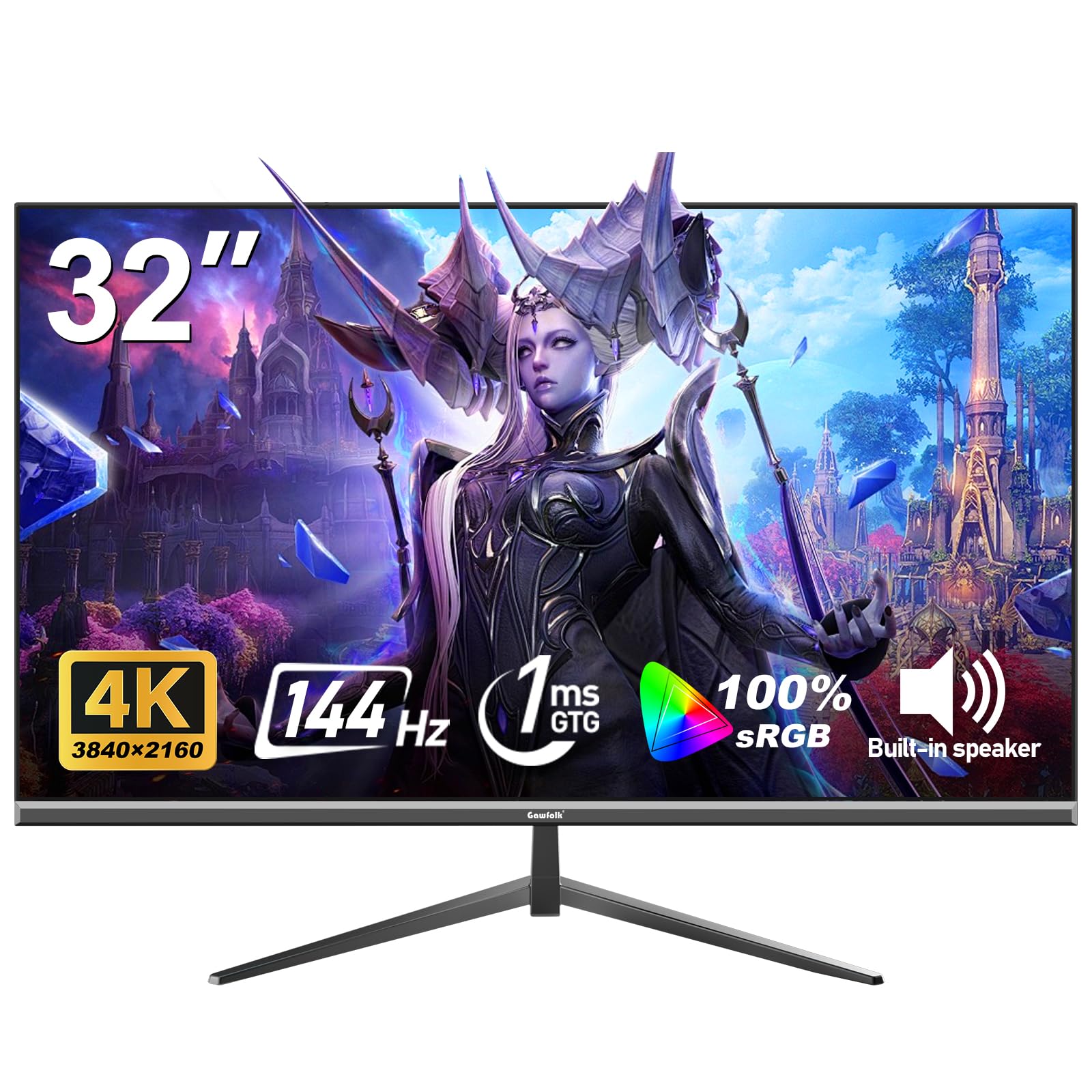
The Gawfolk 32-inch 4K monitor delivers a 144Hz refresh rate and 1ms MPRT response time at a price point that undercuts most competitors. The VA panel provides a 1000:1 contrast ratio with 320 nits of brightness, and the 100% sRGB coverage ensures colors look accurate for a budget display. Adaptive Sync support works with both FreeSync and G-Sync, reducing screen tearing during gameplay.
The 32-inch format offers a larger screen area than the typical 27-inch 4K monitor, making it more suitable for work productivity and split-screen gaming. The three-sided frameless design looks modern when paired with a monitor arm, and the 100x100mm VESA mounting is standard for easy arm installation. The 178-degree viewing angle is acceptable for a VA panel, with far better horizontal viewing than budget TN alternatives.
Quality control can be inconsistent — some units have been reported to fail within the first three months, and the 1ms MPRT specification is based on backlight strobing rather than pixel transition speed. For maximum motion clarity, the VA panel’s dark response time may still exhibit smearing in shadow transitions. For budget-conscious buyers who want a large, high-resolution screen with a respectable refresh rate and 1ms marketing spec, this is a functional entry point.
Why it’s great
- 32-inch 4K at a highly accessible price point
- 144Hz refresh rate with Adaptive Sync
- Three-sided frameless design and VESA mount
Good to know
- 1ms MPRT is backlight-based, not pixel transition
- Inconsistent quality control reported
FAQ
Can a VA panel truly deliver 1ms GtG without black smearing?
Is 1ms response time actually noticeable compared to 4ms?
Final Thoughts: The Verdict
For most users, the best 1 millisecond response time monitor winner is the ASUS ROG Swift OLED PG27AQDP because its 0.03ms response time and 480Hz refresh rate effectively eliminate all visible motion artifacts while delivering vibrant WOLED color. If you want genuine 1ms speed with HDR contrast that rivals OLED, grab the AOC Q27G3XMN. And for a proven mid-range value that combines 1440p detail with reliable 1ms IPS performance, nothing beats the LG 27GL83A-B Ultragear.