
Our readers keep the lights on and my morning glass full of iced black tea. As an Amazon Associate, I earn from qualifying purchases.
Specs are compiled from manufacturer listings and verified buyer reviews and can change over time — please confirm the key details on the product page before buying.
You can stop swapping cables between your work laptop and personal desktop every morning. A monitor with a built-in KVM (a switch that shares one keyboard and mouse between machines) lets you control both with one set of peripherals. Or, if you only need to see both screens at once, picture-by-picture (PBP, showing two inputs side-by-side) or picture-in-picture (PIP, a small inset window) does the job. Decide first: do you need to control both computers with one keyboard and mouse, or just view both screens at once?
I’m Min — the founder and writer behind Gadgets Feed. This guide is built by comparing the manufacturers’ published specifications and the patterns across verified customer reviews, so you get each pick’s real strengths and trade-offs instead of marketing spin.
Your choice hinges on if you need shared keyboard-and-mouse control or just simultaneous viewing. Find the right fit in this breakdown of the best 1 screen for 2 computers.
Our Picks at a Glance

How To Choose The Best 1 Screen For 2 Computers
Start by defining your workflow: shared control or simultaneous viewing. Some buyers need to share one keyboard and mouse across a laptop and a desktop, while others just want one big screen showing both computers’ video feeds at the same time. That answer determines whether KVM or PBP/PIP is your priority.
KVM: Control both computers with one keyboard and mouse
A KVM switch built into the monitor lets you use a single keyboard and mouse to control two different computers, typically with a button press or hotkey to swap between them. A built-in KVM eliminates cable swapping between machines. If both your machines are on your desk and you want to move between them without reaching behind the monitor, prioritize a display with this built in.
PBP and PIP: View two computers at once
Picture-by-picture splits the screen so two inputs sit side-by-side, and picture-in-picture shows a small second window floating over your main display. PBP suits active multitasking; PIP is for monitoring a second feed. These modes are essential if you need to watch one machine while working on another.
Resolution and refresh rate: What you see and how smooth it feels
Resolution sharpens text and images; refresh rate smooths motion. For a wide screen meant to replace two monitors, higher resolution means more desktop space for windows. A higher refresh rate matters for gaming on one machine, so many picks blend productivity features with gaming-grade motion.
Quick Comparison
| Model | Best For | Resolution | Refresh Rate | Dual-PC Feature | Amazon |
|---|---|---|---|---|---|
| KTC H49S66★ Best Overall | Full KVM + productivity | 5120×1440 | 180Hz | KVM + PIP/PBP | Amazon |
| Sceptre C305B-200UNBest Value | Budget dual-view | 2560 x 1080 | 200+Hz | PBP | Amazon |
| Samsung ViewFinity S50GCSmart Pick | Two-source viewing | 3440 x 1440 | 100Hz | PIP + PBP | Amazon |
| INNOCN 45C1R | Mac + PC via USB-C | 5120×1440 | 120Hz | PIP/PBP | Amazon |
| Gawfolk 49″ | Budget 32:9 split | 5120×1440 | 120Hz | PIP + PBP | Amazon |
| Deco Gear 49″ | KVM + easy-to-drive res | 3840×1080 | 144Hz | KVM + PIP/PBP | Amazon |
| Z-Edge 49″ | Gaming + dual control | 5120×1440 | 165Hz | KVM + PIP/PBP | Amazon |
| MT-Viki KVM | Industrial rack setups | — | — | 8-port KVM | Amazon |
| MSI MPG 321CURX | Premium gaming + KVM | 3840×2160 | 240Hz | KVM | Amazon |
| INNOCN 49Q1R | OLED + single USB-C | 5120×1440 | 144Hz | KVM + PIP/PBP | Amazon |
In-Depth Reviews
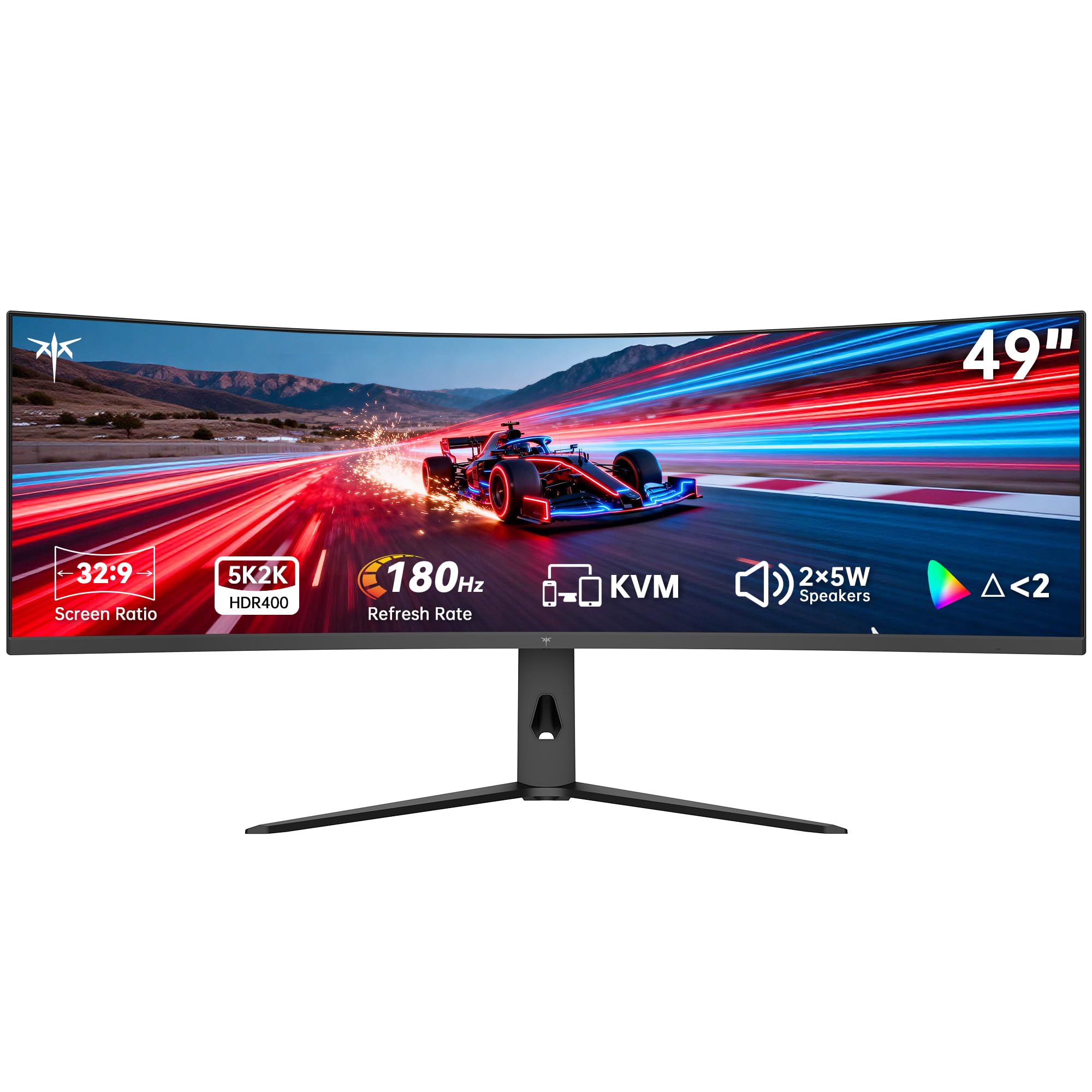
1. KTC H49S66 Ultrawide 49 in Curved Gaming Monitor
Our pick — 4.5★ from 2,000+ verified ratings; the strongest balance of quality and price.
This monitor replaces two side-by-side 27-inch displays with one smooth control point, thanks to its built-in KVM.
The KTC H49S66 earns the top spot because it checks every box for a true two-computer workflow. Its built-in KVM lets you drive a desktop PC and a laptop with one keyboard and mouse, with no plugging or unplugging. The 49-inch 32:9 panel is equivalent to two 27-inch 16:9 monitors sitting side-by-side, giving you a huge canvas without a bezel splitting the middle.
Sharpness is a defining strength here: the 5120×1440 DQHD resolution delivers finer lines than standard 4K, which makes text heavier and cleaner for multi-tasking. Motion handling stays smooth at a 180Hz refresh rate, and the adaptive sync prevents visible screen tearing during fast-paced games. Colors are factory-calibrated with a 128% sRGB color gamut area and 400cd/㎡ brightness, plus HDR 400 for more detail in shadows, so it suits graphic design and video editing as much as gaming. The 1000R curve wraps around your field of view, and low blue light and flicker-free backlighting are built in for long sessions.
For connectivity, you get HDMI, DP, and a 90W Type-C port that powers a connected laptop, plus dual 5W speakers for room-filling sound. The stand tilts -5° to 20°, swivels ±20°, and adjusts height by 130±5mm for comfortable viewing angles. A three-year warranty and 12-hour support response back the purchase. The main trade-off, as buyers report, is the slow wake time of 3-5 seconds and a stand that sits low, which may push some owners toward a monitor arm.
What the KVM earns its keep for
- True built-in KVM to control two computers with one keyboard and mouse
- 180Hz refresh rate keeps fast-paced games fluid
- 90W USB-C port charges a connected laptop
Where the catch lives
- Colors from the start may need adjustment, per the review consensus
- Slow 3-5 second wake time between power states
- Low stand height may not suit taller viewing angles
Reach for it if: you want one desk setup that cleanly controls both a work laptop and a personal PC without fiddling with cables.
Look elsewhere if: your work is color-critical, because the washed-out out-of-box colors need heavy adjustment first.
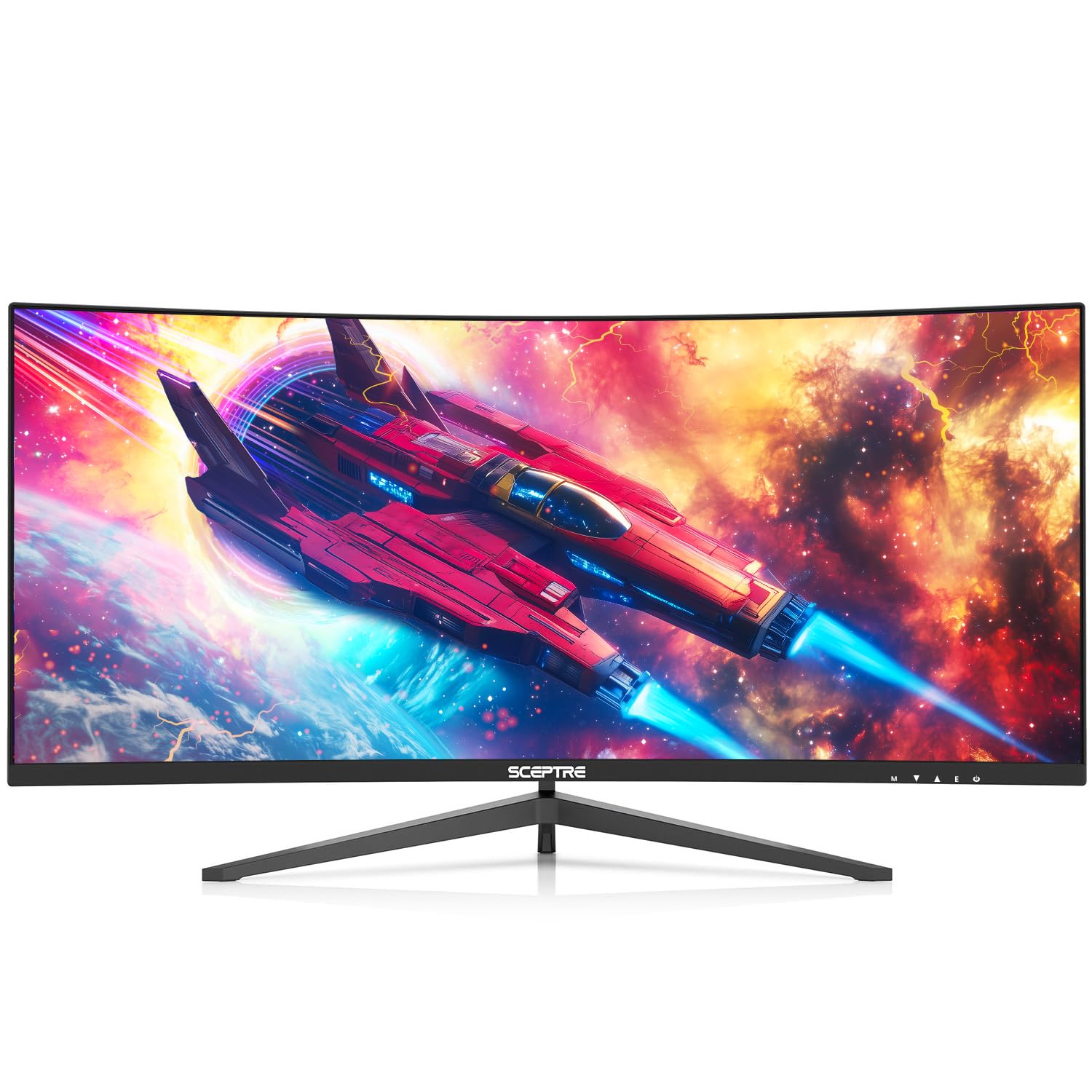
2. Sceptre Prime Curved 30-inch Gaming Monitor
A budget-tier 30-inch curved screen that splits dual inputs without asking you to share a keyboard.
The Sceptre Prime is the pick for buyers who want to view two computers on one screen without spending on a full KVM. Its picture-by-picture mode displays two separate inputs side-by-side at the same time, so you can compare charts or stream on one machine while working on another. The 30-inch 21:9 curved panel uses a 2560 x 1080 resolution, which is far easier for a graphics card to drive than the premium 5120×1440 panels.
Motion handling is a surprise at this level: the DisplayPort delivers up to a 200+Hz refresh rate, and AMD FreeSync nearly eliminates tearing and stuttering during fast-paced games. The 5ms GTG response time keeps things responsive, and the 170° horizontal and vertical viewing angles hold up from most seating positions. Built-in speakers offer office-level audio for conference calls and internet workshops, which saves you desk space.
The 300 cd/㎡ brightness and 100% color gamut produce vibrant, sharp visuals, and blue light shift reduces eye fatigue during long document sessions. It’s a famously easy plug-and-play setup, with buyers describing the colors as vibrant and the clarity as sharp even a month in. The honest trade-offs are a noticeable bezel gap, weak built-in speakers, and a stand that tilts but doesn’t adjust for height.
Best for: the budget buyer who wants to run two computers side-by-side on one curved display and can live without a shared keyboard and mouse.
The one caveat: no height adjustment on the stand, so plan for a monitor arm if your desk height demands it.
3. Samsung 34″ ViewFinity S50GC Series Ultrawide QHD Monitor
The name-brand ultrawide that lets you resize a second source into a corner while your main work stays full-screen.
Samsung’s ViewFinity S50GC stands out by supporting both PIP and PBP, which means you can either run two inputs side-by-side at native resolution or shrink a second source into a small monitoring window. The 34-inch 21:9 Ultra-WQHD screen with a 3440 x 1440 resolution is a practical middle ground between a standard monitor and a giant 49-inch panel. It’s a cleaner fit for a smaller desk while still giving you real multi-tasking room.
The HDR10 support displays over 1 billion colors compared to 16.7 million on typical SDR technology, so dark scenes stay dark and bright areas pop. An ambient light sensor automatically adjusts brightness based on your workstation lighting, which is a thoughtful touch. Eye Saver Mode minimizes blue light, and Flicker Free technology relieves eye strain during long stretches of work. The 100Hz refresh rate reduces lag and motion blur in games and videos, and AMD Radeon FreeSync keeps the refresh rate in sync with your graphics card to prevent image tearing.
This is a 4.4-star monitor across 645 ratings, and buyers consistently note the crispness and clarity. The main gripes center on configuration: some Mac and PC setups cap out at 50Hz instead of the full 100Hz without manual adjustments, and one owner found the HDMI-to-DisplayPort route performance was best. The included stand is functional, though a few owners found it wobbly and mounted the panel instead.
Two-source pro: the PIP resize feature is rare here — you can watch a second machine’s feed in a corner while your main work stays untouched.
Mac note: buyers found the 100Hz refresh rate needs configuration on Mac, so expect some setup time if you’re on Apple hardware.
Good for: a dual-PC setup where PBP and PIP both matter, and you want a trusted brand name.
Not for: buyers who want a single keyboard and mouse across both computers — there’s no built-in KVM here.
4. INNOCN 45C1R 45″ 5K2K Ultrawide Curved Monitor

The 45-inch VA panel built for Mac owners who want one USB-C cable to carry video, power, and data.
The INNOCN 45C1R is the productivity-focused choice for a two-computer desk, particularly if one of those machines is a Mac. Its 5120×1440 resolution on a 32:9 VA panel delivers a wide dual-QHD workspace, and the R1500 curve wraps content toward you to limit eye strain compared to flat monitors. The 120Hz refresh rate via USB-C to DisplayPort 1.4 makes everything from spreadsheets to streaming feel responsive.
The port selection is the story here: you get 1x DP 1.4, 1x USB-C with 65W power delivery, 2x HDMI 2.1, 2x USB-A, 1x USB-B, 1x RJ45 ethernet, and a 3.5mm audio jack. That means one USB-C cable can connect a MacBook, deliver 65W of charge, and give you access to the built-in USB hub for peripherals — a genuinely tidy one-cable laptop dock. PIP and PBP split-screen modes let you display content from two separate input sources at once, and the 3000:1 contrast ratio with 99% sRGB delivers deeply rich colors for content creation.
The software and hardware earn solid praise: a trader using TradingView noted the matte screen and intuitive controls, and a professional video editor kept it after comparing to a Samsung ViewFinity S9, favoring the INNOCN’s image quality. The honest catch is the mixed reliability feedback, with some owners reporting a sleep-wake quirk when connected to a Mac Mini that was fixed by disabling auto power. The 4.3-star rating across 553 ratings reflects genuine enthusiasm tempered by a few color calibration complaints.
The reason to buy it: a single USB-C connection handles video, 65W charging, and a hub for your whole desk.
The reality check: some units arrive with off-center clarity or dead pixels, so check your panel early in the return window.
5. Gawfolk 49inch Ultrawide Curved Monitor
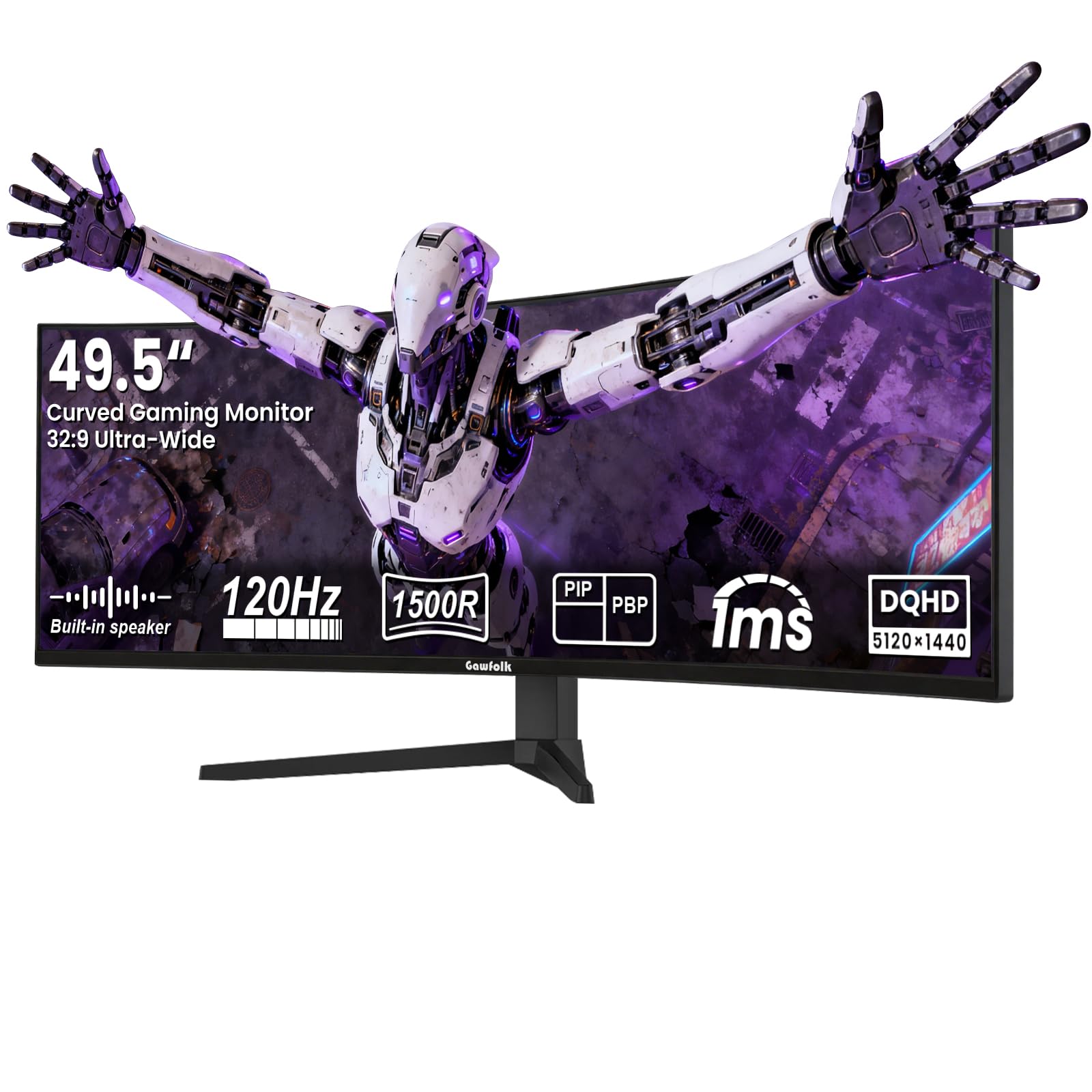
A 49.5-inch wraparound panel that brings dual-QHD size down to a friendlier price tier.
Gawfolk’s 49.5-inch monitor offers the same 32:9 dual-QHD real estate as far pricier options, with a 5120×1440 DQHD resolution that equals two 27-inch QHD monitors combined. The 1500R deep curvature creates a wrap-around field of view that a buyer describes as great for stock trading and multi-window office work. The 120Hz refresh rate with 1ms rapid response time removes motion blur and screen tearing during fast-paced games.
Visuals come from a 3000:1 static contrast ratio, 350cd/㎡ peak brightness, and 120% sRGB wide color gamut, with HDR support that enhances dark and bright details simultaneously. The PIP and PBP split-screen functions let you connect two devices at once and display them side-by-side, so you can run a work computer and a personal machine without switching monitors. The monitor supports a standard VESA 100x100mm wall mount to free up desk space, and the DisplayPort and HDMI inputs cover both computers.
The 4.3-star rating across 659 ratings shows strong overall satisfaction, with buyers praising the easy setup and plenty of screen space. The mixed reliability feedback is note — some owners mention it works as advertised while others mention a blurry image or a flimsy mount. At 17 pounds, this is a display you’ll want help lifting onto a desk or arm.
Best for: the buyer who wants a massive 32:9 canvas for two computers and is willing to accept a less established brand.
Think twice if: you need a rock-solid mount from the start, since build quality on the stand draws mixed feedback.
6. Deco Gear 49 Inch Curved Monitor
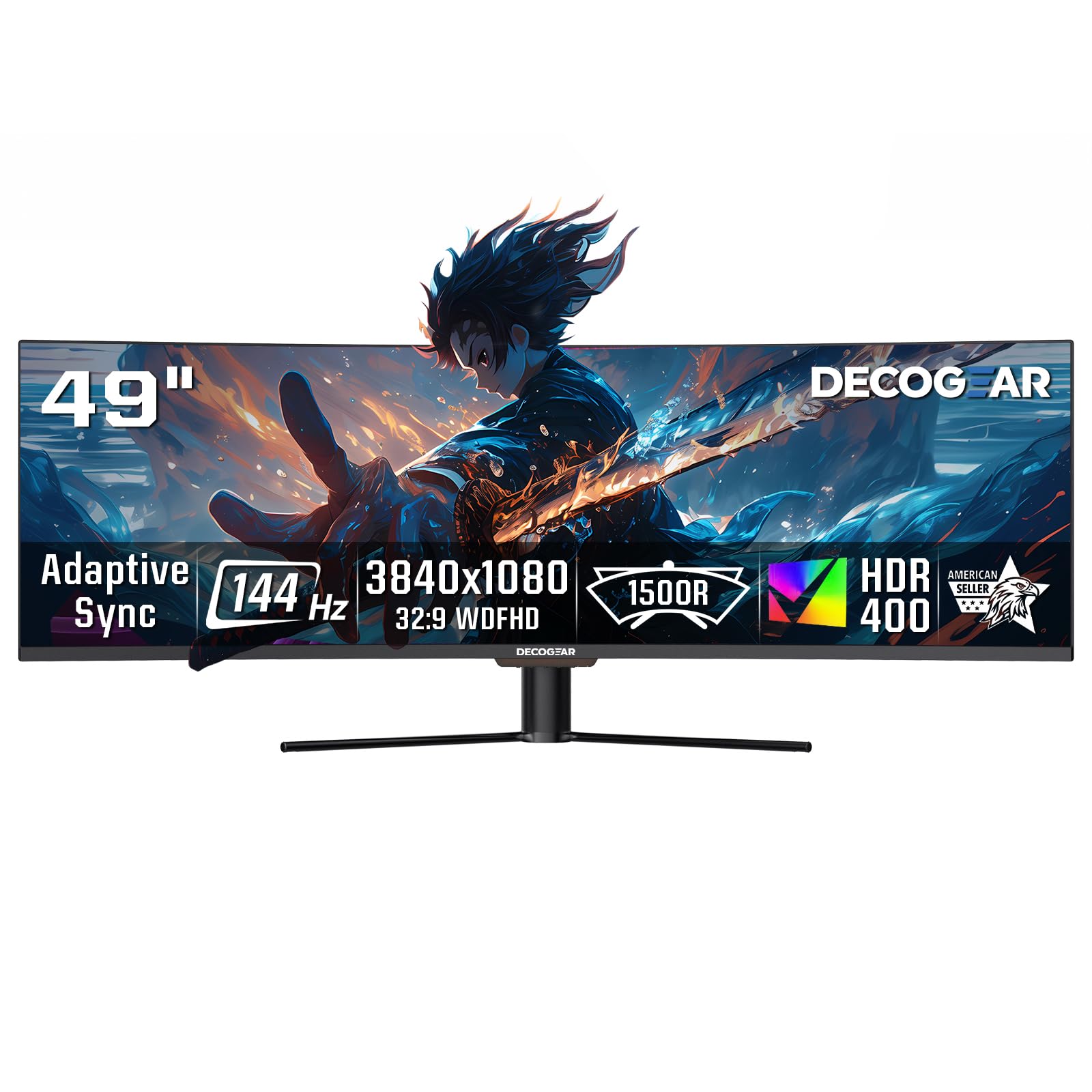
The 49-inch KVM monitor that’s easier for a wider range of PCs to drive, thanks to a 3840×1080 resolution.
The Deco Gear 49 stands out from the dual-QHD giants because its 3840×1080 WDFHD resolution (a wide format that is less demanding on your graphics card) delivers smoother performance on mid-range setups. This matters if one of your two computers isn’t a gaming rig. The 49-inch 32:9 curved screen still gives you the workspace of two side-by-side displays in one smooth panel.
The KVM support here is genuine: it lets you control two systems with one keyboard and mouse, which is the core convenience for a two-computer desk. The 144Hz refresh rate with a 3ms response time and Adaptive Sync reduce motion blur and screen tearing for smoother gaming and fast window movement. The VA panel delivers a 3000:1 contrast ratio and HDR400 support for rich contrast and detailed shadows. A USB-C port provides 65W power delivery, so a connected laptop charges while it displays.
Customers note the screen quality is a highlight, and it’s easy on the eyes for coding sessions. The trade-off shows up in reliability: while many owners say it works from the start with no dead pixels, a smaller number experienced a USB-C port failure after a few months, and one flagged the build as cheap. There is no audio output port on this model, so you’ll connect speakers directly to your computer.
The strength: KVM functionality at a resolution that your existing PCs can actually push smoothly, which is rare in this size class.
The honest caution: reliability is the most common complaint, so keep your box and consider added protection.
7. Z-Edge 49 inch Ultrawide Curved Computer Monitor
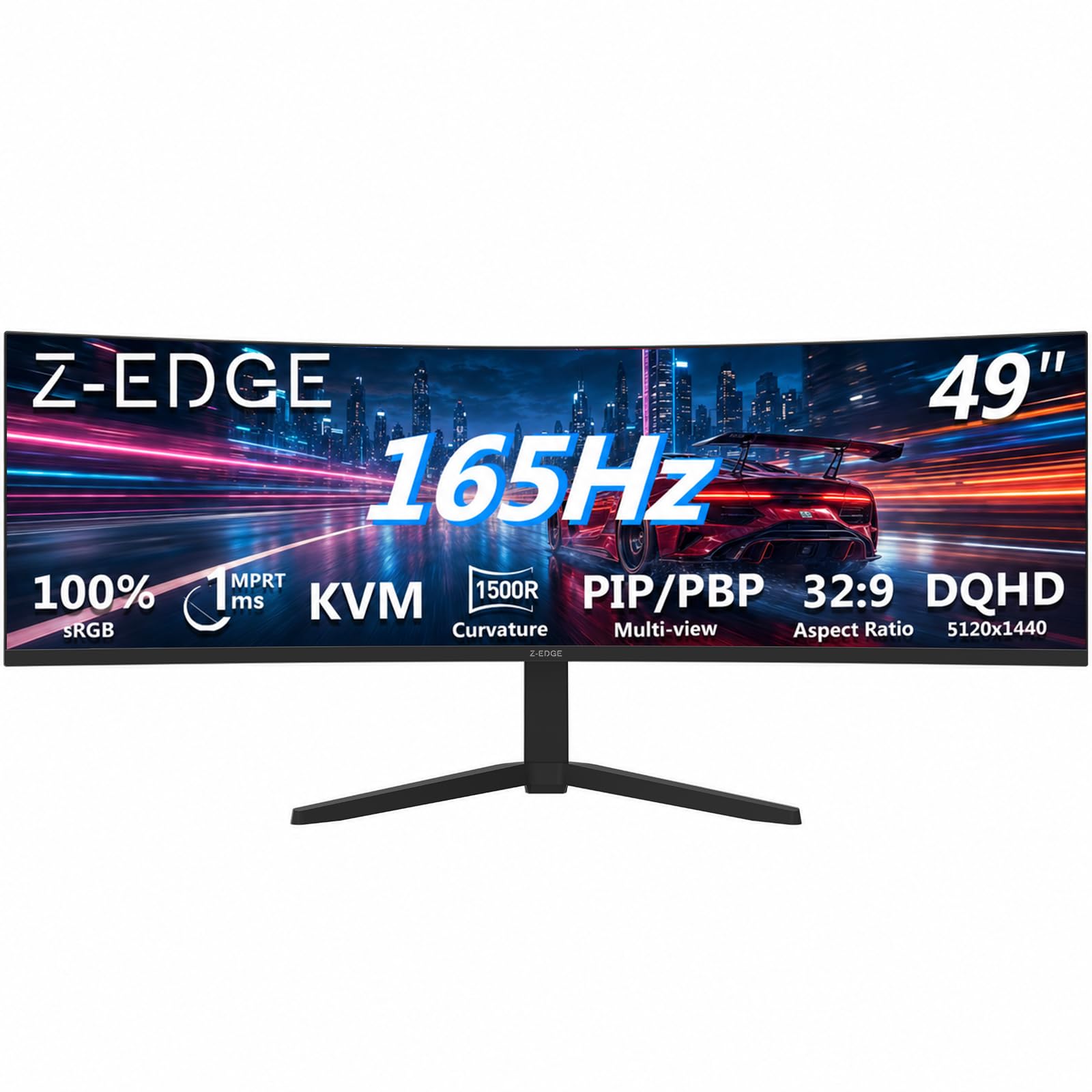
A 49-inch powerhouse that pairs a 165Hz refresh rate with KVM control for dual-machine setups that game hard.
The Z-Edge 49 targets the buyer who games on one computer and works on another but wants both on a single ultrawide. Its 5120×1440 Dual QHD resolution equals two QHD monitors side-by-side, and the 1500R curvature wraps around your field of view for cinematic immersion in games and professional workflows. The 165Hz refresh rate over HDMI 2.1 or DP 1.4 delivers ultra-fluid motion, and the 1ms MPRT response time keeps fast-paced action crisp.
The built-in KVM lets you control two devices with a single set of keyboard and mouse, which is the efficiency win for this class. PIP and PBP modes allow you to display content from multiple input sources simultaneously, and FreeSync support eliminates screen tearing. Gaming-specific tools include a Crosshair overlay for aiming, Shadow Balance for dark scenes, and an on-screen Timer — a genuinely useful set for competitive FPS play. Integrated dual speakers give instant audio for games, videos, and music without extra desk speakers.
The 4.5-star rating across 766 ratings reflects strong picture quality and easy setup. The ergonomic stand offers tilt and height adjustments for comfort. The main reliability concerns are specific: some reviewers point out a DisplayPort not working and infrequent screen durability issues, and the display quality feedback is mixed regarding yellow lines on one side. Weigh these rare complaints against the otherwise strong positive consensus.
Best for: the gamer-turned-professional who wants one curved screen for both a gaming PC and a work laptop.
Know before you buy: the DisplayPort input and screen durability draw rare but notable complaints, so test all ports early.
8. MT-Viki 17” Rack Mount KVM Switch VGA 8 Port

The industrial-grade rack console that puts a monitor, keyboard, and touchpad into a single 1U drawer.
The MT-Viki is a fundamentally different answer to the two-computer question: instead of a desktop panel, it’s an all-in-one rackmount console that combines a 17-inch LCD monitor, keyboard, and touchpad into a single 1U drawer. It’s built to manage up to 8 computers by one user, which makes it the pick for server rooms, data centers, and industrial control systems where technicians need direct access without an external monitor. Product dimensions are 18.9 x 22.1 x 1.77 inches with a mount depth of 23.6 to 31.8 inches, fitting a standard 1U 19-inch rack.
Three switching methods give you flexibility: an OSD menu, keyboard hotkeys, or a push button. You can daisy-chain up to 64 computers by connecting multiple MT-Viki 8-port KVM switches together, and two-level password security (administrator and user) controls access. The aluminum interior keeps weight lower while the steel drawer shell adds industrial durability, plus a built-in handle and lock secure the unit. It’s widely compatible with Windows, DOS, Linux, and Mac OS 8.6/9/10, and the package includes 8 KVM VGA cables (5ft x4 and 6ft x4) plus a 12V 2A power adapter.
This is a niche tool with a 3.6-star rating across 47 ratings, and the reviews tell a clear story. Several owners praise the one-person install, the quality LCD, and the easy setup and wiring — one confirmed it works with an Amazon Basics VGA-to-HDMI converter. The recurring theme is reliability: one unit stopped functioning after 6 months with a rapidly flashing screen, another had a power supply failure that was easy to replace. This is the right tool for professional environments, not a casual home-office display.
The professional edge: manage up to 8 computers from one sliding drawer with a built-in screen, keyboard, and touchpad.
The reality: the power supply and long-term reliability are the weak points — spares are worth having on hand.
9. MSI MPG 321CURX QD-OLED, 32-Inch, 4K UHD

The QD-OLED centerpiece that pairs console-grade 240Hz gaming with KVM control for dual computers.
The MSI MPG 321CURX is the premium answer for a two-computer setup where visual quality is non-negotiable. Its 3rd-gen QD-OLED panel (a type of OLED that uses quantum dots for richer colors) delivers a 3840×2160 4K UHD image with a 1500000:1 contrast ratio and DisplayHDR True Black 400, so blacks are genuinely deep and HDR content looks fantastic. The 240Hz refresh rate with a 0.03ms GtG response time (the time it takes a pixel to change color) is the fastest in this guide, making it the clear choice if one of your computers is a high-end gaming rig. The 1700R curve adds immersion without the extreme wrap of a 49-inch panel.
For dual-computer duty, the built-in KVM lets you control multiple devices via one set of keyboard, mouse, and monitor. The USB-C port delivers 98W power delivery, which is enough to charge a premium laptop at full speed, and HDMI 2.1 provides UHD@240Hz with full 48 Gbps bandwidth for console gaming. MSI OLED Care 2.0 actively reduces the risk of OLED image sticking and burn-in, which is a genuine concern for a display that shows static work windows all day. QD Premium Color ensures the color meets the market standard with a Delta E≤2 accuracy rating.
This monitor earns strong enthusiasm from buyers: 4.4 stars across 487 ratings, with owners praising the vibrant colors, deep blacks, and smooth 240Hz refresh rate. One owner described the blacks as so deep the cursor looks like it needs a headlamp. The trade-offs are inherent to OLED — there are no built-in speakers, the glossy panel picks up fingerprints, and the OLED care reminder prompts every few hours are a small interruption. Buyers consistently note the three-year burn-in warranty is a key peace-of-mind feature.
The OLED payoff
- Deep blacks and 98% color gamut for stunning HDR
- 240Hz refresh with 0.03ms response for competitive gaming
- 98W USB-C power delivery charges a laptop fast
The OLED tax
- No built-in speakers, so plan external audio
- Glossy screen surface shows fingerprints
- Burn-in care prompts interrupt workflow occasionally
Splurge on it if: one of your two computers drives serious gaming or color-accurate creative work and you want the best-looking panel available.
Reconsider if: you keep static toolbars on screen for hours, since OLED burn-in care becomes a daily ritual.
10. INNOCN 49″ QD-OLED 5K2K 5120 x 1440P 144Hz

The 49-inch QD-OLED that combines laptop-charging USB-C, a KVM, and a true 1500000:1 contrast ratio.
The INNOCN 49Q1R is the premium ultrawide answer for a two-computer desk, pairing a 49-inch QD-OLED panel with 5120×1440 resolution at up to 144Hz. The OLED technology delivers a 1500000:1 contrast ratio and 99% sRGB color gamut, giving you the deepest blacks and richest colors available in this size class. The 1800R curvature reduces eye fatigue compared to flat panels, and the ultra-wide 32:9 aspect ratio captures game details more clearly for quick response in content creation and gaming.
The connectivity suite is the most complete in this guide: 2x HDMI 2.1, 1x USB-C with 90W power delivery, 1x DisplayPort 1.4, 2x USB-A, 1x USB-B, 1x RJ45 ethernet, and a 3.5mm audio jack. Single-cable laptop users will appreciate that one USB-C connection handles video, charging, and peripheral access. The KVM works reliably, and PIP/PBP split-screen technology lets you configure the monitor to show content from two separate input sources simultaneously. A tilt, swivel, and height-adjustable stand completes the ergonomic package.
Shoppers say the picture quality is genuinely impressive, with colors and ease of setup earning praise. One owner described it as ideal for laptop use with a single USB-C dock, calling it an A+ solution. Another noted 8 months of daily work use with no regrets, praising the insane resolution for side-by-side apps. The honest concerns are reliability — the black screens and screen blanking appearing in a few reports, with one unit failing after 3 months — and the brightness is lower than newer OLEDs at 250 cd/㎡. This is a beautiful panel that demands a higher tolerance for risk than the established brands.
The payoff: true QD-OLED color and deep contrast on a huge 32:9 canvas, driven by one USB-C cable from a laptop.
The risk: a small number of owners hit screen-blanking or total failures within months, though many report flawless long-term use.
Understanding the Specs
KVM vs PIP vs PBP
A KVM is a switch that shares one keyboard, mouse, and monitor between multiple computers, so you press a button to move between them without swapping cables. PBP (picture-by-picture) shows two inputs at full size side-by-side, which is ideal for comparing work on two machines at once. PIP (picture-in-picture) shrinks one input into a corner window over the main display, which helps when you just need to monitor a second feed.
USB-C Power Delivery
A USB-C port with power delivery charges a connected laptop while simultaneously carrying the video signal and often USB data. This turns one cable into a complete docking solution, letting you connect a laptop to the monitor with nothing more than its USB-C cord. Wattage matters: 65W handles most ultrabooks, while 90W or 98W supports larger workstations and gaming laptops.
Resolution and Refresh Rate
Resolution like 5120×1440 tells you how many pixels the screen has — higher counts mean sharper text and more room for windows side-by-side. Refresh rate, measured in Hz, tells you how often the image updates each second; 100Hz and above feels noticeably smoother for scrolling and games. A 49-inch 32:9 ultrawide essentially replaces two 27-inch monitors, so the resolution determines how much of your desktop fits on screen.
Contrast and Color Gamut
Contrast ratio describes the difference between the darkest black and brightest white a screen can show — a higher ratio like 3000:1 or 1500000:1 delivers deeper blacks. Color gamut percentage (like 99% sRGB or 120% sRGB) shows how much of the standard color range the panel can reproduce. These two specs determine whether your work looks washed out or truly vibrant.
FAQ
What is the difference between KVM and PBP for a two-computer setup?
Will a USB-C monitor charge my laptop while connecting it?
Is a 49-inch ultrawide monitor too big for a standard desk?
Can I game on one computer while working on another with the same monitor?
What is a 32:9 aspect ratio and why does it matter?
Are OLED monitors safe for daily office work with static windows?
Does a higher refresh rate matter if I only use the monitor for work?
Can I use a Mac and a PC together on a single ultrawide monitor?
What is the best way to connect two computers to one monitor?
How do I know if my graphics card can handle a 5120×1440 ultrawide monitor?
Final Thoughts: The Verdict
If you want one dependable pick, the 1 screen for 2 computers winner is the KTC H49S66 because it delivers the full package — a built-in KVM for shared keyboard and mouse, a 180Hz refresh rate, and a 5120×1440 panel that genuinely replaces two monitors. If you want split-screen viewing without the KVM cost, grab the Sceptre Prime. And for the gamer who won’t compromise on visual quality, the MSI MPG 321CURX is the one to reach for.
How We Picked
We do not accept paid placement. Every pick is matched to a real buyer and a real use-case; we do not hands-on test units.
Sources & Methodology
Specifications: manufacturer listings and product documentation. Review insights: verified customer reviews, as of August 2026. Pricing: not shown on this page (it changes often); check the current price via the retailer link.
As an Amazon Associate, Gadgets Feed earns from qualifying purchases. This does not affect which products we feature.