
The 10-inch notebook laptop market sits in a strange pocket of technology—too small for the desktop-replacement crowd, yet too capable for a simple tablet. Buyers in this space are not settling; they are optimizing for a specific blend of portability, battery life, and a real Windows desktop experience that fits inside a sling bag or a large purse. The challenge is separating the genuinely capable mini machines from the underpowered netbooks that struggle the moment you open a second browser tab.
I’m Min — the co-founder and writer behind Gadgets Feed. Over hundreds of hours analyzing market data, customer experiences, and silicon benchmarks, I have narrowed down which compact processors, RAM configurations, and storage types actually deliver a usable everyday experience at this screen size.
Whether you need a travel companion for light office work or a secondary device for media consumption, this guide examines the specs and real-world performance that define today’s 10 inch notebook laptop.
How To Choose The Best 10 Inch Notebook Laptop
Buying a 10-inch laptop is a deliberate trade-off. You exchange screen real estate and raw processing power for extreme portability. To make the right choice, you need to focus on three specific areas that define the experience at this form factor.
Processor and RAM — The Real Performance Ceiling
The Intel Celeron N4000 and N4020 are common in budget-tier models, but they bottleneck quickly when multitasking. A Pentium Silver N5030 or the newer Intel N100/N150 offers a noticeable step up in responsiveness. Pair that with at least 8GB of RAM; 4GB machines running Windows 11 often stutter during basic web browsing with a few tabs open. Models with 16GB of LPDDR5 are a rarity at this size and provide headroom for more demanding workflows.
Storage Type: Real SSD vs. eMMC
eMMC storage is slow and soldered, which means you cannot upgrade it later. A 64GB eMMC drive fills up fast with Windows updates and leaves little room for files. A true M.2 SSD, even at 128GB or 256GB, delivers dramatically faster boot times and app launches. Look for models that explicitly state “SSD” or “NVMe” in the spec sheet rather than just storage capacity.
Build Quality and Port Selection
A 10-inch laptop is meant to travel. An all-metal chassis adds durability without much weight penalty. Check for a full-size USB-A port, a USB-C port for charging and data, and a micro HDMI or mini HDMI output for connecting to an external monitor. Bluetooth 5.0 or higher ensures stable peripheral connections, and a responsive keyboard with adequate key travel makes typing for extended periods less fatiguing.
Quick Comparison
On smaller screens, swipe sideways to see the full table.
| Model | Category | Best For | Key Spec | Amazon |
|---|---|---|---|---|
| CHUWI MiniBook X | Premium | Portable productivity | 16GB LPDDR5 / Intel N150 | Amazon |
| Jumper 12-Inch 2-in-1 | Premium | Versatile 2-in-1 use | 12GB RAM / 2K touch display | Amazon |
| KOOFORWAY 8” Mini | Premium | Ultra-compact power | 12GB LPDDR5 / 512GB SSD | Amazon |
| BINTEC 10.1 | Mid-Range | Value performance | 256GB SSD / 0.79kg | Amazon |
| G-Anica Win11 Laptop | Mid-Range | Budget with accessories | 8GB RAM / 128GB SSD | Amazon |
| HP ProBook x360 11 G5 | Mid-Range | Refurbished business 2-in-1 | 256GB SSD / Touchscreen | Amazon |
| Dell Latitude 5410 | Mid-Range | Business performance | 16GB DDR4 / Core i5 | Amazon |
| ASUS E210 | Budget | Basic portable tasks | 64GB eMMC / 2.31 lbs | Amazon |
| HP Ultrabook | Budget | Entry-level with Office 365 | 64GB SSD / 4GB RAM | Amazon |
In‑Depth Reviews
1. CHUWI MiniBook X
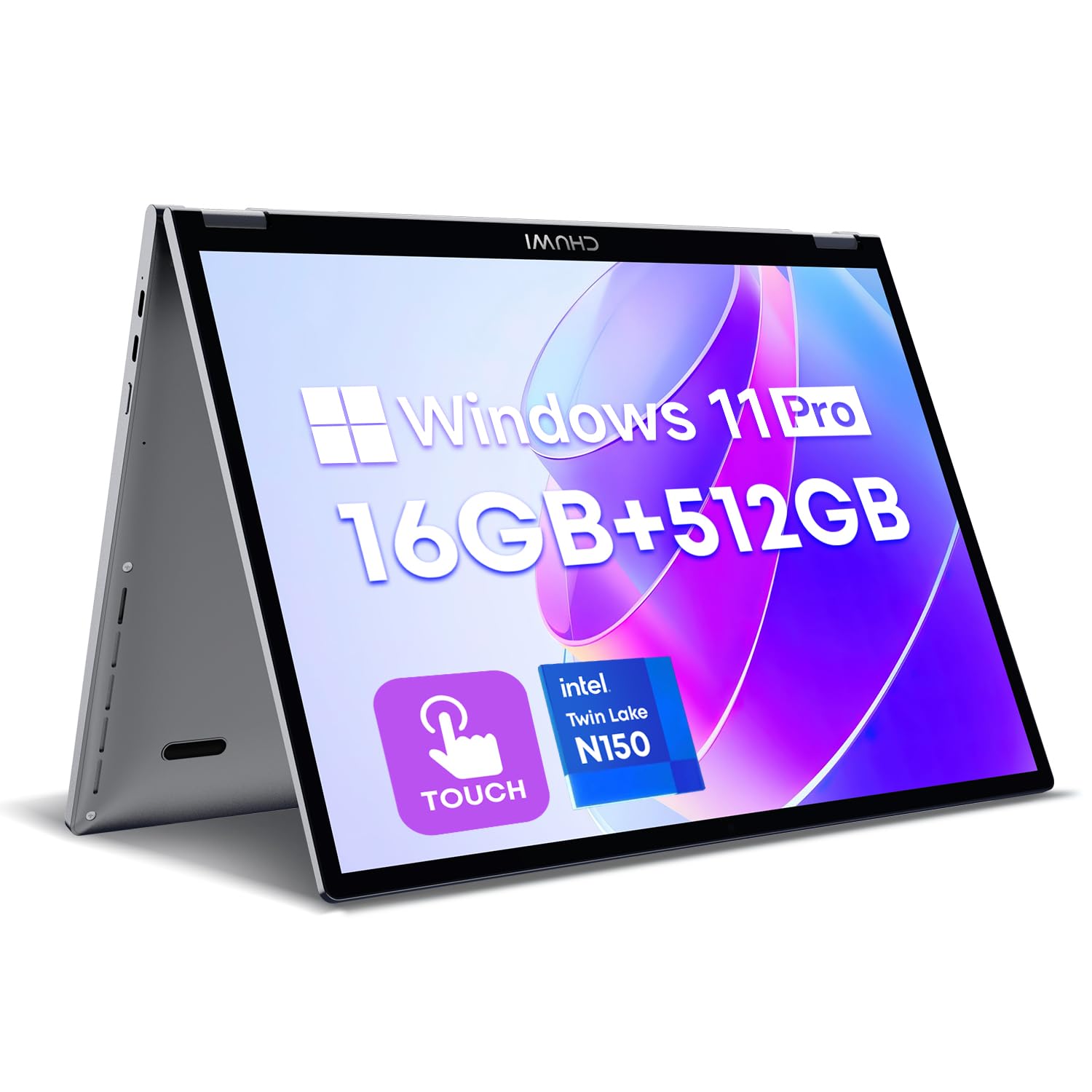
The CHUWI MiniBook X redefines what a 10.51-inch laptop can deliver. It packs the newest Intel N150 processor with four cores clocking up to 3.6GHz, paired with a whopping 16GB of LPDDR5 RAM and a lightning-fast 512GB M.2 SSD. This configuration eliminates the lag that plagues most mini laptops, handling a dozen browser tabs and Office documents without breaking a sweat.
The 2K IPS touchscreen at 1920×1200 resolution with 100% sRGB coverage makes media consumption and light photo editing genuinely enjoyable. The 360-degree hinge transforms the device into a tent or tablet mode, and the backlit keyboard with an ultra-narrow bezel layout provides a surprisingly comfortable typing experience for a machine this small. At just 1.96 pounds and 0.31 inches at its thinnest, it disappears into any bag.
Connectivity includes WiFi 6 and Bluetooth 5.2, plus two full-function Type-C ports. The included Office 2024 license means it is ready for productivity right out of the box. Battery life hovers around six hours of mixed use, and the cooling fan keeps the N150 running at peak performance without excessive noise.
Why it’s great
- 16GB LPDDR5 RAM eliminates multitasking slowdowns common in this category
- 2K touchscreen with 100% sRGB offers a truly premium viewing experience
- 512GB SSD provides ample storage and fast boot times
Good to know
- Battery life is moderate at approximately six hours
- Built-in speakers lack bass depth
- Small trackpad may require adjustment for some users
2. Jumper 12-Inch 2-in-1
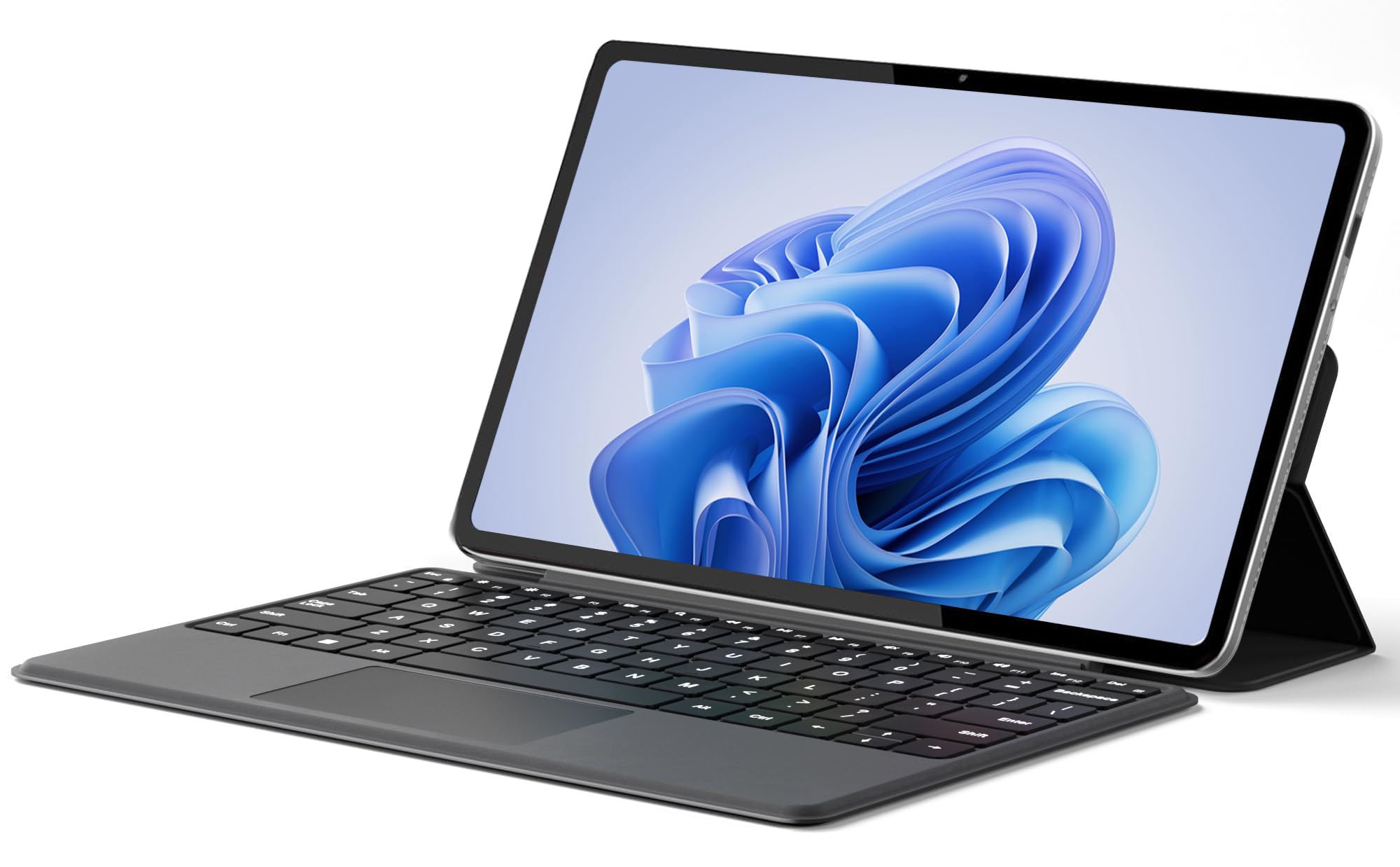
The Jumper 2-in-1 offers a larger 12-inch 2K FHD IPS touchscreen with a resolution of 2000×1200, making it a standout for those who prioritize display quality in a compact form. The detachable magnetic keyboard and multi-angle adjustable stand give it the flexibility of a tablet with the productivity of a full laptop. The premium metal body weighs only 0.64kg, making it exceptionally portable.
Under the hood, the Intel Pentium Gold 6500Y processor handles everyday office tasks and web browsing with ease. The 12GB of DDR5 RAM and 256GB SSD provide solid multitasking capability, and the reserved TF card slot allows for storage expansion. Dual full-function Type-C ports handle charging, data transfer, and video output, adding versatility for connecting to external monitors.
The 4300mAh battery delivers up to eight hours of video playback, and the dual stereo speakers offer clear sound quality for media consumption. Dual cameras (front 200W and rear 500W) make it suitable for video calls and online classes. For users who want a larger canvas without moving to a full-size laptop, this is a compelling option.
Why it’s great
- 12-inch 2K IPS touchscreen offers a larger, sharper workspace
- Detachable magnetic keyboard provides genuine 2-in-1 flexibility
- Lightweight metal body at just 0.64kg is easy to carry all day
Good to know
- Pentium Gold processor is not as powerful as newer N150 or Core i-series
- Keyboard keys have limited travel distance
- Micro HDMI not included — relies on Type-C for external display
3. KOOFORWAY 8″ Mini Laptop

If portability is the absolute priority, the KOOFORWAY 8-inch mini laptop pushes the boundaries of what fits in a pocket. Despite the 8-inch HD touchscreen, it packs an Intel N100 processor, 12GB of LPDDR5 RAM, and a 512GB M.2 SSD — specs that rival much larger machines. The 180-degree rotating screen transforms it into a tablet, and the included stylus pen supports handwriting input for note-taking.
The CNC-machined full-metal body feels premium and durable. Connectivity includes WiFi 6, Bluetooth 5.2, USB 3.0, USB-C, and HDMI, ensuring you can hook it up to a monitor when needed. The battery charges to full in about two hours and delivers four to five hours of use, which is reasonable for its size. The bloatware-free Windows 11 Pro installation means you start with a clean system.
This machine is best suited for users who need a real Windows PC for travel, fieldwork, or as a secondary device. The compact keyboard has an unusual layout that requires some acclimation, but the raw performance brought by the N100 and 12GB RAM is impressive for an 8-inch form factor.
Why it’s great
- 12GB LPDDR5 RAM with N100 processor delivers surprising power in a tiny package
- All-metal CNC construction feels durable and premium
- Includes stylus pen and 180-degree rotating screen for tablet use
Good to know
- 8-inch screen is very small for extended productivity work
- Battery life is limited to around four to five hours
- Keyboard layout is unusual and has a small learning curve
4. BINTEC 10.1 Ultra-Thin
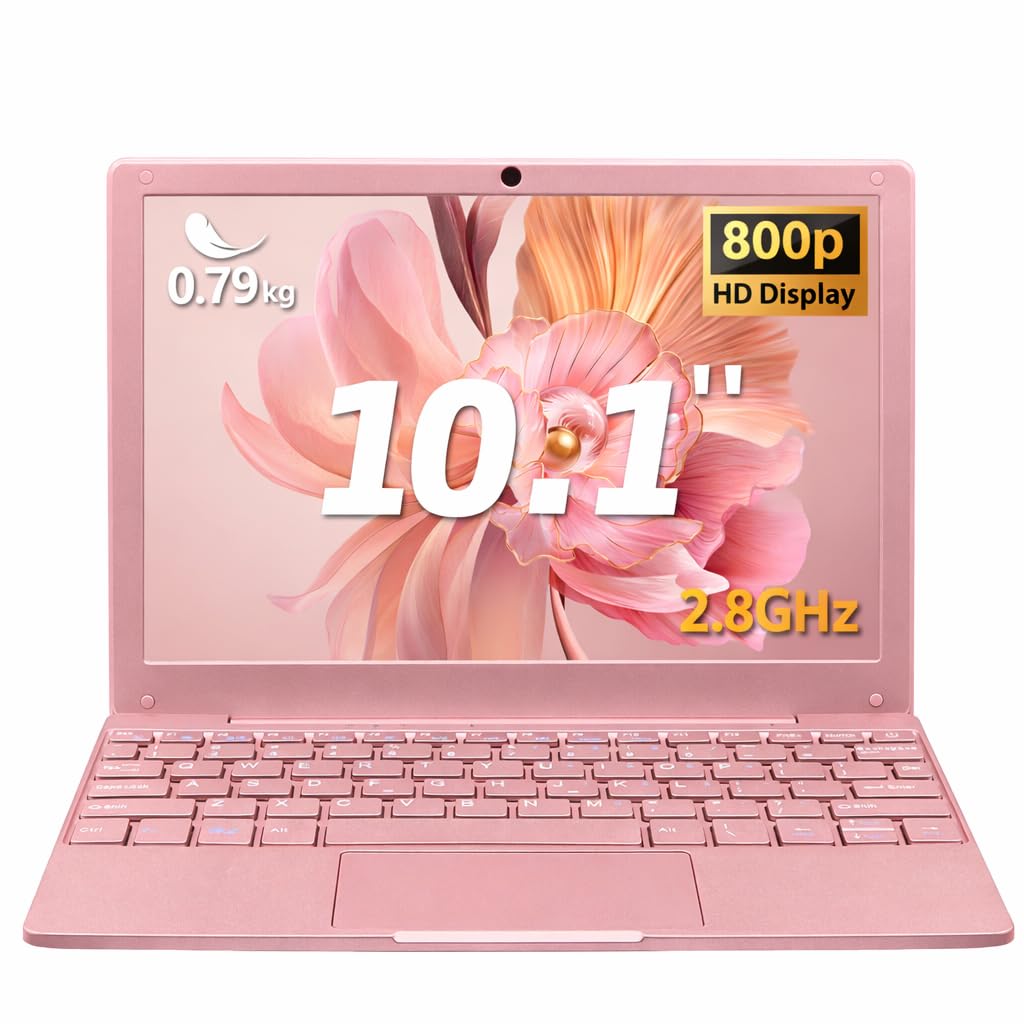
The BINTEC 10.1-inch laptop strikes an excellent balance between price and performance. Powered by a dual-core Celeron N4000 processor with 8GB of DDR4 RAM, it handles daily tasks like office work, web browsing, and HD video playback without the stutter common in lesser machines. The 256GB SSD is a real M.2 drive, offering fast boot times and responsive app loading.
At only 0.79kg and 1.6cm thick, this is one of the lightest proper laptops on the market. The 10.1-inch display features a 1920×1080 resolution, which provides sharp text and vibrant colors for its size. Connectivity is comprehensive with dual USB 3.0 ports, Mini HDMI, Type-C charging, and a TF card slot. The 5000mAh battery lasts four to five hours on a single charge.
The package includes a wireless mouse, making it a complete mobile workstation out of the box. While the Celeron processor is not designed for gaming or heavy multitasking, the 8GB RAM and 256GB SSD make this a reliable companion for writing, email, spreadsheets, and media streaming on the go.
Why it’s great
- 256GB real SSD is a major step up from eMMC storage in this price bracket
- Weighs only 0.79kg — one of the lightest 10-inch laptops available
- Includes wireless mouse and full accessory package
Good to know
- Celeron N4000 processor limits heavy multitasking
- Build quality is plastic and feels less premium than metal-chassis rivals
- Battery life is average at four to five hours
5. G-Anica Win11 Laptop

The G-Anica Win11 Laptop offers a complete starter package: the laptop comes with a bag, wireless mouse, earphones, and a mouse pad, making it an attractive option for parents buying for children or students. The 10-inch HD display has slim bezels, and the pink color variant adds a distinct look. The Celeron N4000 processor and 8GB of DDR3 RAM aim to provide smooth multitasking for basic educational use.
The 128GB SSD is a welcome inclusion at this price tier, offering faster storage than the eMMC alternatives. Connectivity includes WiFi, Bluetooth, Mini HDMI, USB ports, and a TF card slot. The full-size keyboard makes typing for school assignments feasible, and the lightweight design fits easily into the included bag.
Performance is best suited for light tasks like web browsing, word processing, and video playback. Some users report slow boot times and occasional lag, so managing expectations is important. This is a capable entry-level machine for very light use, with the accessory bundle adding genuine convenience value.
Why it’s great
- Comes with bag, mouse, mouse pad, and earphones — ready out of the box
- 8GB RAM and 128GB SSD provide decent specs for basic tasks
- Cute pink design appeals to younger users
Good to know
- DDR3 RAM is an older standard, slower than DDR4
- Performance may feel sluggish with multiple applications open
- Some units have reported charging issues after extended use
6. HP ProBook x360 11 G5 EE

For a renewed device, the HP ProBook x360 11 G5 EE offers strong value. The 11.6-inch touchscreen with a 360-degree hinge allows it to function as a laptop or tablet. The Intel Pentium Silver N5030 processor has four cores and outpaces the Celeron chips found in many budget-tier competitors, providing smoother multitasking and faster page loads.
The 8GB of RAM and 256GB SSD are well-balanced specs for this form factor. Windows 11 Pro is pre-installed, bringing additional security and management features. The build quality is typical HP business-class: sturdy plastic with reinforced hinges. Renewed units have been inspected and tested to function like new.
The primary consideration with renewed electronics is battery health, as some units may have reduced capacity. The touchscreen adds versatility for note-taking and presentations. For students or professionals needing a reliable secondary machine on a budget, this is a smart play.
Why it’s great
- Pentium Silver N5030 is a genuine step up from Celeron processors in this price bracket
- Touchscreen with 360-degree hinge adds versatile usage modes
- Refurbished pricing offers significant savings over new equivalents
Good to know
- Battery health varies on renewed units — check condition before purchase
- 11.6-inch screen is slightly larger than true 10-inch models
- Some units may have minor cosmetic blemishes
7. Dell Latitude 5410 (Renewed)

The Dell Latitude 5410 is a 14-inch business-class machine that defies the ultraportable category but offers the kind of performance that power users demand. The Intel 10th Gen Core i5-10310U processor with 16GB of DDR4 RAM is in a completely different league compared to the Celeron and Pentium chips found in smaller notebooks. This configuration handles heavy multitasking, data analysis, and productivity applications without hesitation.
The 256GB SSD provides fast storage, and the Full HD 1920×1080 display delivers crisp visuals for spreadsheets and presentations. Connectivity is rich with Thunderbolt 3 via USB-C, HDMI, Mini DisplayPort, and multiple USB-A ports. At only 3.2 pounds, it is portable for a 14-inch laptop, though not as pocketable as a true 10-inch device.
This renewed model offers exceptional value for those needing serious computing power without the premium price tag. The battery health on renewed units can vary, so it is worth checking. For business travelers who need a main machine rather than a secondary device, the Latitude 5410 is a strong contender despite its larger footprint.
Why it’s great
- Core i5-10310U with 16GB RAM delivers genuine desktop-class performance
- Full HD 1920×1080 display provides a sharp and clear workspace
- Comprehensive port selection including Thunderbolt 3 and HDMI
Good to know
- 14-inch size is not as portable as a true 10-inch notebook
- Battery health on renewed units varies — plan for potential replacement
- Renewed units may show minor cosmetic wear
8. ASUS E210

The ASUS E210 is a budget-tier option that prioritizes extreme portability over raw power. The 11.6-inch HD display with anti-glare coating keeps the price low, and the Celeron N4020 processor paired with 4GB of RAM and 64GB of eMMC storage is best suited for very light workloads like email, web browsing, and document viewing. At only 2.31 pounds and 0.7 inches thin, it slips into any bag.
The slim design hides a full set of essential ports: USB-A, USB-C, and HDMI. The included one-year subscription to Office 365 Personal adds value for students needing word processing and spreadsheets. The keyboard offers decent travel for its thin profile, and the trackpad is responsive for basic navigation.
Real-world performance is limited by the 4GB RAM and eMMC storage. Windows 10 in S mode restricts app installation to the Microsoft Store, though you can switch out of it. This machine is ideal for a child’s first laptop or as a secondary travel device for checking email, but it will struggle with multitasking beyond two or three open tabs.
Why it’s great
- Extremely lightweight at just 2.31 pounds
- Includes one year of Office 365 Personal
- Anti-glare display reduces eye strain in bright environments
Good to know
- 4GB RAM and 64GB eMMC storage are very tight for Windows 11
- Celeron N4020 processor is slow for multitasking
- Starts in Windows 10 S mode, which limits software installation
9. HP Ultrabook with Office 365
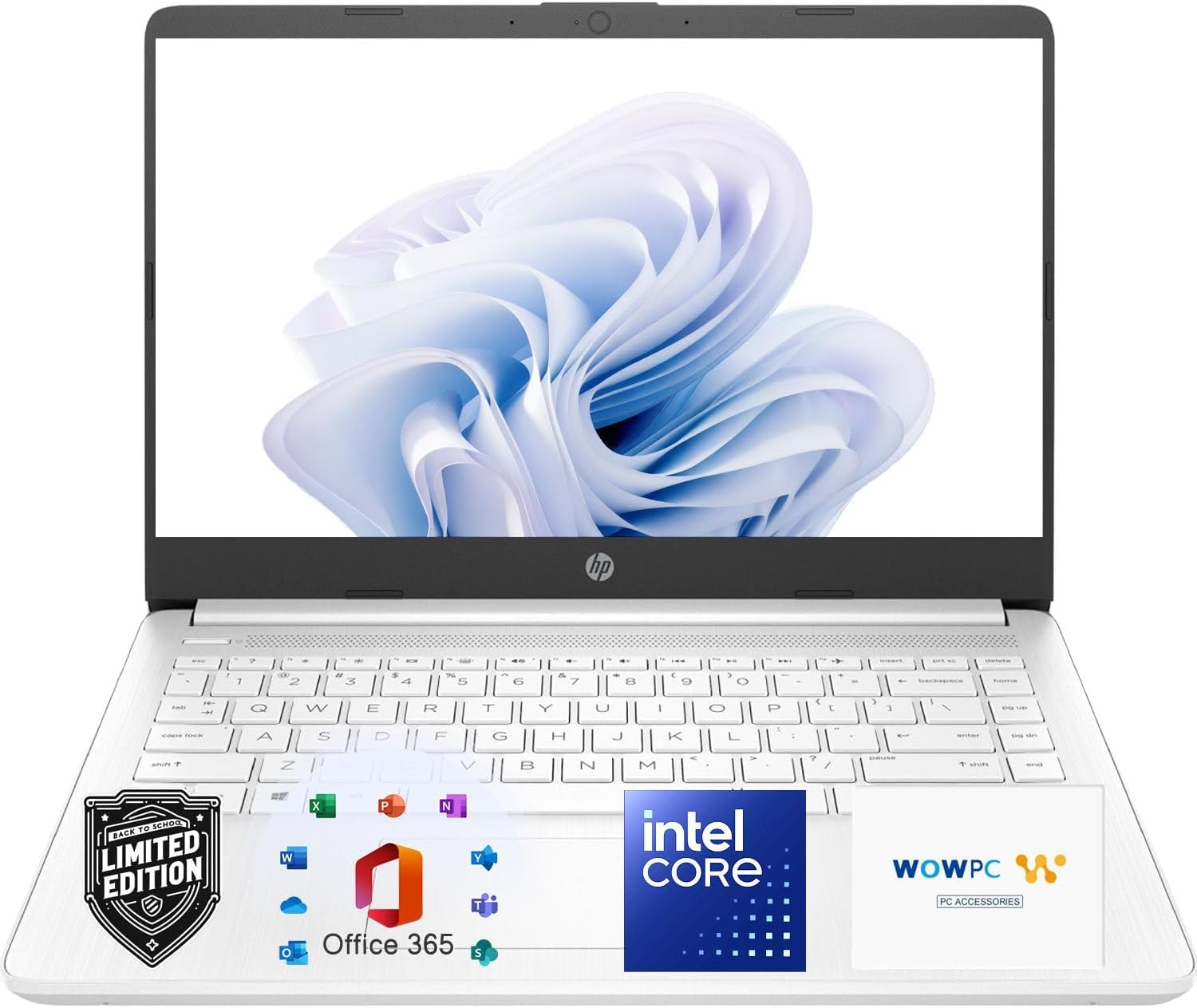
The HP Ultrabook is designed for basic everyday computing with a focus on value and included software. It comes with a one-year Microsoft 365 subscription, covering Word, Excel, and PowerPoint. The Intel Celeron processor and 4GB of RAM are entry-level specs, but the 64GB SSD provides faster boot times than the eMMC storage found in many competitors at similar prices.
The 14-inch HD anti-glare display with 250 nits brightness is comfortable for indoor use. The HP True Vision 720p HD camera with temporal noise reduction improves video call quality, and the dual array microphones capture clear audio. The lightweight design at 3.24 pounds makes it portable enough for school or work commutes.
This machine is a good option for users who only need a web browser, Office suite, and video streaming. The 4GB RAM ceiling means heavy multitasking is not advised. The included Office 365 subscription gives it an edge for students or home users who would otherwise need to purchase the software separately.
Why it’s great
- Includes one-year Microsoft 365 subscription with Word, Excel, PowerPoint
- 64GB SSD boots faster than eMMC competitors
- Anti-glare display with 720p HD camera is good for video calls
Good to know
- 4GB RAM is the minimum viable for Windows 11 — expect limitations
- Celeron processor is underpowered for anything beyond light tasks
- Battery life is advertised at 11 hours video playback, but real-world use varies
FAQ
Can a 10-inch notebook laptop replace my main computer for office work?
Is 4GB of RAM enough for a 10-inch Windows 11 laptop?
What is the real difference between eMMC storage and an SSD in these laptops?
Final Thoughts: The Verdict
For most users, the 10 inch notebook laptop winner is the CHUWI MiniBook X because it pairs the newest Intel N150 processor with a generous 16GB of LPDDR5 RAM and a sharp 2K touchscreen, delivering a desktop-grade experience in a truly portable frame. If you want a larger 2K touchscreen with 2-in-1 versatility, grab the Jumper 12-Inch 2-in-1. And for the most extreme portability without sacrificing performance, nothing beats the KOOFORWAY 8″ Mini Laptop with its powerful N100 chip and 12GB of RAM in a pocket-sized chassis.