
Our readers keep the lights on and my morning glass full of iced black tea. As an Amazon Associate, I earn from qualifying purchases.
Specs are compiled from manufacturer listings and verified buyer reviews and can change over time — please confirm the key details on the product page before buying.
You want a 10-inch tablet that fits your life without draining your wallet. if you need a workhorse for productivity, a rugged option for your child, or a budget-friendly streamer for your favorite shows, you no longer have to pay flagship prices for a smooth display, long battery life, and ample storage for offline movies. This guide focuses on the specs that truly impact daily use.
I’m Min — the founder and writer behind Gadgets Feed. This guide is built by comparing the manufacturers’ published specifications and the patterns across verified customer reviews, so you get each pick’s real strengths and trade-offs instead of marketing spin.
Below, I break down the top performers in the 10-inch tablet category, weighing screen quality, battery endurance, and real-world owner feedback to help you choose with confidence.
Our Picks at a Glance
How To Choose The Best 10-Inch Tablet
The ideal 10-inch tablet balances screen sharpness, battery stamina, and memory capacity for your apps. Price alone doesn’t guarantee a better fit, so know which specs to prioritize.
Prioritize RAM and Storage
This is the single biggest factor separating a tablet that feels snappy from one that lags. Physical RAM (random access memory) is what lets you switch between apps without reloading them, and more of it translates directly to smoother multitasking. Most budget and mid-range models here pair physical RAM with virtual or “extended” RAM, which borrows storage space to keep more apps alive in the background. Look closely at the real physical RAM number (like 4GB or 8GB) as the baseline for how demanding your workload can get.
Check the Display Technology
An IPS (in-plane switching) panel gives you wide viewing angles, meaning the picture stays clear even when you are not looking at it dead-on. Resolution matters, too — a Full HD (1080p) screen will look noticeably crisper than a standard HD (720p) one for text and video. If you watch a lot of high-motion content like sports or games, a higher refresh rate (measured in Hertz, like 120Hz) makes scrolling and motion look smoother and more fluid than a standard 60Hz panel.
Consider Battery Life and Streaming Certifications
A larger battery capacity (measured in milliamp-hours, or mAh) means more raw energy to draw from, but the processor and screen efficiency decide how long that actually lasts in your hands. For streaming fans, look for a Widevine L1 certification — this lets services like Netflix and Prime Video deliver true high-definition (1080p) playback instead of a lower-quality, fuzzy version. Don’t forget to check the claimed average battery life in hours to get a realistic idea of its daily endurance.
Quick Comparison
| Model | Best For | RAM / Storage | Battery Life | Screen Resolution | Amazon |
|---|---|---|---|---|---|
| AOC 10″ Android 16★ Best Overall | Streaming & everyday smoothness | 4GB / 128GB | 10 hours | HD (10.1″ IPS) | Amazon |
| Aobante 10″ Android 15Best Value | Budget value with expandable storage | 18GB / 128GB | 6 hours | HD (1280*800) | Amazon |
| COLORROOM Kids 10.1″Best for Kids | Kid-friendly parental controls | 10GB / 64GB | 8 hours | HD (1280*800) | Amazon |
| ZENTALITY 10.1″ w/ Keyboard | Productivity with included keyboard | 30GB / 64GB | 8000mAh | HD IPS | Amazon |
| ZIOVO Kids 10.1″ | Durable toddler tablet with case | 20GB / 128GB | 6000mAh | HD (1280*800) | Amazon |
| Gleeso 10″ Android 16 | Balanced daily driver | 24GB / 64GB | 6000mAh | HD (1280*800) | Amazon |
| HUIHUANG 10.1″ Android 16 | High RAM with durable case | 32GB / 128GB | 6 hours | FHD IPS | Amazon |
| Fire HD 10 Kids Pro | Older kids with parental controls | — / 32GB | 13 hours | HD (10.1″) | Amazon |
| Fire HD 10 (newest) | Full HD entertainment & reading | 3GB / 32GB | 13 hours | Full HD (1080p) | Amazon |
| TCL TAB 10 Gen 4 | Crisp FHD display & metal design | 4GB+8GB / 128GB | 8 hours | FHD (1920×1200) | Amazon |
| Samsung Galaxy Tab S10 FE | Premium performance & S Pen | — / 128GB | 20 hours | 90Hz display | Amazon |
In‑Depth Reviews
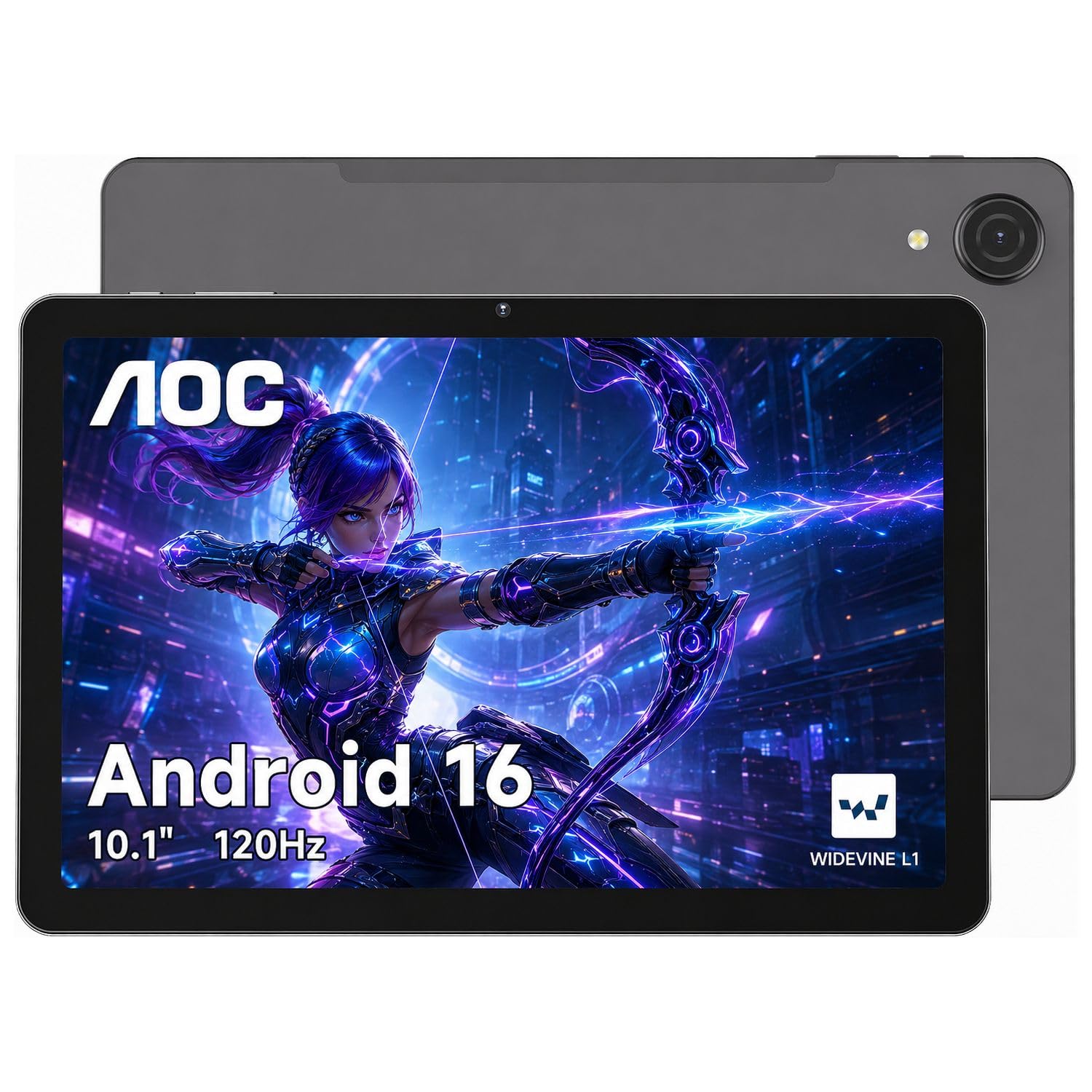
1. AOC 10 Inch Tablet (Android 16)
Our pick — over 4.5★ from 1,500+ verified ratings; the strongest balance of quality and price.
The crowd favorite that keeps your movies silky and your battery happy all day.
This is the tablet owners consistently rave about for its buttery-smooth scrolling. The 120Hz refresh rate — meaning the screen redraws its image 120 times per second — makes navigating feel exceptionally fluid, a step up from the standard 60Hz on many rivals. That smoothness is paired with a 10.1-inch high-brightness IPS panel that stays readable even when you are sitting outside in the sun.
The AOC has a 10-hour battery, while the Aobante pick has a 6-hour battery. With a claimed 10 hours of average life on the 6000mAh cell, you can work through a full flight or a binge-watching session without hunting for an outlet. That stamina is complemented by Widevine L1 certification, which open up true 1080p high-definition playback on Netflix and similar services, so your shows do not look soft or compressed. The aluminum body also slips easily into a backpack for travel.
Buyers report setup is a breeze, taking minutes, and they praise the fast internet speeds that match their other home devices. The one recurring complaint is the speaker quality, which owners describe as poor — so plan on using headphones or a Bluetooth speaker for music and movies.
Owner-Approved Strengths
- Smooth 120Hz screen refresh for fluid scrolling
- Solid 10-hour battery on a 6000mAh cell
- Widevine L1 for true HD streaming
The Honest Trade-Off
- Built-in speakers disappoint — use headphones
Reach for this if: you stream a lot and want a smooth, bright screen with all-day endurance.
Look elsewhere if: loud, rich built-in audio is a must-have for you.
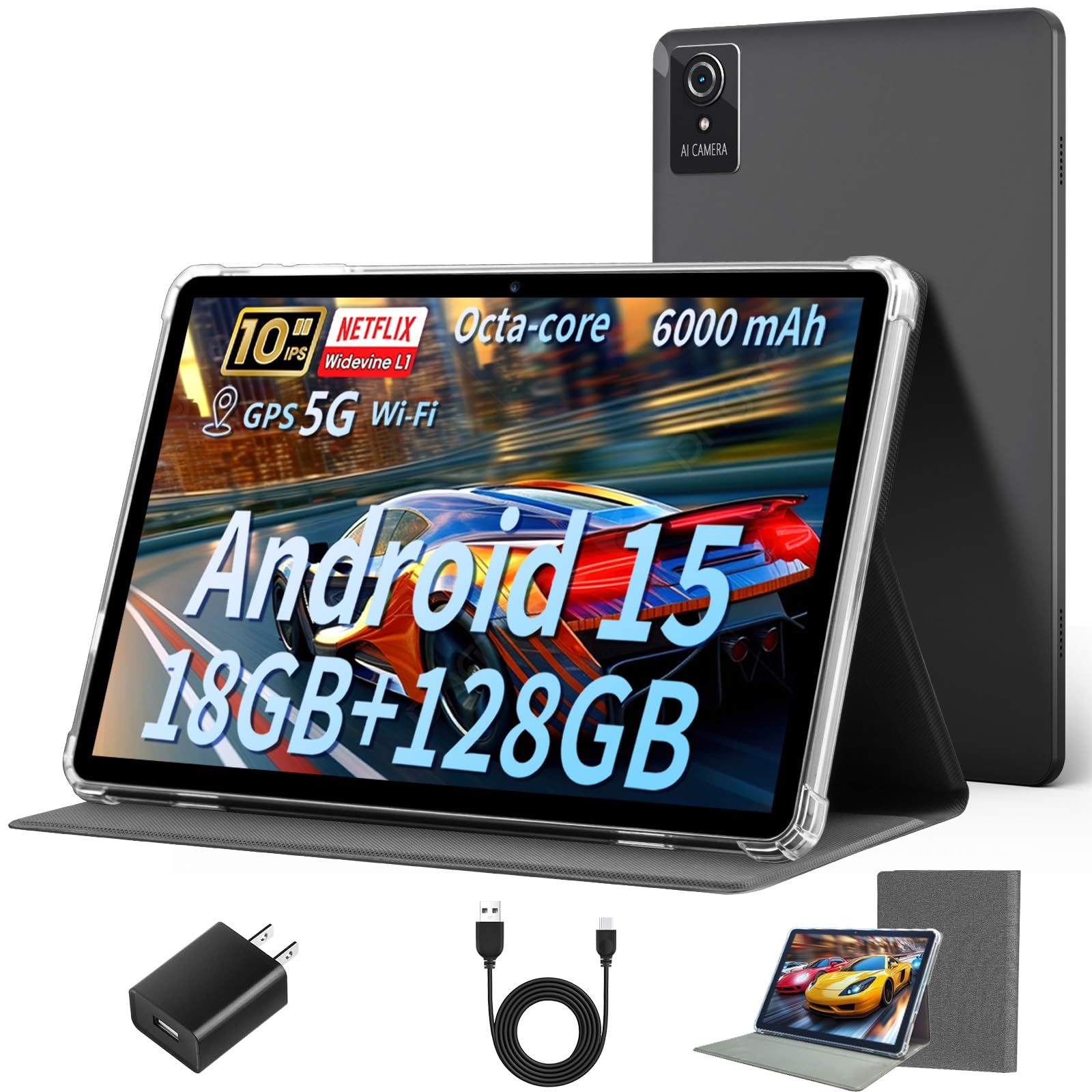
2. Aobante 10 Inch Tablet (Android 15)
A tempting spec sheet that shines for light web and video work, not heavy lifting.
The biggest draw here is the sheer memory on offer: a claimed 18GB of total RAM (6GB physical plus 12GB extended) with 128GB of internal storage. That’s 18GB of RAM compared to the AOC pick’s 4GB, and 128GB of storage compared to the COLORROOM kids model’s 64GB. For launching apps quickly and keeping your whole media library on-device, this is an impressive value proposition.
Connectivity is a highlight for the price, with WiFi 6 supporting both 5G and 2.4G bands. This means faster, more stable connections and lower latency when you are browsing or streaming at home. The 1280*800 IPS HD display delivers clear, crisp content, and buyers describe page transitions as very smooth to the touch.
You will charge this tablet more often because its battery lasts only 6 hours on average, compared to the AOC’s 10 hours. Over time, performance can dip: owners mention it handles light streaming and web browsing well, but some say it slows down when you run many apps at once, and one reviewer noted a shutdown loop after several months of use.
Best for light use: This is a capable budget slate for kids or casual browsing, but you get what you pay for with the shorter battery and potential long-term slowdowns.
The verdict: A smart pick for basic streaming and web tasks on a strict budget.
Who it’s not for: Demanding gamers or anyone who needs all-day battery endurance.
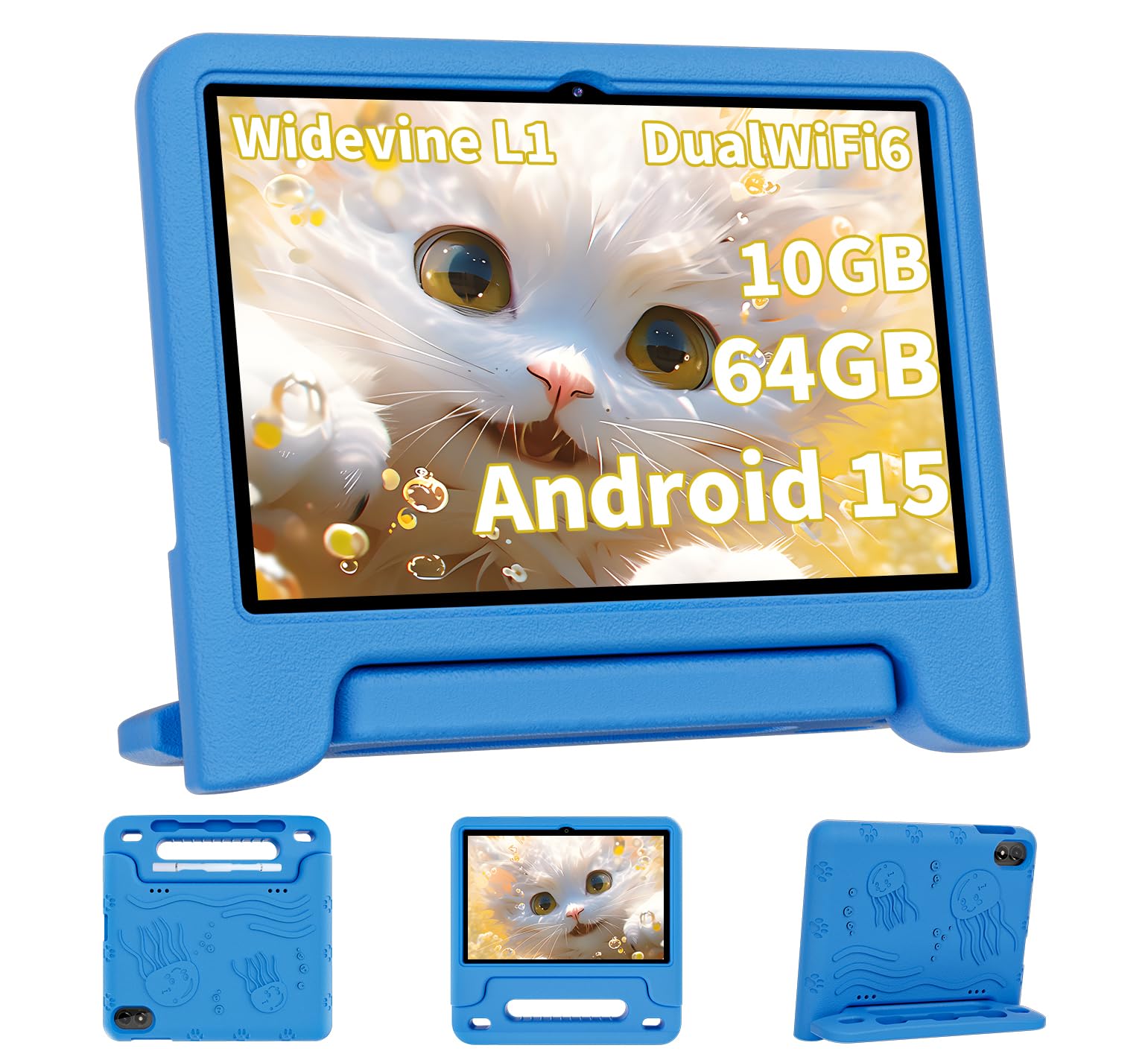
3. COLORROOM Kids Tablet (10.1 inch)
A sturdy, easy-to-manage slate that keeps little hands busy and safe online.
Purpose-built for children aged 3 and up, this tablet comes pre-loaded with Google Kids Space and educator-endorsed apps for coloring, crafts, puzzles, and story listening. The parental controls are the star feature, letting you filter content, set educational goals, and enforce time limits to create a safe digital environment. Owners say it is particularly well-suited for 4-5 year olds and easy to set up.
Under the hood, it packs a 10.1-inch anti-blue-light screen with a 1280*800 resolution and automatic brightness adjustment to protect young eyes. The 6000mAh battery is rated for 8 hours of average use and up to 12 hours of reading or video on a full charge, so it will survive a long road trip. Storage starts at 64GB of ROM with 10GB total RAM, and you can expand it up to 1TB with a microSD card for all those downloaded shows and games.
Built for Young Families
- sturdy parental controls & Google Kids Space
- Long-lasting 6000mAh battery
- Anti-blue-light screen for eye comfort
Keep in Mind
- Performance is mixed for heavier games
- Durability opinions vary, though most find it sturdy
Ideal for: parents who want a dedicated, well-controlled learning device for a young child.
Think twice if: you need a high-performance tablet that can also handle demanding adult apps.
4. ZENTALITY 10.1″ Tablet with Keyboard

The only pick here that transforms into a mini-laptop right from the start.
The defining feature is the included Bluetooth keyboard and mouse, which makes this an instant productivity machine for students and remote workers. With 30GB of total RAM (8GB physical plus 22GB virtual) driving an octa-core 2.0GHz processor, it launches apps quickly and handles split-screen multitasking smoothly. Owners consistently highlight the keyboard as a great accessory for typing up notes and documents.
Battery life is where this model pulls ahead of the pack. The 8000mAh battery is the largest in this comparison, and customers note it lasts a full day of regular use, whether that is streaming, taking notes, or on video calls. That power is complemented by an 8MP front camera and 13MP rear camera, making it well-suited for virtual meetings. The Gemini AI 2.0 assistant adds voice control, real-time translation, and photo recognition as a handy extra.
The main trade-off is the storage capacity. At 64GB of internal storage, you will likely need a microSD card (expandable to 1TB) to store large movie libraries or lots of games. Charging the large 8000mAh battery also takes several hours, so plan to plug it in overnight. A single review flagged the included keyboard and mouse as easy to break, so they are best treated with care.
Versatile workhorse: The full-day battery and included typing accessories make this the best value for students and professionals who need to get work done anywhere.
Reach for this if: you want a tablet that can double as a lightweight laptop for school or work.
Look elsewhere if: you need massive built-in storage for offline movies without buying a memory card.
5. ZIOVO Kids Tablet (10.1 inch)
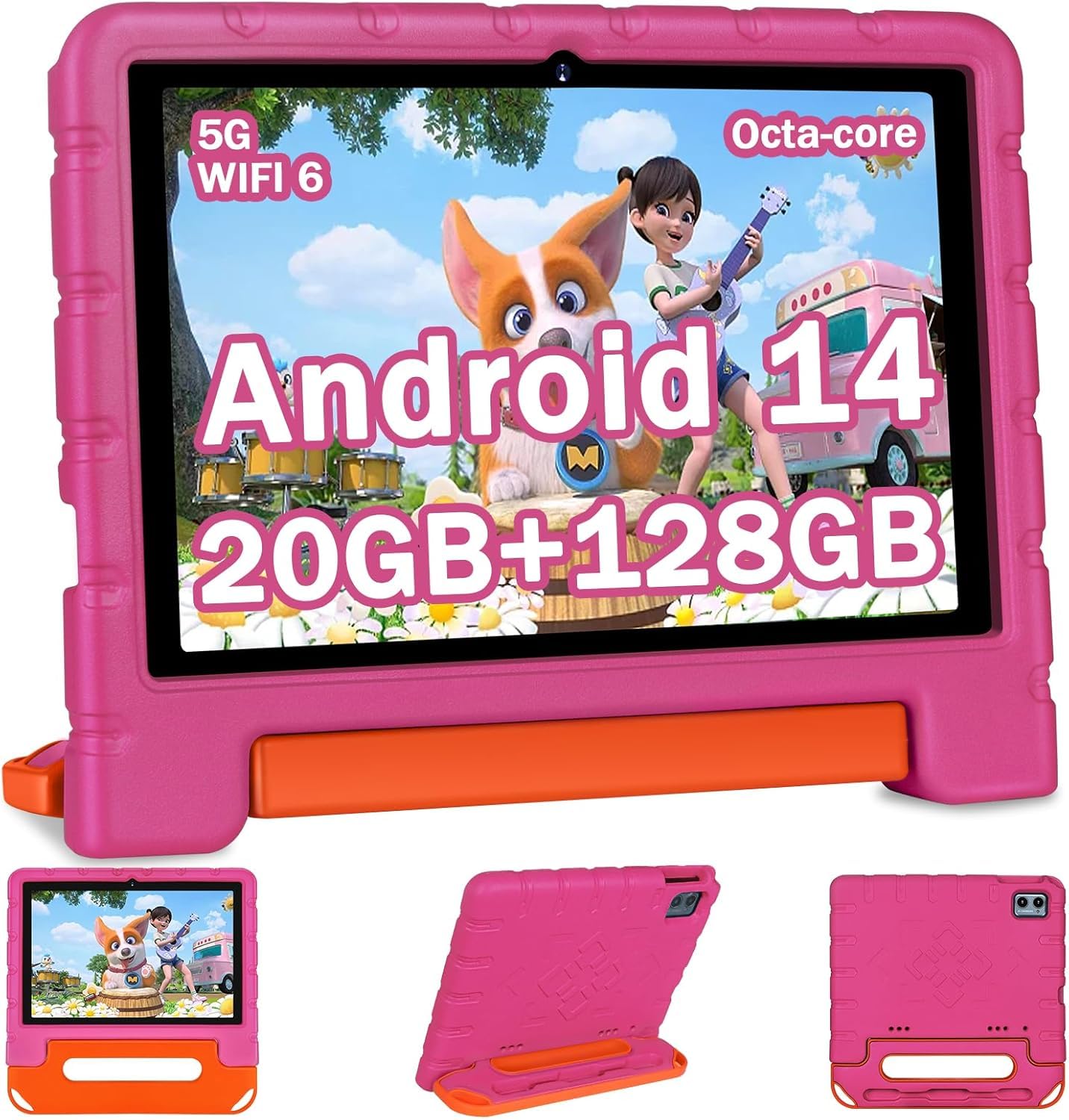
The real star here is the included EVA shockproof case, which owners say protects the tablet from falls so well it stands up on its own. Parents report the screen does not break easily, and the adjustable stand lets kids watch from any angle. It is designed for children aged 2 and up, with an age filter and parental controls that screen out inappropriate content.
Under the hood, it runs a 2.0GHz octa-core processor with 20GB total RAM and 128GB of internal storage, expandable to 1TB. The 10.1-inch IPS screen is bright and responsive, and the dual speakers deliver clear audio. With WiFi 6 supporting 2.4G and 5G bands, streaming stays fast and stable anywhere in the house. Buyers also praise the battery for lasting longer than expected, and the 6000mAh cell keeps the fun going on car rides.
The main trade-off for older kids is the Android 14 operating system, which is a step behind the Android 16 found on several other picks here. For young children focused on educational apps and videos, this is unlikely to matter, but tech-savvy teens may notice the difference. Owners consistently highlight the screen quality and durability as the standout features.
Why Parents Love It
- Durable EVA case survives drops
- Solid 6000mAh battery life
- WiFi 6 for stable streaming
The Caveat
- Runs the older Android 14 OS
Best for: parents of toddlers who need a tough, ready-to-go tablet with a protective case included.
Not ideal for: older kids who want the latest Android features.
6. Gleeso 10 Inch Tablet (Android 16)
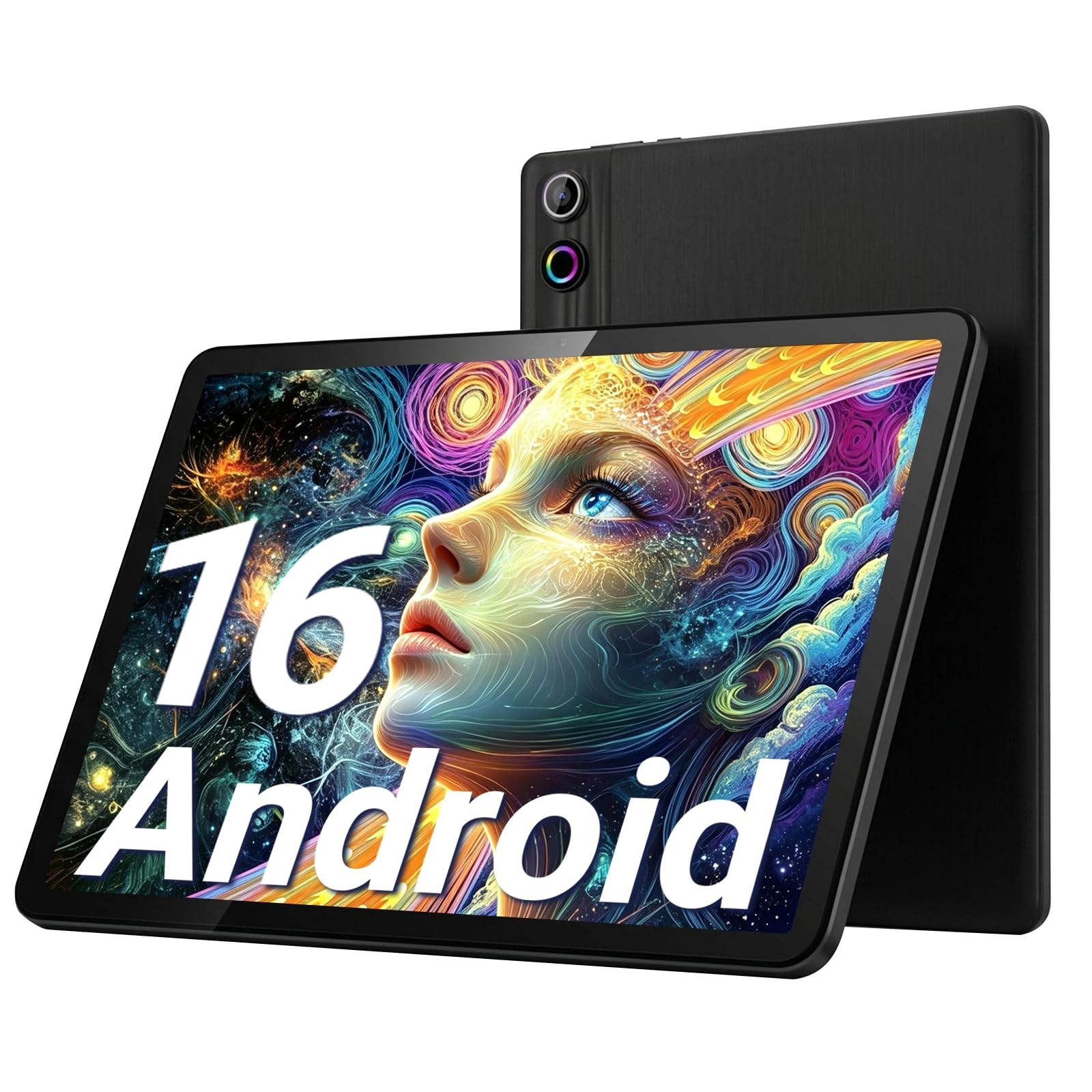
A lightweight daily driver that balances speed, screen, and stamina for everyone.
The first thing owners notice is how light and portable this tablet feels, making it easy to carry around the house or slip into a bag for a commute. The 10-inch 1280*800 HD screen is bright and clear for videos and reading, and the Android 16 system runs smoothly for daily apps without noticeable lag. It is certified with Widevine L1 for true full HD streaming on Netflix and Prime Video.
With 24GB of total RAM and 64GB of internal storage expandable to 1TB, it handles multitasking and app switching with ease. The 6000mAh battery lasts most of the day for browsing and streaming, and the fast charging feature means you spend less time tethered to an outlet. Face ID open up lets you get into the device in seconds, and the dual cameras handle video calls clearly.
For a mid-range price, this delivers a well-rounded experience that owners describe as excellent for daily use and internet browsing. The design gets consistent praise, and the value for money is strong. The main limitation is the 64GB base storage, which heavy media consumers will want to expand with a TF card.
Solid all-rounder: In a crowded field, this stands out for its lightweight feel, smooth Android 16 performance, and long battery life at a reasonable price.
The verdict: A fantastic choice for anyone who wants one reliable tablet for browsing, video, and reading.
Consider the keyboard model if: your primary use is typing documents and emails.
7. HUIHUANG 10.1″ Tablet (Android 16)
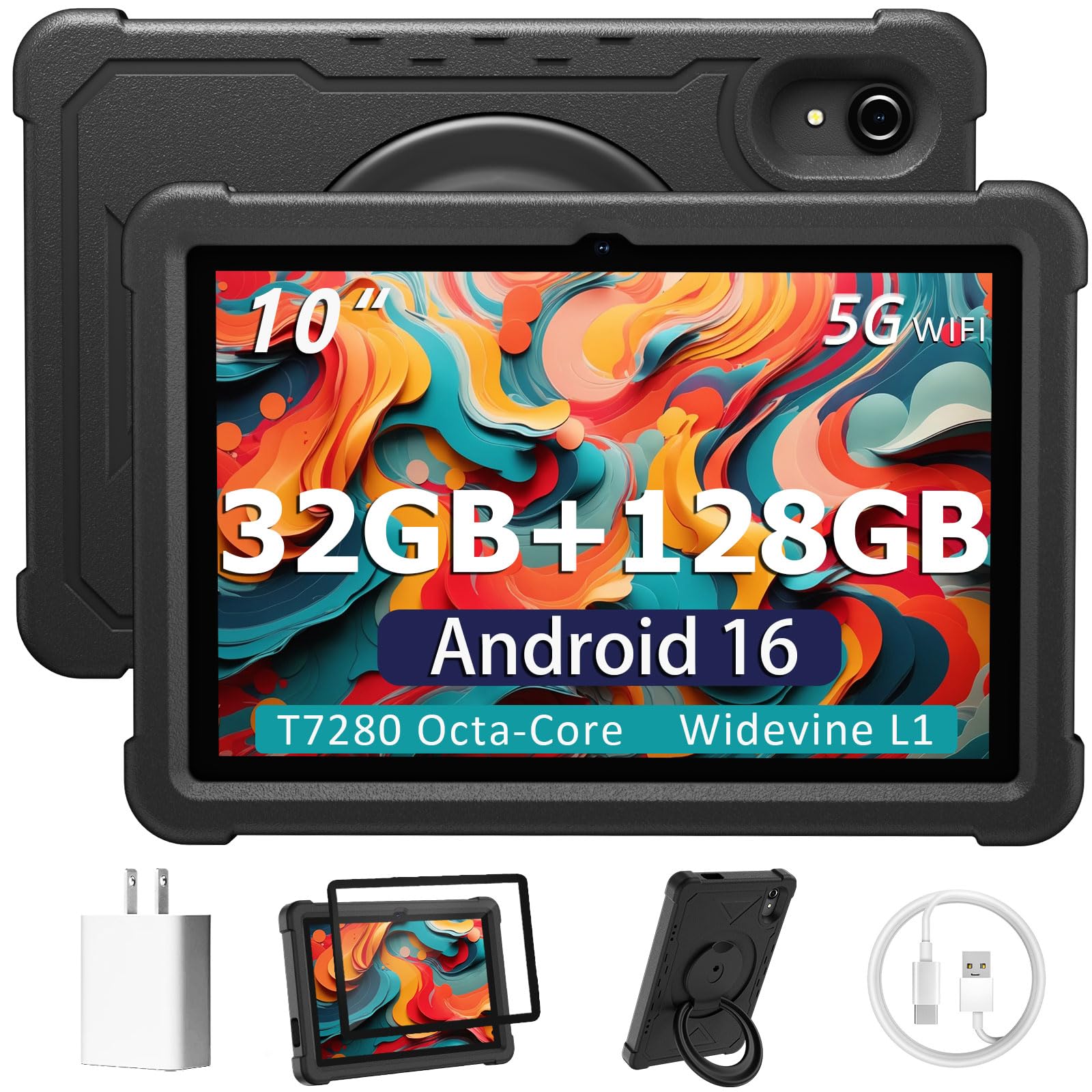
A massive 32GB of RAM makes this the multitasking king of the list.
If you love having dozens of apps open at once, this is the tablet for you. With 32GB of total RAM (8GB physical plus 24GB virtual) and 128GB of built-in storage, it is built to handle heavy multitasking without breaking a sweat. The T7280 octa-core processor clocks up to 2.2 GHz, and owners describe it as fast for browsing, streaming, and everyday apps, with no lag.
You get a rotatable EVA case (a soft, shock-absorbing cover) that guards against drops and scratches, plus a 360-degree swivel stand for various viewing and typing angles. This tablet works for both kids and adults: the included Google Kids Space app lets you manage access and screen time through Family Link, while the 10.1-inch FHD (full high-definition, 1920×1200) display shows vibrant colors for your own entertainment. It also includes GPS, wireless screen mirroring, and Bluetooth 5.2 for easy connections.
The most-praised aspect here is value for money, with owners impressed by what they get for the price. Durability also earns strong marks, thanks largely to that protective case. The trade-off is a 6-hour average battery life, which is on the shorter side, and performance opinions are mixed for the most demanding tasks. Buyers find it a great daily learning and entertainment device for kids.
Feature-packed for the price: The huge RAM and included rotatable case make this exceptional value, even if the battery won’t win any endurance awards.
Reach for this if: multitasking and large storage are your top priorities on a budget.
Look elsewhere if: you need to go a full workday on a single charge.
8. Amazon Fire HD 10 Kids Pro

Amazon’s top pick for kids, offering a large screen and a no-questions-asked replacement guarantee.
This is not a toy — it is Amazon’s largest and most powerful tablet for kids aged 6-12. The bright 10.1-inch HD screen is perfect for movies and games, and the slim case is designed for older kids who need protection without the bulky toddler look. It comes ready to go from the start with a 1-year subscription to Amazon Kids+, giving unlimited access to ad-free, age-appropriate books, videos, and apps from Disney, Marvel, and LEGO.
You can set screen time limits and monitor what your child watches right from your phone using the award-winning parental control dashboard. The battery lasts 13 hours, so it easily gets through a full day of use, and the 2-year low-maintenance guarantee means Amazon will replace it if it breaks. For families wanting confidence, this tablet’s long battery and strong controls make it a reliable choice.
While build quality is a top positive aspect, durability and long-term reliability draw mixed feedback. Some reviewers point out the tablet stops working after a couple of months, and others note the screen can shatter after four months of heavy use. The case and guarantee mitigate some of this risk, but it is worth knowing the hardware may not be as tough as its marketing suggests.
Family-Focused Strengths
- Excellent 13-hour battery life
- Industry-leading parental controls
- Included 2-year low-maintenance guarantee
Honest Concerns
- Some report durability issues over time
- Reliability feedback is mixed
Best for: families who want a big-screen kids tablet backed by a solid replacement guarantee.
Think twice if: you are looking for a device that can also serve as a full-featured adult tablet.
9. Amazon Fire HD 10 (Newest Model)

A brilliant 1080p screen and marathon battery make this the streaming champion.
The headline here is the 10.1-inch 1080p Full HD display, which brings brilliant color to your shows and games. It is a noticeable step up in sharpness from the standard HD screens on the budget Android picks, making text crisper and video more detailed. Owners consistently praise the gorgeous video quality, with some describing the audio as having a surround-sound-like quality.
Battery life is a marathon at 13 hours, so you can binge watch an entire season without reaching for the charger. Its octa-core processor is 25% faster than the prior generation, and 3GB of RAM handles streaming, reading, and gaming smoothly. The 5MP front-facing camera is great for Zoom calls, and it is made with strengthened aluminosilicate glass.
The biggest limitation is the Fire OS operating system, which is a locked-down version of Android. Owners note it restricts which apps you can install, and it comes with bloatware. It is fantastic for Kindle reading and Prime Video, but if you want the full Google Play Store access, a standard Android tablet is a better fit. Storage starts at 32GB but expands up to 1TB via microSD.
Entertainment specialist: For pure streaming, reading, and casual gaming, the sharp screen and long battery make this the best media tablet on the list.
Reach for this if: video quality and all-day battery are your absolute priorities.
skip it if: you need full access to the Google Play app store and all its apps.
10. TCL TAB 10 Gen 4
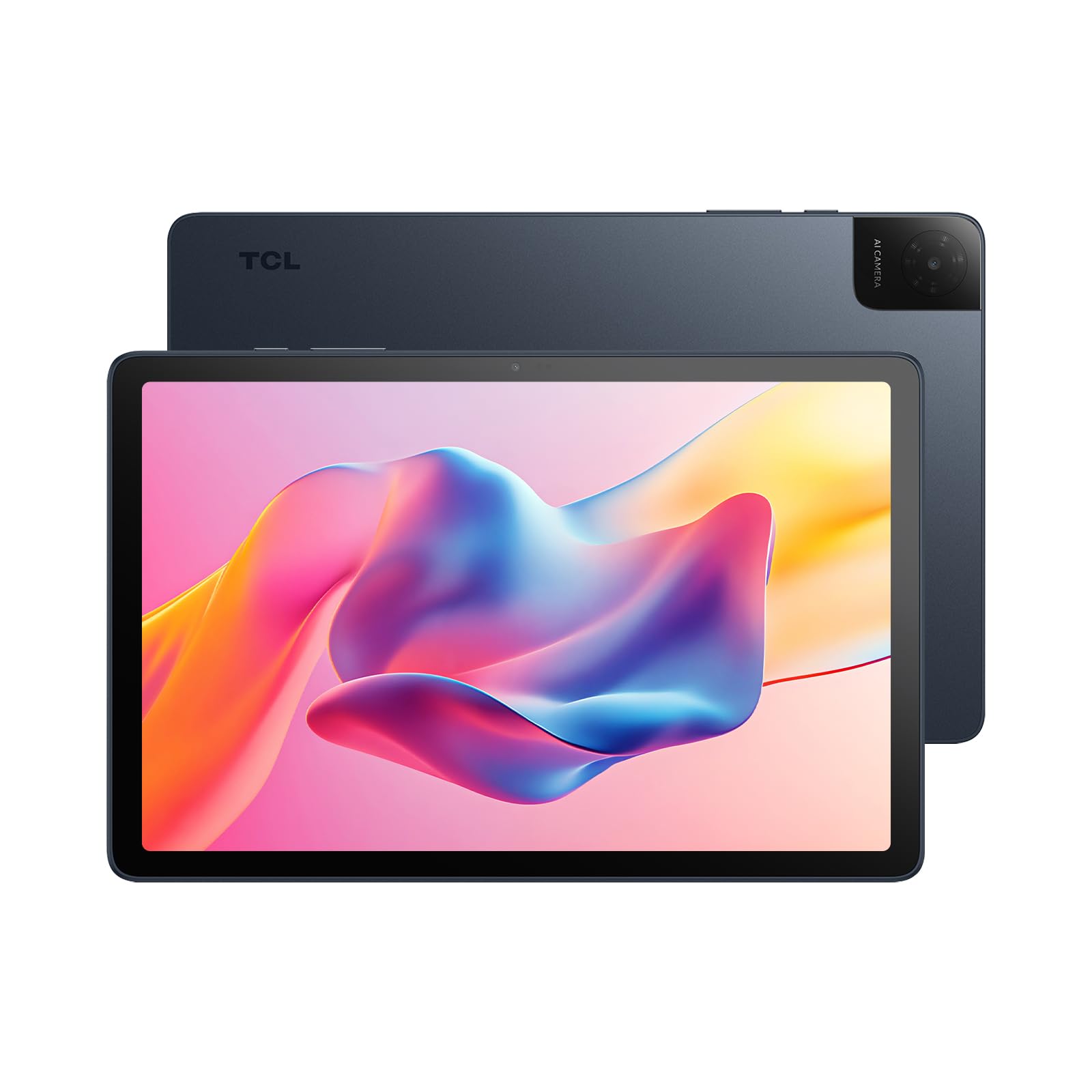
A premium-feeling metal slate with one of the sharpest screens under.
The first thing you notice is the build quality. The slim 0.30-inch profile and unibody metal construction give it a premium feel that rivals tablets costing far more, while weighing only 0.87 lb for comfortable one-handed holding. The 10.1-inch FHD display packs a 1920×1200 resolution — the sharpest standard screen on this list alongside the Fire HD 10 — delivering crisp, clear visuals for movies and reading.
It runs Android 15 with 4GB physical RAM plus 8GB expandable RAM, and the octa-core processor keeps everyday tasks running smoothly. The 6000mAh battery is rated for 8 hours of use, with 18W fast charging to get you back up to speed quickly. The dual speakers with TCL’s Sound Booster make audio louder and richer, and the 5MP front camera handles video calls well. It also includes Kids Space and Family Link parental controls.
The standout owner feedback revolves around the display, with one buyer saying it works beautifully for reading music. Battery life earns fantastic reviews, and the color paper mode is a hit for e-reading. However, there are mixed opinions on screen size and speed, with one review noting a terrible typing lag. It also lacks a screen protector and wall charger in the box, so budget for those accessories.
Design & Display Highlights
- Crisp 1920×1200 FHD resolution
- Slim, lightweight metal unibody
- Fast 18W charging support
Consider This
- Mixed reports on typing responsiveness
- Screen protector and wall charger not included
Best for: students and professionals who want a sharp screen and premium metal build without the flagship price.
Look elsewhere if: you are a heavy typist who needs flawless keyboard input.
11. Samsung Galaxy Tab S10 FE

The premium powerhouse with an S Pen and water resistance no other pick matches.
This is the tablet you choose when only the best will do. The standout difference is the included S Pen, which transforms the tablet into a note-taking and sketching machine. Features like Handwriting Assist tidy up your messy notes by straightening words, and Math Solver turns written equations into clean text — making it a dream for students. The 90Hz refresh rate keeps scrolling and gaming feeling smooth and responsive.
Performance is top-tier thanks to the Samsung Exynos 1580 processor, which owners describe as smooth and responsive with apps opening without lag. Its claimed 20-hour battery life, while mid-range picks offer 8-10 hours. It is also IP68 water-resistant, meaning it can survive drops in water — a durability feature completely absent from the other tablets here. The 128GB of storage is expandable via microSD.
The screen earns rave reviews for being crisp, clear, and vivid, with owners calling it perfect for streaming Netflix and other services. The dual speakers deliver better-than-expected sound. The main trade-off is the premium price, which is significantly higher than every other pick here. The physical S Pen slot is also tricky to access for those with larger fingers, and the camera can appear blue in low light.
Flagship-Performance Wins
- Excellent 20-hour battery life
- Sharp, vivid high-refresh display
- IP68 water resistance + S Pen included
Premium Trade-Offs
- Command a premium price
- Camera quality is weak in low light
The verdict: The definitive choice for students, artists, and professionals who demand top performance, long battery, and note-taking capability.
Who it’s not for: budget buyers who only need basic streaming and web browsing.
Understanding the Specs
RAM & Storage
RAM (random access memory) is your tablet’s short-term memory for running apps. More RAM means you can switch between apps without reloading them, and it directly affects how smoothly multitasking feels. Look for the physical RAM number (like 4GB or 8GB) as your baseline, then consider the “extended” or “virtual” RAM that some models add. Storage is your long-term space for apps, photos, and movies — a base of 64GB is workable, but 128GB is more comfortable for media hoarders, and expandable microSD slots let you add up to 1TB more.
Display Resolution & Refresh Rate
Resolution determines how sharp the picture looks. A Full HD (1080p) screen like the TCL’s 1920×1200 will show crisper text and more detailed video than a standard HD (1280*800) panel. The refresh rate, measured in Hertz (Hz), dictates how many times the screen updates per second. A standard 60Hz display is fine for most tasks, but a 120Hz panel (like the AOC) makes scrolling and motion look noticeably smoother and more fluid. For streaming, look for Widevine L1 certification, which open up true high-definition playback on services like Netflix.
FAQ
What is the real difference between 4GB and 18GB of RAM in a tablet?
Why does Widevine L1 certification matter for streaming?
How long should a 6000mAh tablet battery last?
Can I use a 10-inch tablet for work and school?
Are Fire HD 10 tablets good for non-Amazon apps?
What does the refresh rate (60Hz vs 120Hz) actually do?
Is a kids tablet worth it compared to a regular tablet?
How much storage do I really need in a 10-inch tablet?
What is the difference between virtual RAM and physical RAM?
Is a 10.1-inch screen noticeably different from a 10-inch screen?
Final Thoughts: The Verdict
For most people, the 10-inch tablet winner is the AOC 10 Inch Tablet because it delivers the smoothest everyday experience with its 120Hz screen and all-day 10-hour battery, backed by the strongest owner satisfaction ratings. If you want the ultimate value with a huge RAM count and expandable storage, grab the Aobante Tablet. And for premium note-taking, water resistance, and top-tier performance, the Samsung Galaxy Tab S10 FE is the one to reach for.
How We Picked
We do not accept paid placement. Every pick is matched to a real buyer and a real use-case; we do not hands-on test units.
Sources & Methodology
Specifications: manufacturer listings and product documentation. Review insights: verified customer reviews, as of August 2026. Pricing: not shown on this page (it changes often); check the current price via the retailer link.
As an Amazon Associate, Gadgets Feed earns from qualifying purchases. This does not affect which products we feature.