
Our readers keep the lights on and my morning glass full of iced black tea. As an Amazon Associate, I earn from qualifying purchases.
Specs are compiled from manufacturer listings and verified buyer reviews and can change over time — please confirm the key details on the product page before buying.
If you juggle invoices, tax prep, or inventory, you already know the pain: spreadsheets hide mistakes, and a phone calculator leaves no record. A real 10-key adding machine prints every keystroke onto paper tape, so you can audit your work line by line and hand clients or the IRS a physical trail. The printed tape provides a verifiable, physical audit trail.
I’m Min — the founder and writer behind Gadgets Feed. This guide is built by comparing the manufacturers’ published specifications and the patterns across verified customer reviews, so you get each pick’s real strengths and trade-offs instead of marketing spin.
Whether you are a bookkeeper, accountant, or small-business owner, the right 10 key adding machine balances print speed, display size, and key layout. We compare seven reliable printing calculators on those exact points.
Our Picks at a Glance

How To Choose The Best 10 Key Adding Machine
Adding machines look alike, but small differences decide whether one is a daily workhorse or a desk ornament. Print speed, display readability, and the layout of the keys matter more than the brand name. Know which features handle your actual workload before you pick.
Print Speed and Tape Color
A faster printer keeps pace with rapid 10-key entry, preventing lag. Standard speeds range from 4.6 to 4.8 lines per second. Two-color printing (black for positives, red for negatives) lets you scan a tape and instantly spot cash flow direction.
Cost, Sell, and Margin Keys
If you price products, bill clients, or manage inventory, dedicated Cost/Sell/Margin keys save real time. Enter any two variables, and the machine calculates the third automatically. This feature alone justifies the upgrade from a basic adding machine.
Check and Correct Memory
A single mistyped digit can throw off an entire column. Machines with a Check and Correct function let you review up to 150 steps before anything hits the paper. You spot the error on the display, fix it, and print a clean tape without wasting rolls.
Quick Comparison
| Model | Best For | Print Speed | Display | Weight | Amazon |
|---|---|---|---|---|---|
| Sharp EL-2630PIII★ Best Overall | Heavy daily office use | 4.8 lines/sec | Extra-large VFD | 2 pounds | Amazon |
| Casio HR-170RCCompact Pick | Compact desks and travel | Standard | Large LCD | 1.1 pounds | Amazon |
| Casio HR-300RC | Dim offices, poor eyesight | Standard | Backlit LCD | 1.4 pounds | Amazon |
| Canon P170-DH-3 | Bright display, big keys | Slower | Bright VFD | 1.8 pounds | Amazon |
| Canon MP25DV-3 | High-speed ribbon printing | High-speed | VFD | 3.3 pounds | Amazon |
| Victor 1460-4 | Tough commercial workloads | 4.6 lines/sec | 17mm fluorescent | 3.7 pounds | Amazon |
| Sharp VX-2652H | Quiet high-volume printing | 4.8 lines/sec | Bright fluorescent | 2 pounds | Amazon |
In‑Depth Reviews
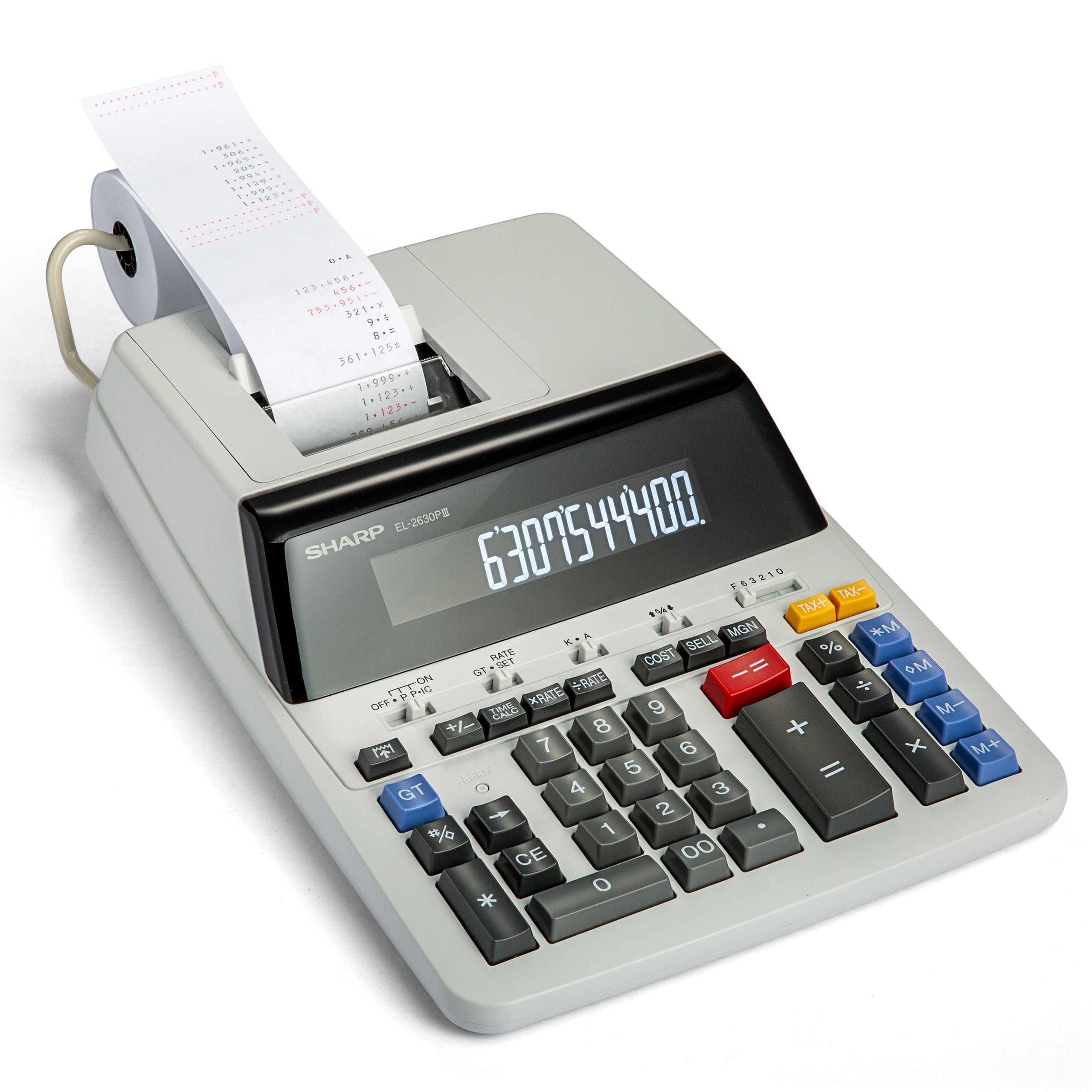
1. Sharp EL-2630PIII 12-Digit Commercial Printing Calculator
Our pick — over 4.5★ from 900+ verified ratings; the strongest balance of quality and price.
The office workhorse that has been earning trust since 2006 — and keeps going.
This is the machine for anyone who needs a fast, reliable tape all day long. The printer runs at 4.8 lines per second, so your entries keep pace with even rapid 10-key typing, and the extra-large display makes it easy to read from a working distance. It runs on steady AC power, which means no battery anxiety during a long session.
Buyers report replacing an older identical unit they had purchased in 2006 — a lifespan that explains why reliability is the thing everyone raves about. The crowd favorite holds a 4.7-star average across a large pool of owners, and the recurring praise centers on how it just works, day after day. The Cost-Sell-Margin function is another crowd-pleaser: enter two variables and it calculates the third automatically.
The honest trade-offs here are the total key placement, which some find on the wrong side, and occasional paper jamming. Durability feedback is split — some owners mention years of service while others saw failure within a year, so a heavier hand on the keys is worth avoiding. It is a bigger footprint too, at 16.1 inches wide, so measure your desk before committing.
Why it earns the top spot
- Fast 4.8 lines-per-second ribbon printer
- Extra-large display for easy reading
- Cost-Sell-Margin key saves pricing time
What to know before buying
- Total key placement bothers some users
- Paper jamming is a reported issue
- Wide footprint needs desk space
The daily driver: if you want a fast, trusted printing calculator that handles high-volume office math and pricing, this is the one to buy.
Check your desk first: the 16.1-inch width and occasional paper jams mean it suits a dedicated workspace, not a crammed shelf.
2. Casio HR-170RC Printing Calculator
The featherweight that still prints a full 12-digit tape without eating your desk.
If desk space is tight, this is the one to reach for. At just 1.1 pounds and 6.5 inches long, it takes up 2.5x less desk space than the Sharp EL-2630PIII above, so you can slip it into a drawer or briefcase easily. It prints in black and red to separate values, and the well-spaced keys make fast entry genuinely pleasant.
Casio customers note loving this model because it is almost identical to one purchased over 20 years ago — the same dependable formula, still running. Functionality is the thing everyone raves about, with the Check and Correct feature letting you review up to 150 steps before printing. It can run on 4 AAA batteries or plug into an adapter, which makes it the most flexible for moving between desk and jobsite.
The catch is that printability gets mixed feedback — some struggle with printing totals and subtotals, and a durability note surfaced around 14 months of use. There is also no instruction manual in the box to lean on, which frustrates a few. Reviewers point out it is a real workhorse for day-to-day use, but a fresh tape roll is essential to keep the output clean.
Perfect fit for: anyone who wants a small, dependable adding machine that rides along to different workspaces — the 4 AAA battery option plus adapter gives you freedom the bigger desktop units lack.
One honest note: durability is a mixed bag past the one-year mark, so if you expect a decade of heavy daily use, the heavier Sharp above is the safer bet.
3. Casio HR-300RC Printing Calculator, Backlit LCD Display

The one with big bright numbers that end the squinting for good.
For anyone whose eyesight is not what it used to be, the backlit LCD display here is a genuine relief — one practicing CPA notes the large numbers and easy wake via the CA/ON button. It prints in black and red to separate values, and the dedicated Cost/Sell/Margin keys streamline everyday pricing. The reprint function lets you review and edit up to 150 steps before committing to tape.
Buyers call it excellent value for money, with the big display and well-spaced keys winning people over. It is quiet in operation, which matters in a busy shared office. At 1.4 pounds it is light enough to move around, yet the slightly larger size gives the keys room to breathe compared to the HR-170RC above.
The key caveat is power: this is electric-only with no battery option, which shoppers say as the missed feature. It also has a 30-minute sleep mode that some find slightly annoying on wake. Functionality is the top praise, but if you need to work off-grid or during a power cut, the HR-170RC is the one with battery flexibility.
Best for: home-office and tax work where you sit at one desk — the backlit screen and large keys make long sessions far easier on the eyes.
Look elsewhere if: you need battery power, because this one is strictly tied to an electrical outlet, and the unused battery compartment is a common gripe.
4. Canon P170-DH-3 Desktop Printing Calculator
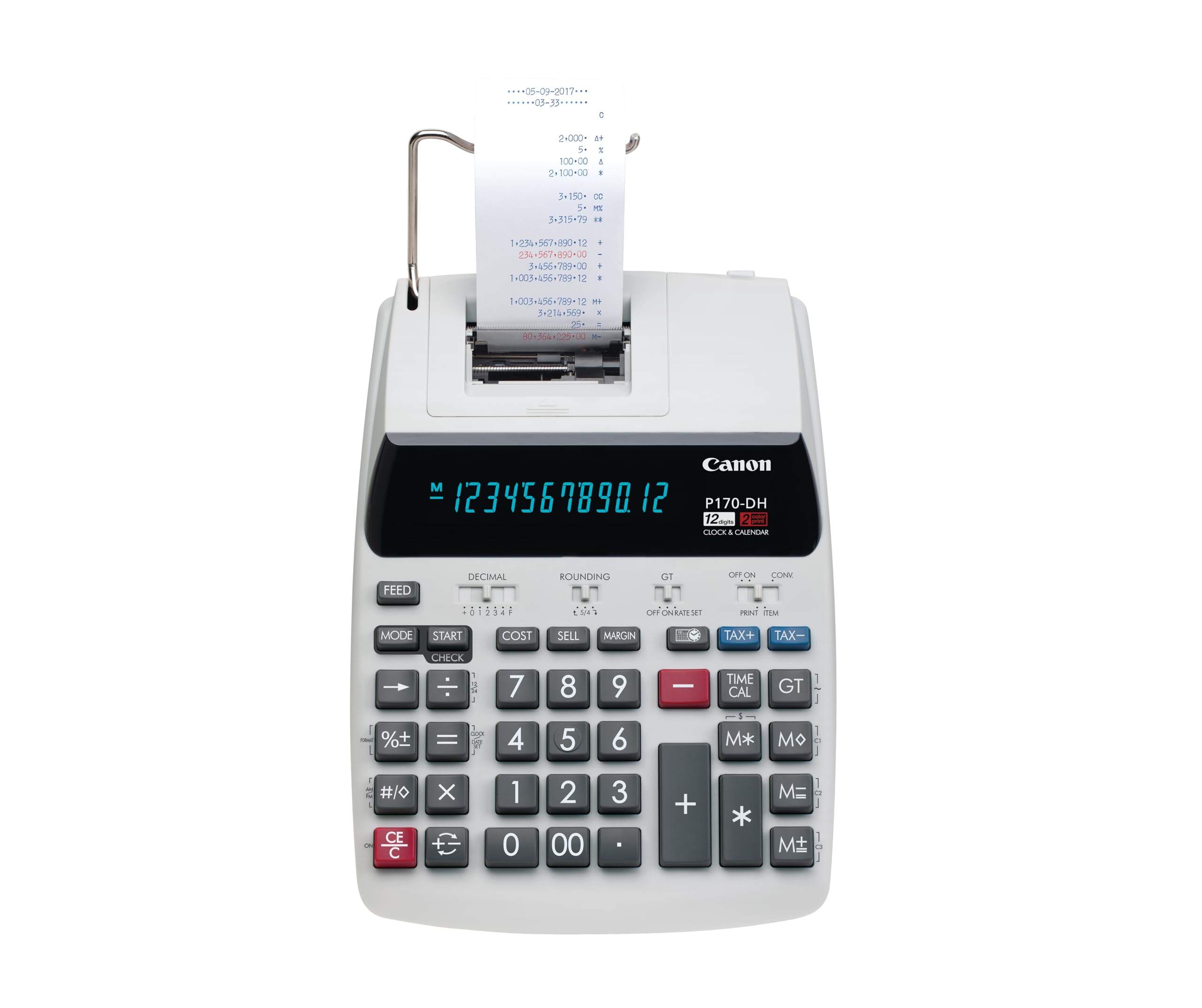
The bright-display Canon that fits a normal desk without overwhelming it.
This is the machine for bookkeepers and small-business owners who want a bright, clear display with big numbers they can trust. The Double Check Function gives you a second look at your totals, which is a real lifesaver when one wrong digit means a costly error. The Cost/Sell/Margin keys let you price products quickly from a few keystrokes.
What wins people over is the build quality — buyers report that a previous identical Canon unit lasted years before dying, and this replacement is functionally everything they need. The size is praised as ideal for a normal desk without being ginormous, and the easy-to-read display earns consistent compliments. It runs on AC power with a backup battery for the clock so your records stay stamped.
The honest trade-offs are a slower-than-expected print speed and a constant high-pitched sound that some owners find distracting. There is also disagreement on whether it offers good value, and it is not battery powered, which owners mention they wish for. If a near-silent machine is your priority, the Casio HR-300RC runs quieter.
The dependable desk pick
- Double Check Function prevents costly errors
- Big, clear display with large numbers
- Compact footprint suits a normal desk
The honest catches
- Print speed is slower than expected
- Constant high-pitched sound reported
- Wired only, no battery operation
Reach for this if: you want a bright display and a Double Check safeguard for business or home finance records on a normal-size desk.
Think twice if: a quiet printer matters, because the constant whine is a recurring theme in owner feedback.
5. Canon MP25DV-3 Desktop Printing Calculator

The high-speed ribbon printer that owners buy again and again.
If you need a fast, efficient tape for tax season or steady business math, this Canon delivers with a high-speed ink ribbon printing system. The Cost/Sell/Margin functions and Double Check Function make it a complete package for pricing and verifying totals. Customers note that older units are still working after 30-plus years, and the new version is identical to the old one they loved.
This is the second purchase for many, and the praise is consistent: reliable, efficient, and long-lasting. It is heavier than the compact Casio at 3.3 pounds, which gives it a solid, planted feel on the desk. The VFD display stays bright, keeping your numbers easy to read during long sessions.
The one quirk to know: the newer model auto-powers off after about 7 minutes, and you must press CE/C to restart — a detail buried in the manual. It also includes a gray pen holder cap with a side hook that fits the slot at the back. For durability and speed, this is one of the strongest picks on the list, though the power-off behavior takes getting used to.
Built to outlast: for anyone who wants a proven, high-speed workhorse — the reports of 30-year-old units still running make this the durability king here.
The adjustment: the auto power-off after 7 minutes means you will press CE/C often during breaks; steady users adapt quickly, occasional users may find it annoying.
6. Victor Extra Heavy Duty 12-Digit Commercial Printing Calculator (1460-4)
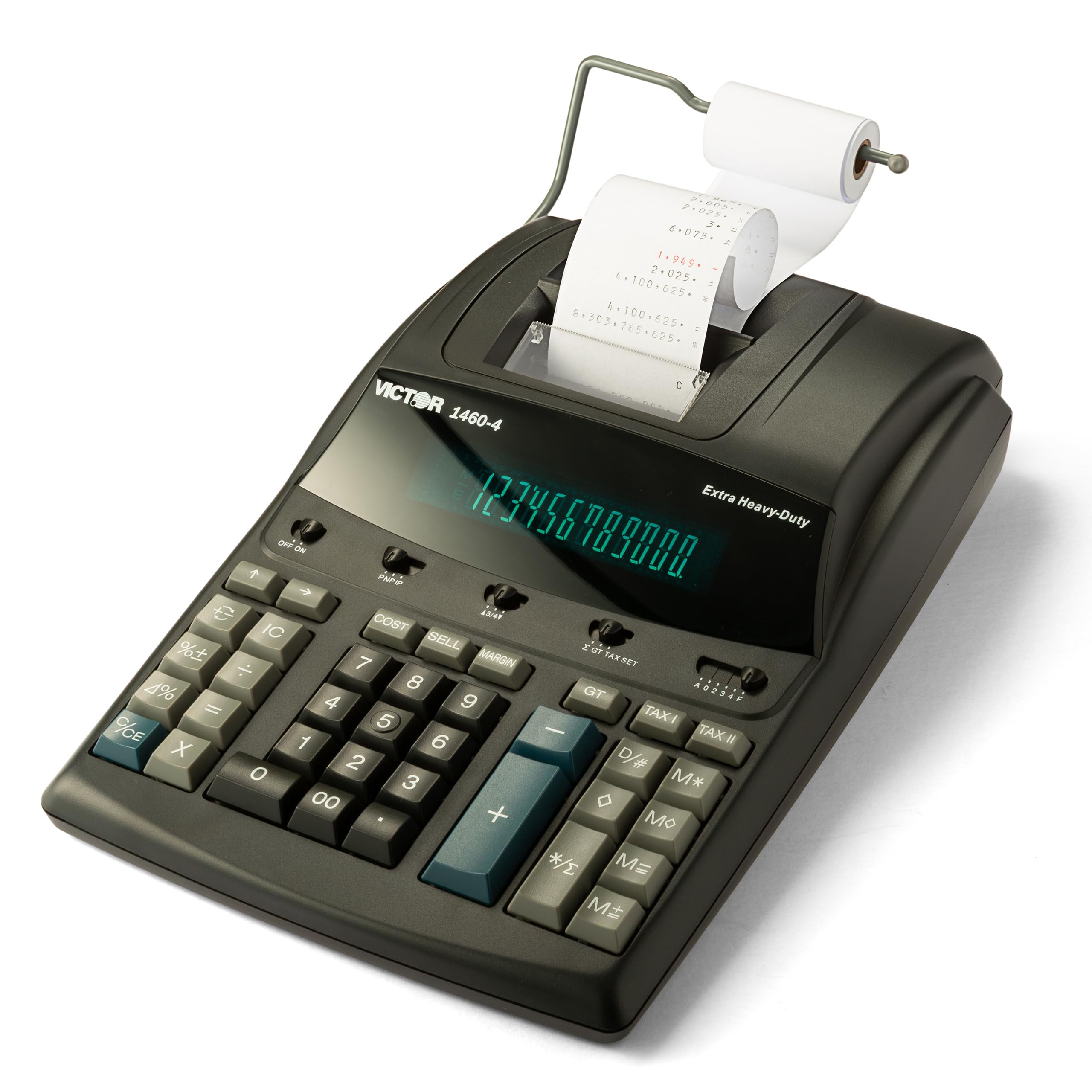
The Cadillac of adding machines — old-school ruggedness for estimation accounting.
Tax accountants and estimators will appreciate this one for its heavy-duty build. The huge 12-digit fluorescent display with 17mm tall digits makes reading easy, and the 4.6 lines-per-second two-color printer marks positives and negatives in different colors. The sturdy enclosure uses 45% recycled plastic, built for the toughest commercial applications.
Functionality is the thing everyone raves about, with durability close behind — one tax accountant bought a second unit for the home office after loving the first. Owners describe it as fast, sturdy, and quiet, calling it top shelf quality. It runs on continuous AC power and uses easily replaceable standard Victor 7010 ink ribbons to keep maintenance simple.
The mixed feedback centers on the plus key, which some find difficult to press, and key placement that does not suit everyone. At 3.7 pounds and 15.6 inches wide, it is the heaviest and one of the largest on this list, so it demands permanent desk real estate. Value opinions are split, but for heavy commercial workloads this is the tank.
The commercial-grade choice
- Huge 17mm bright fluorescent digits
- Fast 4.6 lines-per-second two-color print
- Quiet operation with sturdy 45% recycled build
Know this first
- Plus key can be difficult to press
- Heaviest pick at 3.7 pounds
- Key placement gets mixed feedback
Built for the toughest desks: if your workload is high-volume commercial accounting and you want a quiet tank with huge digits, this is the pick.
Who it does not suit: if you want portability or have a small desk, the 3.7-pound frame and wide footprint will feel like too much machine.
7. Sharp VX-2652H 12-Digit Print Calculator Desktop Adding Machine

The fast, quiet Sharp that users say they would buy again and again.
Users who have been calculating for roughly 50 years call this a good, reliable calculator — the highest compliment a veteran can give. It prints super fast at 4.8 lines per second in two colors, black for positive and red for negative, so the tape stays easy to scan. The durable plastic enclosure keeps operation quiet even in a busy office.
The bright fluorescent display with clear commas and decimal points earns consistent praise for visibility. The dual 4-key memory functions handle heavier workloads, and the Mark Up key calculates cost-sell-margin for pricing. It even works with or without paper loaded, so you are never stuck.
The honest caveat is reliability — feedback is mixed, with some reporting buttons stop working after six months and others saying it lasts one year. That is a shorter lifespan than the Canon MP25DV-3 above, which reviewers point out running for 30 years. It is pricier but owners call it cost-effective long-term, especially if you want a quiet, fast performer.
Why regulars choose it
- Super fast 4.8 lines-per-second printing
- Quiet operation for busy offices
- Dual 4-key memory for heavier loads
Weigh these before ordering
- Reliability is mixed past six months
- Buttons can stop working for some owners
- Pricier than comparable models
Pick this for quiet speed: if you want a fast, quiet adding machine with dual memory and easy readability, this delivers on the specs that matter.
The risk to know: reliability is the most-discussed aspect here, and reports of buttons failing inside six months mean the Canon above is the safer long-term investment.
Understanding the Specs
Lines Per Second
This tells you how fast the printer spits out tape. Standard speeds range from 4.6 to 4.8 lines per second, which keeps up with most 10-key typing. A slower printer creates a frustrating lag when you are entering numbers quickly, so if speed matters, aim for the faster end.
Display Type: VFD vs LCD vs Fluorescent
The display type changes how easy the numbers are to read. VFD and fluorescent displays are typically brighter and sharper, ideal for dim lighting or tired eyes at the end of the day. LCD displays use less power, which matters for battery-operated models like the Casio HR-170RC.
FAQ
What is the difference between an adding machine and a calculator?
Do adding machines need batteries or a wall outlet?
What size paper roll does an adding machine use?
Why do some adding machines print in black and red?
What does the Cost/Sell/Margin function do?
Can I correct a mistake before it prints?
How long does an adding machine last?
Is a larger display worth paying for?
What is the double check function on Canon models?
Do any of these work without paper loaded?
Final Thoughts: The Verdict
For the majority of shoppers, the 10 key adding machine winner is the Sharp EL-2630PIII because it pairs a fast 4.8 lines-per-second printer with an extra-large display and Cost/Sell/Margin keys — the complete daily workhorse. If you want the most portable option, grab the Casio HR-170RC at just 1.1 pounds with battery flexibility. And for heavy commercial workloads with the clearest digits, the Victor 1460-4 with its 17mm fluorescent display and rugged build is the one to reach for.
How We Picked
We do not accept paid placement. Every pick is matched to a real buyer and a real use-case; we do not hands-on test units.
Sources & Methodology
Specifications: manufacturer listings and product documentation. Review insights: verified customer reviews, as of August 2026. Pricing: not shown on this page (it changes often); check the current price via the retailer link.
As an Amazon Associate, Gadgets Feed earns from qualifying purchases. This does not affect which products we feature.