
Spreadsheets, accounting software, database entry, and financial modeling demand a dedicated number pad. Without one, every data entry task becomes a slow, awkward reach to the top row of numbers. A laptop with a proper 10-key numeric keypad transforms hours of manual input into a fluid, efficient workflow.
I’m Min — the co-founder and writer behind Gadgets Feed. I’ve spent countless hours analyzing processor generations, RAM configurations, and keyboard layouts across hundreds of models to identify which 10-key laptops deliver real productivity for power users and professionals.
For anyone who crunches numbers daily, choosing the right hardware is critical. This guide breaks down the top contenders to help you find the best 10 key laptop for your specific workload and budget.
How To Choose The Best 10 Key Laptop
Not every laptop with a number pad is built for serious number-crunching. The layout, key travel, and spacing on the numeric pad vary dramatically between budget and premium models. You also need a processor and RAM configuration that can handle multiple accounting windows, browser tabs, and heavy spreadsheet calculations without stuttering.
Processor and RAM: The Data Entry Engine
For light work in Excel or Google Sheets, a modern Intel Core i3 or AMD Ryzen 3 paired with 8GB of RAM will suffice. But for financial models with thousands of rows, pivot tables, and simultaneous data imports, step up to a Core i5 or Ryzen 5 with 16GB or 32GB of DDR4 or DDR5 RAM. The difference between a budget-tier processor and a mid-range chip is most noticeable when opening large CSV files or running macros.
Keyboard Layout and Key Travel
A full-size keyboard includes a dedicated number pad, but not all number pads feel the same. Look for a layout with a zero key that is double-width (for easier thumb access) and clearly separated function keys (NumLk, /, *, -, +, Enter). Key travel of at least 1.5mm gives tactile feedback that reduces typos during rapid entry. Budget models often skimp on key spacing, leading to accidental presses on the Enter or plus key.
Display Size and Resolution
A 15.6-inch or larger screen is ideal for a 10-key laptop because the chassis must be wide enough to accommodate the number pad alongside the main keyboard. A 17.3-inch display gives you more horizontal room for spreadsheet columns. Full HD (1920×1080) resolution is the minimum for readable text at 100% scaling — higher resolution 1920×1200 or QHD panels let you see more rows without scrolling.
Quick Comparison
On smaller screens, swipe sideways to see the full table.
| Model | Category | Best For | Key Spec | Amazon |
|---|---|---|---|---|
| Lenovo ThinkPad E16 Gen 3 (64GB/2TB) | Premium Business | Heavy data analysis & multitasking | 64GB DDR5 RAM | Amazon |
| MSI Katana 15 HX | Premium Gaming | High-FPS gaming & number pad | i9-14900HX / RTX 5070 | Amazon |
| Lenovo ThinkBook 16 Gen 8 | Premium Business | Professional multitasking | Intel Ultra 7 255H | Amazon |
| Dell Latitude 3550 | Premium Business | Enterprise data processing | 64GB DDR5 / Ultra 7 | Amazon |
| HP EliteBook 860 G11 | Premium Business | Hybrid office & spreadsheet work | Ultra 7 / Thunderbolt 4 | Amazon |
| Lenovo IdeaPad 15.6″ Touchscreen | Mid-Range Value | Touchscreen productivity | 40GB RAM / 2.5TB Storage | Amazon |
| Lenovo ThinkPad E16 Gen 3 (32GB/1TB) | Mid-Range Business | Business AI & spreadsheet work | Intel Ultra 7 / 32GB DDR5 | Amazon |
| HP 255 G10 | Mid-Range Business | Budget-friendly business performance | Ryzen 7 / 32GB RAM | Amazon |
| Samsung Galaxy Book4 | Mid-Range Ultra-Portable | Portable business & battery life | Intel Core 7-150U / 15hr | Amazon |
| ASUS Vivobook 14 | Budget Value | Entry-level productivity & Office | 24GB RAM / Lifetime Office | Amazon |
| HP 17.3″ Laptop | Budget Large Screen | Large display & basic tasks | 17.3″ HD+ Display | Amazon |
In‑Depth Reviews
1. Lenovo ThinkPad E16 Gen 3 (64GB/2TB)
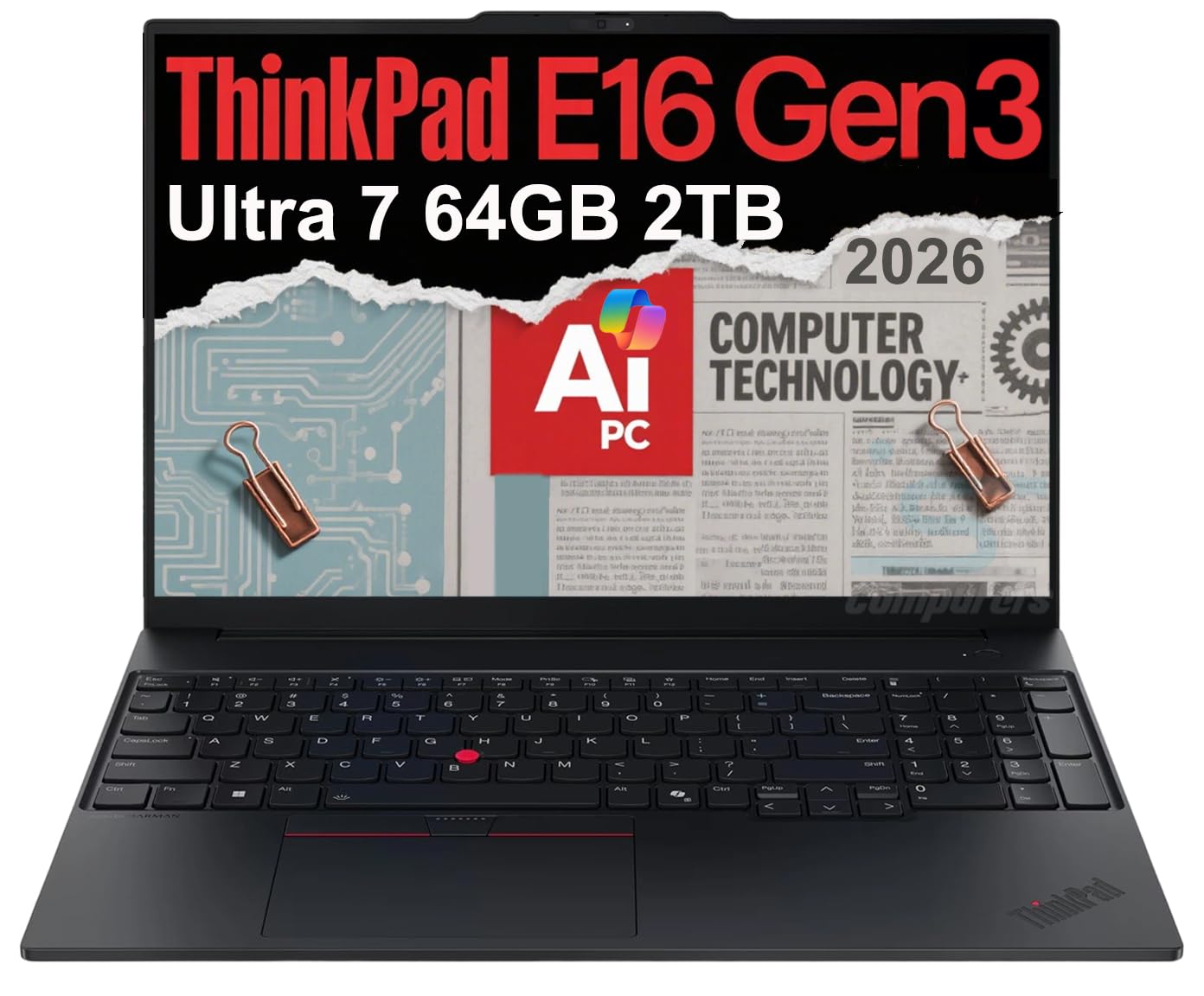
The Lenovo ThinkPad E16 Gen 3 sets the benchmark for a 10-key laptop with its 16-inch WUXGA anti-glare display, giving you 1920×1200 pixels for more rows of data without scrolling. The Intel Core Ultra 7 255H processor with 16 cores handles complex financial models and data imports without hesitation. With 64GB of DDR5 RAM, you can run Excel, QuickBooks, a database client, and a dozen browser tabs simultaneously without any slowdown.
The full-size keyboard includes a properly spaced numeric keypad with a double-width zero key — essential for rapid data entry. Military-grade MIL-STD 810H durability means this machine survives the daily commute and coffee shop sessions. The 5MP webcam with privacy shutter and fingerprint reader add enterprise-grade security for remote work.
Connectivity is future-proof with Thunderbolt 4, Wi-Fi 6E, and Bluetooth 5.3. The 2TB NVMe SSD provides massive local storage for large datasets. For professionals who demand zero compromises in their number-crunching workflow, this is the ultimate workstation.
Why it’s great
- 64GB DDR5 RAM handles any multitasking scenario
- Military-grade durability for on-the-go professionals
- Thunderbolt 4 and Wi-Fi 6E for fast connectivity
Good to know
- Premium price point targets business buyers
- Heavier than ultraportable alternatives at over 4 lbs
2. MSI Katana 15 HX

The MSI Katana 15 HX proves that a gaming laptop can also be a serious number-crunching machine. Powered by the Intel Core i9-14900HX with 24 cores and an RTX 5070 GPU, this laptop tears through multithreaded tasks like running Monte Carlo simulations or processing large CSV files. The 32GB of DDR5 RAM keeps everything fluid, while the 1TB NVMe SSD offers fast load times for heavy applications.
The 15.6-inch QHD 165Hz display is a joy for both spreadsheets and gaming, but the highlight for data entry is the full-size keyboard with a dedicated numeric keypad and 4-zone RGB backlighting. The key spacing on the number pad is generous, reducing accidental presses during rapid input. Cooler Boost 5 dual-fan cooling ensures sustained performance during long work sessions.
For users who need a laptop that handles both intensive data analysis and high-FPS gaming at 1440p, the Katana 15 HX delivers. Ports include USB-C Gen 2, HDMI 2.1 for 8K output, and Wi-Fi 6E. Battery life is limited to about 2 hours under heavy load, so keep the power brick nearby.
Why it’s great
- 24-core i9-14900HX handles complex calculations
- 165Hz QHD display with 100% DCI-P3 color
- RTX 5070 for GPU-accelerated workflows
Good to know
- Bulky power adapter and limited battery life
- Runs hot under sustained load; cooling pad recommended
3. Lenovo ThinkBook 16 Gen 8

The Lenovo ThinkBook 16 Gen 8 is a business-focused AI PC that combines a 16-inch FHD+ display with a full-size keyboard and numeric keypad. The Intel Core Ultra 7 255H processor features an integrated NPU for AI acceleration, which speeds up tasks like real-time data sorting and predictive text in spreadsheets. With 64GB of DDR5 RAM, this machine handles simultaneous virtual machines, large databases, and Excel without breaking a sweat.
The 1TB PCIe SSD provides quick access to files, and the fingerprint reader adds convenient security. Connectivity includes Thunderbolt 4, Wi-Fi 6E, and Bluetooth 5.3. The display’s 1920×1200 resolution gives you extra vertical space for spreadsheet rows, and the anti-glare coating reduces eye strain during long workdays.
The number pad is well-integrated with proper spacing and a tactile response that suits high-volume data entry. Windows 11 Professional comes pre-installed with enterprise-level management tools. For analysts and accountants who need a dedicated 10-key workstation, the ThinkBook 16 Gen 8 is a top-tier choice.
Why it’s great
- AI acceleration via NPU for productivity tasks
- 64GB RAM for heavy multitasking
- Thunderbolt 4 and Wi-Fi 6E connectivity
Good to know
- Premium pricing reflects business-grade features
- Limited color accuracy for creative professionals
4. Dell Latitude 3550

The Dell Latitude 3550 delivers enterprise-grade specs at a mid-range price point. Powered by the Intel Core Ultra 7 155U processor (12 cores, up to 4.8GHz) and 64GB of DDR5 RAM, this 15.6-inch laptop glides through multi-monitor spreadsheet setups. The 1TB PCIe SSD provides fast data transfers for large files, and the anti-glare FHD display keeps reflections minimal in bright office lighting.
The full-size keyboard includes a numeric keypad with a 99-key layout, including dedicated Home, End, PgUp, and PgDn keys that analysts rely on. The fingerprint reader is integrated into the power button for quick secure logins. With Wi-Fi 6 and USB 4 (Type-C with Power Delivery and DisplayPort), the Latitude 3550 connects seamlessly to modern peripherals and docking stations.
Some users report that the trackpad can be finicky and the speakers are not impressive for media consumption. However, for pure number-crunching productivity — where the numeric keypad and RAM capacity matter most — this Dell Latitude is a formidable workhorse.
Why it’s great
- 64GB DDR5 RAM for extreme multitasking
- Ultra 7 processor with AI Boost
- USB 4 with Power Delivery and DisplayPort
Good to know
- Audio quality is below average for calls
- Trackpad responsiveness may require adjustment
5. HP EliteBook 860 G11
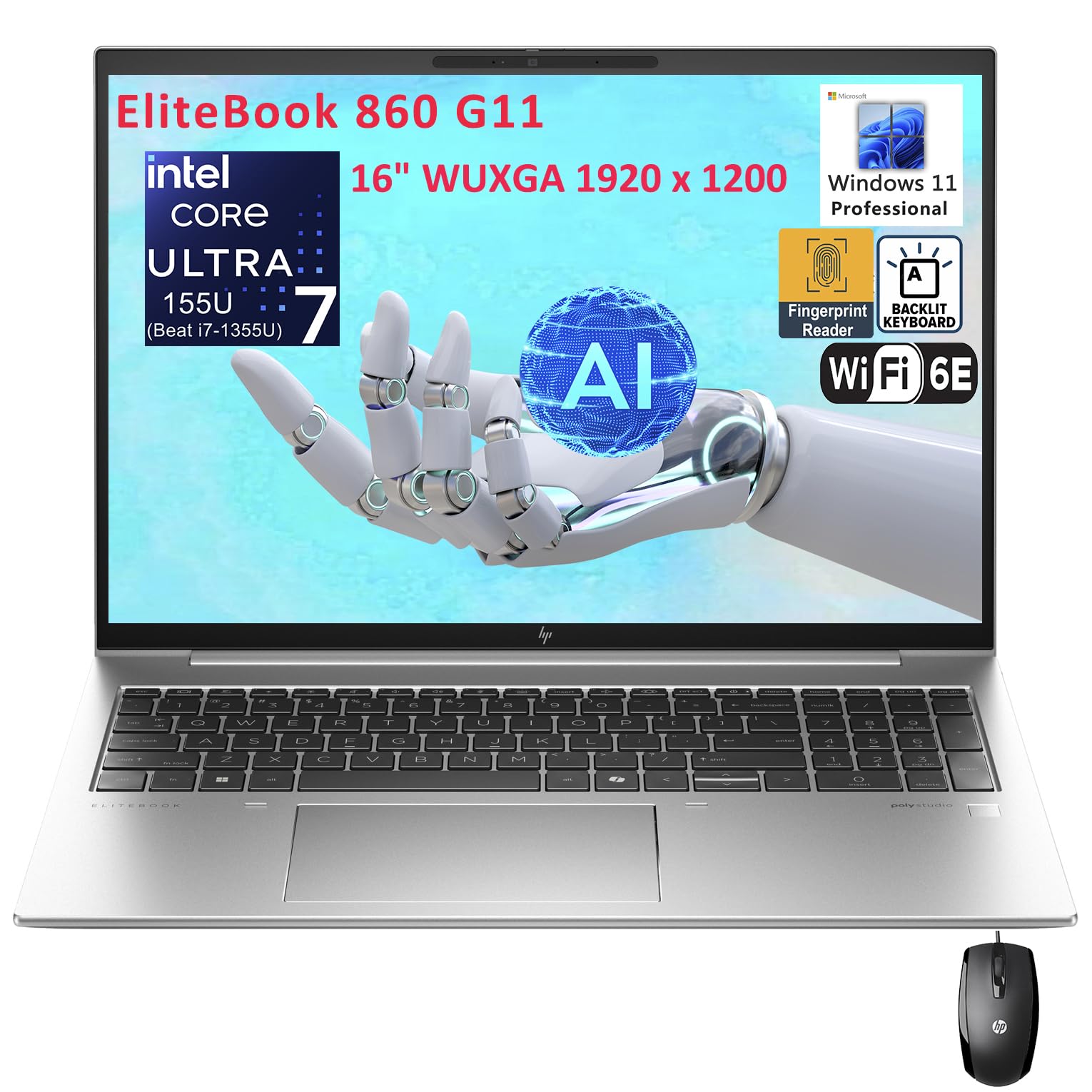
The HP EliteBook 860 G11 is built for the hybrid office, with a 16-inch WUXGA IPS display (1920×1200) covered in 100% sRGB for accurate color representation in presentations. The Intel Core Ultra 7 155U processor with NPU accelerates AI-enhanced workflows like real-time speech-to-text and data categorization in spreadsheets. The 32GB of DDR5 RAM is ample for most business multitasking scenarios.
The spill-resistant backlit keyboard features a numeric keypad with proper key spacing and a responsive tactile feel. Two Thunderbolt 4 ports (with USB4) provide 40Gbps data transfers and support for dual 4K external monitors, making it easy to extend your spreadsheet workspace. The fingerprint reader and Windows 11 Pro secure sensitive financial data.
Connectivity includes Wi-Fi 6E and Bluetooth 5.3 for fast wireless data transfers. The 1TB PCIe SSD offers quick boot times and file access. Some users note the lack of an RJ-45 Ethernet port, but a Thunderbolt docking station resolves that. For professionals who demand a premium 10-key experience with enterprise support, the EliteBook 860 G11 delivers.
Why it’s great
- 100% sRGB display for presentation material
- Two Thunderbolt 4 ports with dual 4K support
- Spill-resistant backlit keyboard with number pad
Good to know
- No built-in Ethernet port
- Premium pricing for business-grade features
6. Lenovo IdeaPad 15.6″ Touchscreen

The Lenovo IdeaPad 15.6-inch Touchscreen laptop offers a unique combination: a 15.6-inch FHD touch display and a massive 40GB of DDR4 RAM, making it one of the most versatile 10-key laptops for spreadsheet work. The Intel Core i5 (10 cores, up to 4.4GHz) handles data processing smoothly, while the 2.5TB of total storage (2TB SSD + 512GB external drive) ensures you never run out of space for financial records or project files.
The inclusion of a lifetime Microsoft Office license is a significant value-add for professionals who need Word, Excel, and PowerPoint without subscription fees. The numeric keypad is present on the full-size keyboard, and the touchscreen adds a second input method for quickly scrolling through large spreadsheets. The privacy shutter on the camera is a nice security touch for remote meetings.
Battery life is rated up to 10 hours, though heavy data processing will drain it faster. The build quality feels a bit plastic compared to premium business models, but the raw specs — especially the 40GB of RAM — make this a compelling mid-range option for users who need maximum memory on a budget.
Why it’s great
- 40GB RAM and 2.5TB total storage
- Lifetime Microsoft Office license included
- Touchscreen for intuitive navigation
Good to know
- Build quality feels budget-conscious
- Battery life could be better under load
7. Lenovo ThinkPad E16 Gen 3 (32GB/1TB)

The Lenovo ThinkPad E16 Gen 3 with 32GB of RAM and a 1TB SSD is the more accessible sibling of our top pick, sharing the same MIL-STD 810H durability and Intel Core Ultra 7 255H processor. The 16-inch WUXGA anti-glare display provides crisp text for spreadsheet cells, and the numeric keypad retains the double-width zero key that makes data entry so fluid. Intel Arc graphics power the ability to connect three external monitors at 4K 60Hz via HDMI 2.1 and Thunderbolt 4.
The 5MP webcam with privacy shutter delivers clear video calls, while the fingerprint reader adds quick, secure access. Wi-Fi 6E and Bluetooth 5.3 ensure lag-free wireless performance. The AI Copilot integration in Windows 11 Pro can help with summarizing data or drafting reports.
For most business users, 32GB of DDR5 RAM is more than sufficient for running Excel, QuickBooks, and multiple browser tabs simultaneously. The 1TB SSD provides ample storage for financial documents. If you need the ultimate 64GB configuration, go with the variant above; otherwise, this 32GB model offers the same core experience at a lower entry point.
Why it’s great
- MIL-STD 810H rugged durability
- Thunderbolt 4 with triple 4K monitor support
- AI Copilot integration in Windows 11 Pro
Good to know
- 32GB RAM may limit extreme multitaskers
- Weight is around 4.5 lbs
8. HP 255 G10

The HP 255 G10 proves that a business laptop with a numeric keypad doesn’t have to break the bank. Powered by the AMD Ryzen 7 7730U (8 cores, up to 4.5GHz) and 32GB of DDR4 RAM, this 15.6-inch FHD laptop handles multitasking with ease. The 1TB PCIe SSD provides fast boot times and storage for large datasets. The anti-glare IPS display at 250 nits is adequate for indoor office use.
The full-size keyboard includes a dedicated numeric keypad with a standard layout that feels natural for data entry. Connectivity includes Wi-Fi 6, Bluetooth 5.2, USB-C, and HDMI, making it easy to connect to office peripherals. Windows 11 Pro offers enterprise security features like BitLocker and Remote Desktop.
A few users note the keyboard layout takes some getting used to, and there is no biometric login like a fingerprint reader. However, for the price, the HP 255 G10 delivers excellent processing power and a true 10-key experience that rivals laptops costing significantly more. It is a strong choice for budget-conscious business users.
Why it’s great
- AMD Ryzen 7 provides excellent multi-core performance
- 32GB RAM at a budget-friendly price
- Windows 11 Pro for enterprise security
Good to know
- Display brightness is average at 250 nits
- No biometric security feature
9. Samsung Galaxy Book4

The Samsung Galaxy Book4 is the lightest 10-key laptop on this list at just 3.42 pounds, making it the ideal choice for traveling accountants and consultants. Powered by the Intel Core 7-150U (10 cores, up to 5.4GHz) with 16GB of LPDDR4X RAM, it offers snappy performance for spreadsheet work and video calls. The 15.6-inch FHD display delivers clear visuals with 300 nits of brightness.
The full-size keyboard includes a backlit numeric keypad that is comfortable for extended typing sessions. Battery life is rated up to 15 hours, which means a full workday without reaching for a charger. The fingerprint reader provides secure, convenient login. Wi-Fi and Bluetooth round out the connectivity options.
The 512GB SSD is adequate for most users, though power users may want more storage. The Intel integrated graphics handle basic tasks but won’t support heavy GPU workloads. For professionals who prioritize portability without sacrificing the numeric keypad, the Galaxy Book4 is an excellent balance of weight and performance.
Why it’s great
- Ultra-lightweight at 3.42 lbs
- Up to 15 hours of battery life
- Backlit keyboard with number pad
Good to know
- Only 16GB of RAM limits heavy multitasking
- 512GB SSD may fill up quickly
10. ASUS Vivobook 14
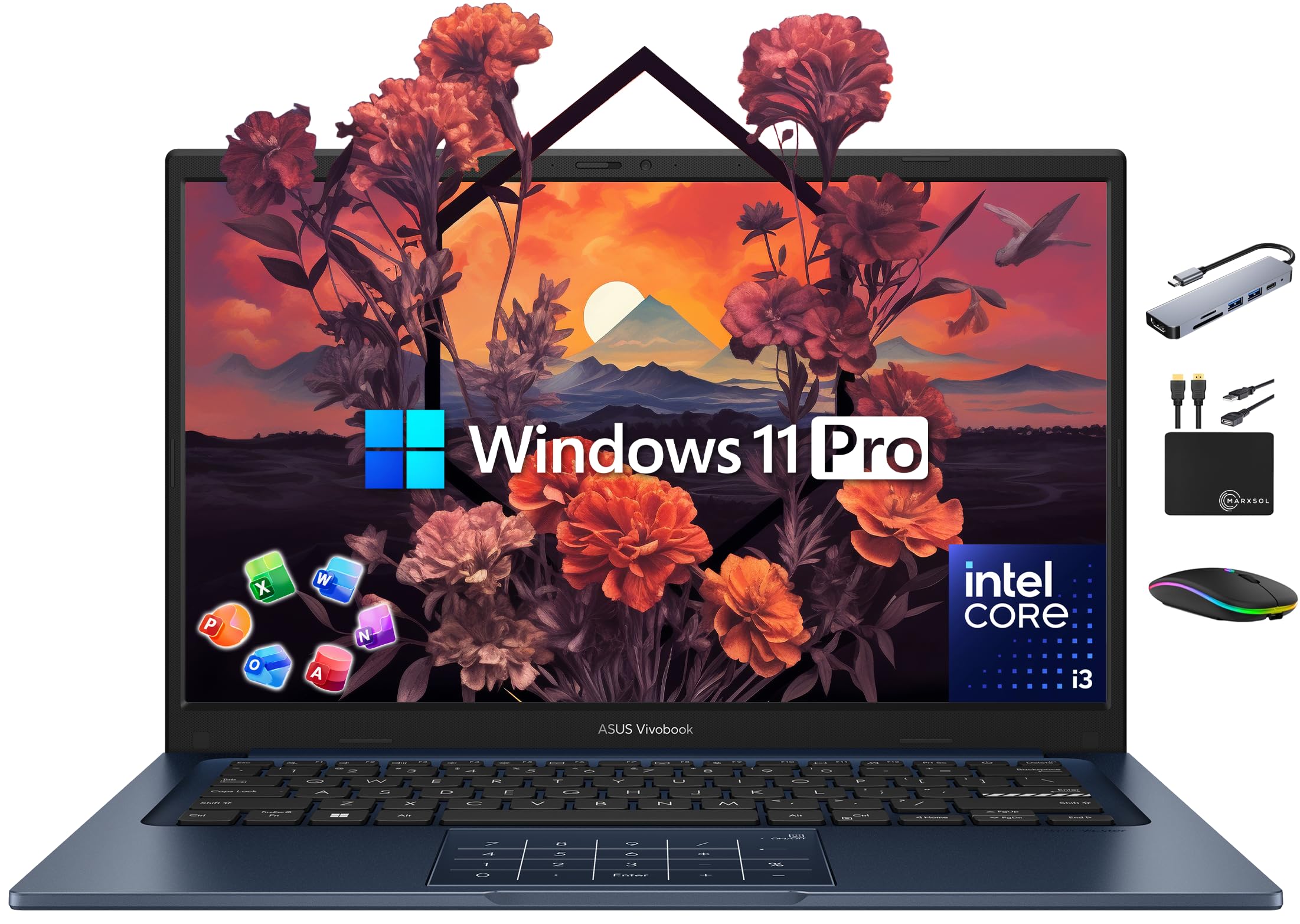
The ASUS Vivobook 14 offers exceptional value for budget-conscious users who need a 10-key laptop. Despite the 14-inch form factor, it still includes a full-size keyboard with a numeric keypad — a rare find at this size. The Intel Core i3-1315U (6 cores, up to 4.5GHz) provides enough power for everyday spreadsheet work, and the 24GB of DDR4 RAM ensures you can run multiple Office applications without lag.
The bundle includes a lifetime Microsoft Office 2024 license (Word, Excel, PowerPoint, Outlook), saving you from subscription costs. Storage is split across a 512GB NVMe SSD and a 500GB external drive, giving you 1TB total. The 14-inch FHD NanoEdge display offers slim bezels for a modern look. The included 6-in-1 USB-C hub, wireless mouse, and mouse pad make this a complete productivity package.
The number pad on a 14-inch chassis is slightly more compact than on 15.6-inch models, so key spacing may feel a bit tight for users with larger hands. However, for the price, this ASUS delivers an incredible amount of RAM and a full Office suite — an unbeatable combination for students or small business owners on a budget.
Why it’s great
- 24GB RAM and Lifetime Office 2024 included
- Complete accessory bundle (hub, mouse, HDD)
- Numeric keypad on a compact 14-inch chassis
Good to know
- Number pad keys are more cramped than full-size
- Keyboard lacks backlighting
11. HP 17.3″ Laptop
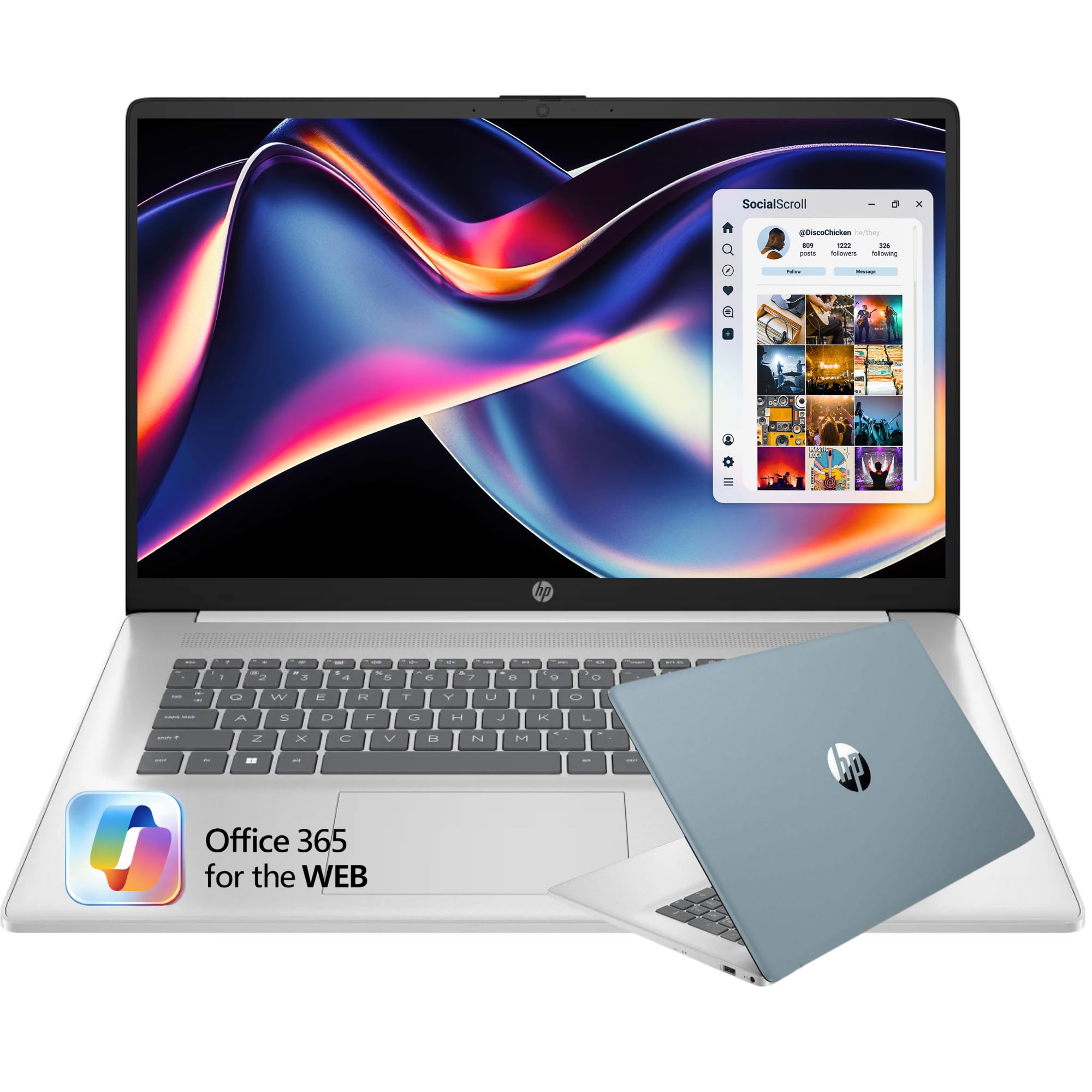
The HP 17.3-inch laptop is the most affordable entry into the 10-key laptop category, offering a massive 17.3-inch HD+ display and a full-size keyboard with numeric keypad. The Intel Celeron N4500 (dual-core, up to 2.8GHz) is suitable for basic tasks like web browsing, email, and simple spreadsheets. The 16GB of RAM is generous for this price tier, allowing multiple tabs and light Office work.
The 512GB PCIe SSD provides fast storage for documents and media. The large 17.3-inch screen is a major advantage for users with visual impairments or those who simply want more screen real estate without spending on a premium laptop. The brushed full-size keyboard with number pad offers a comfortable typing experience, and the laptop weighs just 4.6 pounds despite its size.
The HD+ resolution (1600×900) is less sharp than Full HD, and the Celeron processor will struggle with heavy multitasking or large Excel files. This machine is best suited for students or home users who need a large screen and number pad for basic data entry on a strict budget. It is not built for professional-grade spreadsheet work.
Why it’s great
- Large 17.3-inch display for easy viewing
- Generous 16GB RAM for the price tier
- Full-size keyboard with numeric keypad
Good to know
- Celeron processor is underpowered for heavy tasks
- HD+ resolution is lower than FHD
FAQ
Do I need a dedicated numeric keypad or can I use an external USB number pad?
Will a gaming laptop with a number pad work well for data entry?
Is a 14-inch laptop with a number pad comfortable for typing?
How much RAM do I really need for heavy Excel work?
Final Thoughts: The Verdict
For most users, the best 10 key laptop winner is the Lenovo ThinkPad E16 Gen 3 (64GB/2TB) because it combines a spacious 16-inch anti-glare display, a perfectly laid-out numeric keypad, and a 64GB DDR5 RAM configuration that handles any data-heavy workload without breaking a sweat. If you want ultimate portability without sacrificing the number pad, grab the Samsung Galaxy Book4. And for the best value with a lifetime Office license, nothing beats the ASUS Vivobook 14 for budget-conscious professionals.