
Finding a truly portable laptop that doesn’t force you into the walled garden of a tablet operating system is a rare thing. Most ultra-compact devices ask you to trade full desktop software for a touch-first interface, leaving you stranded when you need a traditional app or a real file system.
I’m Min — the co-founder and writer behind Gadgets Feed. I specialize in parsing the technical specifications and real-world trade-offs of niche computing categories, helping buyers cut through marketing fluff to find the right form factor and performance for their specific workflow. (And Homer 🐱 inspected every folio keyboard as a potential new sunbathing spot).
This guide breaks down the top models in the sub-11-inch space, covering 2-in-1 hybrids, Chromebooks, and traditional clamshells. Whether you’re a student, a frequent traveler, or someone who just wants a full desktop OS in a compact chassis, you’ll find a detailed comparison of the best 10 laptops we’ve analyzed for their portability, performance, and build quality.
How To Choose The Best 10 Laptops
Buying a sub-11-inch laptop is a game of smart trade-offs. You are not chasing raw desktop horsepower; you are prioritizing a specific balance of screen size, keyboard usability, battery endurance, and the ability to run the exact software you need. The first decision is operating system: a full Windows or ChromeOS environment versus a mobile OS on a tablet.
Processor and Memory
In this form factor, Intel’s N-series processors (N100, N150, N4120) and the older Core m3 are the most common. The N150 offers a noticeable step up in multitasking compared to the Celeron N4120, but neither is designed for heavy video editing. Pair this with at least 8GB of RAM; 4GB will feel sluggish with multiple browser tabs. LPDDR5 memory (found on newer N150 models) provides faster data transfer and better power efficiency than older DDR4.
Storage: eMMC vs SSD
The biggest performance bottleneck in budget 10-inch laptops is often the storage. eMMC (embedded MultiMediaCard) is a slower, soldered storage type that can slow down app loading and file transfers. A proper SATA or NVMe SSD, even a small one, will make the system feel dramatically snappier. Look for models that specify an SSD, and consider whether the storage is expandable via a Micro SD slot or an M.2 slot.
Quick Comparison
On smaller screens, swipe sideways to see the full table.
| Model | Category | Best For | Key Spec | Amazon |
|---|---|---|---|---|
| Lenovo Chromebook Duet | Chromebook | Long battery & Google ecosystem | 12 hours battery, 10.95″ WUXGA IPS touch | Amazon |
| CHUWI MiniBook X | Convertible | Premium build & 2K touchscreen | 16GB LPDDR5, 512GB SSD, 2K IPS | Amazon |
| Fusion5 2026 New Version | Tablet | Full Windows in a tablet form | 12GB DDR5, 512GB SSD, 10.1″ FHD+ | Amazon |
| ZWYING Mini Laptop 10.5″ | Convertible | Face unlock & large storage | 16GB DDR4, 1TB SSD, 1920×1280 IPS | Amazon |
| KOOFORWAY 8″ | Mini Laptop | Ultra-portable & stylus support | 12GB LPDDR5, 512GB SSD, 8″ touch | Amazon |
| KOOTIGERS Mini Laptop 8″ | Mini Laptop | Durable metal build & Ethernet | 12GB LPDDR5, 512GB SSD, 1280×800 touch | Amazon |
| CHUWI Hi10 X2 | Tablet | Core i3 performance on a budget | 8GB RAM, 256GB SSD, Intel Core i3 | Amazon |
| Moxalc 10.1″ 2-in-1 | Tablet | Lightweight & Core m3 performance | 12GB RAM, 256GB SSD, Core m3-8100Y | Amazon |
| HP 14″ Ultralight | Laptop | Entry-level value & large screen | 8GB RAM, 64GB eMMC, Intel Celeron N4120 | Amazon |
In-Depth Reviews
1. Lenovo Chromebook Duet

The Lenovo Chromebook Duet is the benchmark for a portable, versatile computing experience in the 11-inch range. It is a 2-in-1 convertible with a detachable folio keyboard and a kickstand, allowing you to switch between a laptop for typing and a tablet for browsing or media consumption. The MediaTek Kompanio 838 processor is paired with 4GB of RAM and 64GB of eMMC storage, which is adequate for ChromeOS-based workflows focused on web apps, Google Docs, and streaming.
The 10.95-inch WUXGA (1920×1200) IPS touch display is the standout feature, offering a sharp, bright panel with narrow bezels that makes watching content and reading documents a pleasure. With an advertised 12-hour battery life and the peace of mind that comes with automatic updates from Google, this is a low-maintenance device for anyone fully invested in the Google ecosystem. The included folio keyboard and USB-C charging complete a very tidy package.
However, the 4GB RAM ceiling means you cannot run a heavy Android app alongside many browser tabs without performance dips. The eMMC storage is also slower than a traditional SSD, and the device has no SD card slot for expansion. This is not a machine for running demanding desktop software, but for its intended purpose — lightweight, affordable, mobile productivity — it is the most refined option.
Why it’s great
- Excellent 10.95″ WUXGA IPS touch display with narrow bezels.
- Long 12-hour battery life for all-day use.
- Versatile 2-in-1 design with a detachable keyboard.
Good to know
- Only 4GB of RAM and 64GB of eMMC storage limit multitasking.
- No SD card slot for expandable storage.
- Runs ChromeOS, not a full desktop Windows OS.
2. CHUWI MiniBook X
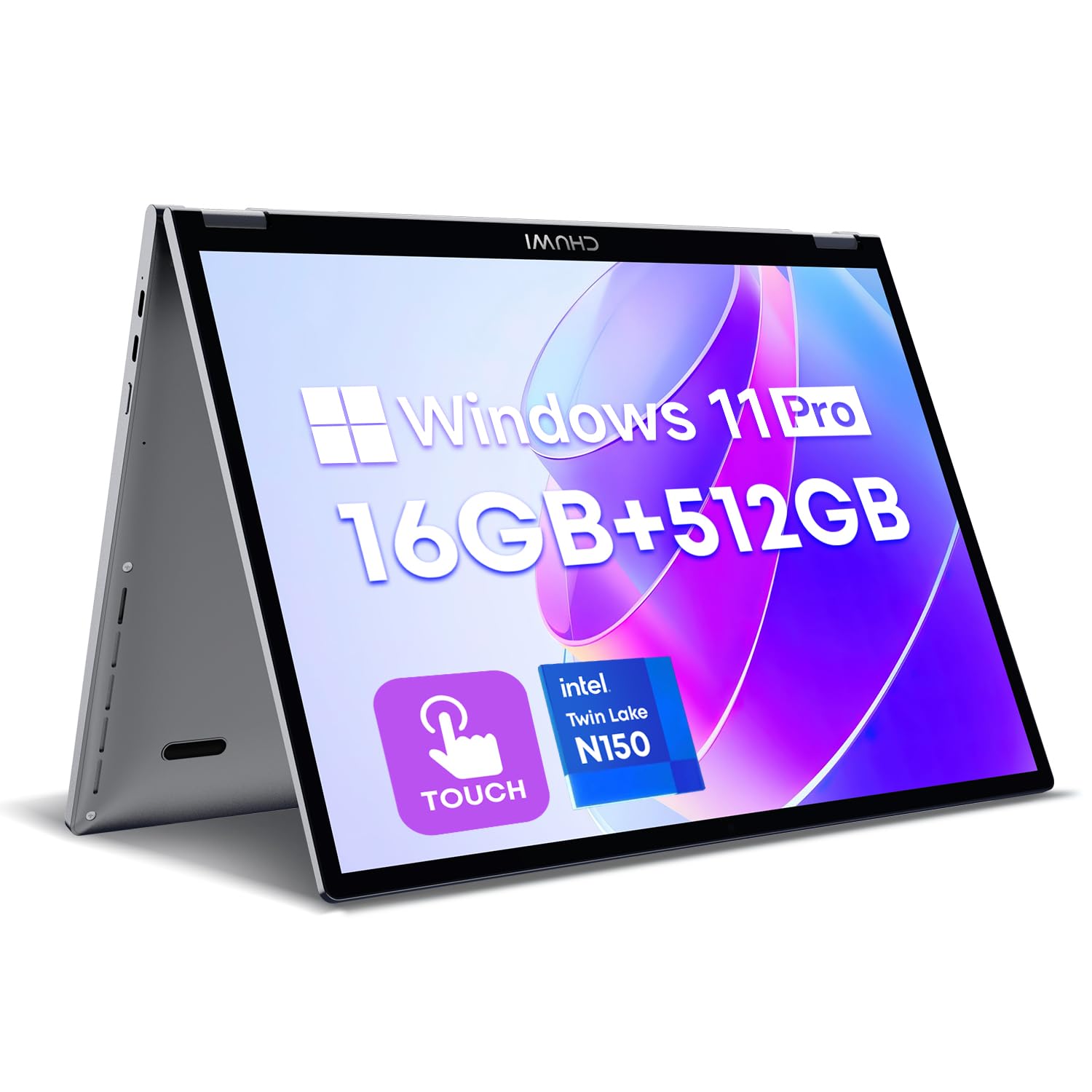
The CHUWI MiniBook X represents the premium end of the 10-inch laptop spectrum, delivering a near-premium experience in a compact 10.51-inch chassis. Its standout feature is 16GB of LPDDR5 RAM, allowing for genuinely fluid multitasking across multiple applications and browser tabs. The 1920×1200 IPS touchscreen with 100% sRGB coverage is vibrant and sharp, and the 360° hinge lets you transition between laptop, tent, stand, and tablet modes with a premium feel.
Under the hood, the Intel N150 processor is a generation newer than the Celeron options in cheaper laptops, handling daily tasks like Office work, web browsing, and video calls with ease. The 512GB NVMe SSD provides fast, responsive storage. The backlit keyboard is a welcome feature for low-light use, and the all-metal body gives it a build quality that feels more expensive than the price suggests.
Battery life is realistic at around 5-6 hours of light use, which is competitive for a Windows machine this size. Be aware that the charger is a 12V non-PD unit, though you can use a standard USB-C PD charger on the second USB-C port. The speakers are adequate but lack depth. If you need a genuinely productive Windows machine in the smallest possible footprint, this is the strongest value proposition.
Why it’s great
- 16GB LPDDR5 RAM for smooth multitasking.
- Vibrant 2K IPS touchscreen with 100% sRGB.
- Premium all-metal build with a backlit keyboard.
Good to know
- Non-standard 12V charger; use USB-C PD for convenience.
- Speakers lack low-end depth.
- Battery life is around 5-6 hours under load.
3. Fusion5 2026 New Version
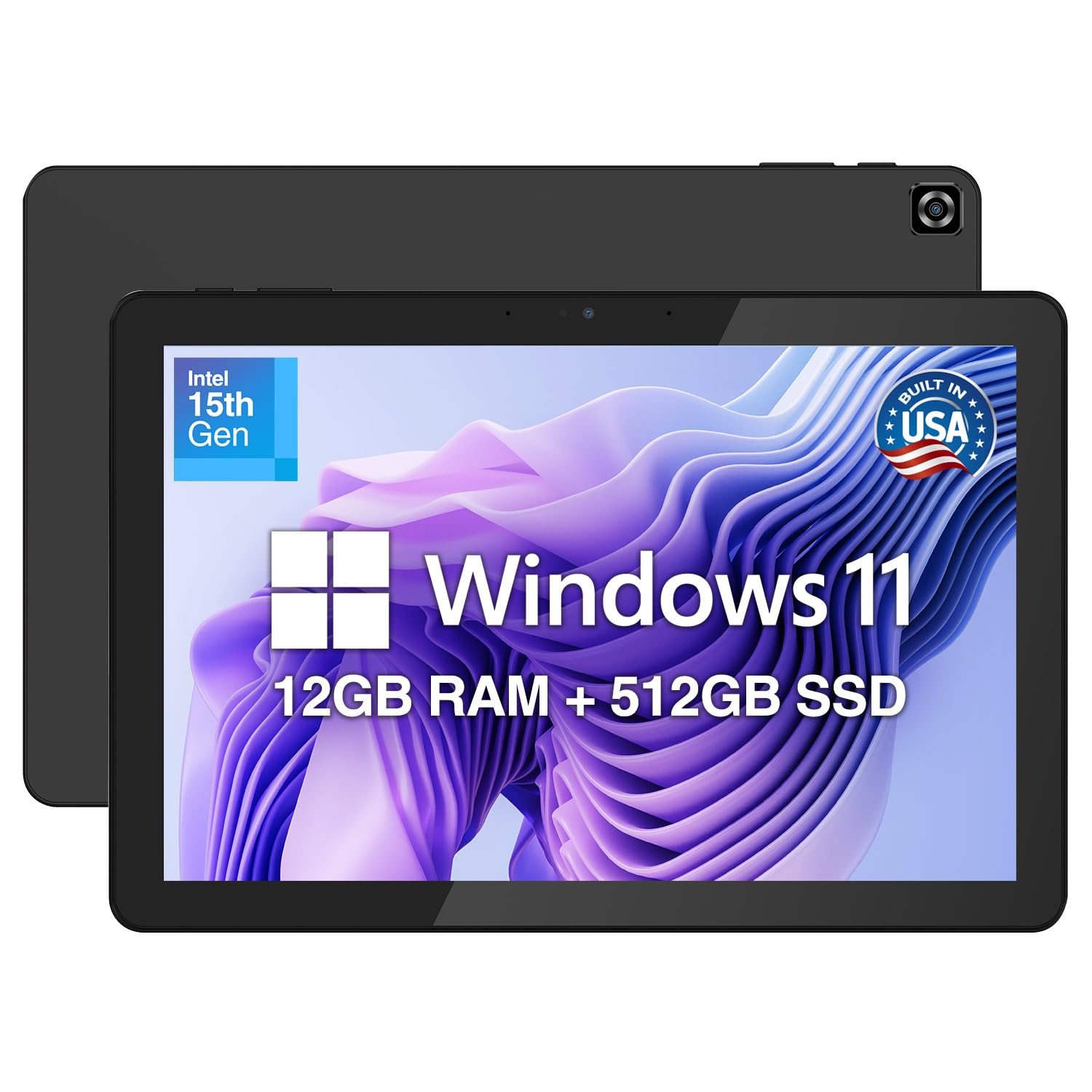
The Fusion5 Helios 10 is sold as a tablet PC first, but with a full Windows 11 Home installation, it functions as a powerful portable computer. The 12GB of DDR5 RAM and 512GB SSD are a potent combination for this form factor, allowing you to run demanding desktop applications like design software or data analysis tools without the lag you would expect from a budget tablet. The Intel N150 processor is the same generation found in many modern mini-laptops.
The 10.1-inch FHD+ display (1920×1200) with 400 nits of brightness is sharp and readable even in well-lit environments. The metal body gives it a rigid, premium feel. It includes a built-in cooling fan to prevent throttling during extended workloads. The inclusion of 36W USB-C PD fast charging is a practical touch, letting you top up the battery quickly.
Battery life is the clear weak point, with many users reporting around 2-4 hours of real-world use. The port selection is also limited to two USB-C ports and a single USB 3.0. The lack of a bundled keyboard in the base package means you will need to budget for one separately if you need a traditional typing experience. This is the device for someone who needs a full PC in a tablet form factor and prioritises performance over battery longevity.
Why it’s great
- Robust 12GB DDR5 RAM and 512GB SSD storage.
- Sharp FHD+ display with 400 nits brightness.
- Full Windows 11 Home in a tablet form factor.
Good to know
- Battery life is short at around 2-4 hours.
- Limited to two USB-C ports and one USB-A port.
- Keyboard is sold separately.
4. ZWYING Mini Laptop 10.5″

The ZWYING 10.5-inch convertible is aimed squarely at users who need to store large files locally. With 16GB of DDR4 RAM and a 1TB SSD, it offers the highest storage capacity in this roundup, making it suitable for carrying a media library, project files, or a large collection of documents. The 360° hinge allows for standard laptop, tent, stand, and tablet modes, and the 1920×1280 IPS display delivers a sharp image with a 3:2 aspect ratio that provides more vertical screen space for documents.
The Intel N95 processor is a slight step up from the N150 in multi-core tasks, and the inclusion of a smart gesture touchpad and facial recognition (Face Unlock) adds a layer of convenience. The dual full-function USB-C ports, USB 3.0, and mini HDMI provide solid connectivity options for a device this size. It comes with Windows 11 Pro pre-installed.
The main concerns revolve around consistency. Some user reports indicate the device might ship with a different amount of RAM than advertised, and the Wi-Fi performance has been noted as slower than expected. The keyboard and trackpad, while functional, are best suited for peck-typing rather than sustained touch-typing. This is a great choice if local storage capacity is your primary requirement, but double-check the specs on arrival.
Why it’s great
- Generous 1TB SSD and 16GB DDR4 RAM.
- Sharp 1920×1280 IPS display with a 3:2 aspect ratio.
- Face Unlock and smart gesture touchpad.
Good to know
- Wi-Fi speed has been reported as slower than expected by some users.
- The keyboard is cramped for touch typists.
- Ensure the exact RAM configuration matches what is advertised.
5. KOOFORWAY 8″ 2-in-1
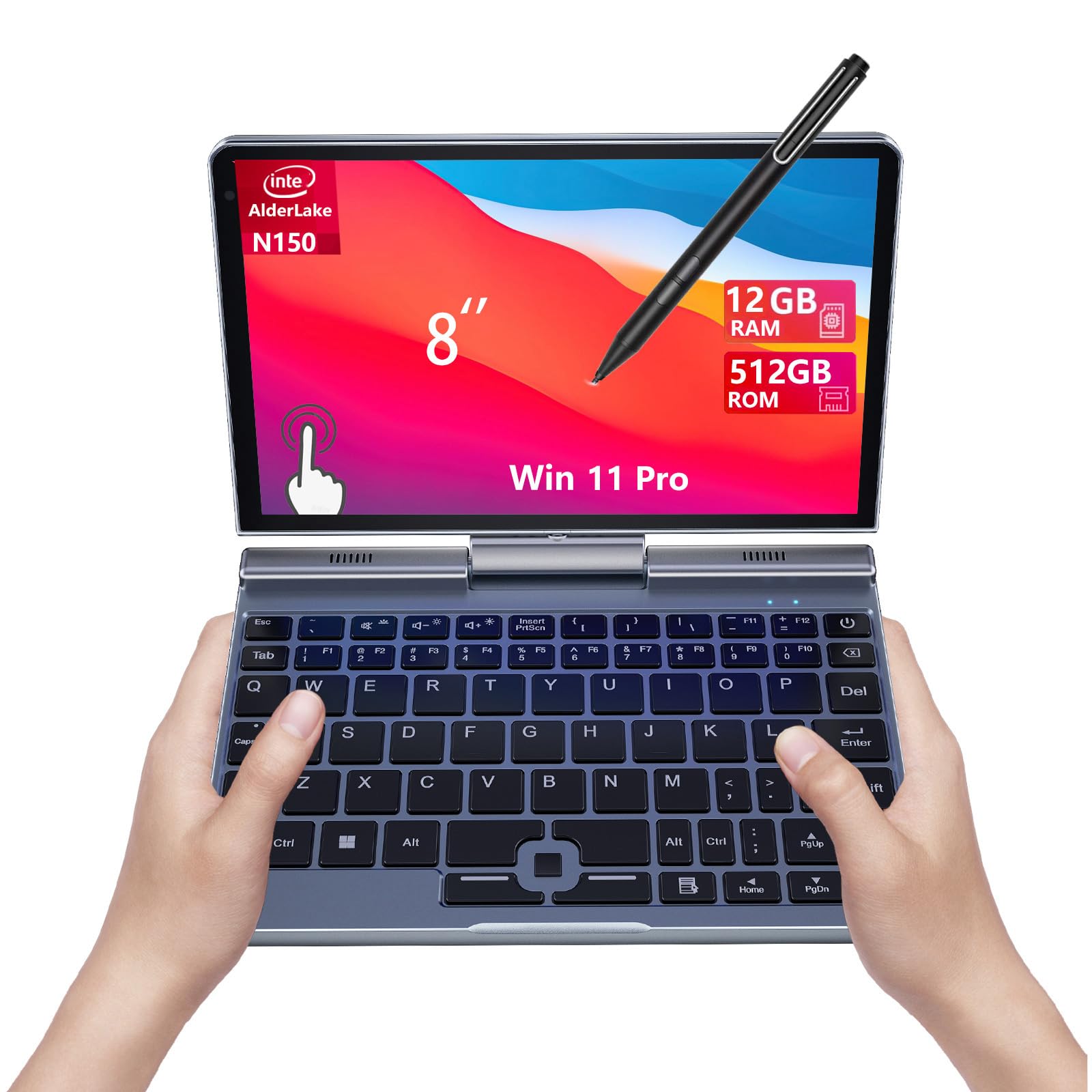
The KOOFORWAY 8-inch is a true ultra-mobile PC, designed for professionals who need a full Windows machine that can slip into a large pocket or small bag. Its defining feature is the 8-inch 1280×800 touchscreen that supports 10-point touch and a 1024-level pressure-sensitive stylus, making it a viable option for note-taking or sketching on the go. The Intel N150 processor with 12GB of LPDDR5 RAM and a 512GB NVMe SSD provides enough power for business tasks, data entry, and light productivity.
Build quality is excellent for the size, with an aluminum chassis and a glass display that feels premium. The inclusion of an RJ45 Ethernet port is a rare and welcome addition for network professionals or anyone who needs a stable wired connection in the field. Battery life is rated for around 5 hours, which is reasonable given the compact battery.
The keyboard is the main compromise, with a cramped layout that takes significant adjustment. The trackpad is also small. The speakers are quiet, and the fan can become audible under load. This device is purpose-built for a specific audience: someone who needs a full desktop OS and maximum portability. It is not a general-purpose machine for heavy media consumption or long typing sessions.
Why it’s great
- True ultra-portable 8-inch form factor with full Windows.
- Includes an RJ45 Ethernet port for wired networking.
- Stylus support for note-taking and sketching.
Good to know
- The keyboard is cramped and requires adjustment.
- Speakers are quiet and the fan can be audible.
- Battery life is around 5 hours.
6. KOOTIGERS Mini Laptop 8″

The KOOTIGERS 8-inch mini laptop shares the same Intel N150, 12GB LPDDR5, and 512GB SSD foundation as the KOOFORWAY, but differentiates itself with a focus on durability and a fanless design for silent operation. The rugged metal casing is advertised as military-grade, offering better drop protection than plastic competitors, making it a strong choice for travel or use in less controlled environments. The 360° hinge allows for full tablet, tent, and stand modes.
The 1280×800 touchscreen is crisp and responsive, and the device comes with a stylus, USB hub, and HDMI cable in the box, which adds real value. The inclusion of a full-size Ethernet port, HDMI, USB-C, and USB-A ports means you rarely need dongles. The fanless design means it runs silently, which is a significant advantage in a quiet workspace or library.
The most significant drawback is the keyboard, which several users report is too cramped for comfortable touch-typing, leading to errors. The battery life is around 5 hours, which is standard for this class. This device is ideal for someone who values silence, durability, and a robust port selection over keyboard comfort.
Why it’s great
- Rugged metal build with military-grade drop protection.
- Fanless design for silent operation.
- Excellent port selection including RJ45 Ethernet.
Good to know
- The keyboard is cramped and not ideal for touch-typing.
- Battery life is limited to around 5 hours.
- The trackpad can be tricky to use.
7. CHUWI Hi10 X2
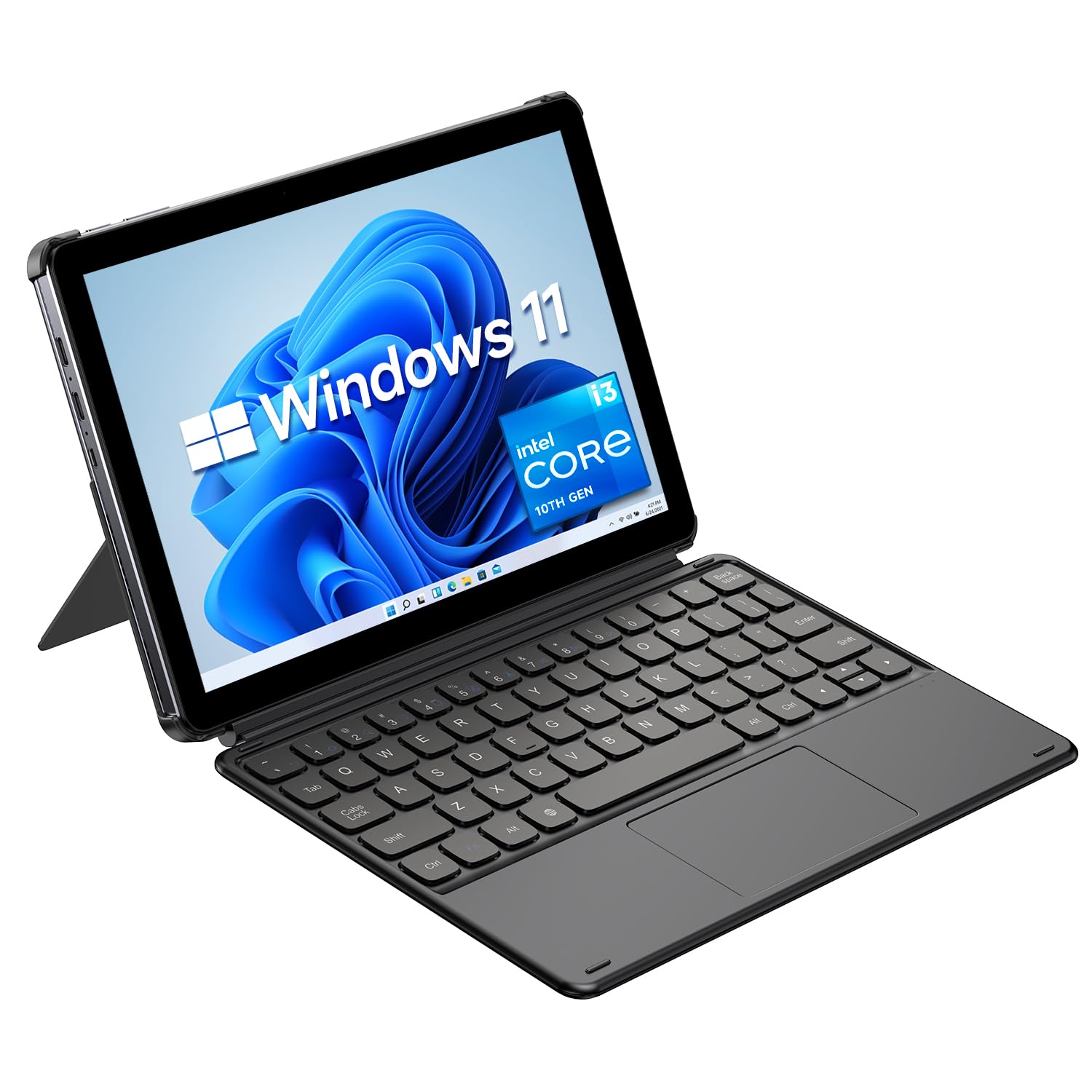
The CHUWI Hi10 X2 is a 10.1-inch Windows tablet that packs an Intel Core i3 processor, a significant step up in CPU architecture from the N-series chips found in many budget rivals. This allows it to handle more demanding tasks like light AutoCAD work, Excel macros, and Python scripting with fewer hiccups. With 8GB of RAM and a 256GB SSD, it offers a balanced spec sheet for a user who needs a capable secondary machine.
The 1280×800 resolution display is adequate but not stunning, and the tablet form factor is quite thick at 10.1mm. It supports Wi-Fi 6 and Bluetooth 5.3, providing modern connectivity. The included magnetic keyboard is functional for occasional typing but is not a replacement for a full-size laptop keyboard. The 5MP rear camera is a nice bonus for document scanning.
Battery life is a major weakness, with the 3400mAh cell providing only a few hours of use. The screen is also prone to smudging. While the Core i3 performance is welcome, the overall package has some rough edges. This is a good choice for a student or professional on a tight budget who needs full Windows software compatibility and the versatility of a tablet, provided they can live with short battery life.
Why it’s great
- Intel Core i3 processor offers better performance than N-series chips.
- Modern Wi-Fi 6 and Bluetooth 5.3 connectivity.
- Includes a detachable keyboard.
Good to know
- Battery life is poor due to the 3400mAh cell.
- The 1280×800 display is lower resolution than competitors.
- The tablet is quite thick at 10.1mm.
8. Moxalc 10.1″ 2-in-1
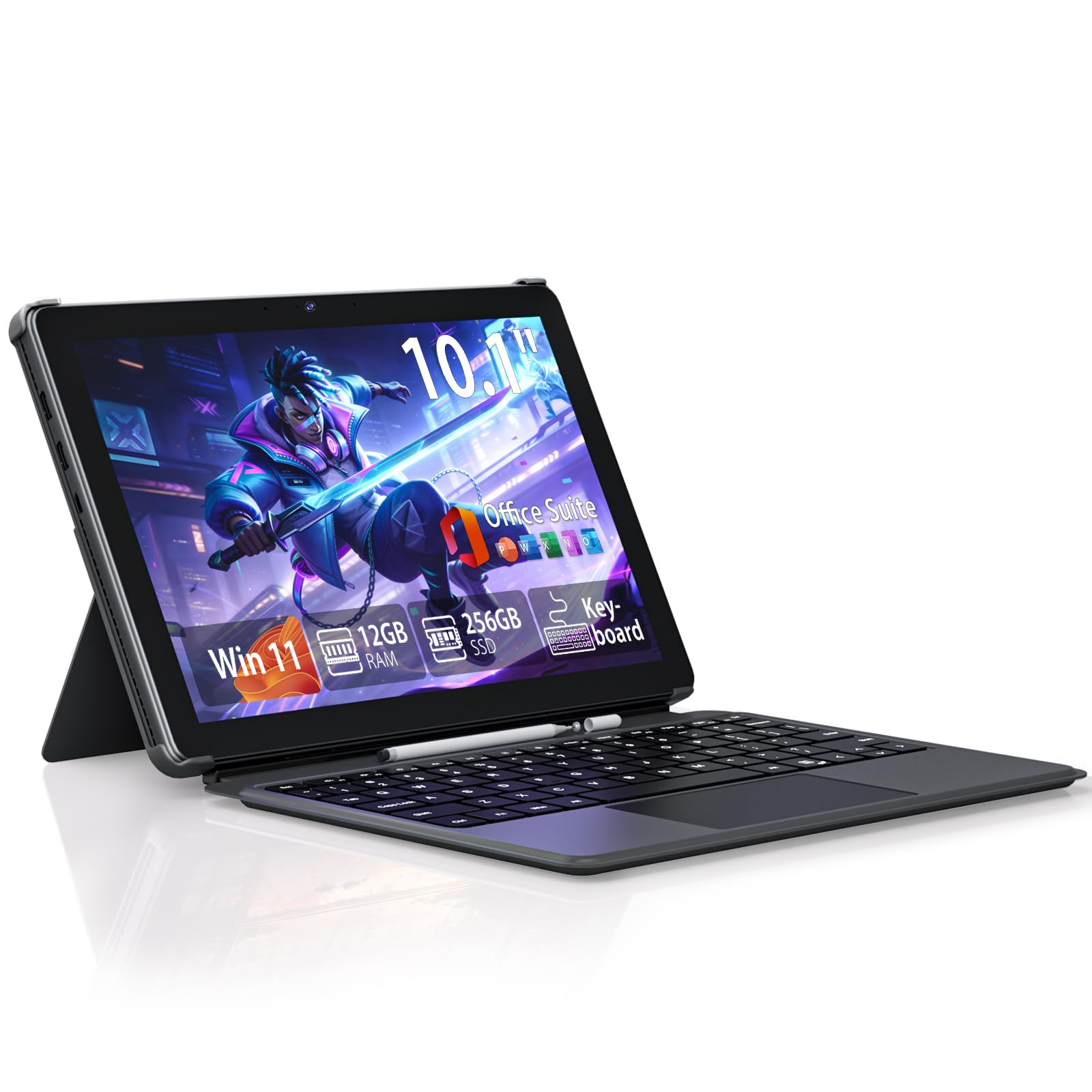
The Moxalc 10.1-inch 2-in-1 is a lightweight, entry-level Windows tablet powered by the Core m3-8100Y processor. While not as fast as modern N-series chips in multi-core tasks, the Core m3 offers better single-core burst performance, making it snappy for web browsing and light office work. The 12GB of RAM and 256GB SSD provide ample capacity for smooth multitasking and fast storage.
The tablet comes with a keyboard and a stylus pen, making it a complete package out of the box. The inclusion of USB-A, full-function Type-C, and Micro HDMI ports offers versatile connectivity. The high-capacity battery is advertised for long standby and solid active use. The device is very light and easy to carry, making it a great travel companion.
The biggest issue reported is a common malware/hijack problem on initial setup, which some users have had to pay to resolve. The Wi-Fi performance has been noted as being slower than modern laptops, and the keyboard, while functional, is not as comfortable as those on more premium 2-in-1s. This is a decent value for the included accessories, but factor in a potential need for a clean OS reinstall.
Why it’s great
- Comes with both a keyboard and a stylus pen.
- Lightweight and compact for easy travel.
- Solid 12GB RAM and 256GB SSD combo.
Good to know
- Some units arrive with a browser hijack or malware issue.
- Wi-Fi performance is slower than more modern laptops.
- The keyboard is functional but not premium.
9. HP 14″ Ultralight Laptop

The HP 14″ Ultralight is an entry-level laptop that stretches the definition of a “10-inch” guide due to its 14-inch screen. It is included here as a budget-friendly option for buyers who prioritize screen size and a traditional clamshell design over the ultra-portable 2-in-1 form factor. The Intel Celeron N4120 processor with 8GB of RAM is fine for basic tasks like word processing, web browsing, and email, but it will struggle with heavy multitasking.
One of its biggest selling points is the 11-hour advertised battery life, which is excellent for a budget Windows laptop. It includes a full set of ports: USB-C, USB-A, HDMI, and a headphone jack. The 14-inch HD display with micro-edge bezels gives it a modern look. The inclusion of a 1-year Office 365 subscription is a nice bonus for students.
The main drawbacks are the 64GB of eMMC storage, which is very slow and fills up quickly, and the fact that it ships in Windows 11 S mode, which locks app installations to the Microsoft Store. You can switch out of S mode for free, but it is a step. Also, some users report annoying pop-up glitches. This is the most affordable way to get a large-screen laptop experience, but the storage and processor are significant bottlenecks.
Why it’s great
- Large 14-inch display in a lightweight chassis.
- Excellent 11-hour battery life.
- Includes 1 year of Office 365.
Good to know
- Slow 64GB eMMC storage is a major performance bottleneck.
- Shipped in Windows 11 S mode, limiting app installations.
- The Celeron N4120 processor is not for heavy multitasking.
FAQ
Is a 10-inch laptop too small for typing?
Can I run Microsoft Office on these 10-inch laptops?
Final Thoughts: The Verdict
For most users, the best 10 laptops winner is the Lenovo Chromebook Duet because it offers the most complete balance of battery life, display quality, and seamless 2-in-1 versatility for a ChromeOS-centric workflow. If you need a full Windows desktop OS and premium specs, grab the CHUWI MiniBook X. And for a true ultra-portable Windows machine that prioritizes a tiny footprint and stylus support, nothing beats the KOOFORWAY 8-inch.