
Our readers keep the lights on and my morning glass full of iced black tea. As an Amazon Associate, I earn from qualifying purchases.
Specs are compiled from manufacturer listings and verified buyer reviews and can change over time — please confirm the key details on the product page before buying.
You need to connect cameras, access points, and phones to your network, but you are running out of ports on your main router — and running extension cords to power each device is a mess. A 10-port PoE switch solves both problems at once: it adds eight or more network ports and sends electrical power down the same Ethernet cable to each device, so you only run one wire per gadget. But not every switch handles the same power load, port speed, or management features, so picking the right one for your exact gear matters.
I’m Min — the founder and writer behind Gadgets Feed. This guide is built by comparing the manufacturers’ published specifications and the patterns across verified customer reviews, so you get each pick’s real strengths and trade-offs instead of marketing spin.
If you are wiring up PoE cameras (cameras that get power and data through one Ethernet cable) or setting up a small office with access points and VoIP phones, you need a switch that can handle it all. This guide covers the best 10 port poe switch options, with power budgets up to 130W, port speeds up to 2.5G, and management choices from unplug-and-play to full cloud control.
Quick Picks
- GigaPlus 10 Port 2.5Gb Unmanaged PoE Switch — Top Performer
- TP-Link TL-SG2210P V3 | Jetstream 8 Port Gigabit Smart Managed PoE Switch — Smart Control
- Tenda 10 Port Gigabit PoE Switch (TEG1110PF) — High Power
- DBIT 10-Port Gigabit Network Switch with 8 PoE+ Ports (WS2082A) — Fiber Ready
- MokerLink 10 Port Gigabit PoE Switch (POE-G082G) — Quiet Metal
- UGREEN Ethernet Switch, 10-Port PoE Switch (35372US) — Budget Value
How To Choose The Best 10 Port POE Switch
Picking the right switch depends on three main factors: how much total power it can push to your devices, if you need remote management features, and how fast your network backbone runs. Here is what to look for.
Total PoE Power Budget
Every PoE switch has a total wattage limit across all ports. A security camera typically draws 5W to 15W, while a high-power access point might need 25W to 30W. Add up the power requirements of all devices you plan to connect. A switch with a 60W budget works for a few cameras and a single access point, but if you need to power eight cameras, you are looking at a 120W to 130W budget. Each port is limited to 30W per the 802.3af/at standard, so the total budget tells you how many ports you can actually fill.
Managed vs. Unmanaged
An unmanaged switch works right from the start — plug in cables and everything talks to each other with no setup. That is perfect for a simple camera system or a home office with basic needs. A smart or fully managed switch (like the TP-Link TL-SG2210P) adds features such as VLAN isolation (separating traffic between cameras and computers), QoS (prioritizing video or voice traffic), and remote management through a web interface or mobile app. You pay extra for the control, but you also gain the ability to troubleshoot and segment your network.
Port Speeds and Uplink
Most 10-port switches give you eight Gigabit (1000Mbps) PoE ports plus two uplink ports. The uplink ports connect the switch back to your router or main network. Basic models use Gigabit RJ45 for uplinks, which is fine for a standard internet connection. More advanced switches include SFP or SFP+ slots — SFP matches Gigabit speed over longer fiber distances, while SFP+ supports 10Gbps for a fast backbone to a NAS or a high-speed router. If you run a 2.5Gbps or faster home network, a switch like the GigaPlus with 2.5G PoE ports and 10G SFP+ uplinks keeps everything from bottlenecking.
Quick Comparison
On smaller screens, swipe sideways to see the full table.
| Model | Best For | PoE Budget | Uplink Ports | Switch Type | Amazon |
|---|---|---|---|---|---|
| GigaPlus 10 Port 2.5Gb | High‑speed home lab / NAS | 130W | 2x 10G SFP+ | Unmanaged | Amazon |
| TP-Link TL-SG2210P V3 | Managed network / VLANs | 61W | 2x Gigabit SFP | Smart Managed | Amazon |
| Tenda TEG1110PF | Surveillance / high power | 120W | 1x Gigabit RJ45 + 1x Gigabit SFP | Unmanaged | Amazon |
| DBIT WS2082A | Long‑distance fiber runs | 125W | 2x 1G SFP | DIP (VLAN) | Amazon |
| MokerLink POE-G082G | Fanless / quiet operation | 120W | 2x Gigabit RJ45 | Unmanaged | Amazon |
| UGREEN 35372US | Entry‑level / cameras | 60W | 2x Gigabit RJ45 | Unmanaged | Amazon |
In‑Depth Reviews
1. GigaPlus 10 Port 2.5Gb Unmanaged PoE Switch

The speed demon that feeds your NAS and Wi-Fi 6 APs at full throttle without a single setting to tweak.
If your network backbone runs at 2.5Gbps or faster — say you have a 2.5G NAS, a Wi-Fi 6E access point, or a multi-gig internet plan — this is the switch that keeps everything moving without a bottleneck. Every one of its eight PoE ports runs at 100/1000/2500Mbps, so devices like the Unifi Enterprise 6E units draw their full link speed. The two 10G SFP+ uplink ports, which buyers report link instantly via fiber AOC with no packet loss, connect back to your main router or server at 10Gbps versus 1Gbps on a standard Gigabit uplink.
The total PoE budget (the maximum power the switch can send to all connected devices) sits at 130W, which is enough to power eight power-hungry access points or a mix of APs and cameras. Each port delivers up to 30W per the 802.3af/at standard (the common PoE standard for devices like cameras and phones). Unlike the UGREEN switch’s 60W budget, the GigaPlus offers 130W versus 60W. The switching capacity is rated at 80Gbps, meaning the internal fabric can handle full traffic on all ports at once. The fanless metal body stays cool and silent — one reviewer noted it fit perfectly into a 10-inch rack with no noise at all. It supports both desktop and rack-mount installation, and the 6KV lightning protection adds confidence for attic or outdoor wiring.
The trade-off is that this is an unmanaged switch, so you get no VLAN configuration, no QoS controls, and no web dashboard — it is strictly plug and play. If you need to separate guest traffic from your camera network, you will need a managed switch or a separate VLAN-capable router.
What carries the speed
- Eight 2.5Gbps PoE+ ports — 2.5Gbps versus 1Gbps on standard Gigabit switches for NAS and Wi-Fi 6 gear
- Two 10G SFP+ uplinks for a fast backbone with zero packet loss, per reviewers
- 130W total PoE budget handles high-power APs and cameras simultaneously
- Fanless metal design runs silent and stays cool under continuous load
The missing controls
- Unmanaged — no VLAN, QoS, or remote management for traffic segmentation
- No SFP+ modules included; you supply your own fiber transceivers
- Heavier than most — weighs 1.47 kg, so wall mounting needs solid anchors
Reach for it when: your network already runs at multi-gig speeds and you need a silent, set-and-forget switch that keeps all ports moving at full speed.
Look elsewhere if: you need VLAN isolation or remote management — this is a pure unmanaged switch with zero configuration options.
2. TP-Link TL-SG2210P V3 | Jetstream 8 Port Gigabit Smart Managed PoE Switch
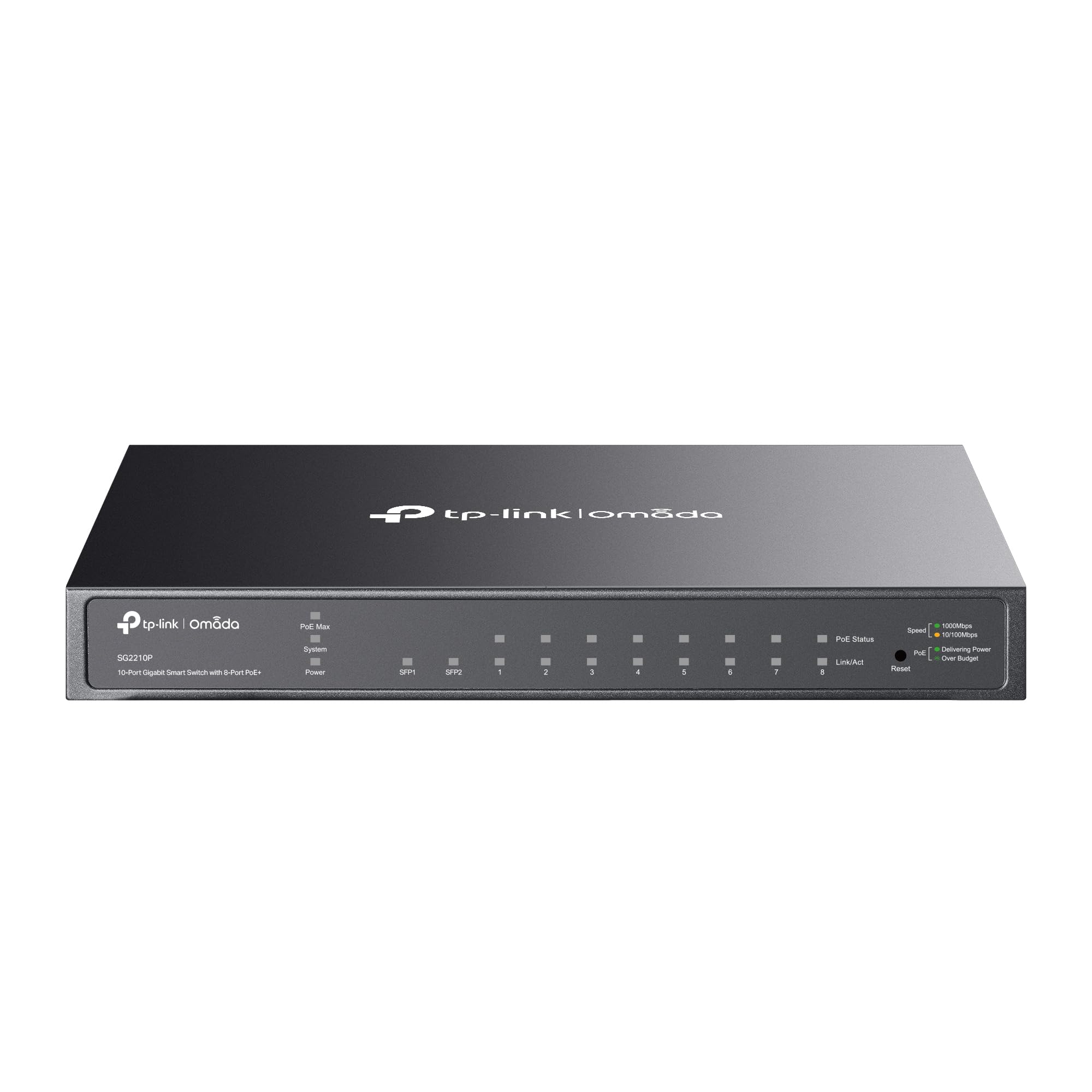
The brainy switch that lets you segment traffic and manage your whole network from one pane of glass.
This is the pick if you want more than just a dumb hub — the TP-Link integrates with the Omada SDN platform (a software-defined network system), meaning you can manage this switch, your Omada access points, and your gateway from a single hardware controller or the Omada app. You get 802.1Q VLAN support (a standard for creating separate virtual networks) right from the start, which lets you separate your security camera traffic from your main data network so cameras never eat bandwidth from your streaming or gaming. It also includes ACL (Access Control Lists), Port Security, DHCP Snooping (a security feature that blocks rogue DHCP servers), and 802.1X authentication (a network access control standard), making it suitable for a small office that needs guest network isolation.
Two Gigabit SFP slots (Small Form-factor Pluggable slots for fiber optic cables) provide uplink connectivity over fiber for longer runs. The case is metal and fanless, measuring 8.23 inches by 4.96 inches, so it sits neatly on a desktop but is not rack-mountable. TP-Link backs it with a 5-year limited warranty. Owners mention that Omada integration is smooth and reliable, though one noted that initial setup with certain router firmware versions required a firmware upgrade to resolve a bug — after that, it ran rock solid.
The main limitation is the 61W PoE budget. If you try to power eight high-draw access points or PTZ cameras that each need 15W-25W, you will hit the ceiling fast. For lighter loads or mixed zones, the management features make this a far more capable pick than any unmanaged switch.
Why you want management
- Omada SDN integration centralizes control of switches, APs, and gateways from one interface
- Full VLAN, ACL, and QoS support for traffic segmentation and prioritization
- 5-year warranty and lifetime tech support from TP-Link
- Fanless metal chassis runs silently in any room
Power ceiling
- 61W total PoE budget limits you to roughly 4-5 mid-power devices; not for full eight-port high-power use
- SFP slots are Gigabit only, not 10G SFP+, so uplink speed is capped at 1Gbps
- Desktop form factor only — no rack-mount brackets included
Your move if you want control: you are building an Omada-based network and need VLAN segmentation, guest networks, or remote monitoring through the app.
Not for heavy loads: if you need to power eight high-wattage devices at once, the 61W budget will run out — consider a 120W+ switch instead.
3. Tenda 10 Port Gigabit PoE Switch (TEG1110PF)
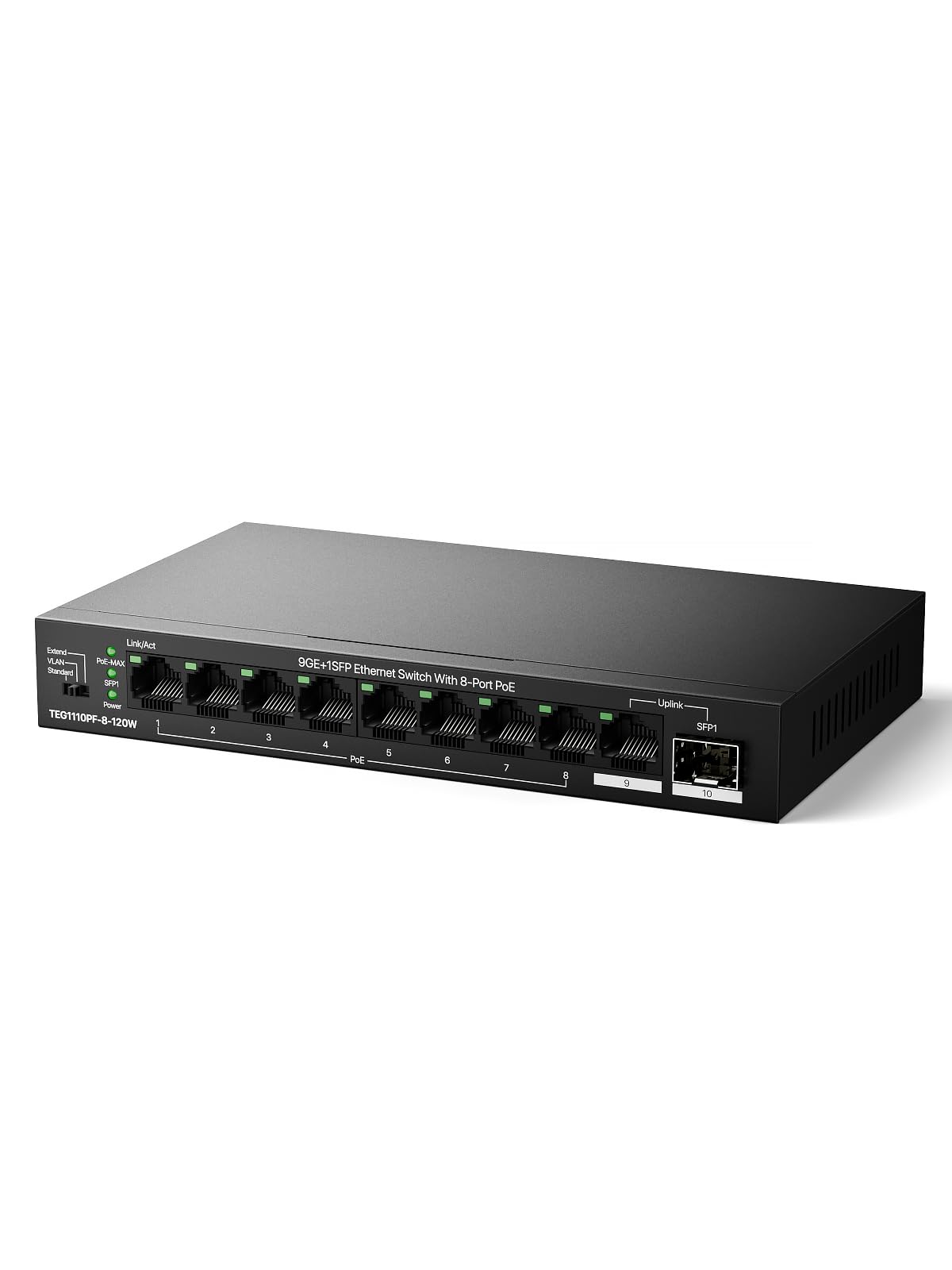
The workhorse that powers a full camera system plus an access point without breaking a sweat.
This Tenda switch delivers 120W of total PoE power across its eight PoE+ ports — enough to run eight security cameras, or a mix of cameras and a Ring Elite doorbell, as one buyer mentioned working perfectly. That is 120W versus 60W on the UGREEN switch, so you can realistically populate all eight ports without worrying about the switch shutting ports down. Each port supplies up to 30W per the 802.3af/at standard. The port layout includes eight PoE+ ports, one Gigabit RJ45 uplink, and one Gigabit SFP slot, giving you two uplink options.
Two handy modes are toggled by physical DIP switches on the side. VLAN mode isolates ports 1 through 8 from each other so only the uplink port sees all the traffic — that prevents broadcast storms and DHCP spoofing on a camera network. Extend Mode pushes the PoE transmission range to 250 meters (though the speed drops to 10Mbps beyond 200 meters), which is useful for a camera at the far end of a property. The metal case is sturdy and includes wall-mount brackets. Tenda offers a 3-year warranty with free lifetime 24/7 tech support.
The fan is audible, though one owner reported it was less noisy than the TP-Link switch they returned. If absolute silence in a bedroom or office is your goal, a fanless model like the MokerLink is a better fit. Also, the SFP port is Gigabit only, not 10G, so uplink speed tops out at 1Gbps.
Brawn for cameras
- 120W PoE budget fills all eight ports with cameras or APs without overload
- Extend Mode reaches 250 meters for long cable runs around a property
- VLAN isolation protects against broadcast storms on camera networks
- Includes SFP uplink for fiber connectivity at longer distances
Noise and speed limit
- Fan is audible under load — fine for a garage or utility room, not a quiet office
- SFP uplink is Gigabit only (no 10G support for a faster backbone)
- Unmanaged — no web dashboard, no remote configuration options
Pick this for power density: you are wiring up a multi-camera security system or several high-wattage access points and need the headroom of 120W.
Skip it for silence: if the switch sits in a living room or bedroom, the fan noise might bother you — go fanless with the MokerLink instead.
4. DBIT 10-Port Gigabit Network Switch with 8 PoE+ Ports (WS2082A)
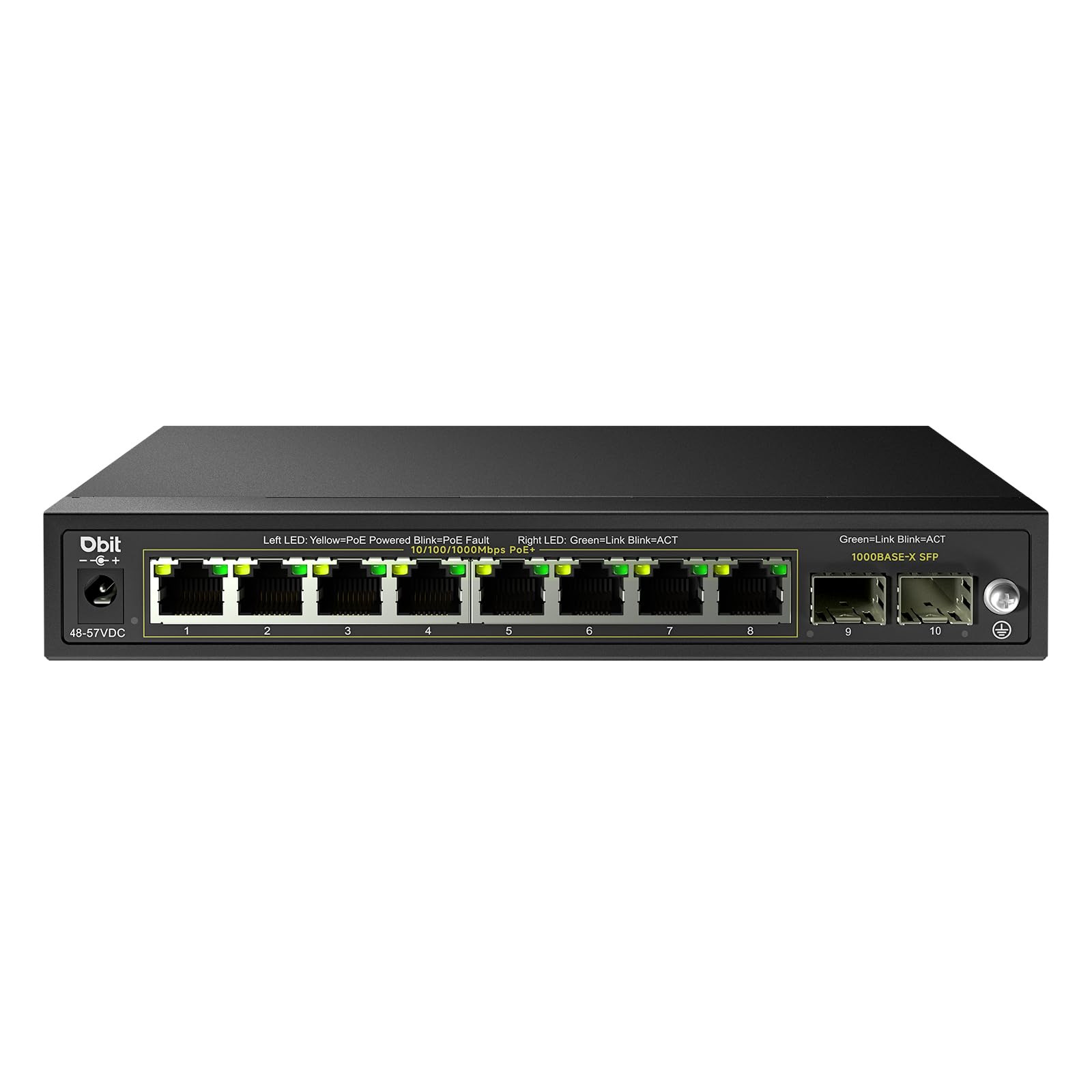
The long-range specialist that bridges a distant building with fiber and powers eight devices at once.
If your network needs to cross a gap longer than 256 feet — say, connecting a detached garage or a barn to the main house — the DBIT switch stands out because its two SFP ports are dedicated 1G fiber slots. As one customer observed, SFP provides the same data speed as an RJ45 port (the standard Ethernet connector) but over fiber that can reach up to 555 meters (roughly 1,820 feet), far beyond the 256-foot limit of standard copper Ethernet. This lets you run a single fiber cable from your main router to a far building, then use the eight PoE+ ports to power cameras and access points on the other end without paying for a second internet subscription.
The total PoE budget is 125W, which is close to the GigaPlus at 130W. Each port delivers up to 30W. The switch includes a DIP switch panel (a set of physical switches on the case) for VLAN mode (isolating the eight PoE ports from each other to prevent broadcast storms) and PoE Auto Recovery, which automatically detects and reboots a camera or access point that has frozen or gone offline. The metal housing is fanless, so it runs silently. It also carries 6KV surge protection and 6KV/8KV ESD protection (Electrostatic Discharge protection) for outdoor or semi-outdoor installations where lightning strikes near power lines are a risk.
The SFP ports are 1G, not 10G — so the fiber link to the far building runs at Gigabit speed, not multi-gig. If you need to push 2.5G or 10G over fiber, you would need a switch with SFP+ slots, like the GigaPlus model. Also, the switch is controlled only by physical DIP switches — there is no web interface or app, so you set the mode once and leave it.
Fiber advantage
- Two dedicated 1G SFP ports for fiber runs up to 555 meters, solving long-distance connectivity gaps
- 125W PoE budget powers a full eight-port load of cameras or APs
- PoE Auto Recovery reboots frozen devices automatically without manual reset
- Fanless and surge-protected (6KV) for reliable use in semi-outdoor locations
Fiber speed limit
- SFP ports are 1G only — no 10G option for a fast backbone over fiber
- No web interface or app; configuration is limited to physical DIP switches
- VOC: customers note a labeled “internet” port on the case would have been helpful for first-time setup
Best for bridging buildings: you need to connect a remote structure with fiber and power eight devices at the far end without an extra internet bill.
Not for multi-gig needs: if your backbone runs at 2.5G or 10G, the 1G SFP ports will cap your throughput — look at the GigaPlus or a switch with SFP+.
5. MokerLink 10 Port Gigabit PoE Switch (POE-G082G)

The fanless all-metal switch that runs 120W of power in dead silence.
This is the switch to grab if you need the full 120W power budget to run cameras and access points but cannot stand fan noise in a home office or living space. The entire chassis is metal and uses passive cooling — no fan at all — so it makes zero sound. Reviewers point out it works flawlessly with 2.5G PoE access points and routers, and one noted the heavy build quality and computer-style power cord (instead of a bulky wall wart) make it easy to place on a desk or mount on a wall. The eight PoE+ ports each supply up to 30W, and the total budget of 120W means you can run a full eight-camera system or a mix of APs and cameras.
The two Gigabit RJ45 uplink ports give you a wired connection back to the router, but there is no SFP or SFP+ slot — so you are limited to copper Ethernet for the uplink. A DIP switch on the side toggles VLAN mode (isolating PoE ports from each other so only the uplink port sees all traffic) and Extend Mode, which pushes the PoE range to 250 meters at 10Mbps. Setup takes seconds: plug in the power, connect your devices, and it works.
Because it is unmanaged, you get no web interface, no QoS, and no remote reboot options. If a camera freezes, you have to power-cycle the switch manually or rely on a separate device. The two uplink ports are also standard Gigabit, so if your main router supports multi-gig, this switch will cap all traffic at 1Gbps to the rest of your network.
Silent power
- 120W PoE budget in a completely fanless metal chassis — zero noise
- VLAN and Extend modes via DIP switch for traffic isolation and 250m range
- Computer-style power cord (no wall wart) makes desk placement tidy
- Heavy metal build feels durable and dissipates heat well
No uplink options
- Two RJ45 uplinks only — no SFP or fiber port for long-distance backbone
- Unmanaged — no web dashboard, no remote management, no PoE auto-recovery
- All traffic through the switch is capped at 1Gbps to the router
Grab it for silence: you need 120W of PoE power in a room where a fan would be distracting — the fanless design delivers that without compromise.
Skip it for fiber or remote management: if you need an SFP uplink or web-based control, go with the DBIT or TP-Link respectively.
6. UGREEN Ethernet Switch, 10-Port PoE Switch (35372US)

The entry-level metal switch that gets three or four cameras running without breaking your budget.
If your setup is small — say three Reolink cameras and a mesh access point, which shoppers say working perfectly with this switch — the UGREEN covers you at a very accessible price point. It offers eight PoE+ ports with a total power budget of 60W, meaning each port still gets the standard 30W maximum, but the total across all ports is lower. That is 60W versus 120W on the Tenda or MokerLink. The switch protects itself with intelligent power management: if total draw exceeds 60W, it cuts power to higher-numbered ports first (port 8, then 7, etc.) to prevent overload. Each failed port shuts off independently, so a short on one camera does not knock out the rest.
Three physical modes on the case let you switch between Standard (all ports talk freely), Port Isolation (VLAN — ports 1–4 only communicate with ports 5–6, not each other), and Extend Mode (pushes PoE up to 820 feet for far-away cameras). The Extend Mode also enables PoE Auto Recovery on ports 1–6, which automatically detects and restarts a frozen camera or access point without you having to go flip the power. The metal chassis includes brackets for a 19-inch rack, and the internal power supply uses a standard ATX-style power cord rather than a wall wart.
The 60W budget is the hard limit. If you try to run six or seven power-hungry devices, you will hit the ceiling and the switch will start dropping ports. That makes this ideal for small camera systems or a single office with a few PoE devices, but not for a full eight-port deployment of high-wattage access points.
Small setup balance
- Three modes (Standard/Isolation/Extend) via one-button toggle for flexible use
- PoE Auto Recovery on ports 1–6 reboots frozen cameras without manual intervention
- Rack-mount brackets included for professional installation in a 19-inch rack
- Internal ATX-style power supply is easier to replace than a wall-wart brick
Power limits bite fast
- 60W total budget is the lowest in this guide — at most 4-5 mid-power devices, not eight
- No SFP or uplink ports beyond the two Gigabit RJ45 jacks
- Wall-mount screw recesses are very small and shallow, per one buyer — need tiny flathead #6 screws
Reach for it when: you have three or four cameras and one access point to power — the 60W budget and auto-recovery make it a fuss-free small-system switch.
Pass it by for heavy loads: if you plan to fill all eight ports with devices that each draw 10W or more, the power budget will be insufficient — upgrade to a 120W model like the Tenda or DBIT.
Understanding the Specs
PoE Power Budget
This is the total wattage the switch can supply across all PoE ports simultaneously. It is the single most important spec for planning your installation. Add up the power draw of every device you want to connect: a basic IP camera typically uses 5W–10W, a pan-tilt-zoom camera can draw 15W–20W, and a high-performance Wi-Fi 6 access point may need 25W–30W. If the total exceeds the switch budget, some ports will not power on. Budget models offer 60W, which is fine for three or four light devices; mid-range switches offer 120W–130W, enough for a full eight-port load of cameras or mixed APs.
Uplink Ports and Speed
The uplink ports connect the switch back to your main router or core network. Most 10-port switches use one or two Gigabit RJ45 ports for this, which handle 1Gbps — adequate for a typical broadband connection. More advanced switches add SFP slots, which accept fiber or copper transceiver modules for runs longer than 100 meters, or SFP+ slots that support 10Gbps for a high-speed backbone to a NAS or multi-gig router. If your internet plan is under 1Gbps and your local file transfers are modest, Gigabit uplinks are fine. If you move large files between a NAS and multiple PCs, a 10G SFP+ uplink prevents the switch from becoming a bottleneck.
FAQ
Can I plug a non-PoE device into a PoE switch port?
How many cameras or access points can a 10-port PoE switch support?
What is the difference between a managed and an unmanaged PoE switch?
Can a 10-port PoE switch work with a UPS or battery backup?
What does “Extend Mode” do on a PoE switch?
What is the difference between 802.3af and 802.3at (PoE+) standards?
Can I use a PoE switch in an outdoor or semi-outdoor location?
What does VLAN mode do on a PoE switch?
How do I decide between a fanless and a fan-cooled PoE switch?
What cable do I need for a PoE connection?
Final Thoughts: The Verdict
Across the board, the best 10 port poe switch overall is the Tenda TEG1110PF because it delivers a full 120W power budget, a flexible SFP uplink, and VLAN/Extend modes at a very accessible price point — enough power and features for a full camera system or a small office network. If you need multi-gig performance for a fast NAS and Wi-Fi 6 access points, grab the GigaPlus 2.5G for its 2.5G PoE ports and 10G SFP+ uplinks. And for total network control with VLAN segmentation and remote management through the Omada app, the TP-Link TL-SG2210P is the one to choose.
How We Picked
We do not accept paid placement, and we did not hands-on test every unit. Instead, we match each pick to a real buyer and use-case by comparing the manufacturers’ published specifications against the patterns in verified customer reviews — so you get each pick’s real strengths and trade-offs instead of marketing copy.
Sources & Methodology
Specifications: manufacturer listings and product documentation. Review insights: verified customer reviews, as of July 2026. Pricing: not shown on this page (it changes often); check the current price via the retailer link.
As an Amazon Associate, Gadgets Feed earns from qualifying purchases. This does not affect which products we feature.
Product prices and availability are accurate as of the date/time indicated and are subject to change. Any price and availability information displayed on Amazon at the time of purchase will apply to the purchase of this product. As an Amazon Associate I earn from qualifying purchases.
CERTAIN CONTENT THAT APPEARS ON THIS SITE COMES FROM AMAZON. THIS CONTENT IS PROVIDED "AS IS" AND IS SUBJECT TO CHANGE OR REMOVAL AT ANY TIME.
Amazon and the Amazon logo are trademarks of Amazon.com, Inc. or its affiliates.