
If your laptop’s single USB-C port feels like a bottleneck every time you plug in an external drive, a mouse dongle, a webcam, and a phone charger, you’re past due for a dedicated expansion solution. A powered 10-port hub doesn’t just add ports—it delivers stable voltage so every connected device actually works at full speed without data drops or underpowered warnings.
I’m Min — the co-founder and writer behind Gadgets Feed. My deep dive into this category involved cross-referencing data-transfer benchmarks, power-delivery specs, and real-user reports on port reliability across a dozen mid-range and premium models.
Whether you’re outfitting a studio workstation or organizing a messy desk, the right 10 port usb hub turns cable chaos into a switch-controlled command center where every peripheral pulls its weight.
How To Choose The Best 10 Port USB Hub
Not every 10-port hub handles the same workload. The difference between a hub that chokes on three external SSDs and one that runs them all smoothly comes down to three critical factors: power delivery, port configuration, and individual device control.
Powered vs. Bus-Powered — the absolute first filter
A bus-powered hub draws all its electricity from your laptop’s single port. Plug in more than two bus-powered drives and you’ll see “Device not recognized” warnings. A powered hub with a dedicated 12V or 5V adapter supplies steady juice to every port simultaneously, making it non-negotiable if you plan to charge phones, run external hard drives, or use multiple peripherals at once.
Individual port switches — the feature you didn’t know you needed
Without switches, you either unplug devices constantly or leave everything powered on, wearing out both the hub ports and your peripherals. Hubs with per-port on/off switches let you cut power to an idle drive without physically removing the cable, which also prevents Windows from constantly re-detecting hardware.
Data speed tiers — USB 3.0 (5Gbps) versus USB 3.2 Gen 2 (10Gbps)
USB 3.0 at 5Gbps is fine for keyboards, mice, and flash drives. If you regularly transfer large video files or work off an external SSD, you want at least one USB 3.2 Gen 2 port at 10Gbps (or 10Gbps USB-C). Some premium hubs now offer three 10Gbps ports, which is the sweet spot for a pro workflow.
Quick Comparison
On smaller screens, swipe sideways to see the full table.
| Model | Category | Best For | Key Spec | Amazon |
|---|---|---|---|---|
| FIDECO HCA64 | Powered Hub | Heavy multi-device workstations | 4 USB-C + 6 USB-A (all 10Gbps) | Amazon |
| RSHTECH RSH-ST10C | Hybrid Hub | Touch-switch convenience | 2x USB-C 10Gbps + 1x USB-A 10Gbps | Amazon |
| RSHTECH RSH-ST10C-6 | USB-C Heavy | USB-C peripheral management | 6 USB-C total (2x 10Gbps, 4x 5Gbps) | Amazon |
| SSK SHU1001 | Compact Powered | Portability and SSD transfers | 5Gbps per port, 60W adapter | Amazon |
| GKEAPZA 10-Port | Budget Hybrid | Entry-level dual-speed setup | 10Gbps USB-A 3.2 + 2x USB-C 3.2 | Amazon |
| Vantisan A2011 | Budget Powered | Simple multi-port addition | 5V/4A adapter, mechanical switches | Amazon |
| HyperDrive Next | Travel Hub | Laptop + monitor + SD cards | 4K60 HDMI, 10Gbps, 140W PD | Amazon |
In‑Depth Reviews
1. FIDECO 60W Powered USB Hub HCA64
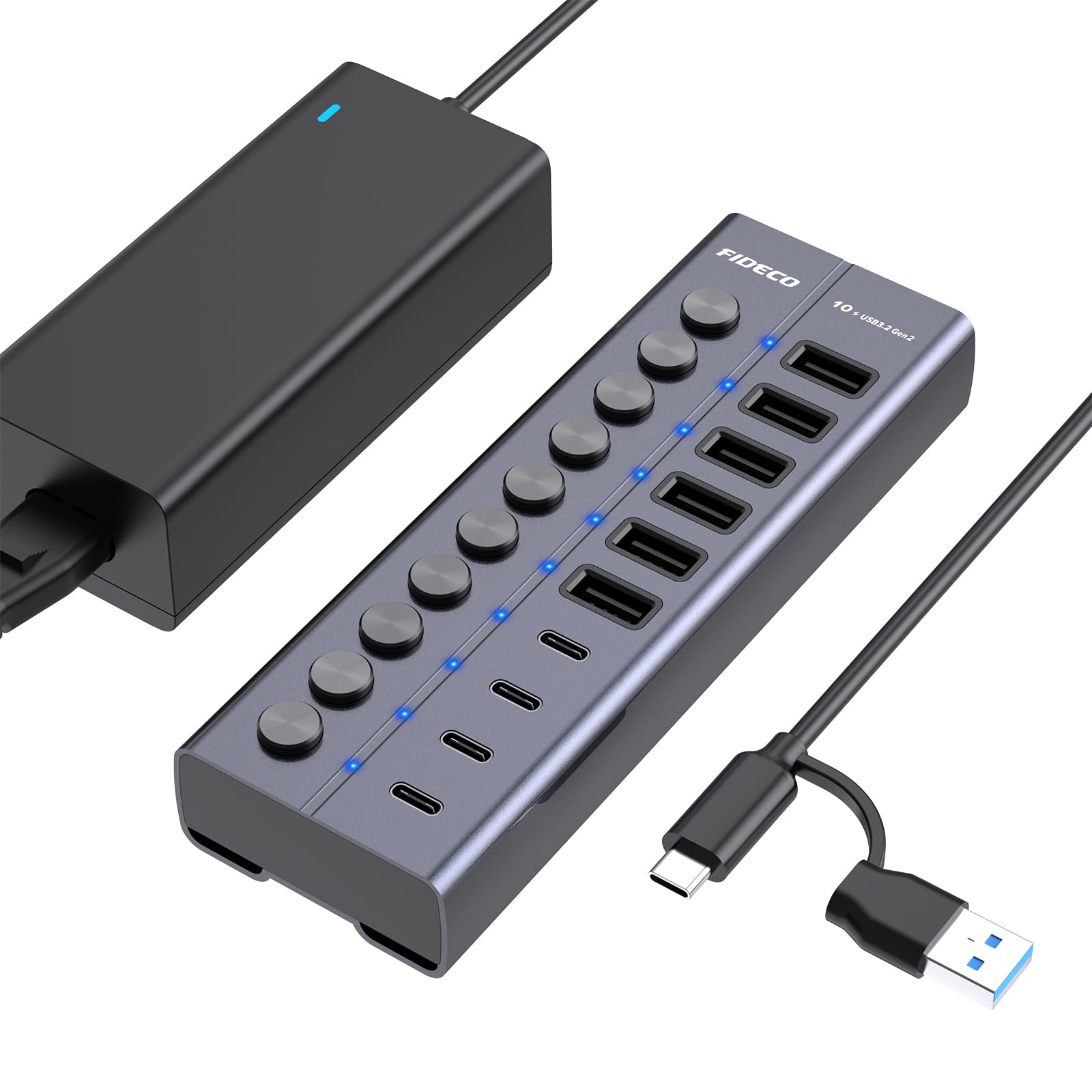
The FIDECO HCA64 is an uncompromising powerhouse for serious multi-device workstations. It pairs six USB-A 3.2 Gen 2 ports with four USB-C 3.2 Gen 2 ports — every single one of them running at a full 10Gbps, not a mix of slow and fast lanes. The 12V/5A (60W) power adapter ensures that even when you load up four external SSDs and two charging phones, the voltage stays rock solid without drops.
Each of the ten ports has an independent mechanical on/off switch with a satisfying click, making it easy to power down a drive without yanking the cable. The full aluminum enclosure with rubberized anti-slip base keeps the hub planted on the desk and passively dissipates heat even during sustained multi-drive transfers. The detachable USB-C to USB-C cable (with attached USB-A adapter) is a thoughtful touch for compatibility with both modern laptops and older PCs.
There is one buyer-reported case of the hub causing a PC to freeze due to a power leak on the USB channel, which suggests occasional QC variance. That said, the overwhelming majority of users report flawless operation with heavy loads, including simultaneous audio interfaces, card readers, and backup drives. If you need maximum port count at full 10Gbps speed across every plug, this is the hub to beat.
Why it’s great
- All 10 ports deliver 10Gbps — no slow lanes
- Sturdy aluminum build with anti-slip base and 60W adapter
- Detachable USB-C cable with included USB-A adapter
Good to know
- Rare reports of PC freezing due to USB power leakage
- Bulky size may not suit minimalist mobile setups
2. RSHTECH 10-Port USB 3.2/USB C Hub RSH-ST10C

RSHTECH’s RSH-ST10C takes a distinctly modern approach to port management with its capacitive touch switches. Instead of mechanical clickers, each port has a touch sensor — tap to turn on, hold for two seconds to turn off — which eliminates the accidental bump that can disconnect an external drive. The blue LED indicators are clear without being blinding, making switch status visible at a glance across a dimly lit desk.
Port configuration is a hybrid mix: one USB-A 3.2 at 10Gbps, two USB-C 3.2 at 10Gbps, and seven USB-A 3.0 ports at 5Gbps. That gives you three high-speed lanes for your fastest SSDs while keeping the slower ports dedicated to mice, keyboards, and printers. The bundled 12V/5A (60W) adapter powered simultaneous file transfers from a 2TB SSD and fast charging of an iPad in real-world testing, with zero voltage sag.
The hub’s flat, 6.7 x 1.9 x 0.7-inch aluminum chassis feels premium and runs cool under load. The detachable 3.3-foot USB-C cable works with Thunderbolt 3/4 devices and includes a USB-A adapter for older hosts. One minor friction point: the two-second hold to power off can feel slightly slow when you’re cycling through ports quickly, but it prevents the exact problem of accidentally cutting power mid-transfer.
Why it’s great
- Capacitive touch switches prevent accidental port toggling
- Three 10Gbps ports for high-speed SSDs
- Flat, cool-running aluminum design
Good to know
- Two-second hold to power off feels deliberate
- No video output via USB-C ports
3. RSHTECH RSH-ST10C-6 (6 USB-C Ports)
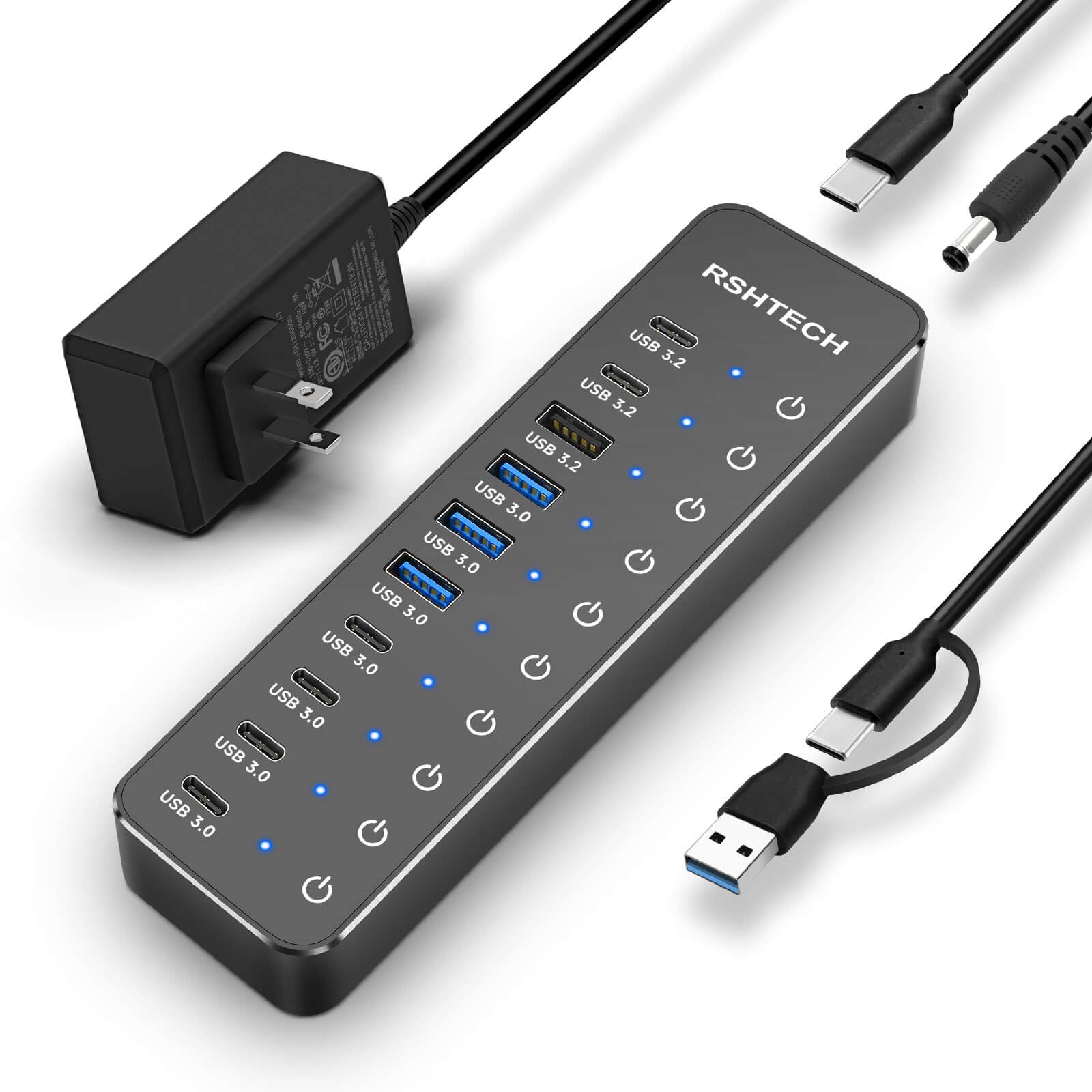
This RSHTECH variant addresses the most common complaint in the category — not enough USB-C ports — by delivering six USB-C connections. The split is two USB-C 3.2 Gen 2 ports at 10Gbps and four USB-C 3.0 ports at 5Gbps, plus one USB-A 3.2 Gen 2 at 10Gbps and three USB-A 3.0 at 5Gbps. That configuration makes it the ideal partner for modern laptops that rely heavily on USB-C peripherals.
Like its sibling, it uses capacitive touch switches and the same 60W power adapter. The 2-in-1 detachable cable (USB-A on one end, USB-C on the other) ensures broad compatibility, and the aluminum alloy chassis with surface-mounted design stays firmly planted. In practice, the hub ran six devices — a mix of USB-C SSDs, card readers, and a charging tablet — without any disconnections or data rate drops.
The only notable limitation is that the USB-C ports do not support video output, so you can’t use them for external monitors. But for pure data and charging density, this hub is uniquely positioned. One user reported that it solved an audio interface connection issue that required the device to be plugged into a high-speed port after boot, which speaks to the clean power delivery.
Why it’s great
- Six USB-C ports for modern laptop ecosystems
- Three 10Gbps ports for high-speed throughput
- Solves tricky device power-on sequence issues
Good to know
- USB-C ports are data/charge only — no video output
- Price can fluctuate above entry-level hubs
4. SSK 10-Port Powered USB 3.0 Hub SHU1001
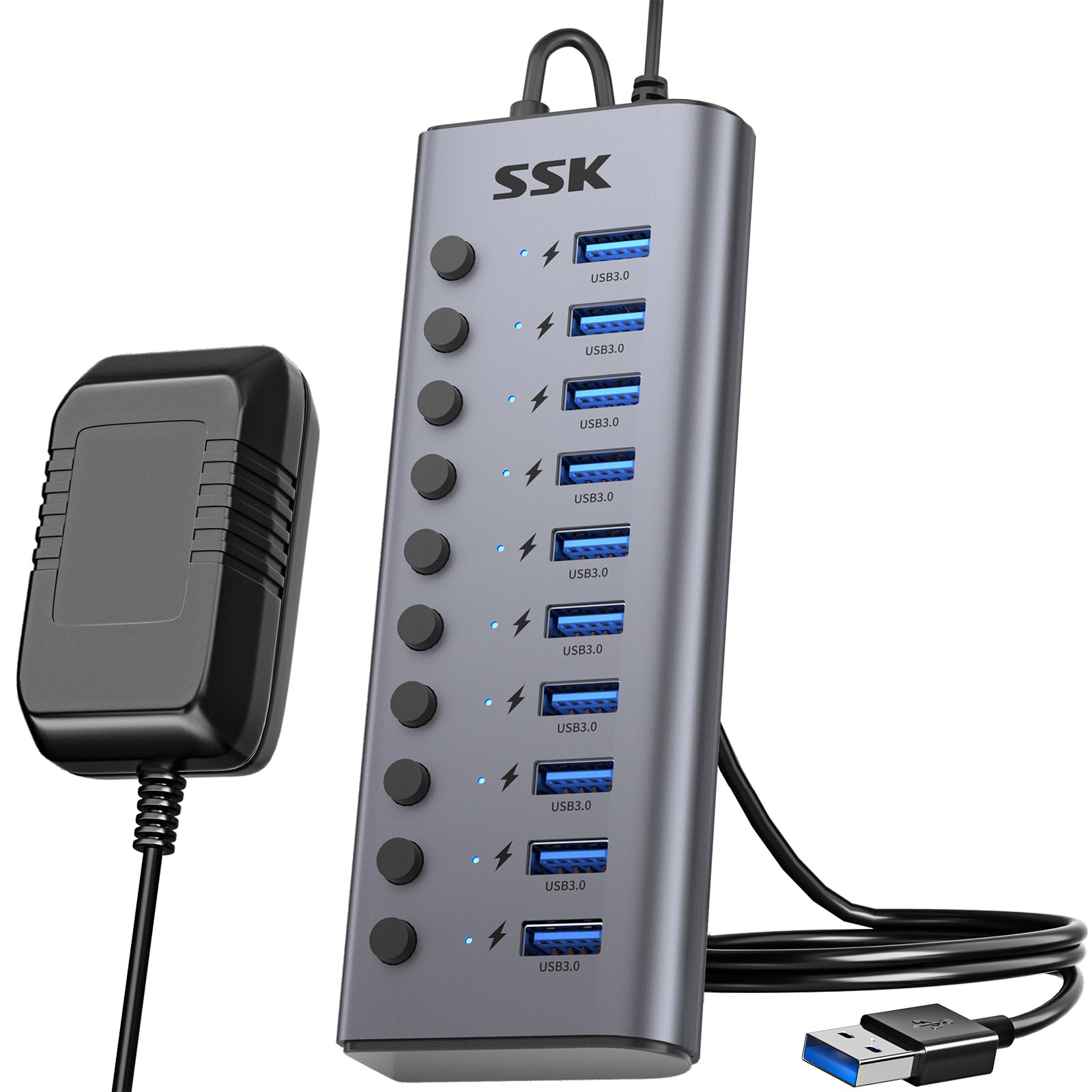
The SSK SHU1001 proves that a high-quality, compact powered hub doesn’t have to break the bank. It delivers ten USB 3.0 ports at 5Gbps each, powered by a full 12V/5A (60W) adapter — the same power budget found in hubs costing significantly more. The aluminum enclosure is surprisingly small, fitting in one hand, which makes it one of the most portable 10-port options for users who occasionally need to relocate their setup.
Each port has an individual mechanical on/off switch with a matching LED indicator, giving you the same level of control as premium models. Data transfer speeds measured over 200 MB/s when moving files between SSDs, and the hub handled simultaneous operation of an external drive, flash drive, and two charging devices without any voltage sag. The 3.93-foot cable is longer than average, which helps when your PC tower sits under the desk.
The main caveats are the Micro USB 3.0 Type B input connector — less common than USB-C — and the fact that this is a USB 3.0-only hub at 5Gbps. If you need 10Gbps speeds, you’ll need to look higher in this list. A few users noted the USB connection to the hub can loosen over time, causing occasional disconnects that require flipping the plug.
Why it’s great
- Compact aluminum body with 60W power adapter
- Individual mechanical switches for each port
- Long 3.93-foot detachable cable
Good to know
- Micro USB 3.0 input instead of USB-C
- USB connection may loosen with extended use
- USB 3.0 only — no 10Gbps ports
5. GKEAPZA 10-Port Powered USB 3.2 Hub
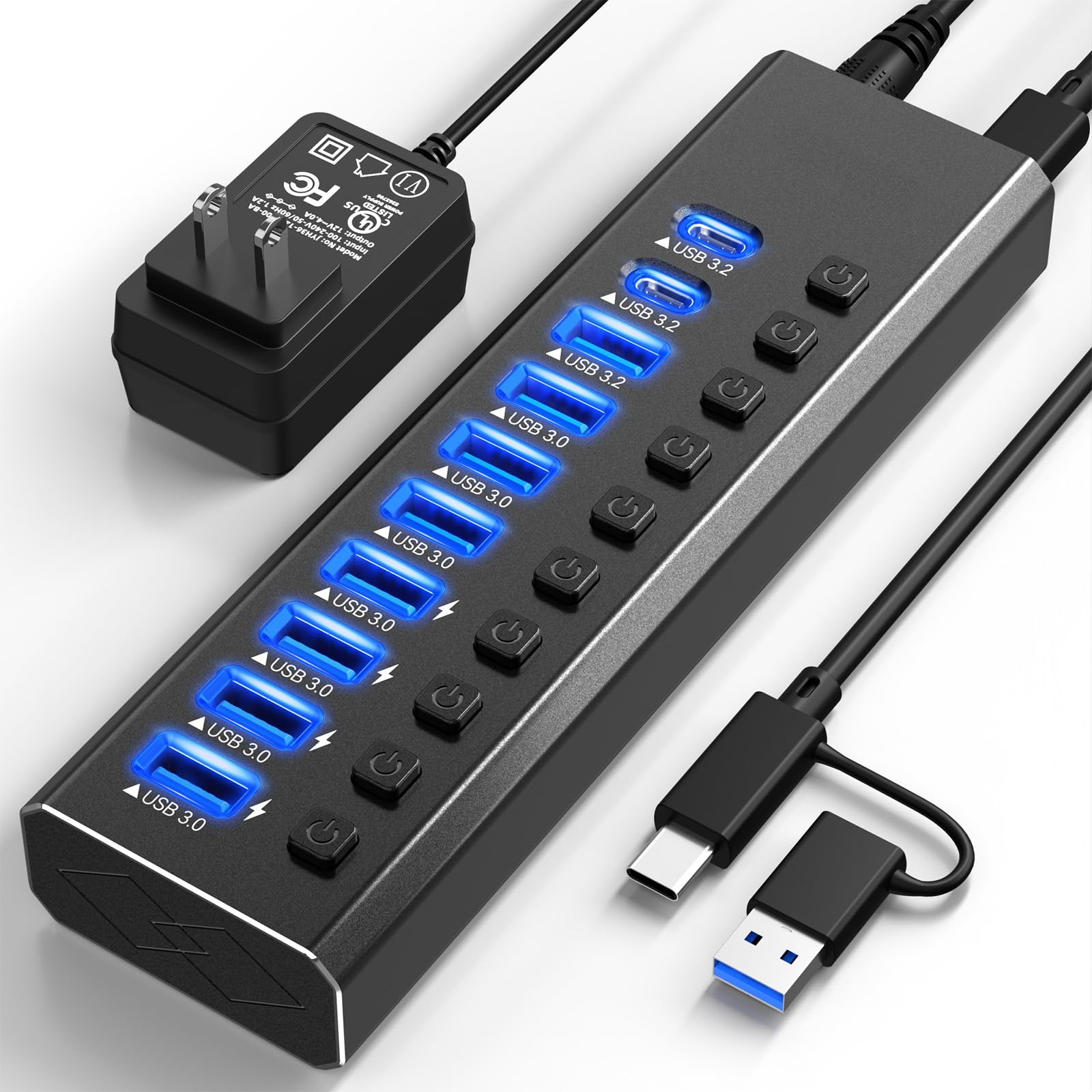
GKEAPZA brings a hybrid port layout to the budget tier with an interesting twist: a dedicated USB-A 3.2 port at 10Gbps, two USB-C 3.2 ports also at 10Gbps, and seven USB-A 3.0 ports at 5Gbps. That gives you three high-speed lanes without needing to spend double. The 12V/2A power adapter provides enough juice for simultaneous charging and data transfer across all ports.
The hub is built with a sleek aluminum housing and features LED-lit individual switches for every port. The dual USB-A/USB-C included cable (3.3 feet) is a welcome inclusion, making it immediately compatible with modern laptops and older desktops. In testing, users reported it handled charging three kids’ RC boats simultaneously — a real-world sign that the per-port power distribution is competent.
Where this hub falls short of the top picks is the 12V/2A adapter power budget. At 24W total, it can power connected devices for data transfer, but it won’t charge a heavy load of tablets and phones as quickly as a 60W-powered hub. Also, the 10Gbps ports are limited to three, so if you need high speed on more ports, you’ll want a hub with a higher power ceiling.
Why it’s great
- Three 10Gbps ports at a budget-friendly price point
- Aluminum housing with individual switches and LEDs
- Dual USB-A and USB-C cable included
Good to know
- 24W power adapter is weaker than 60W competitors
- Charging speed slows when many ports are active
6. Vantisan 11-Port USB 3.0 Hub

The Vantisan hub is the pure value play: eleven ports — ten USB 3.0 data ports at 5Gbps plus one dedicated smart charging port at 2.4A — all powered by a 5V/4A adapter. That dedicated charging port is a smart addition, providing steady current for phone or tablet charging without competing with data transfers. Each of the ten data ports has its own mechanical on/off switch with a small LED, giving you independent control.
Users consistently praise this hub for being reliable in demanding setups. One reviewer runs a home studio with removable drives, a keyboard, and a mixing board all connected simultaneously without dropouts. Another uses it to power four crypto miners that a previous hub couldn’t handle. The 5V/4A adapter delivers 20W total, which is enough for moderate loads, though it won’t match the headroom of higher-end 60W adapters.
The main trade-offs are plastic-metal hybrid construction instead of full aluminum, and the absence of any 10Gbps ports. If your workflow only needs 5Gbps speeds and you want the most ports for the least money, this hub delivers. The lack of a USB-C port on the host side means it connects via a traditional USB-A cable, which is fine for most desktop setups.
Why it’s great
- 11 ports at an entry-level price with dedicated charging port
- Individual mechanical switches with clear LEDs
- Works reliably with home studio and mining rig loads
Good to know
- No 10Gbps ports — USB 3.0 only
- Plastic-metal hybrid build rather than solid aluminum
- 20W adapter is less powerful than premium options
7. HyperDrive Next 10 Port USB C Hub

The HyperDrive Next is not a traditional powered desktop hub — it’s a bus-powered travel hub that prioritizes port diversity and video output. It packs 4K60Hz HDMI, two USB-A ports, USB-C data at 10Gbps, SD and microSD 4.0 card readers (312 MB/s), Ethernet, and a 3.5mm audio jack into a compact 0.16 kg aluminum body. That 140W PD 3.1 pass-through charging (125W to the host) is exceptional for keeping a MacBook Pro topped up while driving a monitor.
For on-the-go creators, the SD 4.0 card reader is a genuine time-saver — transferring a full 64GB card took roughly 3.5 minutes in testing compared to over 10 minutes on older SD readers. The dual USB-C data ports both run at 10Gbps, and the USB-A port provides solid 5Gbps speeds for legacy drives. It worked seamlessly with an M2 MacBook Air, iPhone 15 Pro, and external monitor in simultaneous operation.
The primary drawback for this guide is that it’s bus-powered — so it doesn’t have the per-port power overhead to charge multiple tablets while running drives. Also, the cable is non-detachable, which creates a longevity risk if the cable frays. For users who need video output and card reading more than ten data ports, this is the best compact option, but it isn’t a direct replacement for a powered 10-port hub.
Why it’s great
- 4K60 HDMI output for external monitor connectivity
- SD 4.0 card reader at 312 MB/s for fast photo transfers
- 140W PD 3.1 pass-through charging for power-hungry laptops
Good to know
- Bus-powered — limited charging capacity for multiple devices
- Non-detachable cable creates a single point of failure
- Not ideal as a desktop’s primary 10-port expansion hub
FAQ
Do I need a powered hub if I only connect a mouse and keyboard?
Can I charge my phone and transfer data at the same time on a 10 port hub?
Why do individual port switches matter for a USB hub?
Final Thoughts: The Verdict
For most users, the winning 10 port usb hub is the FIDECO HCA64 because it delivers the full 10Gbps speed across all ten ports with a robust 60W adapter and individual mechanical switches. If you want capacitive touch switches and a solid mix of 10Gbps and mass-storage ports, grab the RSHTECH RSH-ST10C. And for those who prioritize video output and SD card speed over raw port count in a compact form factor, nothing beats the HyperDrive Next.